As a child, there was a game called secret message which consisted of writing something on a sheet of paper with lemon juice and handing it to a friend who knew that by holding a candle underneath, a message would be revealed — without any of the intermediaries ever knowing.
We can say that this game was a form of steganography
“Steganography (from the Greek ‘hidden writing’) is the study and use of techniques to conceal the existence of a message within another, a form of security through obscurity. In other words, steganography is the particular branch of cryptology that consists of disguising one piece of writing within another in order to mask its true meaning.” - Wikipedia
Today I’m going to introduce another type of steganography — one that uses images to hide text inside pixels!
An image is composed of pixels, and each pixel represents the smallest possible color point using N bits. The more bits per color, the more colors a pixel can represent.
In my example I will focus only on 32-bit images (RGBA or ARGB) where 8 bits are used per color component. Obviously the technique is easily adaptable to other formats.

What happens if I change a single bit of the red component of every pixel? Even with the original image side by side, we would be unable to notice the difference — only a hashing algorithm like SHA1 could tell the files apart.
Therefore, I can use this same trick of altering pixels to hide a message inside the image, and only someone who knows the implementation will know how to extract the message.
But to do this we need to separate each bit of the message and change only one or two bits of each color component. It sounds like very little space, but if we do the math, an 800×600 image — which is considered low resolution today — can hold
800 width _ 600 height = 480000 pixels
480000 pixels _ 4 components = 1920000 bits
1920000 bits / 8 = 240000 bytes
In other words, we can fit a message of up to ~30 KB in an 800×600 image :)
Remember, we are talking about pixels, not file size — that depends on the chosen format. And speaking of format, this only works with lossless formats.
Implementation
To achieve our goal we need to master the ancient art of bit twiddling. There is an excellent resource on the subject called: Bit Twiddling Hacks
Writing a hidden message:
bool write(const QString& in, const QString& out, const QString& text){
  QImage image;
  if (!image.load(in))
      return false;

  QImage result = image.copy();
  int size = text.size();

  QByteArray bytes;
  bytes.reserve(size + headerSize);
  bytes += QString("%1").arg(size, headerSize, 10, QChar('0'));
  bytes += text.toLocal8Bit();

  QBitArray bits = byteArrayToBitarray(bytes);

  // Iterate over each pixel in the image
  for (int index = 0, y = 0; y < image.height(); ++y) {
    for (int x = 0; x < image.width(); ++x) {
      if (index >= bits.count())
        break;

      // Extract each color component individually
      QRgb pixel = image.pixel(x, y);
      int red   = qRed(pixel);
      int green = qGreen(pixel);
      int blue  = qBlue(pixel);
      int alpha = qAlpha(pixel);

      // For each component, take one bit from the message
      // and turn the last bit of the component on or off
      // to turn on:  component | (1 << 0x00)
      // to turn off: component & ~(1 << 0x00)
      red   = bits[index + 0] ? red   | (1 << 0x00) : red   & ~(1 << 0x00);
      green = bits[index + 1] ? green | (1 << 0x00) : green & ~(1 << 0x00);
      blue  = bits[index + 2] ? blue  | (1 << 0x00) : blue  & ~(1 << 0x00);
      alpha = bits[index + 3] ? alpha | (1 << 0x00) : alpha & ~(1 << 0x00);

      // Same thing for the second-to-last bit
      red   = bits[index + 4] ? red   | (1 << 0x01) : red   & ~(1 << 0x01);
      green = bits[index + 5] ? green | (1 << 0x01) : green & ~(1 << 0x01);
      blue  = bits[index + 6] ? blue  | (1 << 0x01) : blue  & ~(1 << 0x01);
      alpha = bits[index + 7] ? alpha | (1 << 0x01) : alpha & ~(1 << 0x01);

      // Write the pixel back to its original position
      result.setPixel(x, y, qRgba(red, green, blue, alpha));

      index += 8;
    }
  }

  return result.save(out);
}
Reading a hidden message from an image:
QByteArray read(const QString& filename) {
  QBitArray bits(8);
  QByteArray bytes;
  bytes.reserve(headerSize);
  int bytesToRead = 0;

  QImage image;
  if (image.load(filename)) {
    // Iterate over each pixel in the image
    for (int y = 0; y < image.height(); ++y) {
      for (int x = 0; x < image.width(); ++x) {
        uint32_t index = 0;
        QRgb pixel = image.pixel(x, y);

        // For each pixel, extract the last and second-to-last bit
        // of each color component
        bits[index++] = qRed(pixel)   & 1 << 0x00;
        bits[index++] = qGreen(pixel) & 1 << 0x00;
        bits[index++] = qBlue(pixel)  & 1 << 0x00;
        bits[index++] = qAlpha(pixel) & 1 << 0x00;

        bits[index++] = qRed(pixel)   & 1 << 0x01;
        bits[index++] = qGreen(pixel) & 1 << 0x01;
        bits[index++] = qBlue(pixel)  & 1 << 0x01;
        bits[index++] = qAlpha(pixel) & 1 << 0x01;

        // Convert the 8 bits into 1 byte and append to the bytes list
        bytes += bitArrayToByteArray(bits);

        // We need to know how many bytes to read;
        // for that, a header with this information
        // is inserted at the very beginning of the write process
        if (!bytesToRead && bytes.size() == headerSize) {
          bool ok;
          bytesToRead = bytes.toInt(&ok);
          if (!ok)
            return bytes;

          bytes.clear();
          bytes.reserve(bytesToRead);
        }

        // Read everything there was to read — return the bytes
        if (bytes.size() == bytesToRead) {
          return bytes;
        }
      }
    }
  }

  return bytes;
}
Proof
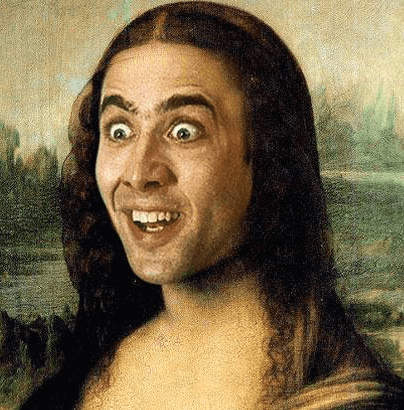
$ file gioconda.png
gioconda.png: PNG image data, 404 x 410, 8-bit/color RGBA, non-interlaced
$ ./stenog -i gioconda.png -o gioconda_stenog.png -m "flipping bits whilst updating pixels"
$ file gioconda_stenog.png
gioconda_stenog.png: PNG image data, 404 x 410, 8-bit/color RGBA, non-interlaced
$ ls -lah *.png
-rw-r--r--@ 1 Skhaz  staff   378K Apr  3 17:33 gioconda.png
-rw-r--r--  1 Skhaz  staff   394K Apr  3 17:46 gioconda_stenog.png
$ ./stenog -i gioconda_stenog.png
flipping bits whilst updating pixels
The file size changed slightly due to the format used — in this case, PNG.
This technique can be used to hide not only text, but also other images, sounds, or any kind of data.
Talk is cheap. Show me the code
The source code can be found in this gist