Convert any public Notion page to a beautifully formatted PDF for free.
How it works
Step 1: Publish your Notion page to the web
Open your Notion page and click the Share button in the top-right corner. Select the Publish tab, then click Publish to make your page publicly accessible.
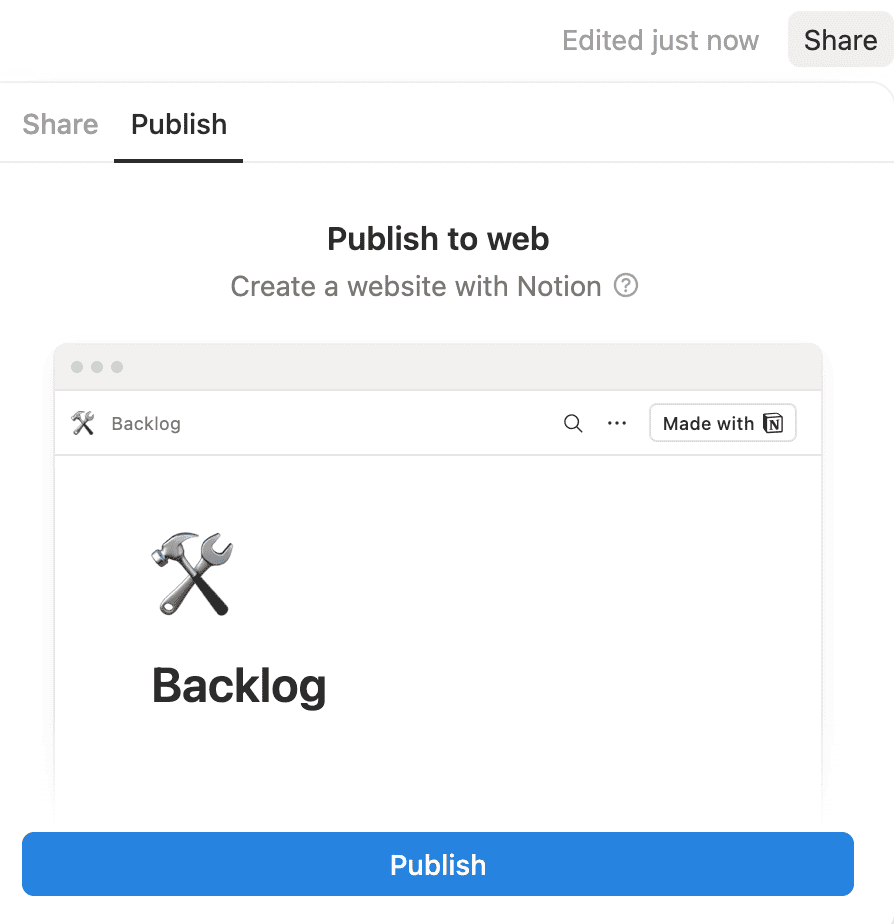
Step 2: Copy the page URL
Once published, you can get the URL by clicking the Copy site link button, or by clicking View site and copying the URL from your browser's address bar. The URL will look something like https://yourname.notion.site/Page-Title-abc123.
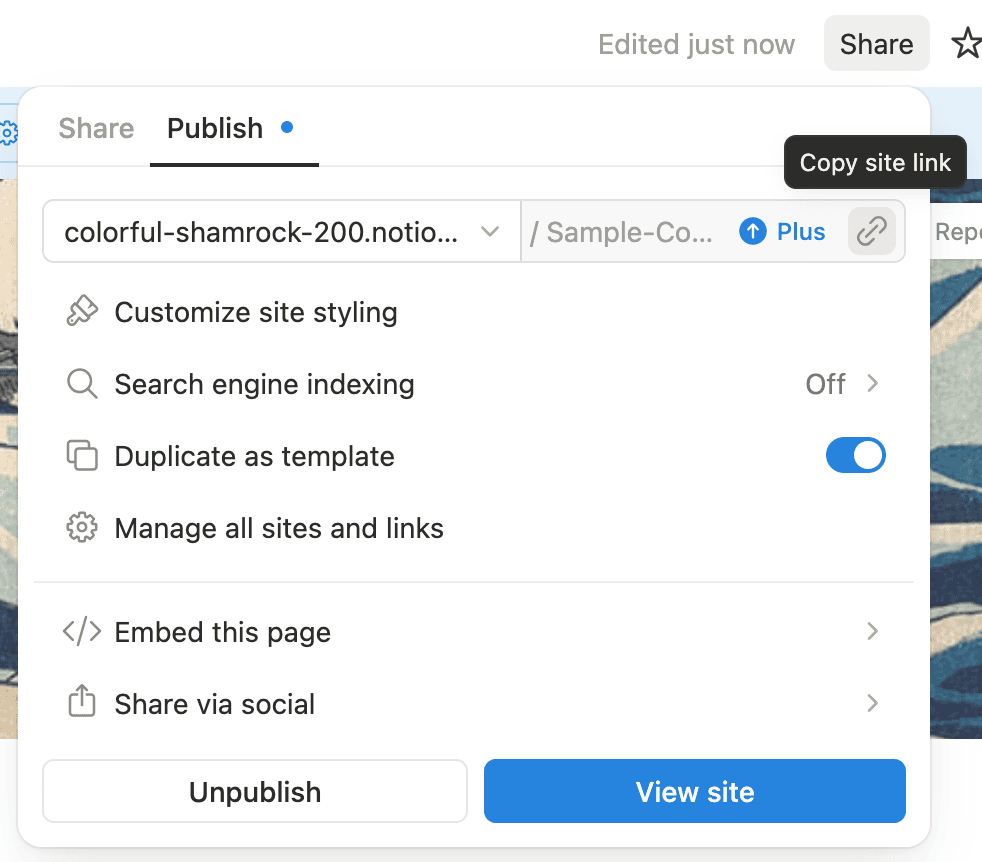
Step 3: Paste the URL and customize
Paste the URL in the field above. Use "Customize PDF" to adjust the page size, fonts, margins, and other settings to match your preferences.

Step 4: Generate and download
Click "Generate PDF" and wait a few seconds. Your PDF will automatically download, preserving your Notion page's formatting, images, and layout.
Example
Here's a comparison between Notion's default PDF export and our customized export from this Notion page. The page has a two-column layout with images, so the default settings didn't produce the best result. Both PDFs were scaled to 80% for better comparison.
Notion's default export
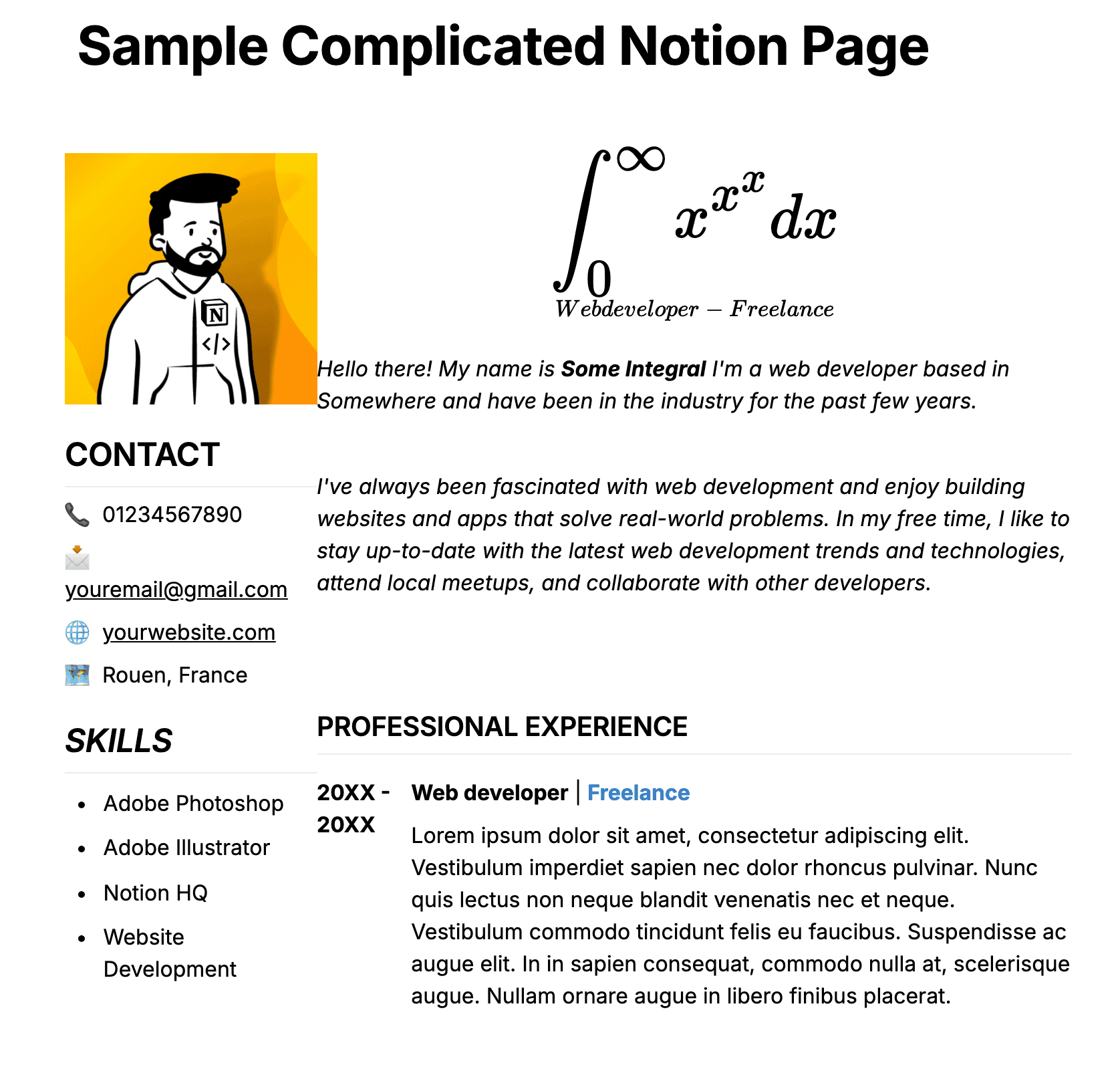
Our customized export

Settings used for the customized export:
- Orientation: Landscape
- Scale: 80%
- Margins: Small
- Font Size: Small (14px)
- Hide page title: checked
- Hide properties, icon, and cover image: checked
"this is amazing!!! i just tested it and the pdf was PERFECT! exactly like it looks on the screen!"
Comment from an r/Notion user
"Just tried this out and it works perfectly!"
Comment from an r/Notion user
Frequently Asked Questions
- Do you preserve the formatting and layout of my page?
- Yes, we preserve the formatting and layout of your page and give the ability to customize the PDF appearance.
- Can I export in dark mode?
- Yes. Check "Export in dark mode" in the customization options to generate a PDF with a dark page background and light text. Light mode remains the default.
- Do you support page breaks?
- Yes, you can force a page break after each Notion divider block by checking "Treat dividers as page breaks" in the customization options.
- Can I export databases to PDF?
- Yes, your databases will be exported as tables in the PDF.
- Why does my page need to be public?
- We need to access your page to convert it. Without "Share to web" enabled, we can't fetch the page content. We don't store any of your content.
- Do you store or log my content?
- No. We don't store or log any of your content. The conversion process happens on a serverless infrastructure.
- Can I hide page properties in the export?
- Yes. Check "Hide properties, icon, and cover image" in the customization options. You can hide the page title separately.
- Why do I receive the
'<', "<!DOCTYPE "... is not valid JSONerror? - This is a temporary issue with Notion. Please try again later.
- Do you support other export formats?
- Yes. Use our Notion to Word exporter to create an editable .docx file, our Notion to Markdown converter to get a clean .md file, our Notion to Excel converter to extract database views to .xlsx, or our Notion to Anki converter to export toggle blocks as flashcards.
- Do you support on-premises or private cloud deployments?
- Yes. Contact sales@notionbackups.com for more information.