Proximity voice chat is a popular part of multiplayer video games these days, and for good reason. With it, you can talk to other players naturally, as if they were in the real world: loud when they're next to you, and quieter as they move away, until you can't hear them at all.
But for some reason, proximity chat has only really been done in video games. It's time we bring it to more multiplayer endeavors. With this VS Code extension, we bring proximity chat to programming in VS Code.
Install the extension for VS Code, Cursor, or any other VS Code-based editor by searching for Proximity Chat or nisala in the extension marketplace.
You can join the chat by opening the Command Pallete (Shift + Ctrl/Cmd + P), and running Proximity Chat: Start. You can also mute, deafen, and set your username using the command palette.
This project is open source on GitHub. If you're looking to try out proximity chat, clone this repo, join the chat, and maybe other people will be there!
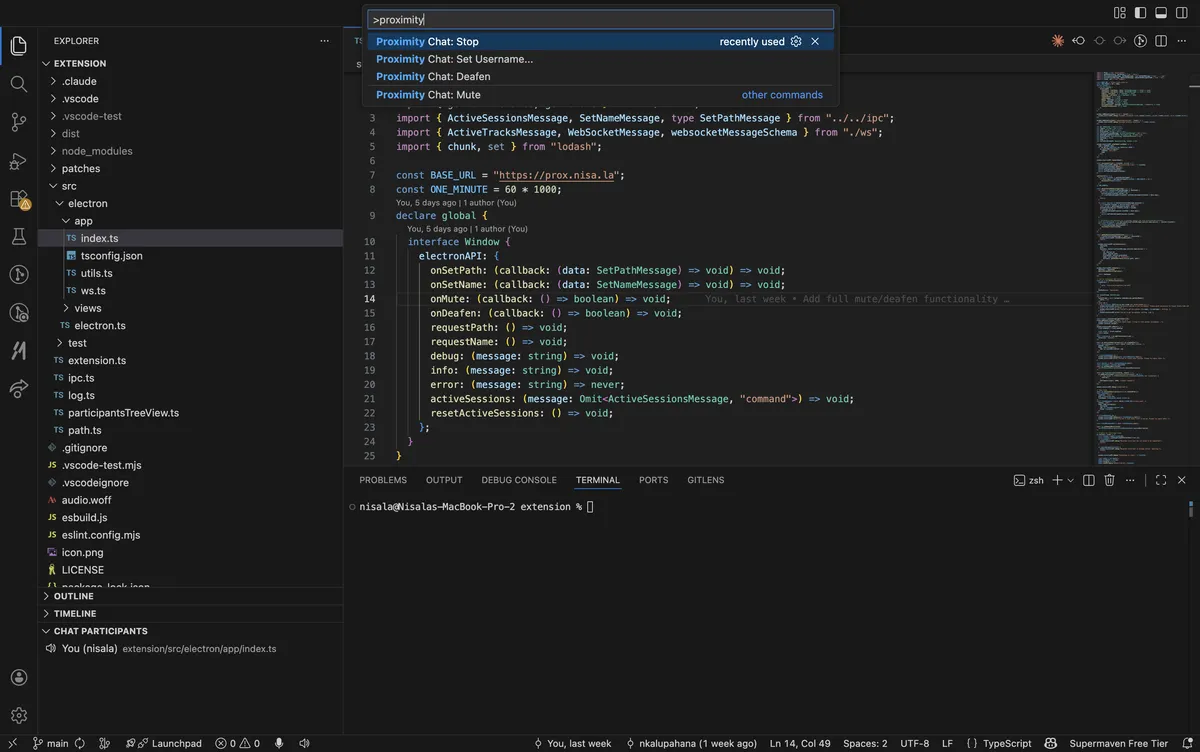
We'll get some common questions out of the way first.
- How does proximity work? Proximity is based on where you are in the filesystem relative to other people. If you're in the same file, you'll hear each other clearly. If you're in the same directory but different files, it'll be a little quieter. As you move further away in the directory tree, it'll get quieter and quieter.
- How are people in the same project connected? You're connected based on Git remote URL. (This means that you can't use Proximity Chat for projects that aren't tracked by Git, or don't have a remote configured.)
- How can I see who is connected? They're visible in the bottom left of the explorer -- see the screenshot above! (You can also click on any of the names to jump to the file they're in.)
- Why? I made this for the love of the game. Other use cases:
- Asking people nearby for help if you're stuck
- Better collaboration and bonding for remote teams (?)
- If someone's editing the same file as you, you know to rush your PR out so you don't get merge conflicts
With that out of the way, I wanted to talk a little about how this extension is designed, because I personally think it's pretty cool.
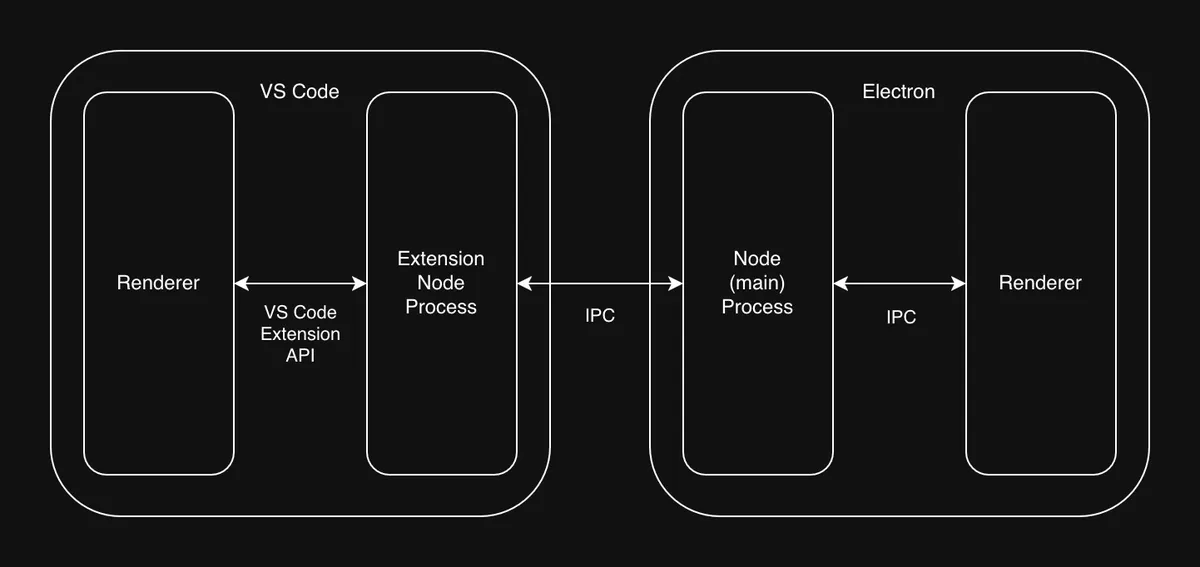
VS Code is an Electron app, but extensions run in an isolated Node process, and control things in VS Code using the Extension API.
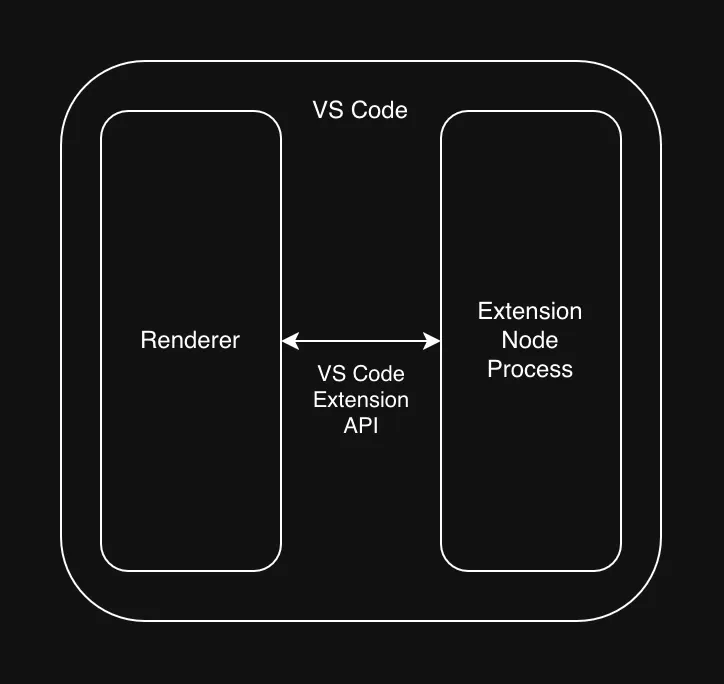
This means that extensions can't directly call Electron APIs or render arbitrary web contents. You have to rely on whatever the Extension API gives you. And bad news: there's no microphone access in there.
This means that in order to get access to the microphone, you either need to (1) ask users to install some platform-specific binary (e.g. sox, `arecord, etc.), or (2) package a binary like that yourself in your extension for every platform. The same thing is true for playing audio out of a speaker. You also have to implement (or find a program that implements) echo suppression and cancellation for this to not be a terrible experience for the user.
After trying some gnarly external solutions, I decided to not first-principles this and instead look at how other extensions solve this problem. There aren't many extensions in the store that use the microphone, and most are either broken or require you to install sox yourself. But there was one that caught my eye:
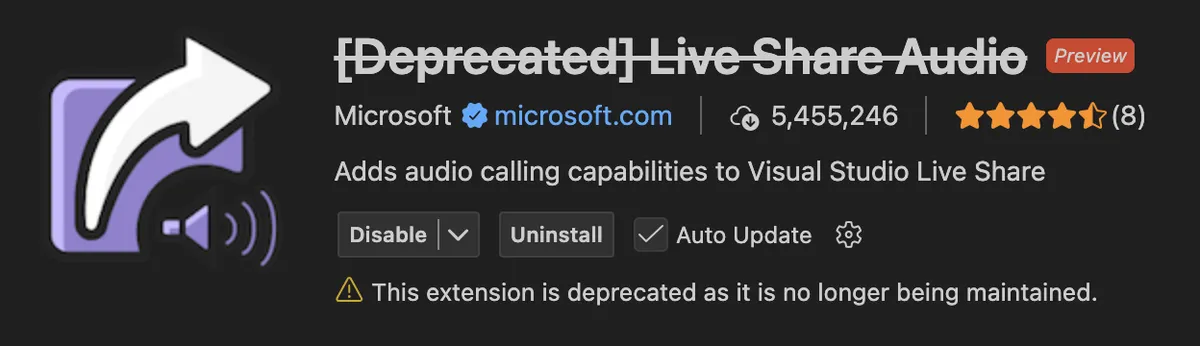
It turns out Live Share used to have a companion audio extension. And you'll never guess how they solve this problem:
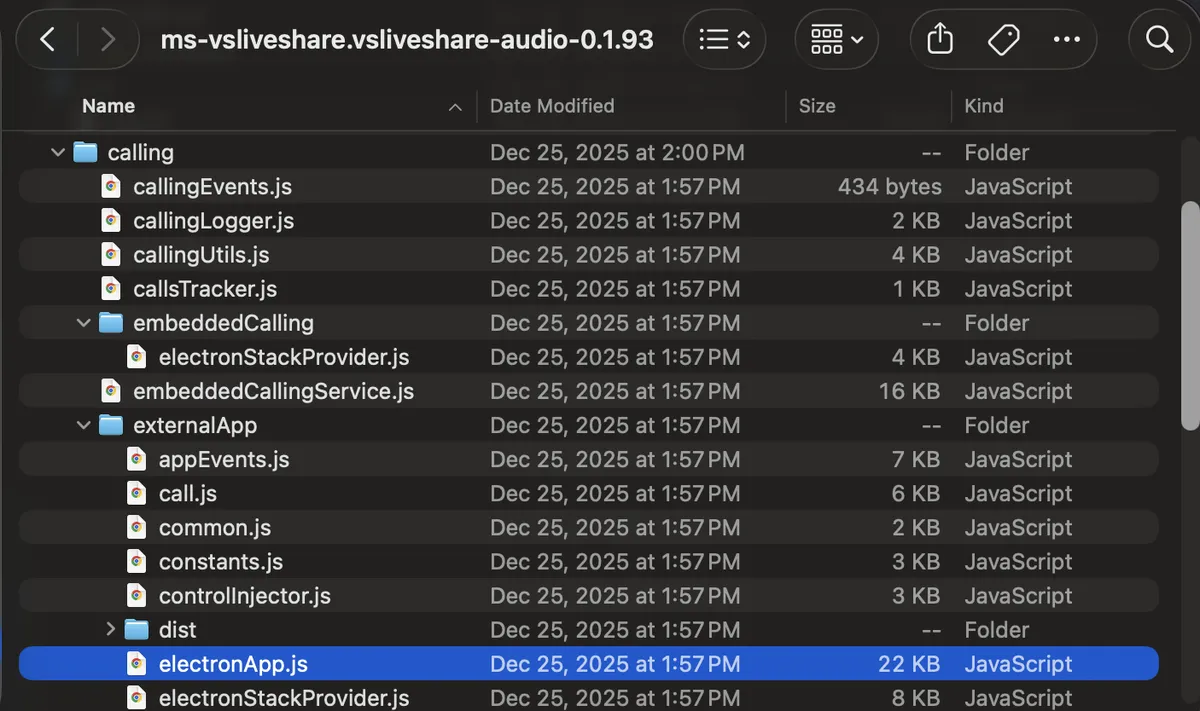
That's right. Their extension spawns a child Electron app, which then interacts with the system microphone and speaker.
Putting aside where we went wrong as a society, this is actually a really "elegant" solution:
- Electron is already bundled and tested on every major platform, and microphone/speaker access has a very simple API (it's just web APIs).
- Microphone audio can be directly passed to WebRTC for streaming.
- Electron already has built in echo suppression, cancellation, the works, and it's all very well tested. A lot of other solutions in this area are either proprietary (e.g. Discord uses Krisp), or not very good.
So here's our architecture, in all of its glory:
I also wanted to quickly touch on the cloud side of this project, because I think it's fairly interesting.
Audio is streamed via WebRTC to Cloudflare. I'm using a product of theirs called Realtime SFU, which, if you can get past the lackluster AI generated documentation (come on guys), is a great product. An SFU (Selective Forwarding Unit) is a centralized server that everyone sends their streams to. Users can then request streams that they want to listen to from the SFU, which then "selectively forwards" them. This page has a good visualization of what this looks like.
Anyways, the main reason Cloudflare's offering is so great is (1) instead of connecting to some centralized server that may be far away, your computer just connects to the edge and Cloudflare handles the rest, and (2) it comes with a 1,000 GB egress free tier with no ingress charges. This really enables a project like this to be able to exist in the first place.
In order for the clients to know which streams to request (who else is in the repo with them), the client opens a websocket to the server. This allows the server to notify the client as people join, leave, and move around the repo. To do this, I'm using Cloudflare Workers (their serverless function offering), along with Durable Objects. A durable object is a worker with a small piece of durable storage attached, and one is created for each Git remote (think actor model). Websocket messages go to the specific remote's compute, which is likely to be geographically close to you and only concerns itself with the connections and data of your specific remote. Whenever it's not processing messages, it hibernates -- in other words, when messages aren't being sent, you're not charged, even though the websocket stays open. The average request for Proximity Chat takes < 1ms of CPU time, so the compute charges end up being pretty minimal.
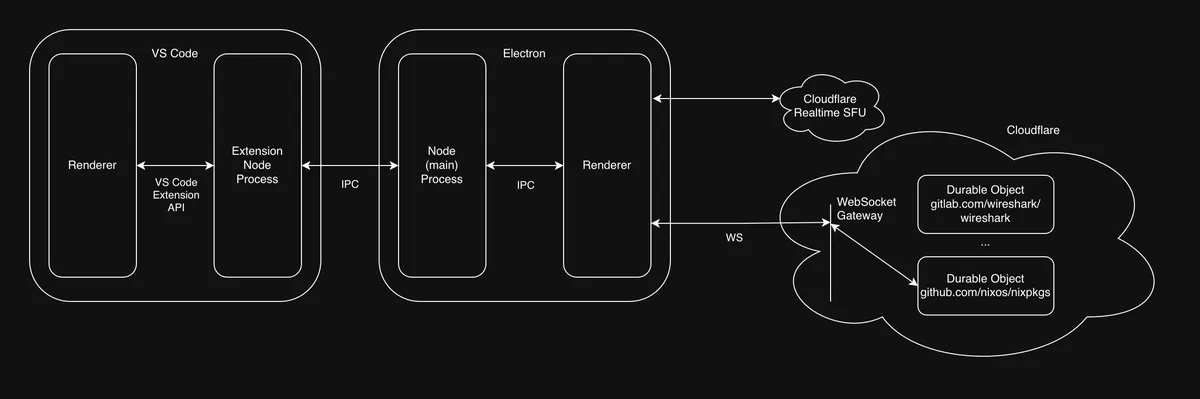
So that's how Proximity Chat works! I hope you install it (instructions at the top of this post) and try it out with your friends. I have it running all the time at work, and it's always fun to run into a coworker who's editing the same file as you.