Each teammate keeps their coding agents local. People and agents then edit the same docs, mockups, diagrams, and trackers in real time.
Nimbalyst is free for individual use and open source. Teams is $20 per user per month, free while it is in beta.
Trusted by thousands of builders
AutomatticAmazonRedfinVantaGainsightZillowUKGTwilioYahooAmperity
Multiplayer on the work
Collaboration comes from the workspace, so the editors inherit it
Multiplayer collaboration is built into the extension system not one document type, so markdown, mockups, diagrams, spreadsheets, data models, and your extensions all get presence and real-time collaborative editing.
Markdown
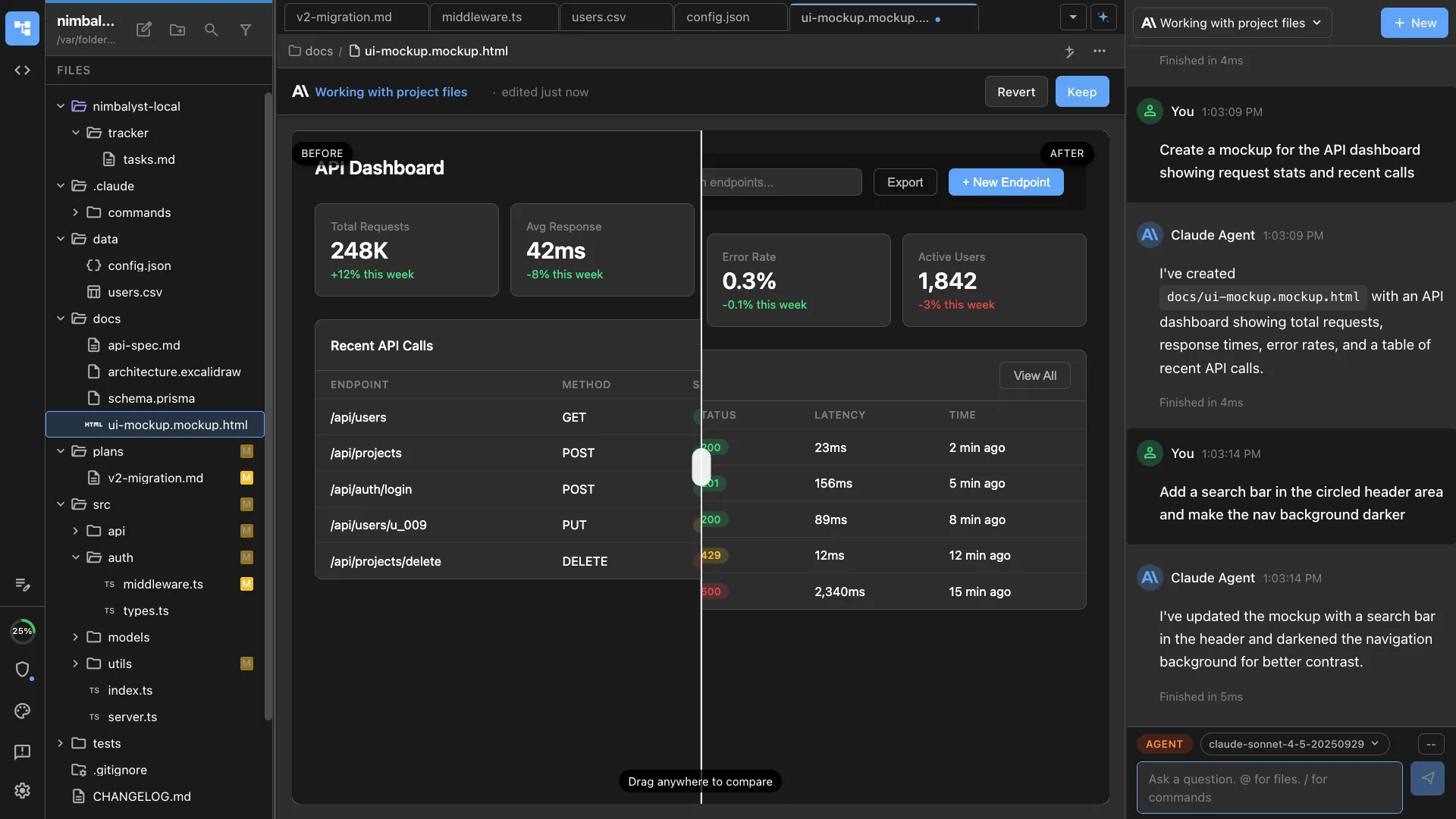
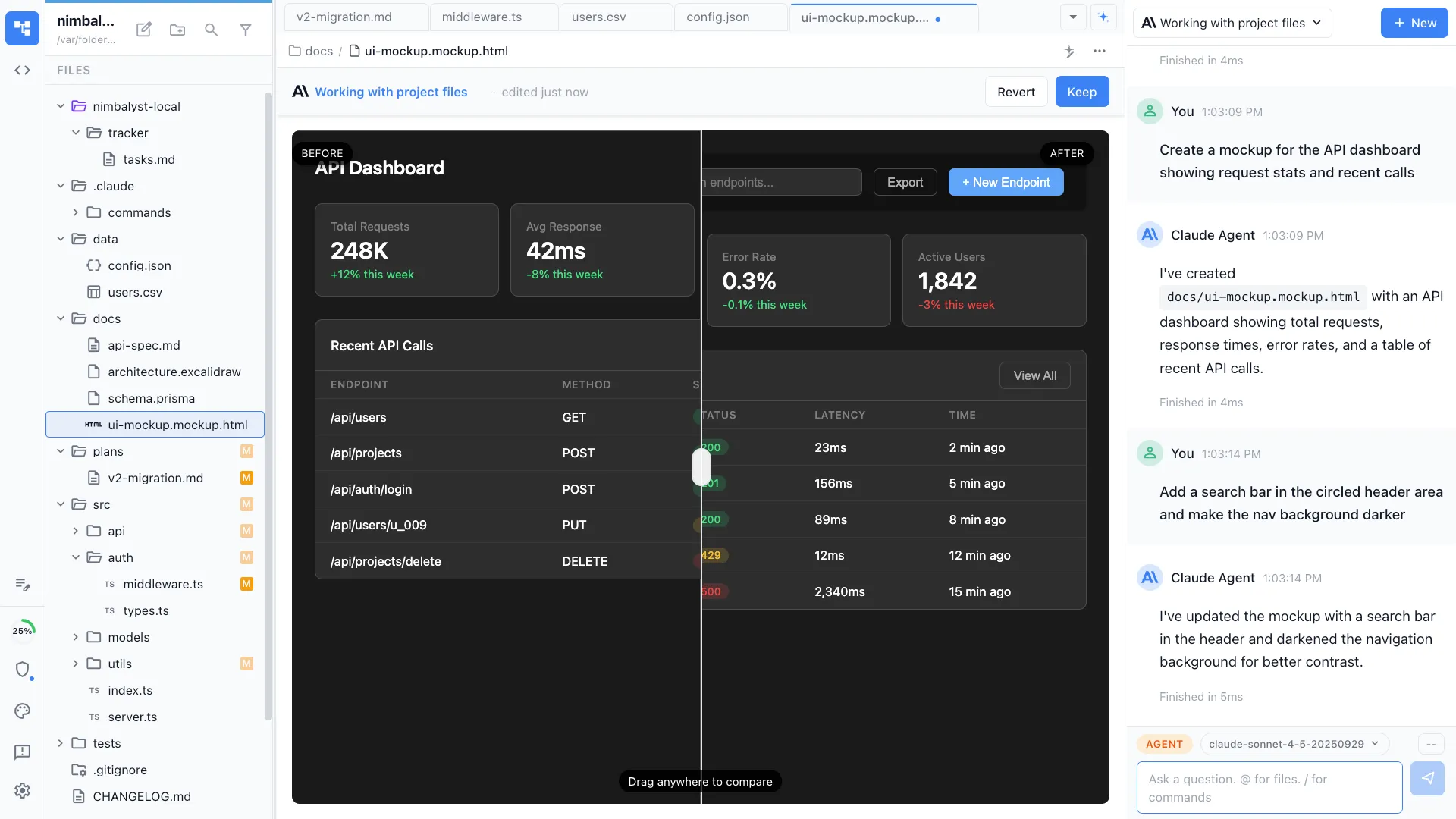
Mockup
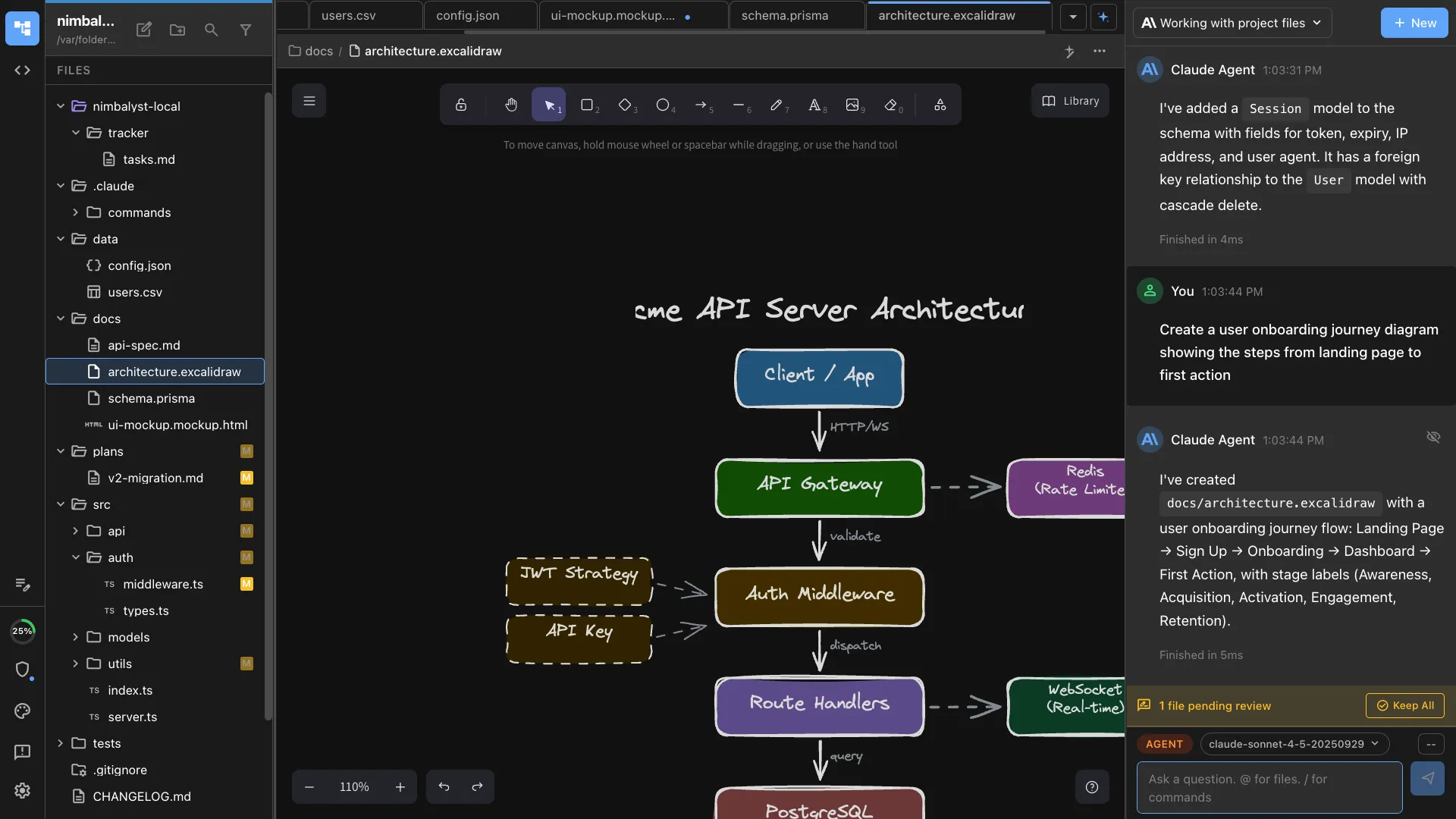
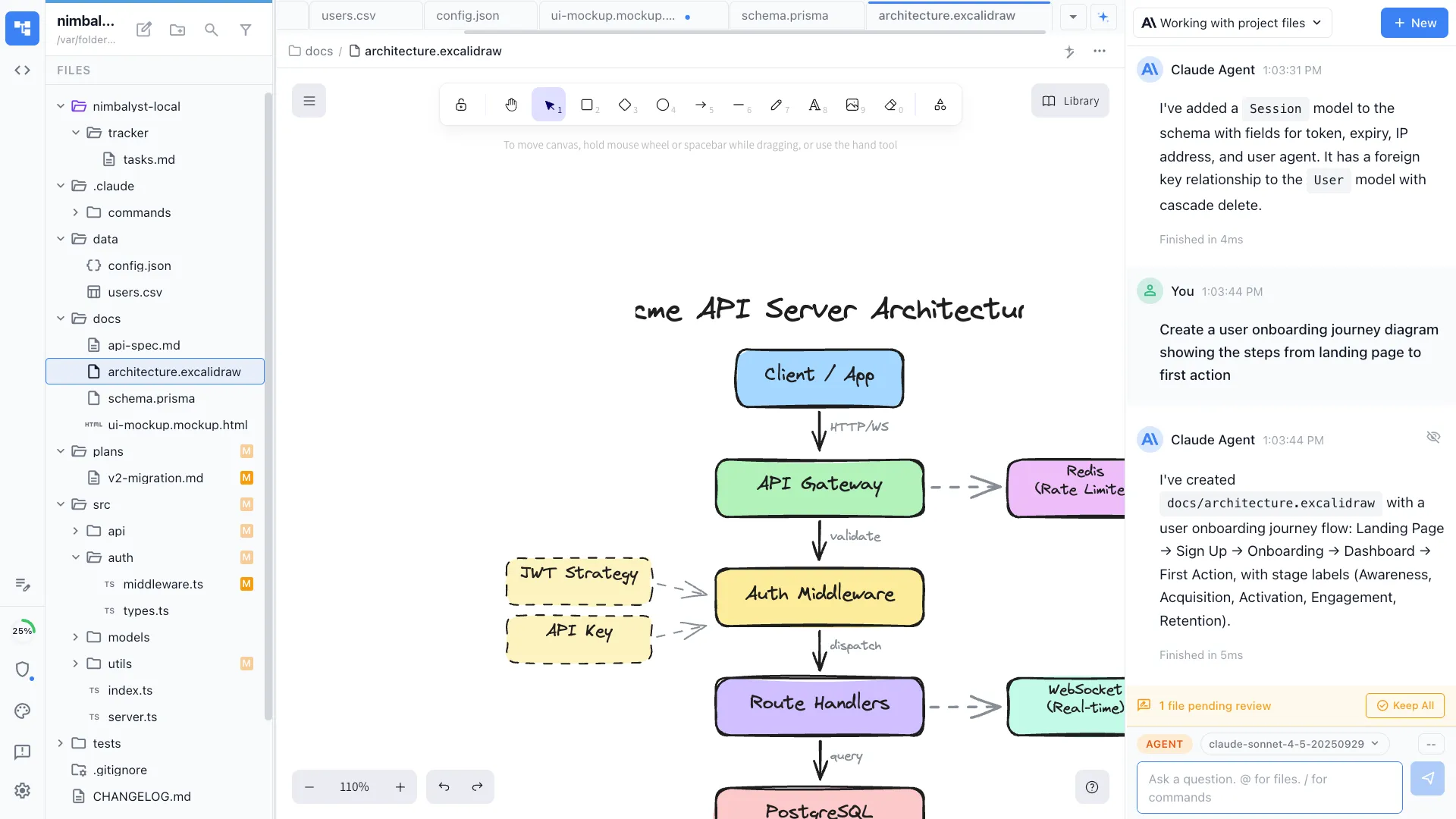
Excalidraw
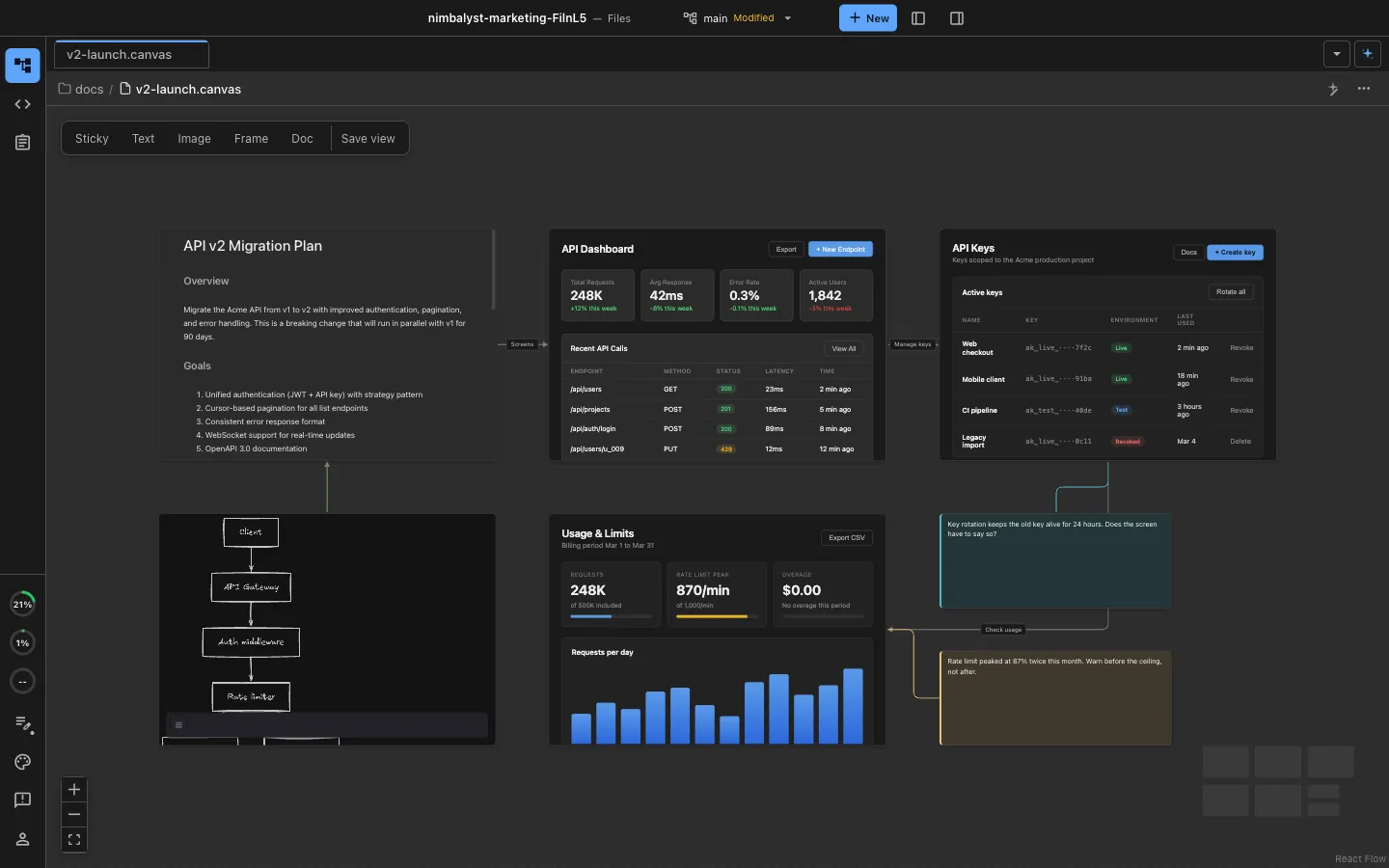
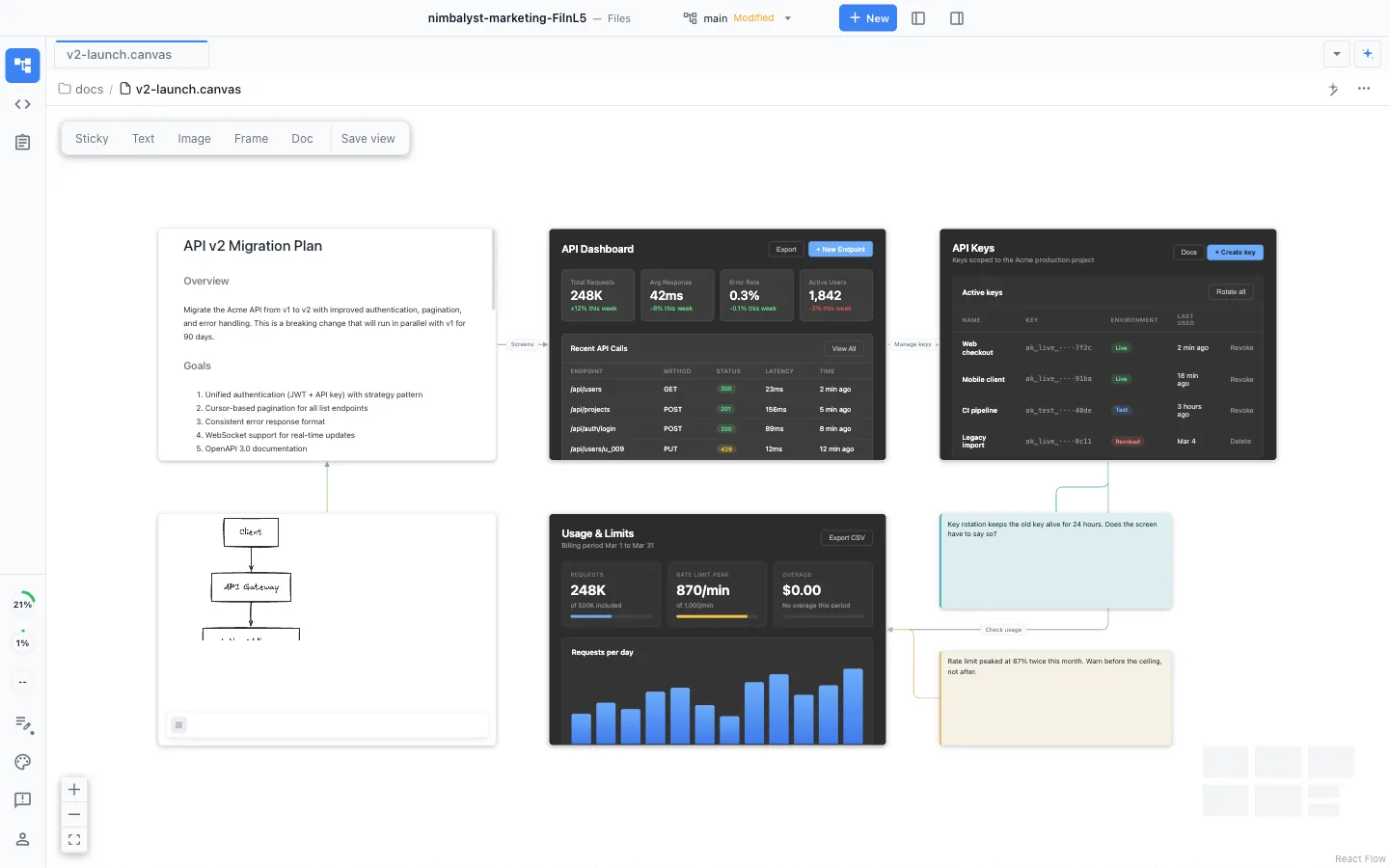
Canvas
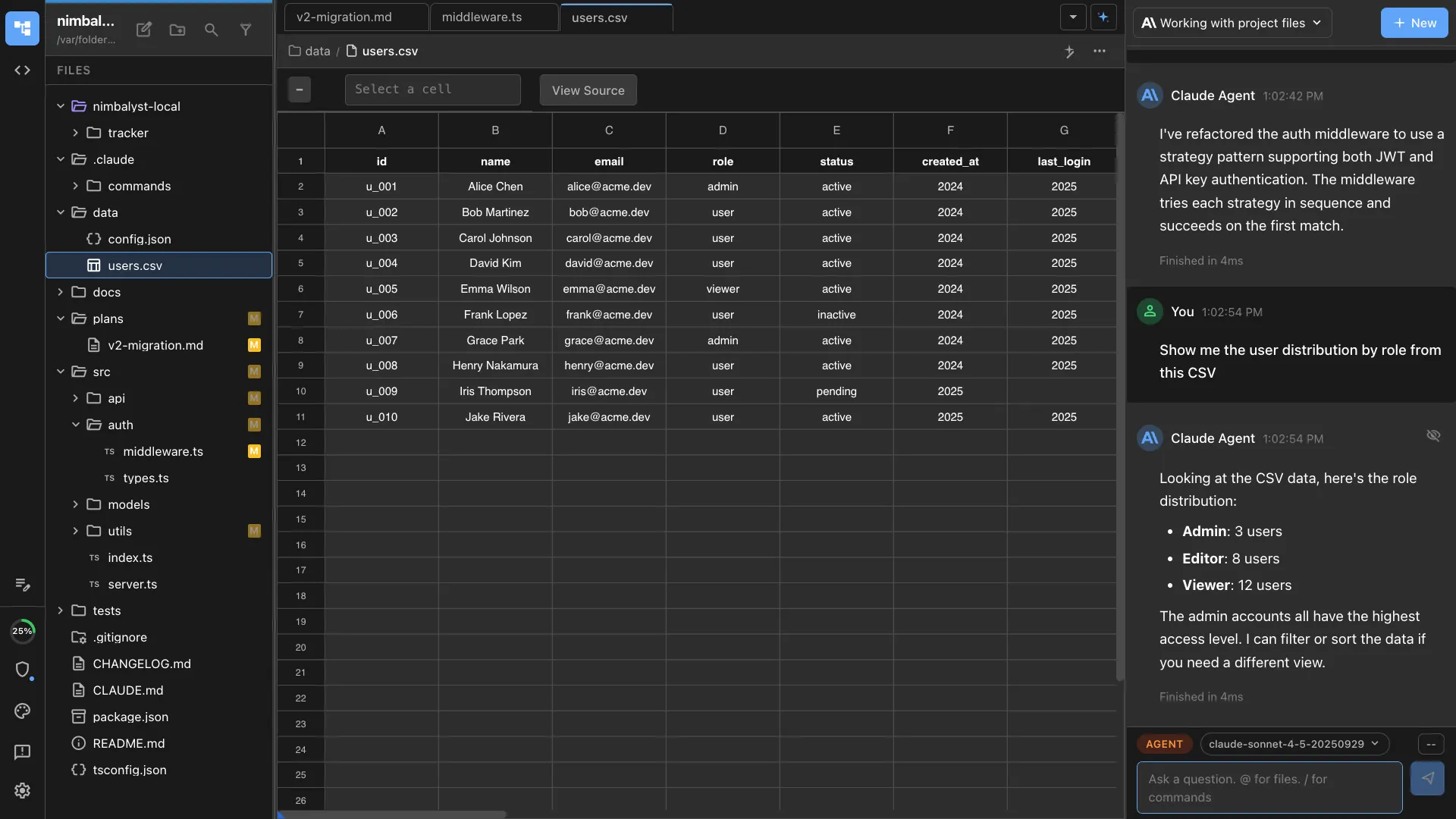
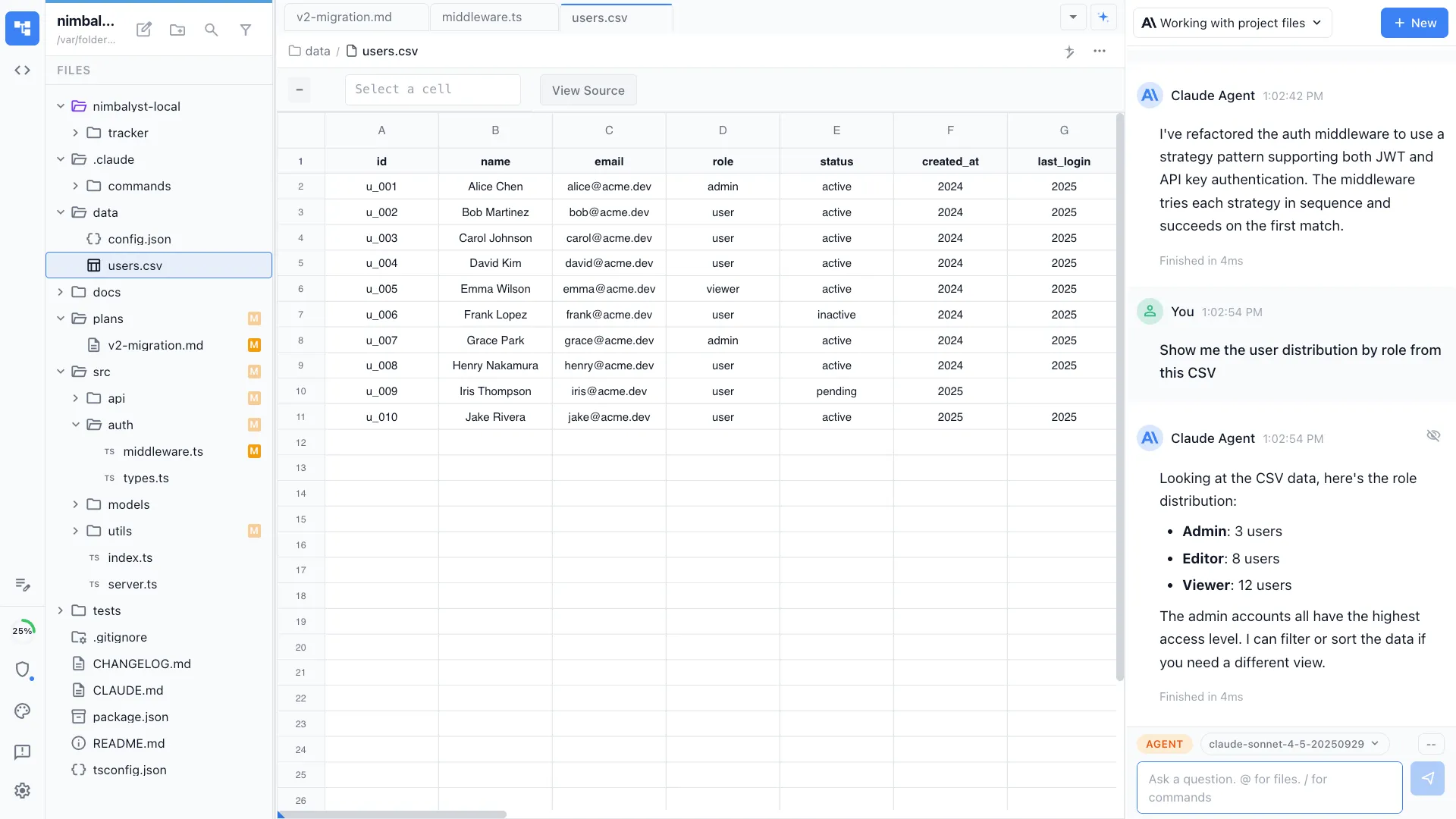
CSV
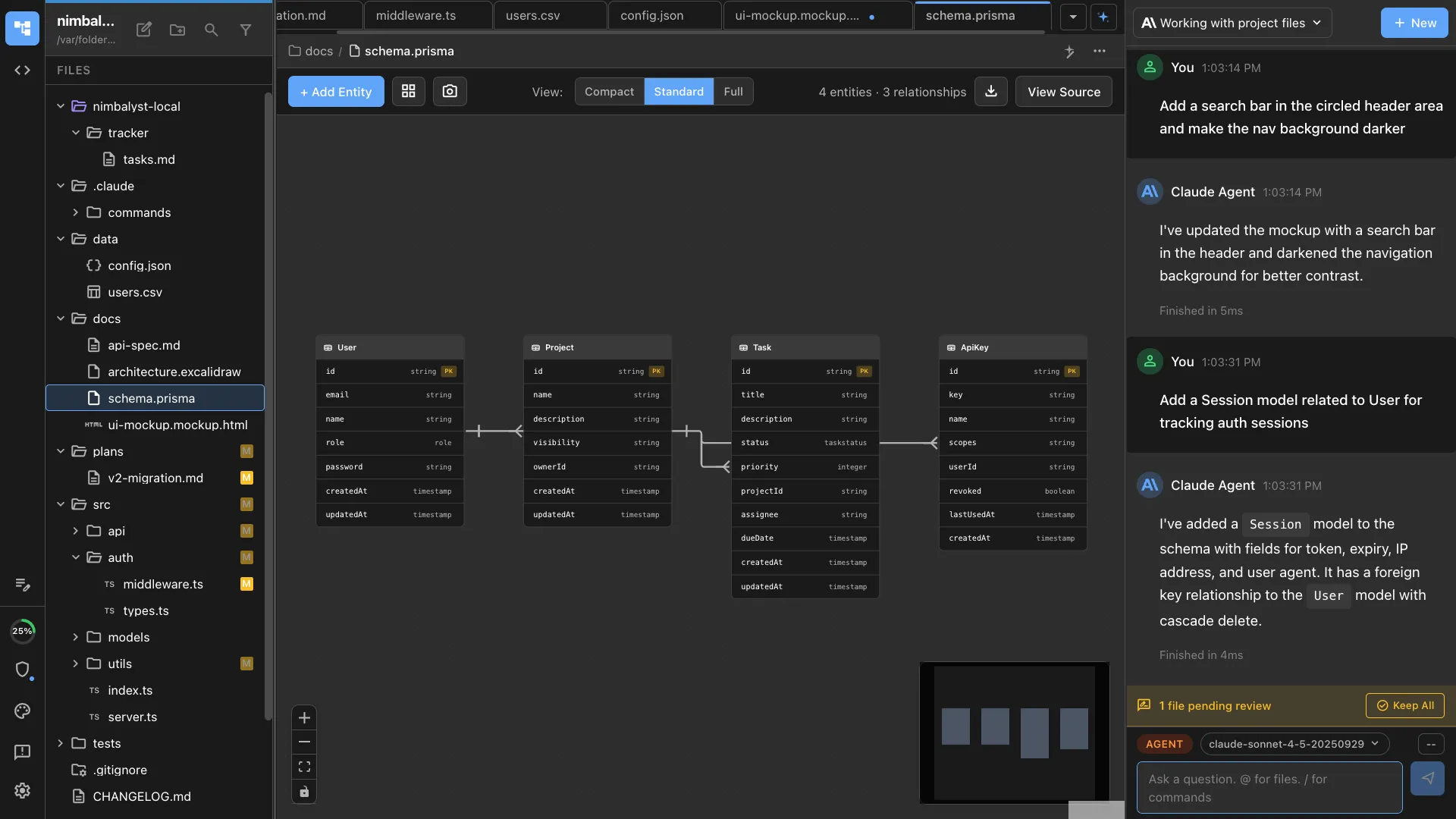
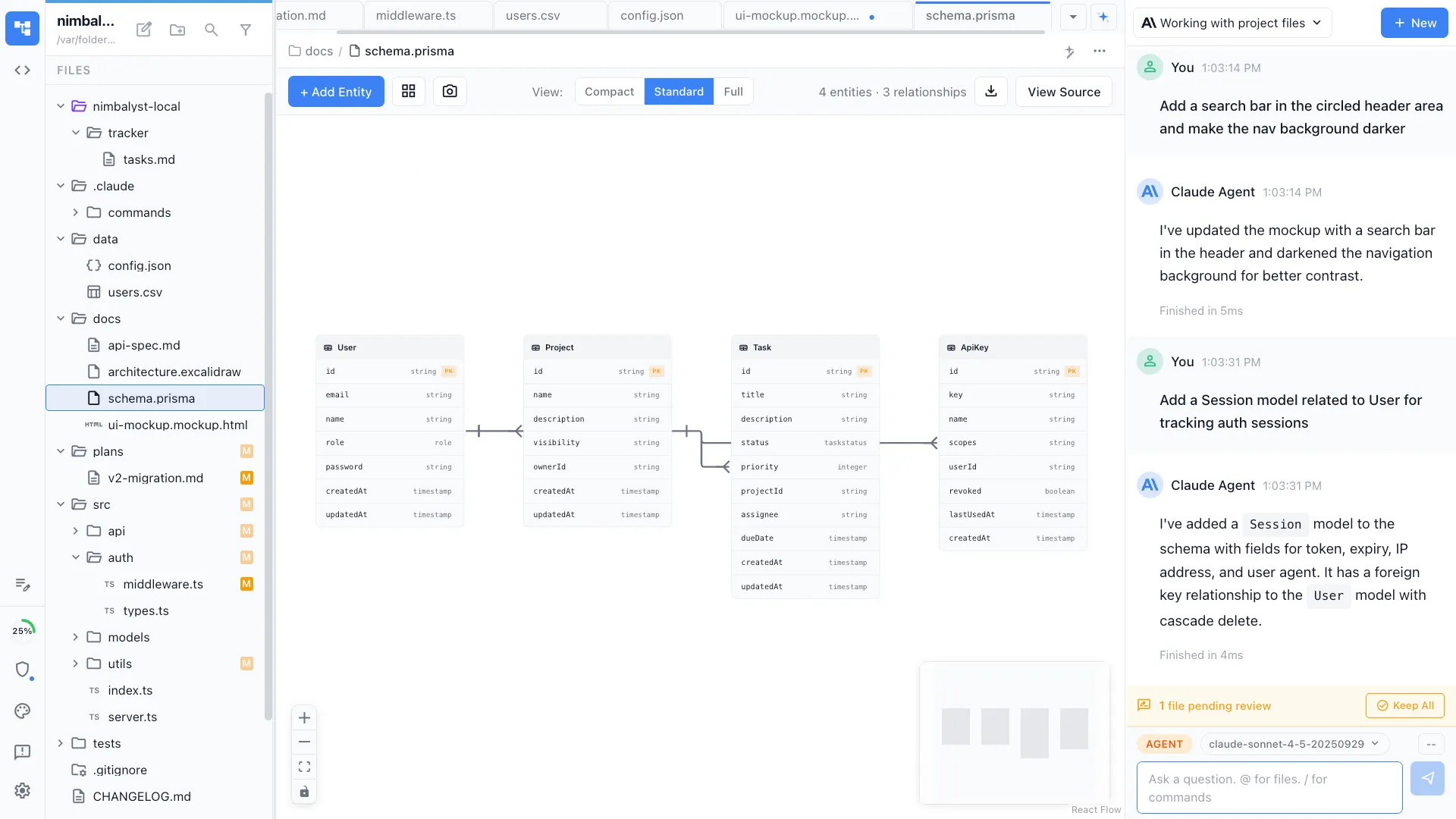
Data Model
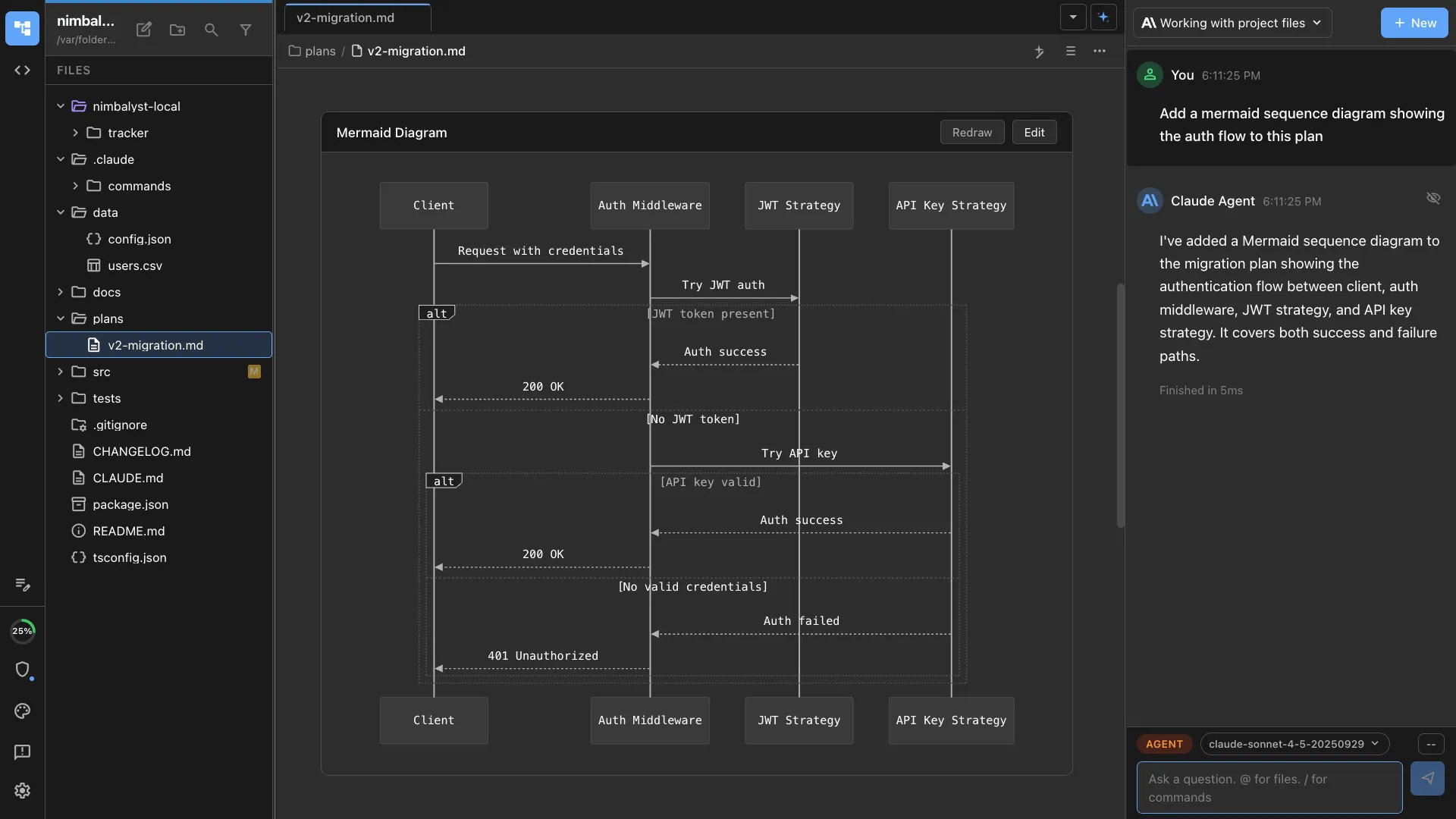
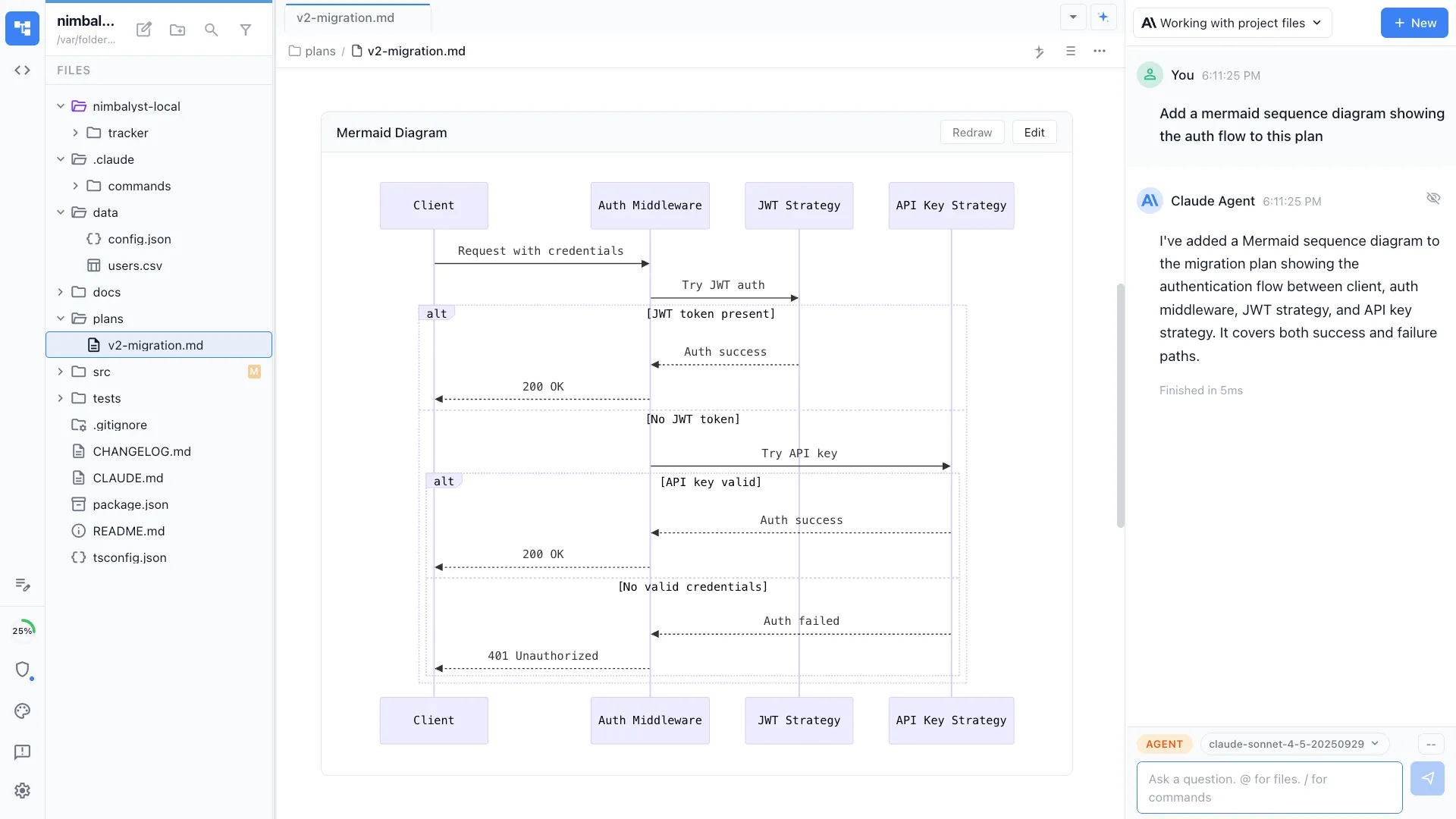
Mermaid
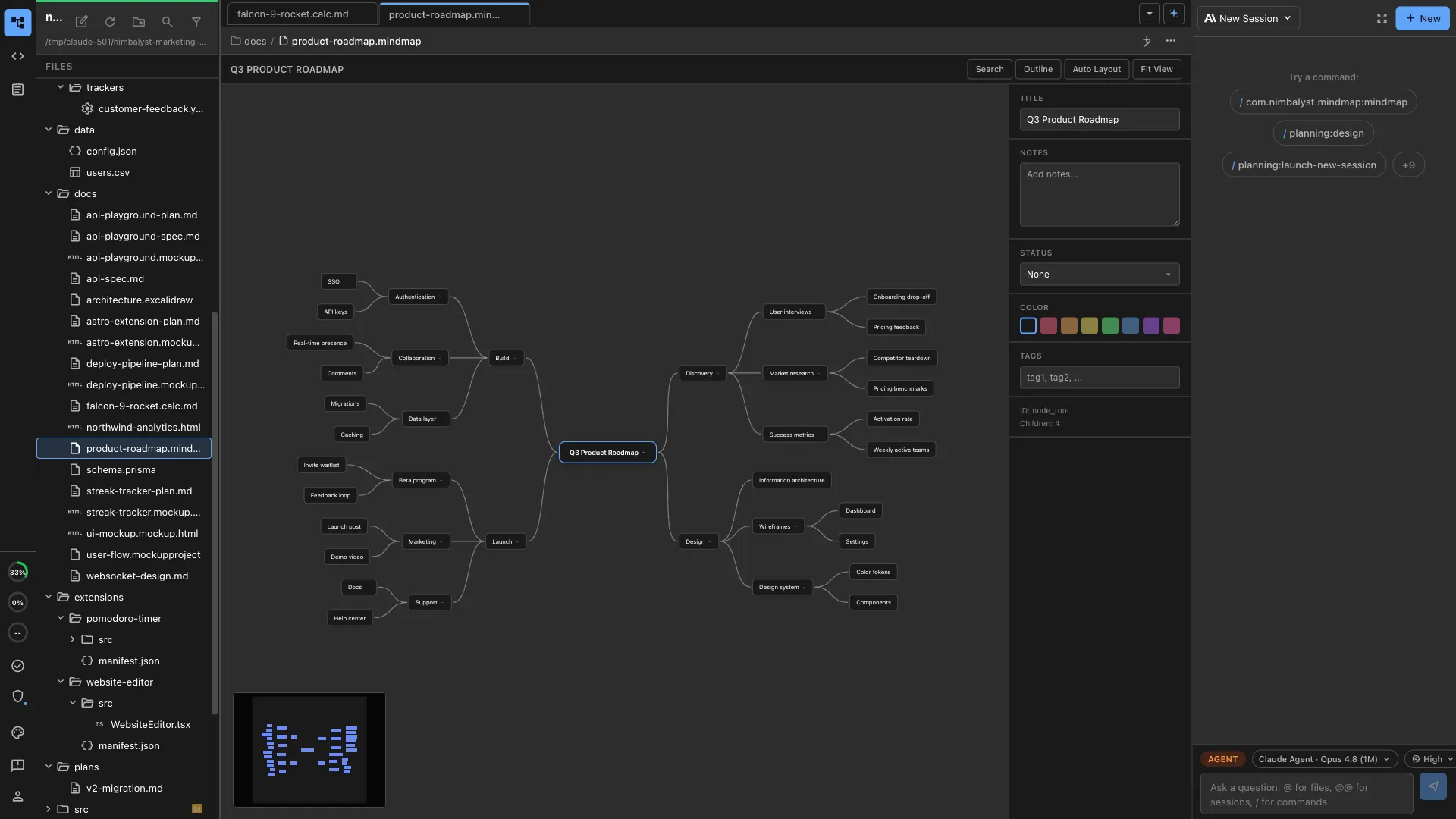
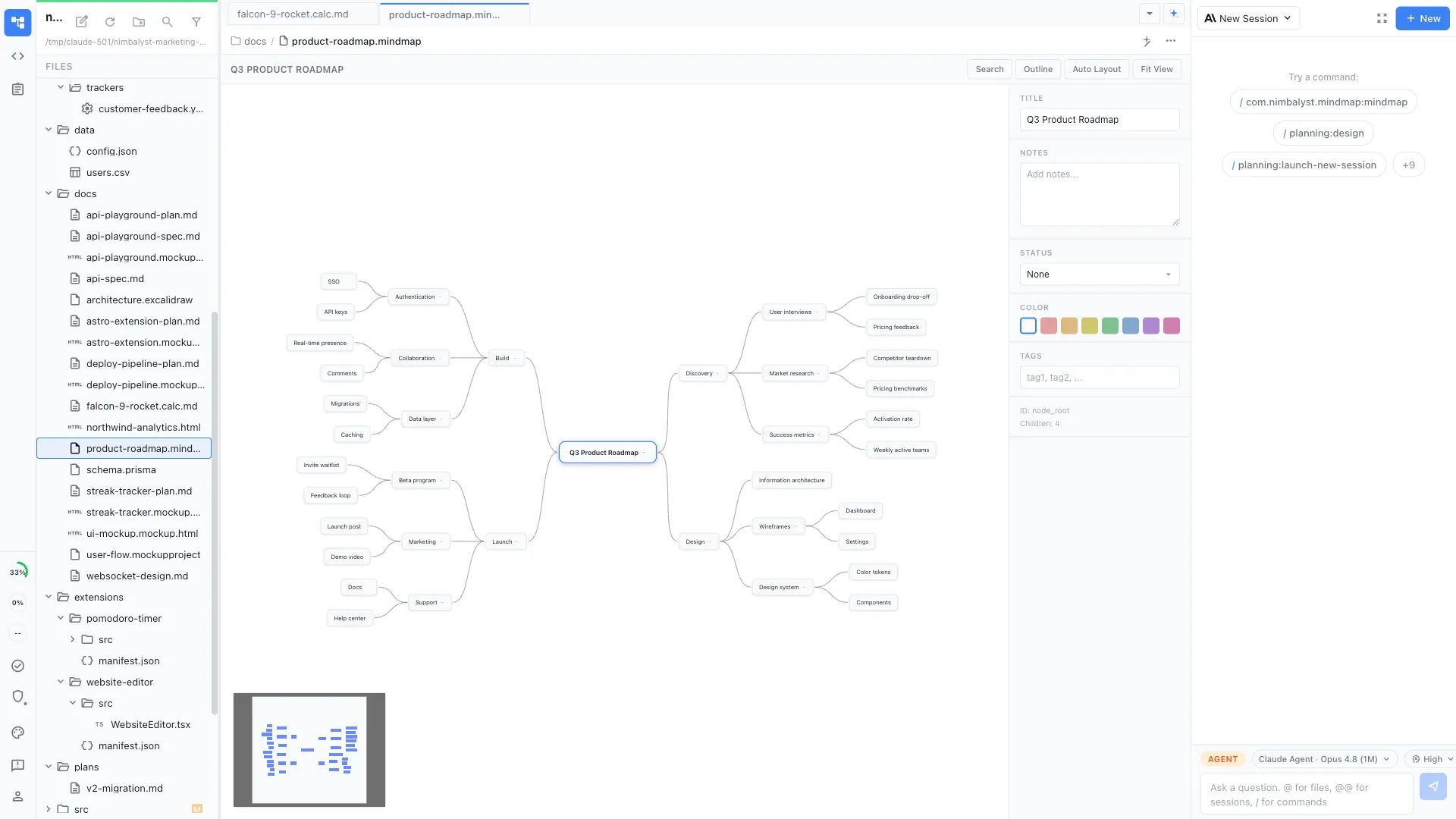
Mind Map
True multiplayer
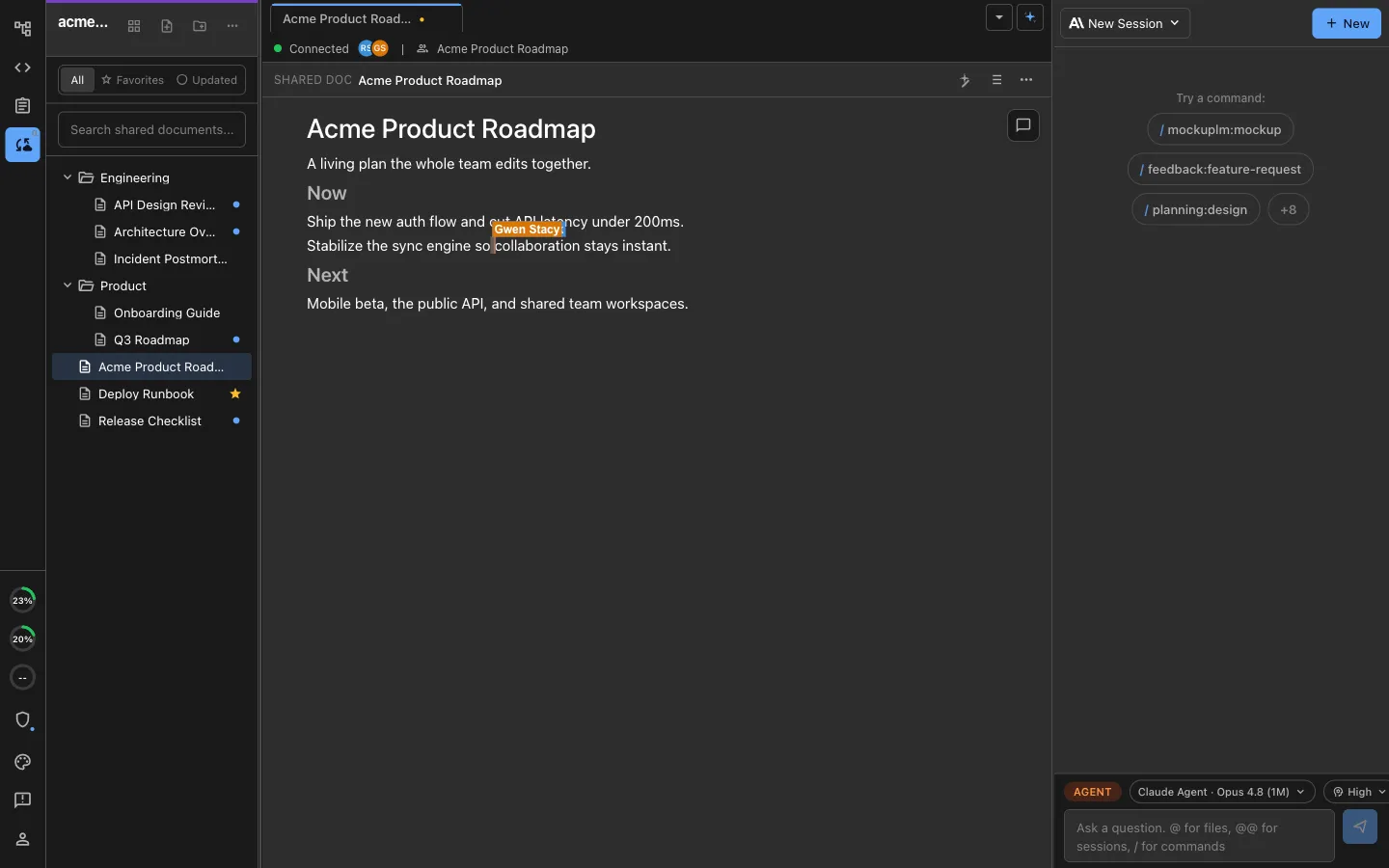
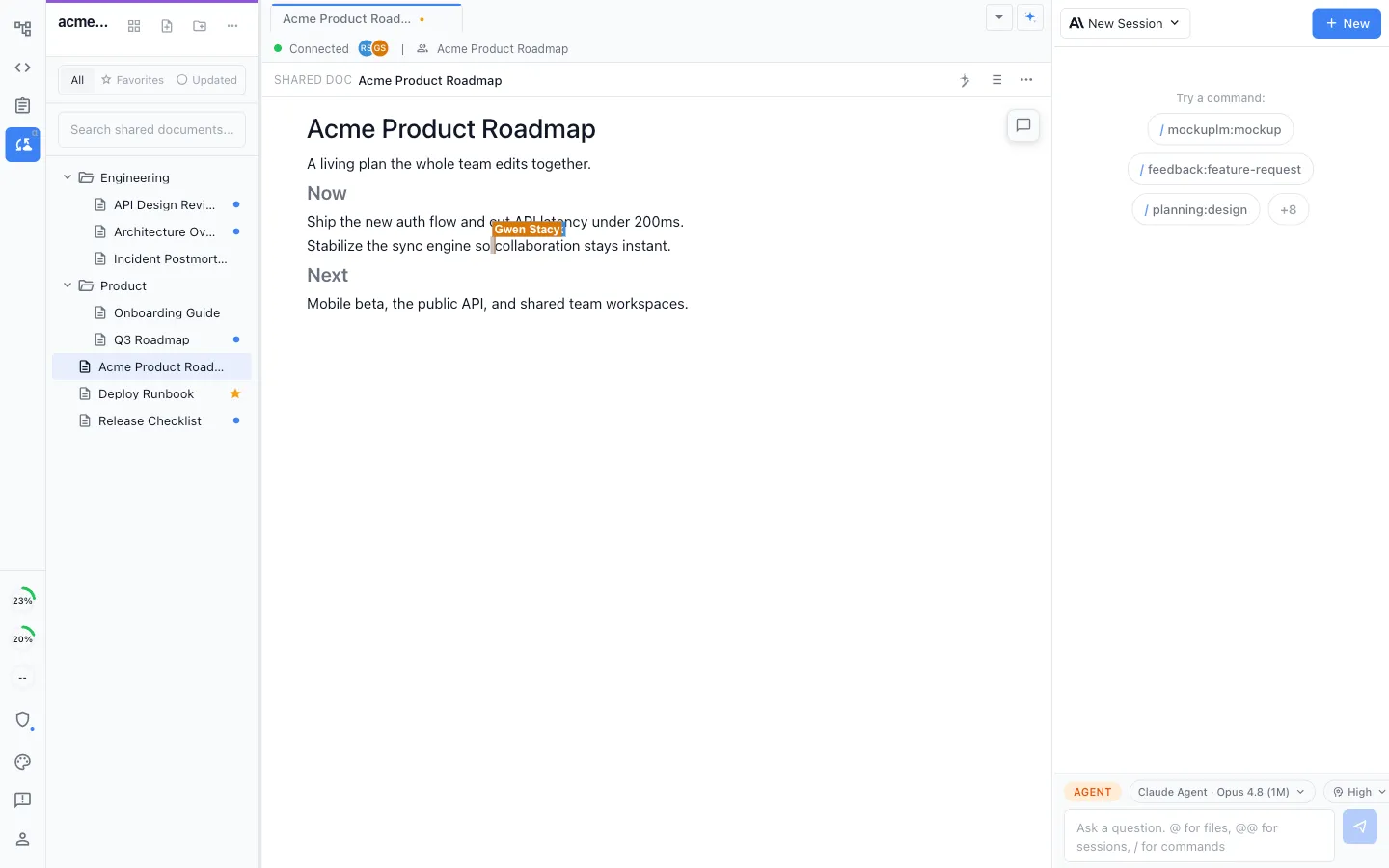
Edit shared markdown together in real time, with a live cursor for everyone in the document.
Your agents in the same room
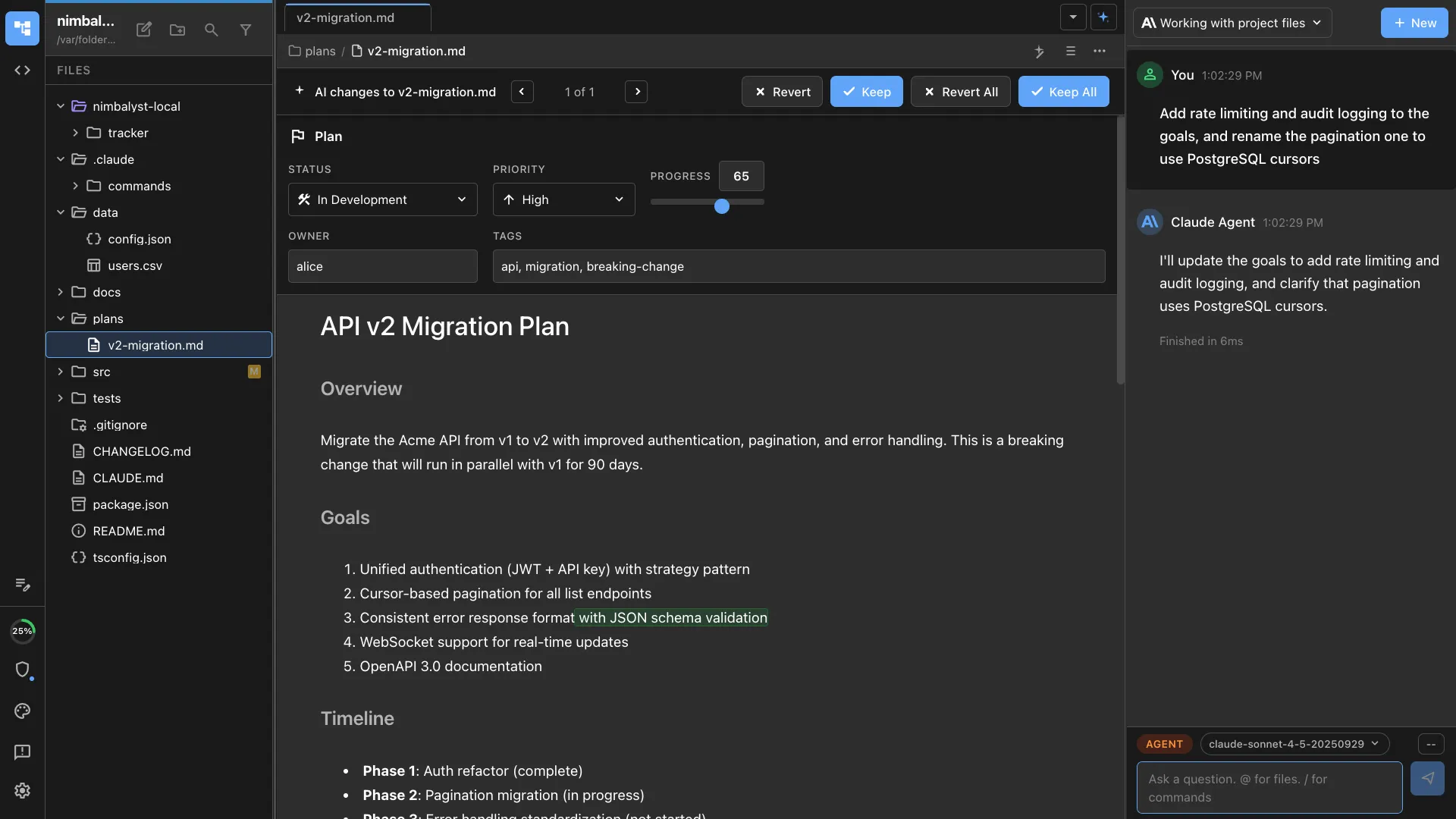
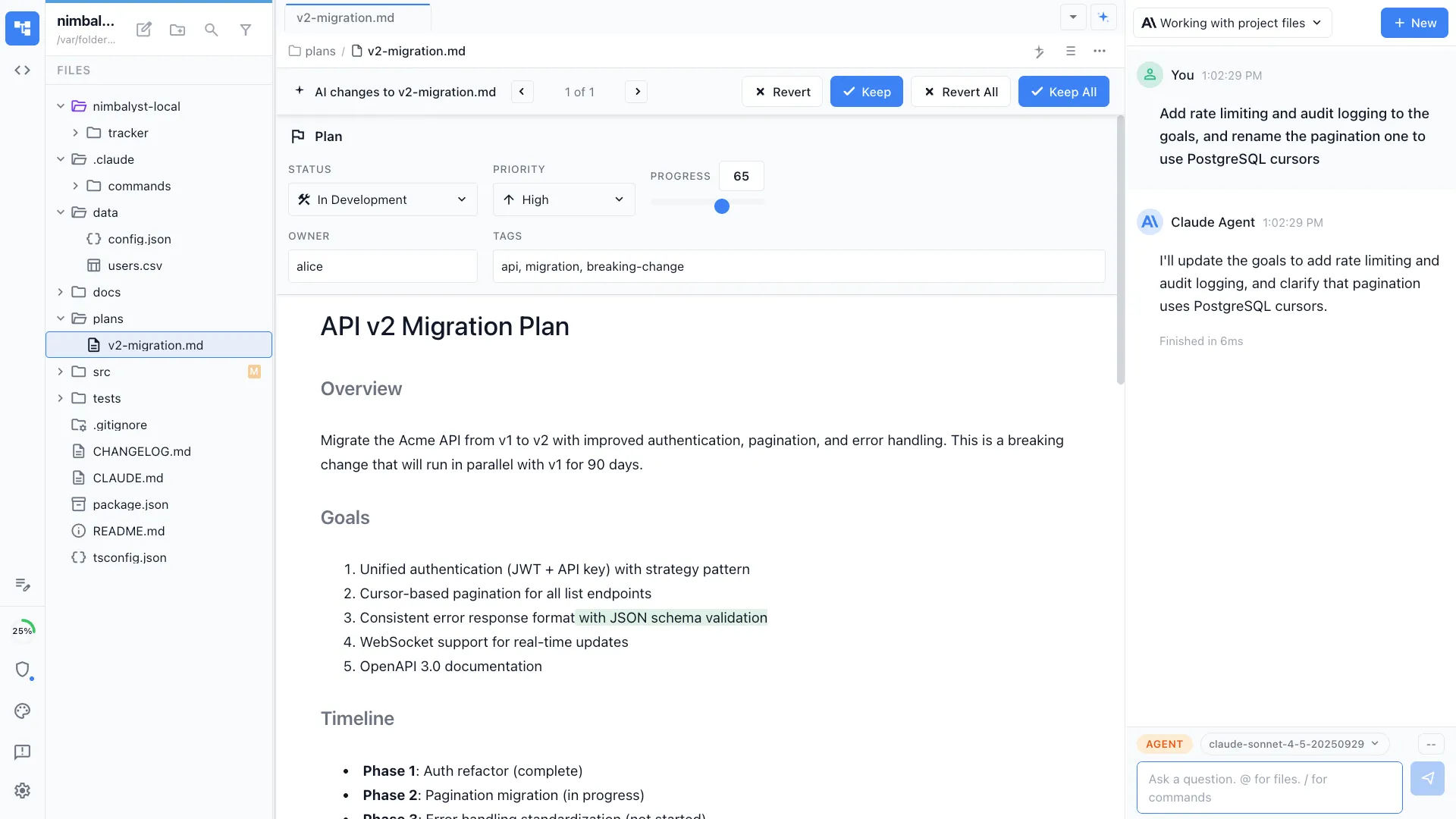
Each teammate's local Claude Code and Codex agents edit the same shared document, not separate copies.
Promote and review
Promote any local file to a shared one in a click, and review its full change history.
Plan and track together
Plan and track the work on one shared board
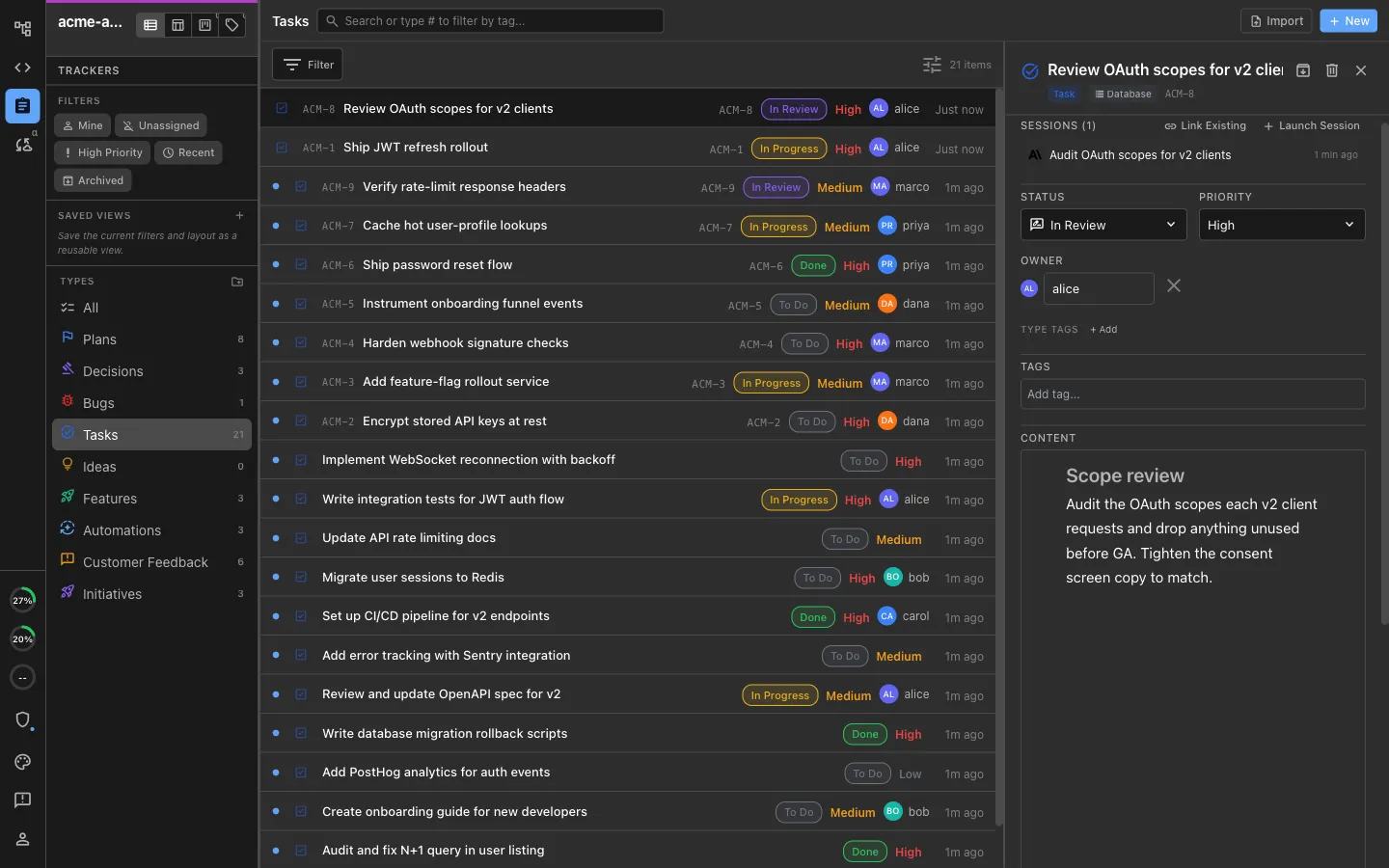
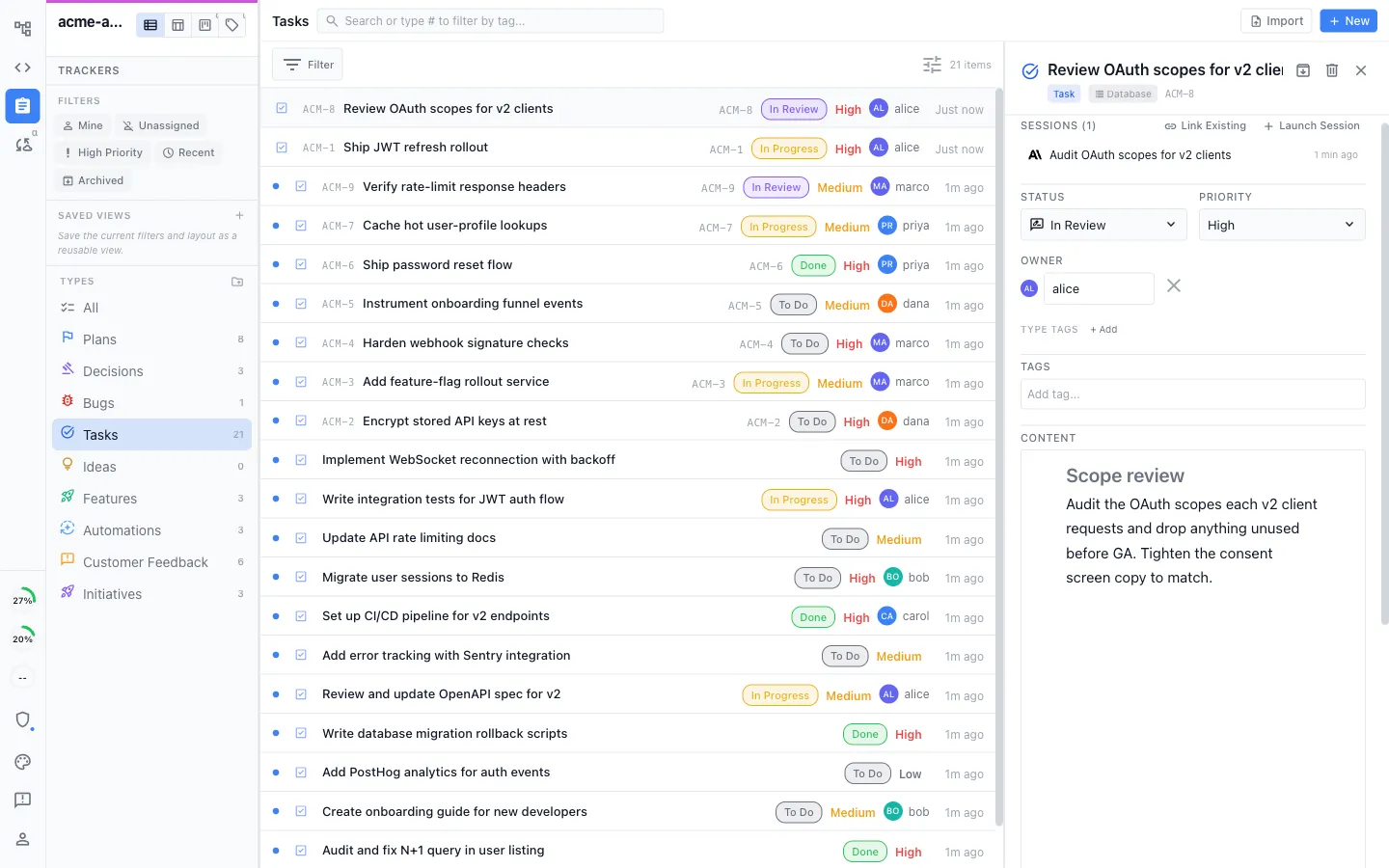
Shared boards and trackers
Plans, decisions, bugs, tasks, and ideas live on shared boards and trackers, in the same workspace as your docs.
Everyone updates the same items
Teammates and their local agents read and update the same tracker items, so the board reflects what is actually happening.
One place for status
See what is in progress, done, or blocked in one place, instead of pinging people for updates.
One connected workspace
Every file type and every step of the workflow, integrated
Nimbalyst keeps the plan, the work, the status, and the review together. People and agents can follow the same context from idea to shipped instead of reconstructing it across disconnected tools.
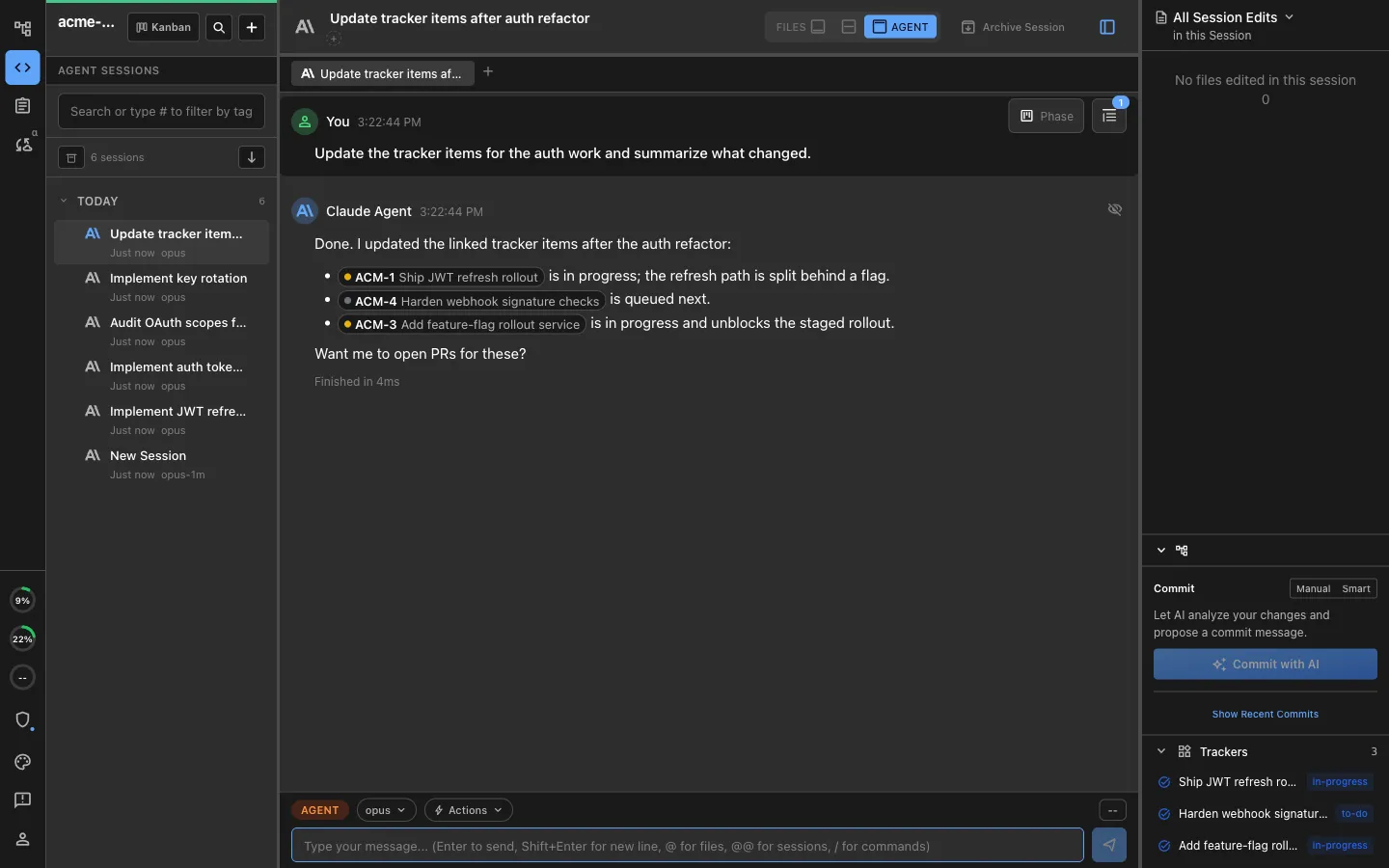
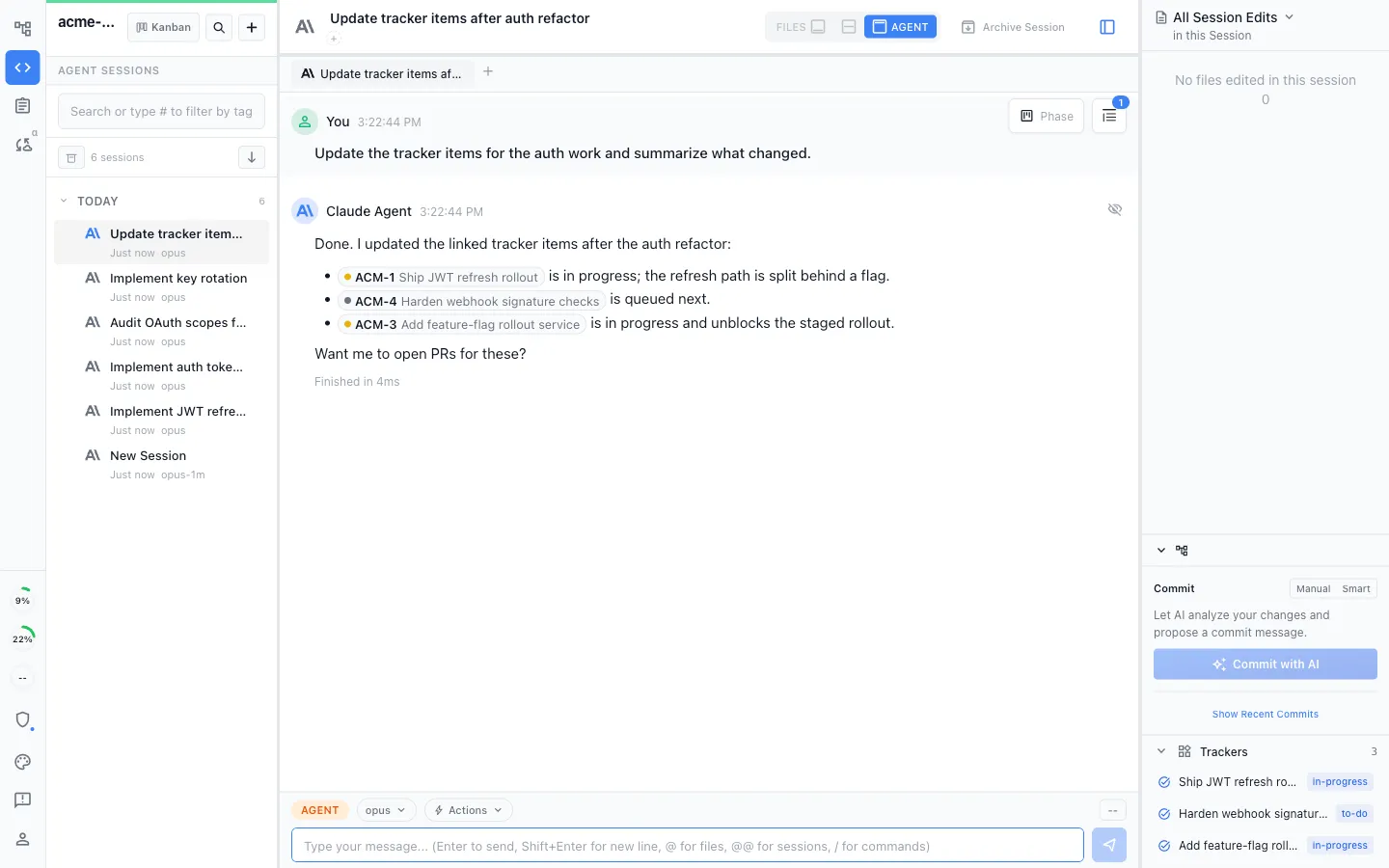
One workflow from plan to ship
Specs, mockups, implementation sessions, Tracker updates, reviews, commits, and pull requests link together, so handoffs keep their context.
Purpose-built visual editors
Work across markdown, code, mockups, diagrams, spreadsheets, data models, and more without leaving the shared workspace or changing agents.
Higher bandwidth, less context switching
See and direct more work visually instead of bouncing among a terminal, document app, diagram tool, editor, and task tracker or copying context between them.
Extensions collaborate too
Collaboration comes from the workspace, so editors that arrive as extensions get it as well. Diagrams, mockups, spreadsheets, and data models edit in real time with live cursors, and an editor your team builds itself works the same way.
Ask the team
Send the work out and get a decision back
Put a document, mockup, diagram, spreadsheet, or tracker item in front of named teammates, with the questions you actually need answered. The version they review is pinned at send, so the artifact stays editable for everyone else.
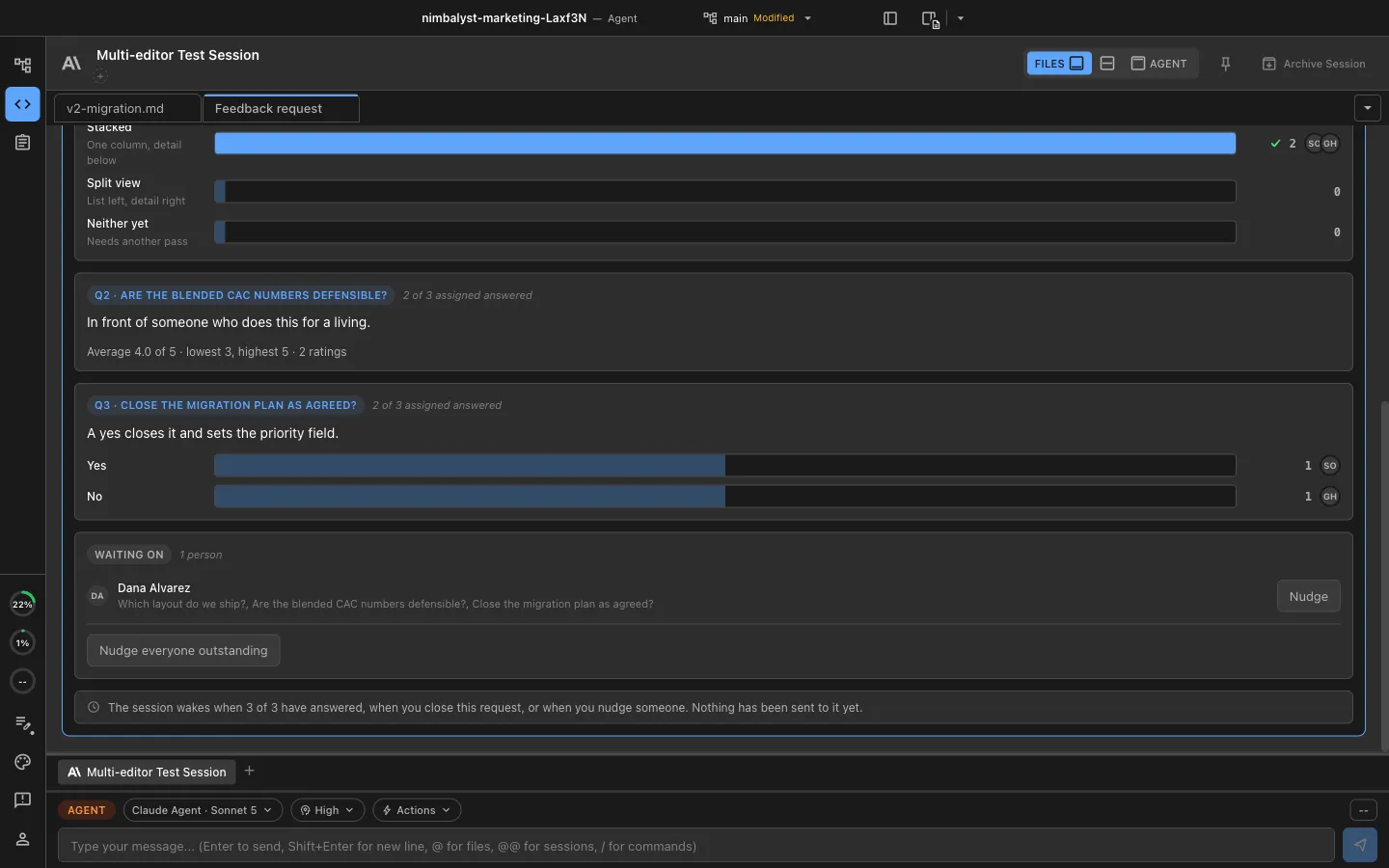
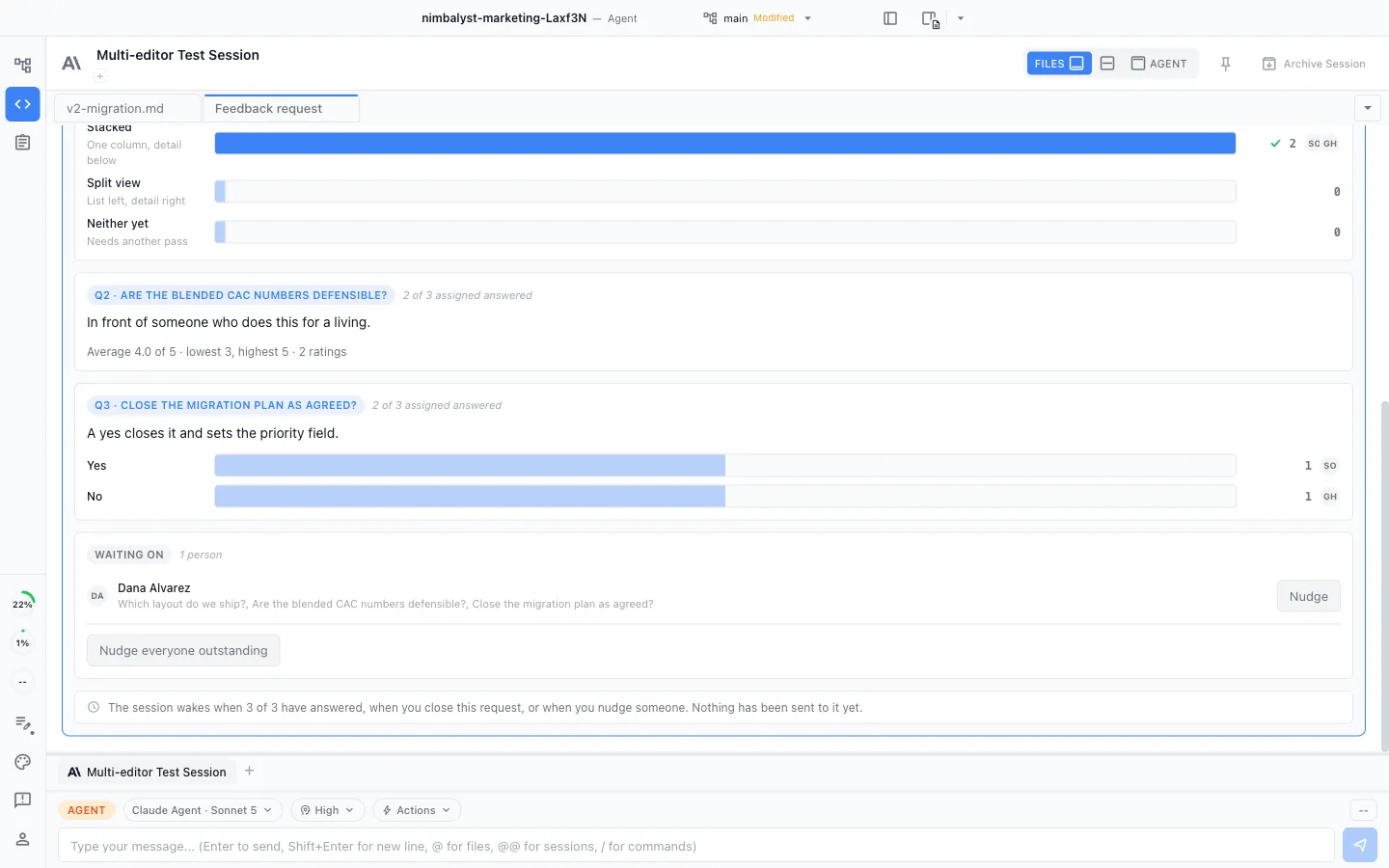
Ask the question you need answered
Ask for a choice, a ranking, a rating, a yes, or an open answer. The replies come back attached to the artifact instead of scattered down a thread.
The spread, never the average
See who answered what, and who is still outstanding. One reviewer's reservation stays visible instead of averaging away.
Nobody anchors on the first answer
Hold responses back until each person has answered, so you get the room's own read instead of everyone agreeing with whoever replied first.
Your agent waits on the room
The session that asked wakes when the answers land, so the work picks up where it left off instead of stalling on a nudge.
Nothing for them to install
A reviewer who does not run Nimbalyst opens the shared markdown document in a browser at console.nimbalyst.com, signed in with a work email or Google, with the same permissions as the app.
Live editing in the browser
Reviewers follow your changes as you make them, with a labeled cursor for each person, and edit the document alongside you.
Why Nimbalyst
Eight tools become one workspace, kept in sync by your agents
Sessions and prompts
In place of a bare terminal or agent CLI. Your Claude Code and Codex sessions run inside the workspace, next to the docs, tasks, mockups, diagrams, and code, so the agent works with full context instead of only what you paste in.
Task tracking
In place of Linear or Jira. A shared board with your stages, kept current by your team and their agents, next to the docs, sessions, and code it refers to.
Docs and specs
In place of Google Docs, Confluence, or Notion. Specs, plans, and decisions in real-time multiplayer, next to the mockups, diagrams, and code, edited by each teammate's agents.
Notes and markdown
In place of Obsidian. Write and edit markdown notes and knowledge in the same workspace as the docs, code, and diagrams they connect to, kept current by your agents.
Mockups
In place of Figma Make. Sketch and refine UI mockups in the same workspace, linked to the spec and the code, and edited by your agents.
Diagrams
In place of Lucidchart or Miro. Architecture and flow diagrams live with the docs and code they explain, drawn and updated by your agents.
Code
In place of VS Code or your IDE. Your code editor sits in the same workspace as the docs, mockups, diagrams, tasks, and agent sessions, so people and agents see across all of it.
Team messages
In place of Slack. Talk through the work next to the docs, tasks, and sessions it refers to, so decisions stay attached to the artifacts instead of scrolling away in a separate channel.
Linked, and kept in sync by your agents
Every artifact links to the others, so the doc, the mockup, the diagram, the board, and the code stay connected, and your agents keep them in sync as the work changes. When you want to keep a tool you already run, your agents reach Linear, Jira, Confluence, Figma, Slack, and more through MCP.
Go deeper
Explore team collaboration feature by feature
Security
Enterprise-grade security, local-first by default
Your code stays on your machine. Only what you choose to share enters the team workspace, and only authorized members can access it.
Encrypted in transit and at rest
Shared documents, Trackers, and tasks flow through Nimbalyst's Cloudflare sync service and are encrypted in transit and at rest, with data isolated per team.
SOC 2 Type 2 certified
Nimbalyst has completed SOC 2 Type 2 certification: enterprise-grade controls, audited processes, and documented compliance.
Local-first by default
Your code and local files stay on your machine. You promote a file only when you want your team and its agents working on it together.
Nimbalyst: the open-source visual workspace for building with Codex, Claude Code, and more
Free for individuals. Works with your existing Claude Code or Codex subscription or API key.