The open source geospatial server
Geospatial data,
published your way.
Publish maps, features, coverages, and tiles from PostGIS, DuckDB, and files through OGC API, WMS, WFS, WCS, WMTS, and STAC. Isolated workspaces and a console built in.
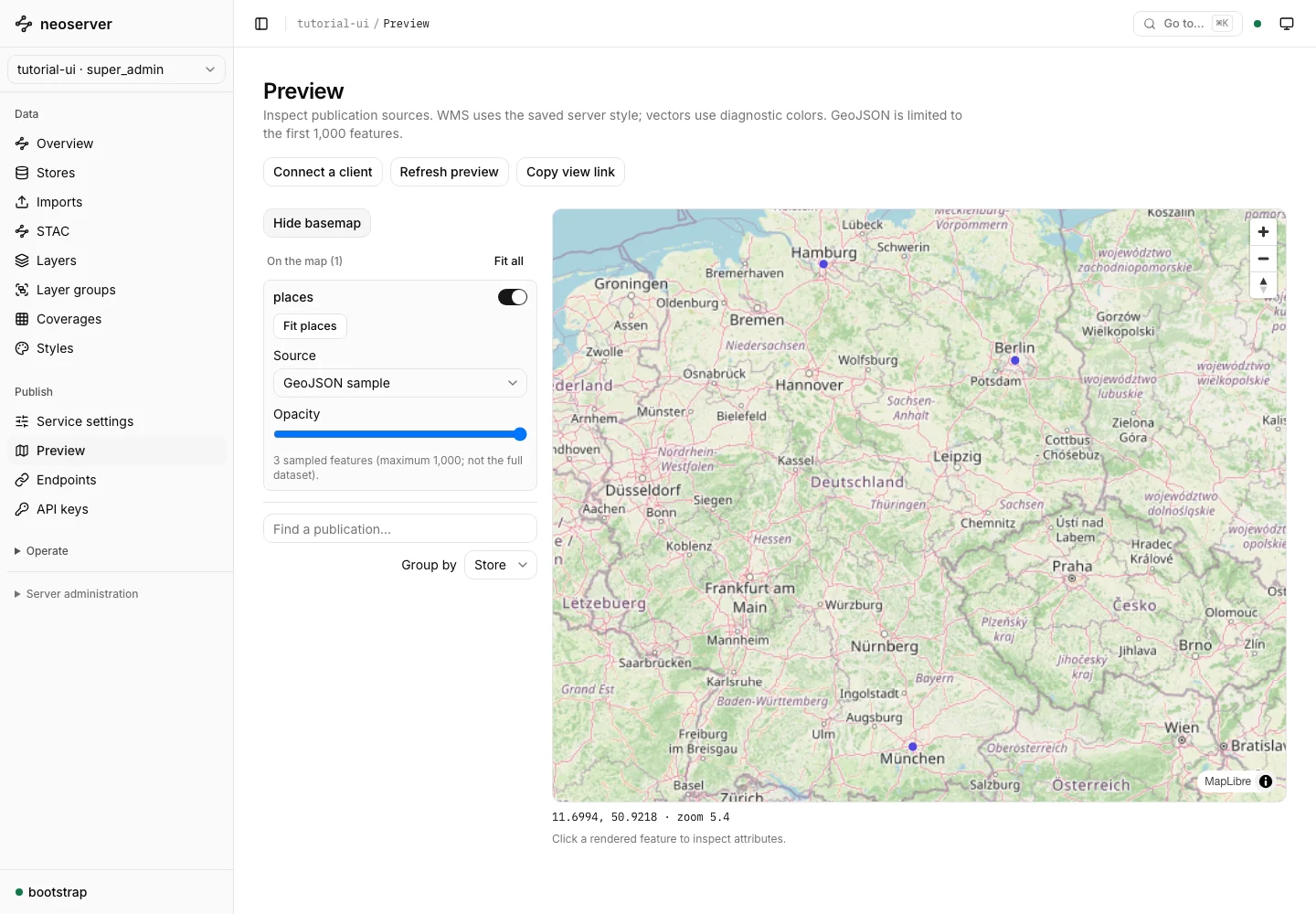
Bring the data
you already have.
PostGIS DuckDB Spatial GeoParquet GeoJSON GeoPackage GeoTIFF / COG
One place to publish.
Room for every project.
From a local dataset to a shared geospatial service. Manage the details in the browser, or automate them through the API.
A console that gets you there.
Create a workspace, connect a store, and publish your first layer. Preview the result without leaving neoserver.
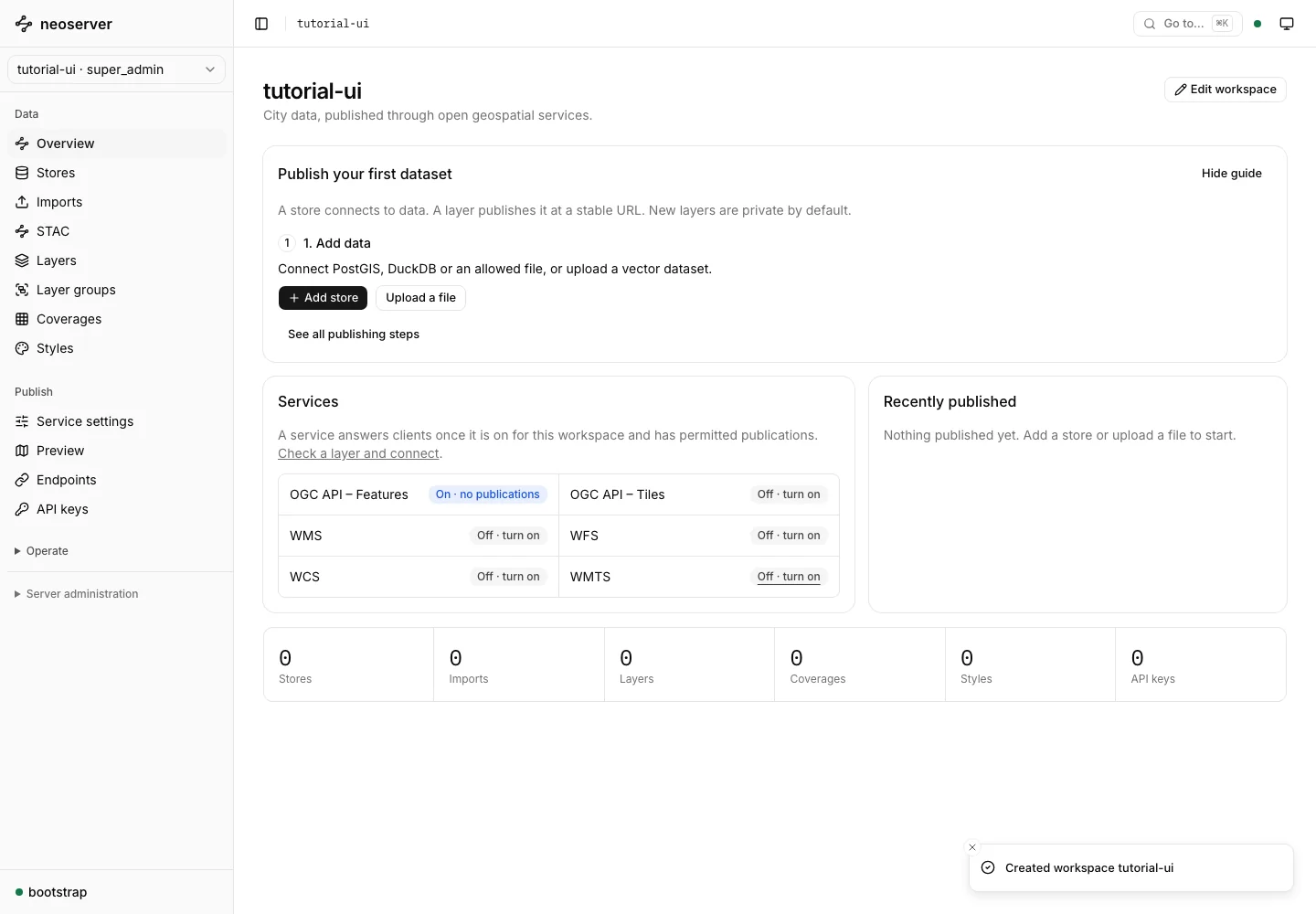
Your data, where it belongs
Connect PostGIS, DuckDB, files, and remote datasets. Feature data stays in its configured sources.
A workspace for every project
Keep connections, layers, styles, credentials, and service settings separated by workspace.
Access on your terms
Use scoped API keys, OIDC, workspace roles, and layer-level access controls.
Built to operate
Tune resource limits, seed persistent tile caches, and export telemetry from your own infrastructure.
Speak the same language
Open standards.
More ways to connect.
Serve the maps, features, coverages, tiles, and asset catalogs your clients understand. Use QGIS, build a web map, or query an endpoint directly.
| Service | What it delivers | Documentation |
|---|---|---|
| WMS 1.3.0 | Maps, styles, legends, and feature information | ↗ |
| WFS 2.0 | Feature queries, transactions, and locking | ↗ |
| WCS 2.1 / 2.0.1 | Raster coverages, formats, and subsetting | ↗ |
| WMTS 1.0 | Tile matrix sets and cached map tiles | ↗ |
| OGC API Features | Features, CRS, CQL2 filters, and queryables | ↗ |
| OGC API Tiles | Vector and raster tiles, TileJSON, and discovery | ↗ |
| STAC API 1.0 | Searchable catalogs of datasets and assets | ↗ |
WFS supports 2.0.0 and 2.0.2; writes require PostGIS. STAC is disabled by default and validated with community tools. Optional capabilities depend on service settings. Published test evidence is not OGC product certification.
From your first connection
to your first map.
A practical path through the console, with illustrated guides at every step.
Create a workspace
Give your project a home, with its own data catalogue and service settings.
Connect your data
Test a PostGIS connection, open a file source, or upload a dataset.
Connect a client
Set access, create a scoped key, and connect with QGIS or your application.
Use cases
Start from the data
you already have.
Step-by-step pages for common publishing jobs, in the console or through the API.
WMS from PostGIS and DuckDB
Styled maps with SLD, GetFeatureInfo, legends, and dimensions.
WFS from PostGIS and DuckDB
Feature queries, FES filters, GeoPackage export, and PostGIS transactions.
WCS raster coverages
PostGIS raster, GeoTIFF, NetCDF, and GRIB2 with subsetting and reprojection.
PostGIS as OGC API Features
Serve tables and views as GeoJSON with paging, bbox, CRS, and CQL2 filters.
Vector tiles from PostGIS
Mapbox Vector Tiles, TileJSON, and WMTS, with a shared persistent cache.
GeoParquet and DuckDB
Publish files and DuckDB databases, in place or uploaded, without a database server.
GeoTIFF and COG rasters
Styled maps through WMS, raw values through WCS, and cached map tiles.
Compare with other servers
How neoserver compares with GeoServer, MapServer, QGIS Server, pygeoapi, and Martin.
Start on your machine.
Run on your terms.
Written in Go. Distributed as a Docker image. Follow the browser-first tutorial or take the API route.
DOCKER / LINUX AMD64
docker pull tobilg/neoserver:0.3.0

# Create a persistent catalog and save its key.
# Follow the guide for initialization and startup.
Released images include the console and native geospatial libraries. The tutorial covers initialization, sample data, and your first sign-in.