Neo Geo · macOS native
A native macOS app with a built-in Neo Geo emulator. No setup, no tinkering, no MAME wrangling. Drop in your ROM folder and play — with save states, CRT shaders, gamepad hot-swap, and per-game memory cards.
158Supported games
60FPS · accurate pacing
M1+Apple Silicon native
0Setup steps
Everything in one app
An emulator that feels like a Mac app.
NeoBox isn't a wrapper around someone else's command line. It's built ground-up for macOS — Metal rendering, Core Audio, a native AppKit interface, and an emulator core compiled and tuned for Apple Silicon.
Built-in emulator
Geolith is compiled into the app. No MAME install, no .ini files, no command line. Drop in your ROM zips and the library populates itself.
Real-time CRT shader
A Metal-rendered CRT effect — scanlines, RGB aperture mask, curvature, and vignette — applied at native refresh rate. Optional per game.
Save state hotkeys
F5 and F7 for timestamped quicksave/load. ⌘1–9 to save to numbered slots, ⇧⌘1–9 to restore. Per-game paths, never collide.
Plug-and-play gamepad
Xbox, PS, Switch Pro, and MFi controllers work over USB or Bluetooth with zero configuration. Keyboard input keeps working alongside.
Per-game memory cards
Each cart keeps its own arcade settings, calendar, and high scores. No more KOF98 clobbering Garou's save data.
F12 screenshots
One key, one PNG, organized per game. Each shot is the 304×224 native frame, with the CRT shader baked in if you've got it on.
Inside the app
A library that organizes itself.
Filter by genre, favorites, recently played, or recently added. Search across every cartridge in your library. The sidebar is always one click away from the next game.
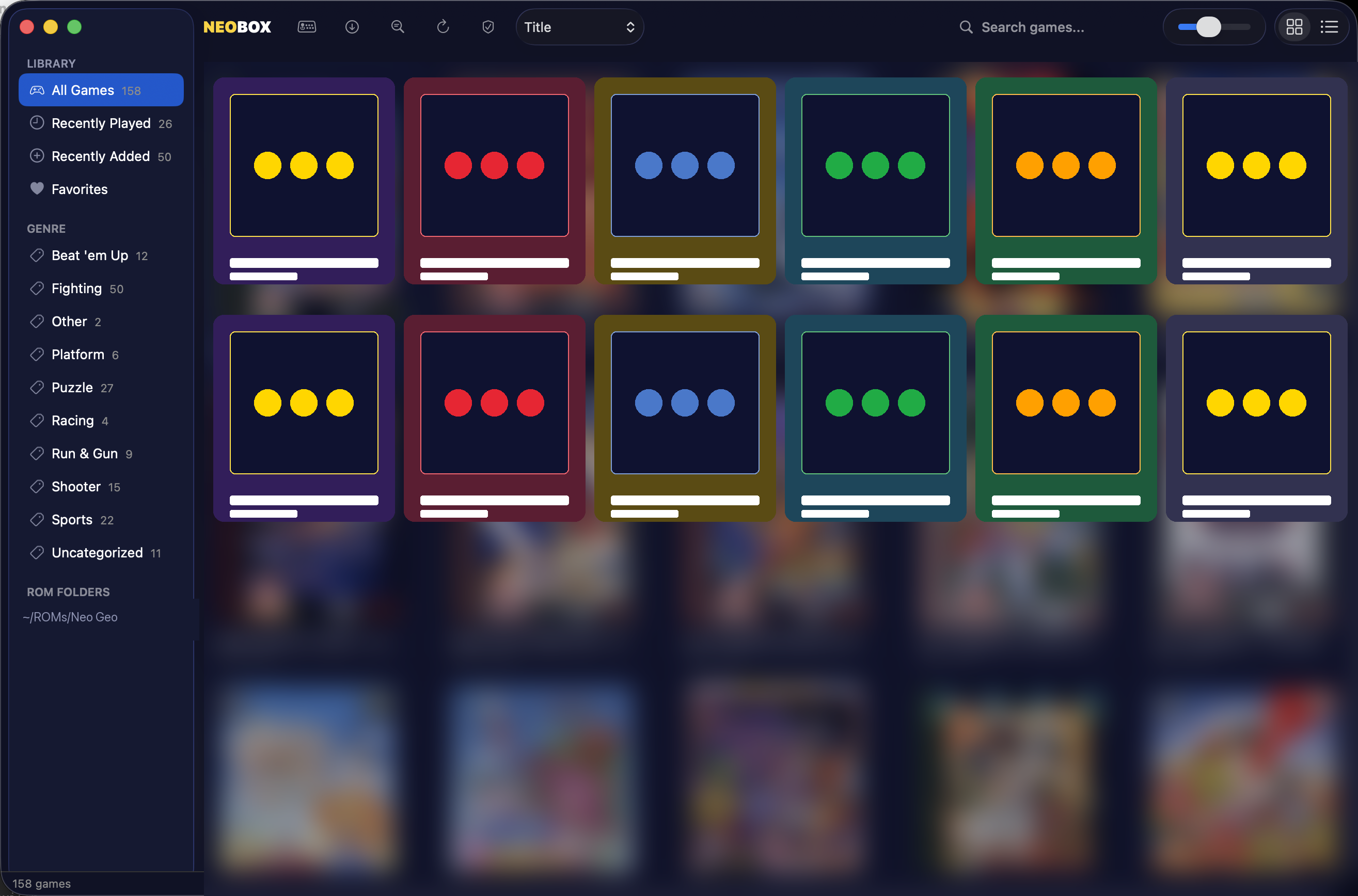
Built-in library management.
Point NeoBox at a folder of MAME-format zips and it scans, identifies, and organizes every cartridge it recognizes. Cover artwork, genre, year, and manufacturer come from the bundled metadata — no manual tagging.
- Filter by genre, favorites, or recently played
- Full-text search across all 158 games
- Watch ROM folders for new additions automatically
- Per-game artwork cached locally
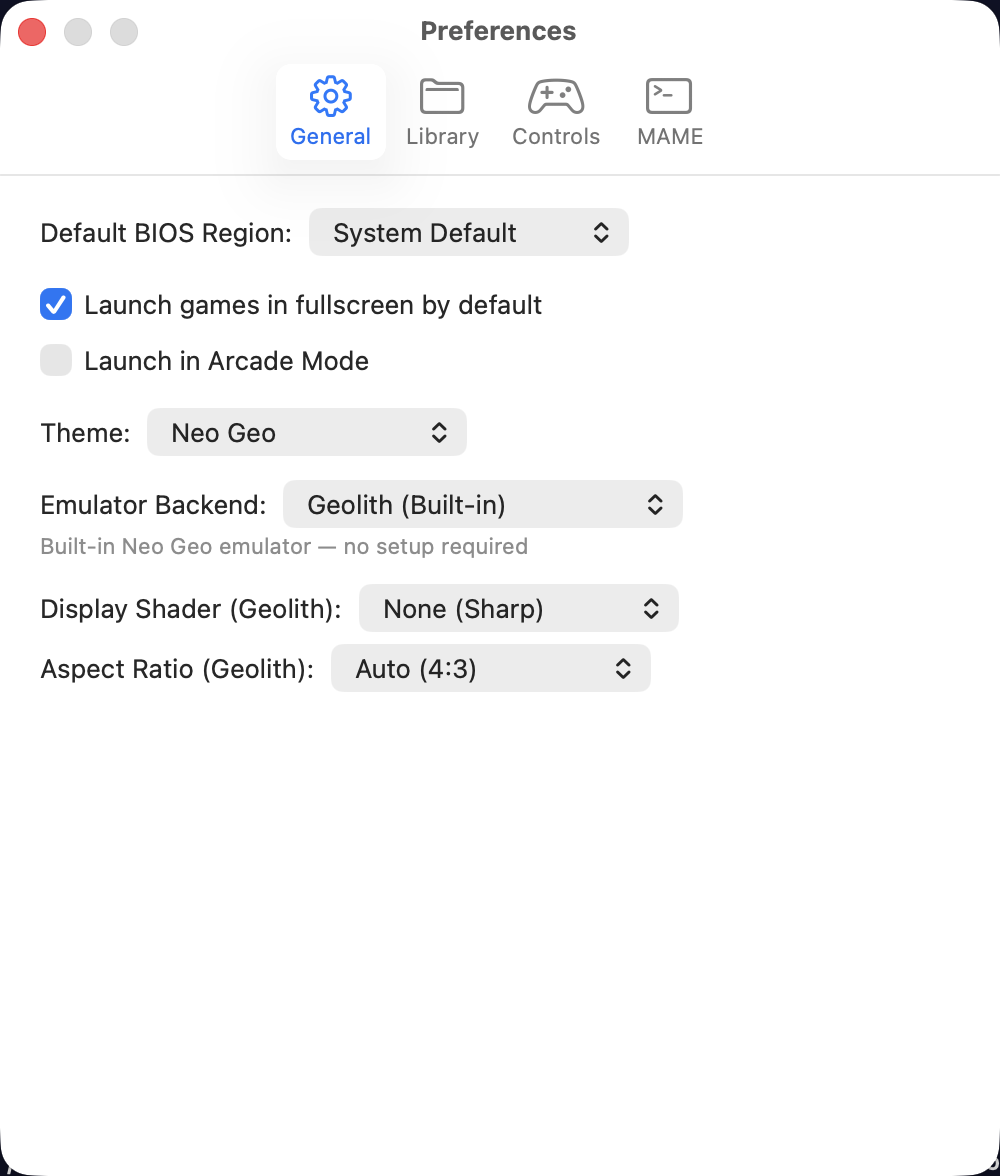
Tweak how every game runs.
Pick your default emulator backend, BIOS region, theme, display shader, and aspect ratio in one place. Every choice has a sensible default — the preferences pane is for when you want the arcade feel of a CRT, or when a particular cart needs MVS mode.
- Geolith (built-in) or external MAME
- None (sharp) or CRT shader
- Auto 4:3 or pixel-perfect integer scale
- System Default · Japan · USA · Europe BIOS
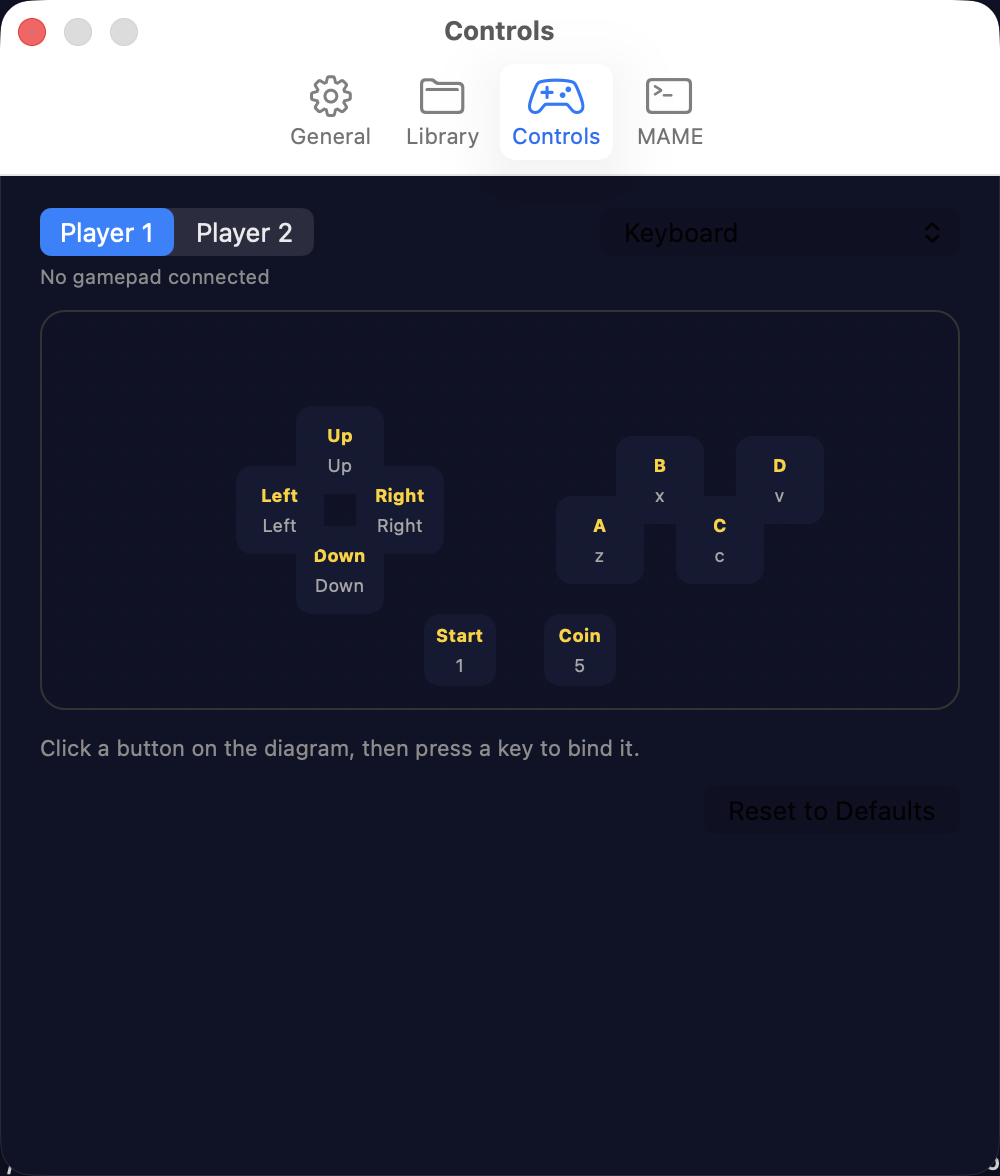
Bind anything to anything.
Player 1 and Player 2 each get their own bindings. Pick your input device — keyboard or any connected controller — then click a button on the diagram and press whatever you want it bound to. Keyboard keeps working alongside the gamepad either way.
- Per-player, per-input-type bindings
- Real diamond layout matching the Neo Geo arcade stick
- Live-listen for the next press — no scrolling lists
- Reset to defaults in one click
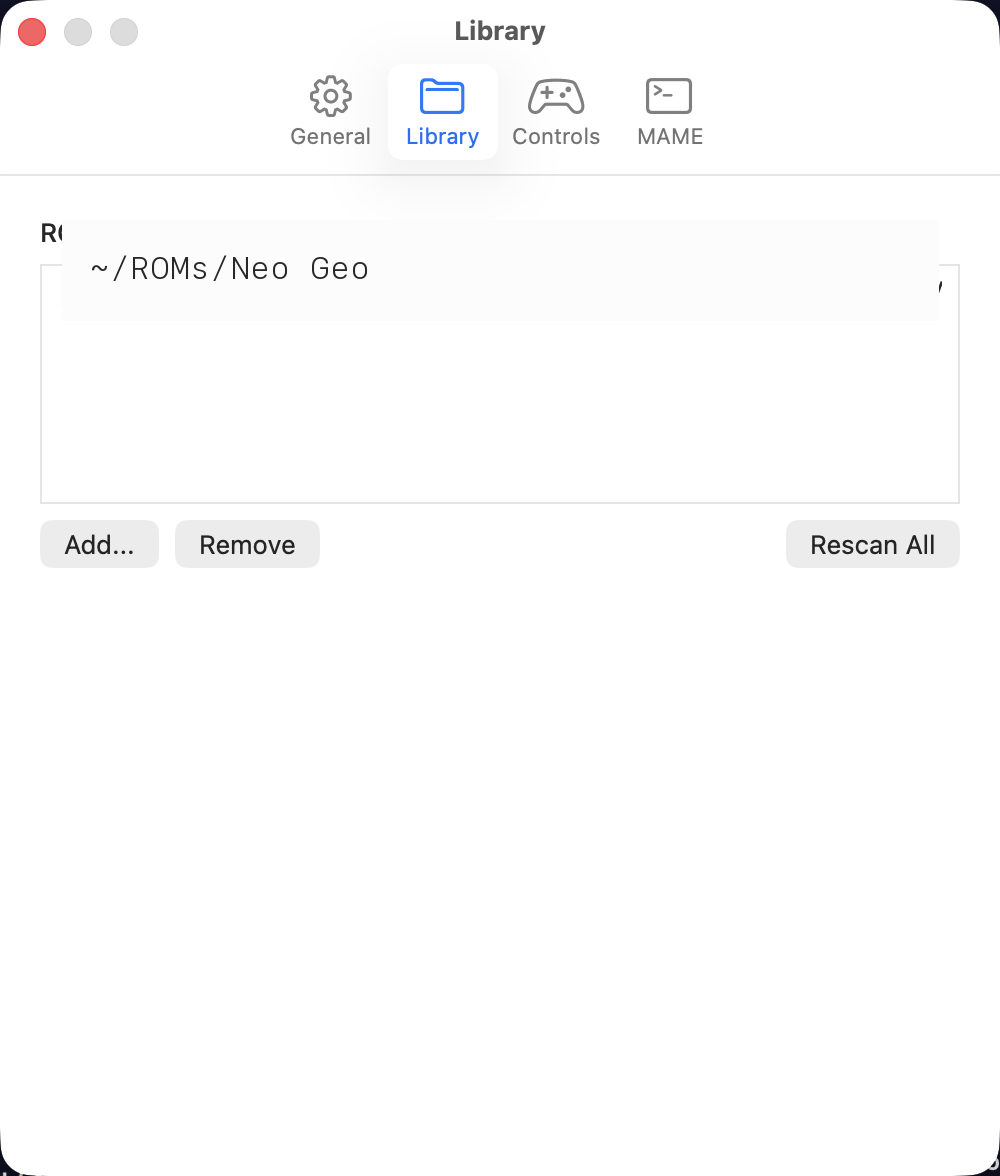
Drop in your ROMs.
Add as many ROM folders as you want. NeoBox watches each one, picks up new cartridges automatically, and rescans on demand. Files stay where they are — NeoBox never moves or copies your ROMs.
- MAME-format ZIPs supported natively
- Multiple folders for separate collections
- Automatic detection on rescan
- Originals never touched or relocated
Cycle-accurate
Faithful where it matters.
NeoBox bundles the Geolith emulator core, with offline P-ROM decryption for the entire SMA, PVC, K2K2, and PCM2 family. Every post-2000 cart that needs special protection just works.
One controller. Any controller.
Xbox, PlayStation, Switch Pro, and MFi controllers are supported out of the box via Apple's GameController framework. Plug in over USB or pair via Bluetooth — input takes effect instantly. Rebind any button from Preferences › Controls.
- D-pad or left analog stick → directions
- A · B · C · D in the classic arcade diamond
- Menu → Start · L-shoulder → Coin
- Hot-swap supported · keyboard still works alongside
AES color order — A · B · C · D
The full library, including the late carts.
From Burning Fight in 1991 to KOF 2003, every official MVS/AES cartridge in NeoBox's metadata works — including the ones with custom encryption chips that broke other emulators: SMA, PVC, NEO-PCM2, CMC42/50, K2K2. KOF '99, Garou, Metal Slug 3/4/5, Samurai Shodown V, SVC Chaos, KOF 2002/2003, Matrimelee, Ganryu, and 140 more.
Power-user option
Bring your own MAME.
Geolith ships in the box, so you'll never need anything else. But if you're already a MAME user, flip the engine in Preferences — your library, save states, and gamepad bindings carry over.
Stop fighting your emulator.
Start playing.
NeoBox is on the Mac App Store. One download, no command line, no .cfg files. You bring the ROMs.
Download on the Mac App Store