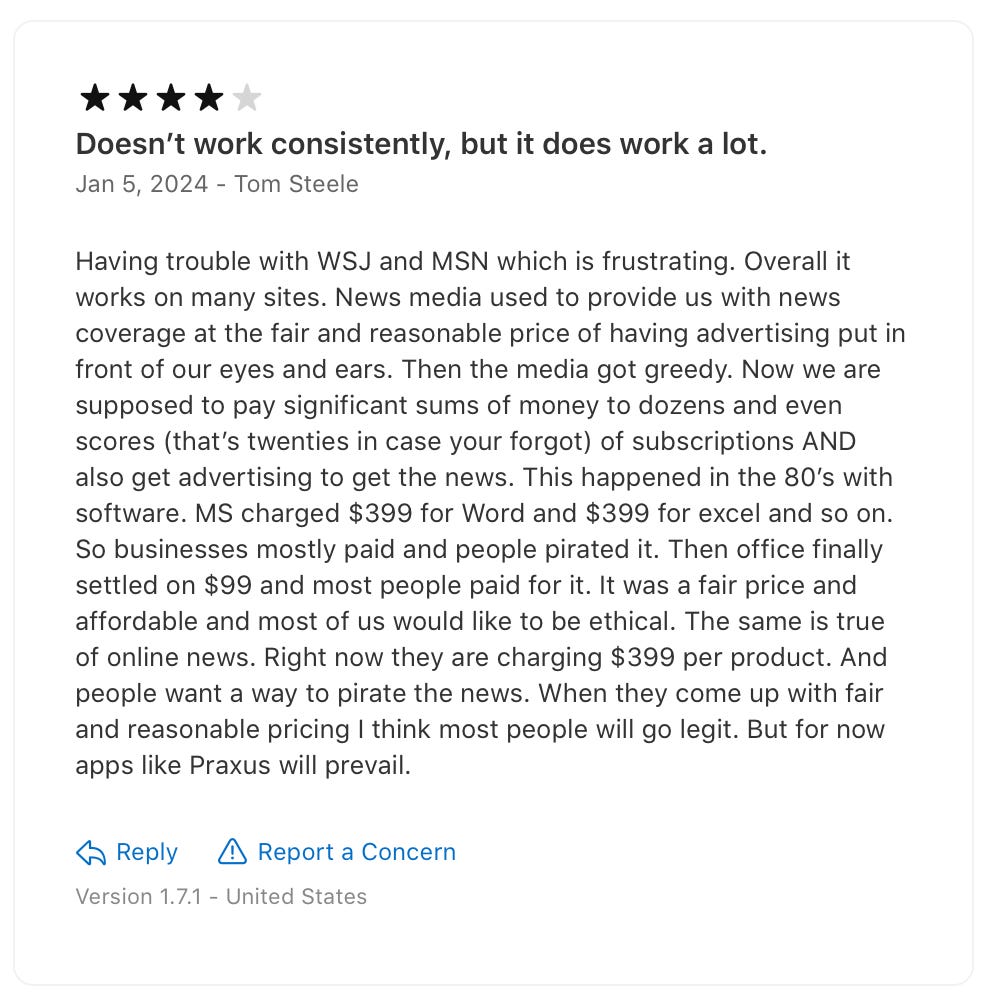
Praxis News 2.1 is out with major new features for anonymous web browsing on iOS.
Praxis for iOS is designed to be a minimalistic companion to your daily driver browser, e.g. Safari. Like an advanced Incognito Mode, Praxis can help you unlock content on uncooperative web pages where your regular browser fails.
Many modern websites, especially news sites, have gotten comfortable with abusing standard browser technologies, like JavaScript and cookies, to play cat-and-mouse with regular visitors like yourself. They obscure, truncate, or simply erase the content you come to read, altering webpages from under you as you browse to inject ads and trackers instead. This has become the norm for the web of today.
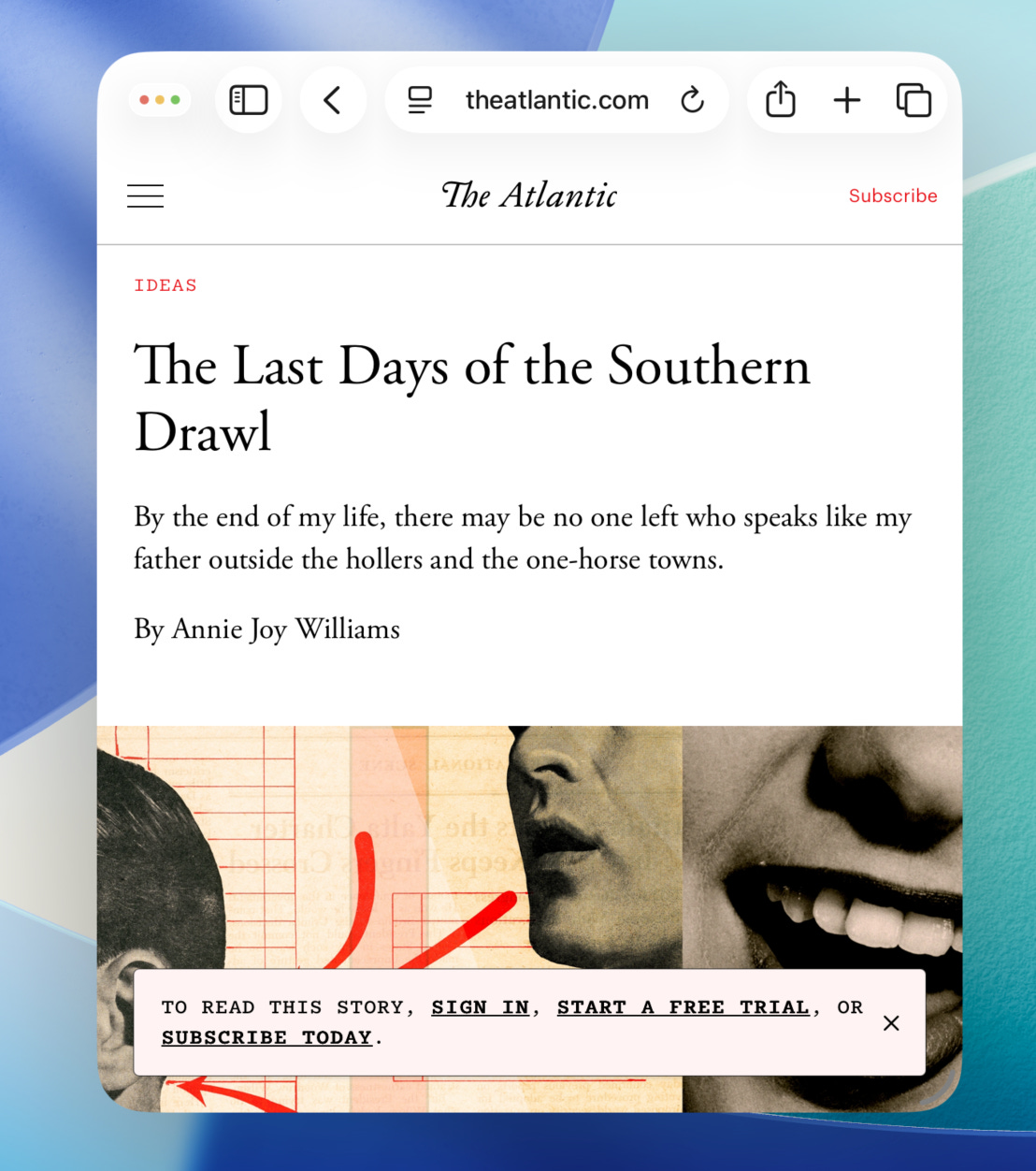
Ad and content blocker extensions can provide some relief, but they are inherently limited in what they can do. These browser extensions tend to only suppress obviously undesirable webpage elements, like embedded ads and tracking scripts, leaving intact most of the frontend code that drives the reading experience (and the sneaky content manipulation).
Because ‘good’ uses of JavaScript are indistinguishable from the ‘bad’, a traditional share extension cannot reliably patch a broken webpage just by suppressing parts of its original code - it needs to have control over the entire flow, from fetching the webpage data from the server to rendering it on screen. In other words, this kind of functionality needs to be built into the browser itself.
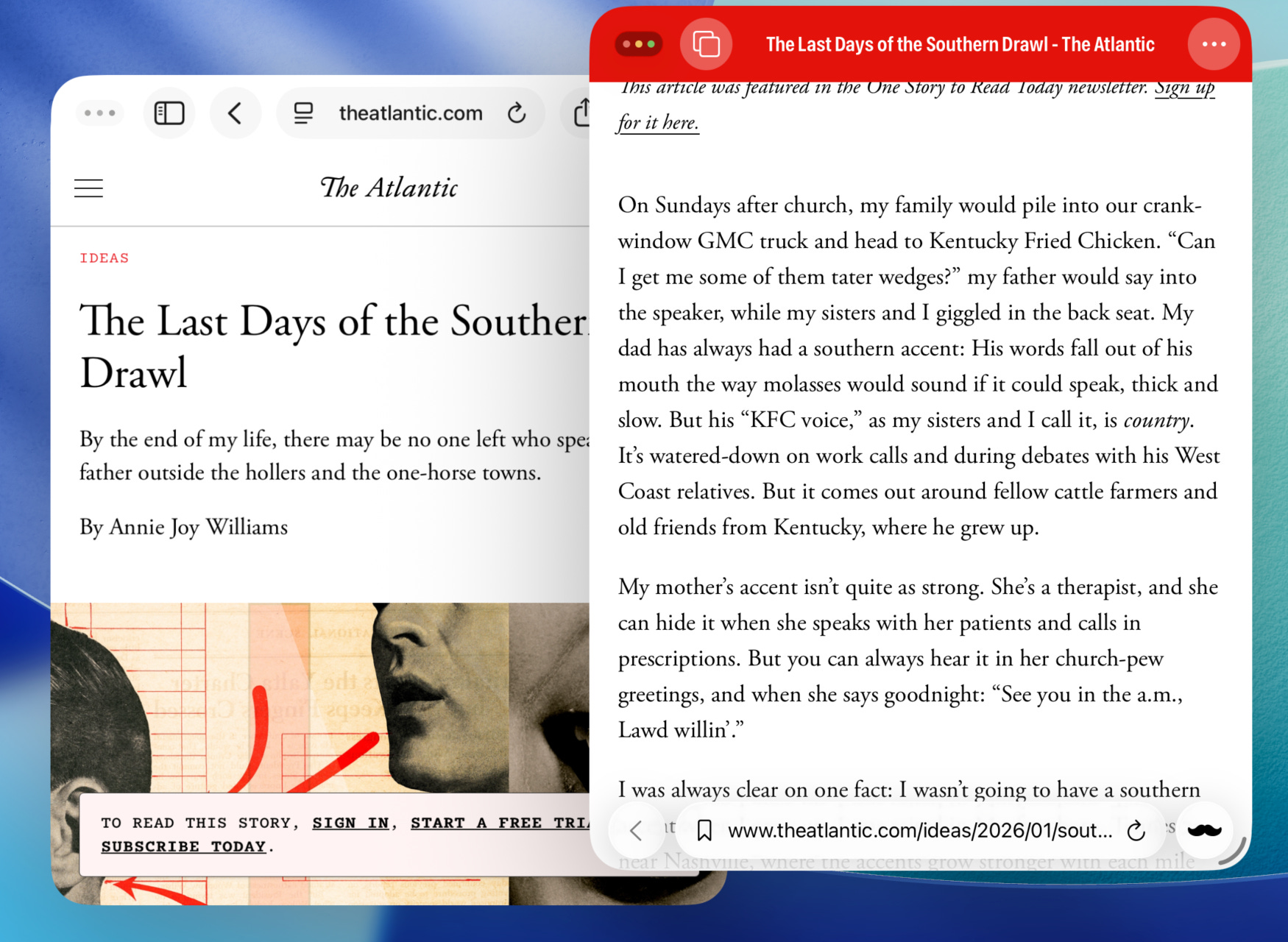
This is why Praxis News is a standalone app that can act like an alternative browser when you need it. It deliberately breaks websites in a controlled way, allowing you to anonymously access bare-bone web pages where most JavaScript is aggressively stripped away, and the real content you came for takes the center stage, preserving the site’s original design.
While Praxis News can be used with any site, it is specifically adapted to support a number of popular US and international news sites. This makes Praxis News a great free alternative to apps like Apple News; you can think of it as your dedicated browser for breaking stories and quality long reads.
You can try Praxis today on websites like
NYTimes
The Economist
The Atlantic
The New Yorker
Bloomberg
WSJ
The Financial Times
and many others.
Praxis is designed with the experience of self-guided news research in mind, and while being an explicitly minimalist app, it is full of useful features you will actually use. For instance, to summon Praxis from anywhere, like in the middle of a Safari session, you can use the share extension. Tap the share icon → Praxis, and a sanitized version of the webpage will appear directly over your current context. From there you can go ahead and actually read the article, bookmark it for later, or tap the URL bar to continue in the main Praxis app.
Since its original release in 2022, Praxis for iOS has been receiving continuous updates with more thoughtful features like bookmarks, history search, suggestions, page filters, and Adaptations.
In the rest of this post, I am going to highlight some of the latest improvements in the version 2.1 that make Praxis even better for both new and existing users. If you’re interested in checking it out, download Praxis News for your iOS device for free from the App Store today.
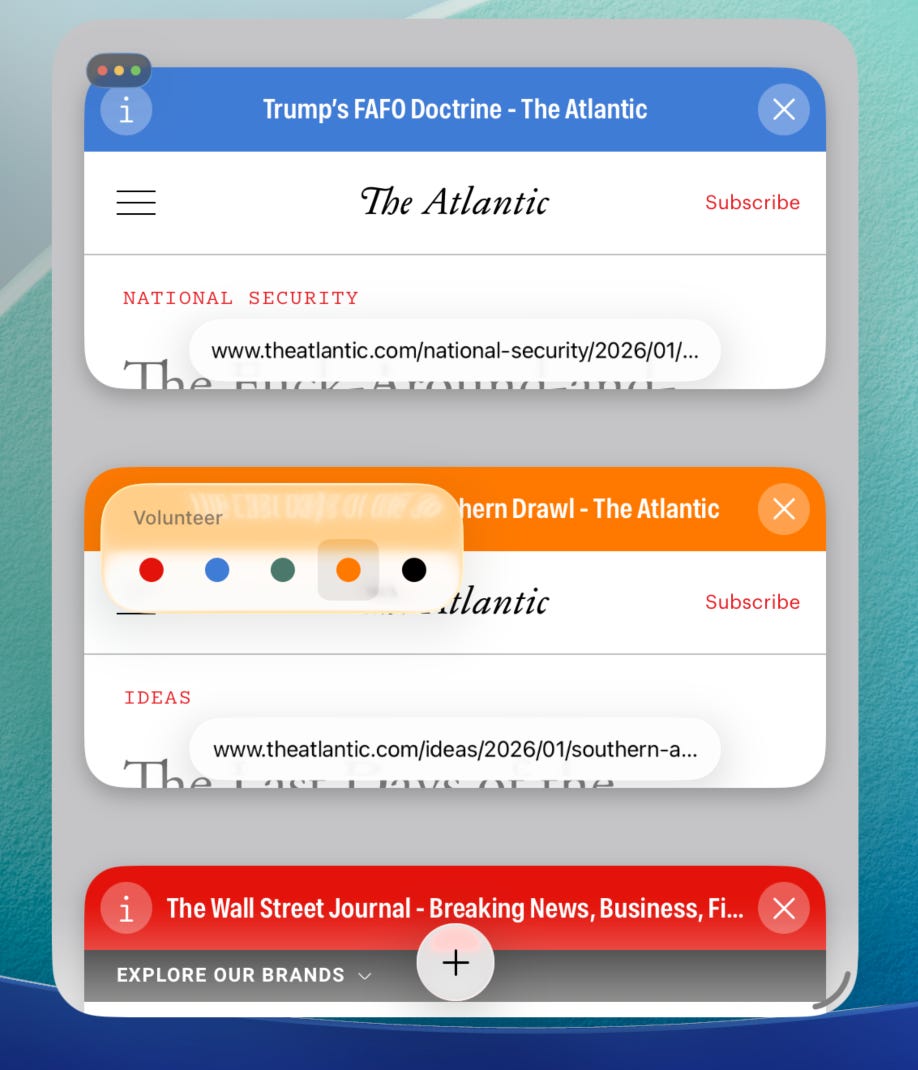
A mainstay in browser apps since the early 2000s, tabs have become a standard way we interact with the web. Even a lightweight companion browser like Praxis cannot escape this UX trend, so in 2.1 multitasking is now central to the app’s structure.
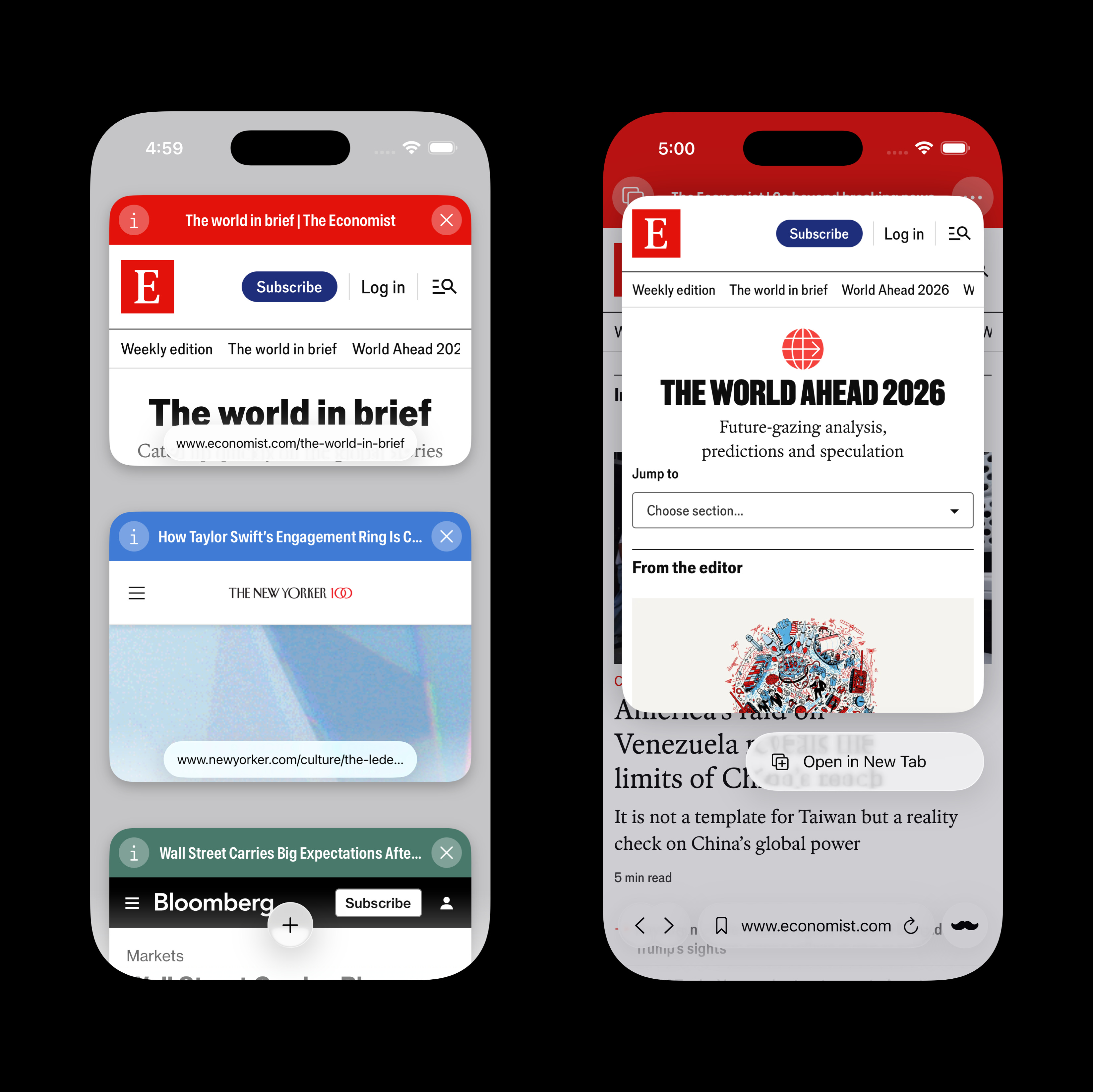
The top-left ‘mustache’ main menu icon has been replaced with a button that zooms out to reveal all tabs you currently have open. You can switch to a different tab or open a new one from this new home screen. Long-press any link to open it in a new tab directly.
This new functionality is supported on both iOS and iPadOS, with additional support for multiple windows available in the latter for advanced iPad users.
The core functionality of Praxis is and forever will remain free. Only non-essential, special features may occasionally appear in the app as donation-only extras, allowing power users of the app to support its development and receive interesting perks in return.
One such feature is now out of the donation-only preview and is available for free to all Praxis users in 2.1 - Themes. Themes are alternative color schemes for the Praxis browser UI, which can now be applied to individual tabs to help you visually organize your web research. Just tap the i button in the tab preview on the new home screen to set a theme:
Preserving the original website’s design when unlocking its content is key to the vision for Praxis. This app never extracts ‘raw’ article text to render separately from the host page, like Safari Reader does. Instead, when you use Praxis you always experience the original typography and the visual style of the website you’re browsing - with some tweakable options for improved accessibility.
For instance, you can use Page Filters to apply dark mode on any website, whether it has native support for dark mode or not. In Praxis 2.1 these filters take effect instantly, without requiring a page reload and having you lose your scroll position. The Page Filter selection is niw also remembered per domain, like the Text Size preference.
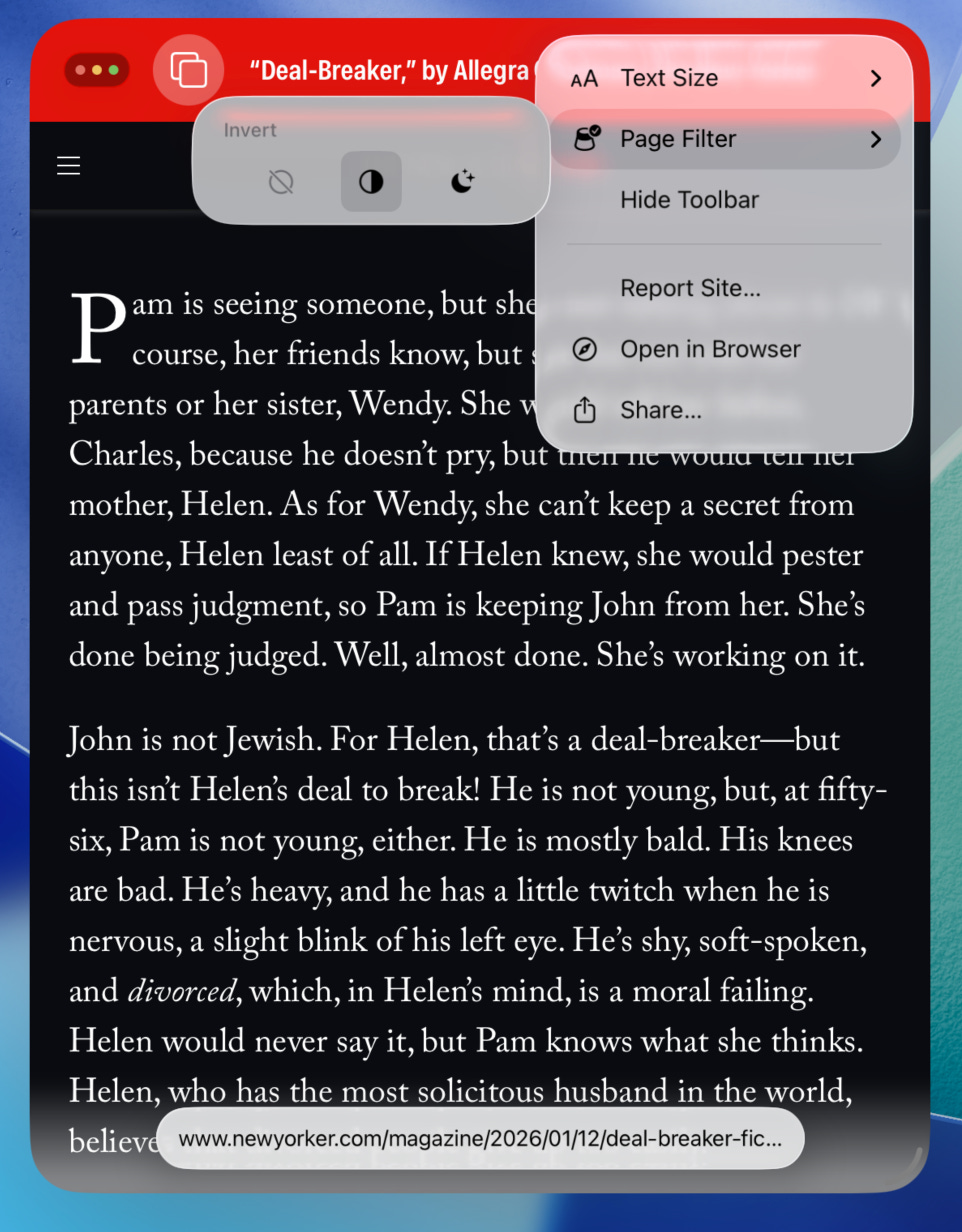
Finally, in Praxis 2.1 you also get a new option to hide the overlay browser toolbar containing the URL bar and the back button. This is handy for websites that draw their own UI near the bottom of the screen where it may interfere with browser controls. Same as the above preferences, toolbar visibility is applied per domain.
If you’re not yet a Praxis user - consider downloading it today and try it on your favorite sites. If you enjoy using it or have some feedback for how it could be better, don’t hesitate to leave a review on the App Store or contact me directly at praxis@nbsoftware.tech.
Kia kaha.
Arnold S.
Knoxville, Tenn., USA