MinuteFile for Mac
Private local transcription
Turn meeting recordings into a searchable local archive.
Choose folders with completed meeting recordings. MinuteFile transcribes them locally when you ask — or when you explicitly opt a watched folder into automatic transcription — and keeps the editable transcripts searchable on your Mac. Your recordings and transcripts stay on your Mac — not uploaded to a cloud transcription service.
No account or subscription. A license costs US$39 paid upfront.
Searchable local archive
No meeting bot
No cloud transcription
Inbox-only by default
Build the archive from folders you choose.
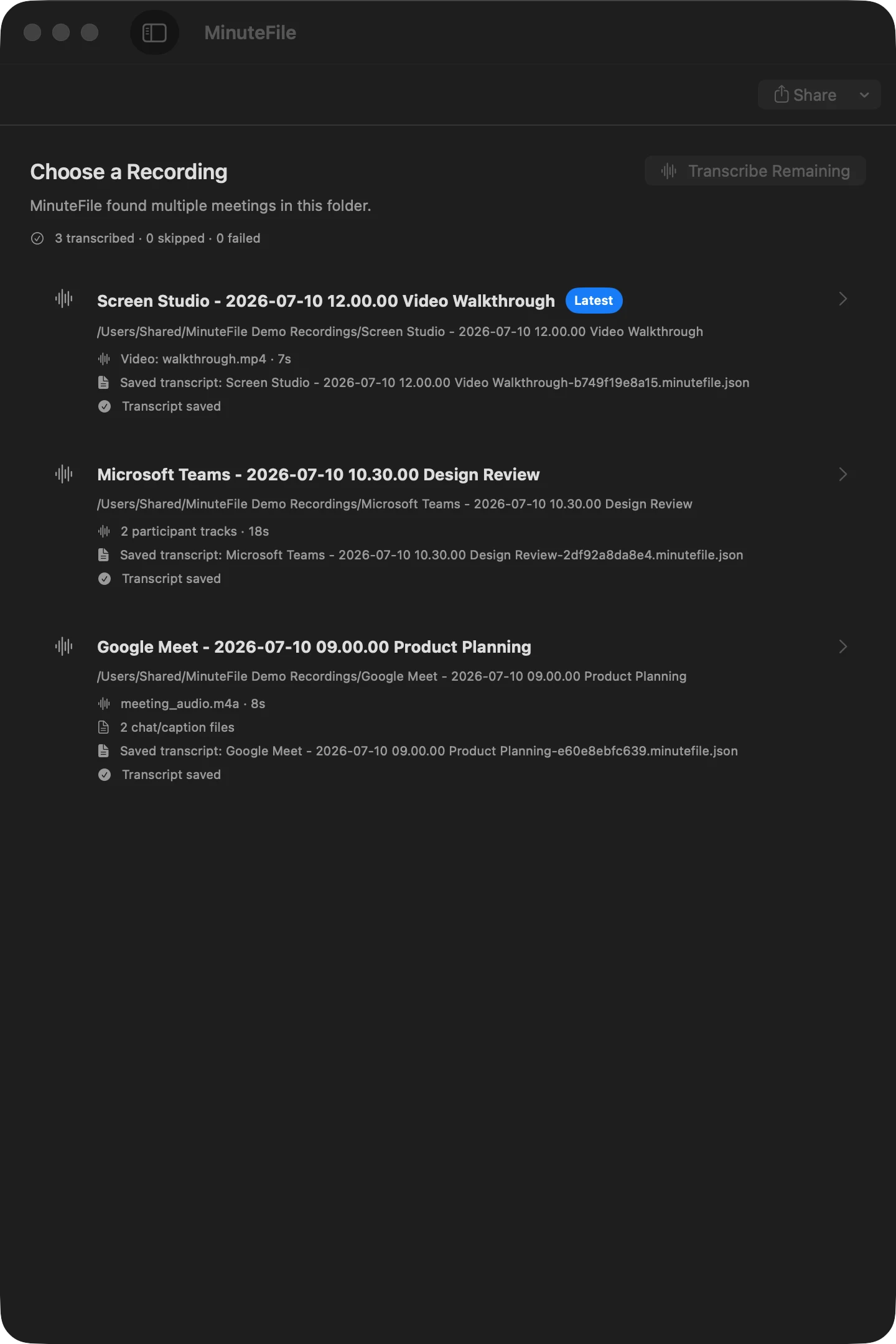
Import a meeting folder or a parent folder containing recordings from Zoom, Meet, Teams, Screen Studio, or another app.
01
Choose a folder
MinuteFile detects meetings and their audio, video, caption, and chat files.
02
Control the inbox
Watched folders are optional and default to adding stable recordings to your inbox without transcribing them.
03
Transcribe when ready
Start one recording or a batch yourself, or explicitly opt an individual watched folder into sequential local transcription.
04
Review and keep
Play the local recording, jump from timestamps, bookmark moments, correct the transcript, search, and export.
A different starting point
MinuteFile starts after the recording is on your Mac.
Live AI notetakers are built for capture during meetings and AI-generated notes. MinuteFile is for the recording folders you already have.
Use MinuteFile to transcribe locally, correct transcript text and speaker labels, find a passage later, and keep an archive you can export.
Bring existing transcripts into the same local archive.
Use an existing VTT, SRT, timestamped text, or plain TXT file as editable archive text without retranscribing it. Recognized timestamps keep their playback links. Plain text stays untimed.
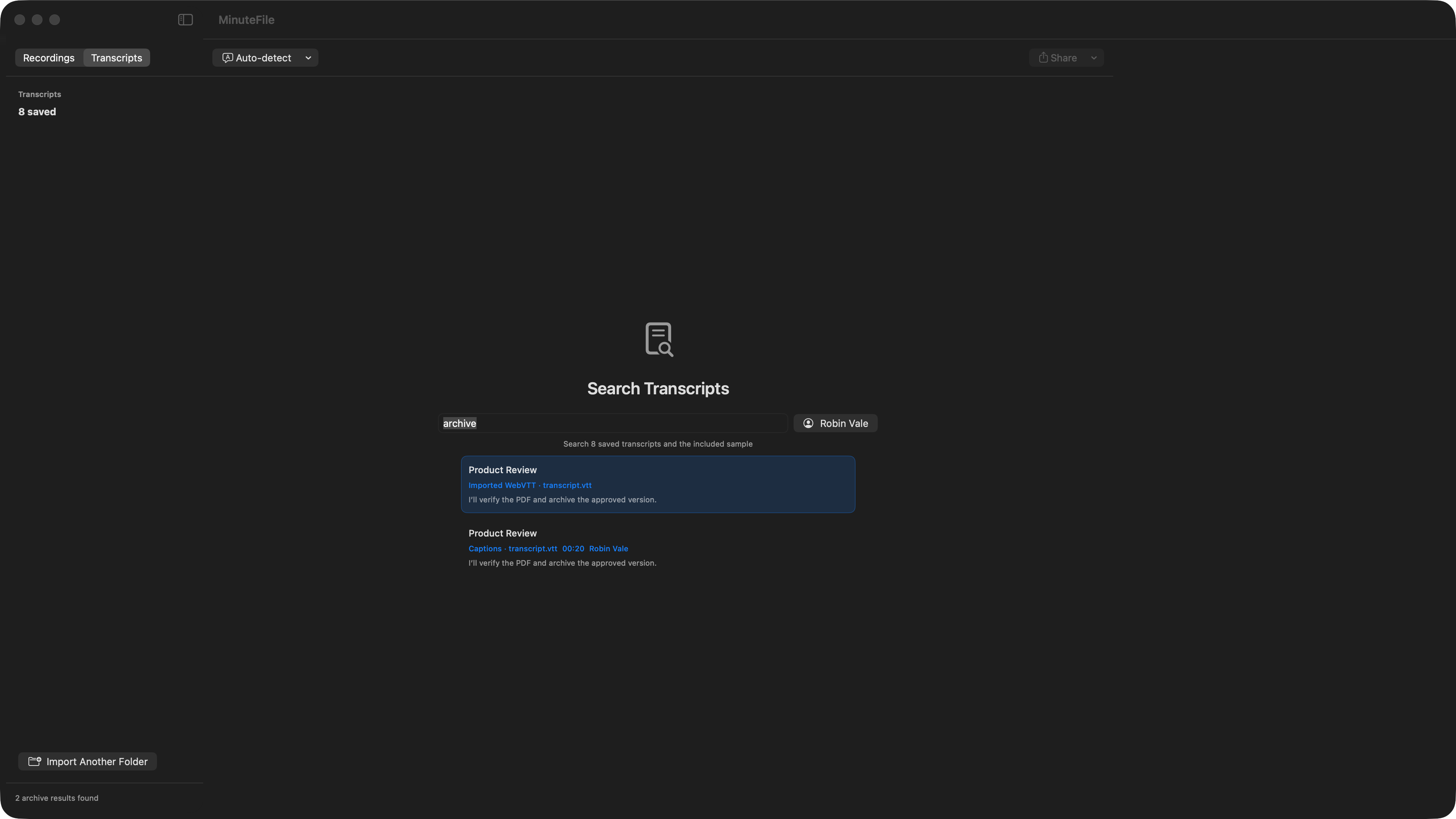
Open the included sample before choosing a private recording.
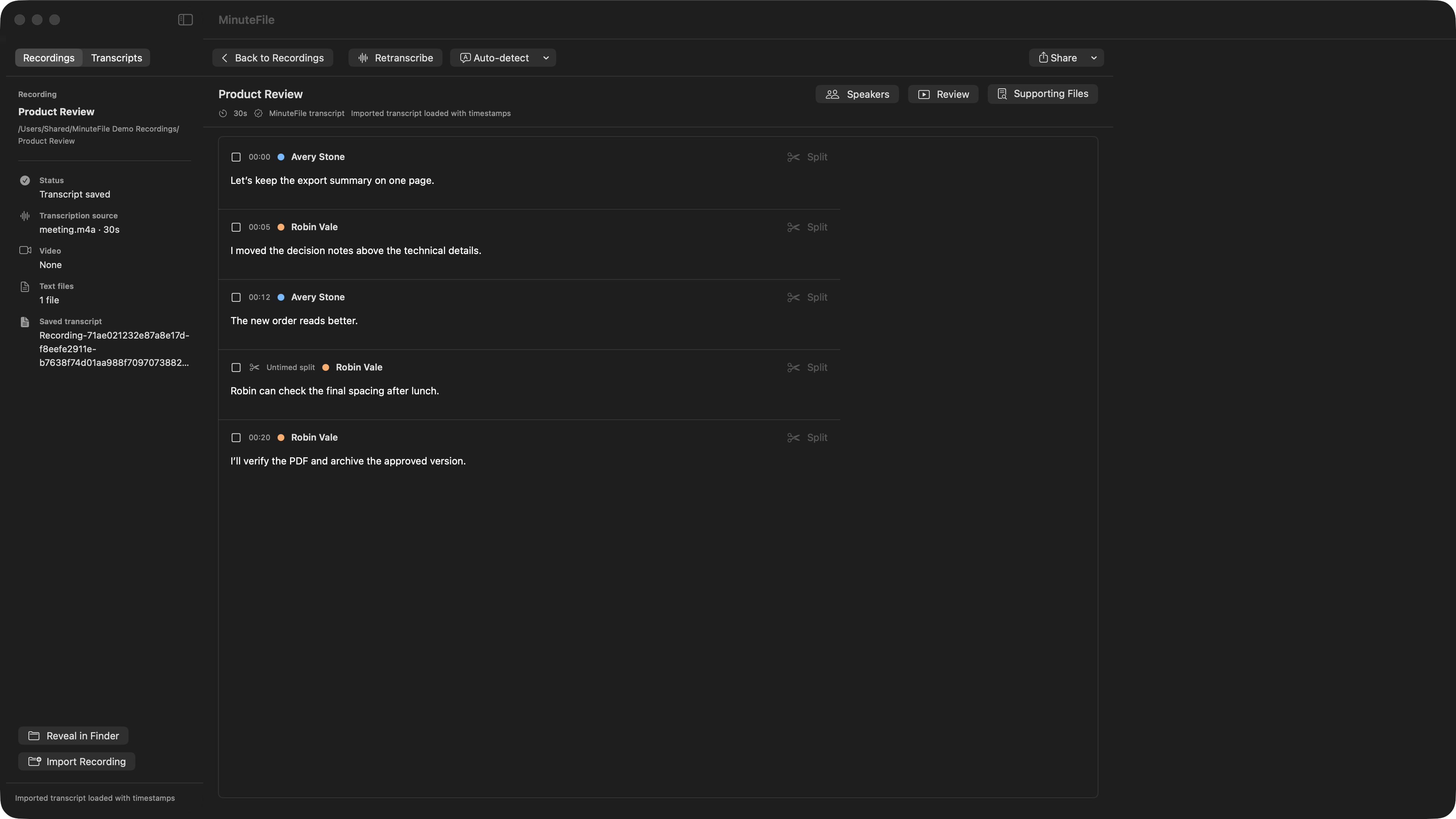
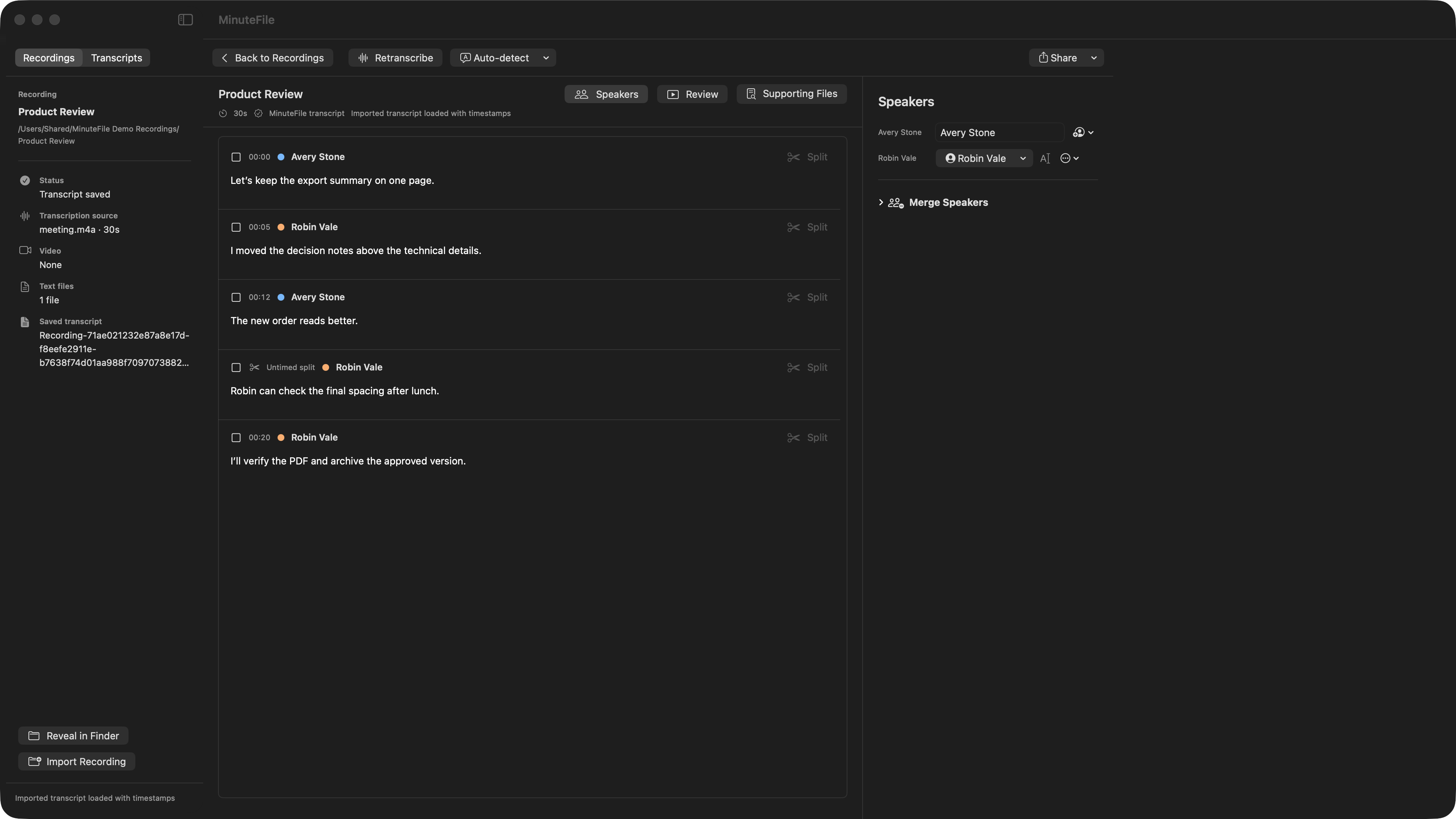
MinuteFile includes a small synthetic meeting with a ready-made transcript. Open it immediately to try local playback, timestamp navigation, review bookmarks, archive search, speaker repair, and export. It does not download a model, transcribe audio, or use one of your three trial transcriptions.
Try the complete workflow on three recordings.
No purchase is required for your first three transcriptions. After the trial, every transcript you already made remains readable, editable, searchable, shareable, and exportable. Further transcription or retranscription requires a MinuteFile license, purchased upfront for US$39.
A transcript workspace, not a disposable text dump.
⌕
Search exact words and PeopleRun literal local archive search, then narrow results by a Person you assigned.
A
Choose meeting labels or PeopleKeep a free meeting-only label, manually assign a reusable Person, or split a turn without inventing a timestamp.
▶
Local playback and review bookmarksScrub the saved transcript's recording, jump from timestamps, and mark moments with durable labels and notes.
⇧
Useful exportsShare or export TXT, Markdown, and polished HTML copies, including review bookmarks in Markdown and HTML.
≋
Batch transcriptionProcess the untranscribed recordings in a folder and skip completed work.
◉
Audio and video inputPrefer participant audio tracks when available; fall back to mixed audio or video.
◎
Opt-in watched-folder transcriptionEach watched folder defaults to inbox-only. Opt in with an explicit model and language, then pause, resume, cancel, or retry its persistent local queue.
↗
Reveal in FinderOpen a recording's source media or folder in Finder when you need the original files.