Every feature is in the same app. No paywall splitting essential workflows behind a Pro upgrade, no ad banners on the terminal.

Android SSH client
A focused SSH client for Android with multi-session terminals, private key authentication, SFTP file transfer, local port forwarding, and tmux-aware controls built for phone and tablet use.
Available in 20 languages · version 1.9
Join the beta · or email mobile.ssh.info@gmail.com to request private beta access
Why Mobile SSH
Built around the things mobile SSH clients tend to get wrong.
Saved servers, credentials, and keys live on the device. No cloud account; nothing to be sunset.
Add a host once, then search and tap to connect — keys, ports, and tunnels come with it.
Get a notification — with sound and vibration — the moment Claude Code, Codex, or another remote agent needs your input. Plays in headphones even over video.
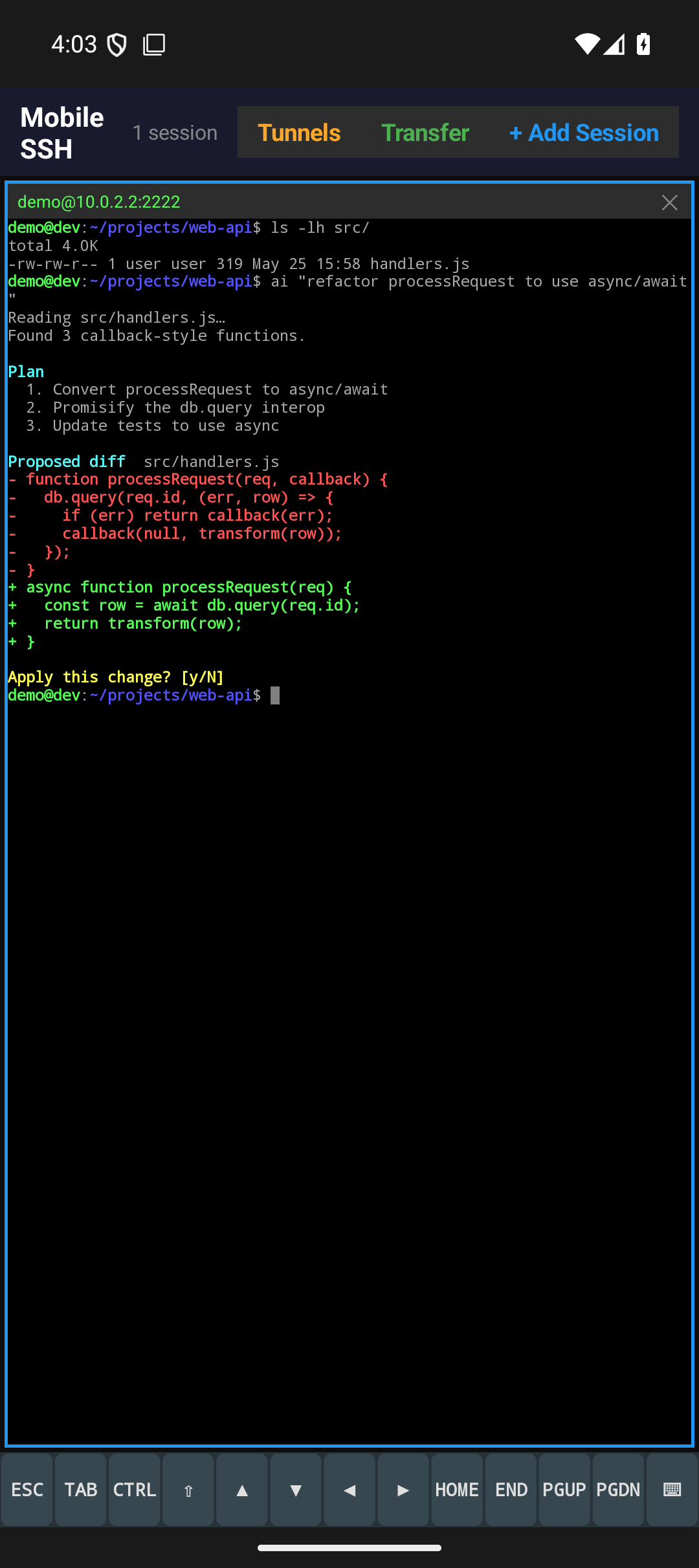
Dedicated row with ESC, TAB, CTRL, ALT, FN, arrows, Home, End, PgUp/PgDn — without fighting Gboard suggestions.
Tunnels attach to the server profile and come up automatically when you connect.
Foreground service, wake locks, and auto-reconnect keep shells alive through screen-off, app switches, and network changes.
Built around Android SSH work
Mobile SSH keeps the common admin path short: save a server, connect, keep sessions alive, move files when needed, and get back to active terminals quickly.
xterm-256color terminal emulation with 5000-line scrollback, color, cursor keys, copy/share, and pinch-to-zoom text sizing.
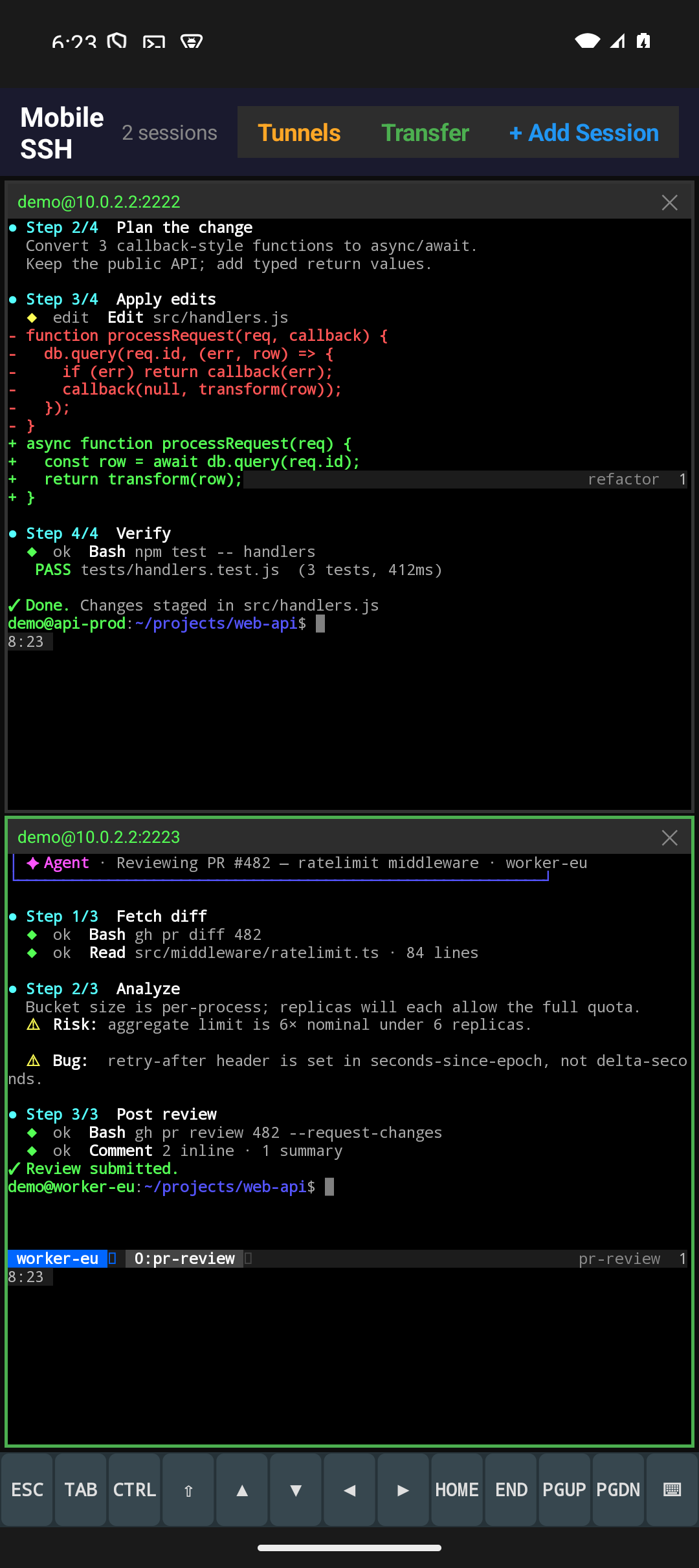
Up to eight SSH sessions in a resizable grid — tap a pane to focus, double-tap for fullscreen, pinch to resize text.
URLs in the terminal are underlined and open in the browser with a tap — no copying or switching apps needed.
Organize saved servers into collapsible groups. Tap a group header to collapse it; the folder structure carries into the quick-connect picker.
Notification with sound and vibration when a remote agent (Claude Code, Codex, etc.) needs your input. Plays in headphones even during video calls.
Password or private key auth. Generate Ed25519, ECDSA, or RSA keys on device; import or paste existing keys.
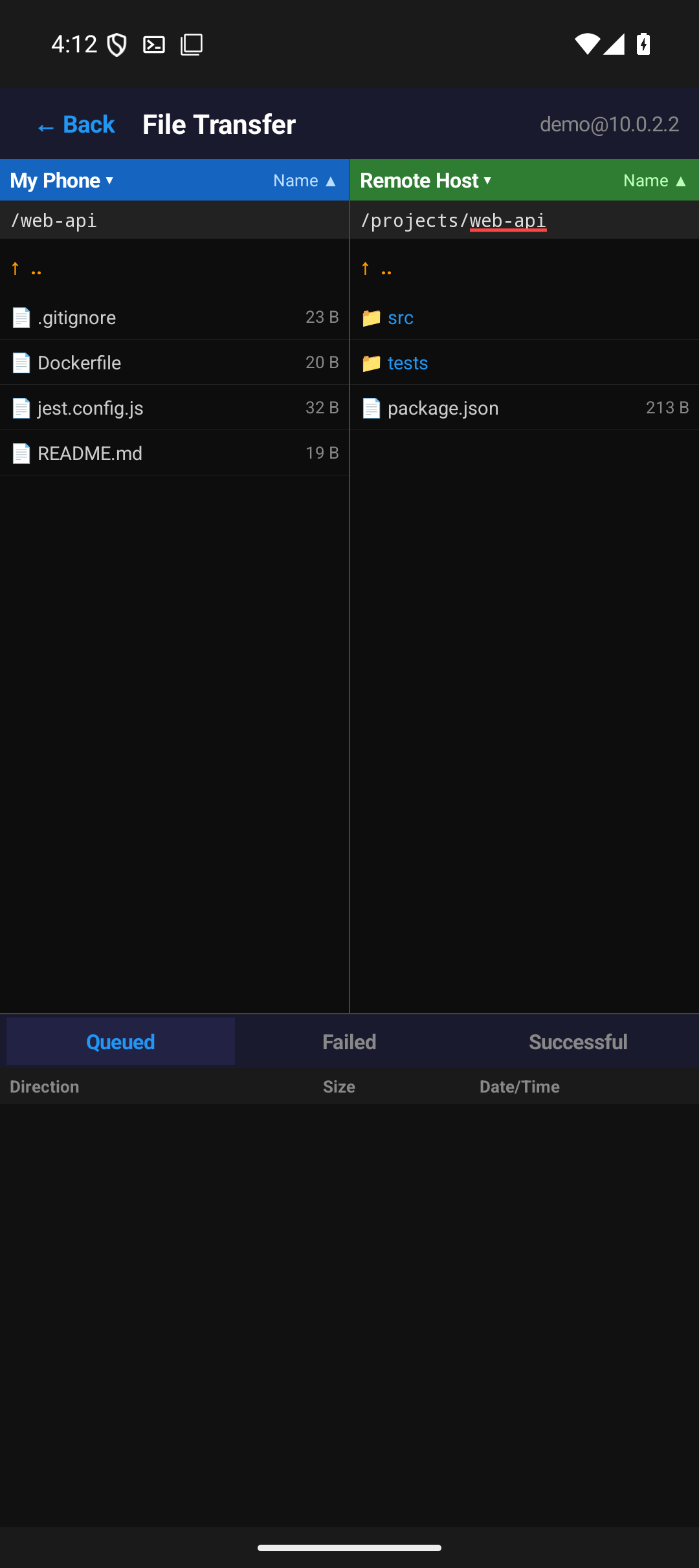
Dual-pane file browser tied to an active SSH session. Queue uploads and downloads, rename, delete, and inspect remote permissions.
Save local tunnel specs with a server profile — tunnels open automatically on connect, or add/remove them while connected.
Foreground service, wake locks, keepalives, and exponential-backoff reconnect keep sessions alive through screen-off and roaming.
Export saved servers and credentials to an encrypted backup file; import with merge or replace to move between devices.
One screen, several live shells
The terminal view can hold multiple active SSH sessions in a grid. Select a pane to type, use the extra key row for terminal controls, pinch to adjust text size, and double-tap a pane when you need fullscreen focus.
Session history and active-session recovery help you return to current work after app switches, screen lock, or Android activity recreation.
SFTP when the terminal is not enough
Open file transfer from a connected session to browse phone storage and remote directories. Queue uploads and downloads, sort files, remember recent paths per host, and inspect remote file permissions when deciding what to move.
See it on a real device
Screenshots from Android phones — the same screens you'll use to add servers, work in terminals, run multiple sessions, and move files over SFTP.
See it in action
Short demos of recent features — server folders with collapsible groups and tappable links in the terminal.
How it fits beside Termux and Termius
Mobile SSH is intentionally narrow: it is not a full Linux environment and it is not a cross-platform team vault. It is a local Android SSH/SFTP tool with fast access to the session controls mobile users need most.