Back To Home
Free secure VPN access anywhere – unleash the power of your router!
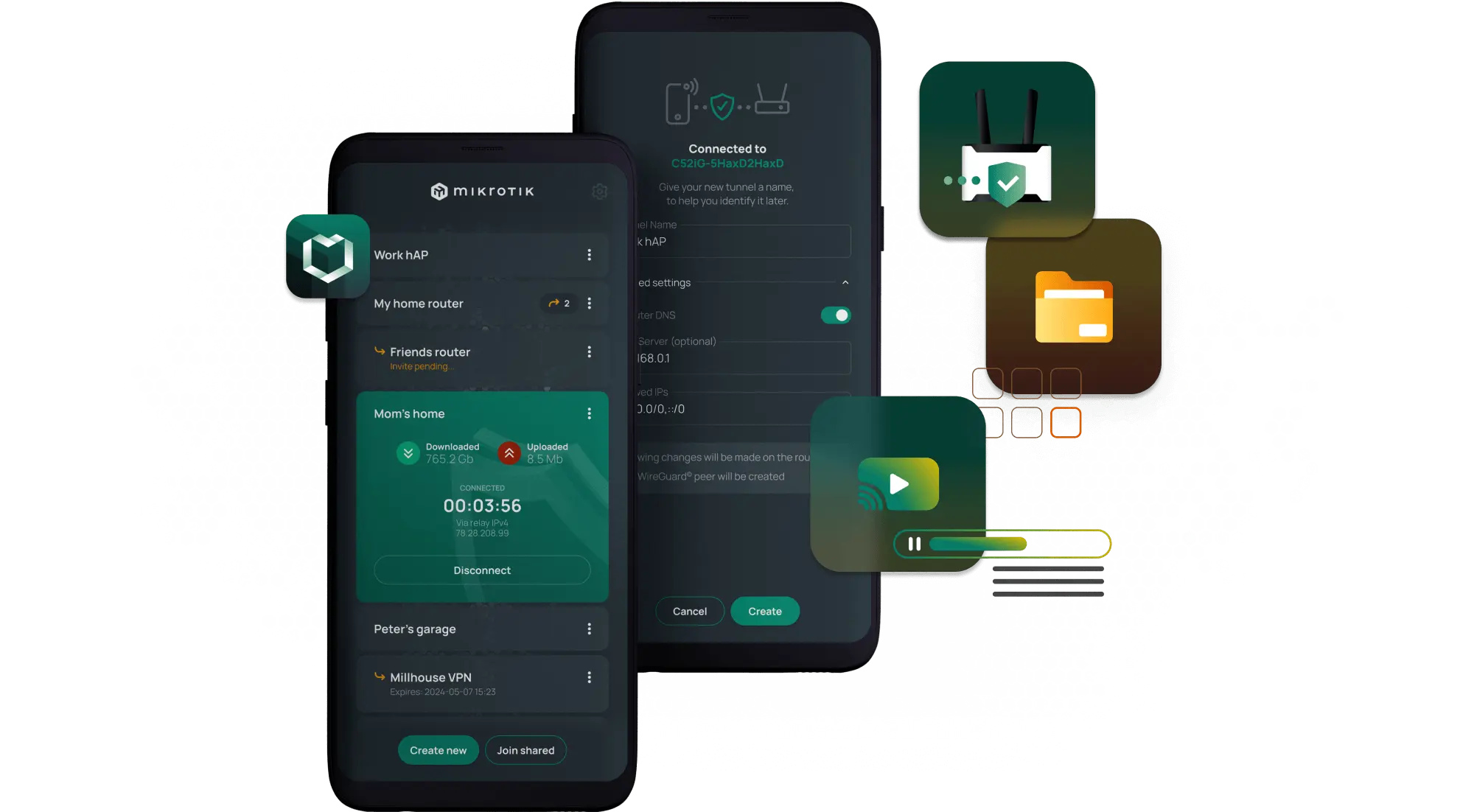
Secure VPN access to home router and network
Works without public IP or behind a NAT and Firewall
Safety layer for anonymous browsing
Avoid content region locks
Our easy-to-use Android & iPhone app will keep you connected. Simply enable BTH and head out, we'll take care of the rest!
Download Back To Home app
Uses modern and fully encrypted WireGuard® VPN
No clouds and no middlemen
Access your home network or the internet via your home
Share with friends or family

Secure remote file access
Forgot an important file at home? Connect with BTH to reach your computer, local drives, or remote desktop from anywhere - your files, always at hand.

Enable location based services
Continue your favorite shows abroad - use BTH to hop back home virtually and access content just like you’re on your couch.

Public network safety
Skip sketchy public Wi-Fi and overpriced cloud VPNs. Browse safely through your own network - even use your home adblocker on the go.

Personal media access
Show family photos or videos stored at home - securely. With BTH, your media stays private, fast, and never passes through the cloud.
Hotel Wi-Fi without concerns
Travel freely without giving up your usual connection. With BTH, hotel Wi-Fi feels just like your own - secure, private, and unrestricted. Why should the hotel be able to track you?
Block ads even on the phone
Tired of mobile adblockers full of ads? Use BTH to route traffic through your home network and enjoy clean, ad-free browsing anywhere.
Manage your router securely
Access and configure your router remotely - even without a public IP. BTH creates a secure WireGuard® tunnel without exposing your network.
Meet the parents? Now you are their admin too.
Fix your family’s Wi-Fi from anywhere. Connect to their MikroTik router via BTH and handle it later - without sacrificing the face-to-face family time.
Don’t trust cloud services and want to self-host everything?
Host photos, files, or videos at home and share them securely through BTH. Grant time-limited access - full control stays with you.
Help out a friend who is traveling
Share your strong MikroTik connection with friends abroad. Let them browse safely through your network - without exposing your local devices.
WireGuard® encrypted
Uses the modern and secure WireGuard® encrypted VPN tunnel from your smartphone or computer to your home router.
Router behind NAT
If home router is behind NAT (does not have a public IP), connection is made via the MikroTik relay service. The relay service does not decrypt your connection and has no information about the traffic in your tunnel. It only helps both ends find each other. Your connection is end-to-end encrypted (E2EE).
End-to-end security
Even when a direct connection to your home is not possible and the MikroTik relay server must be used, we don't have any access to your data. The tunnel is still running from your phone directly to your home router, uninterrupted and securely encrypted. Unlike other services, where your VPN tunnel must terminate at a 3rd party cloud server, our relay only helps the connections find their way, but they remain secure - from one end to the other.
Share & add limitations
The Sharing feature configures a new WireGuard® tunnel for your friend, but can optionally set up limitations, like expiry date and firewall that blocks access to your LAN.
Where to start?
To set up BTH with a compatible device, install the BTH app while you are inside your home network and use it to connect to your MikroTik device. For more information about the setup process see documentation.