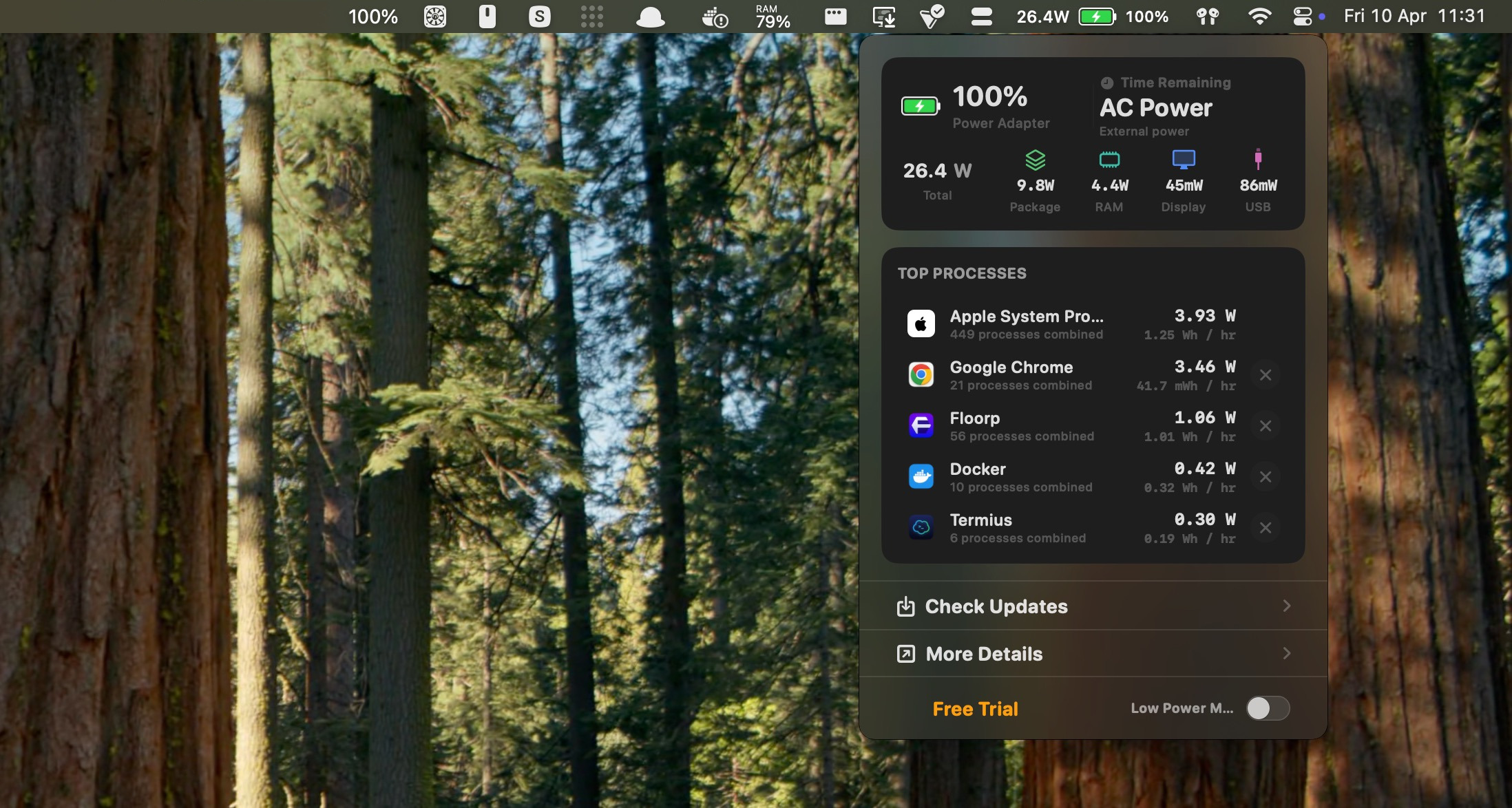
What you get
See all the details you need to make the most of your battery life.
See app power usage and battery health details at a glance.
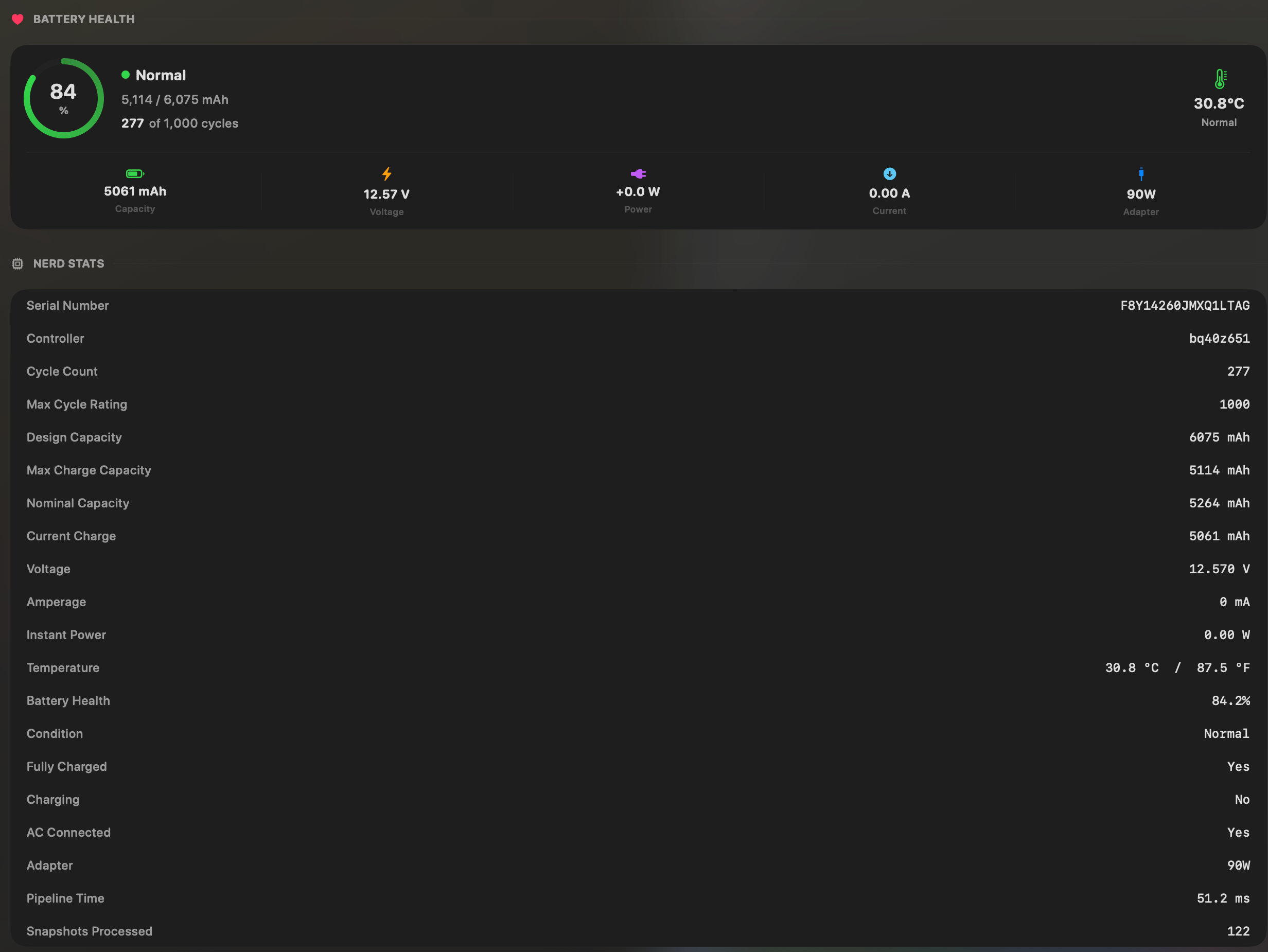
All the stats you need
See battery health, capacity, and key details in one place. No important metric hidden.
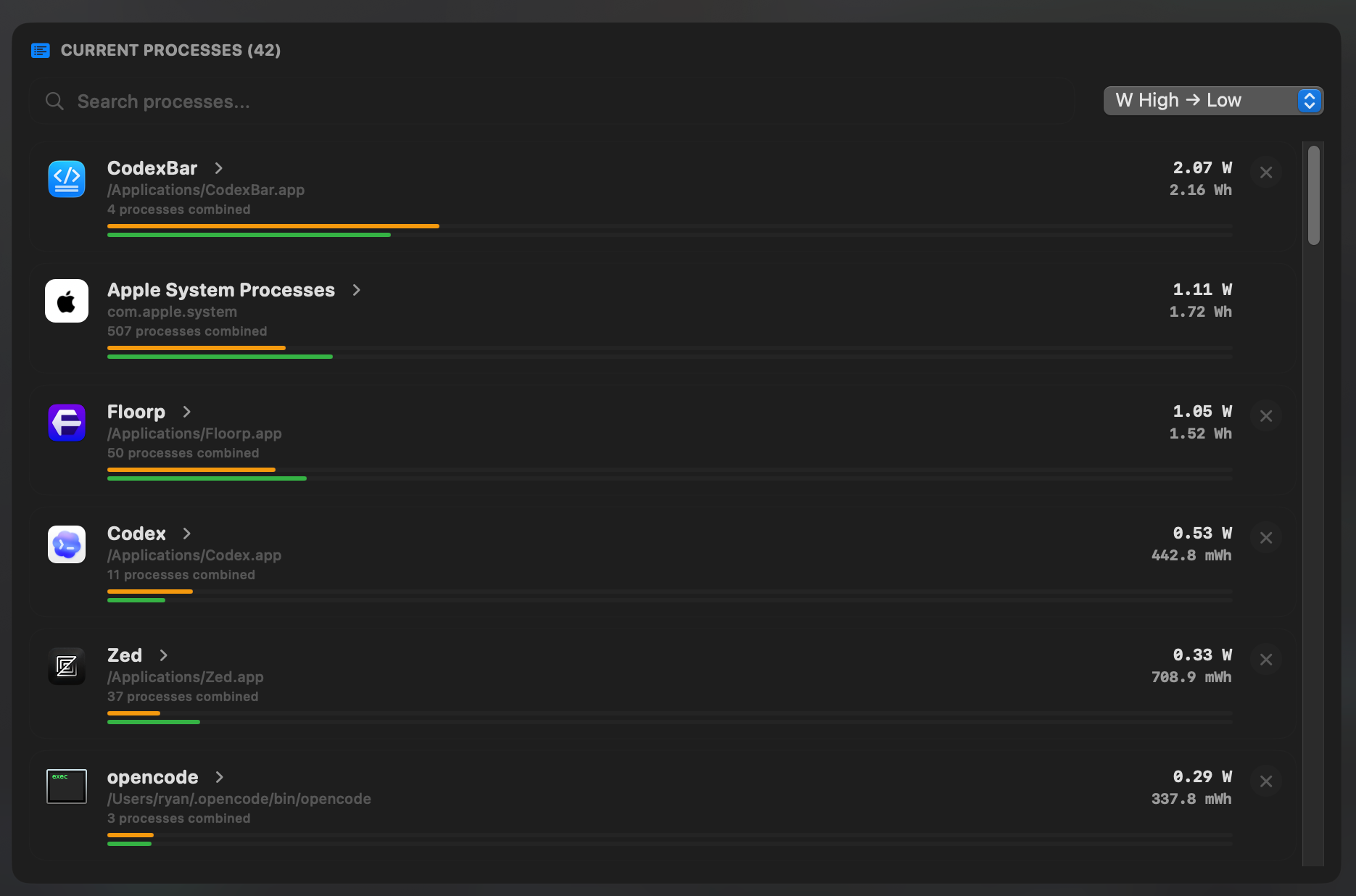
See all your apps power draw at once
See which app uses the most power at any time so you know what to close, quit, or test first.
Why people use it
Simple answers for battery problems.
BetterBatteryMonitor makes it easy to see what is burning power so you can get more time off the charger.
Real app power
See exactly how much power each app is using.
1 click kill
Quit the runaway app the second you find it.
No subscriptions. Pay once. Use forever.
Buy once and own it forever. Every license includes lifetime updates with no subscription.
Loading
One license for one Mac. Pay once, keep it forever.
1 Seats
Live power draw per app
Energy history & charts
One-click app kill
Battery health insights
All future updates
Pay once, own forever
Loading
Three licenses for three Macs. Same lifetime updates, one checkout.
3 Seats
Live power draw per app
Energy history & charts
One-click app kill
Battery health insights
All future updates
Pay once, own forever
FAQ
Short answers to the big questions.