Open the exact path
Paste the result of remote pwd and RelayBar opens
that folder—without crawling the server.
v1.2.1 · notarized · open source
A tiny native macOS menu-bar app. Paste an SSH command, get a saved profile—local, SOCKS, remote, and Unix-socket rules over one managed connection.
Free · Apple notarized · macOS 13+ · No accounts · No analytics
paste_auto_quick_add
$
ssh -N -L 3000:127.0.0.1:3000 -D 1080 devbox.local
menu_bar live
/usr/bin/ssh Uses the SSH already on your Mac.
Your config, keys, known hosts, and agent stay untouched.
native SwiftUI A real Mac app for macOS 13 and newer.
No Electron, no background service, no replacement SSH stack.
stored locally Your tunnel definitions stay on your Mac.
No account, analytics SDK, or cloud sync phones home.
Remote Files
Paste an absolute remote path, choose a saved SSH connection, and open exactly that folder. No indexing. No sync engine. Just SFTP through the SSH setup you already trust.
Paste the result of remote pwd and RelayBar opens
that folder—without crawling the server.
Read supported images and Markdown in a bounded, inert preview. Raw HTML and remote embeds stay off.
Transfer files or folders, watch progress, cancel cleanly, and reveal the result in Finder.
How it works
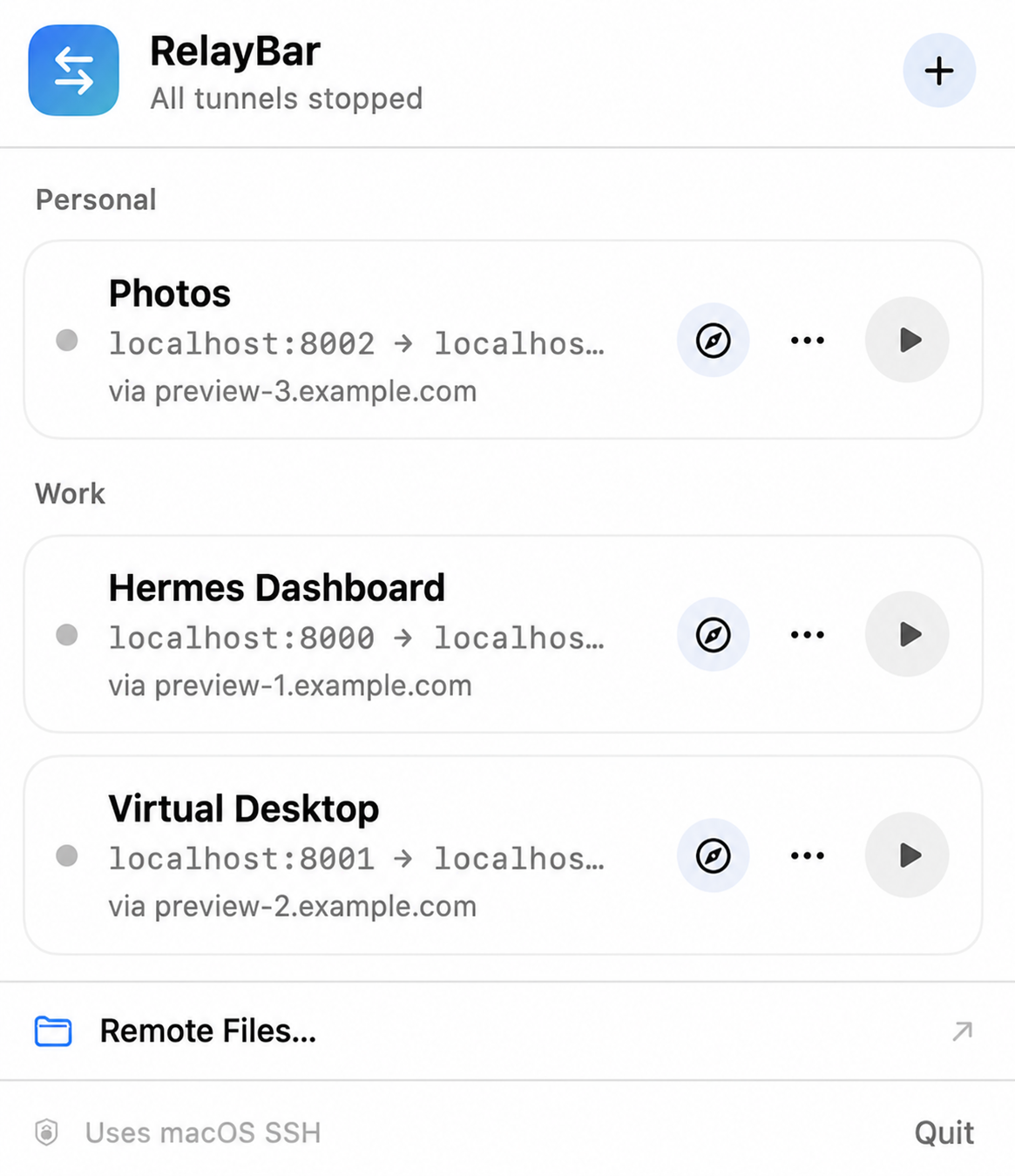
RelayBar parses typed forwarding arguments without invoking a shell, turns them into a visible profile, and keeps the controls in your menu bar.
Import repeated or mixed -L, -D,
and -R rules.
Name the profile, check each typed endpoint, and optionally place it in a group.
Start, stop, retry, and open supported endpoints without keeping a Terminal tab around.
What’s new in 1.2.1
Version 1.2.1 lets Remote Files connect through your existing SSH setup, even when you do not need port forwarding.
01
Save a standalone user@server connection without
creating or starting a forwarding profile.
02
Concrete aliases from ~/.ssh/config appear beside
RelayBar profiles while the config itself stays read-only.
03
Successful opens move to a bounded recent list; failed connections do not clutter it.
04
The New Profile form now fits the menu width with consistent padding and one clear Group label.
Deliberately small
RelayBar manages visible typed forwarding rules over one SSH connection per profile. It doesn’t add an account, analytics SDK, background service, or replacement SSH stack.
It runs /usr/bin/ssh and /usr/bin/sftp
directly, so your existing config, keys, known hosts, and SSH agent
remain the source of truth.

Ready when you are.