
Instant fuzzy find any file
Act on it in the same instant
Source codeLicensed under GPLv3
$brew install --cask thelowtechguys-cling
compatible with macOS 14.0+ (Sonoma and later)
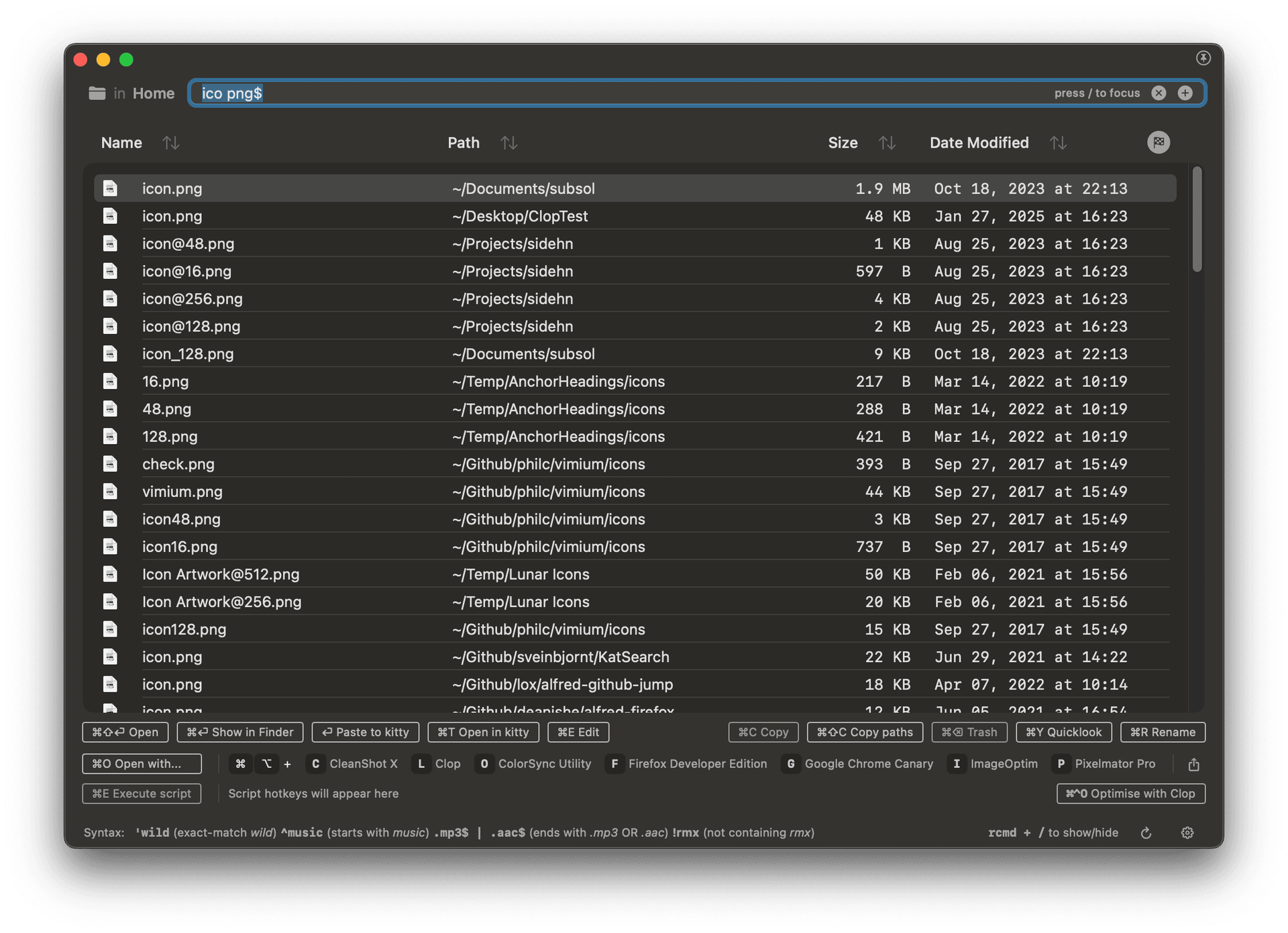
Press Right Command + / (slash) to show/hide Cling
Find any file instantly
Cling uses its own custom search engine with a binary index of your entire filesystem, providing lightning-fast fuzzy searching across millions of files in under 100ms.
Unlike Spotlight, Raycast, or Alfred, Cling can find system files, hidden files, dotfiles, app data, and more files that the Spotlight index doesn't include.
How it works?
Cling maintains an efficient binary index of your entire disk split across separate search engines for each scope, tracking file changes live via FSEvents.
The fuzzy scoring algorithm lets you find files with just a few keystrokes, even with partial or misspelled queries. Use extension-aware queries like .png icon or .pdf invoice to narrow results.
Act on selected files
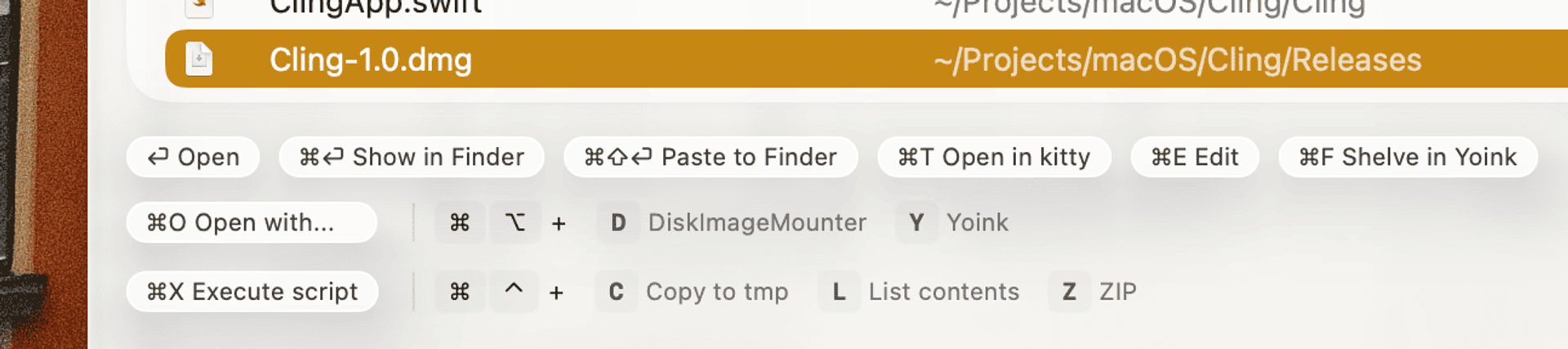
With Cling's keyboard-centric approach, perform any action on files with quick hotkeys: Open with…, copy paths, batch rename, QuickLook, or drag and drop.
Smart defaults show your most recently changed files on launch, and search history with arrow key navigation and tab completion makes repeated searches effortless.
Everything for Mac
Cling strives to be similar to the popular Everything app from Windows, with macOS native integration and a focus on power users.
The UI is designed to be minimalistic and distraction-free, with a focus on keyboard shortcuts and fast rendering instead of pretty animations.
Index only what you need
Cling allows you to exclude files from the index, so you can keep your search results clean and focused.
The ~/.fsignore file lets you specify gitignore patterns for excluding files and folders from the index.
You can also disable whole indexes like System files or Library folders to speed up the search and reduce memory usage.
Raycast extension
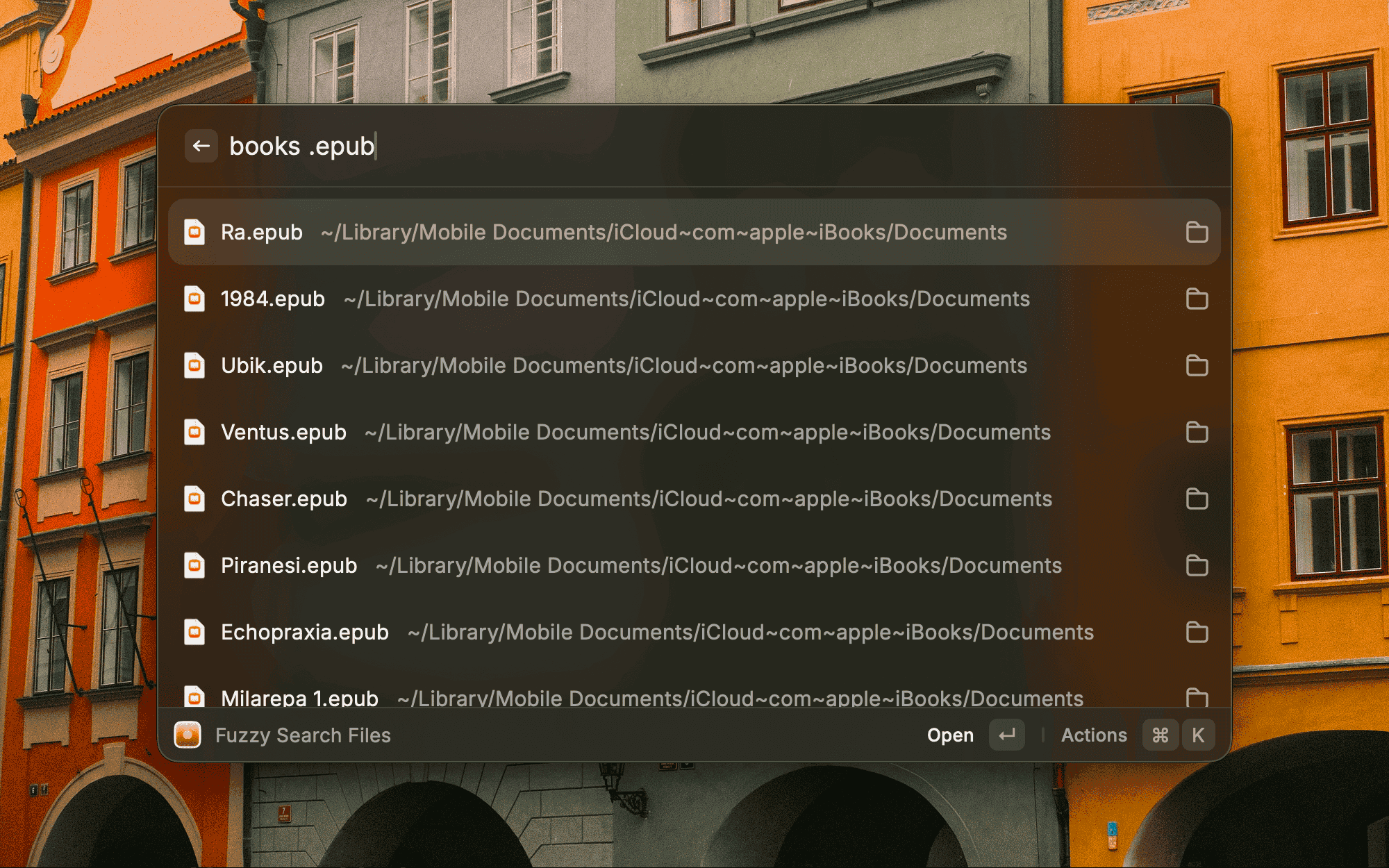
Search your whole filesystem with Cling's engine without leaving Raycast.
The extension brings Cling's fuzzy search and instant actions straight into the Raycast command bar.
Pro Features
Included in the 14-day free trial. After that, a license keeps them unlocked.
Quick Filters
Press Option + a single key to instantly narrow down results with minimal typing.
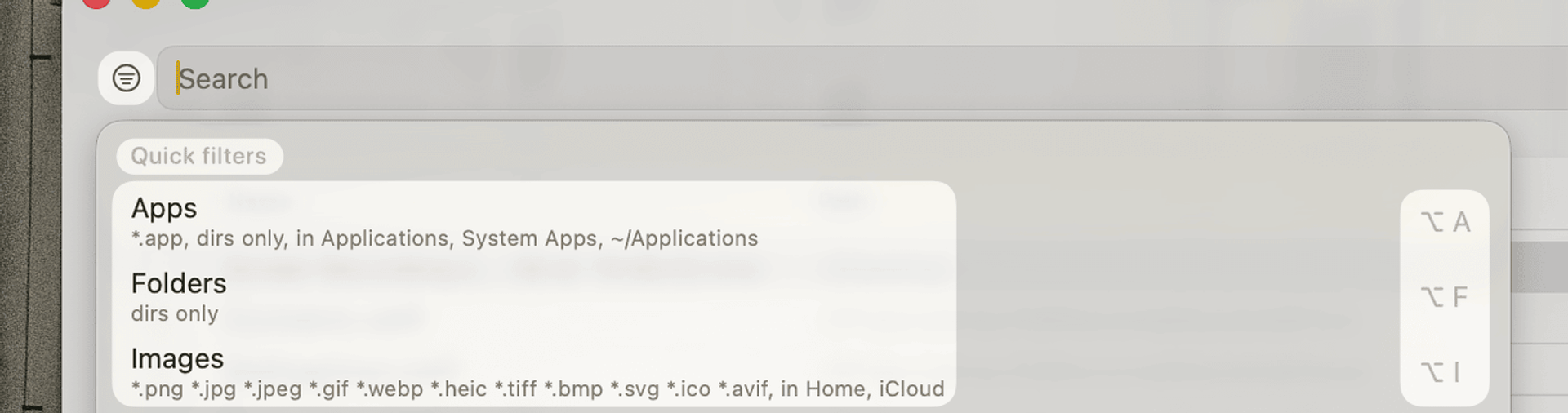
Each Quick Filter can combine extension matching, pre-filled queries, and folder restrictions into a single hotkey.
Press Option + Escape to clear all filters and go back to searching everything.
Folder and Volume Filters
Save folder sets and volume scopes as named filters, each with its own hotkey.
Press Option + a number key to jump between volumes. All filters stack with your typed query.
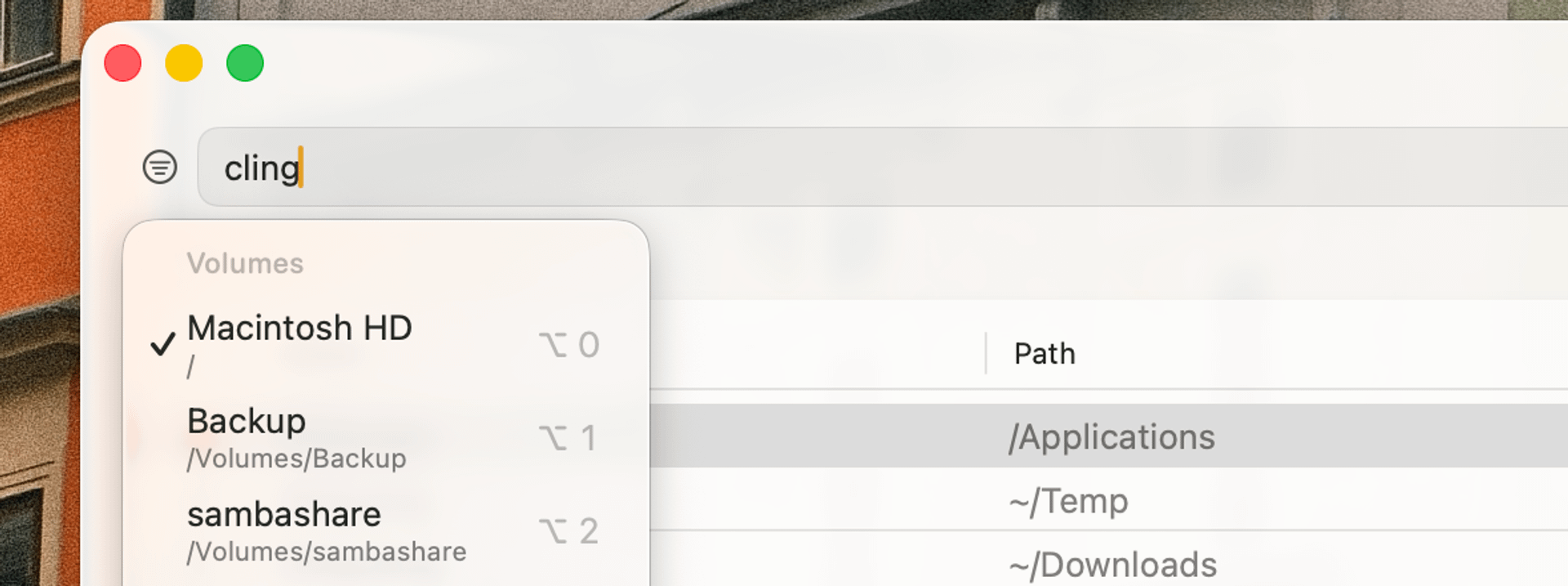
Custom Scripts
Write scripts in any language, assign a hotkey, run them on selected files.
Scripts receive file paths as arguments. Build workflows like uploading, converting formats, or batch processing.
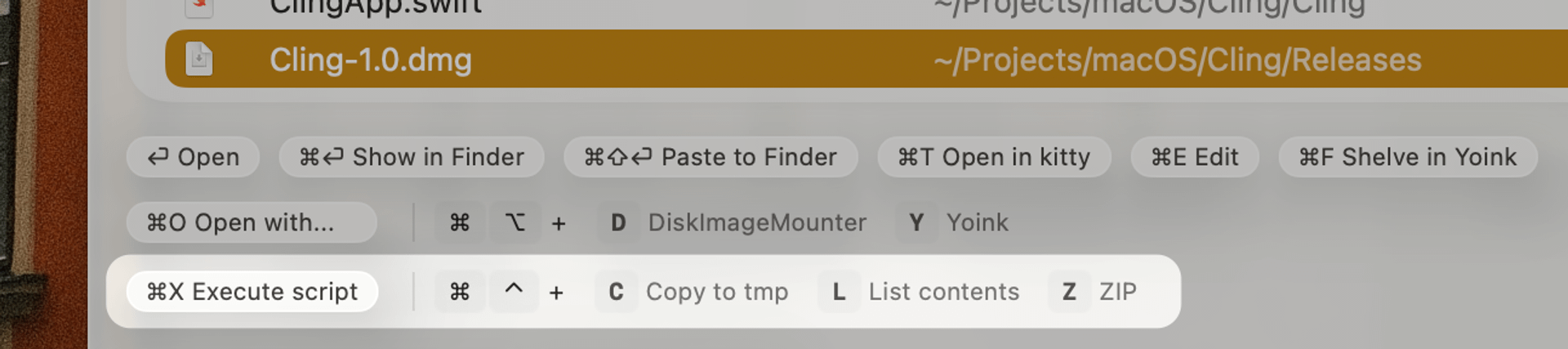
Search external volumes
USB drives, external hard drives, and network shares are indexed and searchable without any latency.
Persistent indexes work even when volumes are unmounted. Reindexing happens periodically in the background.
Free vs Pro
Free version features are free forever
After the 14-day trial, the app will continue to work with the free features
| Feature | Cling Pro | Free version |
|---|---|---|
| Home, Library and Applications search scopes Search files in your home folder, user library, and installed apps | ||
| Fuzzy search and search history Find files with partial queries, navigate history with arrow keys and tab completion | ||
| Instant actions on files Open, copy, move, QuickLook, batch rename, or act on files with hotkeys | ||
| Smart defaults on launch Show your most recently changed files when opening Cling | ||
| System and Root search scopes Search system files, hidden files, dotfiles, and app data | ||
| External volume indexing Persistent indexes for USB drives, external hard drives, and network shares | ||
| Quick Filters for file types Narrow down results by file type without typing common queries | ||
| Custom folder filters Save folder sets for quick filtering of search results | ||
| Scripts for custom actions Run custom scripts on files with pre-assigned hotkeys | ||
| Up to 10,000 results Free version is capped at 500 results | Up to 500 |
Try for free14-day trial of Pro features
No credit card required, keep using for free after the trial
Refunds accepted within 14 days of purchase, no questions asked
Comparison with other apps
Spotlight, Alfred, Raycast
Cling is similar to these apps in that it provides instant search results, but the key differences are:
- Fuzzy search: find files with partial or misspelled queries
- System files: search system files, hidden files, dotfiles, and app data that the Spotlight index doesn't include
- Extension filtering: quickly narrow results by file type without crafting complex queries
ProFind, HoudahSpot, EasyFind, Tembo, Find Any File
Cling is very much not like these apps.
They are all file search apps that provide advanced search features, allowing you to craft complex queries using metadata and file content to dig deep into your filesystem and find as many files as possible.
Cling is for quickly finding one or more specific files by roughly knowing the name, and then doing something with the file immediately like:
- copying it for sending on chat
- adding to a shelf like Yoink
- opening it in an app like Pixelmator
- uploading it using Dropshare
- executing a script on the file
Cling is not an app for finding all files that match a complex query.
Performance considerations
Memory usage
To provide instant search results, Cling maintains an in-memory index of your filesystem split across separate engines for each search scope.
This can consume a significant amount of memory, ranging from 300MB to 2GB depending on the size of your filesystem and the number of files indexed.
Whenever Cling is in background (the window is not visible), the index will be marked as swappable to disk. This allows macOS to move the index to disk and free up RAM when memory pressure is high. Cling will reload the index from disk when you open its window again.
CPU usage
The most CPU-intensive operations are:
- Indexing: when Cling is indexing your filesystem for the first time, it will consume a significant amount of CPU for about 1 to 5 minutes
- Re-indexing: periodically, about once every 3 days, Cling will re-index the filesystem to keep the index up-to-date
- Fuzzy search: when you type in the search bar, Cling performs a parallel fuzzy search across all active engines
Searching will consume CPU in short bursts. A typical search across 9+ million files completes in under 100ms. When you stop typing, CPU usage drops to 0%.
When Cling is in background, it will pause searching and consume very little CPU for processing file changes.
Battery usage
The impact on battery is proportional to how many searches you do and how many file changes will happen in the background.
Even though a search will look like it's consuming 100% CPU of multiple cores, it's a very fast operation and the battery energy used isn't that high in the long term.
Processing and indexing file changes is very efficient and will not impact battery life significantly.