 Debian 13 “Trixie” introduces an important change to /tmp. Traditionally, it’s been just another filesystem, albeit with some special permissions that allows everyone on the system to use it without being able to remove each other’s files.
In Trixie, it’s been moved off the disk into memory – specifically a type of memory called tmpfs. To quote the tmpfs man page:
The tmpfs facility allows the creation of filesystems whose contents reside in virtual memory. Since the files on such filesystems typically reside in RAM, file access is extremely fast.
They’re also extremely temporary…which is what you really want. There’s an old story about a user who was assigned to work on the Transportation Management Project. He logged into the server where he was supposed to store his work, saw the /tmp directory, found he could upload files there, and happily spent a couple months putting all his work there. Alas, when the server was rebooted…
Now that is undoubtedly an urban legend, but it illustrates the true nature of /tmp. It’s fine if you need a disposable log fine, a PHP session file, space for sorting something, etc. But you shouldn’t be storing anything there.
This isn’t a new thing in the Linux world. RedHat and its ilk have used tmps for /tmp for some time.
A more serious problem than people losing files is people who use too much /tmp. The system needs /tmp to do basic functions, so if it hits 100%, things will break. It’s really easy to think “I’m going to download and untar this big zip file into /tmp, and then I’ll remove it after I pull out the one file I need”…and forget to remove it. Now you’re hogging /tmp and over time, /tmp can be filled up with junk.
Debian 13’s tmpfs Comes With…Challenges. And Solutions
Now instead of filling up disk, you’re filling up memory. If you download a 300MB .zip file, expand it to 1GB, and forget it, now you’re chewing up 1GB of RAM. Ouch.
There are two mitigating factors. First, by default, Debian will only allocate a maximum of 50% of RAM to the tmpfs for /tmp. You can change this. To do so, type
systemctl edit tmp.mount
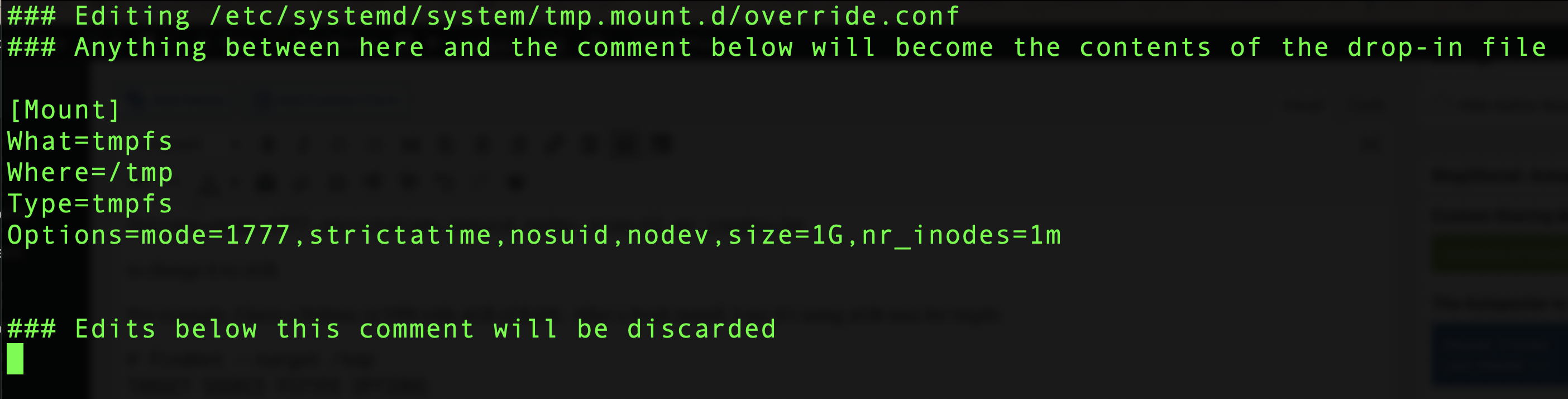
You’ll be popped into your editor (controlled by the EDITOR environment variable) with a form to update the settings. At the very bottom you’ll see a template, which you can copy and edit:
# [Mount]
# What=tmpfs
# Where=/tmp
# Type=tmpfs
# Options=mode=1777,strictatime,nosuid,nodev,size=50%%,nr_inodes=1m
Go back up to the part before the line “Edits below this comment will be discarded” and paste in something like this:
[Mount]
What=tmpfs
Where=/tmp
Type=tmpfs
Options=mode=1777,strictatime,nosuid,nodev,size=25%%,nr_inodes=1m
to change it to 25% or if you want a number:
[Mount]
What=tmpfs
Where=/tmp
Type=tmpfs
Options=mode=1777,strictatime,nosuid,nodev,size=1G,nr_inodes=1m
to change it to 1GB.
For example, I have a Debian 13 VPS with 4GB of RAM. After a fresh install, I see it’s using 2GB max for tmpfs:
# findmnt --target /tmp
TARGET SOURCE FSTYPE OPTIONS
/tmp   tmpfs  tmpfs  rw,nosuid,nodev,size=2007704k,nr_inodes=1048576,inode64
Note that this is a maximum. If there’s nothing in /tmp, /tmp does not use any memory.
After doing the systemctl edit, like this:
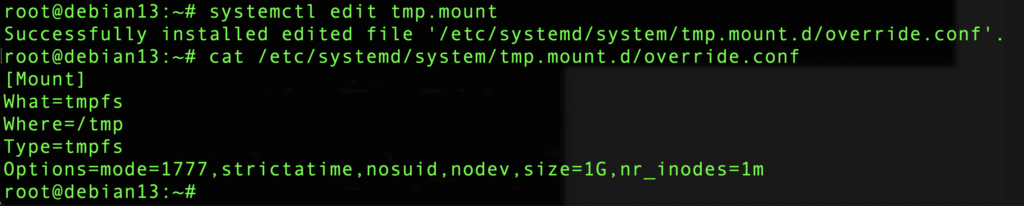
I get the message:
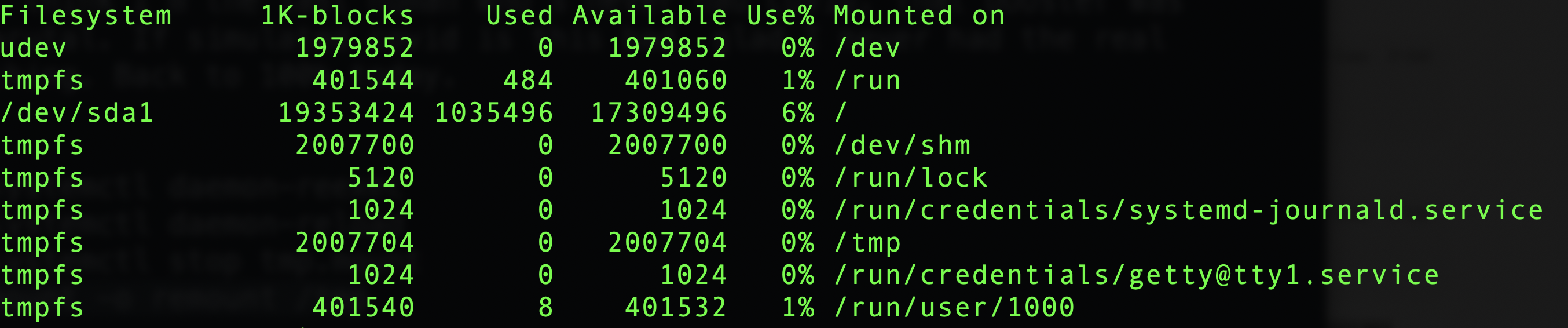
Before this change, /tmp was at 2GB (half of the 4GB RAM):
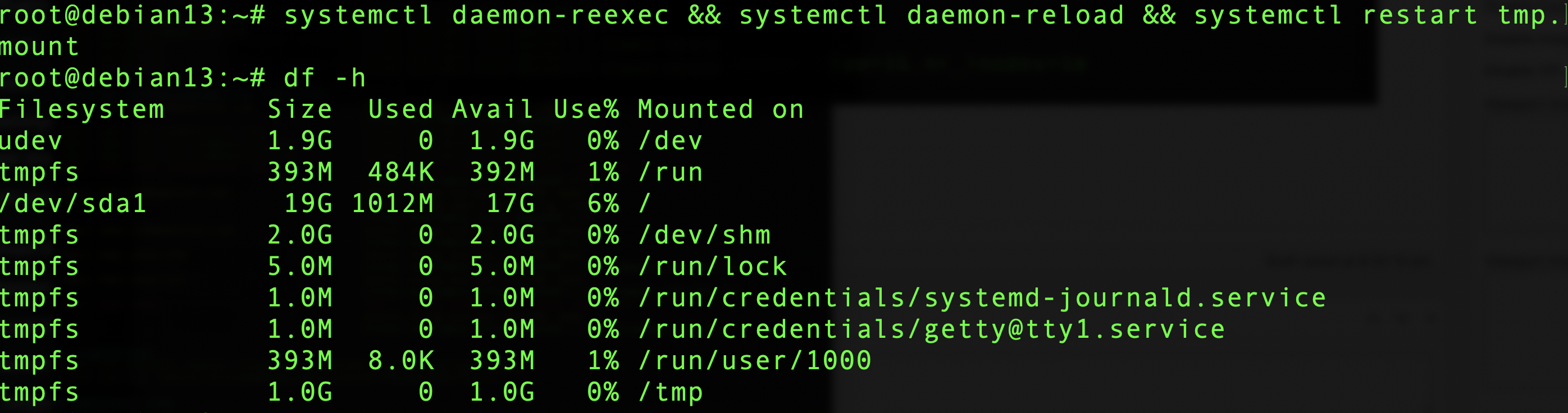
Now, after reloading systemd and restarting tmp.mount, I see /tmp is limited to 1GB:
Cleanup
The second mitigating factor is that /tmp is now automatically cleaned up. Quoting the release notes:
The new default behavior is for files in
/tmpto be automatically deleted after 10 days from the time they were last used (as well as after a reboot). Files in/var/tmpare deleted after 30 days (but not deleted after a reboot).
You can modify these policies, exclude certain files (why? they’re temporary!), or even apply it to other directories. Consult the fine manual but I think for 99% of people, the defaults are just fine. I might be tempted to make the cleanup a little more aggressive, like 3 days.
Thinking in a LowEnd Context
One concern is for very low-memory systems. While 1GB has become the smallest VM for a lot of people, 512s are still sold. Allowing /tmp to consume 256MB out of 512 (which is really only 470-480 after the kernel and vital system processes are loaded) is a lot more impactful than consuming 256MB on a 10GB or 20GB filesystem.
Fortunately, opting out of the new tmpfs world is easy if you don’t like it:
systemctl mask tmp.mount
and reboot. I did that on the test box above:

Now I can put 17GB of junk there. Fortunately, it will be cleaned up as described above.
So how are you planning to handle Debian 13’s new tmpfs-based /tmp?
Related Posts:

Raindog308 is a longtime LowEndTalk community administrator, technical writer, and self-described techno polymath. With deep roots in the *nix world, he has a passion for systems both modern and vintage, ranging from Unix, Perl, Python, and Golang to shell scripting and mainframe-era operating systems like MVS. He’s equally comfortable with relational database systems, having spent years working with Oracle, PostgreSQL, and MySQL.
As an avid user of LowEndBox providers, Raindog runs an empire of LEBs, from tiny boxes for VPNs, to mid-sized instances for application hosting, and heavyweight servers for data storage and complex databases. He brings both technical rigor and real-world experience to every piece he writes.
Beyond the command line, Raindog is a lover of German Shepherds, high-quality knives, target shooting, theology, tabletop RPGs, and hiking in deep, quiet forests.
His goal with every article is to help users, from beginners to seasoned sysadmins, get more value, performance, and enjoyment out of their infrastructure.
You can find him daily in the forums at LowEndTalk under the handle @raindog308.