KiCad Library Import (#1468)
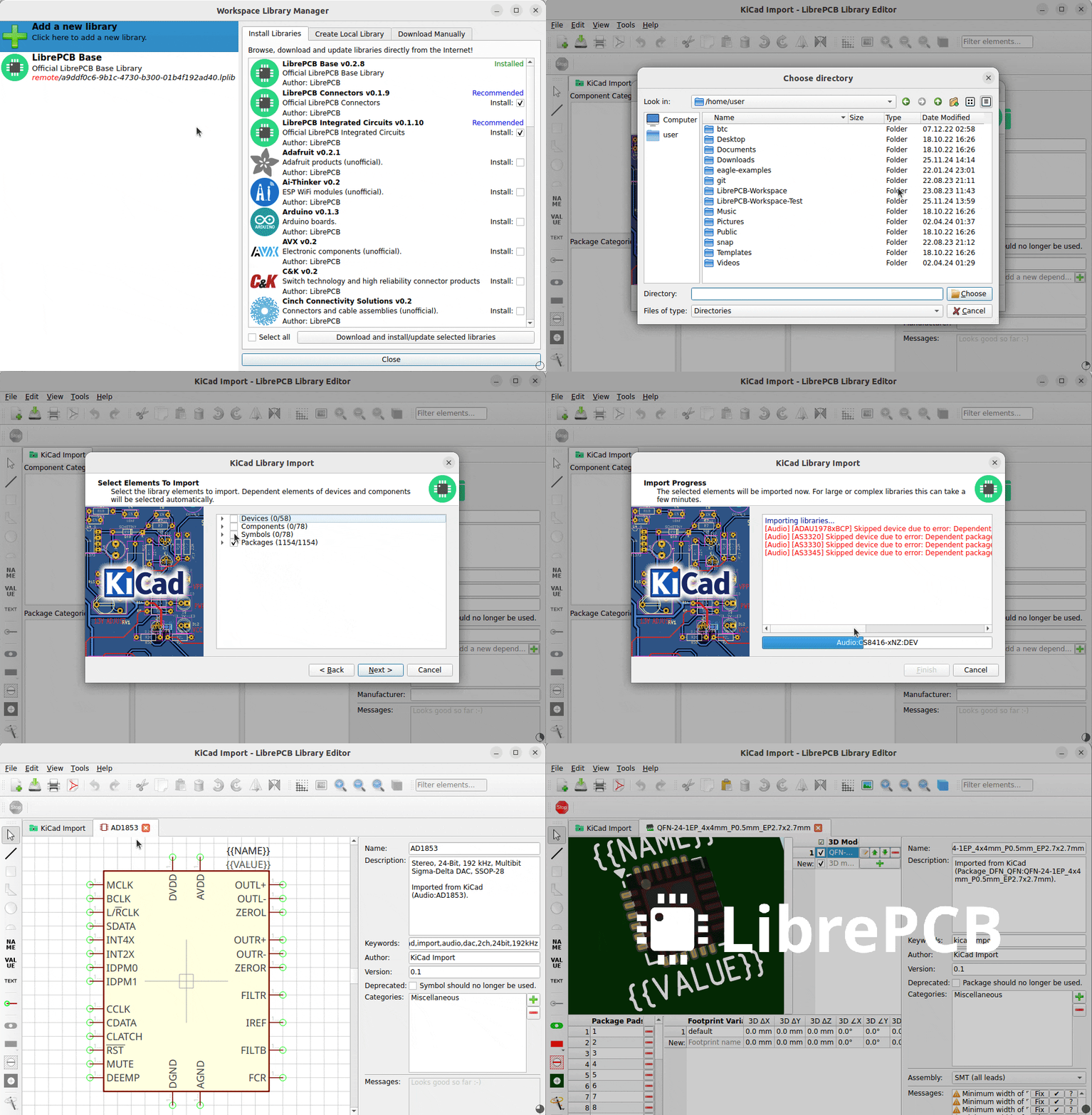
It’s not a secret that KiCad is the most popular EDA tool in the open-hardware community, and therefore many LibrePCB users worked with KiCad before. To help them getting started with LibrePCB, we implemented an importer for KiCad libraries so those already created library elements don’t need to be created again with LibrePCB.
In addition, even non-KiCad users could use this feature to import library elements from publicly available KiCad libraries instead of creating them manually. Thanks to the large KiCad community, there are a lot of such libraries! 😀
|
Due to the complexity of such imports, there are some limitations and the quality of the output never matches manually created elements. Please check out the details and usage recommendations here. |
Datasheet Overlay for Footprints (#1450)
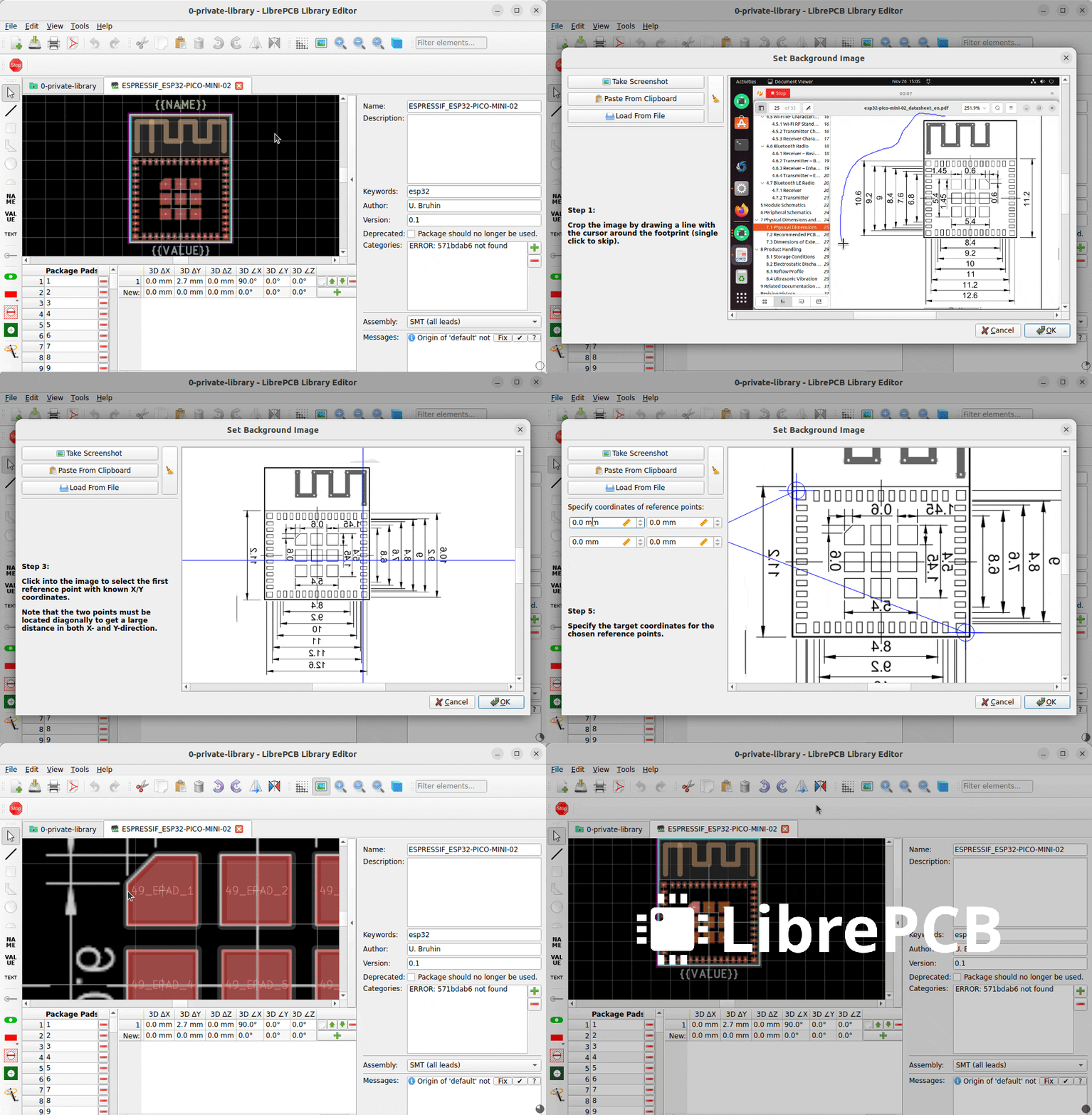
Drawing footprints can be error-prone — one wrong X- or Y coordinate of a pad and the package might not be solderable. To review your footprints more easily, the footprint editor allows you to set the package drawing from a datasheet as background image, so you’ll immediately see if any pad of polygon is off.
The image can either be directly captured as a screenshot, pasted from the clipboard, or loaded from a file:
Open Datasheets From Schematic (#1460)
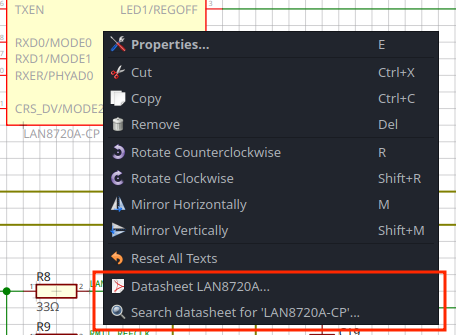
Circuit design means reading datasheets a lot. For most parts more complex than a resistor or capacitor, you need to read its datasheet or other documentation.
Therefore the library editor now allows you to add datasheet URLs to components and devices. Those will then be available in the context menu in the schematic editor for easy access. In addition, parts which have an MPN & manufacturer specified also offer a Search datasheet menu item which will look for a datasheet in the Internet.
Whenever possible, datasheets are downloaded and opened with the local PDF reader. They are cached to keep them available without accessing the Internet again.
Specctra DSN Export / SES Import (#1457)
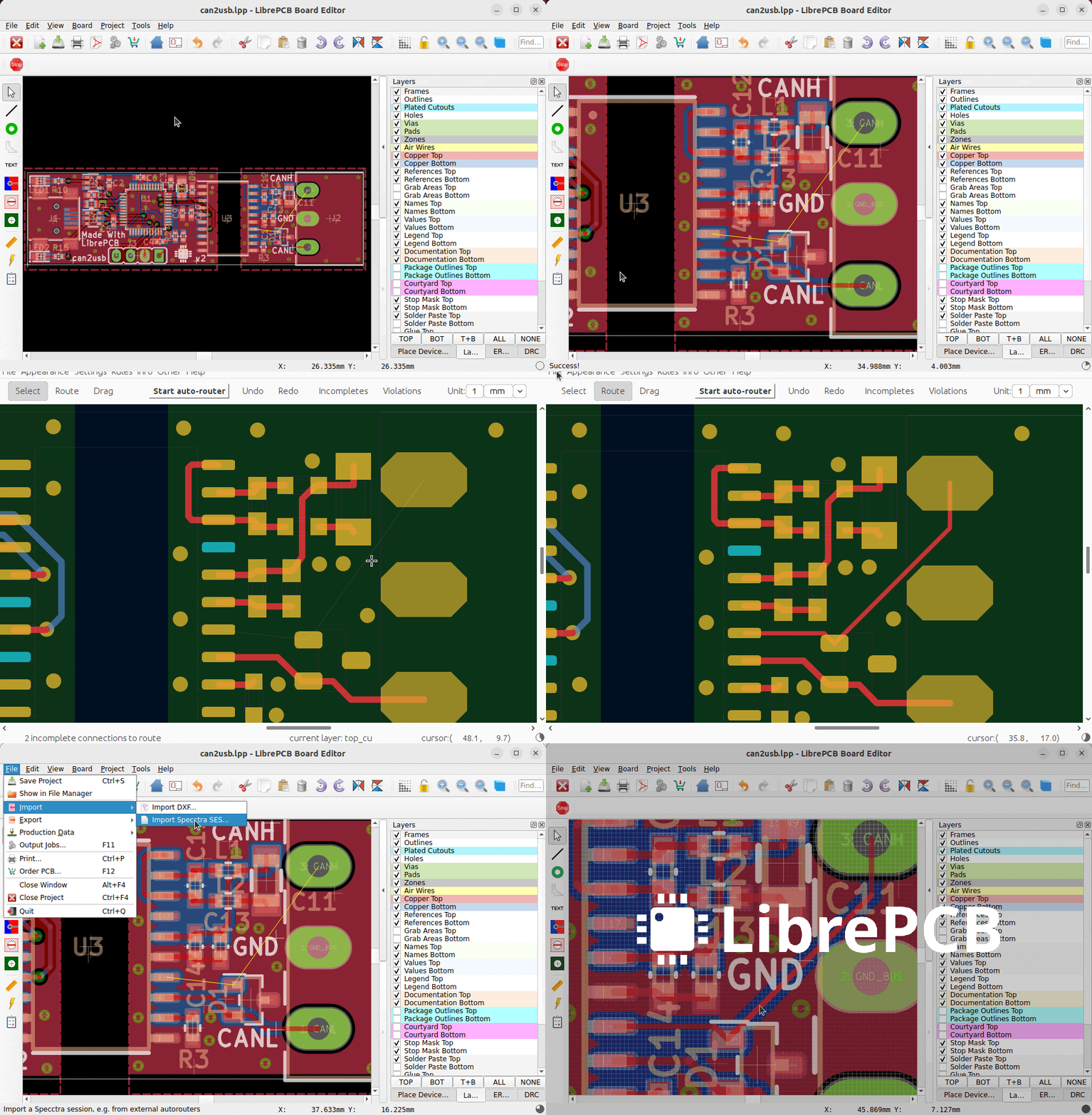
From time to time people ask whether LibrePCB contains an autorouter. Though there are different opinions about whether autorouters are useful or not, and even though LibrePCB still doesn’t have one built-in, luckily you can now use an external autorouter like Freerouting for LibrePCB boards!
This is possible by supporting the Specctra DSN/SES exchange format, which also allows routing a LibrePCB board manually with an external tool to circumvent the still rudimentary integrated trace routing tools.
Productivity Improvements
In addition to the already mentioned features, there have been several more noteworthy features implemented which increase productivity a lot:
|
For instructions how to use these new features, please check out the corresponding links which provide short videos. It’s really worth getting to know those features! |
Dark Theme on Windows (#1391)
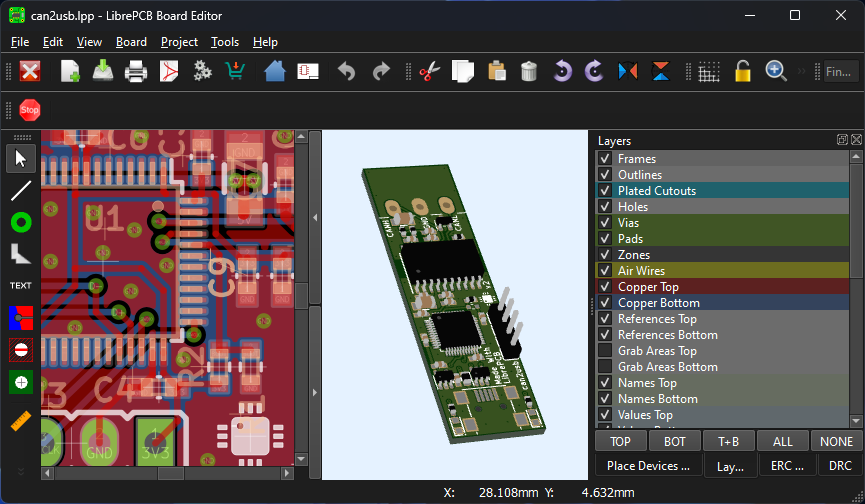
Thanks to a contribution from mi4code, LibrePCB on Windows now automatically uses a dark theme if Windows itself is set to a dark theme. Also for macOS and Linux (which already supported dark theme) there are some dark theme improvements and fixes.
Important Deployment Changes
Please note that for this release we had to make some changes to our deployment:
|