
When a Python program starts, it needs to load all its dependencies (import). With the upcoming version of Python, it is possible to use lazy imports instead.
lazy import json
lazy from decimal import Decimal
In this instance, the name json is no longer the module, but a mere placeholder object. The actual import only happens when you use json. If you never use json, the module is never loaded.
How much does it help? Let us measure.
I wrote a toy command-line tool. It imports sixteen modules: json, csv, decimal, sqlite3, asyncio, email.parser, http.client, urllib.request, xml.etree.ElementTree, zipfile, tarfile, statistics and some popular third-party packages (numpy, pandas, requests, rich). The tool has three paths:
--versionprints a string and needs nothing;meanreads a small CSV file with thecsvmodule and callsstatistics.fmean;statsloads the same file with pandas and prints a summary.
The lazy version of the tool is identical, except that I prefix the imports with lazy. It is a one-word change per line.
I use Python 3.15 (3.15.0b4) on an Intel Xeon Gold 6548N (Emerald Rapids), with numpy 2.5, pandas 3.0 and requests 2.34.
| command | eager imports | lazy imports | speedup |
|---|---|---|---|
--version |
295 ms | 20 ms | 15× |
mean |
296 ms | 24 ms | 12× |
stats |
299 ms | 224 ms | 1.3× |
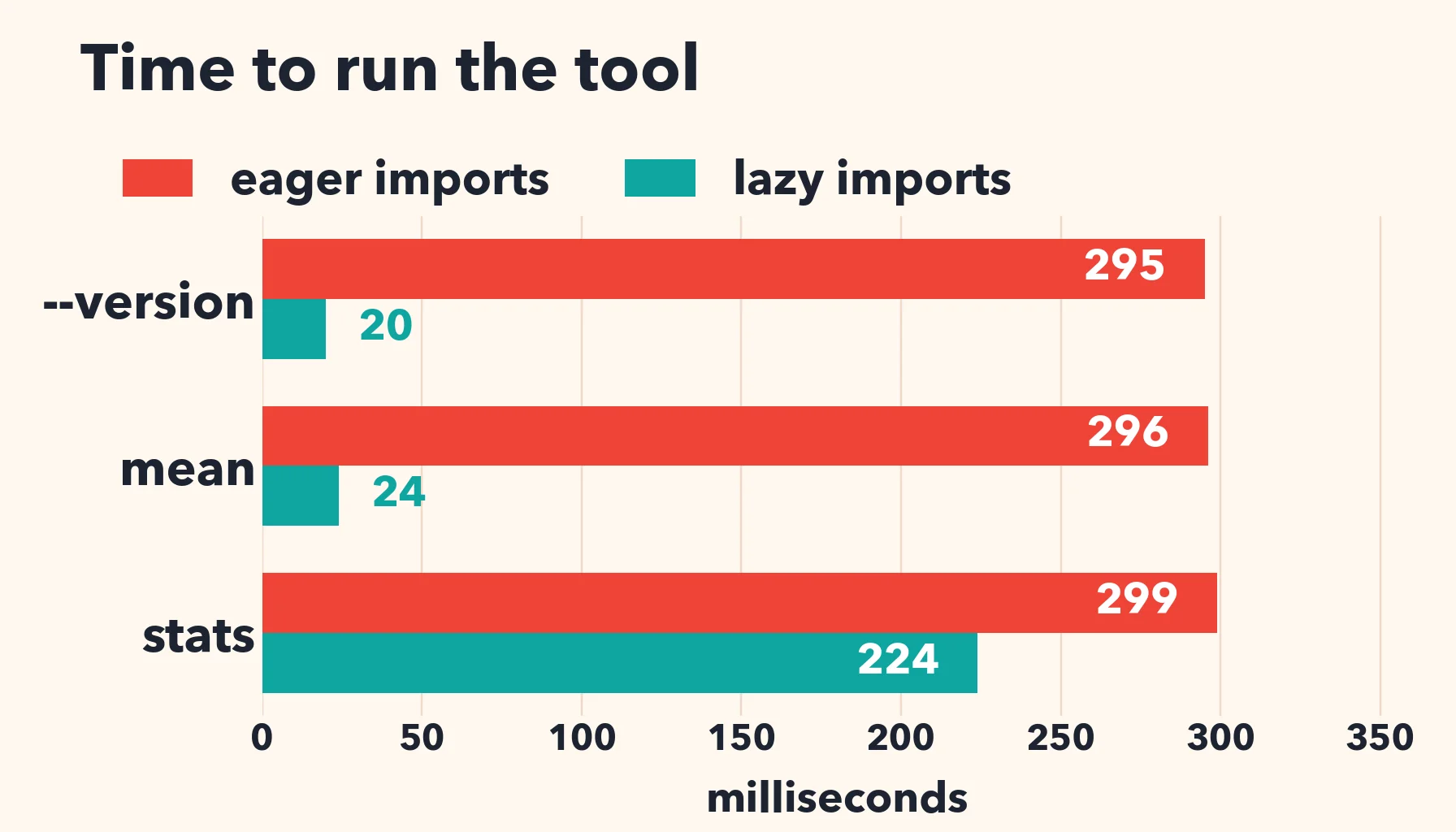
Printing the version number goes from 295 ms to 20 ms. If you subtract the interpreter startup (11.7 ms), the cost of the imports goes from 283 ms to about 8 ms: a 35-fold reduction. The mean command, which needs a few standard modules, is twelve times faster.
There is a downside: errors move. With an eager import, a missing module fails at startup. With a lazy import, it fails at the first use, perhaps deep inside a function, perhaps hours later in a long-running server.
Published by
