If you're a developer who lives in a terminal, you want a tool that fits your workflow and not the other way around. That's why we built Kiro CLI, an agentic terminal that just works, so you can ship quality code faster. Since launch, the response has been incredible. You told us what you loved, what needed work, and what was missing.
We listened. And today, we're shipping three big things you asked for:
- Headless mode. Run Kiro CLI programmatically like within your CI/CD pipelines to ship releases faster.
- Windows support. Use your favorite Kiro agents, now natively in Windows.
- UX refresh, now fully GA. It gives you more control without the friction.
Automate deployments end-to-end with headless mode
Developers need flexibility when coding. Running Kiro CLI within the terminal is easy, you run kiro-cli and you’re in. But what happens when you want to run it remotely without you being there?
Headless mode changes that. Generate an API key, drop it in as an environment variable, and Kiro CLI runs programmatically. You can pipe inputs, script outputs, and integrate Kiro directly into your CI/CD pipelines, build scripts, or any automated workflow. Get access to every tool, every agent, every capability you’d have in an interactive session now with programmatic access. Execute prompts like generating and publishing pull requests or running troubleshooting workflows without any user input locally, enabling true automation, so you can stay focused on innovating rather than continuously monitoring your deployments. See our blog post walking through a concrete example of using headless CLI.
![Create and manage API keys for programmatic access to Kiro. Keys are shown only once upon creation. Name, Key, Created: another-test, [redacted], Apr 1, 2026; first-test, [redacted] Mar 18, 2026.](https://kiro.dev/images/blogs/cli-2-0/api-keys.png?h=793a5372)
Windows support: meeting you where you work
This one is personal. As a Windows person myself, I understand the frustration of not having native support and using workaround like WSL, but not anymore. I’m so excited that we now have a native Windows install for Kiro CLI. This opens up access to Kiro CLI.
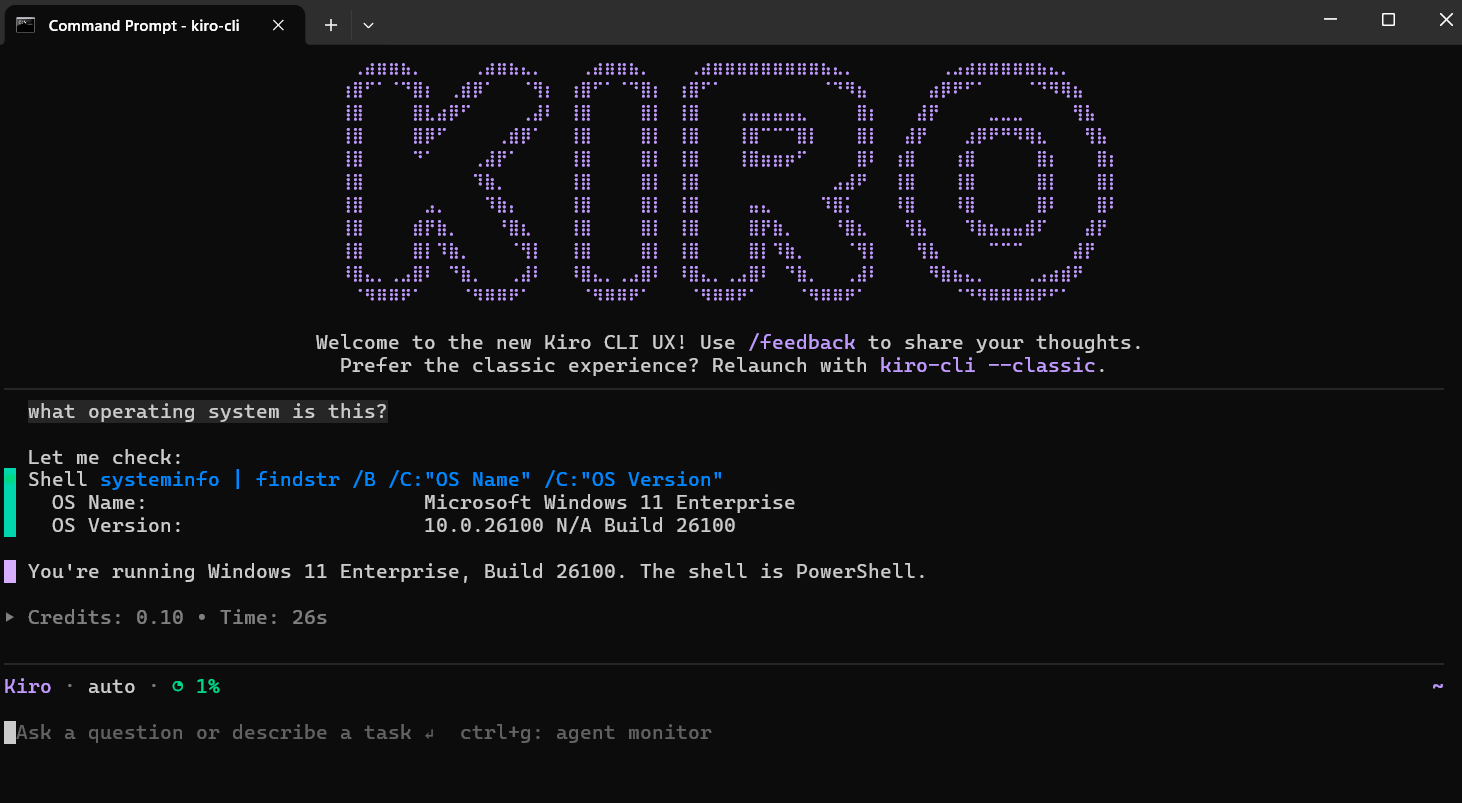
You can now use Kiro agents within the Windows Terminal app to build features in complex codebases, automate your workflow in seconds, and analyze errors and trace bugs with precision. Install the CLI to get started:
Install on macOS, Linux, or
curl -fsSL https://cli.kiro.dev/install | bash
UX refresh: less friction, more control
Since launching the new TUI experimentally back in March, we’ve had so much great feedback. At that point, we didn’t have parity with the classic UX, but we wanted some early feedback and you delivered. You’ve called out what you liked, what was missing, and what else you’d like to see. Since then we’ve launched a new subagent experience and a way to monitor their progress and a new task list, an enhanced and updated version of the todo list, so you can easily keep track of what the agent is doing, and fixed multiple rough edges.
Let’s see how the new subagent experience and task lists look like in action. For this example, I’m using subagents to build a snake game. Often we see subagents being used to parallelize the work while protecting the parent agent’s context.
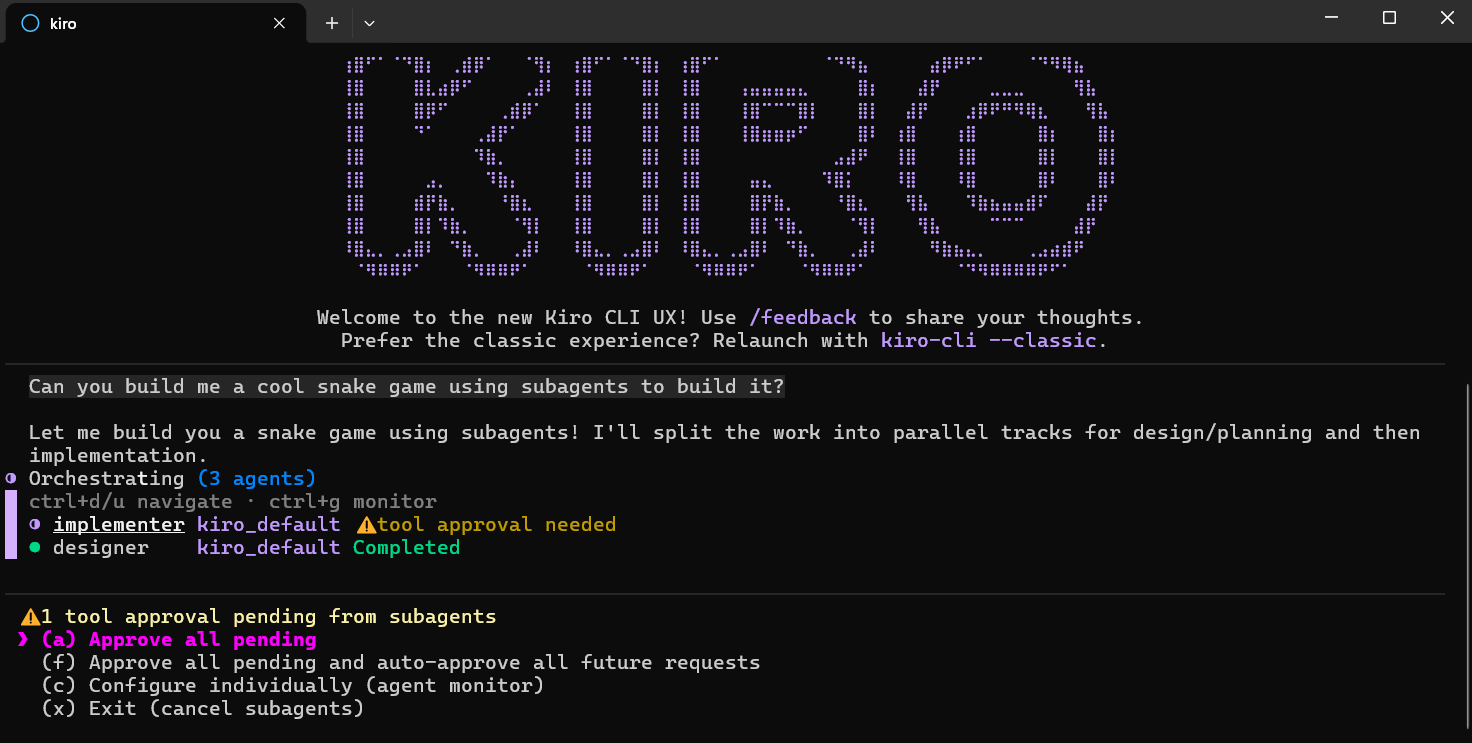
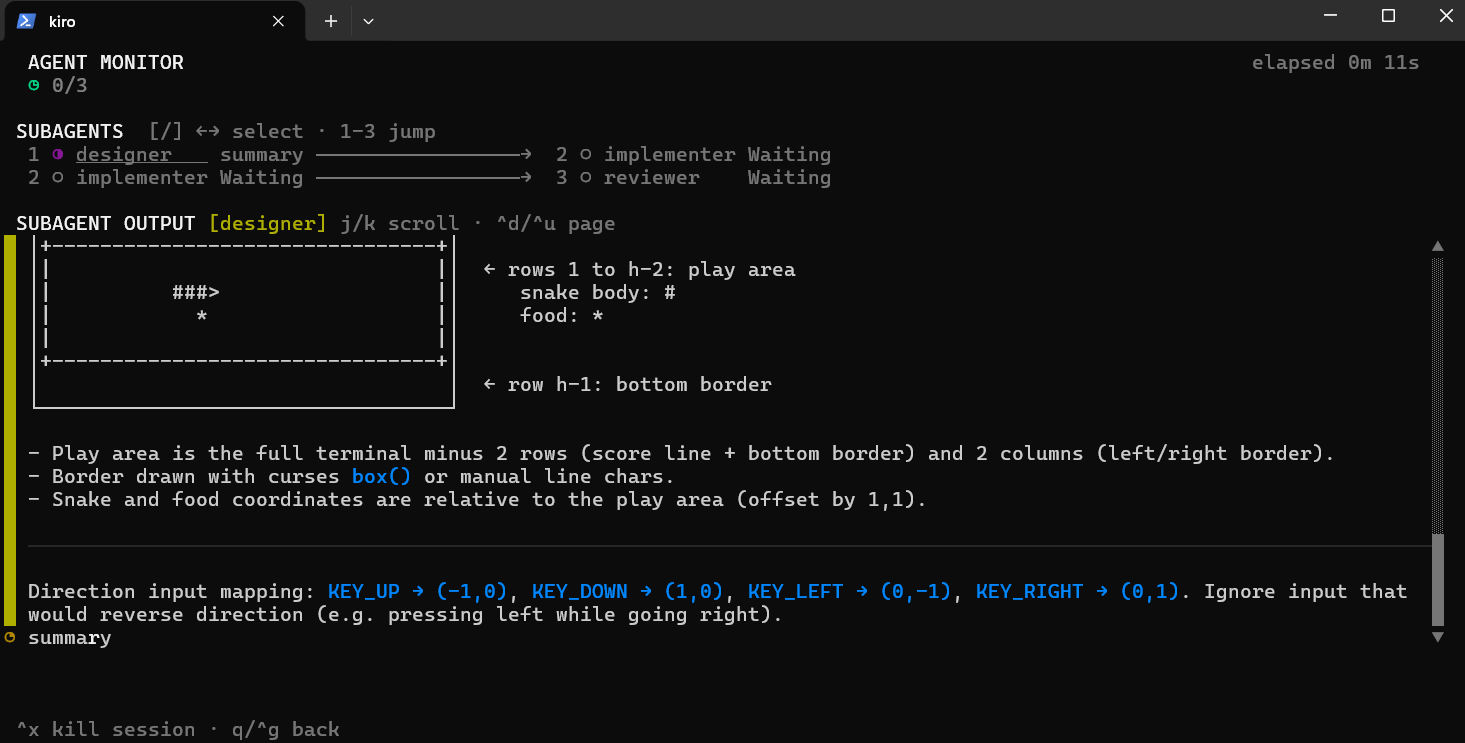
To monitor the subagent’s activity, use ctrl+g. You can see the entire trace for each individual subagent, while also seeing the status of all subagents. In this case, it’s running them back to back so you can see the flow designer → implementer → reviewer as a loop. Here is the designer in work.
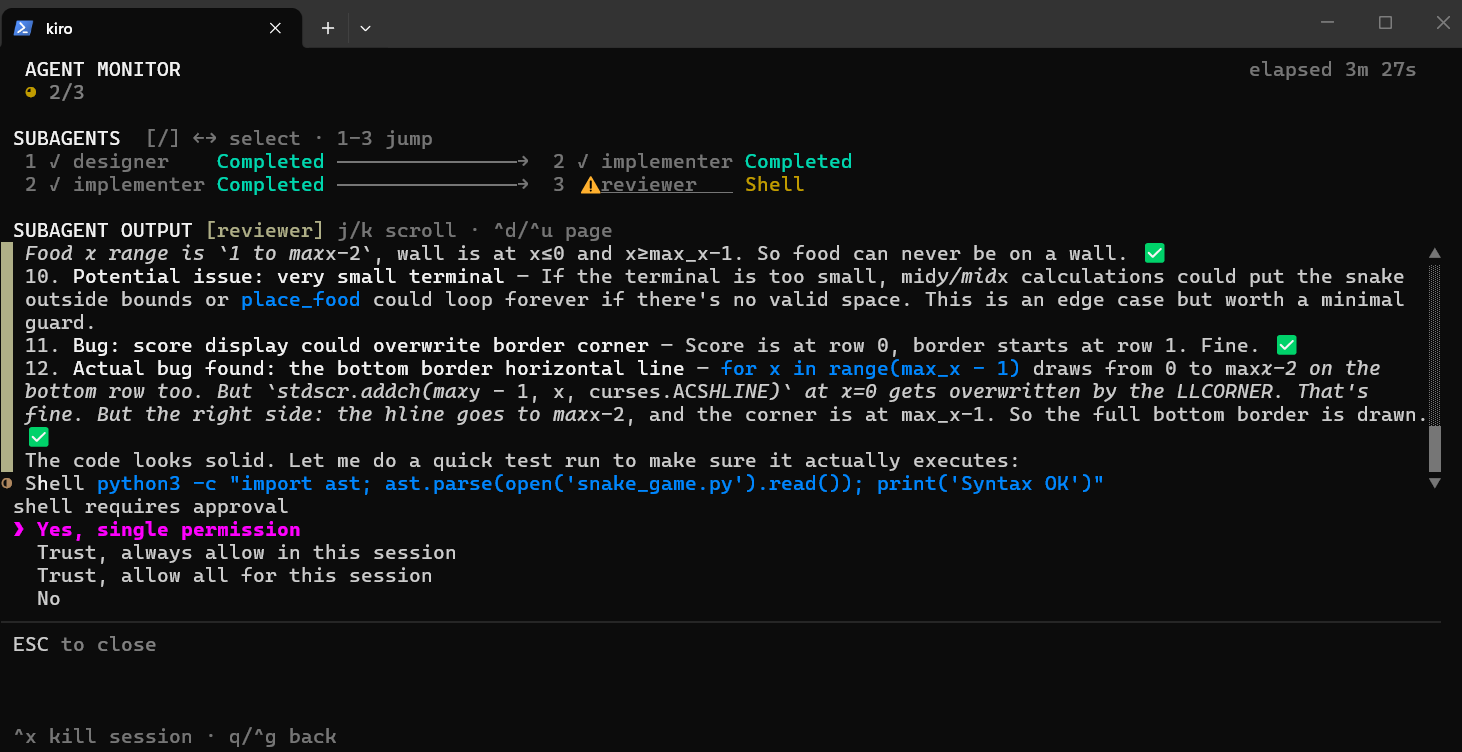
And here is the reviewer, asking for increased permissions. The permission approval can be found in both the agent monitor, highlighted in yellow, as well as the main orchestrator screen.
As the agent works, we see the task list getting updated in real-time as each step gets completed. In this case, I explicitly asked for it to be used, but the agent will do it on larger tasks by default.
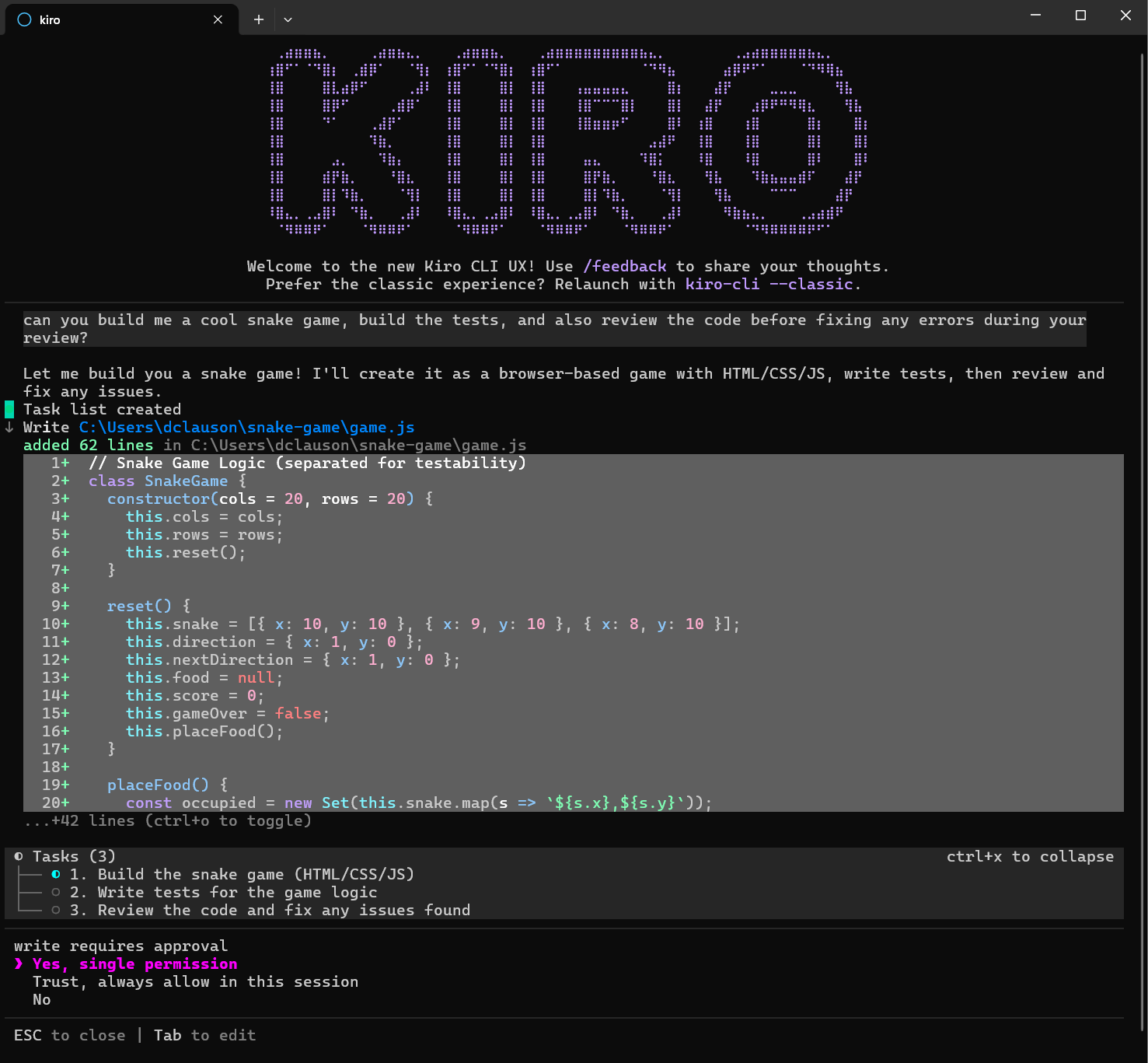
And, there you have it, Kiro built a snake game using both the new subagents experience and the new task list experience. Give it a spin and see how subagents and the task lists work for you. The more complex the use case, the more valuable you’ll find the task list. It’ll quickly keep you up to date on what Kiro accomplished!
Getting started
The CLI 2.0 and TUI is now the default experience. If something feels off, let us know with /feedback. Your feedback shaped everything above, and it'll shape what comes next. And if you ever want to switch back, just run kiro-cli --classic.
Need more information? Be sure to check out our documentation and join the Kiro community on Discord to connect with other builders, share best practices, get technical support, and stay updated on the latest features. Our community is here to help you succeed.