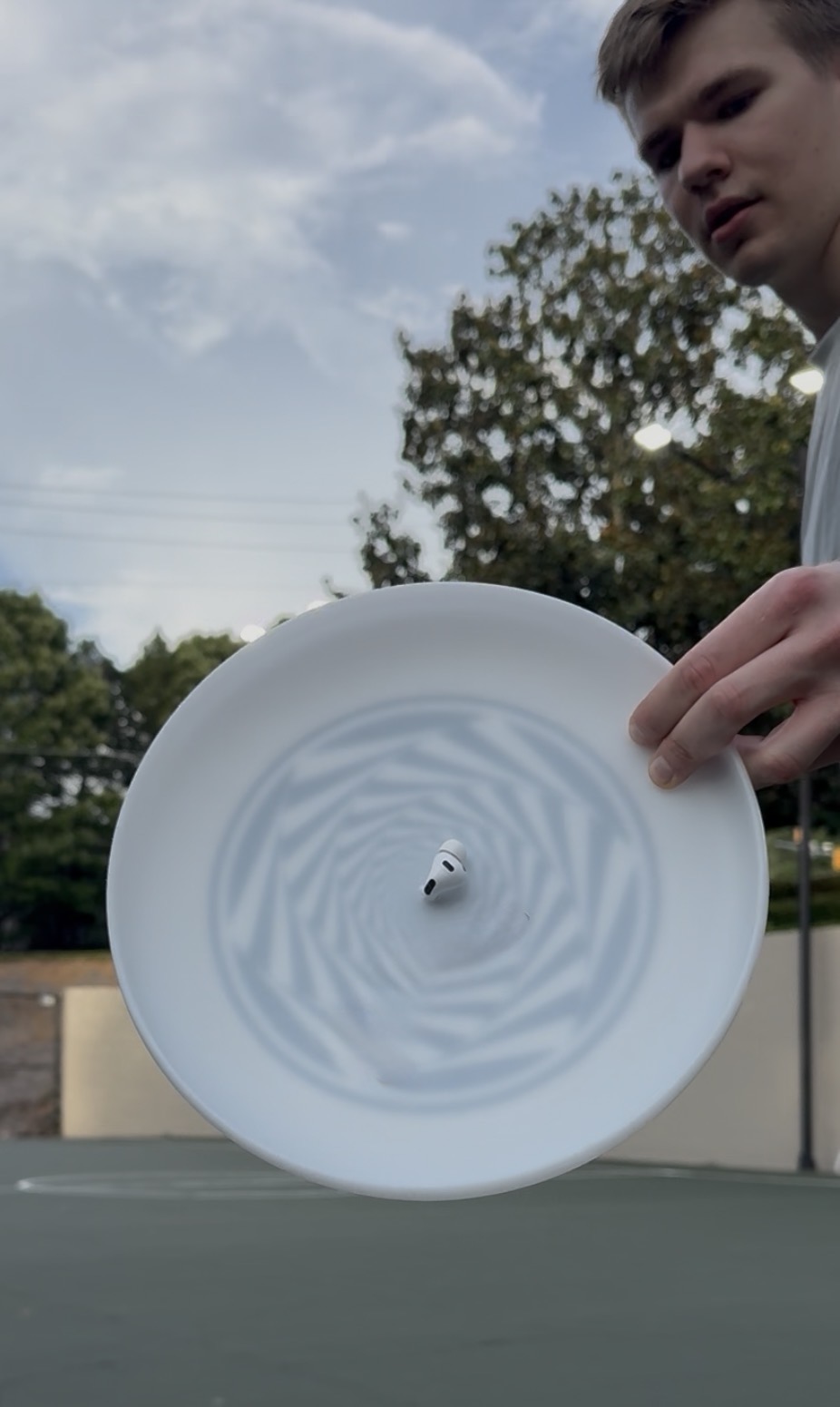
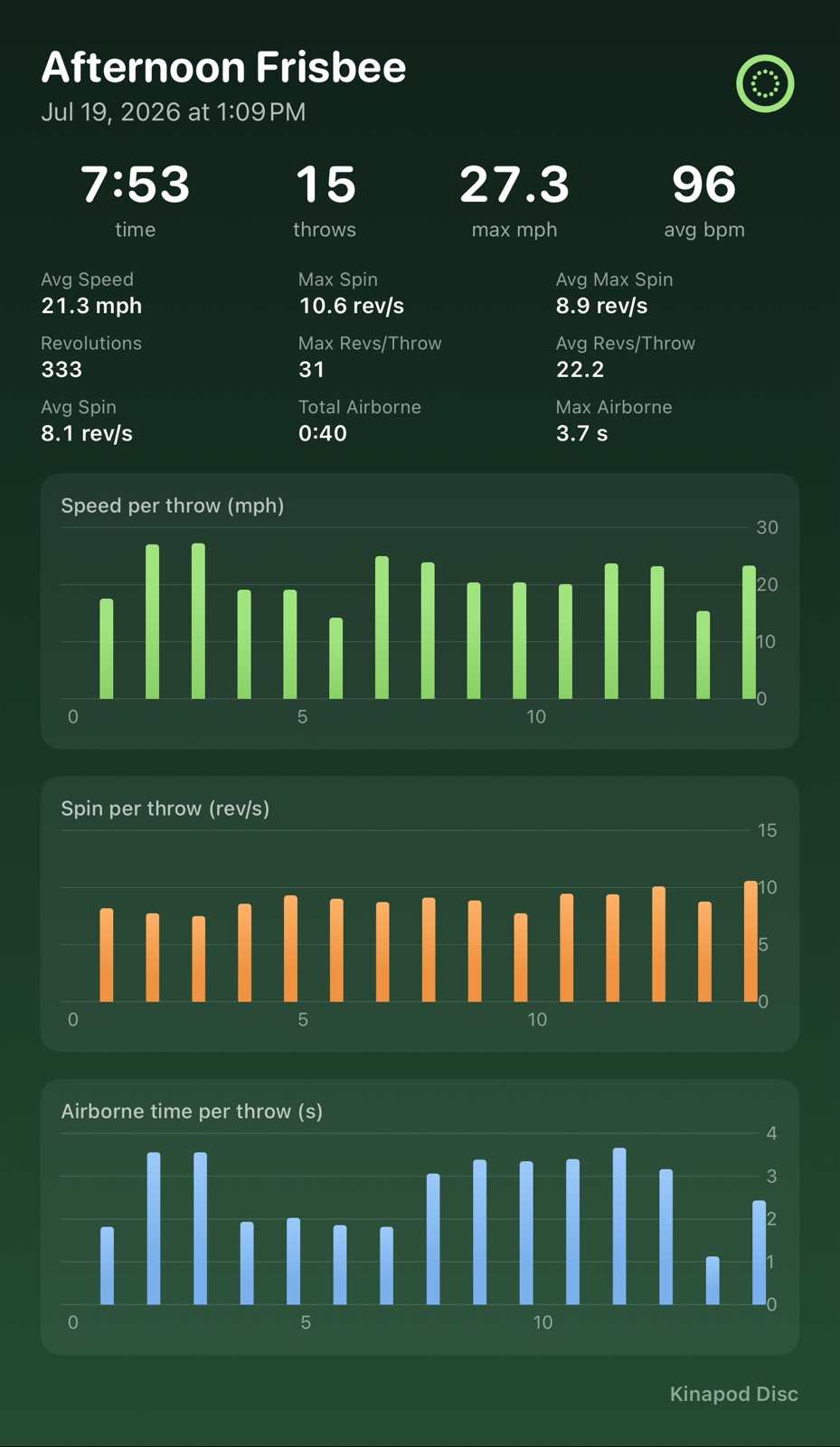
Put an AirPod in the centre of your flying disc and Kinapod measures the spin, revolutions, release speed, and airborne time of every throw.
No dedicated sensor to buy, just the AirPods you already own. Works with AirPods Pro (2019 or newer) and standard AirPods (3rd generation or newer). Spin rate is measured directly from the AirPod's gyroscope.
Spin rate and total revolutions for every throw, read from the AirPod gyroscope inside the disc.
Gear you already own
No dedicated disc sensor. One AirPod in the centre of the disc is the sensor; your iPhone records and reviews the session.
Doppler speed
Release speed measured from the Doppler shift between the AirPod and your iPhone.
Two sports, one AirPod
Disc golf and frisbee ask different questions of a throw, so Kinapod measures them differently. Pick the mode that matches what you are doing.
Disc golf
Speed, spin, and the release angles that shape the flight
Solo practice on the tee pad. Every drive is measured for how fast it left your hand, how hard it is spinning, and how you presented the disc at release.
Speed by Doppler effect. Your iPhone listens to the AirPod as the disc flies away and reads the pitch shift, so speed comes from physics rather than an estimate.
Spin from the AirPod inertial sensors. Rotation is measured inside the disc itself, in rev/s and total revolutions.
Nose angle from the AirPod gyro. How high or low the nose sits at release, the difference between a drive that glides and one that stalls.
Hyzer angle from the AirPod gyro. How far the disc is tilted at release, hyzer or anhyzer, in degrees.
Frisbee
Solo, catch with a partner, or a full game
Frisbee starts three ways: practice on your own, 2-player catch, or a game mode for ultimate. Every throw is detected and counted automatically, with no tapping between throws.
Solo. Throw by yourself and every throw is measured for speed, spin, disc angles and airborne time.
2-player catch. One session covers both players. Throws are credited to you or your partner automatically from the disc's radio signal, and each player gets their own summary: totals, averages and bests.
Game mode (ultimate). The phone stays on the sideline and tracks the disc through a real game: a live stall clock, completions and streaks, and hang time.
Planned: levels, achievements, and leaderboards, so rallies count toward something beyond the session.
Introduction
Kinapod turns AirPods you already own into a flying-disc throw tracker. Fit one AirPod into a small hole at the exact centre of your disc, open the app, and throw. Each throw is detected automatically and measured for spin rate, revolutions, release speed and airborne time, then saved into a practice session with per-throw charts you can review and share. You can export sessions to Strava.
How to Use
Mount the AirPod
Pierce a small hole in the exact centre of your disc with manicure scissors, or anything sharp. Don't drill it: drilling removes material and loosens the fit, whereas piercing stretches the plastic so the hole stays elastic and grips the stem.
Push one AirPod in stem-first so it sits flush and centred. It won't fall out: the elastic plastic holds the stem tight. The dead-centre position is what keeps spin and speed accurate while the disc rotates.
One-time AirPods setup
In iOS Settings → Bluetooth, tap the ⓘ next to your AirPods and turn off “Automatic Ear Detection” so motion keeps streaming while the pod is out of your ear.
Set the Microphone to the pod that goes on the disc, so it stays the active one. Keep the other pod in the case, or in your ear on AirPods Pro 3+ to log heart rate too.
Record a session
Open Kinapod, pick Disc Golf or Frisbee, tap Start, and throw. Throws are detected automatically, no tapping between throws.
Watch live spin and your running session stats. When you stop, the session is saved with per-throw charts and a shareable summary.
What it measures
Spin, rotation rate in rev/s, measured directly from the AirPod gyroscope (the most reliable metric).
Revolutions, how many times the disc turned during the flight.
Release speed, the disc's speed at the moment it leaves your hand, measured from the Doppler shift between the AirPod and your iPhone.
Nose and hyzer angles, how the disc was presented at release, in degrees, from the AirPod gyroscope.
Airborne time, how long each throw stays in the air before it lands.
Throw count and consistency, totals, averages, and your session and all-time bests. In frisbee mode this is broken out per player, with automatic rally counting.
Kinapod is a practice and training aid; metrics are estimates from motion sensors and are not a certified measurement instrument.
Don't want to sacrifice an AirPod?
I'm exploring a dedicated snap-on sensor: better accuracy, no hole in your disc, nothing in your ear at risk. Leave your email and I'll ping you if it becomes real.
Ready to try Kinapod?
Free for now on the App Store, no beta, no waitlist. Download and throw.