Collect client credentials properly.
End-to-end encrypted collection for passwords, API keys, and files. Your team can use them when needed, then make them disappear, fully auditably.
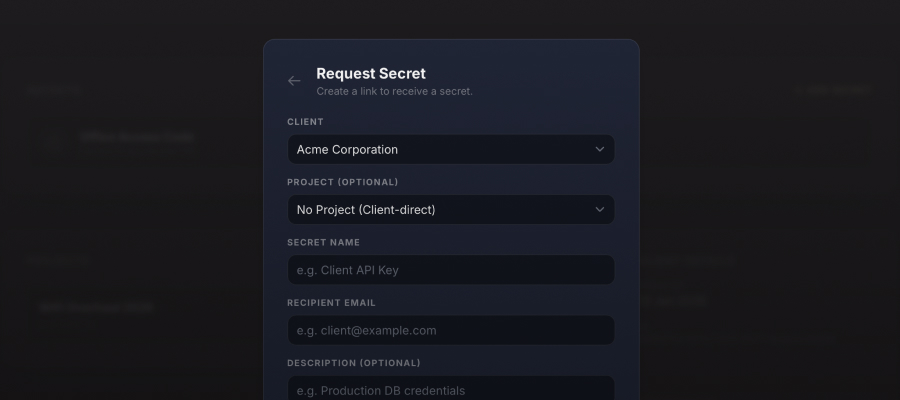
Ask for credentials properly.
Send a link. They fill it in. The secret gets encrypted in their browser before it ever hits our servers. No more "can you just paste it in Slack?"
- Generate a secure request link
- Encrypted before it leaves their browser
- Organised by client and project
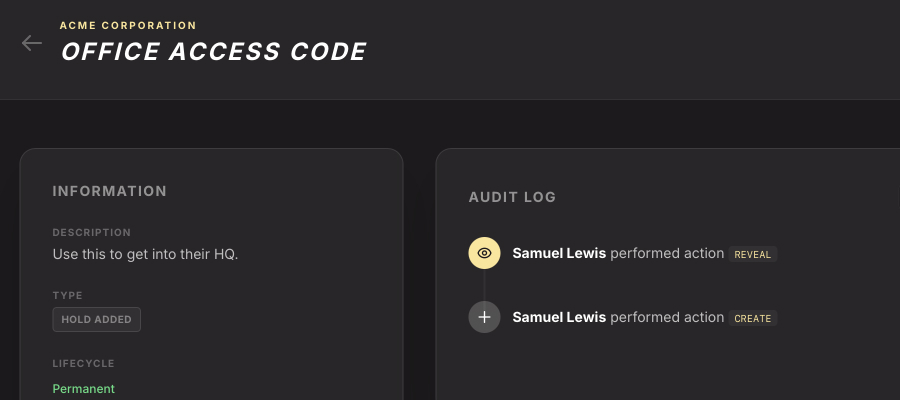
See who looked, and when.
Every time someone reveals a secret, we log it. You'll always know who accessed what, and when. Handy for audits, even handier for peace of mind.
- Full history of every reveal
- Know exactly who, exactly when
- Compliance-ready logs
Share files, not just passwords.
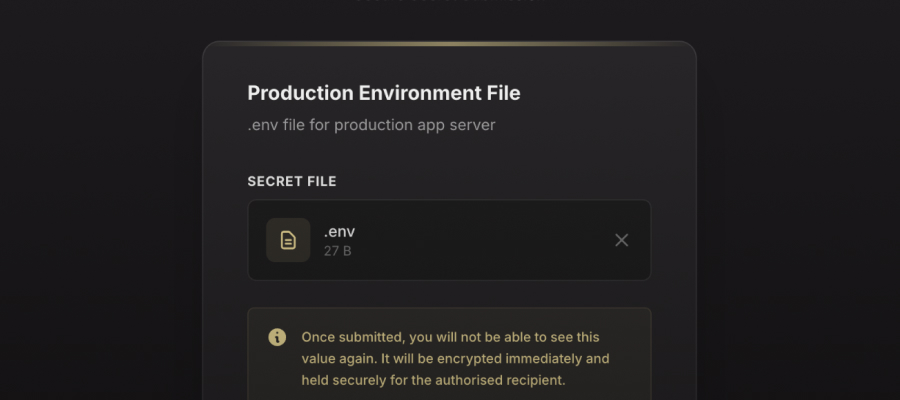
Need to share an SSL certificate? A license key file? An SSH key? Request files the same way you request passwords — encrypted end-to-end, with a full audit trail.
- Request text or files in one click
- Files encrypted before upload
- Download decrypts on your device
Onboard a client in minutes.
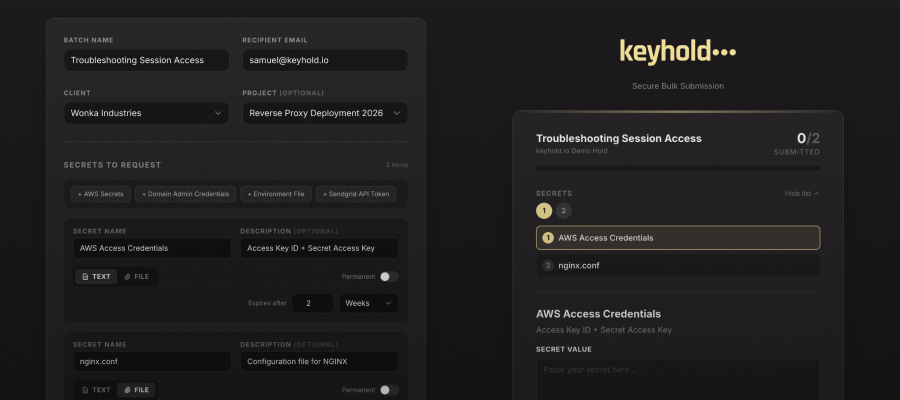
Need a dozen credentials from a new client? Send one link. They fill in everything at once. Each secret stays encrypted and organised — no back-and-forth emails.
- Request multiple secrets at once
- One link, all credentials
- Save templates for repeat use
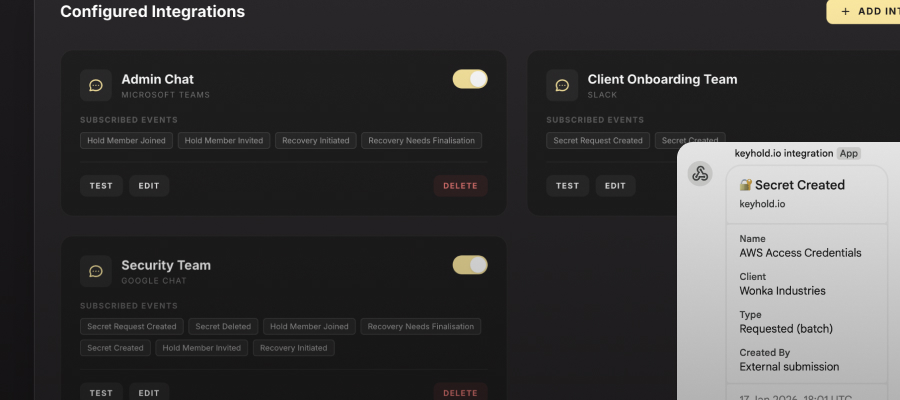
Integrate with your favourite chat app.
Get notified when secrets are submitted, requests are created, or team members join — right where your team already works.
- Slack
- Microsoft Teams
- Google Chat
We couldn't peek if we tried.
Most platforms say "trust us, we're secure." We'd rather you didn't have to. Here's how it actually works.
1
Encrypted before it leaves your browser
When someone submits a secret, their browser encrypts it locally first. By the time it reaches us, it's already scrambled. We never see the original.
2
Split-key encryption
Think of it like a safe deposit box that needs two keys. We hold one (locked down with AWS KMS). The other lives on your device. Neither key is useful on its own.
3
Decryption happens on your machine
When you need to see a secret, both keys meet in your browser. The decryption happens locally. Our servers only ever handle encrypted blobs.
Security Status Active
Zero-Knowledge: Activated
What if you get hacked?
Honestly? They'd get a pile of encrypted data and half of the keys needed to decrypt it. The other half is on your device, not ours. It's useless to them.
Simple pricing. No per-seat fees.
Add as many people as you need. We don't charge per seat.
£50 /month
Billed monthly in GBP.
£500 /year
Billed annually in GBP.
Includes 5-day free trial
- Unlimited Secrets & Requests
- Encrypted File Sharing
- Unlimited Team Members
- Zero-Knowledge Encryption
- Full Audit Logging
- Chat Integrations
- Priority Support