Never miss the dates
that matter
Your iPhone remembers birthdays. KeepDates remembers everything else - anniversaries, first meetings, graduations, and the dates only you know are important - then helps you actually follow through.

Free to try · No account · No tracking
The Problem
Birthdays get reminders.
Everything else gets forgotten.
Your contacts hold a wealth of meaningful dates. iOS only surfaces birthdays - anniversaries, custom milestones, first meetings, the day someone joined your team - all of it quietly disappears into the noise.
📅
Without KeepDates
You rely on memory to keep track of meaningful dates in your contacts. Most get forgotten before you can act on them.
✦
With KeepDates
Important dates sync automatically to your calendar with reminders. You'll always know what's coming - without thinking about it.
How It Works
Set it up once.
It just works.
KeepDates scans your contacts, finds the dates worth remembering, and keeps your calendar current - automatically.
1
Scan Your Contacts
KeepDates reads date fields stored in your contacts - anniversaries, custom dates, and more - and surfaces everything it finds.
2
Review What Matters
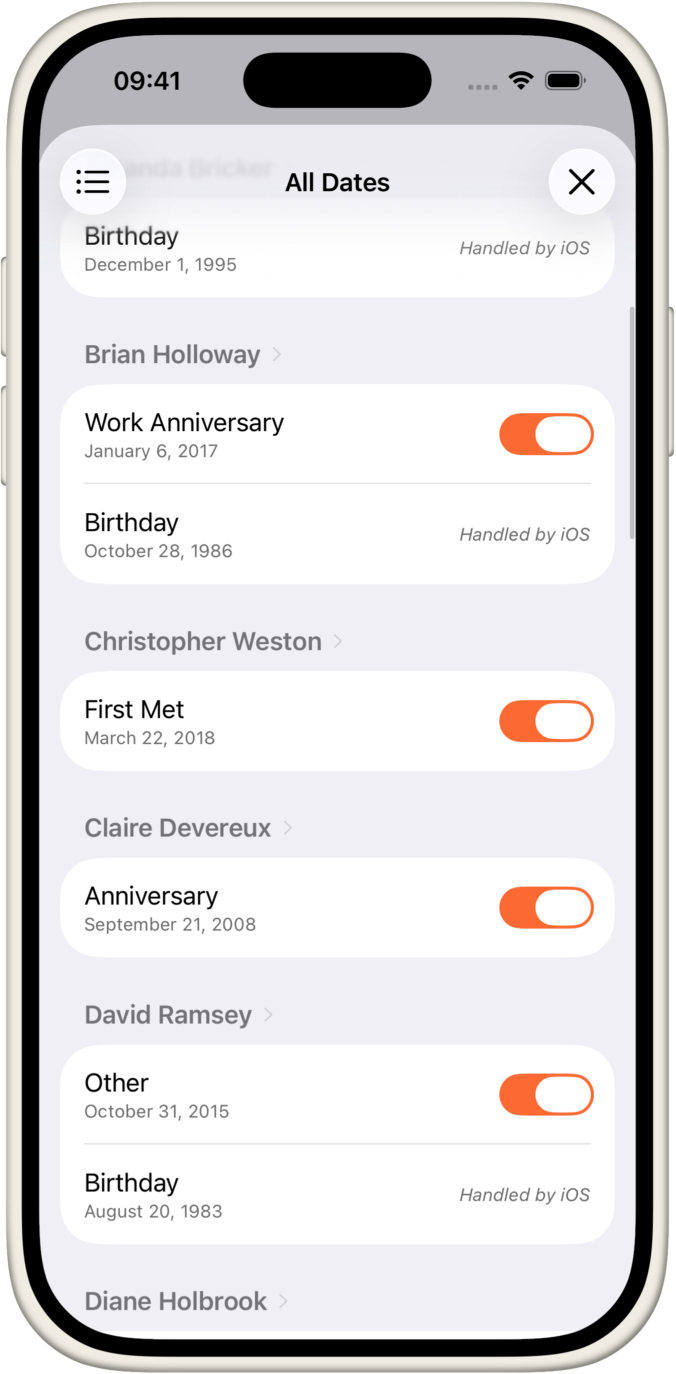
You decide what to keep. Pick the dates you want reminders for and skip the rest. Nothing syncs without your approval.
3
Get Reminded
Selected dates appear in your calendar with advance reminders. KeepDates stays in sync as your contacts change over time.
More Than Reminders
Remembering is only half of it.
Following through is the rest.
A date on the calendar doesn't keep a friendship warm. KeepDates is built around the people behind the dates, so it's easy to reach out, keep in touch, and know you've done it.
📞
Reach out in one tap
Call, message or FaceTime straight from a reminder or the date screen. No hunting through Contacts first.
✅
Mark dates as handled
Mark an occasion as handled so you always know who you've already called, visited or congratulated. It resets on its own next year.
📝
Keep simple checklists
Add a short list to any date - buy a gift, send a card, book a table - and tick things off as you go.
🧑🤝🧑
Built around real contacts
Every date is tied to a real person, complete with their photo, so your list feels like the people in your life.
💛
Stay connected
The people who matter stay in front of you, so a quiet year never quietly turns into a lost connection.
📌
Keep close people close
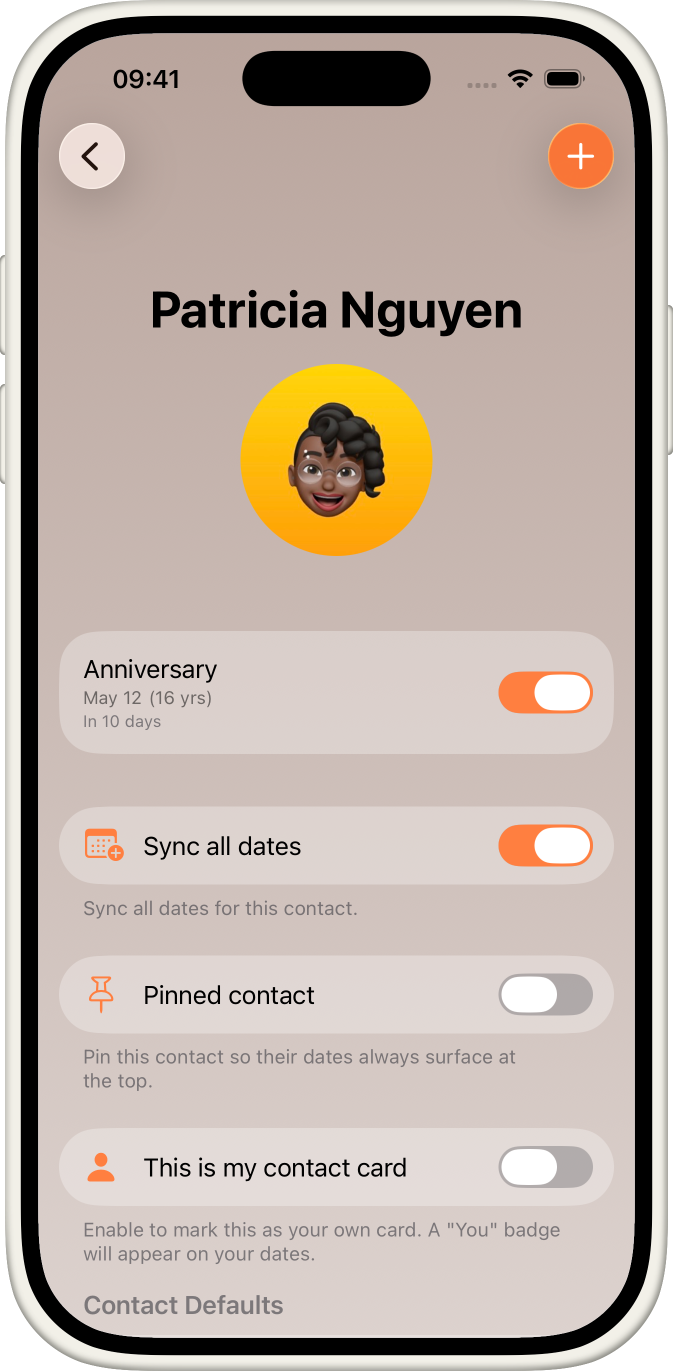
Pin the contacts you never want to miss and they'll always rise to the top of your list and widgets.
Features
Everything you need.
Nothing you don't.
🔍
Automatic Detection
Finds every date field across your contacts, not just birthdays - anniversaries, custom milestones, and more.
✅
You Choose What Syncs
Review detected dates and approve exactly what matters to you. Nothing syncs without your say-so.
📆
Calendar Events & Reminders
Creates recurring events with advance reminders so you're never caught off guard by an anniversary again.
🔔
Reminders You'll Notice
Notifications arrive with the contact's photo, a clear countdown, and a Reach Out button built right in.
🔎
Search
Find any date in seconds by searching for a person's name or the type of occasion.
🖼️
Contact Photos Everywhere
Real contact photos appear on every date, in detail views, and across your widgets, with a clean fallback when there's none.
✏️
Add, Edit & Delete Dates
Add a new anniversary, fix a wrong date, or set a birthday for any contact, right inside the app.
👤
Contact Detail View
Tap any contact to see all of their dates in one place, with quick toggles and controls.
🔄
Background Sync
When your contacts change, KeepDates keeps up and shows you exactly what was added or removed.
📵
Fully Offline
No internet connection needed. Everything runs locally on your device.
Widgets
Your people,
right on your Home Screen.
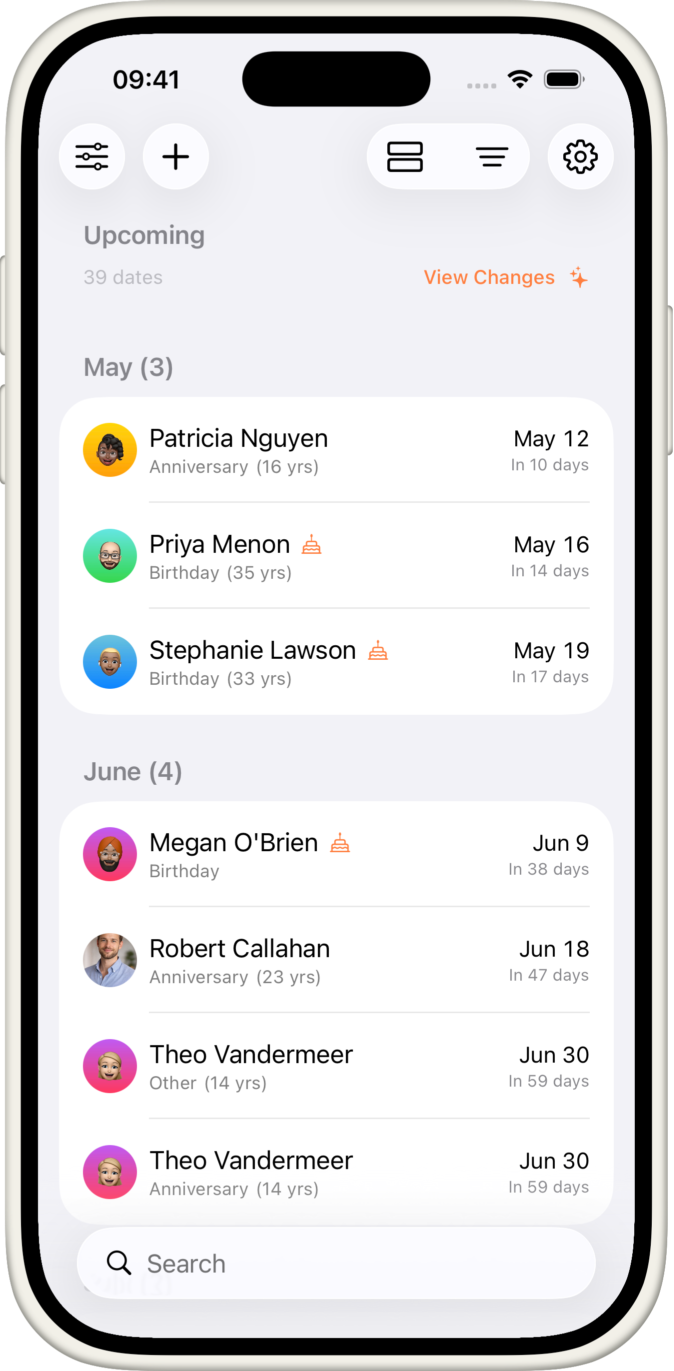
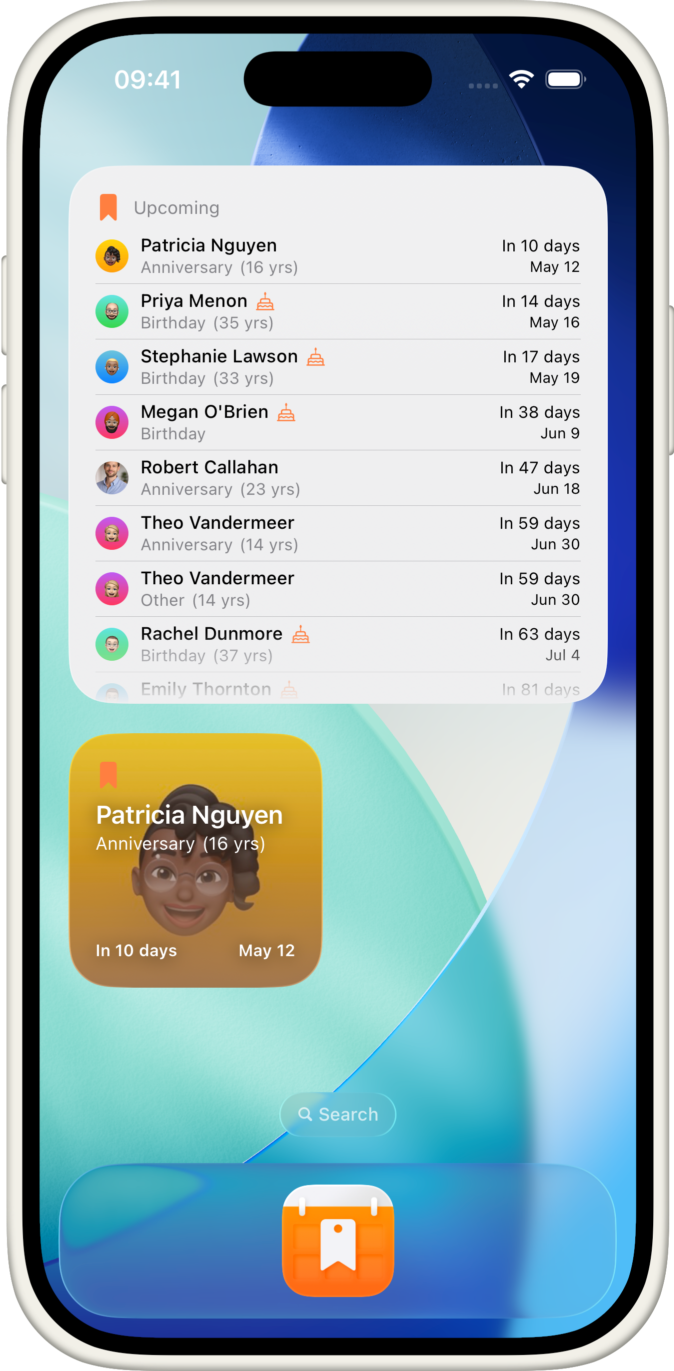
Contact widgets turn upcoming dates into a glance. Real photos, live countdowns, and the next person you'll want to reach out to, all without opening the app.
🗓️
Upcoming widget
See who's coming up next in small, medium, or large sizes on your Home Screen.
☀️
Today widget
A dedicated view of everything happening today, so nothing slips past you.
⭐
Contact Spotlight
Put one important person front and center, with their photo and their next date.
🔒
Lock Screen widget
Glanceable dates on your Lock Screen, tuned to read clearly even in monochrome.
↔️
Interactive rotation
When several dates fall on one day, tap through them right on the widget.
🎛️
Make it yours
Long-press any widget to choose photos, birthday visibility, and how far ahead it looks.
App Preview
Designed for iPhone
A clean, familiar interface that feels right at home on iOS.
Reminders


Privacy First
Your contacts are private.
KeepDates keeps it that way.
KeepDates accesses your contacts to read dates - nothing more. All processing happens on your device. Nothing is sent anywhere.
📱
Everything stays on-device
Contact data is processed locally. There are no servers, no uploads, no cloud sync.
🚫
No tracking or analytics
No ad networks, no behavior tracking. KeepDates doesn't know how you use it.
🔑
No account required
There's no login, no profile, no email needed. Just install and go.
☁️
No cloud dependency
Works fully offline. Your data never travels beyond your phone.
FAQ
Good questions,
honest answers.
Does KeepDates upload my contacts?
No. KeepDates reads dates from your contacts entirely on your device. There are no servers and no uploads, and nothing is ever sent anywhere.
Does it replace my iPhone's birthdays?
No. Your birthdays keep working exactly as they do today. KeepDates adds everything your iPhone leaves out, like anniversaries, custom milestones, and the dates only you know are important.
Can I use it without Calendar access?
Yes. If you'd rather not sync to Calendar, KeepDates can send you notifications on its own instead. Calendar sync is optional and you can turn it on later if you change your mind.
Does it work offline?
Yes. Everything runs locally, so KeepDates works with no connection at all. There's no account to create and no login to remember.
What happens when my contacts change?
Background sync keeps your dates current automatically. When something is added or removed, a "What Changed" summary shows you exactly what moved, so nothing slips by between app opens.
Can I add dates directly inside KeepDates?
Yes. You can add a new date to any contact, edit or delete an existing one, and even set a birthday, all from within the app. Changes are written back to your contacts.
Does it support Limited Contacts permission?
Yes. If you choose to share only some of your contacts, KeepDates works fully with that subset and makes it easy to add more later.
What does Premium include?
Premium is a one-time purchase that unlocks extra widgets, handled tracking and checklists, pinned contacts, smart reminders, advanced filters, and per-contact defaults. The core app stays free, with no subscription and no account.
The important dates
are already there.
KeepDates just makes sure you don't miss them.