MLLMs (Multi Modal Large Language Models) such as GPT-4V and Gemini are able to ingest data in multiple modalities such as: text, video, sound and images. Personally, one of the most useful applications of MLLMs is UI navigation. As a SWE, you could have an web based agent that runs Gherkin-like syntax tests without having to write any code. Or, you could instruct your browser to book a flight for you, re-schedule a meeting, book a table, etc.
However, the ability to do VQA (Visual Question Answering) with MLLMs is conditioned by how much signal is preserved when downscaling images to meet MLLM input size requirements. This is particularly challenging when images have odd an aspect ratio like a webpage screenshot. Ideally, we don’t want to loose any signal. As a comparison, there is no signal loss in LLMs.
Google came up with ViT (Vision Transformer), it breaks down an image into a 16×16 grid. Each cell in the grid is a patch that’s also a token. Image tokens are linearly projected into a transformer.
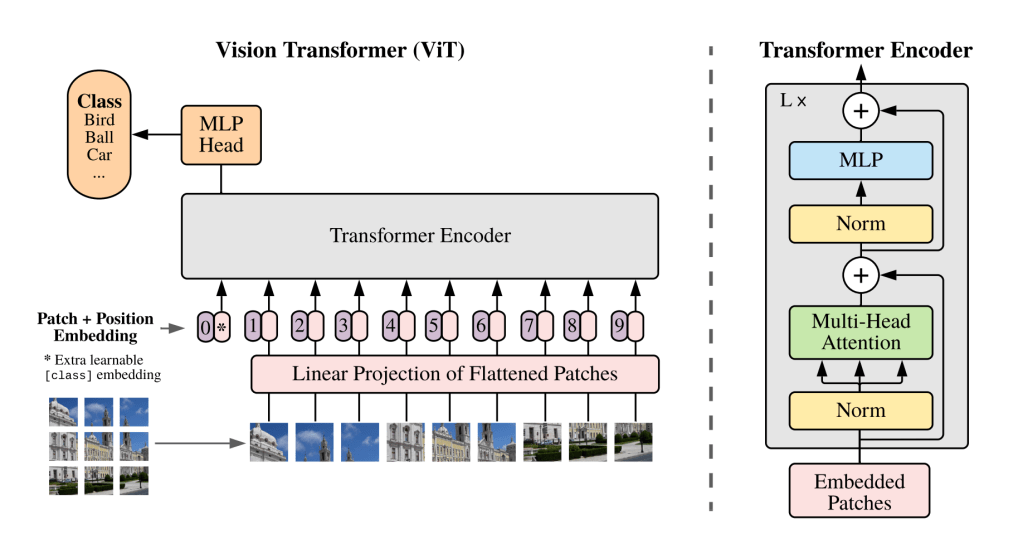
The 16×16 grid is great for images with a 1:1 aspect ratio but not so great for other aspect ratios. I also thought that linearly projecting the images would remove the need to downscale but no. In the case of GPT-4V, the image needs to be downscaled to fit in a 2048px X 2048px grid. Each patch/token has 512×521 pixels. Therefore this is a 4×4 grid.
We need MLLMs that can handle multiple aspect ratios without having to downscale images so there is no information loss.
We will now look at how GPT-4V and Gemini do VQA given web page screenshot. The screenshot used is from an Amazon Green Tea product page. The image has a resolution of 3840×20294 in pixels. The aspect ratio is ~1:5. The original image is here: https://drive.google.com/file/d/1PdPbg5xQzZZlgV-cF91uZVXWi1tknWR2/view?usp=sharing
chatGPT
Firstly, I asked chatGPT to generate an image caption:
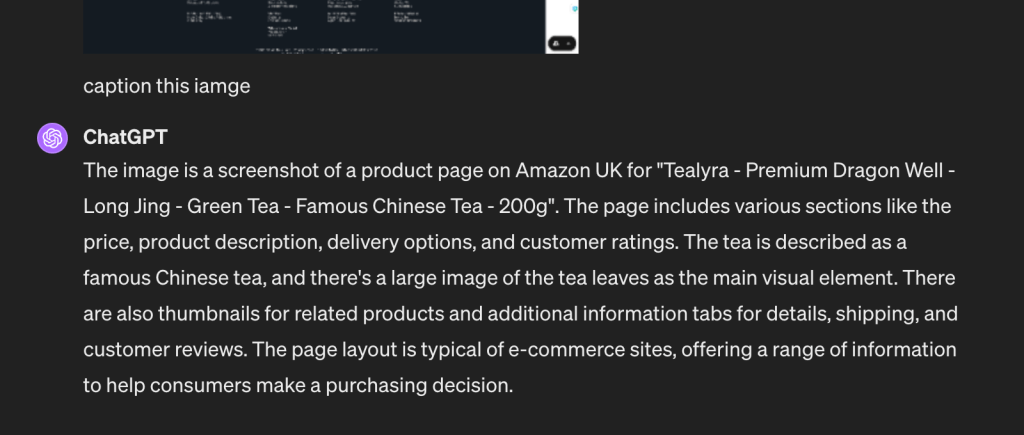
The caption is good. After that, I asked if there is a 100g variation for this product and I got:
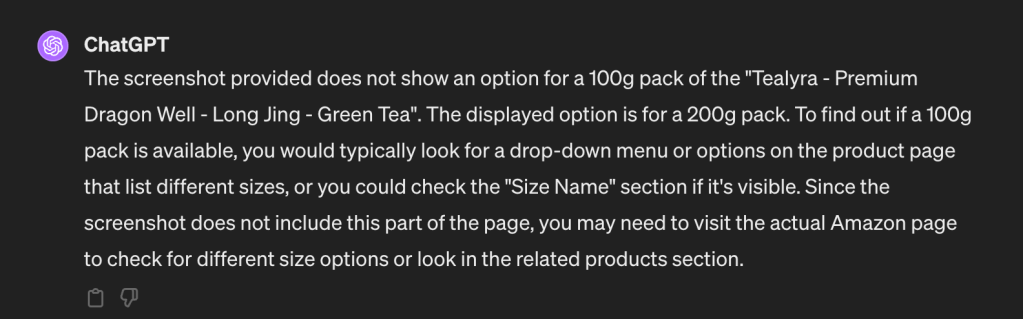
This is not true, there is a 100g option that is clearly visible.

Following that, I took a screenshot of the section of the web page that has the multiple options. Then I asked chatGPT to generate a caption. This section has a friendlier aspect ratio ~2:1.
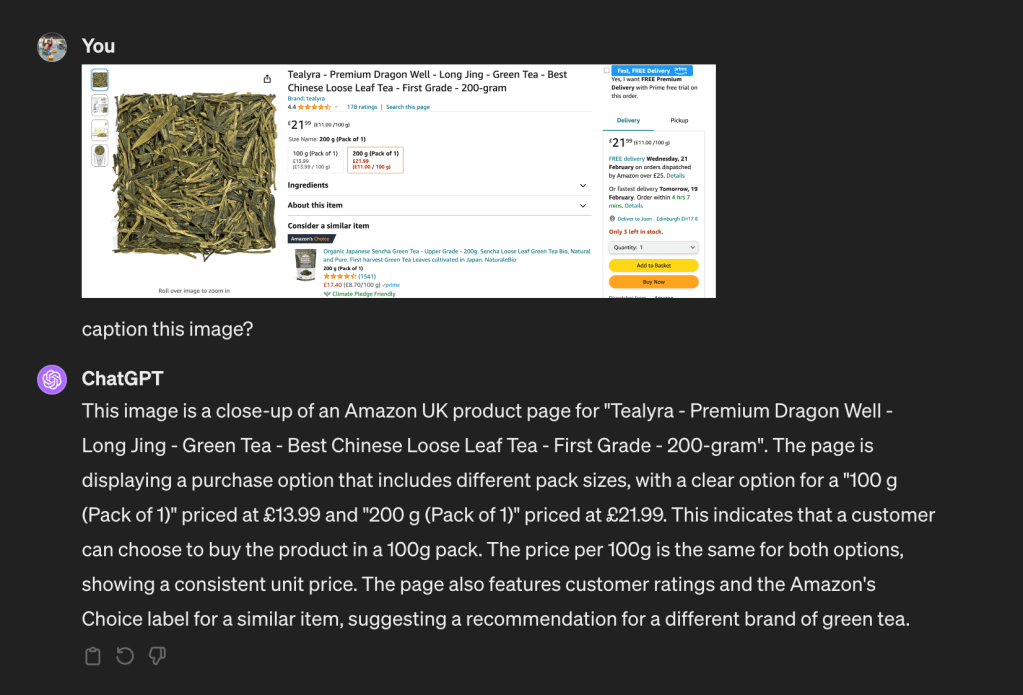
chatGPT got it right this time. It has identified that there is a 100g option priced at £13.99. I think this shows that MLLMs are good at handling images with an aspect ratio close to 1:1 with minimum downscaling.
Gemini
Let’s now look at how Gemini responds to the prompt “describe this image” given the webpage screenshot.
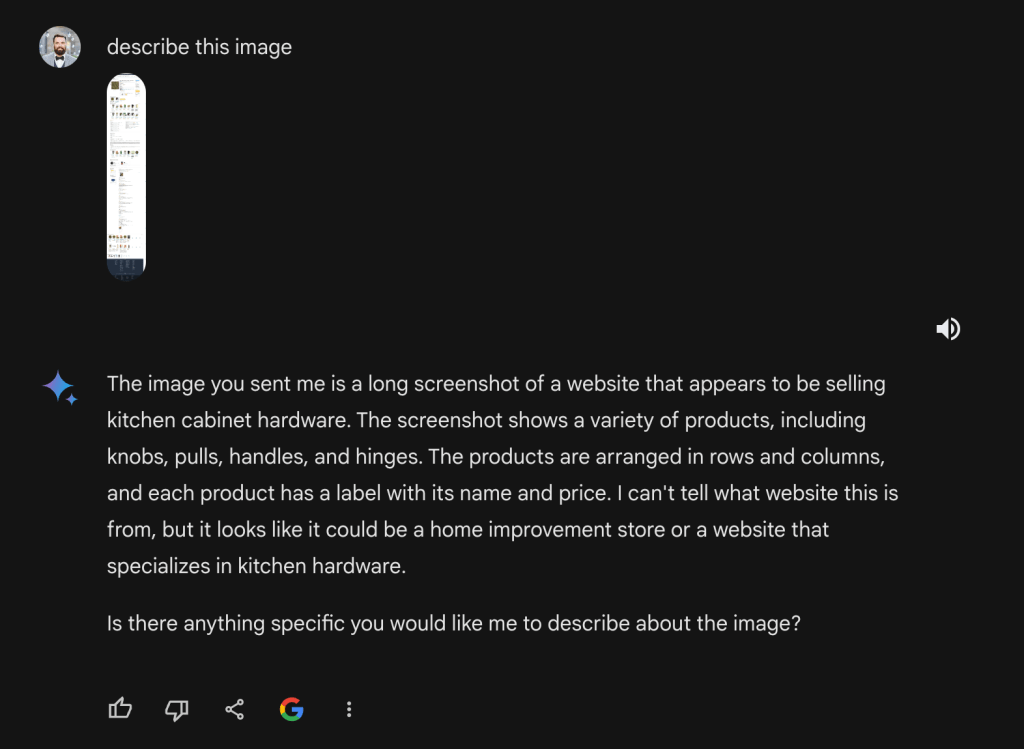
This isn’t good. This is a product page about green tea not kitchen hardware… For the sake of evaluation, I also prompted Gemini with “Is there are 100g option?”
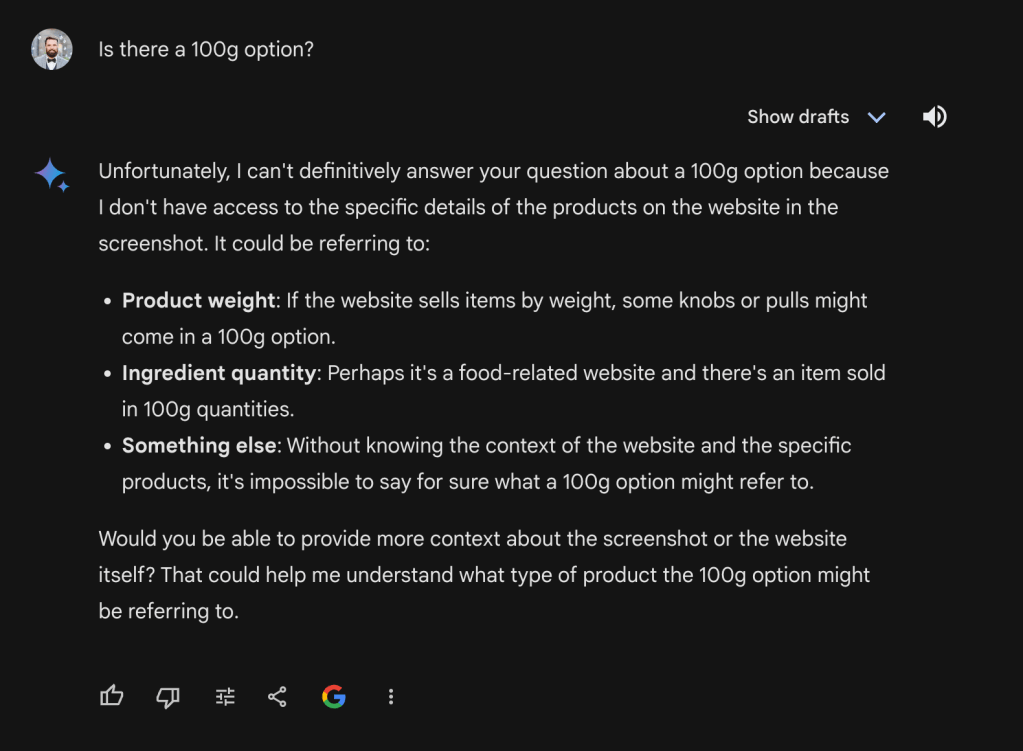
Gemini couldn’t answer my question. I then took a screenshot of the section with multiple weight options and a friendlier aspect ratio.
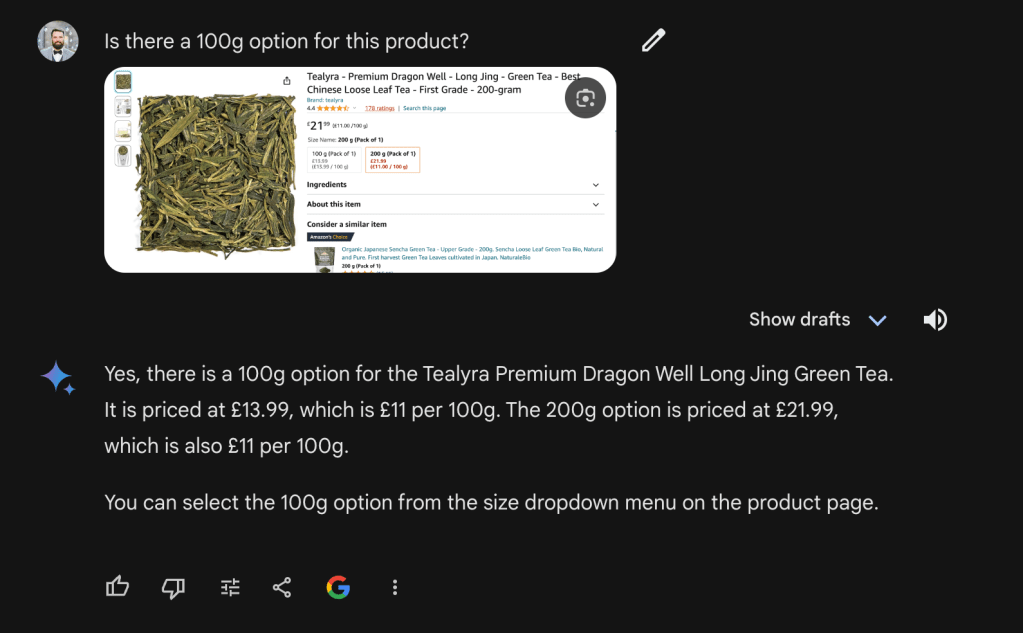
Similarly to GPT-4V, This also worked well. However, it shows that Gemini is not good at dealing with images that have an odd aspect ratios like web page screenshots.
GPT-4V API AND IMAGE CHUNKING
The examples above were carried out using chatGPT and Gemini’s web app. I also tried to do the same via the GPT-4V API with the high fidelity flag setup. The documentation recommends:
For high res mode, the short side of the image should be less than 768px and the long side should be less than 2,000px.
As suggested, I downscaled the image from 3840×20294 to 387×2048. After that, I encoded the image to base64 and fed it to the model alongside the prompt “Is there a 100g option?”.
https://platform.openai.com/docs/guides/vision/managing-images

This is the model’s response:
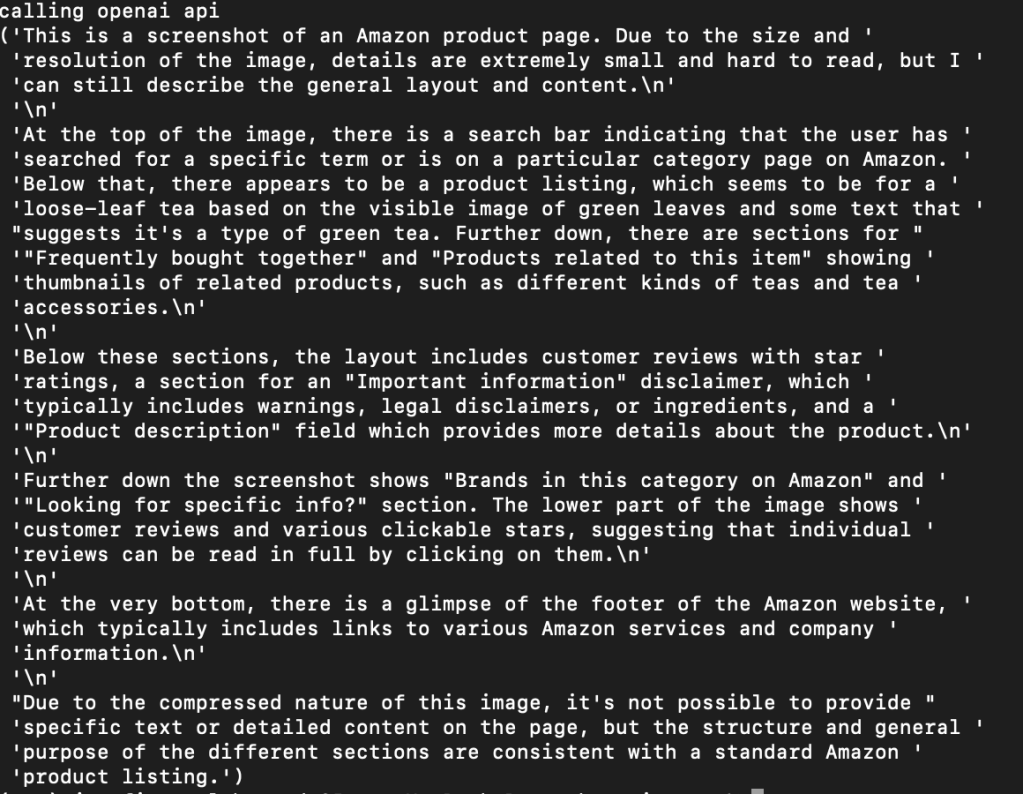
Unsurprisingly, downscaling makes large images loose too much signal so the model is not able to answer our prompt. How do we solve this? Similarly to RAG’s chunking, we can also chunk images. For this particular example, I chunked the screenshot into 7 chunks. Then, I downscaled each image as per OAI requirements. Each chunk is 1017×768. GPT-4V can handle multiple image inputs:
The Chat Completions API is capable of taking in and processing multiple image inputs in both base64 encoded format or as an image URL. The model will process each image and use the information from all of them to answer the question.
OAI Documentation
Therefore all the image chunks can be fed in one request with minimum signal loss alongside a text prompt “Is there are 100g option ?”
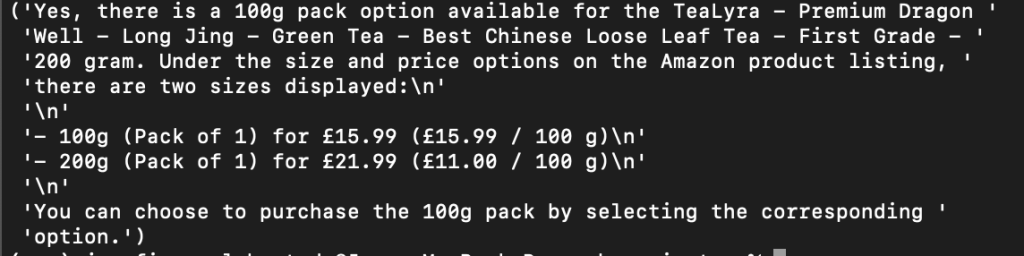
This has worked well so it shows that image chunking is a good strategy. Note that to do image chunking, we want to pick a number of chunks that minimises the signal loss when downscaling. This might not be trivial at first and it might be domain specific. For web pages, 5-10 chunks seems to work well across the board.
Overall, the ability to do VQA with existing MLMMs is conditioned by how much signal is preserved when downscaling . I’ll upload the code to do image chunking and post it soon.