I made this tool to create .epub books with a cover of your choice so you can use them as wallpaper when a Kindle is locked.
Drop an image here or click to select
Preview
The Kindle hardware can make a great picture frame. It is grayscale, yes, but still looks good and keeping the image on that screen consumes almost no power at all.
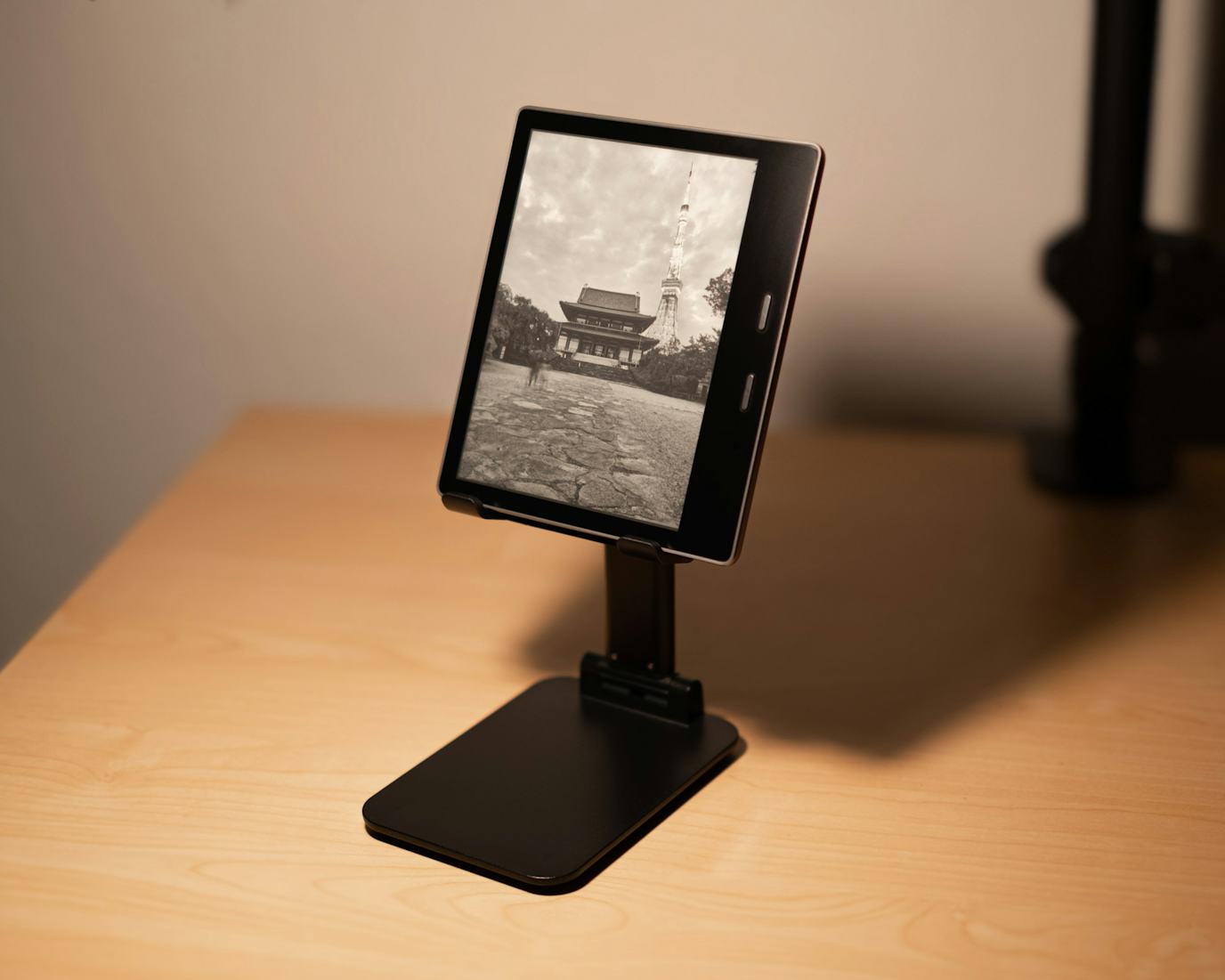
The Kindle does not offer out-of-the-box picture frame functionality, but there are some interesting ways to do it without requiring a jailbreak.
Make an eBook from your photos and use them as a lock screen
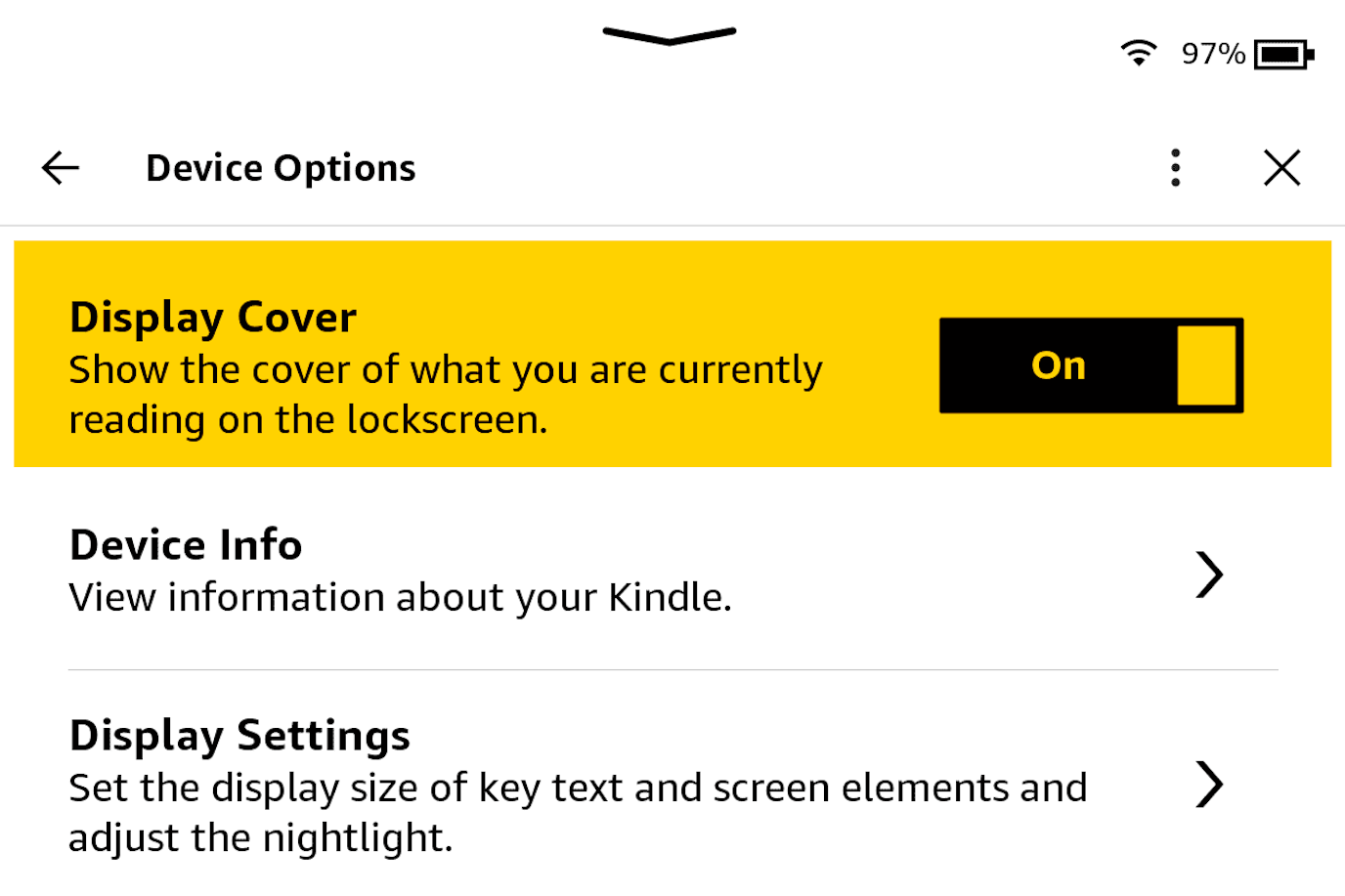
The feature "display cover" changes the lock screen image to the cover of the book that was open when the screen was locked. By making books with custom covers, anything can be used as a lock screen image.
To activate: Settings -> Device Options
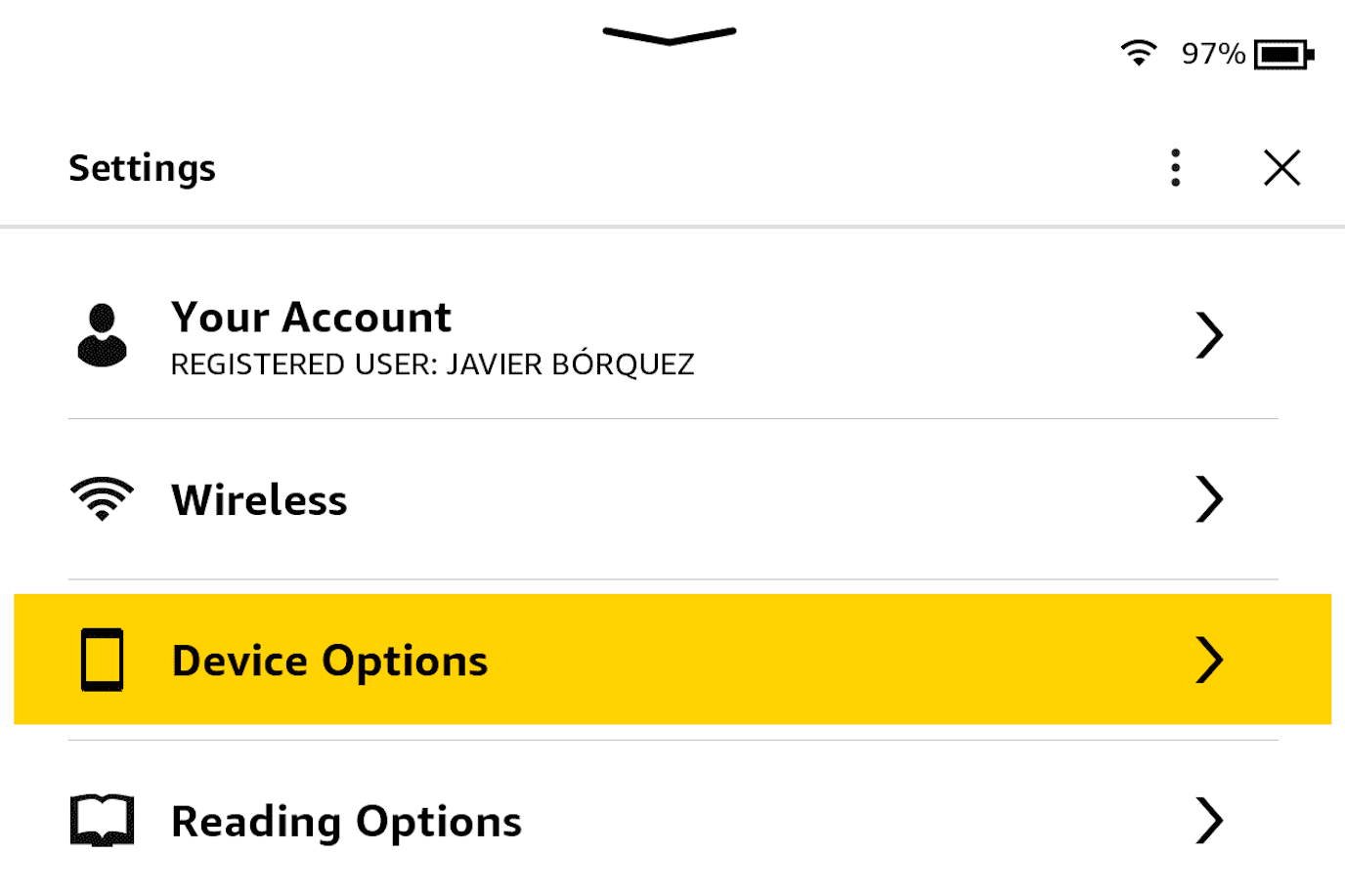
Activate Display Cover.
Create a book with the photo that you want to show as cover
EPUB is a simple format, this tool makes the .epub by zipping some files with
jszip on the client. I got the required files by dissecting the output of
epub-gen and modifying them on the fly.
Send the epub to your Kindle
.epubs are great, but they are not supported by the Kindle. To send them I use
Calibre, but any other way to convert and send
.epub should work.
Now open the book and lock the screen, that's it! Enjoy.
Easier way with some trade-offs: Disable the lock screen and open any image
Some Kindles have the hidden option to disable the lock screen, making it possible to open an image and leave it on the screen without time limit.
To disable the lock screen, go to the Kindle home and type ~ds exactly and
press enter. That's it. This not only allows anything on the screen to stay
without time limit but also completely disables the lock screen. To restore,
hold power for 20 seconds.
Then transfer an image directly, open it and double-tap it to expand it.
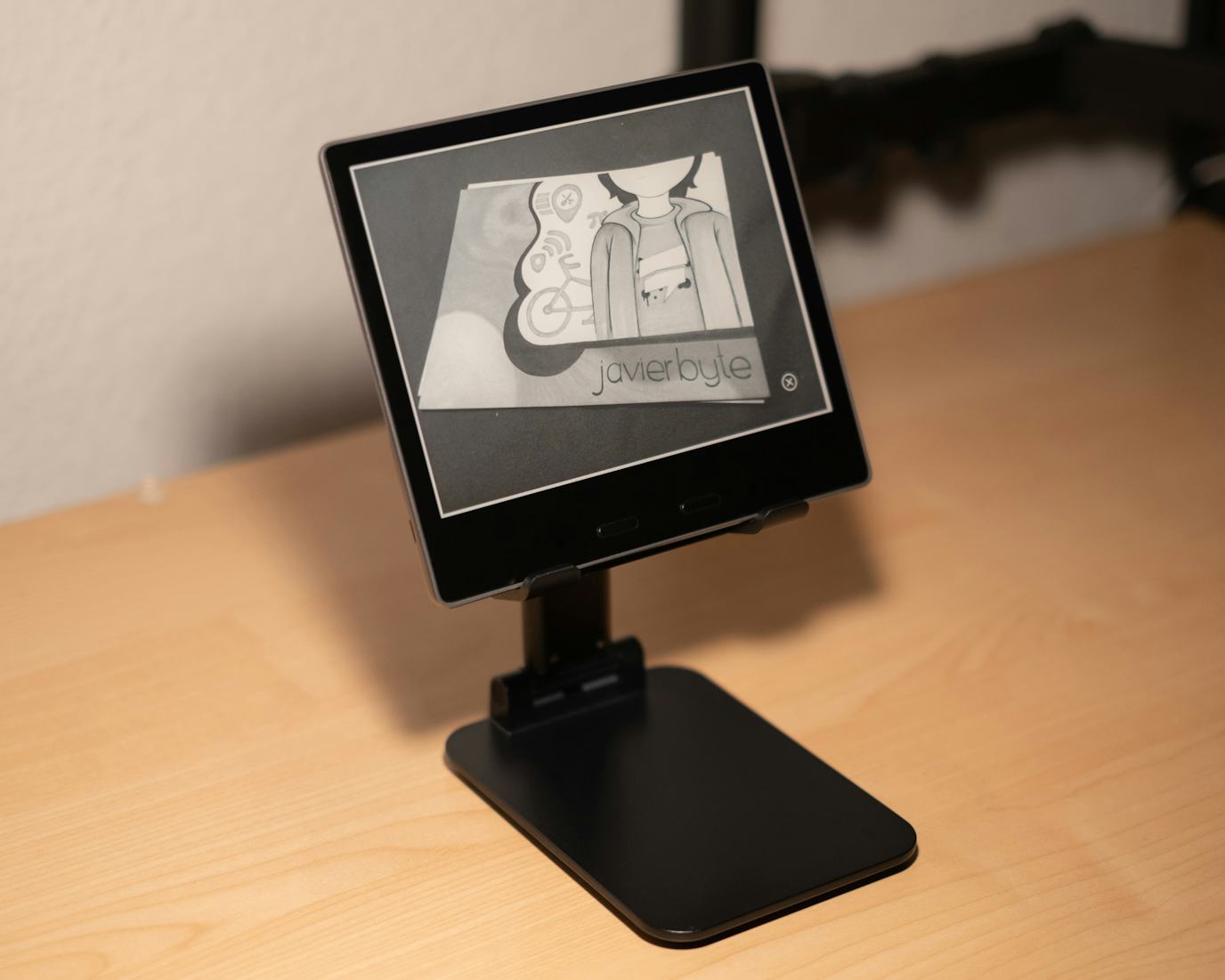
Pros:
- No
.epubto Kindle transform required.
Cons:
- The picture does not cover the entire screen. It seems that either you get a small white border or scroll bars, and there is a close button over the picture.
- The power button needs to be held for 20 seconds to lock the screen or restart.