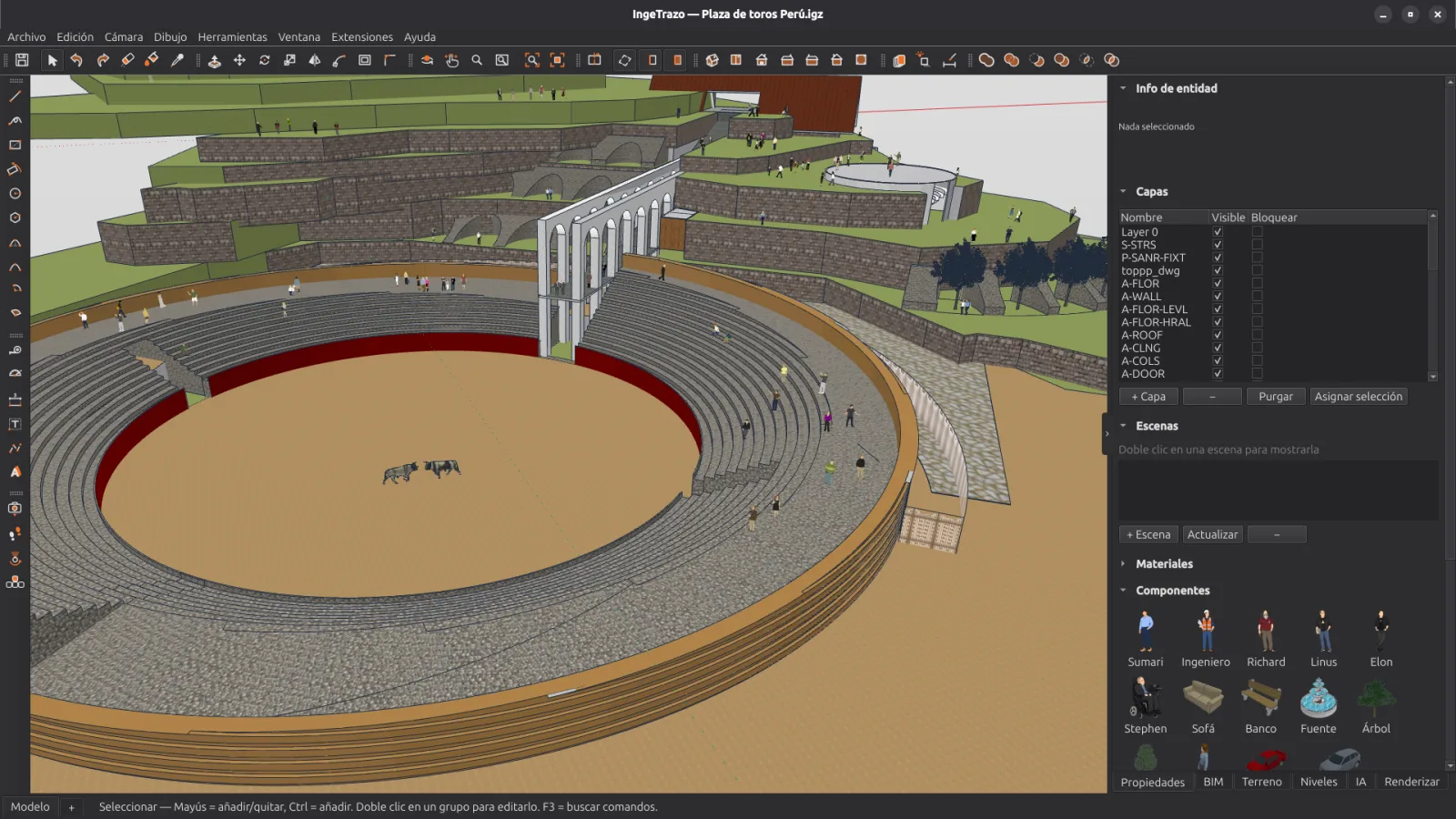
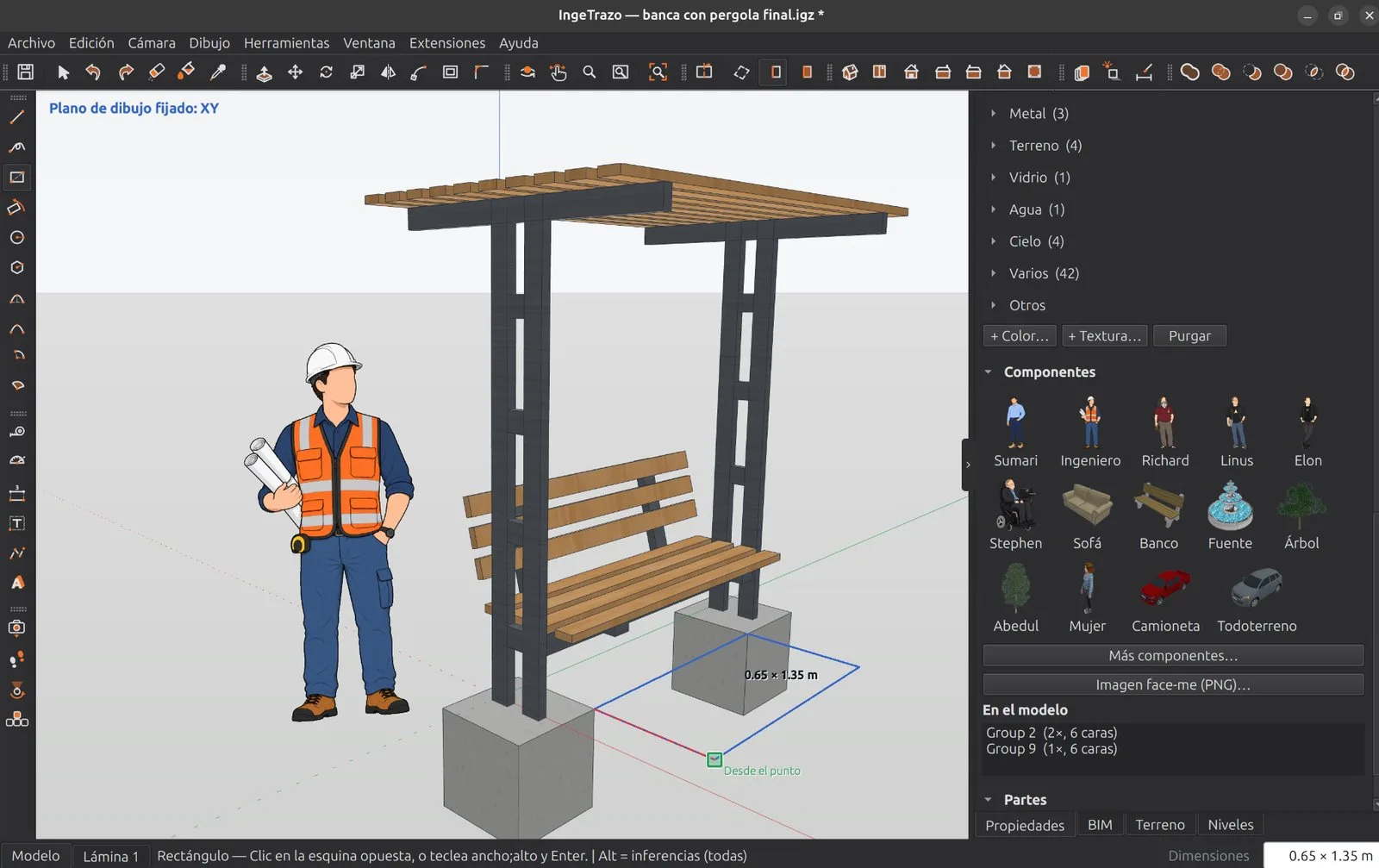
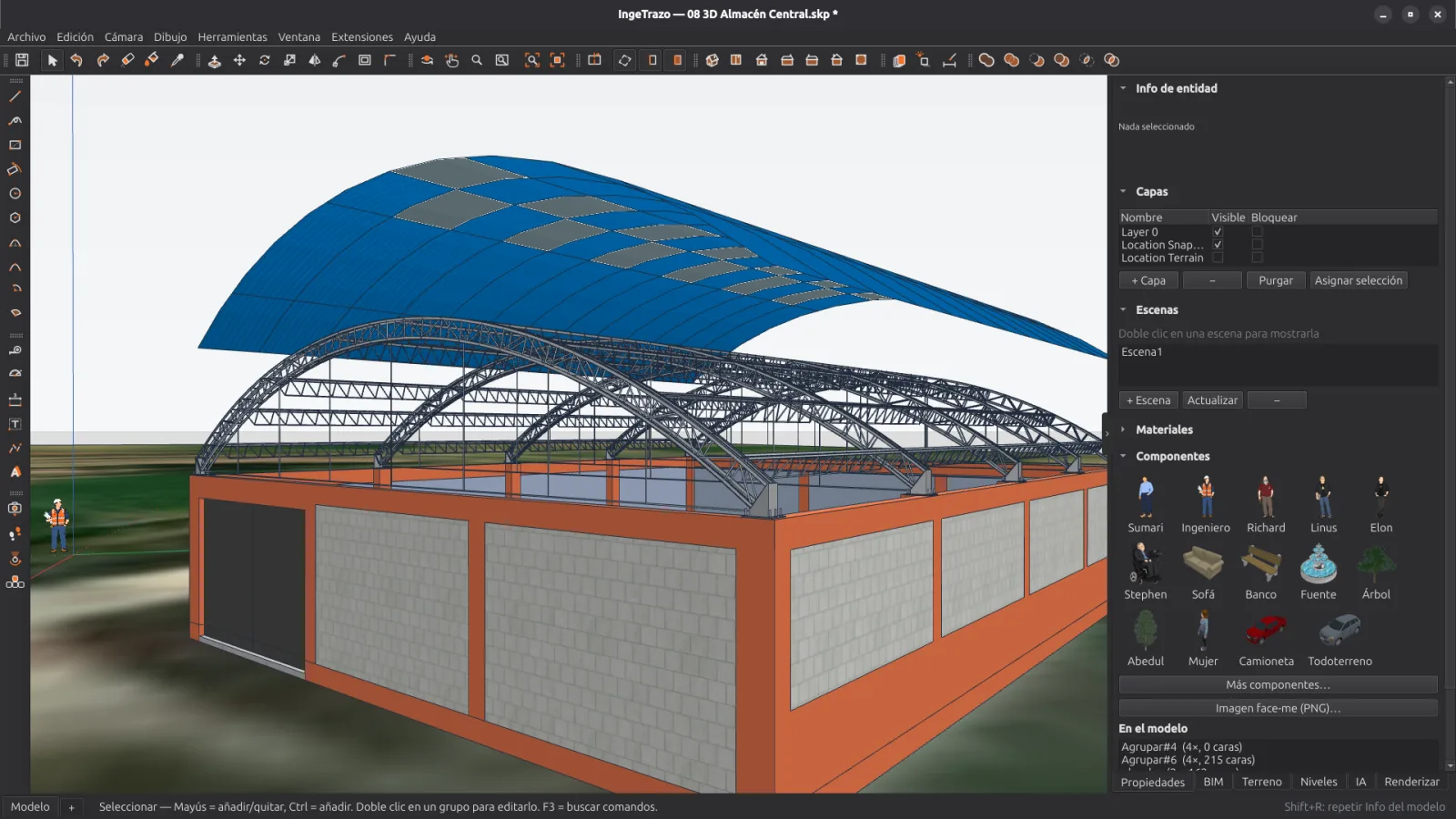
Draw as if by hand with exact measurements, or import your drawings and models.
2
Complete
Real-size materials and textures, components, the real terrain and the sun’s shadow.
3
Deliver
Scaled PDF drawings, images rendered with Blender, and DXF, COLLADA, glTF or OBJ files.
Everything you need to model, tag and draw
Draw as if by hand
Draw lines, rectangles, circles and arcs; push a face and you have a solid. No layers of CAD complexity between your idea and the model.
Push/Pull, Follow Me, Offset — you model by pushing faces, no menus in the way
Exact measurements from the keyboard — type 3.50 and the line is 3.50 m long
Smart inferences — axes, extensions, parallels and perpendiculars
Materials, textures and dimensions on any face
BIM, step by step
An optional layer we are building: you model freely and, when you need it, tag the geometry as a wall, slab, column or door.
BIM tags — mark walls, slabs, columns and doors on what you already drew
Quantities — m² of wall and m³ of column for what is tagged, as a CSV table
IFC 4 export — an open file to take the model to other programs
In development — it grows with each version; tell us what you need on GitHub
Solids guaranteed watertight: if an operation would break the volume, the engine rejects it instead of corrupting your takeoff.
The terrain is where it starts
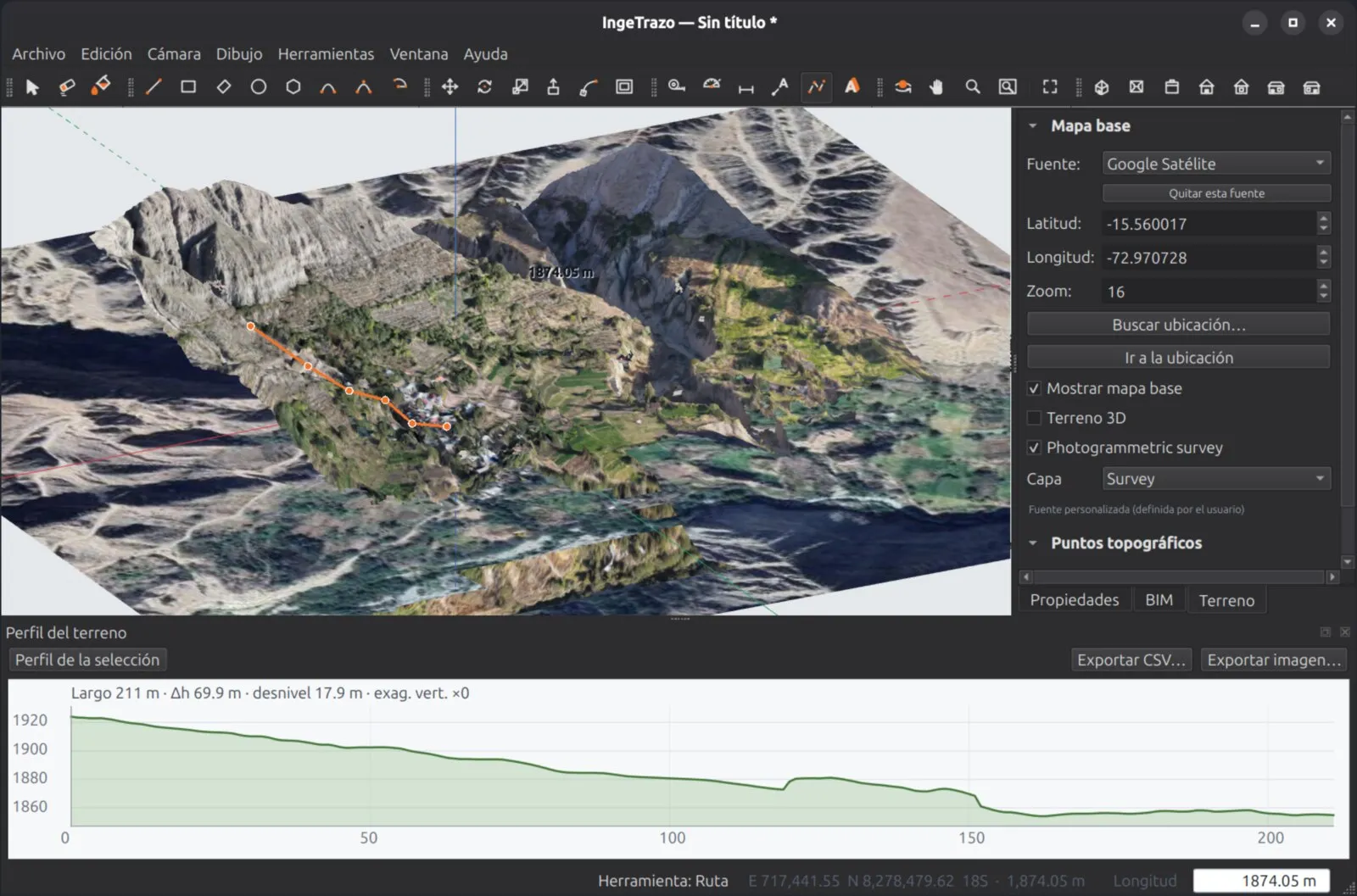
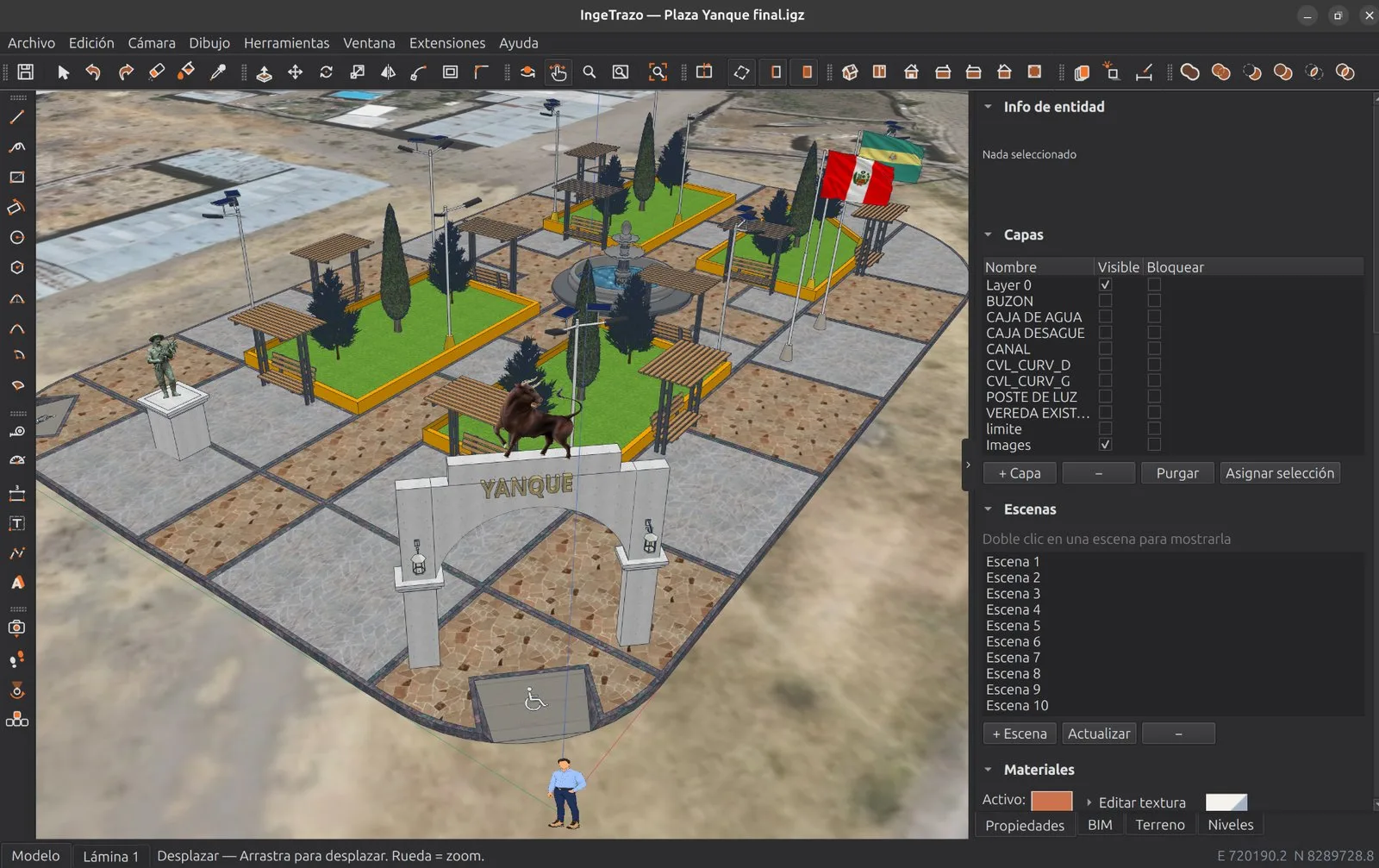
Place your project in the real world: satellite imagery, 3D relief and field data, right inside the modeler.
3D terrain with satellite imagery — real elevations of your site
Longitudinal profile — draw a route and see its profile instantly
Drone survey (WebODM) — your textured photogrammetry mesh as a reference, with real elevations
GPS / total station points — import your CSV in UTM and draw on exact points
UTM WGS84 throughout the interface — type the Zone/E/N just as your instrument reports it
Project north — draw square to the axes; the map, the terrain and the shadows rotate underneath
Georeferenced routes and boundaries, with chainages and areas
The whole modeler works offline; only the map uses the internet.
From the model to the printed drawing
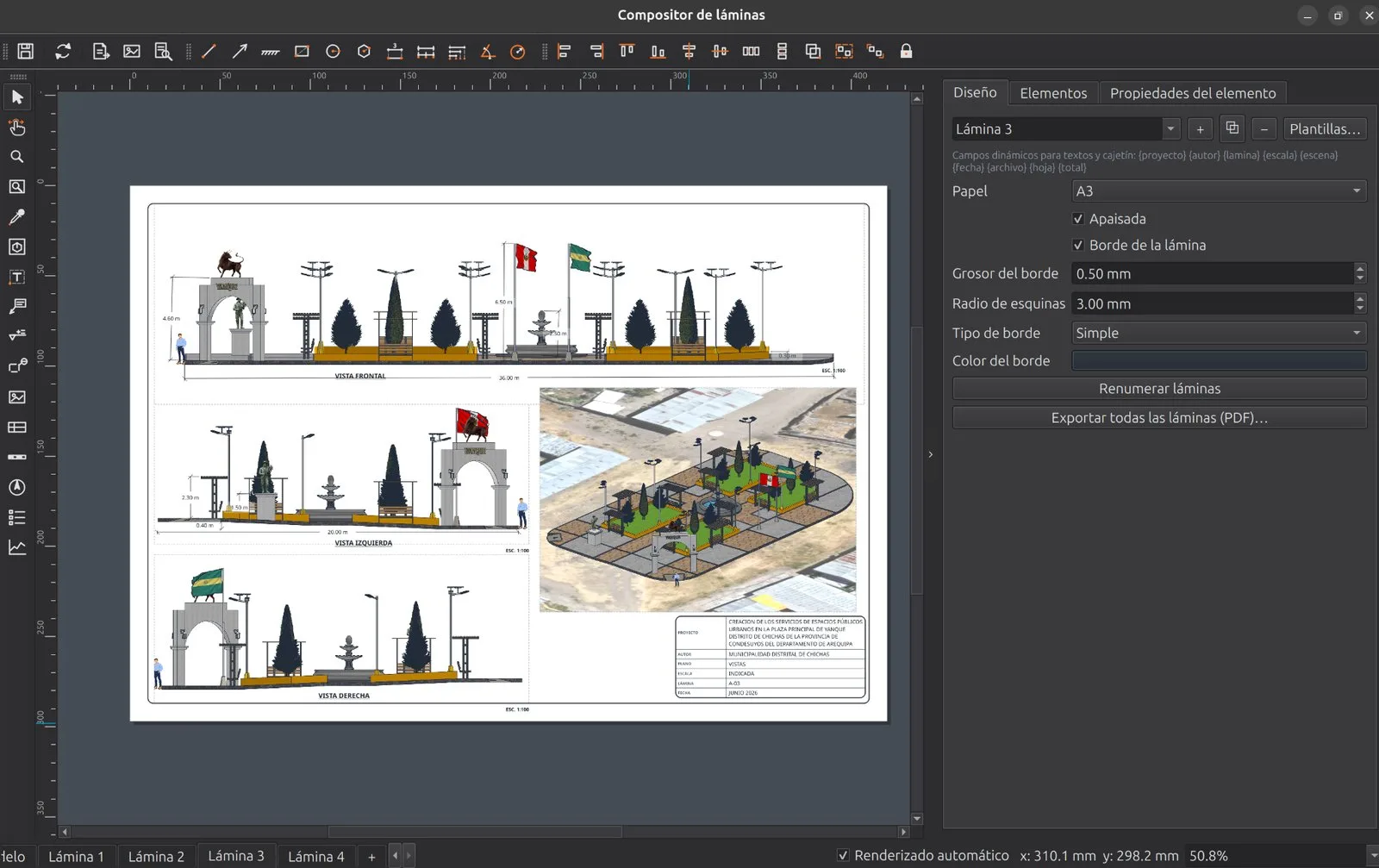
Compose sheets as in QGIS: views of the model at exact scale on the sheet, dimensions that re-measure themselves, and vector PDF ready for the project file.
True scale, guaranteed — 1:100 in a 200 mm frame is 20 m of model, always
Dimensions anchored to the model — edit the wall and the dimension moves and re-measures itself; chained dimensions with their total, and level marks that read the height of the point
Exact hidden-line vector style — three pens (cut, profiles, edges) and poché in sections: the drawing a draftsperson would ink
Numbered view titles, section marks and detail callouts — the plan shows where section A-A cuts and which sheet enlarges each detail
Editable title block, graphic scale and north arrow — and several sheets per document, to PDF in one click
DXF to IngeCAD — the vector view, with one layer per line class, ready to finish the 2D details in the ecosystem's free CAD
And there’s more
Model with AI, inside the app or from Claude
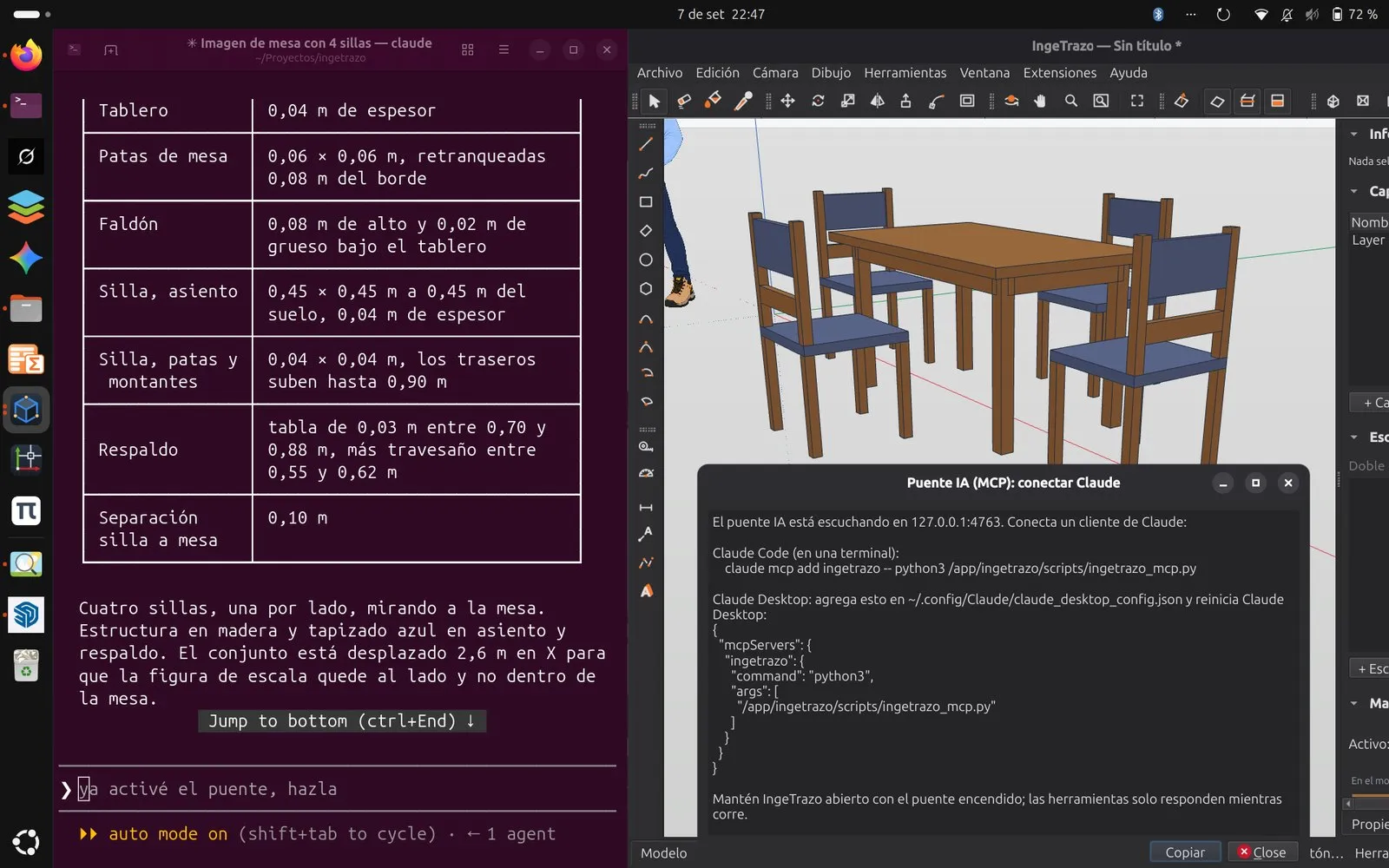
Describe what you want —or attach a photo— and the AI writes the recipe: revolves, extrusions, Python over IngeTrazo's action API. The deterministic engine runs it: every step is one undo, every recipe goes through the watertightness guard, and the model is still yours, editable by hand.
Built-in AI Assistant (the AI tab of the sidebar, Ctrl+Shift+A) — a chat with your own key: Groq (with a free tier), Gemini, OpenAI, Anthropic, OpenRouter, DeepSeek or a local model with Ollama. No middlemen
It sees what it does — it gets viewport screenshots and corrects based on what it sees; with Photo… it rebuilds what an image shows, using the measurements you give it
MCP bridge for Claude Desktop and Claude Code — the agent draws, queries and sees the model live, in the open app; one undo step per action and, if its code fails, the document comes back intact
Populating a scene shouldn't cost you the afternoon
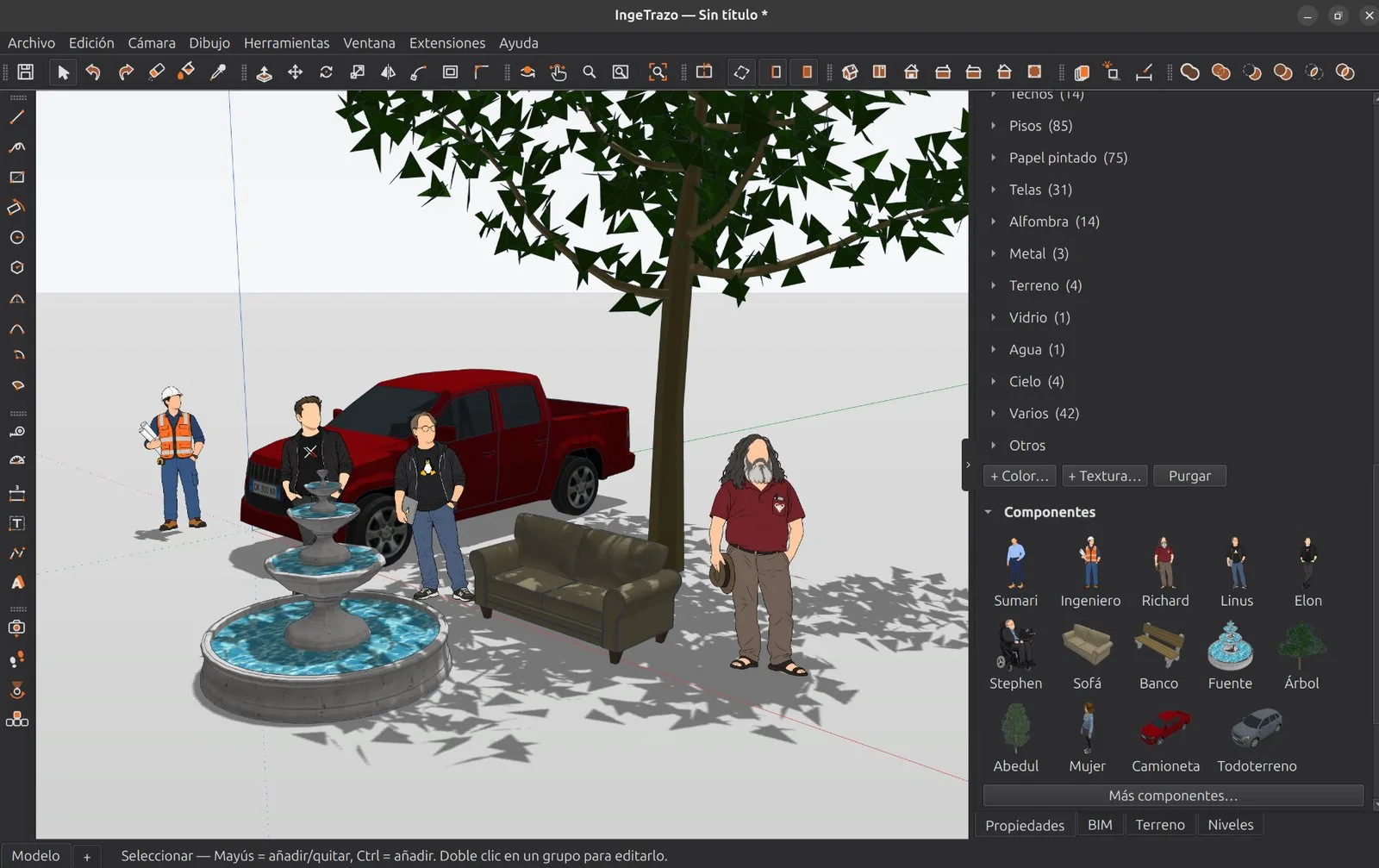
A model makes sense once it has people next to it, a tree and a car. IngeTrazo brings 1,510 components one click away and 427 textures — and each one arrives at its real size, not whatever size it happens to get.
1,510 models online — furniture, doors, windows, trees, vehicles and people. Browsing costs kilobytes: only the one you click is downloaded, and it's kept
Offline too — eight models and six scale figures come inside the program
427 textures at their real size — a brick looks like brick because the catalog says how big it is, not because you eyeballed it
All the content comes from the free Sweet Home 3D library (CC0, CC BY and Free Art License); IngeTrazo always shows the license and author of each piece.
Bring your drawings and models
Your years-long library doesn't get left behind — and neither do your colleagues: IngeTrazo imports DWG and DXF drawings, .skp models of every version thanks to OpenSKP, an open reader, and OBJ, COLLADA, glTF and STL — no converters, no extra installs.
DWG and DXF drawings — each layer a group, ready to trace over and build up
With everything inside — groups, components, materials, textures, layers, scenes, dimensions and leader texts
To take your model back — export COLLADA (.dae), glTF or OBJ, which almost any 3D program opens
Plus OBJ, COLLADA, glTF, STL and IFC
Community extensions
Tools other users add to IngeTrazo: stairs, kitchen cabinets, sun and shadows, AI rendering, multiple viewports and more. All free, with their code published; install only the ones you need.
Part of a family of open-source software for engineering.
IngeTrazo isn't alone. From the same author and under the same license, two more programs cover drafting and construction cost estimating. All three talk to each other.
2D CAD · Linux
IngeCAD
Open-source 2D drafting in the style of classic AutoCAD, with round-trip DWG and DXF. The views on your sheets come out as DXF, ready to open there.
Import your model's IFC and build the estimate with unit cost analysis, a Gantt schedule with round-trip to MS Project, and a price-adjustment formula with Peru's INEI indices.
All under GPL-3.0-or-later, with no paid editions. The code for all three lives at github.com/ingelibre.
Open source. Forever.
IngeTrazo is open-source software under the GPL-3.0. Your models live on your computer, in an open format you'll always be able to read. Made in Peru for engineers, architects and designers all over the world.
Open the .dmg and drag IngeTrazo to Applications. It isn't signed with an Apple account yet, so the first time macOS won't open it with a double-click and says it can't verify the developer: allow it once with the steps below. From then on it opens normally, and .igz and .skp files open with a double-click. Packaged by Félix Riestra.
macOS won't open IngeTrazo: how to allow it
macOS 15 Sequoia or later (right-click is no longer enough):
Try to open IngeTrazo and click Done in the warning.
Open the Apple menu ▸ System Settings ▸ Privacy & Security.
Scroll down to Security: it says IngeTrazo was blocked. Click Open Anyway and confirm with Touch ID or your password.
macOS 14 or earlier: in Applications, right-click (or Control-click) IngeTrazo ▸ Open, then Open in the warning.
If it still won't open, remove the "downloaded from the internet" flag in Terminal and open it again:
Only do this for software you trust: the one on this page is the same code published on GitHub. Guide contributed by the community in discussion #324.
For Macs with Apple Silicon (M1 and later). What doesn't work on Mac yet: DWG import; opening .skp does. If something fails, tell us in a GitHub issue.
Examples to open and take apart
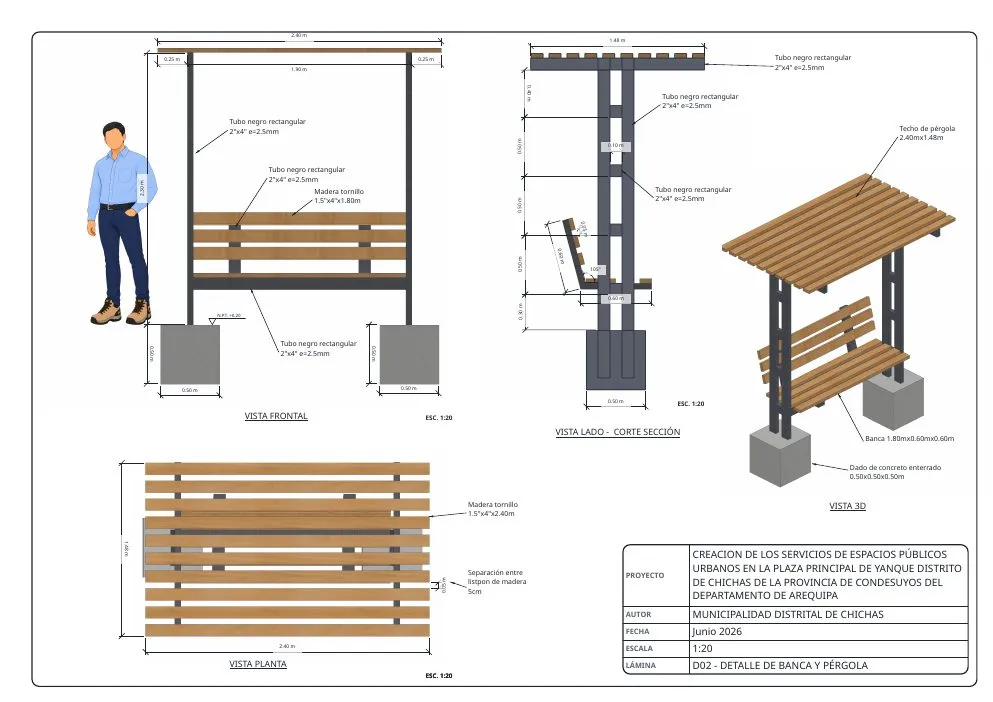
Four real documents from the remodeling of the Yanque plaza, Chichas district (Arequipa, Peru, 2026): the model with its scenes and its A3 sheet exactly as it comes out of IngeTrazo, with the PDF alongside. Download them and open them with File ▸ Open.
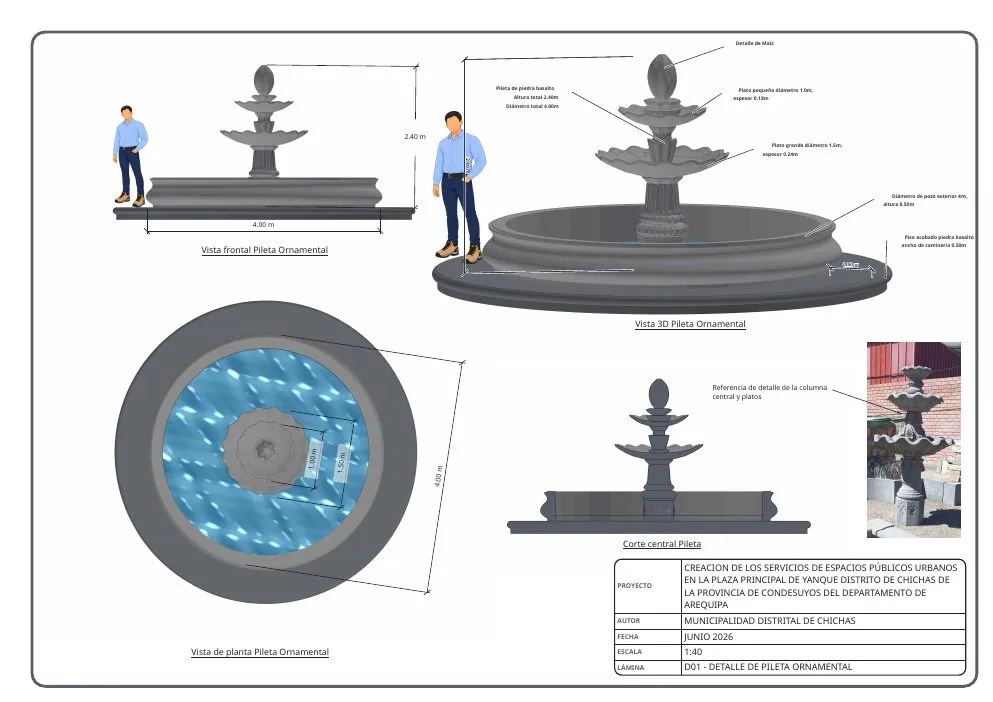
Fountain
Octagonal pedestal, fluted shaft and two basins with wavy rims: 22 component instances, shadows from the real sun and a section plane. The sheet has front view, 3D, plan and section at 1:40.
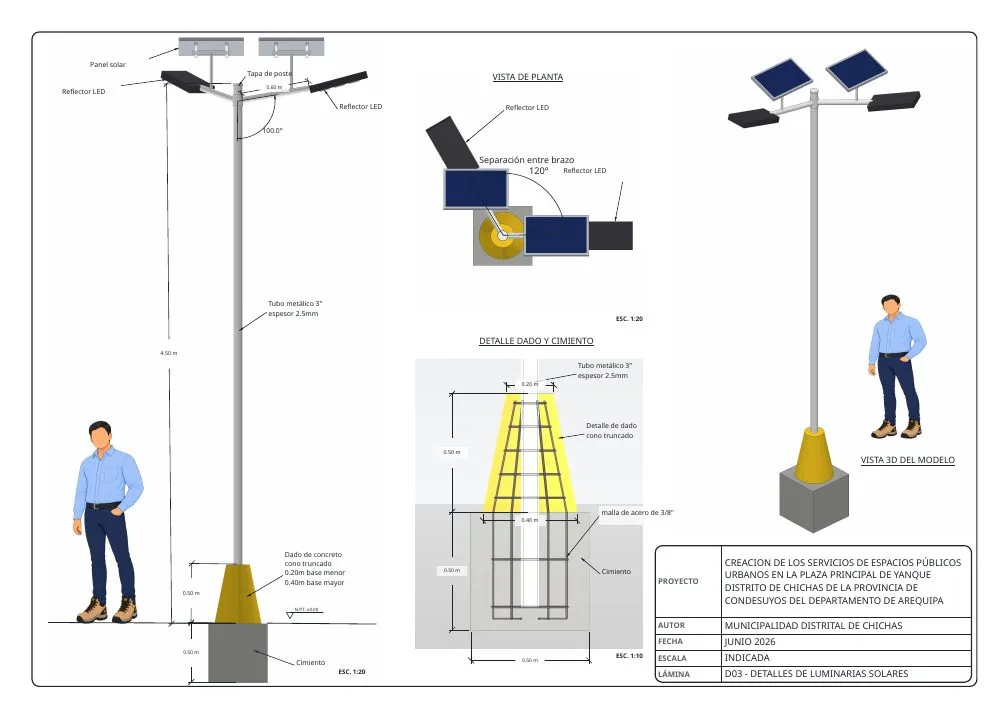
A 4.5 m pole with two floodlights and its panel, a truncated-cone pedestal, a buried footing and the 3/8" rebar drawn inside — modeled with recipes by the AI Assistant. The sheet includes the pedestal detail.
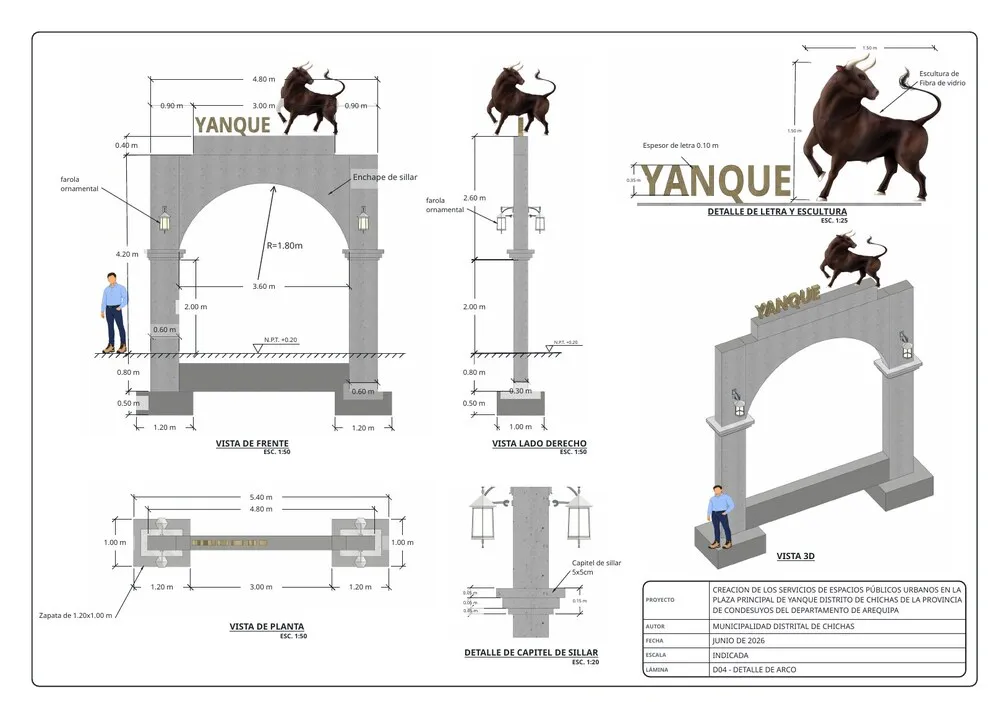
Following structural sheet E02: concrete and all the reinforcing steel (footings, columns, segmental arch, beam and tympanum), ashlar capitals, four ornamental lamps, lettering and sculpture; look at it in X-Ray. Sheet D04: front, side, plan and 3D at 1:50, the lettering and sculpture detail at 1:25 and the capital detail at 1:20, with levels, ground line and leader labels.
All together in every release: IngeTrazo-ejemplos.zip · or in the examples/ folder of the repository. Documents by Ing. Marco Sumari under CC BY 4.0; they require IngeTrazo 0.3.15 or later.
Frequently asked questions
What everyone asks before drawing their first line.
What does open source mean here?
IngeTrazo is open-source software under the GPL-3.0: you may use it for any project, study how it works, improve it and share it, with its source code published on GitHub. Your models are yours.
What makes IngeTrazo different?
It is open-source software (GPL-3.0) and runs natively on Linux, as well as Windows and macOS. It guarantees watertight solids and brings an optional BIM layer, in development. It composes sheets at scale into PDF, brings in real terrain (satellite, elevation, drone, GPS points) and connects to AI assistants that draw with the same engine, every step undoable.
Which formats does it open and save?
It opens its own .igz documents, DWG and DXF drawings, .skp models of every version (through OpenSKP, an open reader IngeTrazo contributes to), COLLADA (.dae), OBJ, glTF and STL. It saves to .igz, an open format, and exports COLLADA, OBJ, glTF, STL, IFC, DXF and PDF drawings.
Does it do BIM?
An optional layer, in development: you can tag geometry as a wall, slab, column or door, get its quantities (m², m³, units) and export it to IFC, the standard format other programs read — including IngePresupuestos. It grows with each version.
Can I produce the project drawings?
Yes. The sheet composer places views of the model at exact scale (1:50, 1:100…) on A4–A0 sheets, with dimensions anchored to the model that update when the model changes, an editable title block, graphic scale, numbered view titles, section marks, level and chained dimensions, detail callouts, and a vector hidden-line style with pens and poché. Export each sheet — or the whole set — to vector PDF, and the view to DXF.
Can I add features with plugins?
Yes. Since version 0.3.2 IngeTrazo has an Extensions menu: copy a plugin (a Python file) into your personal folder and its tools show up in the menu. Two come built in: Model Info (statistics, materials with painted m², and BIM objects) and a Python Console to inspect and automate the model with code, all tied into undo. The guide is in the manual (Spanish).
Does it have artificial intelligence?
Yes, in two ways. The built-in AI Assistant is a chat: paste the key of whichever provider you prefer (Groq has a free tier; also Gemini, OpenAI, Anthropic, OpenRouter, DeepSeek, or Ollama on your own machine) and describe the model in words or with a photo. And the MCP bridge lets Claude Desktop or Claude Code draw directly in the open app. In both cases the AI generates recipes that the engine executes —never blind meshes—, every step can be undone and the model stays editable by hand. Without AI, IngeTrazo works just the same, and offline.
Does it work offline?
Yes, the whole modeler works offline and your files live on your computer. Only the satellite map and the 3D terrain download imagery from the internet while you use them.
How do I install it?
On Windows: download the installer from the Download section, double-click and you're done (it associates .igz files). On Linux: download the Flatpak (double-click and GNOME Software / KDE Discover installs it, with .igz and .skp files associated), the AppImage (make it executable and open it) or, if your distro lacks FUSE, the tar.gz: extract it anywhere and run ingetrazo. If something doesn't work, --check tells you what's missing. On macOS (Apple Silicon): download the .dmg from Download ▸ macOS, drag IngeTrazo to Applications and the first time allow it in System Settings ▸ Privacy & Security ▸ Open Anyway (on macOS 14 or earlier, right-click ▸ Open), because it isn't signed with an Apple account yet. You can also run it from source with 3 commands.
Is it good for 3D printing?
Not its strong suit yet, but it's on the horizon. Today you can export to binary STL and take it to your slicer, and the solids the engine makes are closed; what it doesn't have yet are dedicated 3D-printing tools (wall-thickness checks, overhangs, mesh repair, 3MF). They're planned for the future.
How do I report a problem or contribute?
The project lives on GitHub: open an issue with your sample file, suggest improvements or send code. You can also get in touch by email.