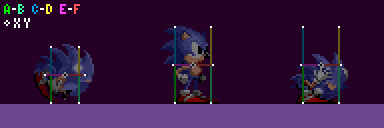
The Player has a larger set of Sensors than most other objects.
|
| Sensor
|
Purpose
|
Relative Offset
|
| A & B
|
Ground
|
(Width Radius, Height Radius)
|
| C & D
|
Ceiling
|
(Width Radius, 0 - Height Radius)
|
| E & F
|
Walls
|
(Push Radius, 0)
|
|
| White points represent Sensors positions.
|
Note: X values are inverted for each 1st Sensor.
|
The Player sprite appears 1px further inside a Block when facing left. This does not occur with most objects due to their hitboxes having a (1, -1) X & Y Offset. More about object collision in Solid Objects.
Note: Angles found by all sensors take flagged Blocks into account.
Grounded
The Ceiling Sensors aren't active while grounded. The Push Sensor the Player is moves towards will be active, but when Ground Speed is zero or the Ground Angle isn't between -90° to 90° inclusive, neither will be checked.
Note: In S3K, Push Sensors will be active when the Player's Ground Angle is a multiple of 90° (64).
| Determining The Mode
|
|

|
| Mode
|
Range
|
Range (Wall)
|
Real Offset
|
| Floor
|
315° (224) -
45° (32)
|
316° (223) -
44° (31)
|
(X, Y)
|
| Right Wall
|
46° (33) -
134° (95)
|
45° (32) -
135° (96)
|
(Y, -X)
|
| Ceiling
|
135° (96) -
225° (160)
|
136° (97) -
224° (159)
|
(X, -Y)
|
| Left Wall
|
226° (161) -
314° (223)
|
225° (160) -
315° (224)
|
(-Y, X)
|
|
| Note: Push Sensors have larger Wall ranges.
|
| Ground Sensors
|
|
|
|
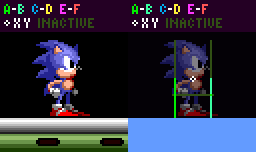
| Ground Sensors at the Player's feet.
|
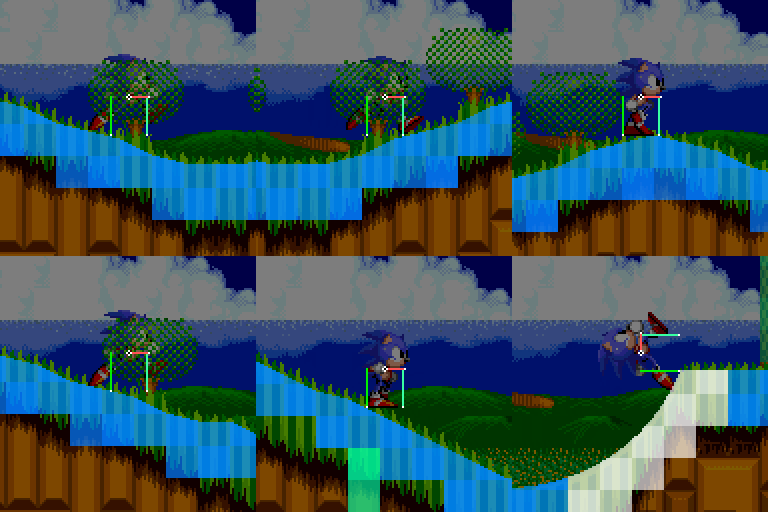
Ground Sensors while moving.
|
Both Sensors search for a Solid Block, with the lesser distanced sensor being used. If both distances are the same, Sensor A has priority. In Sonic 1, if distance isn't between -14 to 14 inclusive, the Player won't collide. In Sonic 2 onwards, it's between -14 to min(abs(X Speed) + 4, 14), the faster the Player moves, the greater the distance can be. Distance offsets the Player out of the ground, and Ground Angle will be used from the winning sensor's Block.
| Edge Balancing
|
|
|
| X Position from the edge
|
|
| -1px
|
0px
|
10px
|
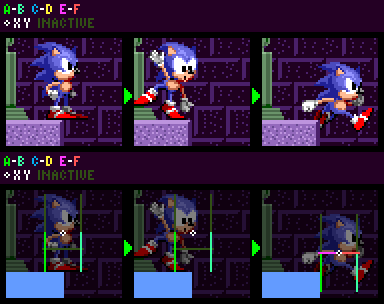
When Ground Speed is 0, and only a single Block was found, an extra sensor checks at the Player's X and Y Position + Height Radius for one. If none's found then the balancing animation plays. In Sonic 2 onwards, if the Player is 6px away from a ledge, an alternate animation will play.
Note: While balancing, the Player can't duck, look up, Spindash, etc. In Sonic 3 & Knuckles, the Player can duck and Spindash (not to look up) when balancing on the ground but not on an object.
| Push Sensors
|
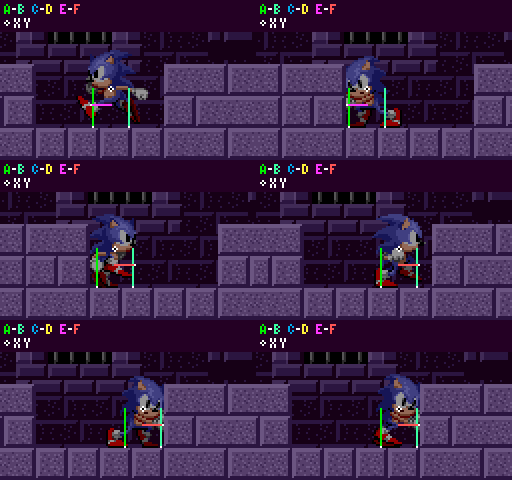
|
| Sensors move 8px down when Ground Angle is 0
|
Like in Main Game Loop, wall collision happens before Player's position is updated, so X and Y Speed is added to the Sensor's position. When the Player collides (when distance isn't positive), The distance will offset X/Y Speed to move out of the wall (practically like offsetting X/Y Position if it was updated), and Ground Speed is set to 0.
| Jump Check
|
| When the Player tries jumping, the Ceiling Sensors activate, and if the closest distance found is less than 6 the Player won't bother jumping at all.
|
Airborne
The Player's angle will not rotate the Sensors, and only 4 to 5 will be active at any given time, the game will check the angle of X and Y Speed through the air, picking a quadrant using the angle found.
| Range
|
Values
|
Active Sensors
|
| Up
|
316° (224) to 45° (31)
|
Ceiling, and both Wall Sensors.
|
| Right
|
46° (32) to 135° (95)
|
Ground, Ceiling, and the right Wall Sensors.
|
| Down
|
136° (96) to 225° (159)
|
Ground, and both Wall Sensors.
|
| Left
|
226° (135) to 315° (223)
|
Ground, Ceiling, and the left Wall Sensors.
|
Note: A similar result can be found by comparing X and Y Speed and using the dominant direction being moved along.
| Ground Sensors
|
Distance above 0 is disregarded. When moving Down, distance less than -(Y Speed + 8) is disregarded. When moving Left/Right, Y Speed has to be less than 0. Upon successfully colliding, the distance will offset the Player's Y Position, Grounded Flag is set, Ground Angle is updated, and Ground Speed is calculated.
|
Note: Due to these conditions, Top Solid blocks can be jumped through.
| Ceiling Sensors
|
|
| The game will then test if the Player should land or not. (see Slope Physics). Upon successfully colliding with a ceiling, the winning distance will be subtracted from the Player's Y Position, and the same routine happens when landing on the ground.
|
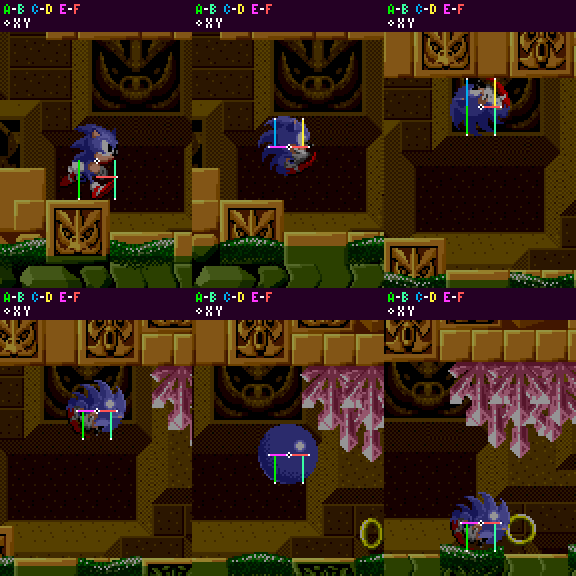
|
| They perform in the exact same way as the Ground Sensors, but flipped. Distance is processed the same as well, mainly being that if the distance is less than 0, the Player will collide.
|
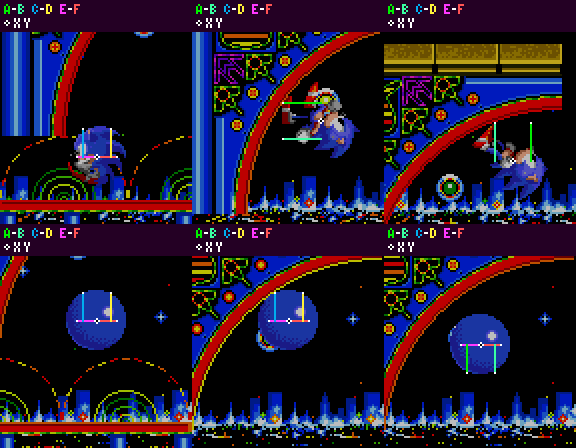
|
| Push Sensors (Airborne)
|
| Unlike on the ground, Push Sensors happen after Player Position is set, so it changes Player X Position and sets X Speed to 0.
|
Endnotes
| Bugs
|
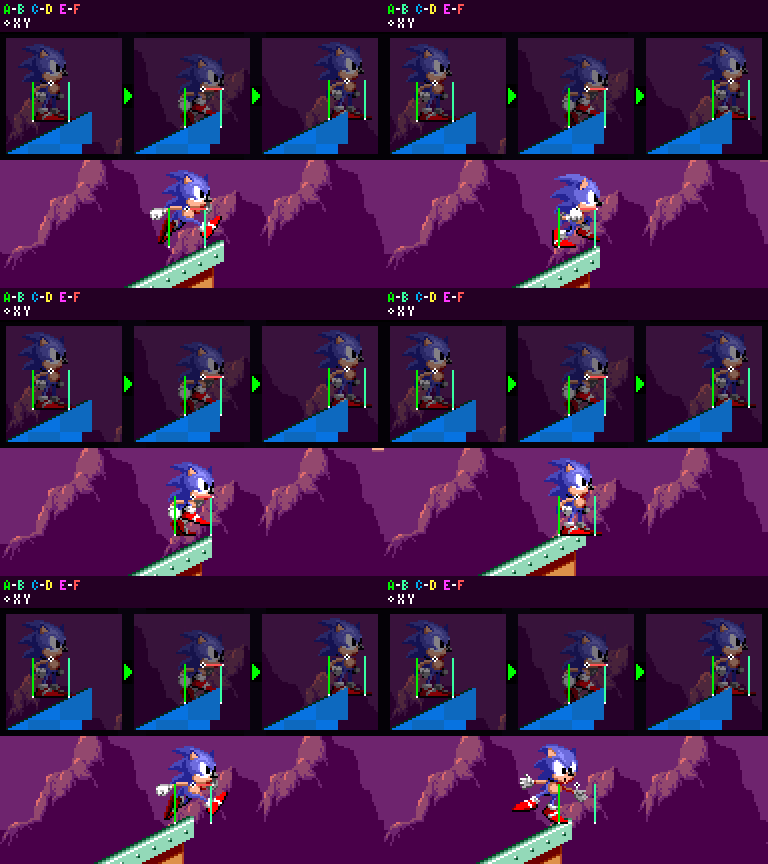
|
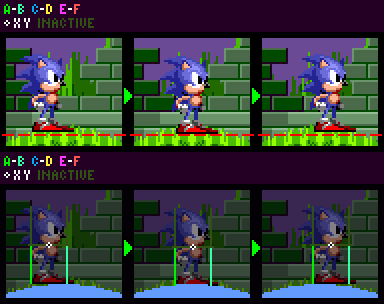
| Ground Sensors not using the highest point between the gaps. There's only a few areas where it's noticeable, but applies to all Mega Drive titles.
|
| Even if the player looks to be on a flat surface, the Block's angle from the left sensor is used regardless.
|
| Visualization
|
|
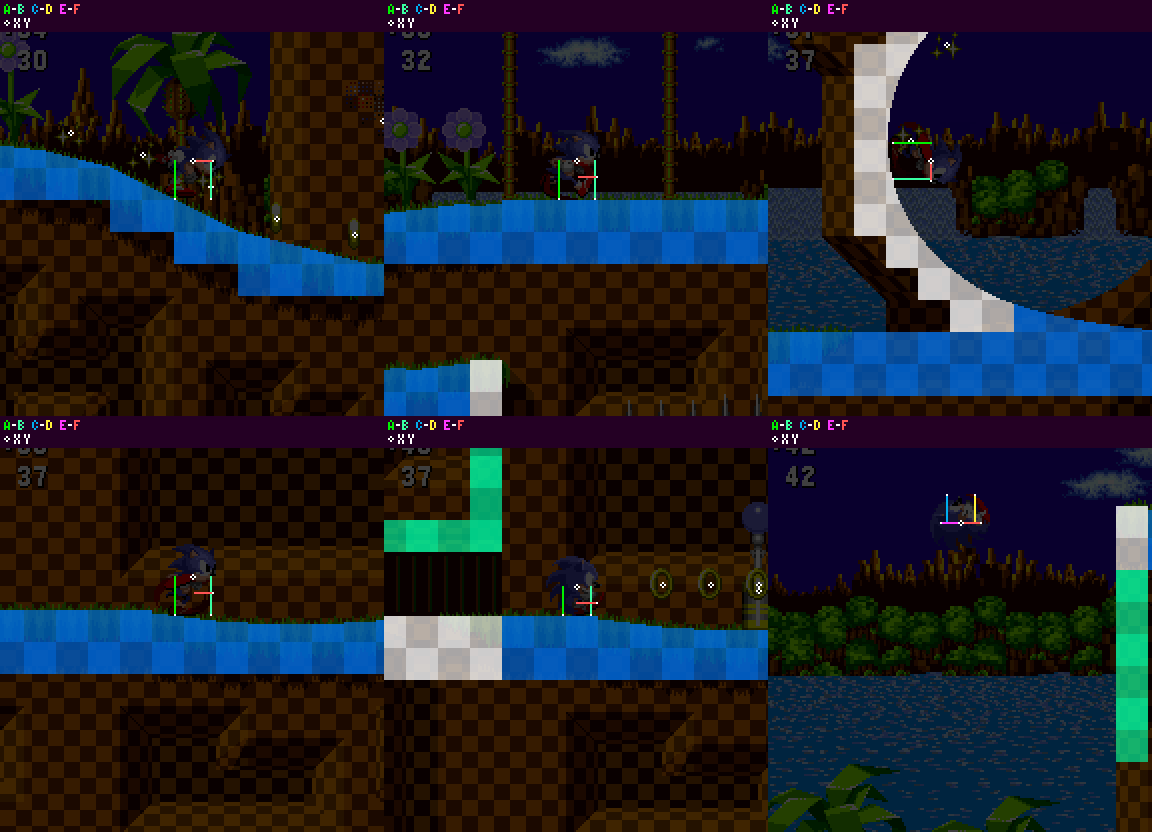
| How Sensors interact with solid Blocks during gameplay. You can notice the Sensors snap to the 4 cardinal directions based on the Ground Angle, resulting in the four collision modes.
|
Notes:
- This guide relies on information about Blocks and Sensors discussed in Terrain Collision.
- This page is part 1 of 2, detailing 360 Player collisions. For part 2, go to Slope Physics.


