A lot of worldwide popular products are heavily adopted by their internal team, such as Slack and Notion. In this article, we'll talk about how we use CronDog in our daily operations. Email notification is a critical component at CronDog, to ensure the component functions properly, we constantly monitor the email notification traffic to identify abuse. There are two ways to approach this: one is to generate a log each time an email is delivered, and use analytics solutions such as Splunk to fire an alert if the email traffic exceeds a certain threshold; at CronDog though, we realized that we could achieve this by setting up a scheduled CronDog task. The problem we are solving here is essentially counting email delivery events. So we created a database table that stores all such events. The schema is pretty straightforward but allows us to store user account id and additional data if we want to investigate further about the event. Whenever an email is delivered, we will create an event of type Then we created an API endpoint for us to count the events based on Request: Response Body: Now we just need to create an CronDog task that monitors the result of this API, and notify us when needed. Here's the task configuration: Every 5 minutes, the task issues an HTTP request to our event count API and then evaluates a notification rule that checks the Note that you may set up additional notifications via other channels such as SMS, Slack, and HTTP, in case the primary channel failed to deliver. Using the same pattern, we created more tasks to monitor events such as task execution failure and user account upgrade/downgrade. The API runs efficiently since we've indexed the We feel super excited when a new user joins CronDog - it's a validation of our product value and means more people could potentially benefit from CronDog's automation capabilities. To better monitor user growth, we created a daily CronDog email notification task. CronDog uses Okta for identity management, which means most CronDog user profiles are stored and maintained at Okta. To retrieve CronDog's total user count, we created a daily task that monitors Okta's user API. Here's the task configuration: Once everyday, the task issues a Note that the email template contains a template variable The task saved us from implementing a custom notification logic in the user registration flow, and it had been working great so far!Email Notification Volume Monitoring
CREATE TABLE `event` (
  `id` varchar(255) NOT NULL,
  `event_type` varchar(255) DEFAULT NULL,
  `data` mediumtext,
  `account_id` varchar(255) NOT NULL,
  `created_at` datetime DEFAULT NULL,
  `created_by` varchar(255) DEFAULT NULL,
  `updated_at` datetime DEFAULT NULL,
  `updated_by` varchar(255) DEFAULT NULL,
  PRIMARY KEY (`id`),
  KEY `idx_event_created_at` (`created_at`),
  KEY `idx_event_event_type` (`event_type`)
) ENGINE=InnoDB DEFAULT CHARSET=utf8;
email.send.success and persist it in the database.event_type and time range:GET /api/v1/events/count?eventType=email.send.success&sinceMinsAgo=5
{
    "eventType": "email.send.success",
    "count": 128
}
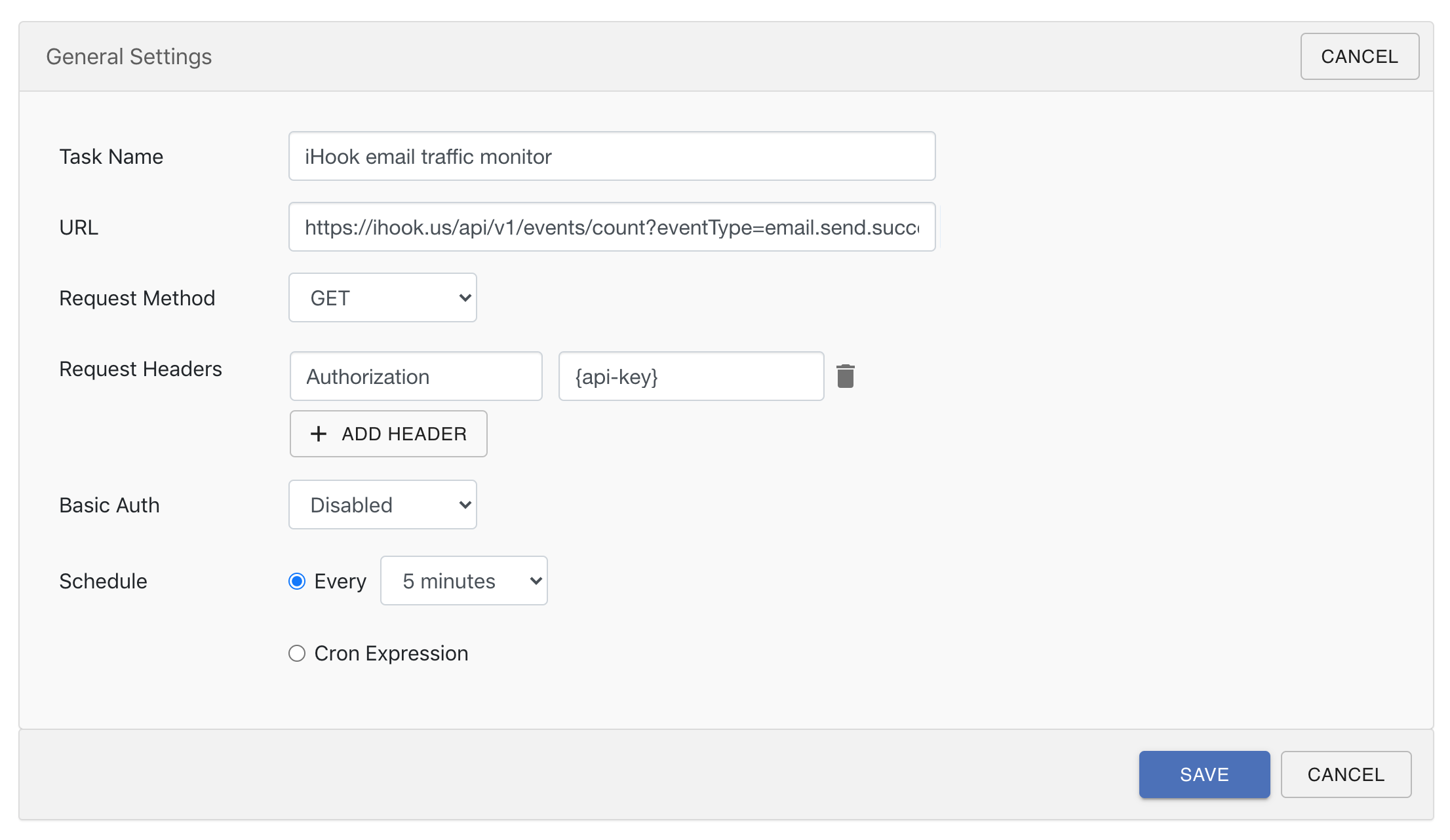
count property of the JSON response, when the count exceeds 5000, we will be notified via email.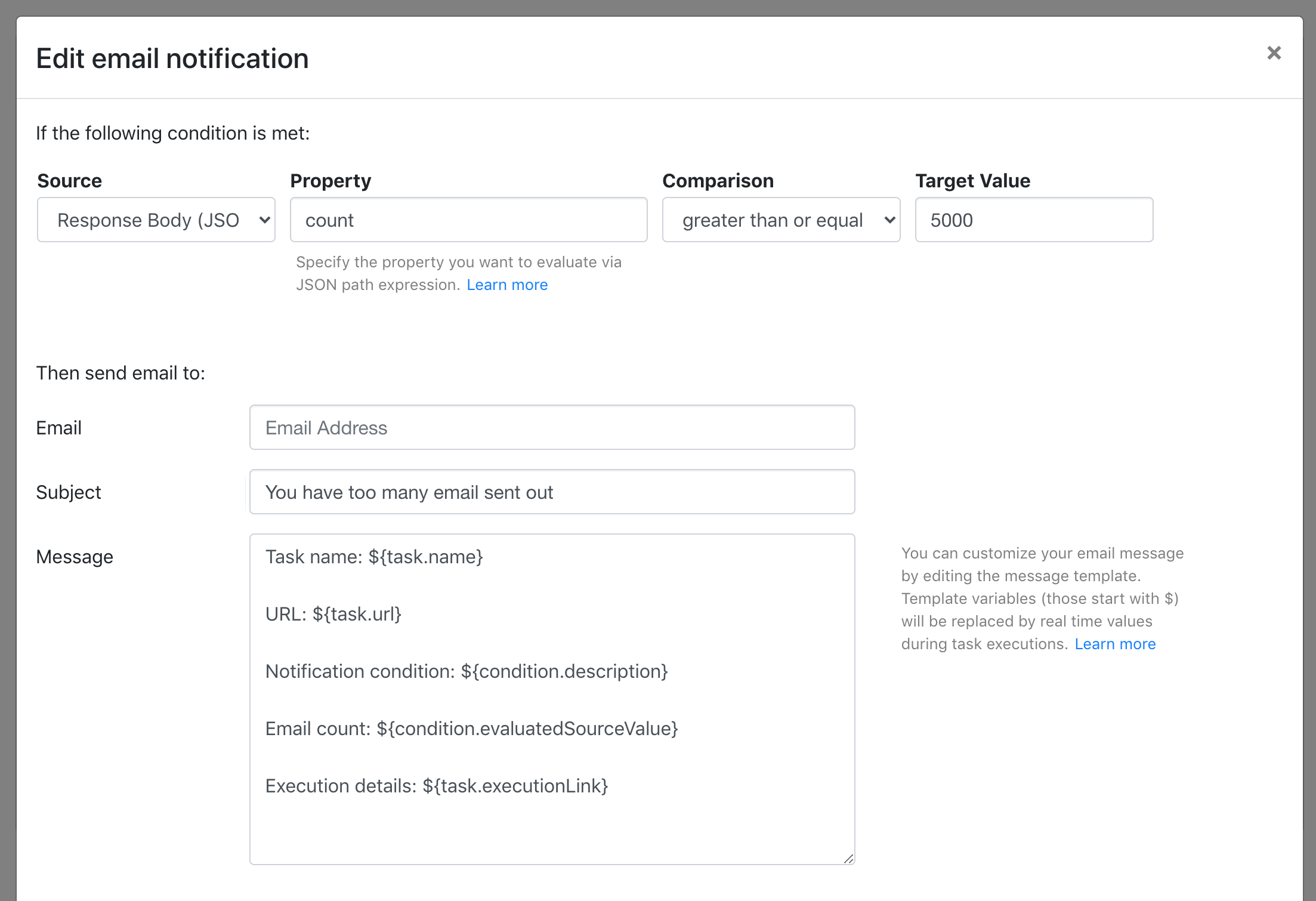
event_type db column. And this approach freed us from uploading log entries to a log analytics solution for monitoring, and thus reduces our cost.User Growth Tracking
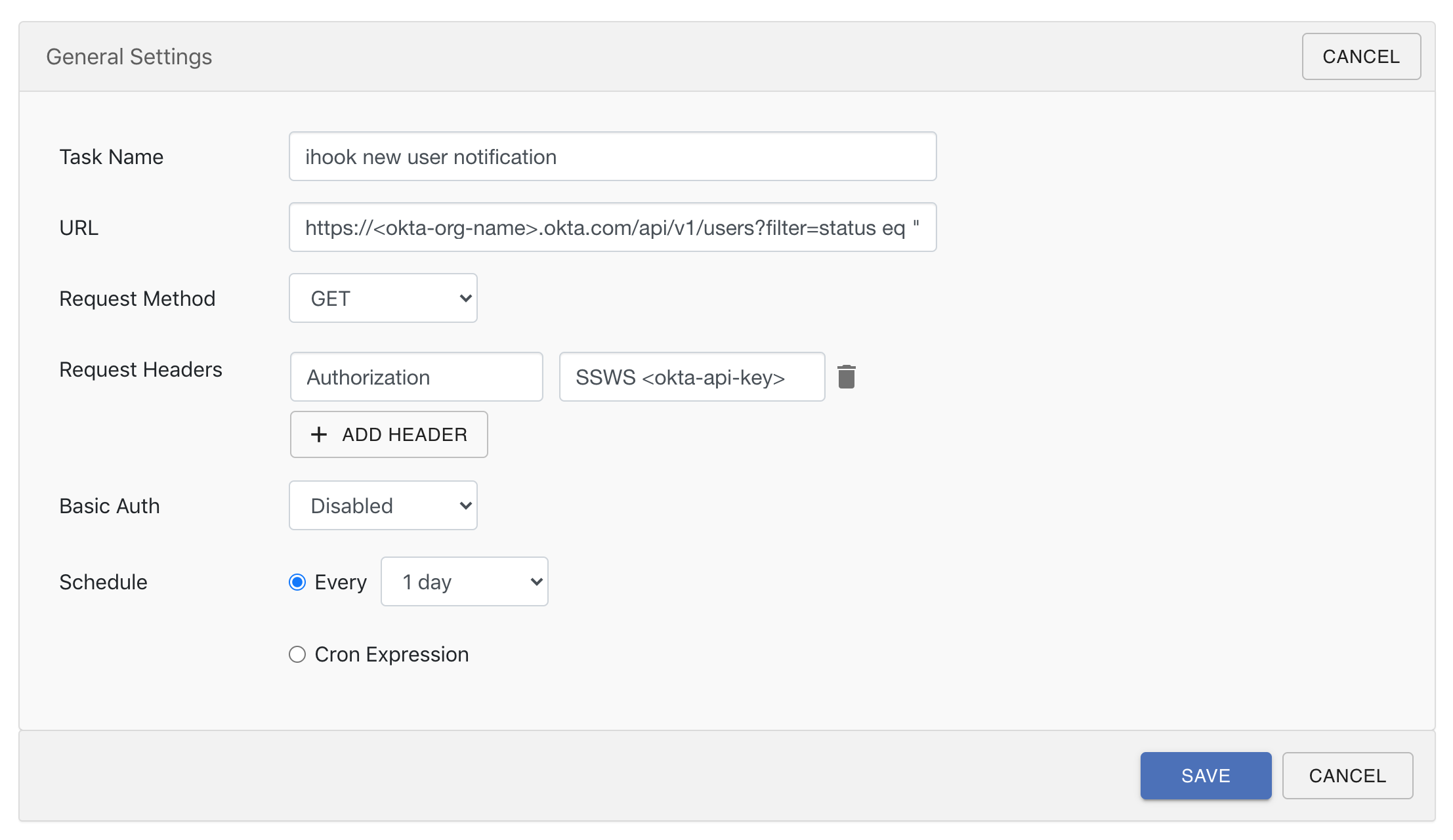
GET request to Okta's user API, which returns a list of active user object in JSON format, and then evaluates a notification rule that checks the user list size via the length() JSON path expression, when it changed from its last evaluated value, an email notification will be sent.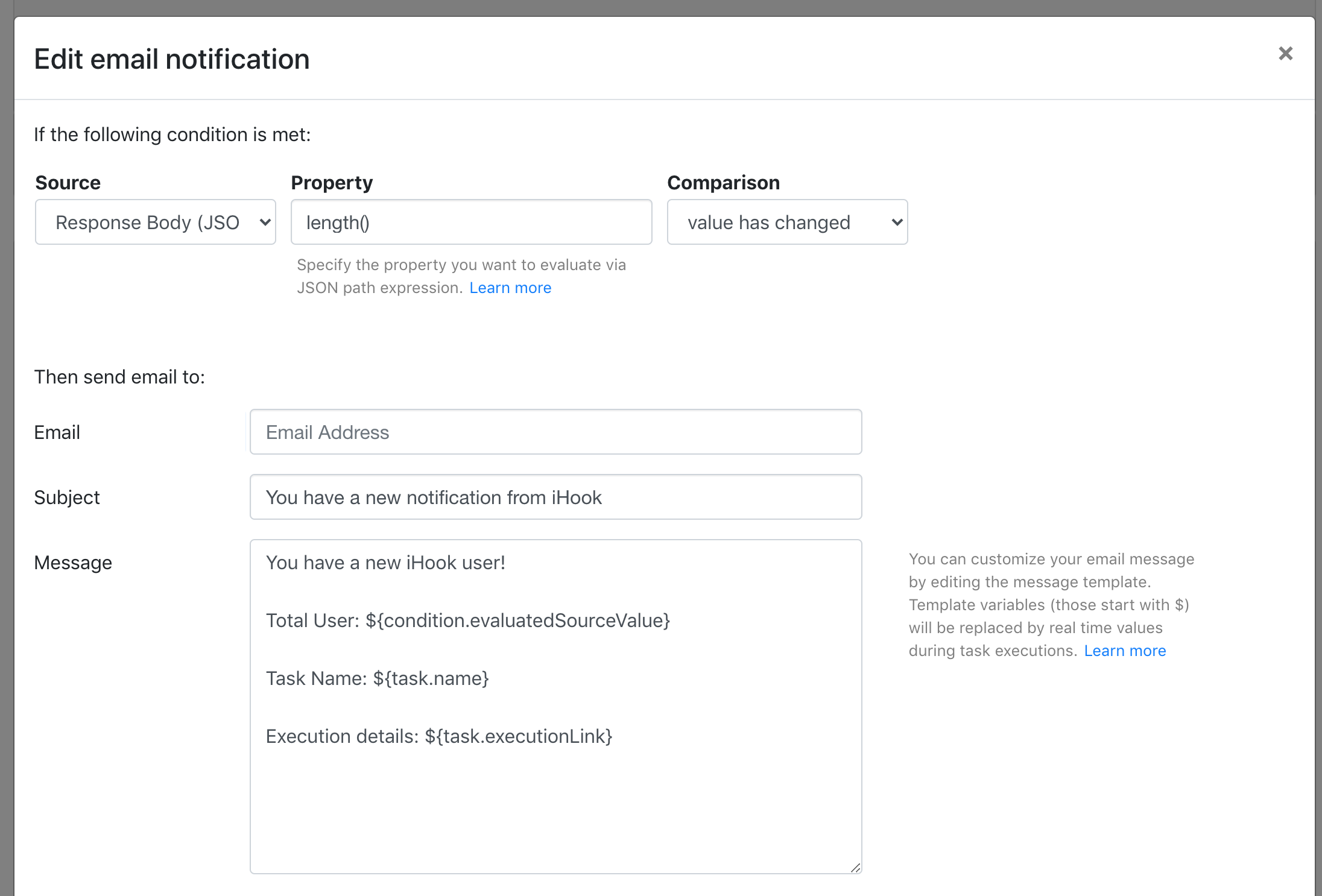
${condition.evaluatedSourceValue} that would turn into the actual total user count when the emails are delivered.