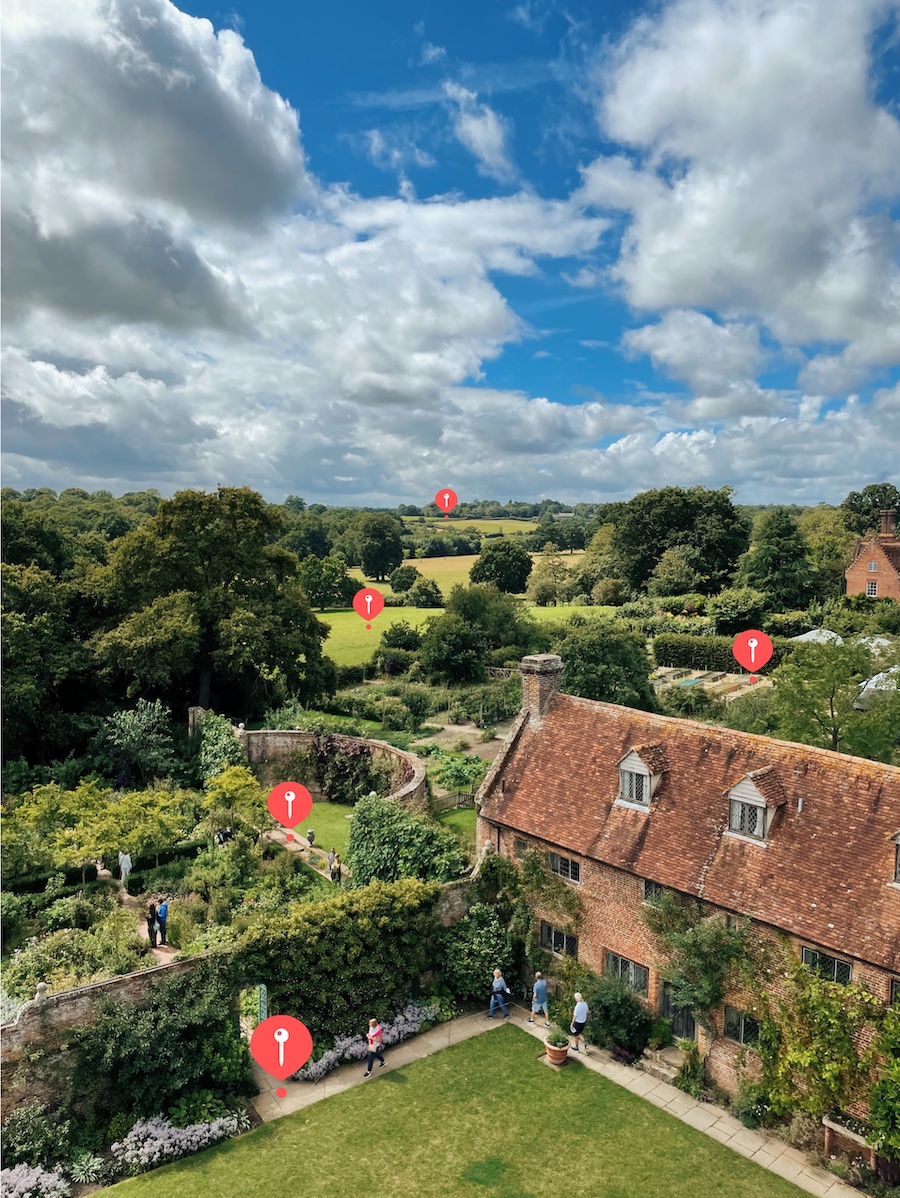
According to iOS’ Photos application, I’ve taken 73,281 photos over the past 14 years of owning an iPhone.
Each one of those images doesn't just contain the photo you see as you scroll through the Photos app — it contains a wealth of information stored encoded directly into the image file itself. It details useful metadata such as where the photo was taken (so that you can view your photos on a map at a later date), the time and date the image was taken at, which lens and zoom levels were used, the exposure, ISO, and aperture, amongst many others.
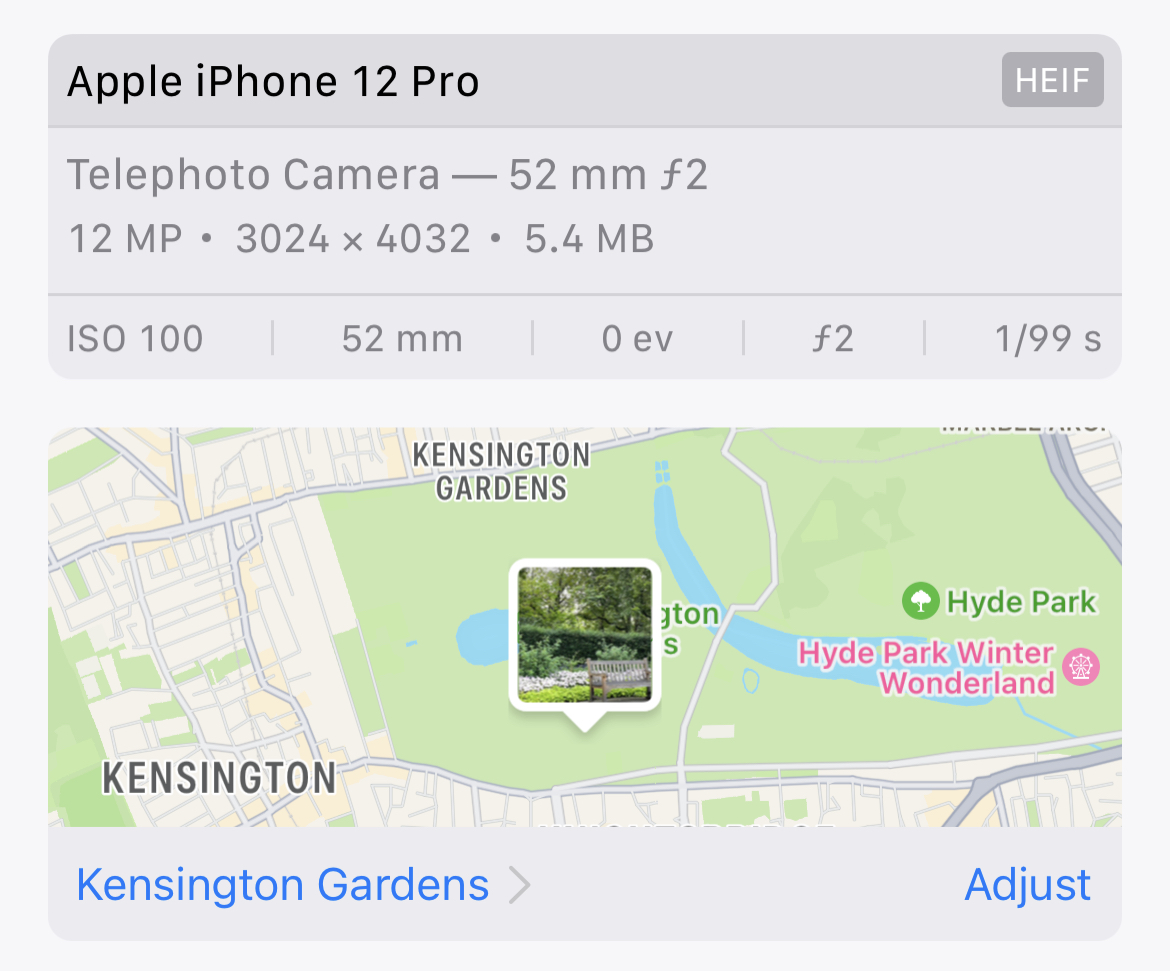
There are many, many tools for viewing this information. Whichever app you use to manage your photos will display this metadata alongside the image, such as in iOS 16 here:
This metadata is called EXIF (Exchangeable Image File Format) and is stored inside of the photo files themselves, appearing right at the start of the image (before any image data appears). If we inspect the contents of a JPEG photo directly exported from an iPhone, we see the EXIF data marker (FFE1) appear directly after the JPEG Start of Image marker (FFD8):
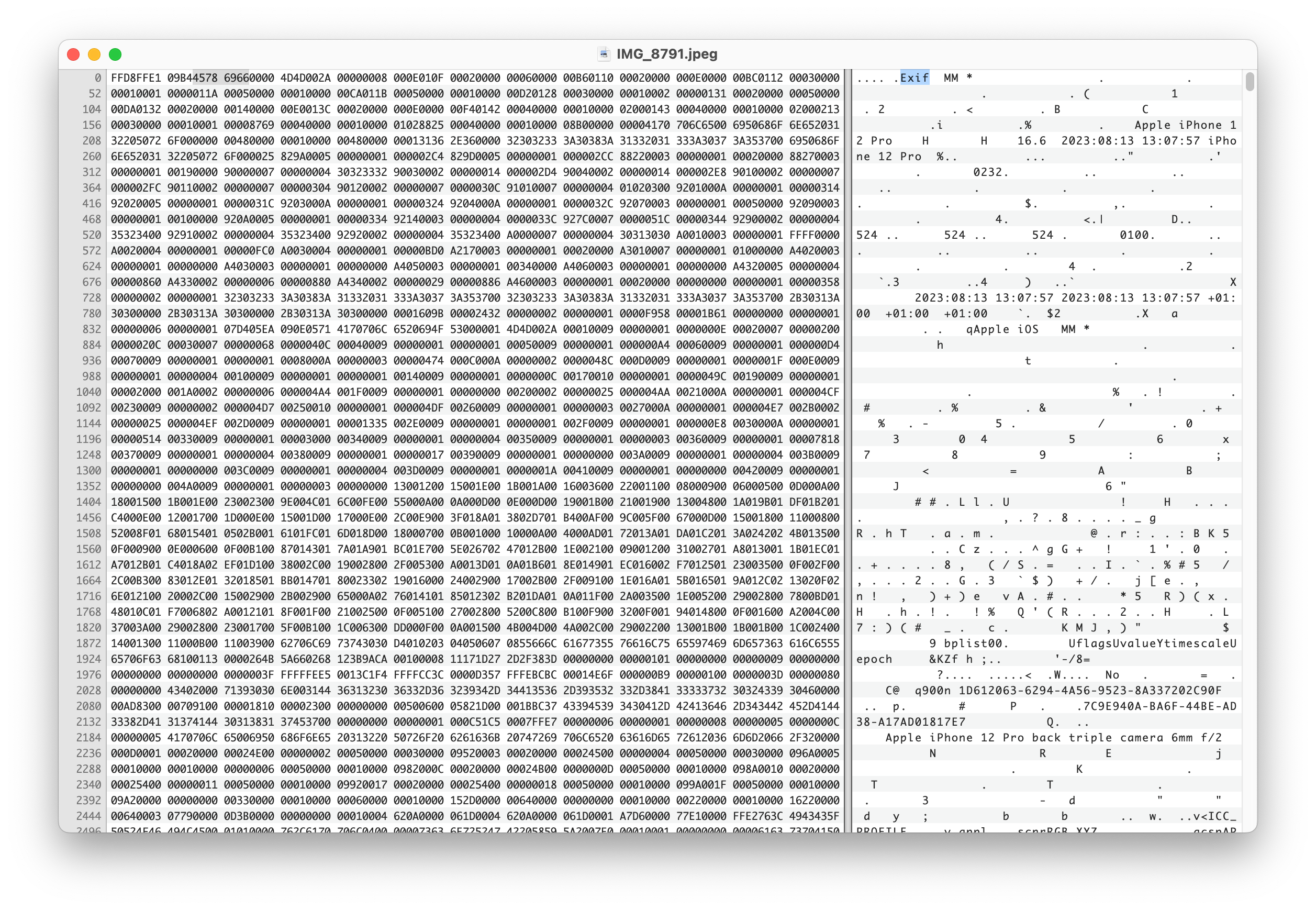
You‘ll be pleased to know this piece won't be spent going over every byte in the image above. Instead, we’ll be looking into what a photo contains, and the various ways in which we can display, query, and interact with the data therein.
What‘s in a photo?
The following visualization shows the vast amount of information stored within a single image. Feel free to pick from the curated examples from my personal photo library, or select your own image to view the EXIF data stored. Note that any images selected remain client-side and never leave your web browser. Client-side EXIF parsing is handled by the ExifReader library by Mattias Wallander.
Subsampling
YCbCr4:2:0 (2 2)
DateTime
2023:08:13 13:07:57
HostComputer
iPhone 12 Pro
ExposureProgram
Normal program
DateTimeOriginal
2023:08:13 13:07:57
DateTimeDigitized
2023:08:13 13:07:57
OffsetTimeDigitized
+01:00
BrightnessValue
9.10714795263233
Flash
Flash did not fire, compulsory flash mode
SubjectArea
Rectangle; X: 2004, Y: 1514, width: 2318, height: 1393
MakerNote
[Raw maker note data]
SensingMethod
One-chip color area sensor
SceneType
A directly photographed image
ExposureMode
Auto exposure
WhiteBalance
Auto white balance
LensSpecification
1.5399999618512084-6 mm f/2.4
LensModel
iPhone 12 Pro back triple camera 6mm f/2
CompositeImage
General Composite Image
GPSLatitudeRef
North latitude
GPSLatitude
51.11505833333334
GPSLongitudeRef
East longitude
GPSLongitude
0.5824055555555555
GPSAltitude
58.61263655152052 m
GPSSpeedRef
Kilometers per hour
GPSImgDirectionRef
True direction
GPSImgDirection
183.541214057508
GPSDestBearingRef
True direction
GPSDestBearing
183.541214057508
GPSHPositioningError
3.5355339046563916
Profile/Device class
Input Device profile
ICC Profile Date
2016-01-01T00:00:00.000Z
Rendering Intent
Perceptual
ICC Description
Apple Wide Color Sharing Profile
ICC Copyright
Copyright Apple Inc., 2016
Every image is a dense ball of information. Not just containing captured light, but your exact position and orientation at a given moment in the time.
If you have a time machine and happen to be free August 13th, 2023 at 13:07:57, you'll know precisely where to find me.
Accessing Metadata
As we've just seen, photos contain a lot of information. Extracting and querying hundreds of fields across a photo library spanning thousands of images can be tricky. Luckily, there are a number of tools available to help us with the task.
exiftool is the gold-standard here, and I highly recommend playing around with it. The documentation and tag reference is a treasure trove when attempting to figure out what obscure fields mean.
For storing and querying the photos, we'll be using sqlite. It's suitable for our purposes and is plenty performant.
Start by installing them, using brew if you're on a Mac:
bash
brew install sqlite3 exiftool
Extracting a set of photos from Apple Photos can be surprisingly tricky. The underlying schema and storage of images — many of which contain originals stored remotely within iCloud — requires specialist tools to parse. osxphotos is the tool for the job here. You can use it to export your full Apple Photo library in any format, and flags like --added-in-last "1 month" allow for detailed filtering. The following worked well for me as an example data set:
bash
osxphotos export --added-in-last "1 month" --only-photos --not-edited --exif Model iPhone ./export
Once we have a directory of images, we can use exiftool to extract metadata into a CSV —
bash
exiftool -n -m -csv ./images > exif.csv
and then import this CSV into sqlite for querying —
sql
sqlite exif.db
sqlite> .mode csv
sqlite> .import exif.csv photos
sqlite> SELECT count(*) FROM photos;
68182
With this, we now have a database of queryable metadata for every image we've ever taken.
Let’s ask this data some questions!
Fields of Interest
Whilst browsing the wealth of metadata available, some fields stood out to me. Some of these are EXIF standards, but many are specific to Apple cameras:
Field of View (FOV)
The horizontal field of view captured by the image.
Orientation / Heading (GPSImgDirection)
Along with position (latitude and longitude), EXIF also stores information about where the camera is pointed when an image is captured. This, combined with a camera's field of view, allows us to can annotate our map positions with a cone of vision.
Altitude (GPSAltitudeRef)
The altitude of an image, whilst often imprecise, can be used to give 3D data to a 2D latitude/longitude pair. This additional dimension is useful in multi-layer buildings and structures, or when airborne.
Speed (GPSSpeed)
How fast the camera was moving when the image was captured.
Elevation Angle (CameraElevationAngle)
Given enough precision, when combined with an x,y,z point in space from GPSLatitude, GPSLongitude, and GPSAltitudeRef and a 1D angle from GPSImgDirection, we can fire a 3D vector through space at a given point in time.
Image Noise (SignalToNoiseRatio)
The amount of signal vs. noise that the camera sensor has captured. Can be used to signify image quality.
Camera Uptime (RunTimeValue)
A curious piece of data: how long the camera has been running since it was last powered on. In a world of always-on smartphones it's curious why this is still relevant, but it gets recorded regardless.
Point of Focus (FocusDistance & FocusPosition)
The distance from the camera at which the image is focused.
Camera Acceleration (AccelerationVector)
A 3-dimensional vector showing the camera's acceleration forwards/backwards, up/down, and side-to-side.
These fields allow us to ask some interesting questions of our photo library.
Which photo has the highest number of faces?
sql
SELECT SourceFile
FROM photos
WHERE RegionType IS NOT ''
ORDER BY length(RegionType) DESC
LIMIT 1;

Which photos have the subject positioned too close to focus on?
sql
SELECT SourceFile
FROM photos
WHERE CAST(FocusPosition AS INT) IS 255
LIMIT 10;

What was the shortest amount of time spent after turning my phone on before I took a photo?
sql
SELECT SourceFile
FROM photos
WHERE CAST(RunTimeValue AS INT) > 0
ORDER BY CAST(RunTimeValue as INT) ASC
LIMIT 1;

How many photos do I have where I'm traveling over 50mph?
sql
SELECT count(*)
FROM photos
WHERE CAST(GPSSpeed AS REAL) > 50;
317
What is my fastest photo?
sql
SELECT SourceFile
FROM photos
ORDER BY CAST(GPSSpeed AS REAL) DESC
LIMIT 1;

Okay, haha, what is my fastest photo on land?
sql
SELECT SourceFile
FROM photos
WHERE CAST(GPSAltitude AS REAL) < 10
ORDER BY CAST(GPSSpeed AS REAL) DESC
LIMIT 1;

Show me a sunset :)
sql
SELECT SourceFile
FROM photos
WHERE CAST(GPSImgDirection AS INT) BETWEEN 225 AND 315
AND time(TimeCreated) BETWEEN time('16:00') AND time('20:00')
AND CAST(FocusPosition AS INT) = 0
ORDER BY CAST(SignalToNoiseRatio as REAL) DESC
LIMIT 10;

What are the photos where I dropped my phone?
sql
SELECT SourceFile
FROM photos
ORDER BY CAST(substr(AccelerationVector, 0, instr(AccelerationVector, ' ')) AS REAL) ASC
LIMIT 10;

What is the furthest-away face I have a photo of?
sql
SELECT SourceFile
FROM photos
WHERE length(RegionAreaW) IS 20 AND length(RegionAreaH) IS 20
ORDER BY CAST(substr(RegionAreaW,0,20) AS REAL) * CAST(substr(RegionAreaH,0,20) AS REAL) ASC
LIMIT 10;

Who tilted their head the most when I took a photo of them?
sql
SELECT SourceFile
FROM photos
ORDER BY CAST(RegionExtensionsAngleInfoRoll AS REAL) ASC
LIMIT 1;

Visualization
We have all of the data to answer those questions, and we've had it for over a decade. Where are the tools to see this?
Large language models (LLMs) such as OpenAI’s GPT-4 have helped bridge us into the world of "vague computing", allowing us to query knowledge without knowing precisely what we're looking for. However, there's still a monumental amount of use in direct interaction with real-time feedback for filtering large datasets in order to ask questions.
Computer interfaces are exploratory mechanisms. Our current photo management tools often expose EXIF metadata as a read-only interface, but what would an EXIF-powered photo exploration tool look like?
Mapping
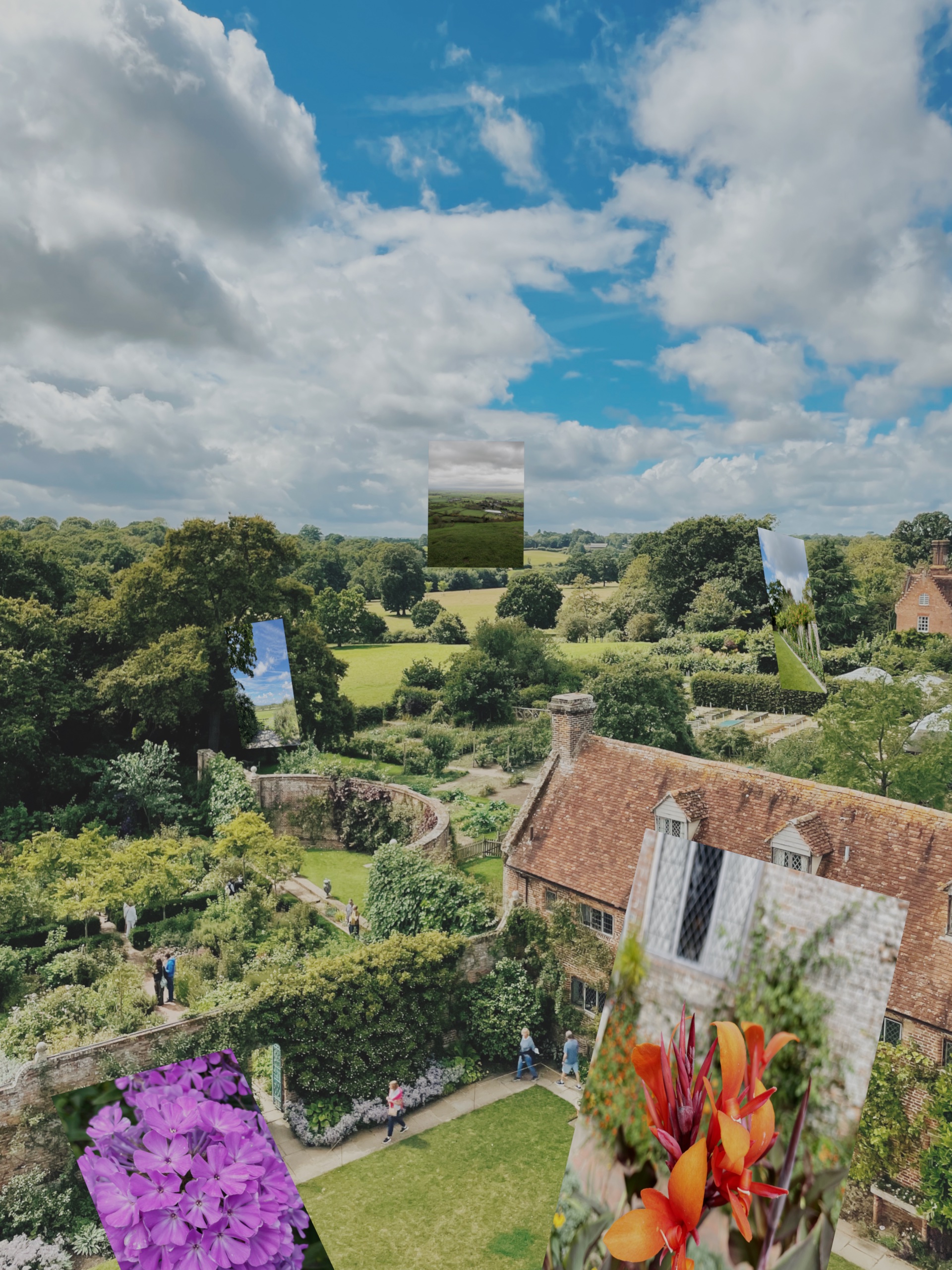
Combining GPSLatitude, GPSLongitude, GPSAltitude, GPSImgDirection, and FieldOfView would allow us to not only place images as pins on a map, but to show these images floating in 3D space, with a cone of vision emanating from the origin point out towards the contents of the image:
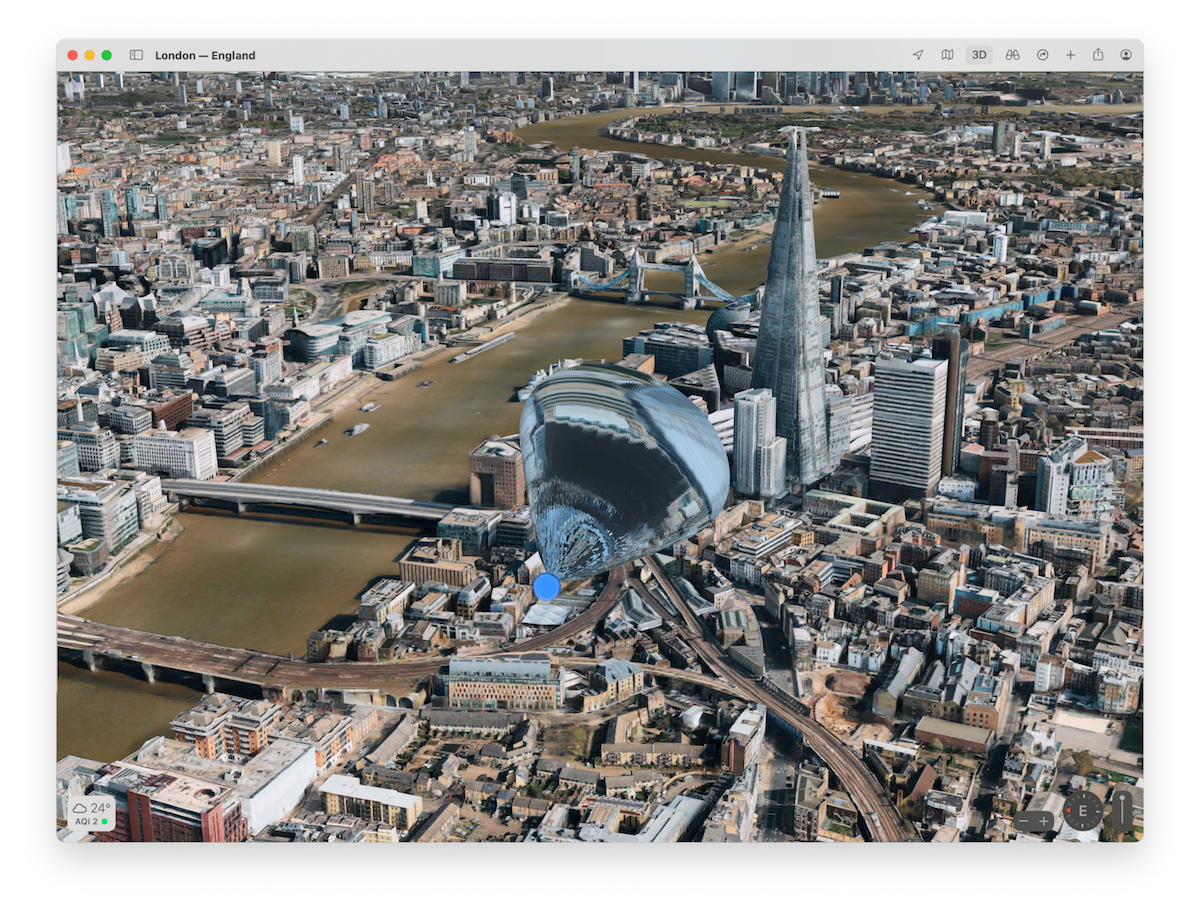
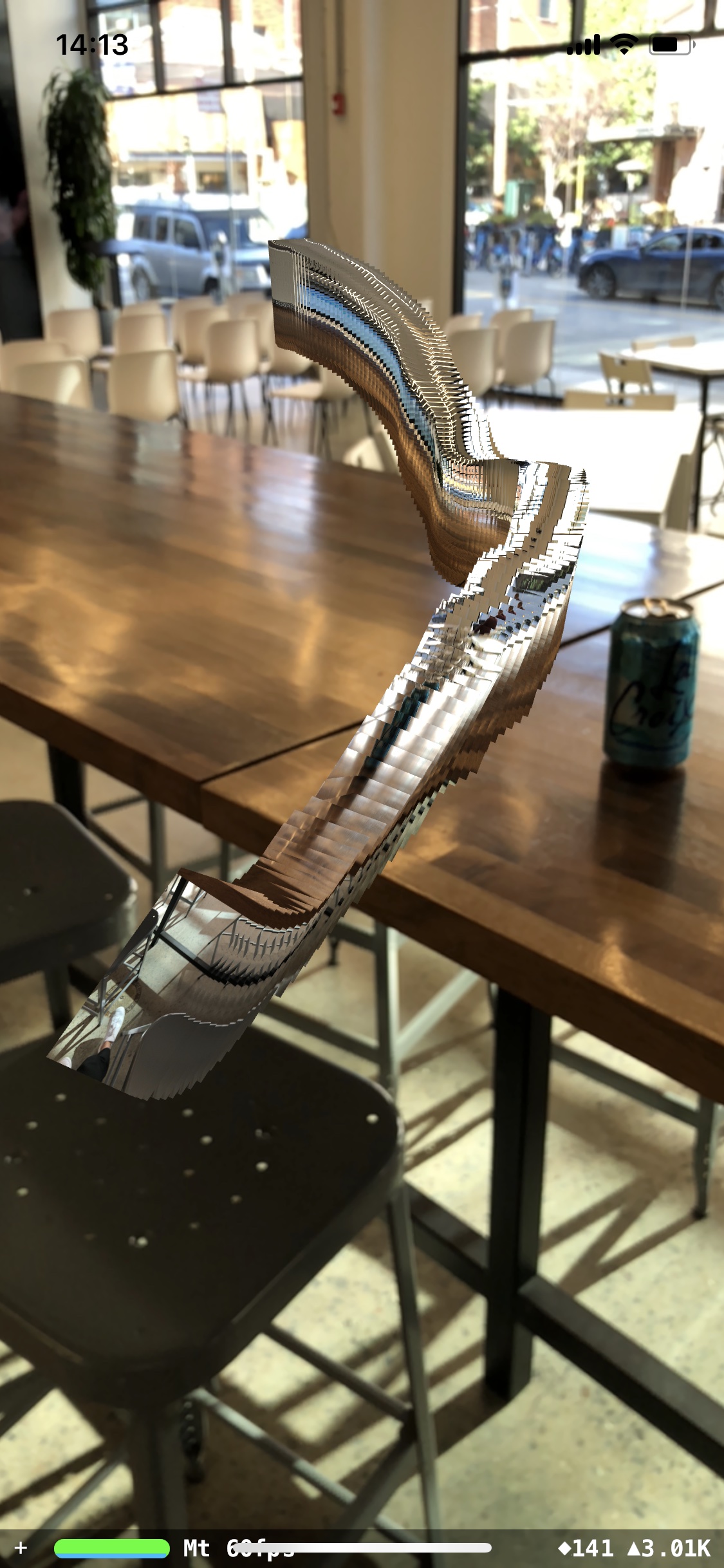
Imagine a series of these dotted over a 3D map, showing points of intersection of a subject through time and space. Or imagine a spatial computing app for the Vision Pro, allowing you to walk through a landscape of your own images:

Filtering
How do you currently find photos in your photo library? For me, spatial memory comes first — oftentimes I use the map view of the Photos app to hone in on where a photo was taken before scrubbing through time to whittle down the options of when it was taken.
What if we had a filterable interface for each of these EXIF dimensions — space, time, speed, angle, person count — allowing us to combine fragments of our memory in order to hone in faster?
We have great tools for searching a single one of these dimensions, but we‘re severely lacking in combining all of them into an exploratory interface.
Exploratory interaction paradigms (such as hand-tracking or MIDI interfaces) can be used to narrow down a vast, multi-dimensional dataset:
Implications
When you post a photo from a friend’s apartment building online, you're not just providing the image itself, you’re providing the latitude, longitude, and altitude too. With favorable GPS precision, it's entirely possible to find the exact apartment in which the photo was taken.
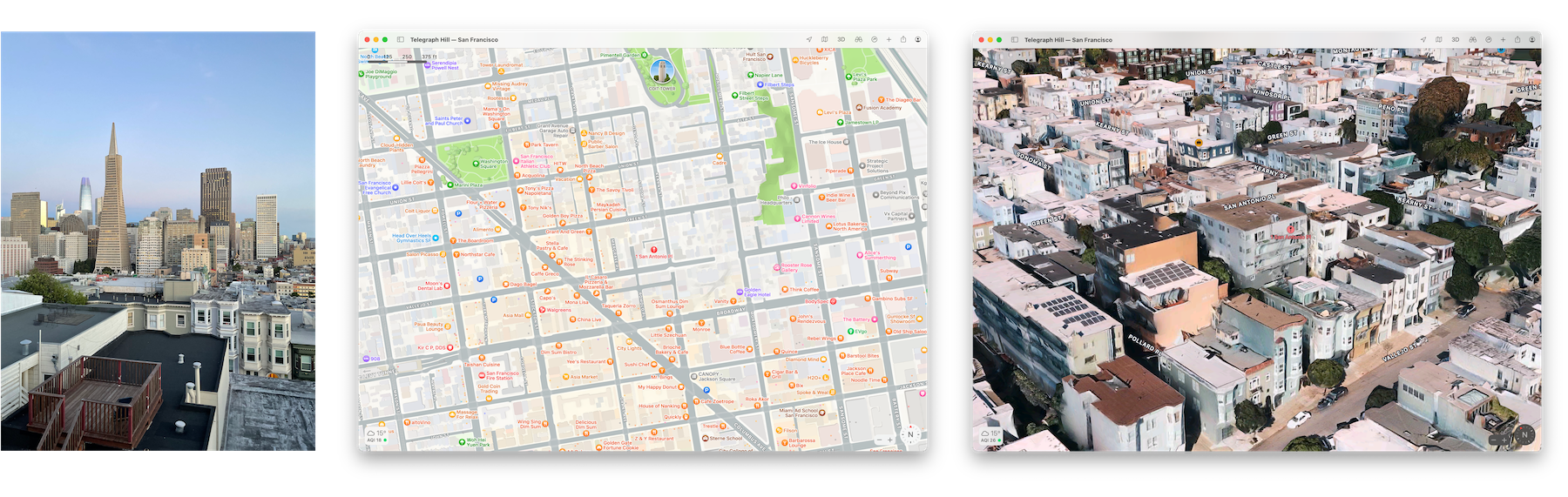
In fact, when you give an iOS app full access to your photo library, you're giving all of this information away too. Here are the Swift kCGImageProperty keys for EXIF, GPS, and IPTC image metadata, detailing the information available to any app that can access your photos using the iOS UIImagePickerController (as of iOS 17 at least). Any app that can access your photo library can, with enough effort, determine your address, where you shop, where your friends live, where you go on holiday, where you work, and when you go to bed. This is without looking at anything within the images themselves.
You’ll be pleased/saddened by the lack of AI in this piece.
If AI is powered by big data, then your photo library’s metadata is really the biggest data you own, and you’ve been collecting it with every photo you take.
Recent advancements in image content recognition and segmentation (such as in Meta's incredible work on their Segment Anything model) allow further information to be gained directly from the contents of the image data. Apple Photos uses advanced on-device machine learning models to add "scores" to images — ZOVERALLAESTHETICSCORE, ZINTERESTINGSUBJECTSCORE, ZHARMONIOUSCOLORSCORE, ZWELLCHOSENSUBJECTSCORE — the results of which are then used to highlight images that users may find interesting.
Next time you view a photo, take a second to think about the metadata you're not viewing — the camera's acceleration, the camera's temperature, the scene visible just outside of the camera's recorded field of view.
Next time you take a photo and record that entry in the spatiotemporal narrative of your life, think about who you're sharing that narrative with.
But most of all, think about how you’ll feel when you use immersive, high-dimensional tools to share this narrative with people you love.
❋
References
Using SQL to find my best photo of a pelican according to Apple Photos A fantastic piece by Simon Willison on extracting Apple's ML properties and filtering his library by the results.
I’ll be continuing to mess with interfaces for exploring EXIF information (among many other things) over on Twitter and Instagram. Follow along there for more!
bash
exiftool -n -m -csv -p '$filename, $AccelerationVector, $AEAverage, $AEStable, $AETarget, $AFConfidence, $AFMeasuredDepth, $Aperture, $BrightnessValue, $CircleOfConfusion, $DateTimeOriginal, $DigitalZoomRatio, $ExposureCompensation, $ExposureTime, $FileSize, $Flash, $FocalLengthIn35mmFormat, $FocusPosition, $FOV, $GPSAltitude, $GPSAltitudeRef, $GPSHPositioningError, $GPSImgDirection, $GPSLatitude, $GPSLongitude, $GPSSpeed, $HDRGain, $HDRHeadroom, $HyperfocalDistance, $ISO, $LightValue, $Megapixels, $MeteringMode, $Orientation, $RegionAppliedToDimensionsH, $RegionAppliedToDimensionsW, "$RegionAreaH", "$RegionAreaW", "$RegionAreaX", "$RegionAreaY", $RegionExtensionsAngleInfoRoll, $RegionExtensionsAngleInfoYaw, $RegionExtensionsConfidenceLevel, $RegionExtensionsFaceID, "$RegionType", $RunTimeSincePowerUp, $ShutterSpeed, $SignalToNoiseRatio, $SubjectArea, $WhiteBalance' ./export > export.csv
sql
sqlite> CREATE TABLE "photos" (
"SourceFile" TEXT,
"AccelerationVector" TEXT,
"AEAverage" INTEGER,
"AEStable" INTEGER,
"AETarget" INTEGER,
"AFConfidence" INTEGER,
"AFMeasuredDepth" INTEGER,
"Aperture" REAL,
"BrightnessValue" REAL,
"CircleOfConfusion" REAL,
"DateTimeOriginal" TEXT,
"DigitalZoomRatio" REAL,
"ExposureCompensation" REAL,
"ExposureMode" INTEGER,
"ExposureTime" REAL,
"FileSize" INTEGER,
"Flash" INTEGER,
"FNumber" REAL,
"FocalLengthIn35mmFormat" REAL,
"FocusDistanceRange" REAL,
"FocusPosition" INTEGER,
"FOV" REAL,
"GPSAltitude" REAL,
"GPSAltitudeRef" INTEGER,
"GPSHPositioningError" REAL,
"GPSImgDirection" REAL,
"GPSLatitude" REAL,
"GPSLongitude" REAL,
"GPSSpeed" REAL,
"HDRGain" REAL,
"HDRHeadroom" REAL,
"HyperfocalDistance" REAL,
"ISO" INTEGER,
"LightValue" REAL,
"Megapixels" REAL,
"MeteringMode" INTEGER,
"Orientation" INTEGER,
"RegionAppliedToDimensionsH" INTEGER,
"RegionAppliedToDimensionsW" INTEGER,
"RegionAreaH" TEXT,
"RegionAreaW" TEXT,
"RegionAreaX" TEXT,
"RegionAreaY" TEXT,
"RegionExtensionsAngleInfoRoll" INTEGER,
"RegionExtensionsAngleInfoYaw" INTEGER,
"RegionExtensionsConfidenceLevel" INTEGER,
"RegionExtensionsFaceID" INTEGER,
"RegionType" TEXT,
"RunTimeSincePowerUp" REAL,
"ShutterSpeed" REAL,
"SignalToNoiseRatio" REAL,
"SubjectArea" TEXT,
"WhiteBalance" INTEGER
)