What are tokens?
Tokens are the building blocks of text that OpenAI models process. They can be as short as a single character or as long as a full word, depending on the language and context. Spaces, punctuation, and partial words all contribute to token counts. This is how the API internally segments your text before generating a response.
Helpful rules of thumb for English:
1 token ≈ 4 characters
1 token ≈ ¾ of a word
100 tokens ≈ 75 words
1–2 sentences ≈ 30 tokens
1 paragraph ≈ 100 tokens
~1,500 words ≈ 2,048 tokens
Tokenization can vary by language. For example, “Cómo estás” (Spanish for “How are you”) contains 5 tokens for 10 characters. Non-English text often produces a higher token-to-character ratio, which can affect costs and limits.
Examples
Here are some real-world text samples with their approximate token counts:
Wayne Gretzky’s quote “You miss 100% of the shots you don’t take” = 11 tokens
The OpenAI Charter = 476 tokens
The US Declaration of Independence = 1,695 tokens
How token counts are calculated
When you send text to the API:
The text is split into tokens.
The model processes these tokens.
The response is generated as a sequence of tokens, then converted back to text.
Token usage is tracked in several categories:
Input tokens – tokens in your request.
Output tokens – tokens generated in the response.
Cached tokens – reused tokens in conversation history (often billed at a reduced rate).
Reasoning tokens – in some advanced models, extra “thinking steps” are included internally before producing the final output.
These counts appear in your API response metadata and are used for billing and usage tracking.
To further explore tokenization, you can use our interactive Tokenizer tool, which allows you to calculate the number of tokens and see how text is broken into tokens.
Alternatively, if you'd like to tokenize text programmatically, use Tiktoken as a fast BPE tokenizer specifically used for OpenAI models.
Token Limits
Each model has a maximum combined token limit (input + output). Current high-capacity models support up to hundreds of thousands of tokens in context, though practical limits may vary depending on the model version and your usage tier.
If you exceed the limit, you can:
Shorten or rephrase prompts.
Break large text into smaller chunks.
Summarize or pre-process inputs before sending them.
Token Pricing
API usage is priced per token, varying by model and whether tokens are input, output, or cached. See OpenAI’s pricing page for current rates. Some reasoning models may use more tokens internally but aim to improve efficiency by reducing the number of tokens needed per completed task.
Exploring tokens
The API treats words according to their context in the corpus data. Models take the prompt, convert the input into a list of tokens, processes the prompt, and convert the predicted tokens back to the words we see in the response.
What might appear as two identical words to us may be generated into different tokens depending on how they are structured within the text. Consider how the API generates token values for the word ‘red’ based on its context within the text:
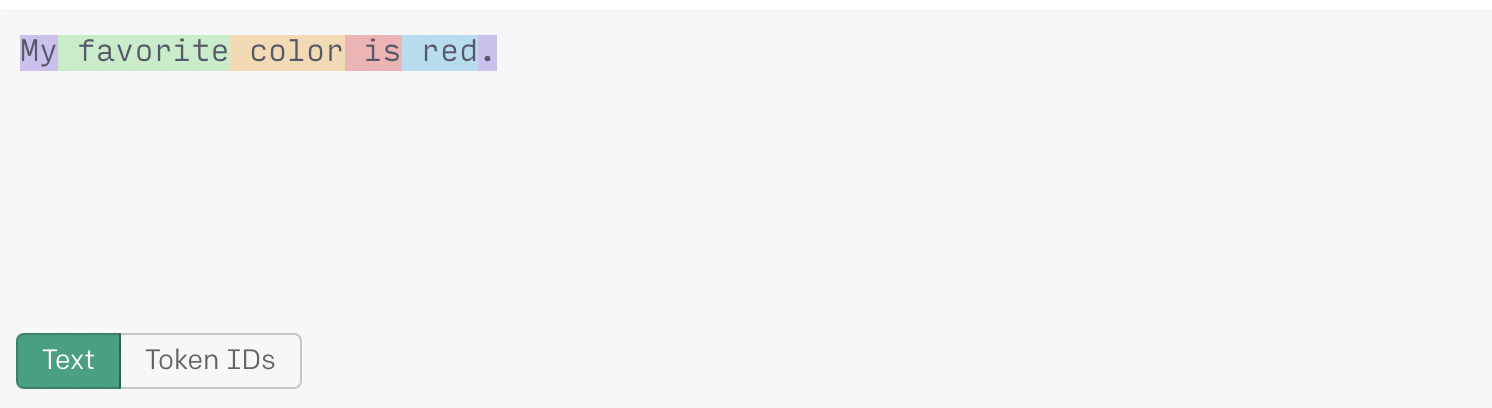
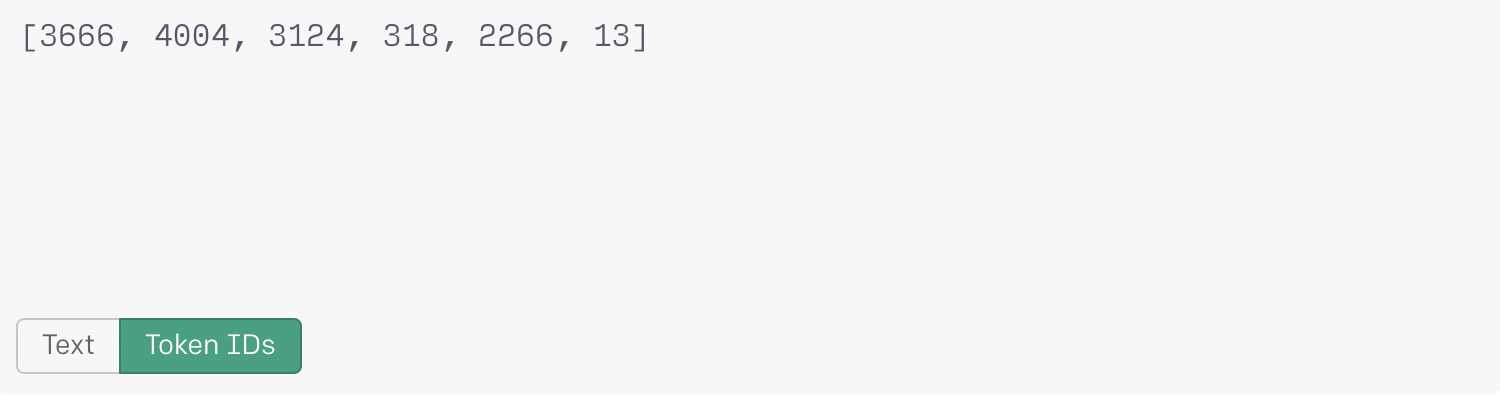
In the first example above the token “2266” for ‘ red’ includes a trailing space (Note, these are example token ID's for demonstration purposes).
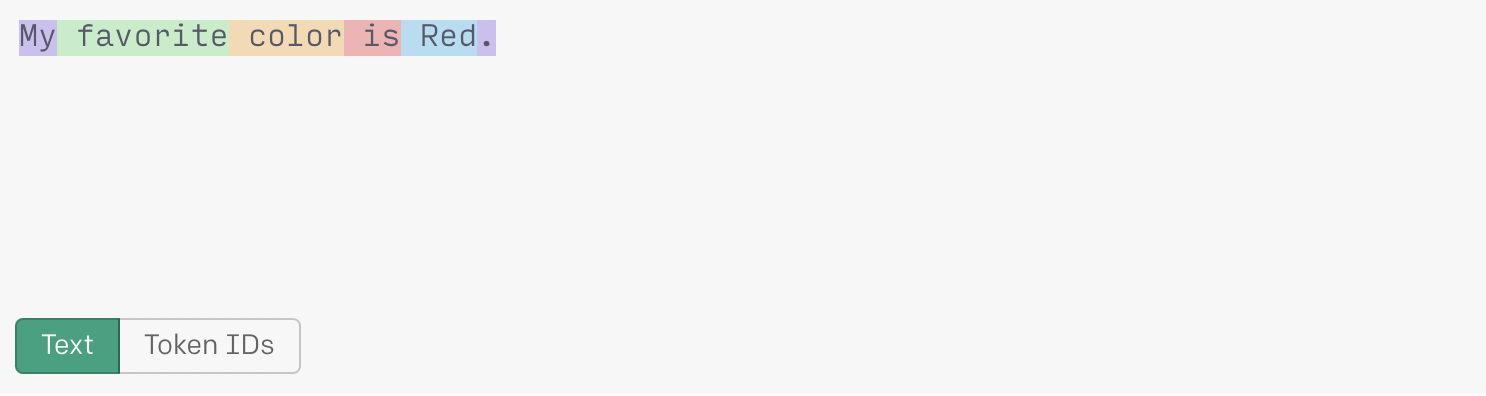
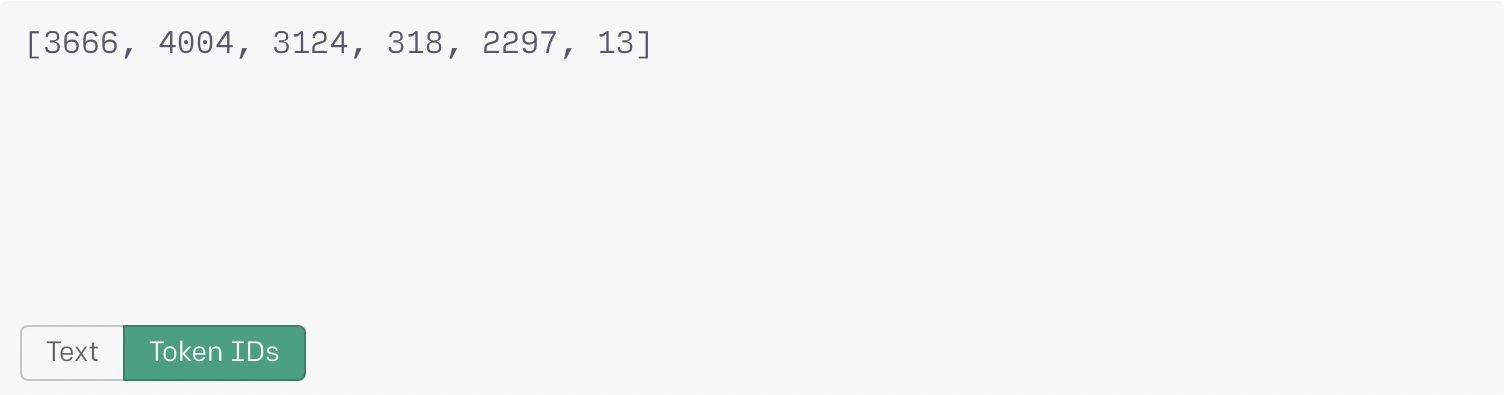
The token “2296” for ‘ Red’ (with a leading space and starting with a capital letter) is different from the token “2266” for ‘ red’ with a lowercase letter.
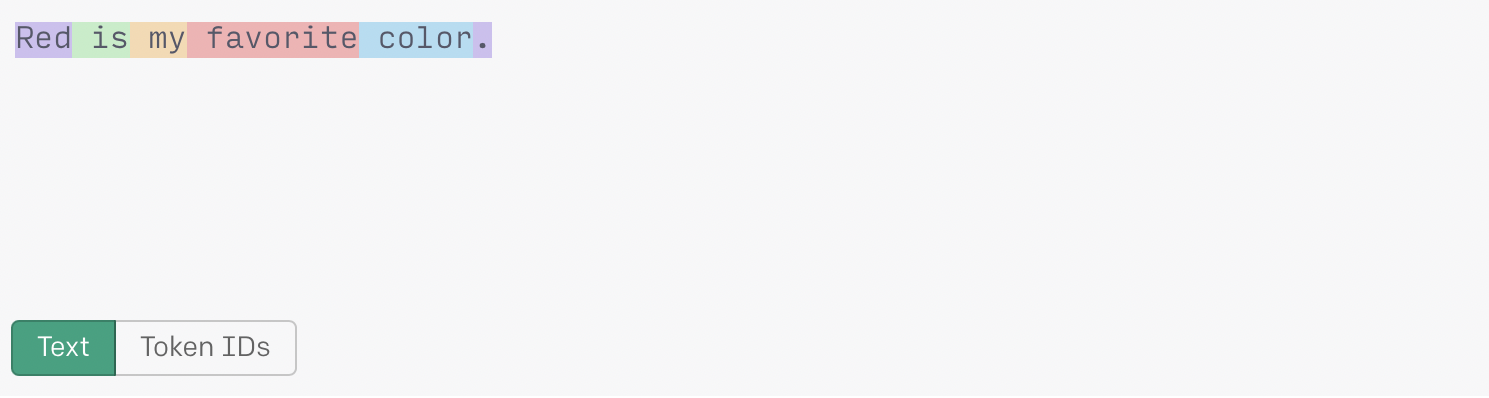
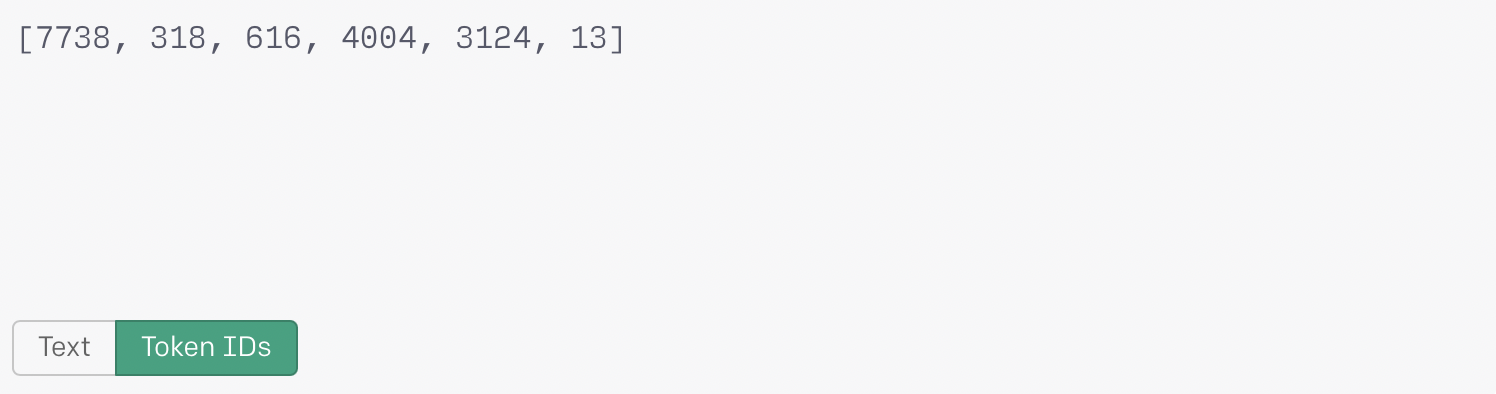
When ‘Red’ is used in the beginning of a sentence, the generated token does not include a leading space. The token “7738” is different from the previous two examples of the word.
Observations:
The more probable/frequent a token is, the lower the token number assigned to it:
The token generated for the period is the same (“13”) in all 3 sentences. This is because, contextually, the period is used pretty similarly throughout the corpus data.
The token generated for ‘red’ varies depending on its placement within the sentence:
Lowercase in the middle of a sentence: ‘ red’ - (token: “2266”)
Uppercase in the middle of a sentence: ‘ Red’ - (token: “2297”)
Uppercase at the beginning of a sentence: ‘Red’ - (token: “7738”)