helmtk is a toolkit for Helm chart maintainers.
- A structured language avoids the pitfalls of YAML templates, and compiles into Helm templates.
- A test framework makes testing quick and easy.
- A decompiler automatically imports existing Helm charts to helmtk.
- A VS Code extension for syntax highlighting, navigation, running tests, debugging, etc.
Prefer video? Here's a quick demo.
Structured Language
Helm charts struggle with indentation. Significant whitespace in YAML combined with a text-based template language leads to charts which are buggy and difficult to maintain.
- maintain indentation with
{{-and| nindent - ensure strings are quoted with
| quote - convert objects with
| toYaml - keep track of the meaning of
. - watch out for
yes/noas a boolean (e.g. the norway bug) - etc.
{{- define "namespace" -}}
{{- if .Values.namespaceOverride -}}
{{- .Values.namespaceOverride -}}
{{- else -}}
{{- .Release.Namespace -}}
{{- end -}}
{{- end -}}

metadata:
  labels:
    {{- with .Chart.AppVersion }}
    app.kubernetes.io/version: {{ . | quote }}
    {{- end }}
    {{- include "foo.selectorLabels" . | nindent 8 }}
    {{- with .Values.podLabels }}
    {{- toYaml . | nindent 8 }}
    {{- end }}
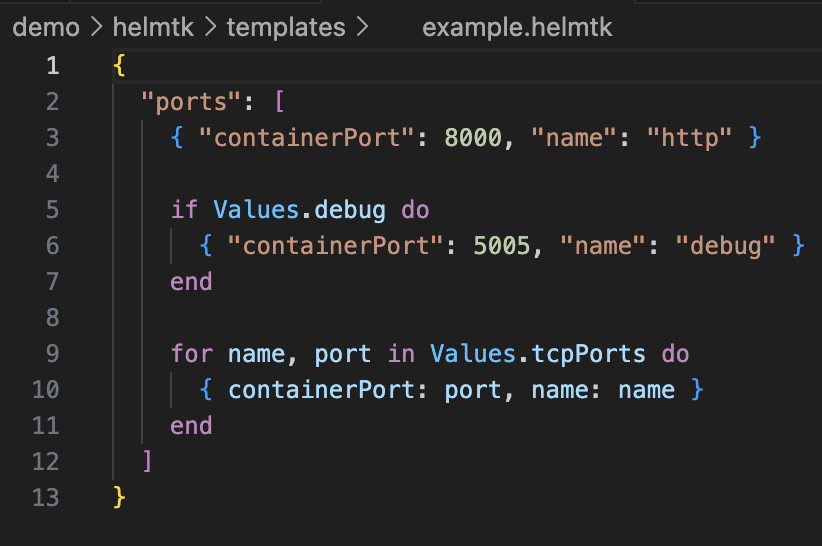
helmtk provides a structured template language, allowing templating without significant whitespace.
- no significant whitespace
- clear object delimiters
- emits data structures instead of text
- compiles to Helm charts
- and more
{
  "ports": [
    {
      "containerPort": 8000
      "name": "http"
    }

    if Values.debug do
      { "containerPort": 5005, "name": "debug" }
    end

    for name, port in Values.tcpPorts do
      { "containerPort": port, "name": name }
    end
  ]
}
Compile to Helm
helmtk compile compiles the helmtk code into Helm chart templates.
Helm chart maintainers get the benefits of helmtk without disrupting existing users of the Helm charts.
{
  "ports": [
    {
      "containerPort": 8000,
      "name": "http",
    },
    {{- if .Values.debug -}}
    {
      "containerPort": 5005,
      "name": "debug",
    },
    {{- end -}}
    {{- range $name, $port := .Values.tcpPorts -}}
    {
      "containerPort": {{ $port | toJson }},
      "name": {{ $name | toJson }},
    },
    {{- end }}
  ]
}
Testing
helmtk test makes writing and running tests easy.
test("test debug port", t => {
    t.Values.debug = true
    let res = t.render()[0]
    t.eq(res.ports[1].name, "debug")
})

$> helmtk test

example.js
  ✓ test debug port
Automatic Import
helmtk decompile automatically imports existing charts into helmtk, including a comprehensive test
suite.
helmtk decompile
> found: templates/_helpers.tpl
> found: templates/deployment.yaml
> found: templates/hpa.yaml
> found: templates/httproute.yaml
> found: templates/ingress.yaml
> found: templates/service.yaml
> found: templates/serviceaccount.yaml
> found: templates/tests/test-connection.yaml
✓ a helmtk file already exists for templates/_helpers.tpl
> validating helmtk/templates/_helpers.helmtk
✓ file parses helmtk/templates/_helpers.helmtk
✓ a test file already exists for helmtk/tests/_helpers.js
> verifying test suite with the helm renderer: helmtk/tests/_helpers.js
✓ test suite passed with the helm renderer: helmtk/tests/_helpers.js
...
IDE Support
The helmtk VS Code extension provides:
- syntax highlighting
- formatting
- navigation
- running tests
- debugging
- and more