A quick peek of what's inside:
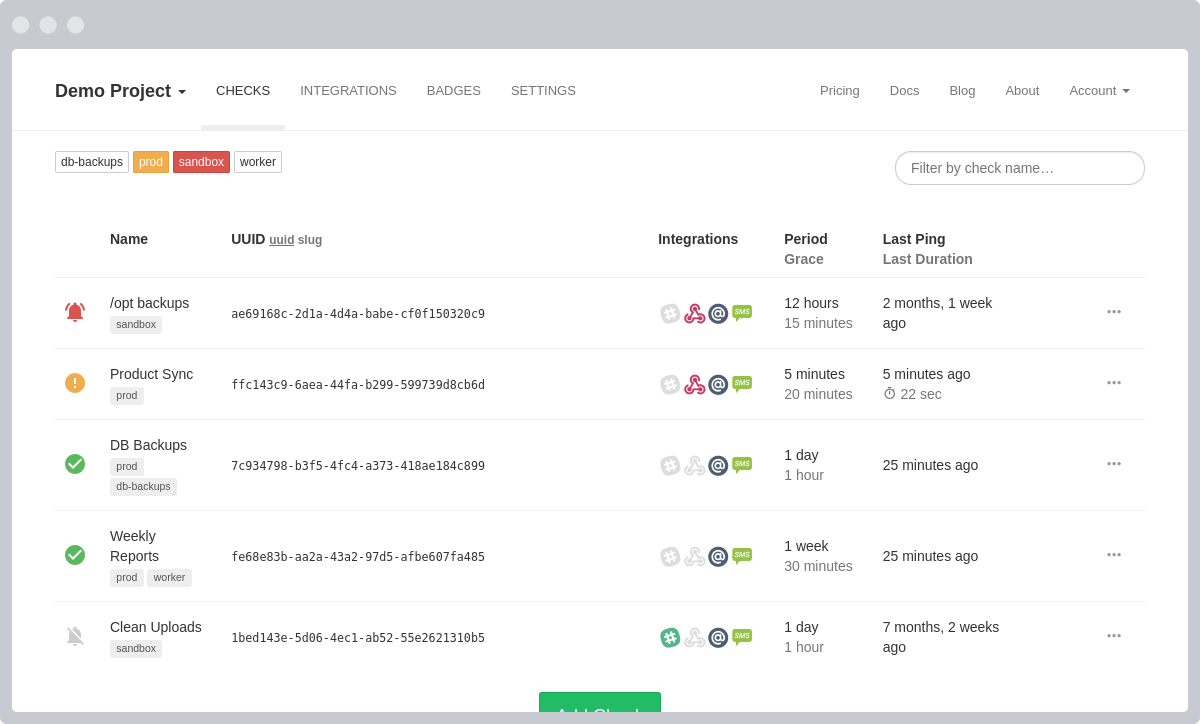
Live-updating Dashboard
A list of your checks, one for each Cron job, daemon or scheduled task you want to monitor.
Give names and assign tags to your checks to easily recognize them later.
Tap on the integration icons to toggle them on and off.
Adjust Period and Grace time to match the periodicity and duration of your tasks.
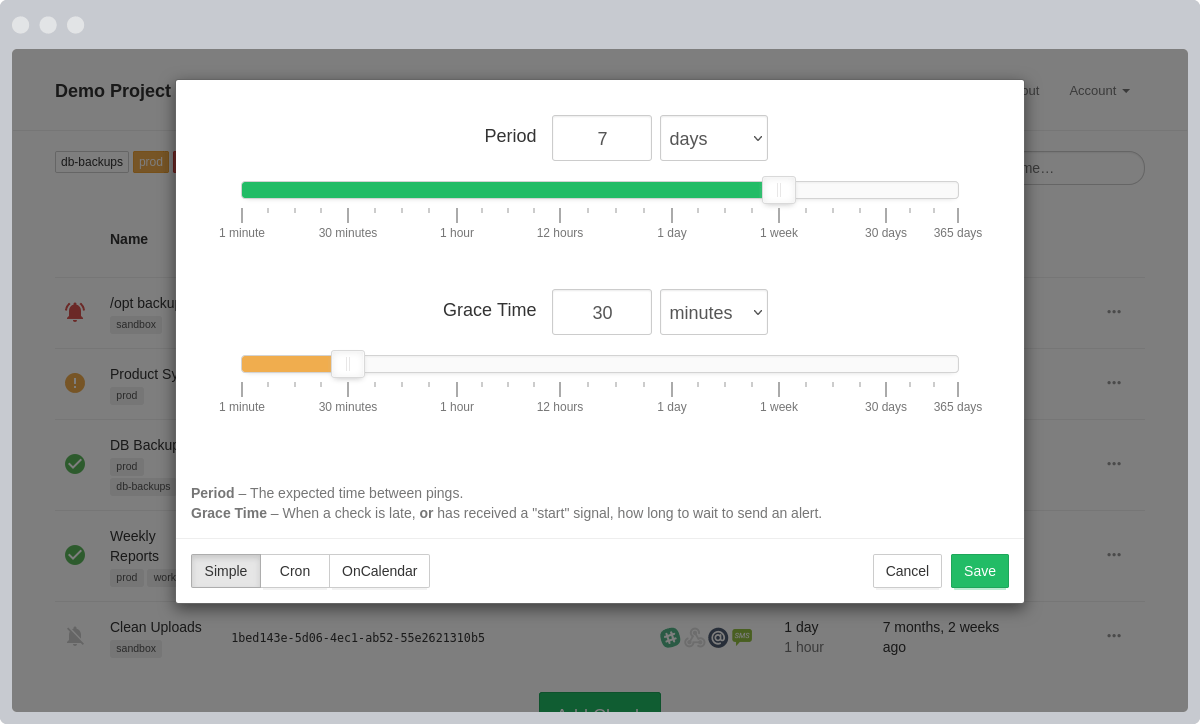
Simple Configuration
Each check has configurable Period and Grace Time parameters. Depending on these parameters and time since the last ping, the check is in one of the following states:
| New. A check that has been created, but has not received any pings yet. | |
| Up. The time since the last ping has not exceeded Period. | |
| Late. The time since the last ping has exceeded Period, but has not yet exceeded Period + Grace. | |
| Down. The time since the last ping has exceeded Period + Grace. When a check goes from "Late" to "Down", Healthchecks.io sends you a notification. |
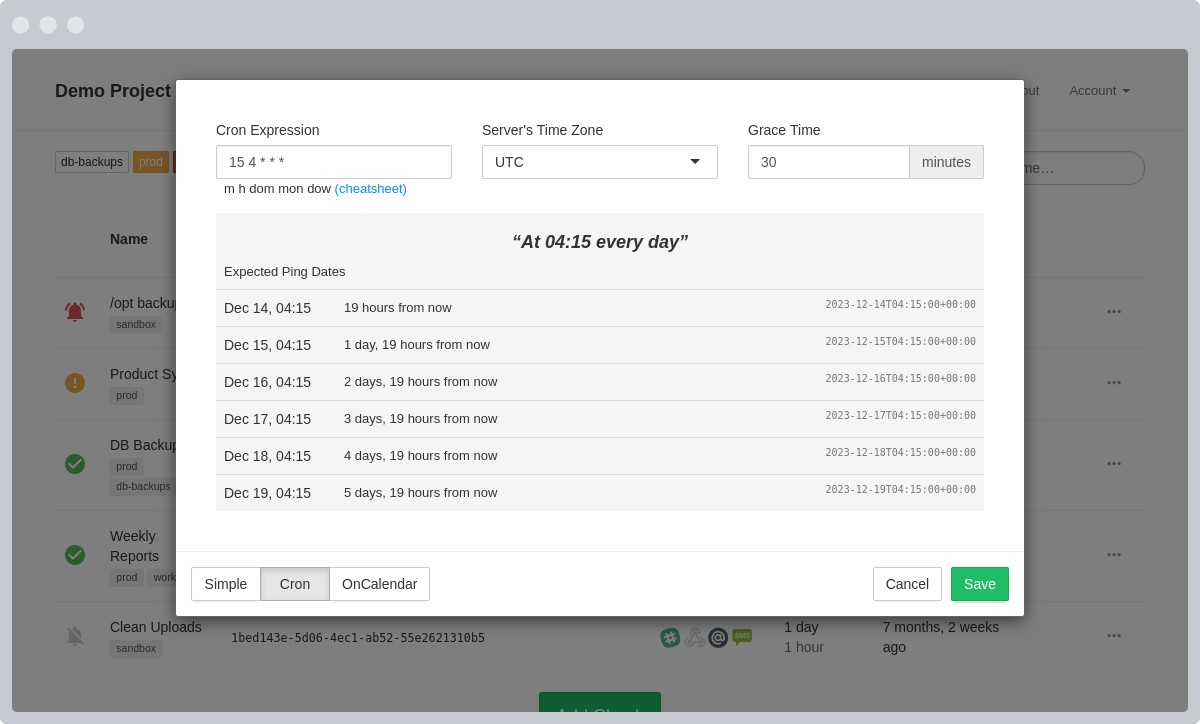
Cron Expression Support
Alternatively, you can define the expected ping dates and times using a cron expression. See Cron Syntax Cheatsheet for the supported syntax features.
Grace Time specifies how "late" a ping can be before you are alerted. You should set it to be a little above the expected duration of your cron job.
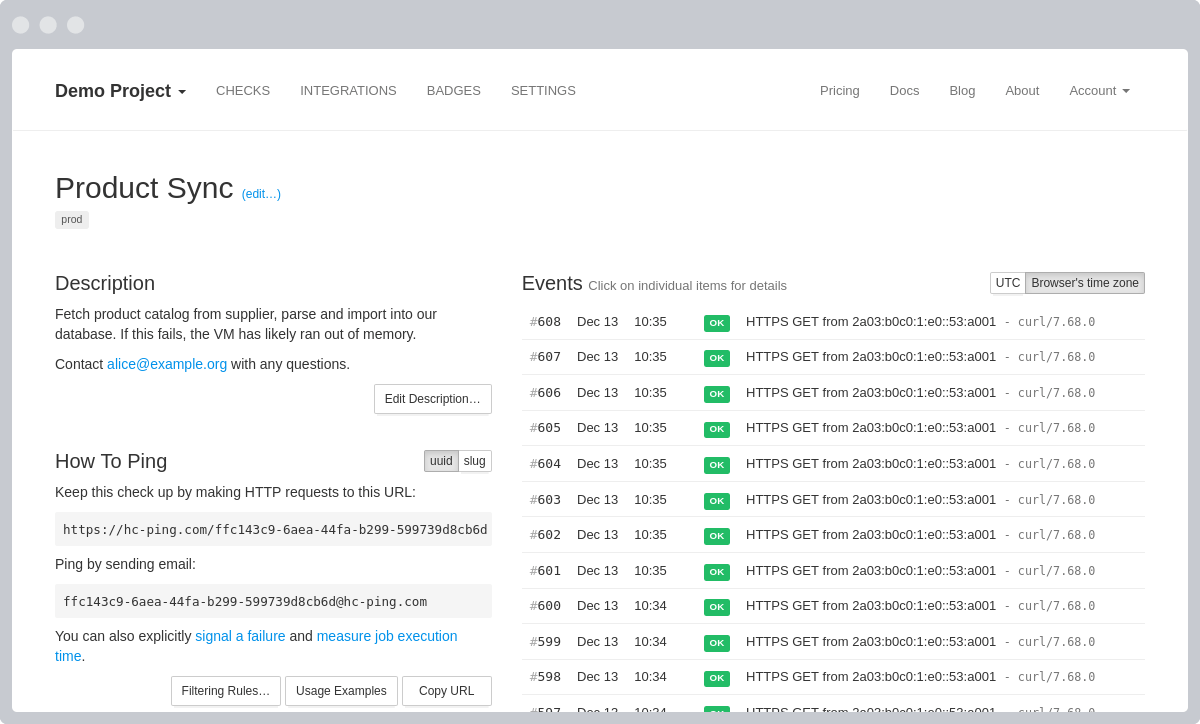
Details and Event Log
You can add a longer, free-form description to each check. Leave notes and pointers for yourself and your team.
You can also see the log of received pings and sent "Down" notifications.
Public Status Badges
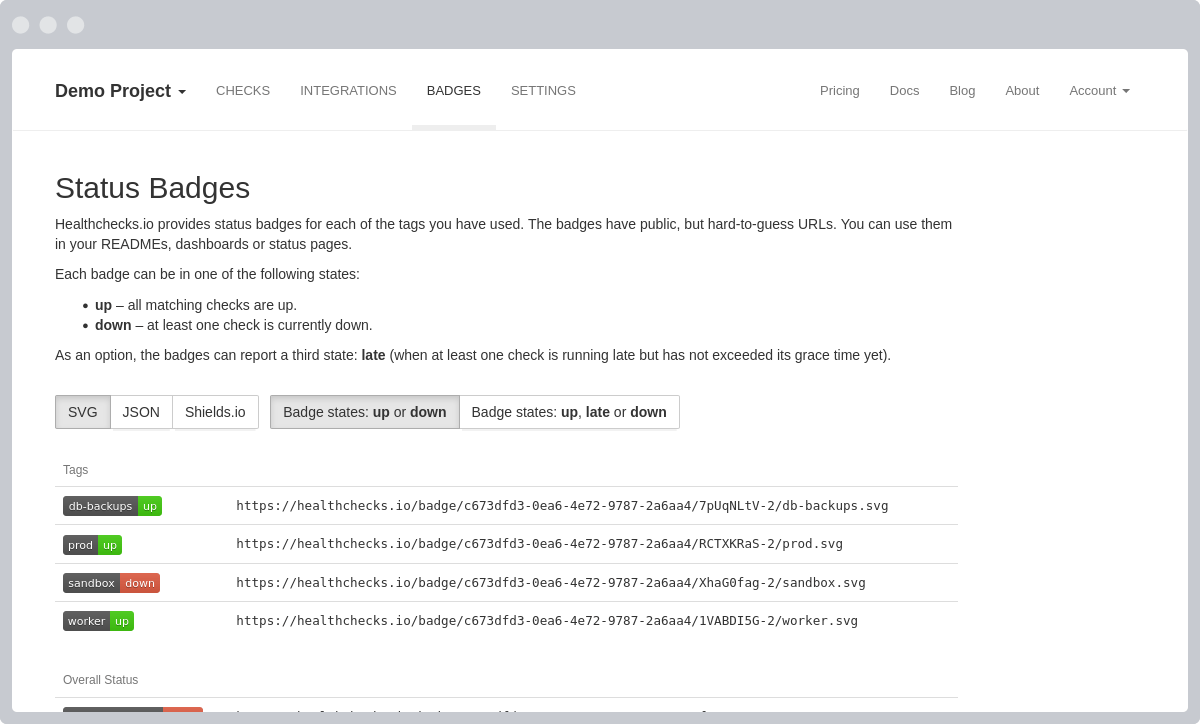
Healthchecks.io provides status badges for each of the tags you have used. Additionally, the "Healthchecks.io" badge shows the overall status of all checks in your account.
The badges have public but hard-to-guess URLs. You can use them in your READMEs, dashboards, or status pages.
Integrations
Set up multiple ways to get notified:

Email

Webhooks

Discord
Chat
GitHub Issues
Issue Tracking

Gotify
Push Notifications

Matrix
Chat

Microsoft Teams
Chat

ntfy
Push Notifications

Opsgenie
Incident Management

PagerTree
Incident Management

Phone Call

Pushbullet
Push Notifications

Signal
Chat

SMS

Spike.sh
Incident Management

Trello
Project Management

Splunk On-Call
Incident Management

WhatsApp
Chat

Zulip
Chat
Create Your Account
We will email you a magic log in link.