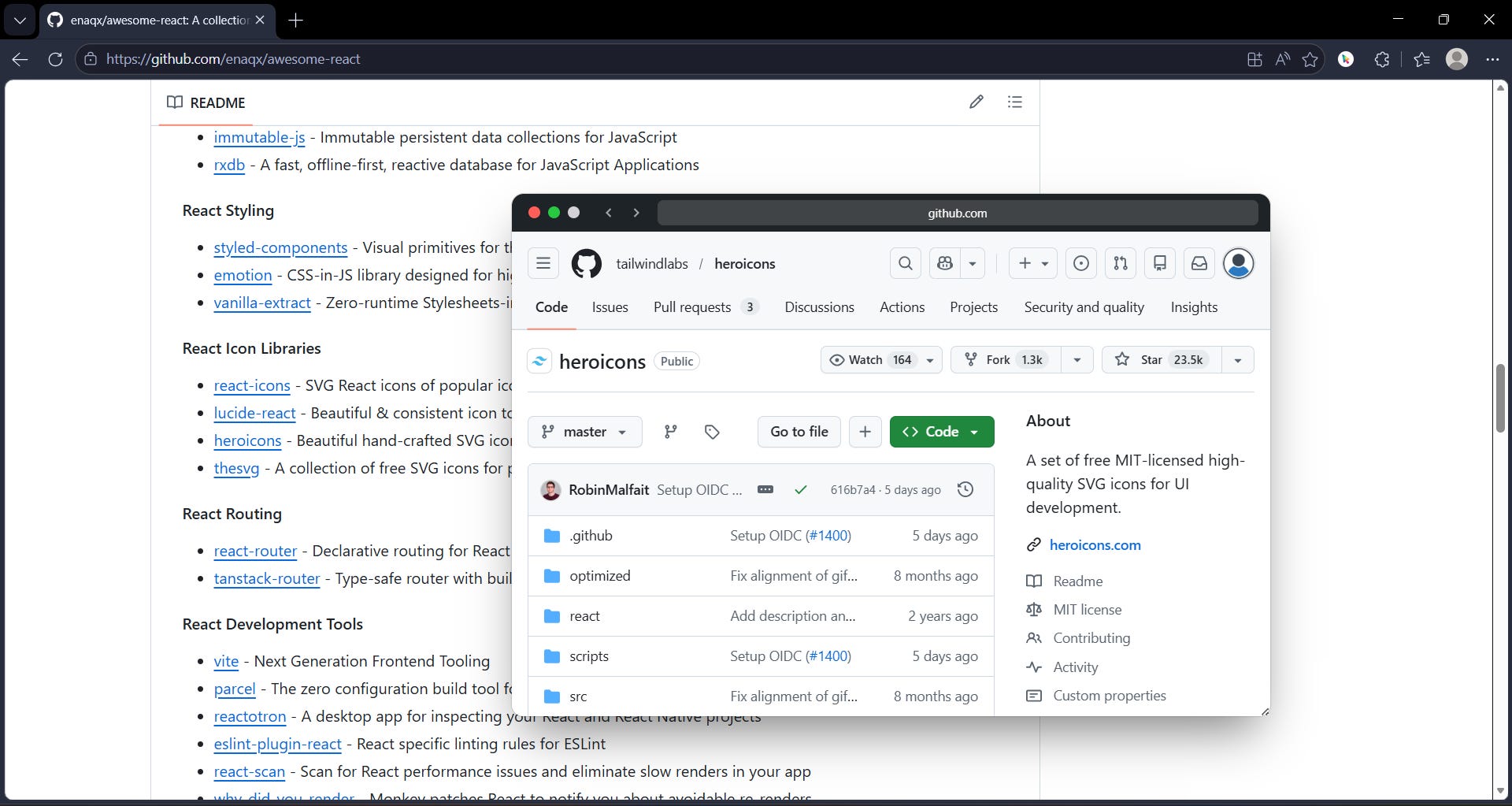
I’ve been building GoPeek — a browser extension that lets you open links inside live interactive mini browser windows instead of constantly exploding your browser into endless tabs.
The idea is simple:
Most links are just curiosity clicks.
You don’t always want:
open tab → wait → check → close tab → return
You just want to peek.
So GoPeek lets you hold a modifier key (Shift/Alt/Ctrl) and instantly open links in fully interactive mini windows directly inside your current page. You can browse, scroll, compare pages side-by-side, minimize sessions into floating bubbles, and continue researching without breaking context.
It’s especially useful for:
developers
researchers
students
documentation-heavy workflows
people with 73 tabs open for “later”
Some current features:
live interactive previews
sidebar split-screen mode

multi-peek support

floating bubble minimize

adaptive/dynamic theming
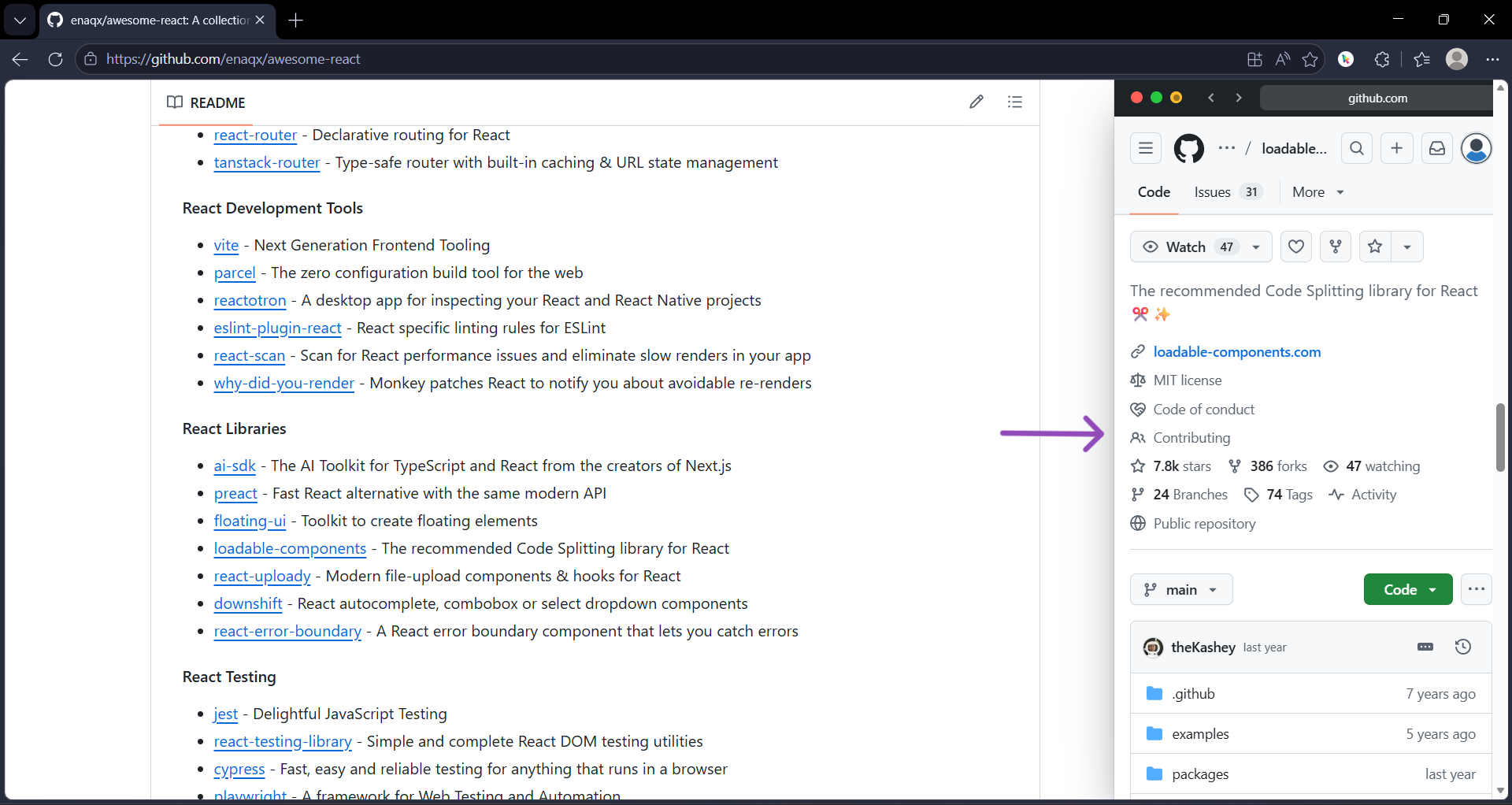
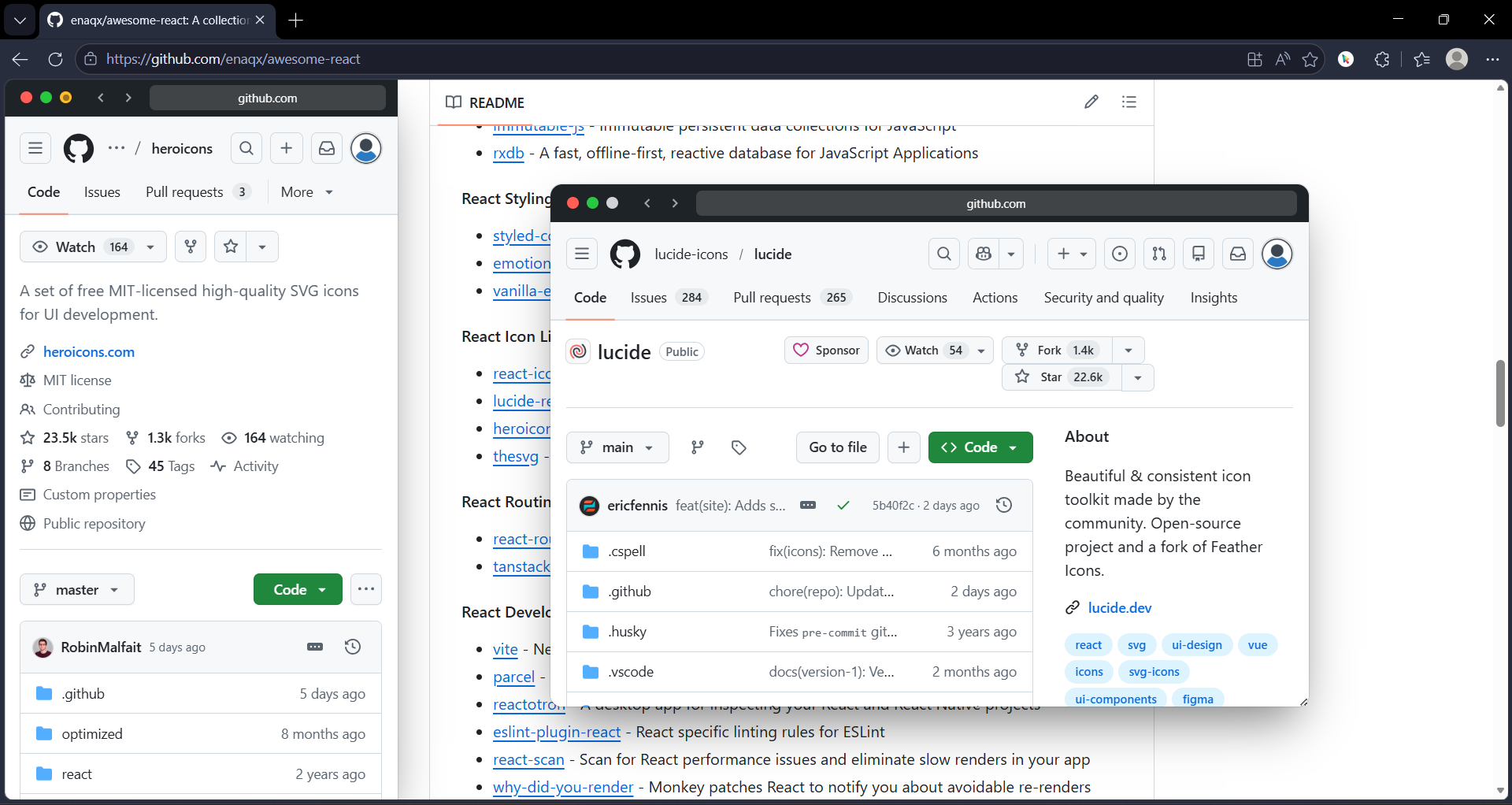
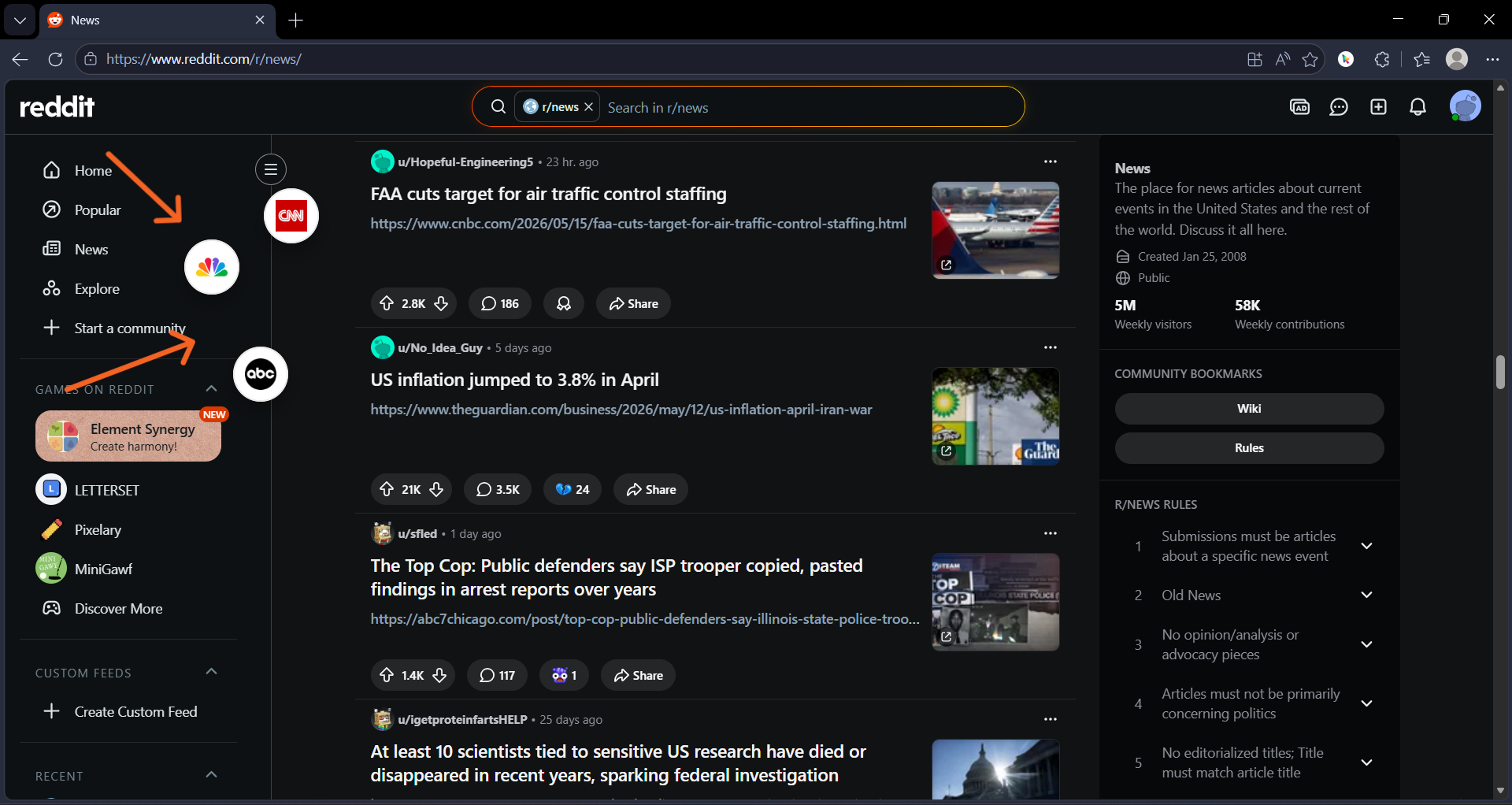
The Chrome Web Store and Edge listings are currently pending, but if you want to test the developer beta manually, you can already try it through the unpacked extension version.
Installation is straightforward:
Download the ZIP
Extract it
Open
chrome://extensionsEnable Developer Mode
Click “Load unpacked”
Select the extracted GoPeek folder
I would love feedback, especially about any unusual edge cases, and workflow ideas from people who spend most of their day inside a browser.