Gantt Chart
for Trello
Upgrade your Trello to Professional Management Tool

All boards in one place
In the Gantt Chart view, you can see all the boards of your Trello account and the tasks for them. You can disable what you want also.
SOON
Connect your time trackers
Connect your favorite time trackers and track your employees' performance right on the gantt chart. Tracked time is displayed as a green bar in the task line.

SOON
Automatic cards movement
Customize the necessary columns in which your cards will be added or moved
Default column
This column automatically includes all tasks that are created through Gantt Chart View.
In progress column
If the time tracker starts tracking the time by task, it automatically moves to that column.
Completed column
Tasks that are marked as completed in the Gantt Chart View will automaticly move in this column.
Workload panel
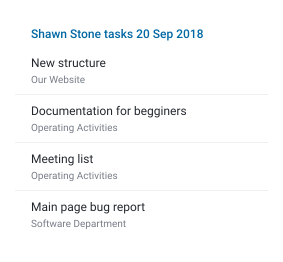
Watch for the load of your team members and evenly distribute the load between them using the access panel. Choose between the number of tasks and the number of working hours per day.

Other features

Dependences
Build dependence between tasks. Any changes in terms will shift related tasks.

Progress
Make subjective progress on the task in order to understand at what stage the readiness is.

Group
Group tasks and build any hierarchy. Keep track of the progress of the exercise throughout the group.

Stats
Brief statistics of the time spent by the performer in each card.

Indicators
Indication of changes in the cards on the Gantt View.

Renaming
Change the name of the task/Trello card directly right on the Gantt View.

Task opening
Opening a Trello card directly in Gantt View.

Speed
Quick work without loading RAM.

Milestones
Flexible milestones creation.

Hotkeys
Quick work with hotkeys.
Price & Plans
Free for 1 user
/ for 1 user
- 1 free user
- Unlimited boards
- 1 free user
- Unlimited boards
- Connecting team members
Professional
/ mo per user
- 1 free user
- Unlimited boards
- Time trackers integration
- User workload panel
- User card estimate statistics
Install The Extension
The extension is available for the Google Chrome web browser. You can install it in Chrome Webstore.
Contacts
If you have any questions about the product or offers of cooperation you can write to our mailbox.
Implementation
If you want the product to appear as soon as possible, you can provide support on the IndieGoGo, where we raise funds for its implementation.
How much can I donate and what benefits can I get? Find it below.

+1
free user forever
in your team
+4
free users forever
in your team
+8
free users forever
in your team
+12
free users forever
in your team
+35
free users forever
in your team
∞
free users forever
in your team


We are not affiliated, associated, authorized, endorsed by or in any way officially connected to Trello, Inc. (www.trello.com).