To add this MCP to Cursor, update your ~/.cursor/mcp.json:
{
  "mcpServers": {
    "react-router Docs": {
      "url": "https://gitmcp.io/remix-run/react-router"
    }
  }
}
To add this MCP to Claude Desktop, update your claude_desktop_config.json:
{
  "mcpServers": {
    "react-router Docs": {
      "command": "npx",
      "args": [
        "mcp-remote",
        "https://gitmcp.io/remix-run/react-router"
      ]
    }
  }
}
To add this MCP to Windsurf, update your ~/.codeium/windsurf/mcp_config.json:
{
  "mcpServers": {
    "react-router Docs": {
      "serverUrl": "https://gitmcp.io/remix-run/react-router"
    }
  }
}
To add this MCP to VSCode, update your .vscode/mcp.json:
{
  "servers": {
    "react-router Docs": {
      "type": "sse",
      "url": "https://gitmcp.io/remix-run/react-router"
    }
  }
}
To add this MCP to Cline, update your ~/Library/Application Support/Code/User/globalStorage/saoudrizwan.claude-dev/settings/cline_mcp_settings.json:
{
  "mcpServers": {
    "react-router Docs": {
      "url": "https://gitmcp.io/remix-run/react-router",
      "disabled": false,
      "autoApprove": []
    }
  }
}- Open Highlight AI and click the plugins icon (@ symbol) in the sidebar
- Click Installed Plugins at the top of the sidebar
- Select Custom Plugin
- Click Add a plugin using a custom SSE URL
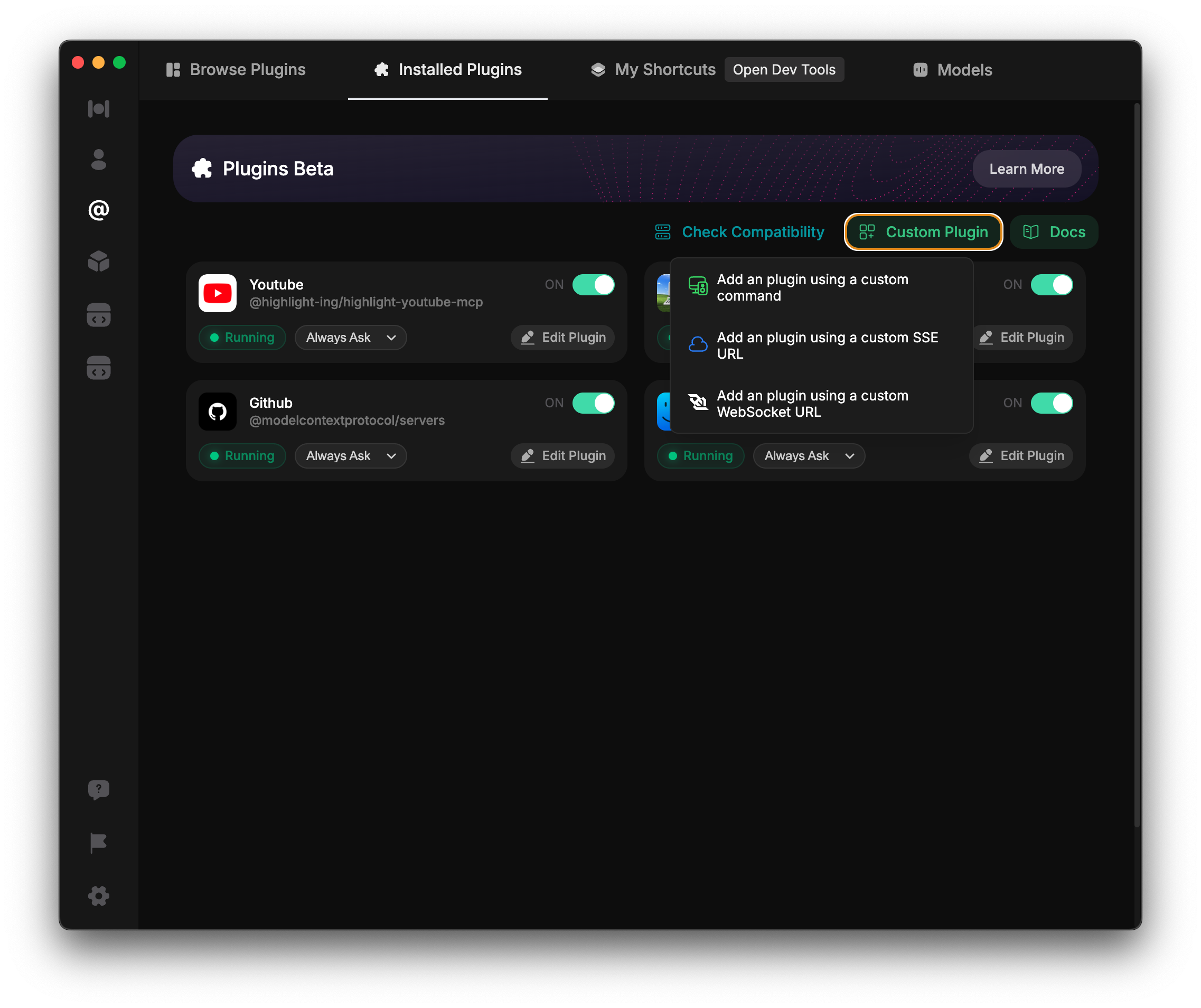
Enter this as your plugin name: react-router Docs
Enter this URL as the SSE URL: https://gitmcp.io/remix-run/react-router
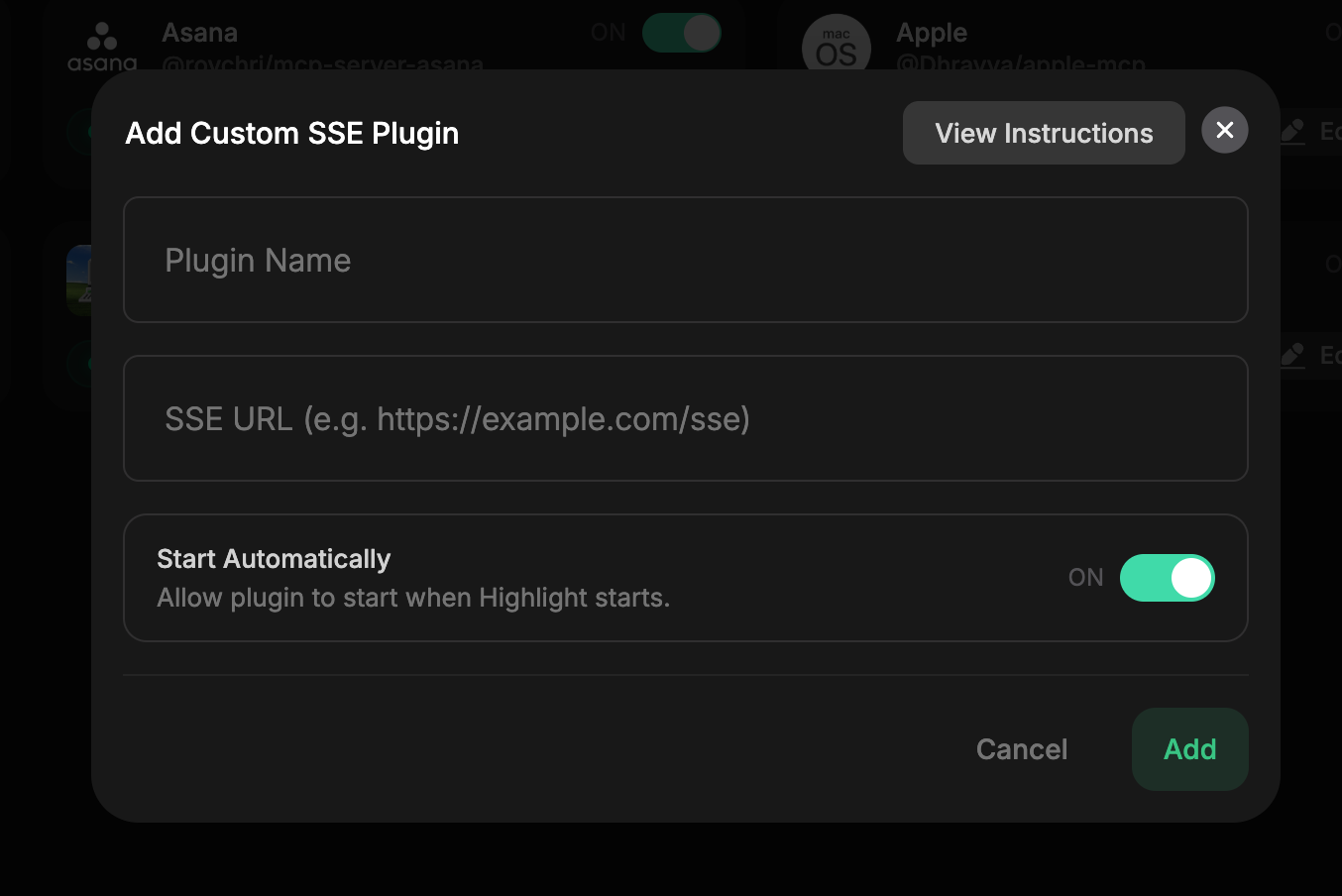
For more details on adding custom MCP servers, refer to the documentation.
- Open Augment Code settings
- Navigate to the MCP section
- Add a new MCP server with the following details
Name the MCP server: git-mcp Docs
Use this command: npx mcp-remote $https://gitmcp.io/remix-run/react-router
Or use the following configuration:
{
  "mcpServers": {
    "git-mcp Docs": {
      "command": "npx",
      "args": [
        "mcp-remote",
        "https://gitmcp.io/remix-run/react-router"
      ]
    }
  }
}
For more details on configuring MCP servers in Augment Code, visit the Augment Code documentation.
- Copy the following JSON configuration:
- Go to Msty Studio > Tools > 'Import Tools from JSON Clipboard'
{
                      "mcpServers": {
                        "react-router Docs": {
                          "command": "npx",
                          "args": [
                            "mcp-remote",
                            "https://gitmcp.io/remix-run/react-router"
                          ]
                        }
                      }
}For more details on using Msty AI, refer to the documentation.