🤖 zkzkAgent: Local AI System Manager for Linux







⚠️ Linux Only: This project is specifically designed for Linux systems (Ubuntu/Debian-based distributions). It uses Linux-specific commands and tools likenmcli,xdg-open, and system paths.
zkzkAgent is a powerful, privacy-focused local AI assistant designed to act as your intelligent system manager on Linux. Built on LangGraph and Ollama, it automates complex workflows, manages system processes, handles network tasks, and provides voice interaction capabilities—all while keeping your data on your machine.
🎬 Demos
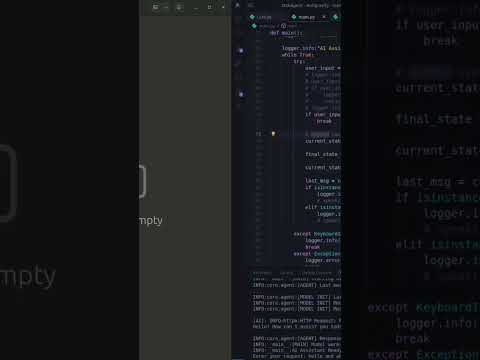
Demo Video 1
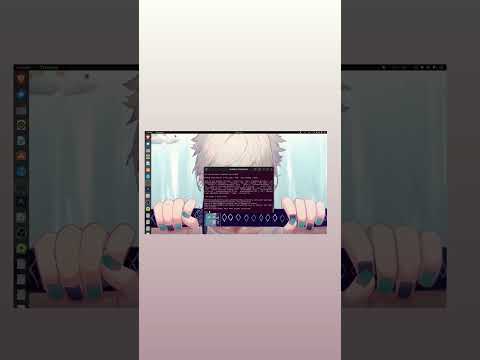
Demo Video 2
📑 Table of Contents
- ✨ Key Features
- 🏗️ Architecture
- 🚀 Quick Install
- 🚀 Getting Started
- 💻 Usage
- 📖 Comprehensive Usage Examples
- 📂 Project Structure
- 🔧 Advanced Configuration
- 🐛 Troubleshooting
- 📊 Performance Tips
- 🔒 Security Considerations
- 🤝 Contributing
- 📄 License
- 🙏 Acknowledgments
- 📞 Support
✨ Key Features
🧠 Intelligent Automation
- Background Deployment: Run long-running deployment scripts in the background with automatic option selection by AI
- Process Management: Track, monitor, and kill background processes directly through chat commands
- Smart File Search: Automatic wildcard matching when exact filenames aren't found
- Context-Aware Actions: AI reads scripts and makes intelligent decisions based on user intent
- Real-time Streaming: Instant feedback with token-by-token response streaming
- Low-latency Startup: Adaptive model warm-up ensures the agent is ready when you are
🌐 Network Awareness
- Auto-Connectivity Check: Automatically verifies internet access before executing network-dependent tasks
- Self-Healing Wi-Fi: Detects disconnections and attempts to enable Wi-Fi automatically using
nmcli - Network-First Operations: Browser and deployment tasks always check connectivity first
🛡️ Safety & Security
- Human-in-the-Loop: Destructive operations require explicit user confirmation (yes/no)
- Dangerous Tool Protection: Automatic safeguards for destructive tools like
empty_trash,remove_file,install_package, and others - Local Execution: Powered by local LLMs via Ollama—your data never leaves your device
- Privacy-First: No cloud dependencies, all processing happens locally
🎤 Voice Interaction (Optional)
- Voice Input: Whisper-based speech recognition with VAD (Voice Activity Detection)
- Text-to-Speech: Natural voice responses using Coqui TTS
- Noise Reduction: Built-in audio preprocessing for better recognition
- Hands-Free Operation: Control your system with voice commands
🛠️ Comprehensive Tooling (25 Tools)
File Operations (8 tools)
General File Tools (4 tools)
- Find File (
find_file): Search for files with automatic wildcard matching - Find Folder (
find_folder): Locate directories across your system - Read File (
read_file): Display file contents - Open File (
open_file): Open files with default applications usingxdg-open
Coding & Project Tools (4 tools - New)
- Get File Content (
get_file_content): Read code files within a project limit 10000 chars - Write File (
write_file): Write code to files within a project limit 10000 chars - Get Files Info (
get_files_info): List files and directories with metadata - Create Project (
create_project_folder): Create new project directories safely
Dangerous Tools (5 tools - Require Confirmation)
- Empty Trash (
empty_trash): Clear system trash (~/.local/share/Trash/*) - Clear Temp (
clear_tmp): Remove temporary files from~/tmp/* - Remove File (
remove_file): Safely delete files/folders permanently - Install Package (
install_package): Install system packages safely using the appropriate package manager - Remove Package (
remove_package): Remove system packages safely
Application Tools (2 tools)
- VSCode Integration (
open_vscode): Open files and folders in Visual Studio Code - Browser Automation (
open_browser): Open URLs in default browser
Network Tools (4 tools)
- Internet Check (
check_internet): Verify connectivity by pinging8.8.8.8 - Wi-Fi Management (
enable_wifi): Enable Wi-Fi using NetworkManager (nmcli) - Web Search (
duckduckgo_search): Search the web using DuckDuckGo API - Image Search (
duckduckgo_search_images): Find and download images directly to your media folder
Process Management Tools (2 tools)
- Find Process (
find_process): Locate running processes by name usingpgrep - Kill Process (
kill_process): Terminate background processes with SIGTERM
Deployment Tools (2 tools)
- Deploy Script (
run_deploy_script): Run deployment scripts with AI-assisted option selection - Stop Frontend (
stop_frontend): Terminate remote frontend process via SSH
System Tools (1 tool)
- Run Command (
run_command): Execute shell commands and return output (date, whoami, ls, etc.)
Package Management Tools (3 tools)
- Detect OS (
detect_operating_system): Detect the Linux distribution (Ubuntu/Debian, Fedora, Arch, etc.) - Install Package (
install_package): Install system packages safely (Requires Confirmation) - Remove Package (
remove_package): Remove system packages safely (Requires Confirmation)
🏗️ Architecture
The agent operates on a cyclic graph architecture using LangGraph with stateful execution, conditional routing, and human-in-the-loop safety mechanisms.
High-Level Agent Flow
graph TB
    Start([User Input]) --> Entry[Entry Point: Agent Node]

    Entry --> CheckPending{Pending<br/>Confirmation?}

    %% Confirmation Flow
    CheckPending -->|Yes| ParseResponse{User Response}
    ParseResponse -->|yes/y| ExecuteDangerous[Execute Dangerous Tool]
    ParseResponse -->|no/other| CancelAction[Cancel Action]
    ExecuteDangerous --> UpdateState1[Update State]
    CancelAction --> UpdateState1
    UpdateState1 --> End1([Return to User])

    %% Normal Flow
    CheckPending -->|No| InvokeLLM[Invoke LLM with Tools]
    InvokeLLM --> CheckToolCalls{Tool Calls<br/>Present?}

    %% No Tool Calls
    CheckToolCalls -->|No| End2([Return Response to User])

    %% Tool Calls Present
    CheckToolCalls -->|Yes| CheckDangerous{Is Dangerous<br/>Tool?}

    %% Dangerous Tool Path
    CheckDangerous -->|Yes: empty_trash<br/>clear_tmp<br/>remove_file<br/>install_package<br/>remove_package| SetPending[Set Pending Confirmation]
    SetPending --> AskConfirm[Ask User for Confirmation]
    AskConfirm --> End3([Wait for User Response])

    %% Safe Tool Path
    CheckDangerous -->|No| ToolNode[Tool Execution Node]
    ToolNode --> ExecuteTools[Execute Tool Functions]
    ExecuteTools --> ToolResult[Collect Tool Results]
    ToolResult --> BackToAgent[Return to Agent Node]
    BackToAgent --> Entry

    style CheckPending fill:#ff9999
    style CheckDangerous fill:#ff9999
    style SetPending fill:#ffcccc
    style ExecuteDangerous fill:#ff6666
    style ToolNode fill:#99ccff
    style InvokeLLM fill:#99ff99
Detailed State Management
graph LR
    subgraph "AgentState Structure"
        State[AgentState]
        State --> Messages[messages: List]
        State --> Pending[pending_confirmation: Dict]
        State --> Processes[running_processes: Dict]
    end

    subgraph "Messages"
        Messages --> System[SystemMessage]
        Messages --> Human[HumanMessage]
        Messages --> AI[AIMessage]
        Messages --> Tool[ToolMessage]
    end

    subgraph "Pending Confirmation"
        Pending --> ToolName[tool_name: str]
        Pending --> UserMsg[user_message: str]
    end

    subgraph "Running Processes"
        Processes --> ProcName[process_name: str]
        Processes --> PID[pid: int]
    end

    style State fill:#e1f5ff
    style Messages fill:#fff9c4
    style Pending fill:#ffccbc
    style Processes fill:#c8e6c9
Tool Execution Flow
graph TD
    ToolCall[Tool Call Received] --> RouteType{Tool Type}

    %% File Operations
    RouteType -->|File Ops| FileFlow[File Operations Flow]
    FileFlow --> FindFile[find_file: Search with wildcards]
    FileFlow --> FindFolder[find_folder: Locate directories]
    FileFlow --> ReadFile[read_file: Display contents]
    FileFlow --> OpenFile[open_file: xdg-open]

    %% Coding Operations
    RouteType -->|Coding| CodeFlow[Coding Operations Flow]
    CodeFlow --> CreateProj[create_project_folder: Init Project]
    CodeFlow --> WriteMs[write_file: Write Code]
    CodeFlow --> ReadCode[get_file_content: Read Code]
    CodeFlow --> ListFiles[get_files_info: List Project Files]
    %% Network Operations
    RouteType -->|Network| NetworkFlow[Network Operations Flow]
    NetworkFlow --> CheckInternet[check_internet: Ping 8.8.8.8]
    NetworkFlow --> EnableWiFi[enable_wifi: nmcli radio wifi on]
    NetworkFlow --> WebSearch[duckduckgo_search: Query DuckDuckGo API]

    %% Application Tools
    RouteType -->|Applications| AppFlow[Application Tools Flow]
    AppFlow --> OpenVSCode[open_vscode: Launch IDE]
    AppFlow --> OpenBrowser[open_browser: xdg-open URL]

    %% Process Management
    RouteType -->|Process| ProcFlow[Process Management Flow]
    ProcFlow --> FindProc[find_process: pgrep process_name]
    ProcFlow --> KillProc[kill_process: SIGTERM]

    %% Deployment Tools
    RouteType -->|Deployment| DeployFlow[Deployment Tools Flow]
    DeployFlow --> RunDeploy[run_deploy_script: Background execution]
    DeployFlow --> StopFrontend[stop_frontend: Kill remote frontend]

    %% System Tools
    RouteType -->|System| SysFlow[System Commands Flow]
    SysFlow --> RunCommand[run_command: Execute shell command]

    %% Package Management
    RouteType -->|Packages| PkgFlow[Package Management Flow]
    PkgFlow --> DetectOS[detect_operating_system: Detect distro]
    PkgFlow --> InstallPkg[install_package: apt/dnf/pacman]
    PkgFlow --> RemovePkg[remove_package: apt/dnf/pacman]

    %% Dangerous Operations
    RouteType -->|Dangerous| DangerFlow[Dangerous Operations Flow]
    DangerFlow --> Confirm{User<br/>Confirmed?}
    Confirm -->|Yes| EmptyTrash[empty_trash: rm -rf ~/.local/share/Trash/*]
    Confirm -->|Yes| ClearTmp[clear_tmp: rm -rf ~/tmp/*]
    Confirm -->|Yes| RemoveFile[remove_file: rm -rf path]
    Confirm -->|Yes| InstallPkg[install_package: apt/dnf/pacman]
    Confirm -->|Yes| RemovePkg[remove_package: apt/dnf/pacman]
    Confirm -->|No| Cancel[Cancel Operation]

    %% Results
    FindFile --> Result[Return Result to Agent]
    FindFolder --> Result
    ReadFile --> Result
    OpenFile --> Result
    CreateProj --> Result
    WriteMs --> Result
    ReadCode --> Result
    ListFiles --> Result
    CheckInternet --> Result
    EnableWiFi --> Result
    WebSearch --> Result
    OpenVSCode --> Result
    OpenBrowser --> Result
    FindProc --> Result
    KillProc --> Result
    RunDeploy --> Result
    StopFrontend --> Result
    RunCommand --> Result
    DetectOS --> Result
    InstallPkg --> Result
    RemovePkg --> Result
    EmptyTrash --> Result
    ClearTmp --> Result
    RemoveFile --> Result
    Cancel --> Result

    style DangerFlow fill:#ff9999
    style Confirm fill:#ffcccc
    style EmptyTrash fill:#ff6666
    style ClearTmp fill:#ff6666
    style RemoveFile fill:#ff6666
    style NetworkFlow fill:#99ccff
    style FileFlow fill:#c8e6c9
    style CodeFlow fill:#a5d6a7
    style AppFlow fill:#fff9c4
    style ProcFlow fill:#e1bee7
    style DeployFlow fill:#b2dfdb
    style SysFlow fill:#ffccbc
    style PkgFlow fill:#ffb74d
LangGraph Node Structure
graph LR
    subgraph "Graph Nodes"
        AgentNode[Agent Node<br/>call_model]
        ToolsNode[Tools Node<br/>ToolNode]
    end

    subgraph "Conditional Routing"
        Router[should_continue]
        Router --> CheckPending{pending_confirmation?}
        Router --> CheckToolCalls{tool_calls?}
    end

    Start([START]) --> AgentNode
    AgentNode --> Router

    CheckPending -->|Yes| End1([END])
    CheckPending -->|No| CheckToolCalls
    CheckToolCalls -->|Yes| ToolsNode
    CheckToolCalls -->|No| End2([END])

    ToolsNode --> AgentNode

    style AgentNode fill:#99ff99
    style ToolsNode fill:#99ccff
    style Router fill:#fff9c4
Internet Connectivity Workflow
graph TD
    Start[Tool Requires Network?] --> CheckType{Tool Type}

    CheckType -->|duckduckgo_search| DirectSearch[Execute Search Directly]
    DirectSearch --> SearchResult[Return Results or Error]

    CheckType -->|open_browser| CheckNet[check_internet]
    CheckType -->|run_deploy_script| CheckNet

    CheckNet --> IsConnected{Connected?}
    IsConnected -->|Yes| ExecuteTool[Execute Tool]
    IsConnected -->|No| EnableWiFi[enable_wifi]

    EnableWiFi --> Wait[Wait 2-3 seconds]
    Wait --> Retry[check_internet again]
    Retry --> RetryCheck{Connected?}

    RetryCheck -->|Yes| ExecuteTool
    RetryCheck -->|No| Error[Report Connection Error]

    ExecuteTool --> Success[Return Result]

    style DirectSearch fill:#99ff99
    style CheckNet fill:#99ccff
    style EnableWiFi fill:#ffcc99
    style Error fill:#ff9999
    style Success fill:#99ff99
🚀 Quick Install
Get up and running with a single command:
chmod +x install.sh && ./install.sh🚀 Getting Started
System Requirements
- Operating System: Linux (Ubuntu 20.04+, Debian-based distributions)
- Python: 3.10 or higher
- RAM: Minimum 8GB (16GB recommended for voice features)
- Disk Space: ~5GB for models and dependencies
- GPU: Optional (CUDA support for faster TTS)
Prerequisites
1. Install Ollama
# Download and install Ollama
curl -fsSL https://ollama.com/install.sh | sh

# Pull the default model
ollama pull qwen3-vl:4b-instruct-q4_K_M
Note: You can use any Ollama model. Edit
models/LLM.pyto change the model.
2. Install System Dependencies
# For Ubuntu/Debian
sudo apt update
sudo apt install -y python3-pip python3-dev portaudio19-dev ffmpeg

# NetworkManager (usually pre-installed)
sudo apt install -y network-manager
Installation
-
Clone the Repository
git clone https://github.com/zkzkGamal/zkzkAgent.git cd zkzkAgent -
Create Virtual Environment (Recommended)
python3 -m venv venv source venv/bin/activate -
Install Python Dependencies
pip install -r requirements.txt
Configuration
System Prompt (prompt.yaml)
Customize the agent's behavior, personality, and rules:
_type: chat
input_variables:
  - home

messages:
  - role: system
    prompt:
      template: |
        You are a local AI assistant acting as a **system manager**.
        # ... customize your prompt here
Model Settings (models/LLM.py)
Change the LLM model:
from langchain_ollama import ChatOllama

llm = ChatOllama(model="qwen3-vl:4b-instruct-q4_K_M")  # Change model here
Voice Settings
- Voice Input (
models/voice.py): Change Whisper model size (tiny,base,small,medium,large) - TTS (
models/tts.py): Change TTS model or speaker voice
💻 Usage
Text Mode (Default)
Start the agent with text input:
Type your commands and press Enter. Type exit or quit to stop.
Voice Mode (Optional)
Uncomment the voice input lines in main.py:
# Change from:
user_input = input("Enter your request: ").strip()

# To:
logger.info("Listening for voice input...")
user_input = voice_module()
if user_input is None:
    logger.info("No valid input detected. Please try again.")
    continue
logger.info(f"[USER]: {user_input}")
📖 Comprehensive Usage Examples
File Operations
Finding Files
User: Find the file main.py
AI: [Searches and returns file path]

User: Find config file
AI: [Automatically tries *config* wildcard search]

User: Find all Python files in the project
AI: [Uses find_file with *.py pattern]
Reading Files
User: Read the readme file
AI: [Finds and displays README.md content]

User: Show me the contents of agent.py
AI: [Displays agent.py content]
Opening Files
User: Open main.py
AI: [Opens in default text editor using xdg-open]

User: Open setup.py in VSCode
AI: [Uses open_vscode tool to open in VSCode]
Coding & Project Management
creating New Projects
User: Create a new Python project called 'ai-bot'
AI: [Uses create_project_folder("~/", "ai-bot") → Creates new directory]
Writing and Reading Code
User: Create main.py in myapp with a hello world script
AI: [Uses write_file("~/myapp", "main.py", "print('Hello')") → Writes content]

User: Read the content of src/utils.py
AI: [Uses get_file_content("~/myapp", "src/utils.py") → Returns code content]
Explroing Project Structure
User: what files are in the current project?
AI: [Uses get_files_info("~/myapp", ".") → Lists files with metadata]
System Maintenance
Cleaning System
User: Empty the trash
AI: I'm about to perform 'empty_trash'. This will delete data permanently. Please confirm with 'yes' or 'no'.
User: yes
AI: [Empties ~/.local/share/Trash]

User: Clear temporary files
AI: I'm about to perform 'clear_tmp'. This will delete data permanently. Please confirm with 'yes' or 'no'.
User: yes
AI: [Clears /tmp directory]
File Removal
User: Remove old_backup.tar.gz
AI: I'm about to perform 'remove_file'. This will delete data permanently. Please confirm with 'yes' or 'no'.
User: yes
AI: [Deletes the file]
Network Operations
Opening URLs
User: Open youtube.com
AI: [Checks internet → Enables Wi-Fi if needed → Opens in browser]

User: Browse github.com
AI: [Verifies connectivity → Opens URL]
Network Troubleshooting
User: Check if I'm connected to the internet
AI: [Uses check_internet tool → Reports status]

User: Enable Wi-Fi
AI: [Uses nmcli to enable Wi-Fi]
Development Workflow
Opening Projects
User: Open the current project in VSCode
AI: [Launches VSCode with current directory]

User: Open /home/user/myproject in VSCode
AI: [Opens specified directory in VSCode]
Running Deployments
User: Run the deploy script
AI: [Reads deploy_v2.sh → Analyzes options → Selects appropriate option → Runs in background]
AI: Deploy script started in background. PID: 12345. Logs are being written to deploy.log.

User: Kill the deploy script
AI: [Terminates process 12345]
Process Management
User: Find all Python processes
AI: [Uses find_process tool with 'python']
AI: Found the following Python processes:
    - PID: 92550
    - PID: 92560
    - PID: 96142

User: List all running processes
AI: [Uses find_process to locate processes]

User: Kill the deploy script
AI: [Finds and terminates the background deployment process]

User: Stop process 12345
AI: [Terminates the specified process using kill_process]
Combined Workflows
User: Find the config file, read it, and open it in VSCode
AI: [Executes find_file → read_file → open_vscode in sequence]

User: Check internet and open the project documentation
AI: [Checks connectivity → Enables Wi-Fi if needed → Opens URL]
Web Search
User: Search for Python best practices
AI: [Uses duckduckgo_search tool → Returns top 5 results with titles, descriptions, and URLs]

User: Find information about LangGraph framework
AI: [Searches web and presents results with clickable links]

User: Look up the latest news about AI agents
AI: [Executes duckduckgo_search("AI agents news", 5) → Displays formatted results]
System Commands
User: What's the current date?
AI: [Uses run_command("date") → Returns current date and time]

User: Show me the current user
AI: [Uses run_command("whoami") → Returns username]

User: Check disk space
AI: [Uses run_command("df -h") → Returns disk usage information]

User: Show system information
AI: [Uses run_command("uname -a") → Returns kernel and system details]
Frontend Management
User: Stop the frontend
AI: [Uses stop_frontend() → Terminates remote frontend process]
AI: Frontend stopped successfully. PID 12345 killed on remote server.

User: Kill the frontend deployment
AI: [Checks running_processes state → Uses stop_frontend() → Reports success]
📂 Project Structure
zkzkAgent/
├── main.py                     # Entry point & CLI loop with logging
├── prompt.yaml                 # System prompt configuration
├── requirements.txt            # Python dependencies
│
├── core/                       # Core agent components
│   ├── __init__.py
│   ├── agent.py                # LangGraph agent logic & graph definition
│   ├── state.py                # AgentState TypedDict definition
│   └── tools.py                # Tool exports & registration
│
├── models/                     # AI Model configurations
│   ├── LLM.py                  # Ollama LLM setup (qwen3-vl)
│   ├── voice.py                # Whisper model for voice input
│   └── tts.py                  # Coqui TTS for voice output
│
├── modules/                    # Auxiliary modules
│   └── voice_module.py         # Voice input processing with VAD
│
└── tools_module/               # Tool implementations (25 tools)
    ├── __init__.py
    │
    ├── files_tools/            # File operation tools (8 tools)
    │   ├── findFile.py         # Search for files with wildcards
    │   ├── findFolder.py       # Search for directories
    │   ├── readFile.py         # Read file contents
    │   ├── openFile.py         # Open files with xdg-open
    │   ├── getFileContent.py   # Read code files (coding tool)
    │   ├── writeFile.py        # Write code files (coding tool)
    │   ├── getFileInfo.py      # List file metadata (coding tool)
    │   └── createProjectFolder.py # Create project directories
    │
    ├── dangerous_tools/        # Tools requiring confirmation (3 tools)
    │   ├── __init__.py
    │   ├── emptyTrash.py       # Empty ~/.local/share/Trash/*
    │   ├── emptyTmp.py         # Clear ~/tmp/*
    │   └── removeFile.py       # Delete files/folders safely
    │
    ├── applications_tools/     # Application launchers (2 tools)
    │   ├── openVsCode.py       # Launch Visual Studio Code
    │   └── openBrowser.py      # Open URLs in default browser
    │
    ├── network_tools/          # Network management (4 tools)
    │   ├── checkInternet.py    # Verify connectivity (ping 8.8.8.8)
    │   ├── enableWifi.py       # Enable Wi-Fi using nmcli
    │   ├── networkSearch.py    # DuckDuckGo web search
    │   └── duckduckgo_search_images.py # Image search and download
    │
    ├── processes_tools/        # Process management (2 tools)
    │   ├── findProcess.py      # Find processes by name (pgrep)
    │   └── killProcess.py      # Terminate processes (SIGTERM)
    │
    ├── package_manager/        # Package management tools (3 tools)
    │   ├── detectOperatingSystem.py # Detect Linux distribution
    │   ├── installPackage.py   # Install system packages
    │   └── removePackage.py    # Remove system packages
    │
    ├── runDeployScript.py      # Deployment tools (2 tools: run_deploy_script, stop_frontend)
    └── runCommand.py           # System command execution (1 tool: run_command)
🔧 Advanced Configuration
Custom Tools
Add new tools by creating a new file in tools_module/:
from langchain_core.tools import tool

@tool
def my_custom_tool(param: str) -> str:
    """Description of what this tool does."""
    # Your implementation
    return "Result"
Register in tools.py:
from tools_module import my_custom_tool

__all__ = [
    # ... existing tools
    my_custom_tool.my_custom_tool,
]
Dangerous Tools
To add a tool that requires confirmation, add its name to agent.py:
DANGEROUS_TOOLS = ["empty_trash", "clear_tmp", "remove_file", "my_dangerous_tool"]
Voice Configuration
Whisper Model Size
Edit models/voice.py:
# Options: tiny, base, small, medium, large
whisper_model = whisper.load_model("small", device="cpu").cpu()
TTS Voice
Edit models/tts.py:
# Change speaker index (0-108 for VCTK model)
speaker = tts.speakers[11]  # Try different numbers
🐛 Troubleshooting
Common Issues
1. Ollama Connection Error
# Check if Ollama is running
ollama list

# Restart Ollama service
systemctl restart ollama
2. NetworkManager Not Found
# Install NetworkManager
sudo apt install network-manager

# Enable and start service
sudo systemctl enable NetworkManager
sudo systemctl start NetworkManager
3. Audio Issues (Voice Mode)
# Install PortAudio
sudo apt install portaudio19-dev

# Test audio devices
python3 -c "import sounddevice as sd; print(sd.query_devices())"
4. Permission Denied for Tools
# Make deploy script executable
chmod +x ../deploy/deploy_v2.sh

# Check file permissions
ls -la ~/.local/share/Trash
5. VSCode Not Opening
# Install VSCode
sudo snap install code --classic

# Or via apt
wget -qO- https://packages.microsoft.com/keys/microsoft.asc | gpg --dearmor > packages.microsoft.gpg
sudo install -o root -g root -m 644 packages.microsoft.gpg /etc/apt/trusted.gpg.d/
sudo sh -c 'echo "deb [arch=amd64] https://packages.microsoft.com/repos/vscode stable main" > /etc/apt/sources.list.d/vscode.list'
sudo apt update
sudo apt install code
📊 Performance Tips
Optimize for Speed
- Use Smaller Models: Switch to
qwen3-vl:2bfor faster responses - Disable Voice: Comment out TTS in
main.pyfor text-only mode - GPU Acceleration: Enable GPU for TTS in
models/tts.py:tts = TTS(model_name, progress_bar=False, gpu=True)
Reduce Memory Usage
- Use Quantized Models: Stick with
q4_K_Mquantization - Smaller Whisper: Use
tinyorbasemodel - Disable Unused Features: Remove voice dependencies if not needed
🔒 Security Considerations
- Local Only: All processing happens on your machine
- No Telemetry: No data is sent to external servers
- Confirmation Required: Destructive operations need explicit approval
- Script Inspection: AI reads scripts before execution
- Process Isolation: Background processes run with user permissions
🤝 Contributing
Contributions are welcome! Please follow these guidelines:
- Fork the repository
- Create a feature branch (
git checkout -b feature/amazing-feature) - Commit your changes (
git commit -m 'Add amazing feature') - Push to the branch (
git push origin feature/amazing-feature) - Open a Pull Request
Development Setup
# Install development dependencies
pip install -r requirements.txt

# Run tests
python3 tools_test.py
📄 License
This project is licensed under the MIT License. See the LICENSE file for details.
🙏 Acknowledgments
- LangChain & LangGraph: For the agent framework
- Ollama: For local LLM inference
- OpenAI Whisper: For speech recognition
- Coqui TTS: For text-to-speech synthesis
- NetworkManager: For Wi-Fi management on Linux
📞 Support
For issues, questions, or feature requests:
- GitHub Issues: Create an issue
- Discussions: Join the discussion
Made with ❤️ for the Linux community