






A centralized dashboard for managing Django admin panels
Official Site • Features • Installation • Quick Start • Official Panels • Documentation
Features
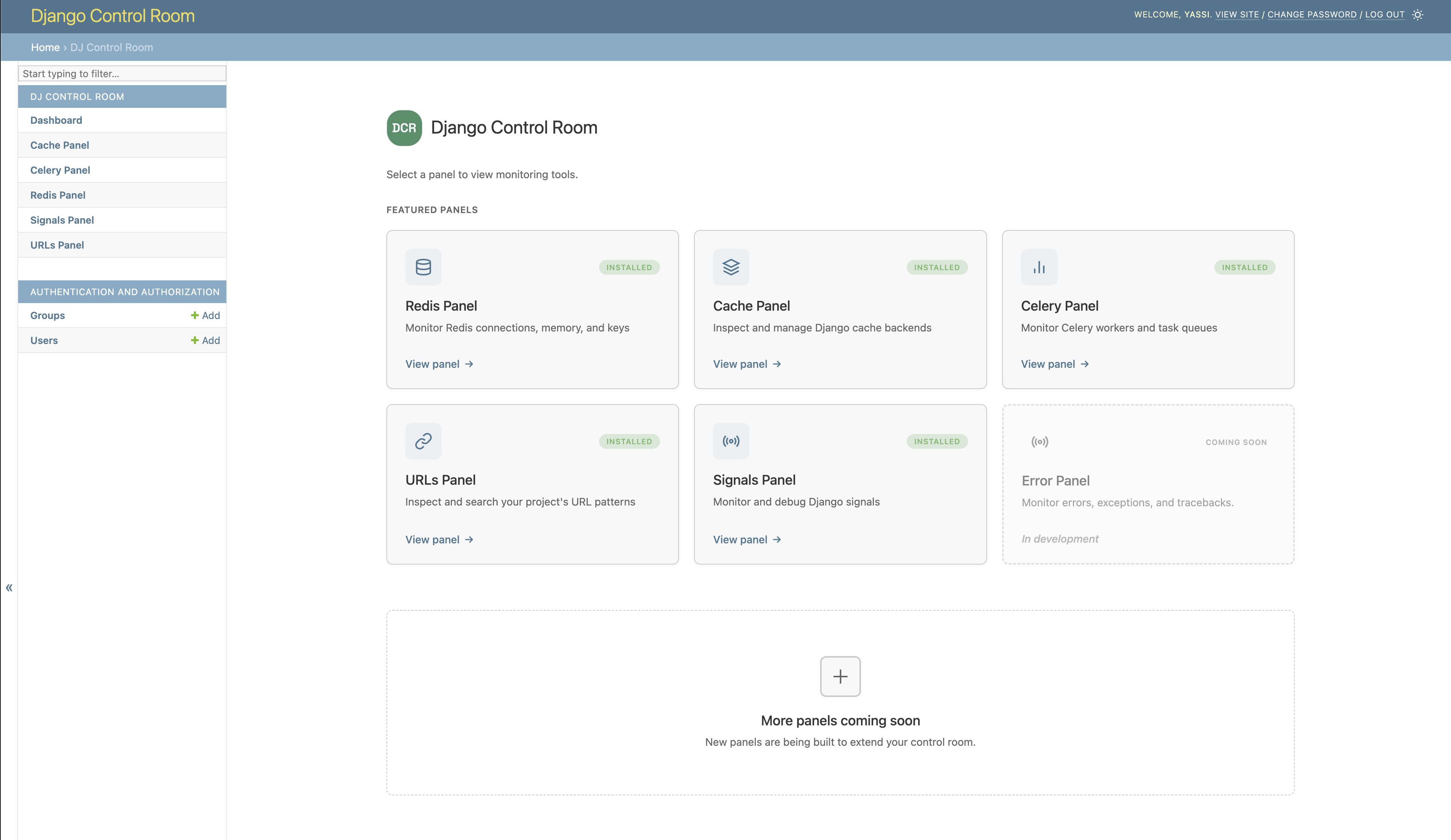
- Centralized Dashboard - All your admin panels in one place
- Plugin System - Discover and install panels via PyPI
- Beautiful UI - Modern, responsive design with dark mode support
- Secure - Package verification prevents panel hijacking
- Easy Integration - Works seamlessly with Django admin
- Official Panels - Pre-built panels for common tasks
Installation
Basic Installation
pip install dj-control-room
Install with Official Panels
# Install with specific panels
pip install dj-control-room[redis,cache,urls]

# Or install with all official panels
pip install dj-control-room[all]
Available panel extras:
redis- Redis connection manager and inspectorcache- Django cache backend inspectorurls- URL pattern browser and testercelery- Celery task monitorsignals- Django signals/recievers inspectionall- All official panels
Quick Start
1. Add to INSTALLED_APPS
# settings.py
INSTALLED_APPS = [
    'django.contrib.admin',
    'django.contrib.auth',
    'django.contrib.contenttypes',
    'django.contrib.sessions',
    'django.contrib.messages',
    'django.contrib.staticfiles',

    # Add any panels you installed
    'dj_redis_panel',
    'dj_cache_panel',
    'dj_urls_panel',

    # Then add Django Control Room
    'dj_control_room',
    # Your apps
    # ...
]
2. Configure URLs
# urls.py
from django.contrib import admin
from django.urls import path, include

urlpatterns = [
    # Panel URLs (include each panel you installed)
    path('admin/dj-redis-panel/', include('dj_redis_panel.urls')),
    path('admin/dj-cache-panel/', include('dj_cache_panel.urls')),
    path('admin/dj-urls-panel/', include('dj_urls_panel.urls')),

    # Control Room dashboard
    path('admin/dj-control-room/', include('dj_control_room.urls')),

    # Django admin
    path('admin/', admin.site.urls),
]
3. Access the Control Room
- Run migrations:
python manage.py migrate - Start your server:
python manage.py runserver - Navigate to
http://localhost:8000/admin/dj-control-room/
Admin Sidebar Integration
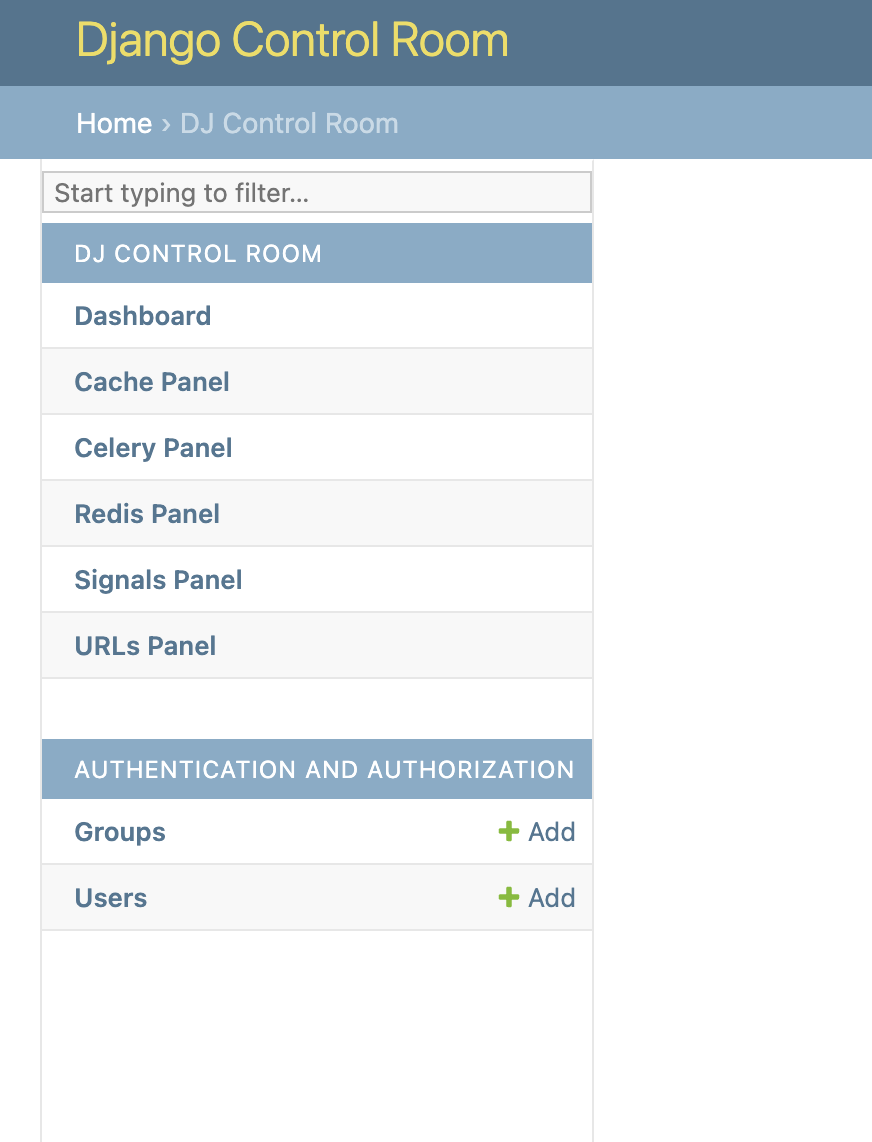
All installed panels appear in the Django admin sidebar under "Django Control Room":
Control Sidebar Behavior (Optional)
# settings.py
DJ_CONTROL_ROOM_SETTINGS = {
    # Global: Show panels in both Control Room and their own sections
    'REGISTER_PANELS_IN_ADMIN': False,  # Default: False

    # Per-panel: Override for specific panels
    'PANEL_ADMIN_REGISTRATION': {
        'dj_redis_panel': True,   # Redis in both places
        'dj_cache_panel': False,  # Cache only in Control Room
    },

    # CSS: load built-in styles and/or inject your own
    'LOAD_DEFAULT_CSS': True,
    # Static paths are relative to app's static/ dir (e.g. 'myapp/css/overrides.css'
    # for a file at myapp/static/myapp/css/overrides.css). Full URLs also accepted.
    'EXTRA_CSS': [],
}
Official Panels
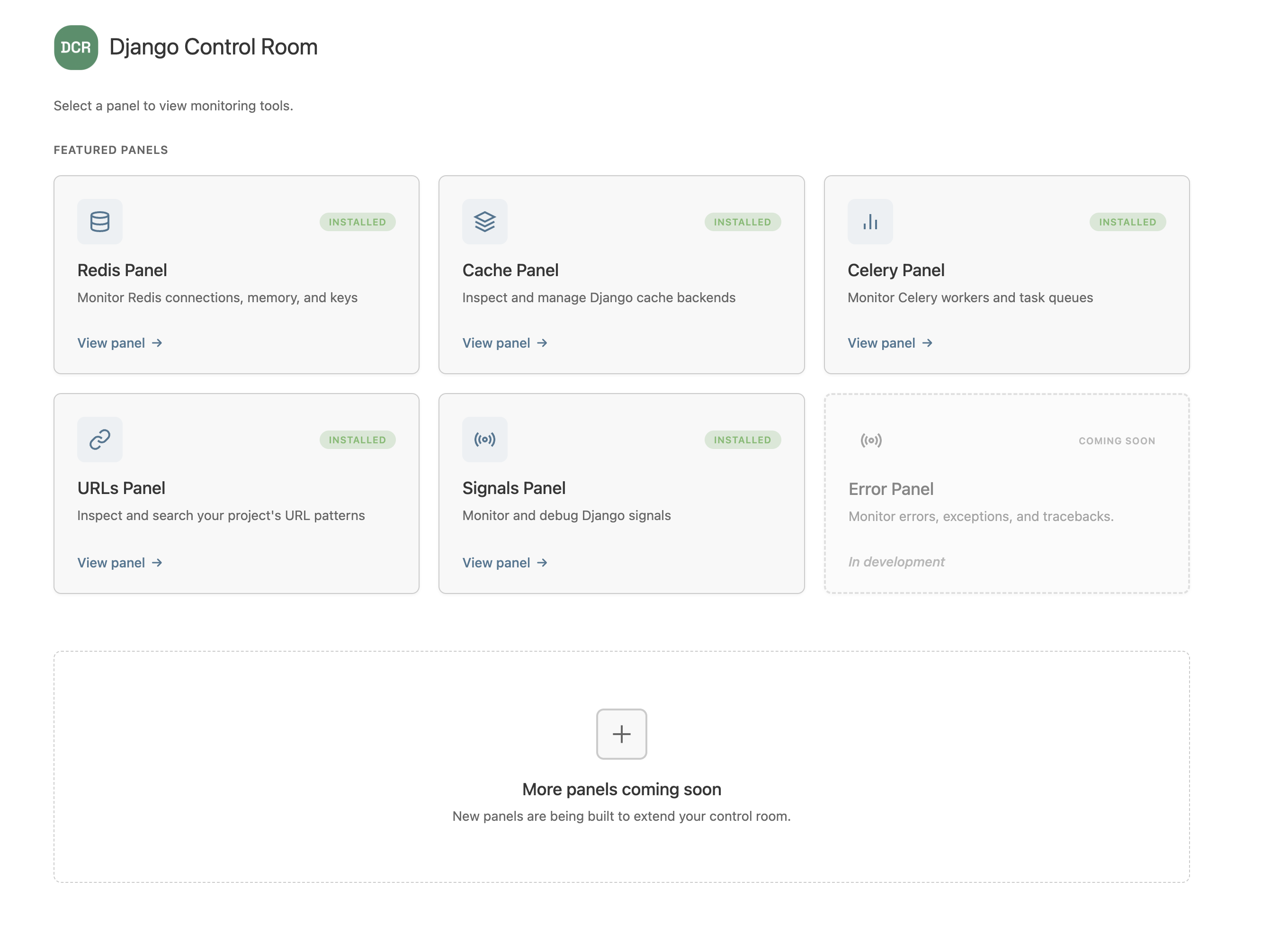
Available Now
| Panel | Description | Install |
|---|---|---|
| Redis Panel | Monitor connections, inspect keys, view memory usage | pip install dj-redis-panel |
| Cache Panel | Inspect cache entries, view hit/miss ratios | pip install dj-cache-panel |
| URLs Panel | Browse URL patterns, test resolvers | pip install dj-urls-panel |
| Celery Panel | Monitor workers, track task queues | pip install dj-celery-panel |
| Signals Panel | Inspect Django signals and recievers | pip install dj-signals-panel |
Coming Soon
| Panel | Description | Status |
|---|---|---|
| Error Panel | Monitor errors, exceptions, and tracebacks | In Development |
Creating Custom Panels
The fastest way to create a new panel is using our official cookiecutter template:
pip install cookiecutter
cookiecutter https://github.com/yassi/cookiecutter-dj-control-room-plugin
This generates a complete panel structure with Django admin integration, tests, documentation, and Docker setup.
Manual Panel Creation
You can also create panels manually by implementing a simple interface:
# my_panel/panel.py
class MyPanel:
    name = "My Panel"
    description = "My awesome panel"
    icon = "chart"
# pyproject.toml
[project.entry-points."dj_control_room.panels"]
my_panel = "my_panel.panel:MyPanel"
See our Creating Panels Doc for full documentation or use our Build your own panel guide which uses our cookiecutter template to get started quickly.
Security
Django Control Room includes built-in security features:
- Package Verification - Featured panels are verified by package origin
- Staff-Only Access - Requires Django staff/superuser permissions
- No Malicious Hijacking - Prevents panels from impersonating official packages
Documentation
Visit the official site at djangocontrolroom.com for guides, tutorials, and examples.
Full documentation: https://yassi.github.io/dj-control-room/
Requirements
- Python 3.9+
- Django 4.2+
Contributing
We welcome contributions! Please see our Contributing Guide for details.
License
This project is licensed under the MIT License - see the LICENSE file for details.
Credits
Created by Yasser Toruno
Official Site • Star us on GitHub • Report Bug • Request Feature