Eddo
GTD-inspired todo & time tracking with AI integration
📺 Watch the sneak peek intro on YouTube
📺 Setup walkthrough & pi-coding-agent demo
Overview
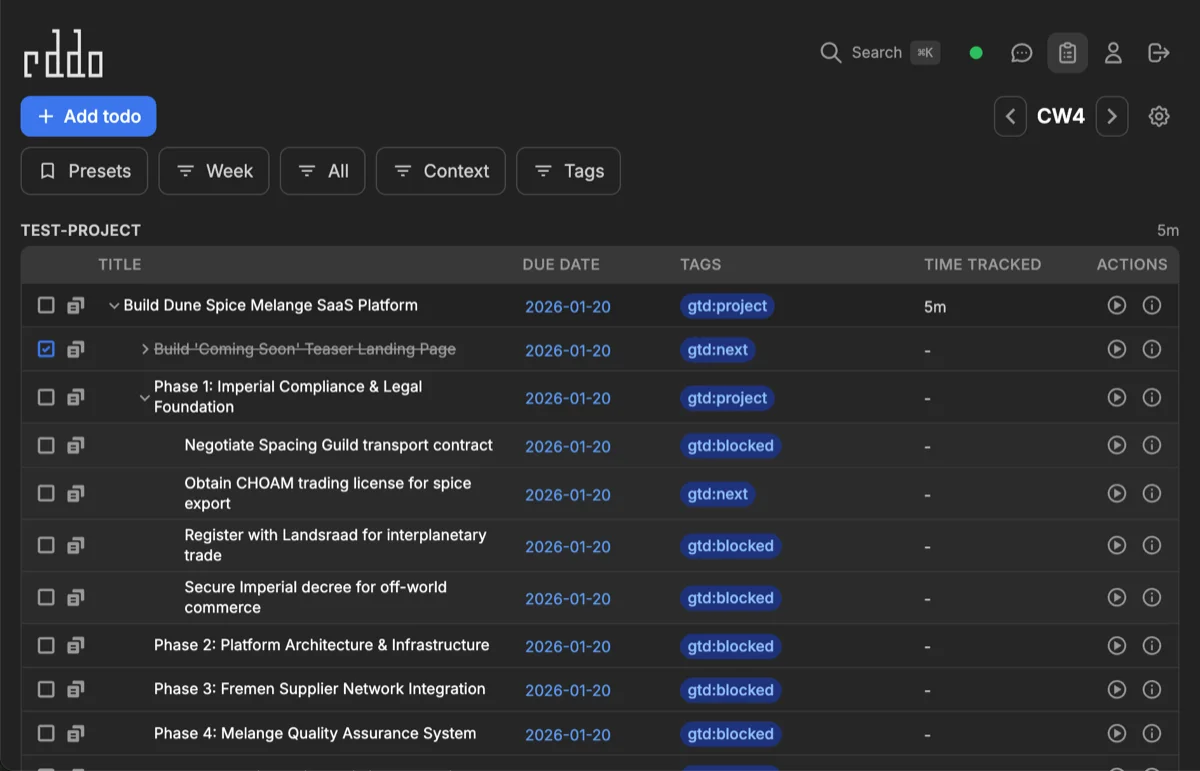
Eddo is a personal project that combines classic GTD (Getting Things Done) methodology with modern AI capabilities. Born from a notebook-based system refined over 10+ years, it's my attempt to digitize that workflow while exploring what's possible with AI assistants.
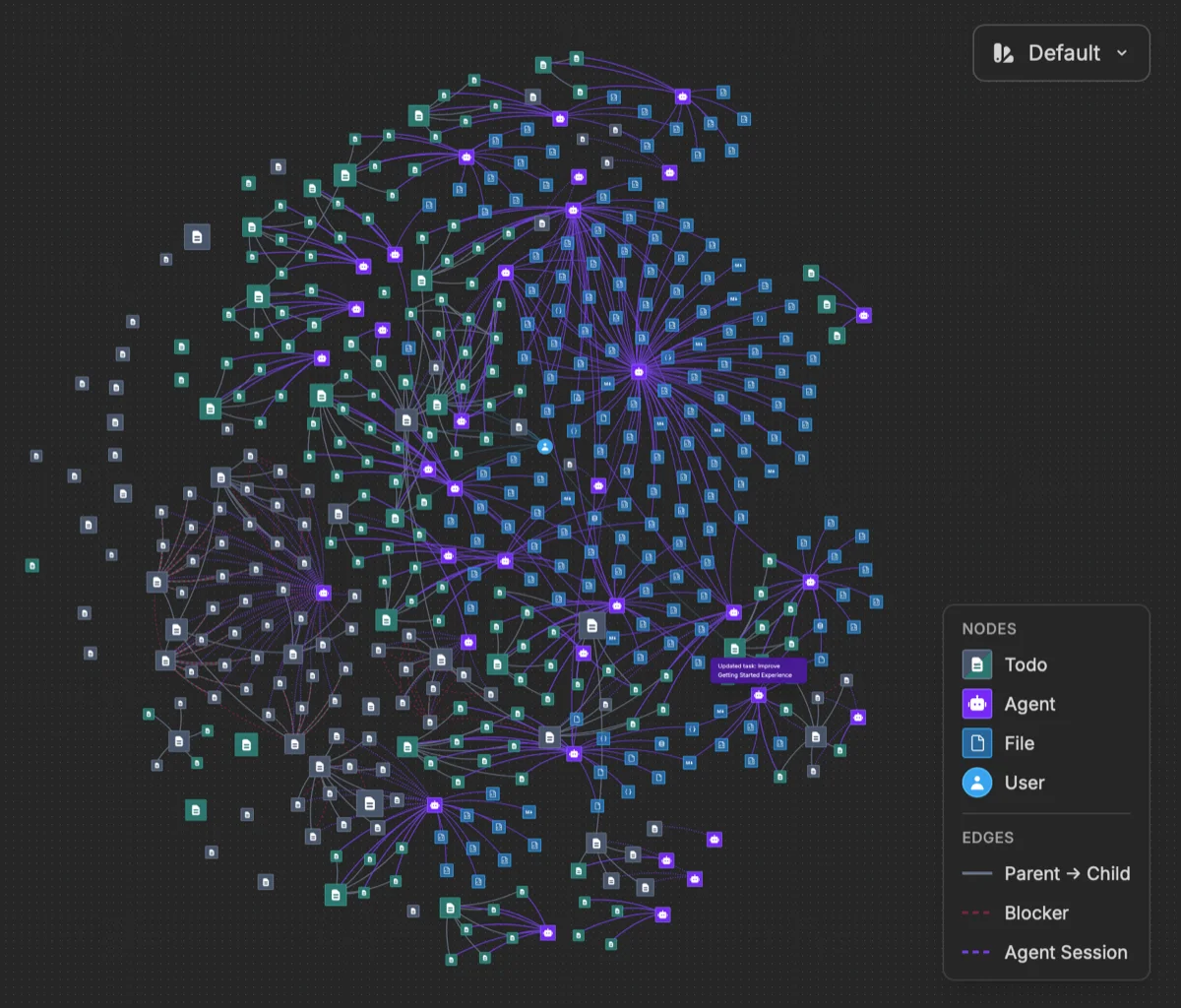
Manage todos through a web interface, Telegram bot with Claude AI, or programmatically via MCP. Includes pi-coding-agent integration with custom skills and extensions for AI-assisted development workflows.
| Inspiration | Eddo (initial 2022 verrsion) |
|---|---|
 |
 |
Features
- GTD Contexts — Organize todos by context (work, home, projects) in Kanban columns
- Calendar Week View — Navigate todos by week with date-range queries
- Time Tracking — Start/pause timers with daily summaries
- Offline-First — PouchDB local storage with real-time sync
- AI Agent — Telegram bot with Claude for natural language todo management
- GitHub Sync — Auto-import issues assigned to you
- RSS Feeds — Subscribe to feeds, create todos from items
- Email Sync — Gmail OAuth integration for email-to-todo
- MCP Server — Programmatic access via Model Context Protocol
- pi-coding-agent Skills — AI coding assistant integration
Quick Start
Requirements: Node.js ≥18.11.0, pnpm ≥7.1.0, Docker
# Clone repository
git clone https://github.com/walterra/eddoapp.git
cd eddoapp

# Optional: Use latest stable release instead of main branch
git checkout $(git describe --tags --abbrev=0)

# Install dependencies
pnpm install

# Run interactive setup wizard
pnpm dev:setup

# Start development server
pnpm dev

# Open http://localhost:3000
What Setup Does
The pnpm dev:setup wizard:
- Checks prerequisites — Node.js, pnpm, Docker, Git
- Starts Docker services — CouchDB and Elasticsearch
- Generates
.env— Development defaults - Builds packages — Core libraries and setup tools
- Creates user —
eddo_pi_agentfor MCP/agent access - Links pi-coding-agent skills — If pi is installed globally
Troubleshooting
Diagnoses: prerequisites, Docker status, service health, port availability, configuration.
Code Quality
Runs TypeScript build checks, ESLint, and Prettier verification.
Architecture
Monorepo with these packages:
| Package | Description |
|---|---|
web-client |
React frontend with PouchDB offline storage |
web-api |
Hono API server, CouchDB proxy, sync schedulers |
core-shared |
Shared types, utilities, data models |
core-server |
Server-side database and config |
core-client |
Client-side config |
mcp-server |
Model Context Protocol server |
telegram-bot |
AI bot with Claude integration |
setup |
Setup wizard and doctor tools |
chat-agent |
Skills and extensions for pi-coding-agent |
Data Flow
Browser (PouchDB) ←→ Web API ←→ CouchDB
                         ↓
                  Elasticsearch (search)

Telegram Bot → MCP Server → CouchDB
Integrations
Telegram Bot
AI-powered assistant for natural language todo management:
"Add a work todo for tomorrow's meeting"
"What's overdue?"
"Start tracking time on the API refactor"
Setup: Set TELEGRAM_BOT_TOKEN and ANTHROPIC_API_KEY in .env
Features:
- Multi-step instruction handling
- Daily briefings at scheduled times
- GitHub/RSS/Email sync configuration via bot commands
GitHub Issue Sync
Sync issues assigned to you into Eddo todos:
- Create PAT at https://github.com/settings/tokens (scope:
repoorpublic_repo) - Configure:
/github token ghp_your_token - Enable:
/github on - Check:
/github status
Each repository becomes its own context. Issues auto-complete when closed on GitHub.
RSS Feed Sync
Subscribe to RSS/Atom feeds:
- Add feed:
/rss add https://example.com/feed.xml - Enable:
/rss on - List feeds:
/rss list
Supports autodiscovery — add a website URL and Eddo finds the feed.
Email Sync (Gmail)
Sync emails from a designated folder to todos:
- Start OAuth:
/email auth - Authorize in browser
- Enable:
/email on - Set folder:
/email folder Eddo
Requires Google Cloud project setup. See Gmail OAuth Setup.
MCP Server
Programmatic todo access via Model Context Protocol:
pnpm dev:mcp-server
pnpm test:mcp-server # Interactive testingNote: MCP requests require an API key via
Authorization: Bearer <key>orX-API-Key. Generate the API key in User Profile → Security or frompnpm dev:create-useroutput. Don't expose the MCP server to untrusted networks.
pi-coding-agent Integration
If you use pi-coding-agent, Eddo provides skills and extensions:
Skills:
eddo-todo— Task management commandseddo-work— Structured implementation workfloweddo-spawn— Multi-agent git worktree orchestrationelasticsearch-esql— ES|QL query generationsearxng-search— Web search integration
Extensions:
graphviz-chart— Diagram renderingvega-chart— Data visualization
The setup wizard auto-links these if pi is installed globally (npm i -g @mariozechner/pi-coding-agent).
Backup & Recovery
# Interactive backup/restore
pnpm backup:interactive
pnpm restore:interactive

# Automated backups
pnpm backup:auto --pattern "eddo_user_*"

# Retention policy
pnpm backup:retention
Development
pnpm dev              # Start all services
pnpm test             # Run tests
pnpm lint             # Check code style
pnpm build            # Production build
pnpm dev:create-user  # Create user manually
See DEVELOPMENT.md for architecture details, testing, and contribution guidelines.
License
MIT