🎵 Datatune


Scalable Data Transformations with row-level intelligence.
Datatune is not just another Text to SQL tool. With datatune, LLMs and Agents can have full access to infinite amount of data, and apply semantic intelligence in every record.
How It Works
Click here to understand how Datatune works
Installation
Quick Start
import datatune as dt
from datatune.llm.llm import OpenAI
import dask.dataframe as dd

llm = OpenAI(model_name="gpt-3.5-turbo")
df = dd.read_csv("products.csv")

# Extract categories using natural language
mapped = dt.map(
    prompt="Extract categories from the description and name of product.",
    output_fields=["Category", "Subcategory"],
    input_fields=["Description", "Name"]
)(llm, df)

# Filter with simple criteria
filtered = dt.filter(
    prompt="Keep only electronics products",
    input_fields=["Name"]
)(llm, mapped)

# Save results
result = dt.finalize(filtered)
result.compute().to_csv("electronics_products.csv")
🤖 Agents - Even Simpler
Let AI automatically figure out the transformation steps for you:
import datatune as dt
from datatune.llm.llm import OpenAI

llm = OpenAI(model_name="gpt-3.5-turbo")
agent = dt.Agent(llm)

# Just describe what you want - the agent handles map, filter, and more
df = agent.do("Add ProfitMargin column and keep only African organizations", df)
result = dt.finalize(df)
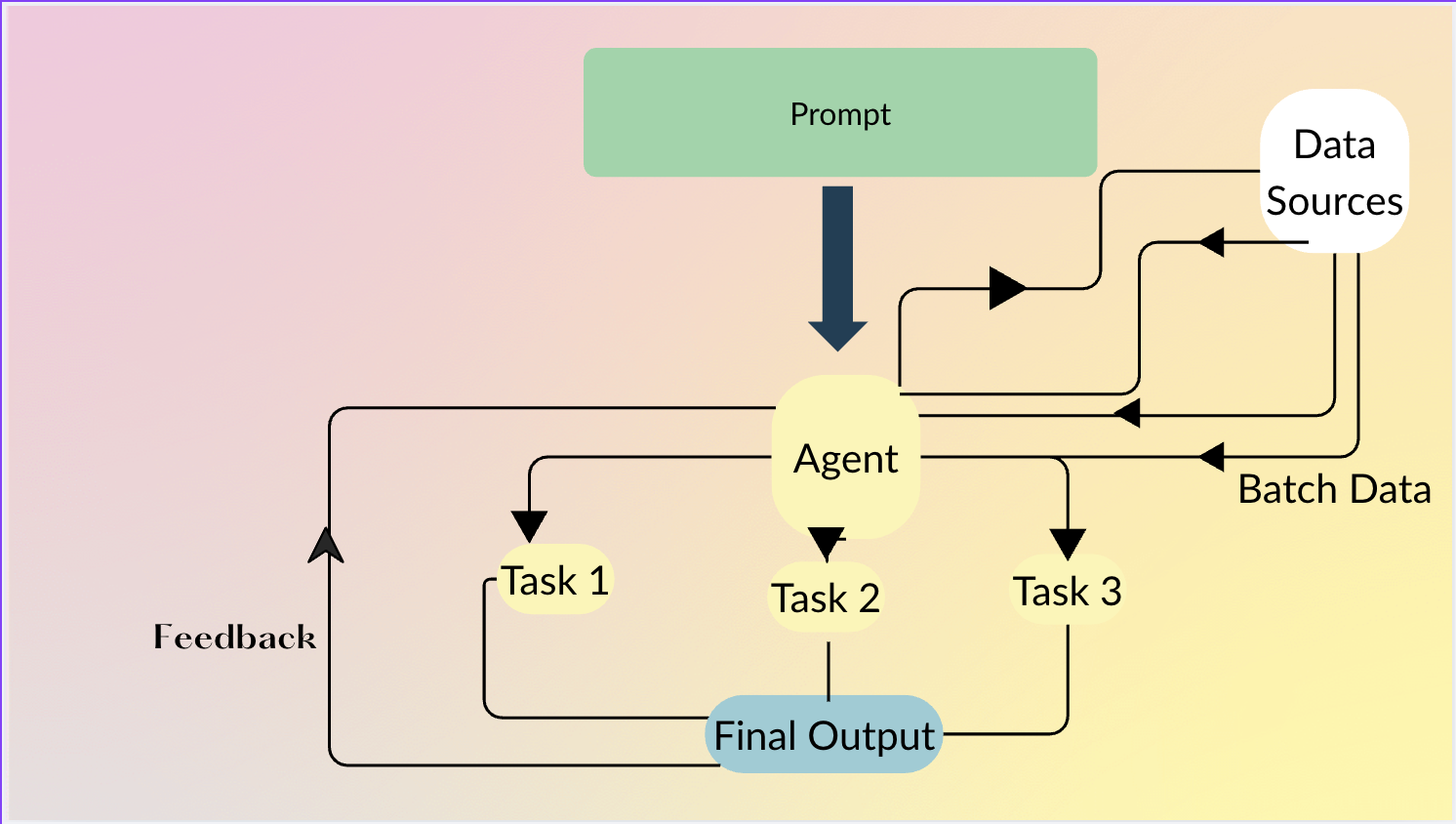
The agent automatically:
- Determines which operations to use (map, filter, etc.)
- Chains multiple transformations
- Handles complex multi-step tasks from a single prompt
- Generates and executes Python code along with row-level primitives (Map, Filter, etc) if required.
Supported LLMs
# OpenAI
from datatune.llm.llm import OpenAI
llm = OpenAI(model_name="gpt-3.5-turbo")

# Ollama (local)
from datatune.llm.llm import Ollama
llm = Ollama()

# Azure
from datatune.llm.llm import Azure
llm = Azure(model_name="gpt-3.5-turbo", api_key=api_key)
Data Sources
Works with Dask and Ibis (DuckDB, PostgreSQL, BigQuery, and more):
# Dask
import dask.dataframe as dd
df = dd.read_csv("data.csv")

# Ibis + DuckDB
import ibis
con = ibis.duckdb.connect("data.duckdb")
table = con.table("my_table")
Learn More
- Documentation - Complete guides and API reference
- Examples - Real-world use cases
- Discord - Community support
- Issues - Report bugs or request features
License
MIT License