This project is no longer maintained.
A self hosted Status page for you and your company to communicate with internal and external stakeholders.
Demo Pages:
Deploy To Heroku:
- Heroku Redis is sometimes slow to deploy. Walk away, have a cup of coffee, and come back in 5.

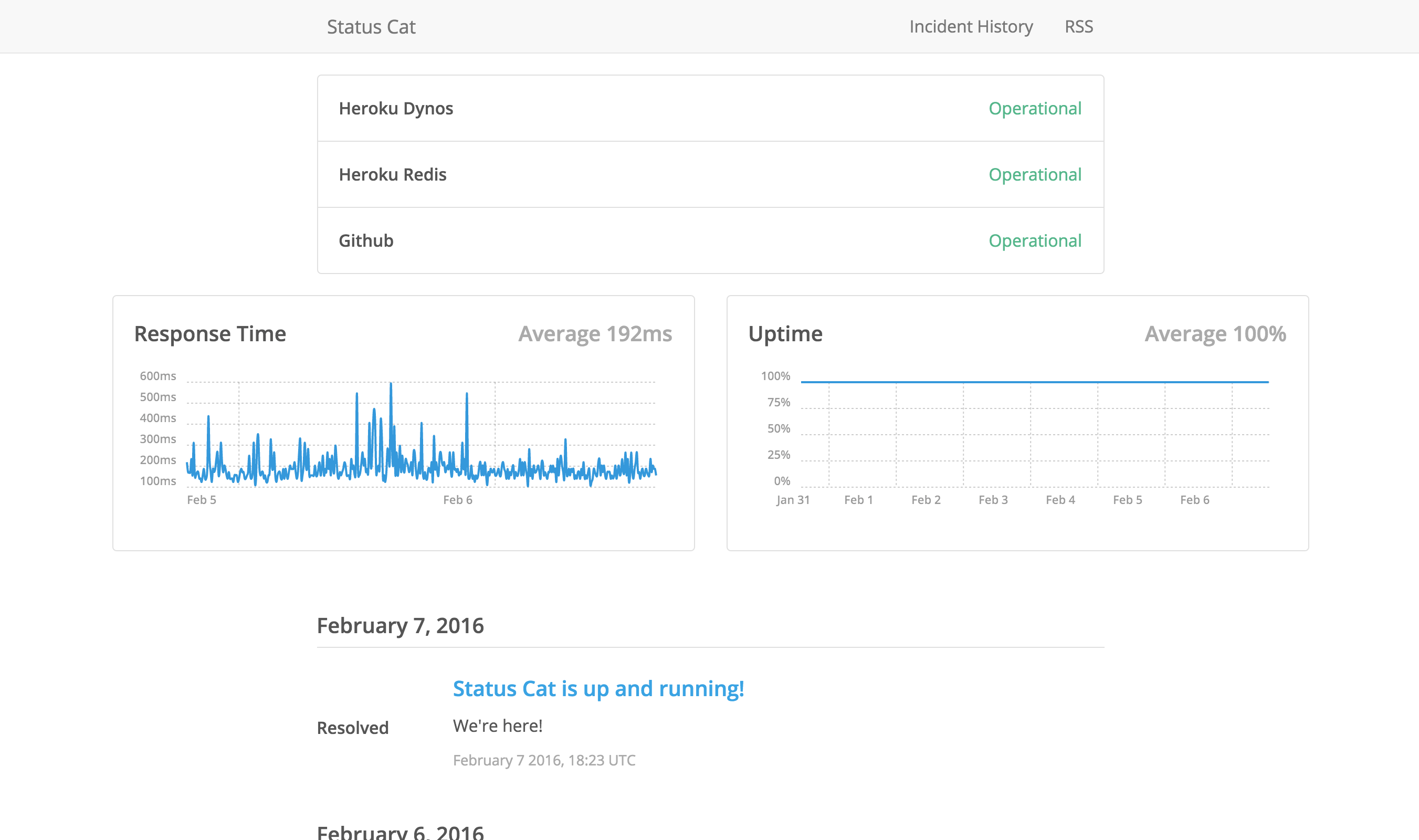
Features Included:
- Heroku One Click Deploy
- Choose A Public Page or Private (Internal, password protected) Page
- Full Json Api
- Custom Page Text & CSS Styles
- Custom HTML Header & Footer
- Custom JavaScript
- Custom Colors
- Unlimited Team Members (via self configuration)
- Unlimited Components
- Unlimited Incidents
- Unlimited RSS Subscriber Support
- One Click Import from Competing Products
- Uptime Robot API Average Response Time & Uptime Graph
- Native Slack Chat Integration
- Unlimited Outgoing Web Hooks
- Instant HipChat, Twitter, Facebook, SMS, & Email integrations with Zapier via web hooks
Updates
- 1.0.2 - Fixes with the Slack integration.
- 1.0.1 - Minor bug fixes.
- 1.0.0 - We're up and running!
Ideas For Improvement
- More tests
- Look at other integrations
- Documentation on file structure, and how to customize the build process
- Api Clients (Swagger)
Non Heroku Configuration - Setup
Step 1: Rename CONFIGURATION.sample.php to CONFIGURATION.php
Step 2: Edit CONFIGURATION.php following the instructions.
Step 3: Put it on your server. Enjoy.
Non Heroku Configuration - Server
Hopefully, you will never have to do any of this if you're using the one click Heroku deploy. Of course, many people will want to deploy this in other places, so here's a run down.
Server Requirements
- PHP 7
Apache
By default, the following .htaccess file in the /public directory.
RewriteEngine on
RewriteCond %{REQUEST_FILENAME} !-f
RewriteCond %{REQUEST_FILENAME} !-d
RewriteCond $1 !^(index\.php)
RewriteRule ^(.*)$ /index.php/$1 [L]

AddOutputFilterByType DEFLATE text/text text/html text/plain text/xml text/css text/javascript application/x-javascript application/javascript application/json
IIS
For IIS you will need to install URL Rewrite for IIS and then add the following rule to your web.config:
<?xml version="1.0" encoding="UTF-8"?>
<configuration>
    <system.webServer>
        <rewrite>
          <rule name="Toro" stopProcessing="true">
            <match url="^(.*)$" ignoreCase="false" />
              <conditions logicalGrouping="MatchAll">
                <add input="{REQUEST_FILENAME}" matchType="IsFile" ignoreCase="false" negate="true" />
                <add input="{REQUEST_FILENAME}" matchType="IsDirectory" ignoreCase="false" negate="true" />
                <add input="{R:1}" pattern="^(index\.php)" ignoreCase="false" negate="true" />
              </conditions>
            <action type="Rewrite" url="/index.php/{R:1}" />
          </rule>
        </rewrite>
    </system.webServer>
</configuration>
Nginx
Under the server block of your virtual host configuration, you only need to add three lines.
location / {
  try_files $uri $uri/ /index.php?$args;
}
What are all these files in the root directory?
Here is a quick explanation of them:
| File | |
|---|---|
| /public/.htaccess | This is a default override file for Apache servers. Heroku uses it as well. |
| /public/.user.ini | This is a default override on the memory limit for Heroku. This enables 25 PHP processes. |
| /public/index.php | This is the entry point into the application. |
| app.json | This is a configuration file for the one click Heroku deploy. |
| composer.json | This is a configuration file for autoloading components. |
| composer.lock | This is used for the composer.json. Don't touch this or the json, they've already been optimized for you. |
| CONFIGURATION.php | This is the ONLY file you should touch. It holds all the settings for the status page. |
| Procfile | This is a configuration file for Heroku. |
| README.md | This is the readme |
| /app/ | This is where the application logic is. |
You will never have to touch anything within the /app/ folder. If you are not using Heroku, your data will be stored in /app/data/
API Responses
/api/v1/components
Request Headers
GET /api/v1/components HTTP/1.1
Response Headers
Content-Type: application/json
Response Body
{
    "error": true,
    "message": "There are currently no components."
}
Response Body
[
    {
        "description": "API Description",
        "key": "1f2cccdf99b7",
        "name": "API",
        "status": "operational"
    },
    {
        "description": "Web Application Description",
        "key": "9576f14926dd",
        "name": "Web Application",
        "status": "operational"
    }
]
/api/v1/incidents
Request Headers
GET /api/v1/components HTTP/1.1
Response Headers
Content-Type: application/json
Response Body
{
    "error": true,
    "message": "There are currently no incidents."
}
Response Body
[
    {
        "date": "2015-06-28",
        "description": "This incident has been resolved.",
        "key": "cdeffd27df3f",
        "name": "Minor web traffic drop",
        "page": "9j9sm21khqry",
        "status": "resolved",
        "time": "2015-06-28T08:00:00-05:00"
    },
    {
        "date": "2015-06-28",
        "description": "A recent configuration change caused 1 minute of web traffic to be dropped, the configuration change was reverted and traffic has resumed.",
        "key": "720bc965747e",
        "name": "Minor web traffic drop",
        "page": "9j9sm21khqry",
        "status": "monitoring",
        "time": "2015-06-28T07:22:00-05:00"
    },
    {
        "date": "2015-06-28",
        "description": "This incident has been resolved.",
        "key": "f277f0696af3",
        "name": "Metric fetch failures",
        "page": "g0v52v1wwsrf",
        "status": "resolved",
        "time": "2015-06-28T06:15:00-05:00"
    },
    {
        "date": "2015-06-28",
        "description": "Our single metric-fetching instance suddenly went offline at approximately 3:52am MT for reasons unknown. Monitoring systems alerted our on-call personnel, and we were able to spin up more worker processes on a different machine while the metrics-fetching instance was assigned to another physical host. \n\nAll systems are back to normal now, and metric operations have resumed. We're continuing to monitor for any regressions.",
        "key": "e1fb6512c14a",
        "name": "Metric fetch failures",
        "page": "g0v52v1wwsrf",
        "status": "monitoring",
        "time": "2015-06-28T05:50:00-05:00"
    },
    ...
]
/api/v1/incidents/{PAGE}
Request Headers
GET /api/v1/components HTTP/1.1
Response Headers
Content-Type: application/json
Response Body
{
    "error": true,
    "message": "This page does not exist."
}
Response Body
[
    {
        "date": "2015-06-28",
        "description": "This incident has been resolved.",
        "key": "cdeffd27df3f",
        "page": "9j9sm21khqry",
        "status": "resolved",
        "time": "2015-06-28T08:00:00-05:00"
    },
    {
        "date": "2015-06-28",
        "description": "A recent configuration change caused 1 minute of web traffic to be dropped, the configuration change was reverted and traffic has resumed.",
        "key": "720bc965747e",
        "page": "9j9sm21khqry",
        "status": "monitoring",
        "time": "2015-06-28T07:22:00-05:00"
    }
]
/api/v1/status
Request Headers
GET /api/v1/components HTTP/1.1
Response Headers
Content-Type: application/json
Response Body