An interactive pip requirements upgrader. Because upgrading requirements, package by package, is a pain in the ass. It also updates the version in your requirements.txt, pyproject.toml, and Pipfile files.
Purpose
This cli tool helps you interactively(or not) upgrade packages from requirements files, pyproject.toml (PEP 621), Poetry, or Pipenv projects, and also update the pinned version in-place.
If no requirements are given, the command attempts to detect requirements file(s), pyproject.toml, and Pipfile in the current directory.
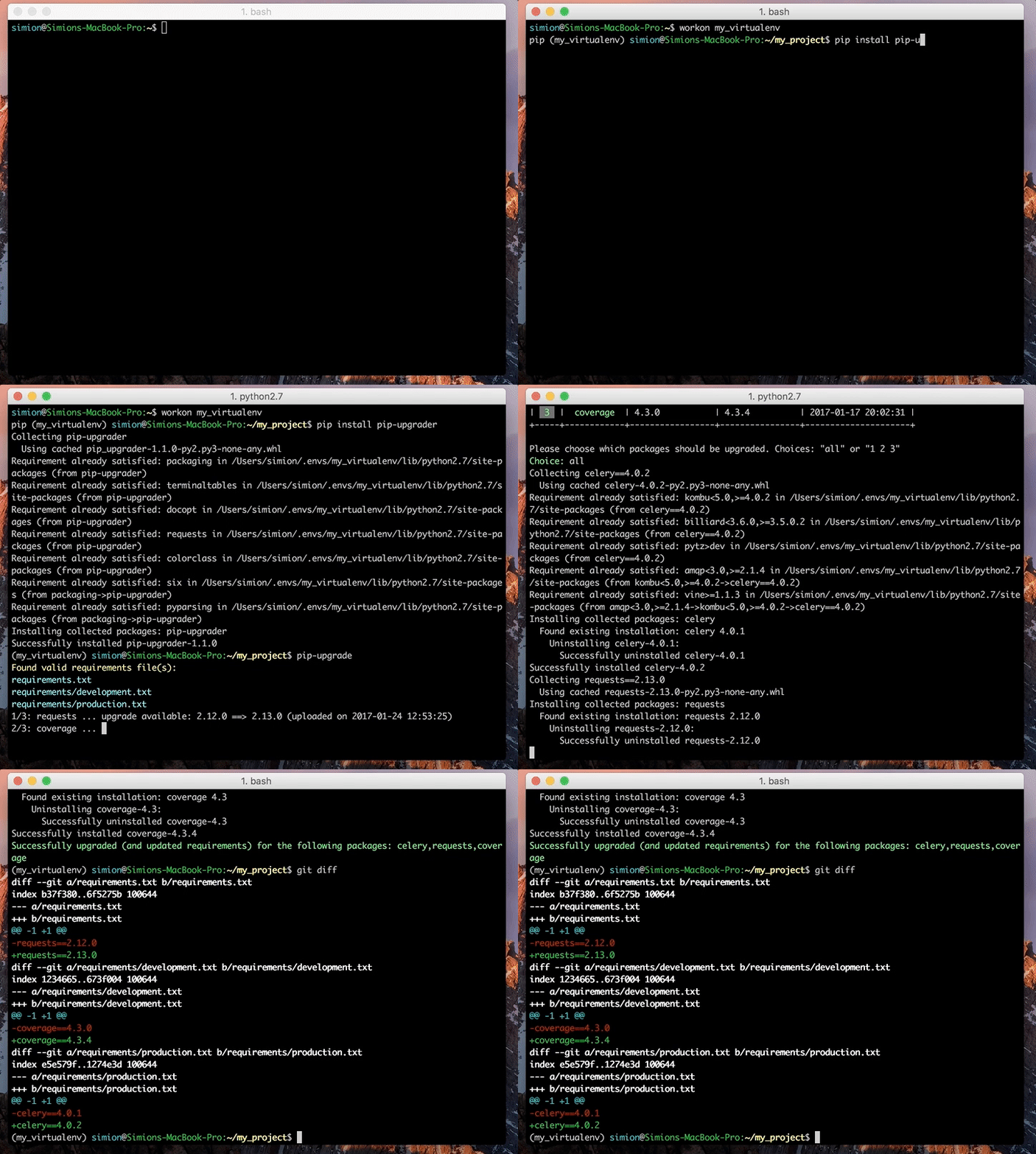
Quick preview:
Installation
uv tool install pip-upgrader
or with pip:
Requires Python 3.10+
To avoid installing all these dependencies in your project, you can
install pip-upgrader as a tool (via uv tool install) or in your
system Python, rather than your virtualenv.
Usage
CD into your project. Then:
This will update the pinned versions in your requirements files. You then install yourself with uv sync, pip install -r requirements.txt, or whatever you use.
Arguments:
requirements_file(s)          The requirement FILE, WILDCARD PATH to multiple files, pyproject.toml, or Pipfile. (positional arguments)
--prerelease                  Include prerelease versions for upgrade, when querying pypi repositories.
-p <package>                  Pre-choose which packages to upgrade. Skips any prompt.
--dry-run                     Simulates the upgrade, but does not execute the actual upgrade.
--non-interactive             Upgrade all packages without prompting. Equivalent to -p all. If -p is also given, it is overridden and a warning is printed.
--skip <package>              Skip specific packages by name or regex. Can be combined with --non-interactive.
--skip-greater-equal          Skip packages with >= and ~= pins (by default ==, >=, and ~= are checked).
--use-default-index           Skip searching for custom index-url in pip configuration file(s).
--timeout <seconds>           Set a custom timeout for PyPI requests (default: 15 seconds).
--minor                       Only upgrade within the same major version (e.g. 1.2.3 -> 1.x.y).
--patch                       Only upgrade within the same major.minor version (e.g. 1.2.3 -> 1.2.x).
Examples:
pip-upgrade             # auto discovers requirements file(s), pyproject.toml, and Pipfile
pip-upgrade requirements.txt
pip-upgrade pyproject.toml
pip-upgrade Pipfile
pip-upgrade requirements/dev.txt requirements/production.txt

# skip prompt and manually choose some/all packages for upgrade
pip-upgrade requirements.txt -p django -p celery
pip-upgrade requirements.txt -p all

# upgrade all packages without any prompt (non-interactive / CI-friendly)
pip-upgrade requirements.txt --non-interactive
pip-upgrade --non-interactive  # auto-discovers requirements files

# skip specific packages (works in both interactive and non-interactive mode)
pip-upgrade --non-interactive --skip django --skip celery
pip-upgrade --non-interactive --skip "django.*"  # regex: skip all django-* packages

# upgrade dependencies in pyproject.toml (PEP 621 or Poetry)
pip-upgrade pyproject.toml -p all

# include pre-release versions
pip-upgrade --prerelease

# skip packages pinned with >= or ~= (only upgrade == pins)
pip-upgrade --skip-greater-equal

# only upgrade within the same major version (no breaking changes)
pip-upgrade --minor

# only upgrade patch versions (safest)
pip-upgrade --patch

# set a custom timeout for PyPI requests
pip-upgrade --timeout 30
Supported Formats
- requirements.txt (and
.pip,.invariants) —==,>=, and~=pins - pyproject.toml (PEP 621) —
[project.dependencies]and[project.optional-dependencies] - pyproject.toml (Poetry) —
[tool.poetry.dependencies]and[tool.poetry.group.*.dependencies]- String format:
Django = "==1.10",requests = ">=2.25.0,<3.0.0" - Dict format:
django-rest-auth = {version = "==0.9.0", extras = ["with_social"]} - Only
==,>=, and~=pins are upgraded (caret^, tilde~, and wildcard*pins are skipped)
- String format:
- Pipfile (Pipenv) —
[packages]and[dev-packages]sections, same string/dict format as Poetry - Compatible release (
~=) —~=1.2.3is treated as>=1.2.3, <1.3per PEP 440; upgrades are constrained within the compatible range - Python version aware — versions whose
requires_pythonis incompatible with your current Python are automatically skipped
Development
This project uses uv for dependency management:
uv sync --extra test --extra dev   # install all dependencies
uv run pytest                      # run tests
uv run ruff check .                # lint
uv run ruff format --check .       # check formatting
Releasing
Releases are published to PyPI automatically via GitHub Actions when a version tag is pushed:
git tag v2.4.0
git push origin v2.4.0
This triggers the publish.yml workflow which builds and publishes to PyPI using trusted publishers (OIDC).