Overview

Pied Piper is a team of AI SubAgents that can autonomously or semi-autonomously work on long-running coding tasks with full End-to-end tracking and human-in-the-loop approvals.
These SubAgents run on Coding Agents (like Claude Code CLI), Docker, Cloud Desktop etc, so they can work even while you're AFK or sleeping or on vacation.
Pied-Piper uses the awesome beads library by @steveyegge as Task management layer for both Agents and Humans.
View Pied-Piper Subagents in action here: https://www.youtube.com/playlist?list=PLKWJ03cHcPr3OWiSBDghzh62AErndC5pm
Getting started
- Install Pied-Piper
- Create a team
- Configure or Customize your team's workflow
- Generate SubAgents for your Coding Agent - Claude Code CLI etc
- Start assigning tasks to your SubAgents from Coding Agent
Links to Getting started docs
- Quickstart guides
- Go to QUICKSTART.md or PLAYBOOK_TEST_COVERAGE.md to run a custom SDLC worfklow for Test coverage improvement.
- Playbooks for repeatable SDLC workflows
- PLAYBOOK_LANGUAGE_MIGRATION.md - Custom worfklow for TypeScript to Python migration
- PLAYBOOK_DREAM_TEAM_ENSEMBLE_MODELS.md to use an ensemble of the best Coding Models for a generic Plan/Code/Review SDLC Workflow
- Pied-Piper CLI Commands reference
- Pied-Piper Concepts: Overview of features like Subagents, Roles, Task workflows, Wiki workflows
Development
Pied-piper is built using Go.
To get started with development, you can use the following commands:
- Clone the repo
mkdir -p $GOPATH/src/github.com/
cd $GOPATH/src/github.com/sathish316
git clone https://github.com/sathish316/pied-piper.git
- Run the project without building
- Run tests
- Build and Install pied-piper
4.1 Build
4.2 Install
go install github.com/sathish316/pied-piper
4.3 Run Pied-Piper from anywhere
Playbooks
Playbooks are repeatable workflows for different kinds of long-running or repeatable or complex tasks in software engineering, that can be executed by a team of Pied-Piper SubAgents:
- Migration from library version x to version y - Rails 5 to Rails 8
- Migration from language x to language y - Typescript to Python
- Ensure Unit Test coverage is > 80%
- Ensure Integration and Behavioural Test coverage is > 80%
- Consolidate Microservices to Monolith
- Change Tech Stack from x to y
- Fix static code analysis violations in the codebase
Playbooks are just YML files to create a Team of SubAgents with defined roles, task workflows, wiki workflows, Agent-Agent and Human-Agent co-ordination. Find sample playbook yml files in playbook dir.
Dream Team of Planner/Coder/Reviewers using an Ensemble of the best Coding Models

Create a Dream Team of SubAgents using an Ensemble of the best Coding Models:
- Planner using GPT-5.1 Codex or GPT-5.2 Codex
- Coder using Claude Opus 4.5
- Reviewers using Gemini Pro 3.0 or 2.5
- Orchestrator using Claude Haiku 4.5
Go to PLAYBOOK_DREAM_TEAM_ENSEMBLE_MODELS.md for detailed steps to use this Dream team as Claude Code SubAgents in your projects.
Claude Code Demo (Youtube):
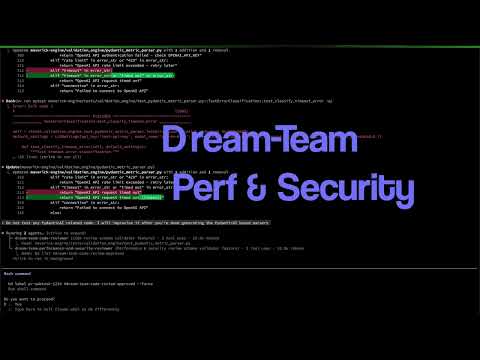
Note: This playbook requires a Coding CLI that supports multiple Models. If you're using Claude Code, you can use Claude-Code-Router to use this playbook.
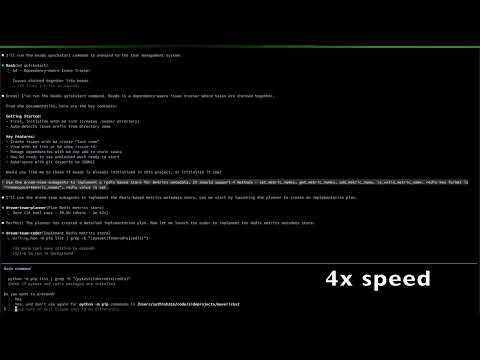
Team of Planner/Coder/Reviewers using Claude Models

Create a Dream Team of SubAgents using the best suitable Claude Model for each role:
- Planner using Opus 4.5
- Coder using Sonnet 4.5
- Reviewers using Sonnet 4.5 or Opus 4.5
- Orchestrator using Haiku 4.5
Go to PLAYBOOK_DREAM_TEAM_CLAUDE_MODELS.md for detailed steps to use this Dream team as Claude Code SubAgents in your projects.
Claude Code Demo (Youtube):
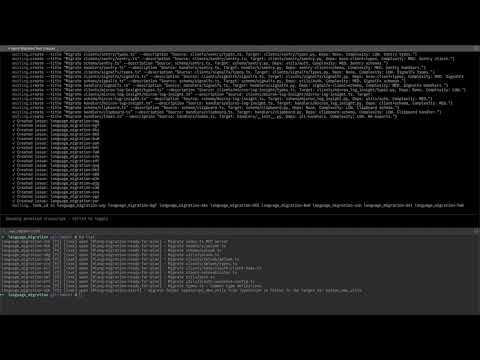
Language migration playbook

Sample Language migration playbook from Typescript to Python, using a team of Pied-Piper SubAgents.
Go to PLAYBOOK_LANGUAGE_MIGRATION.md for detailed steps to run the language migration playbook using Pied-Piper.
Claude Code Demo (Youtube):
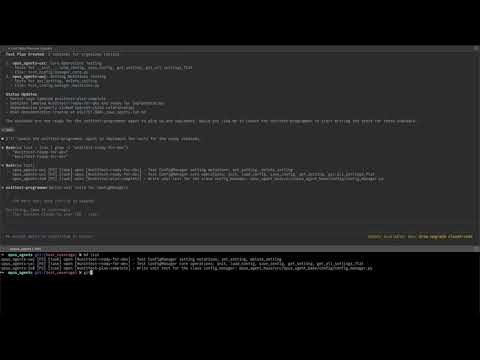
Unit test coverage playbook

Sample Unit test coverage improvement playbook, using a team of Pied-Piper SubAgents.
Go to PLAYBOOK_TEST_COVERAGE.md for detailed steps to run the unit test coverage improvement playbook using Pied-Piper.
Claude Code Demo (Youtube):
Microservices to Monolith consolidation playbook

This is a sample Microservices to Monolith consolidation playbook, using a team of Pied-Piper SubAgents.
TODO
Library version migration playbook
TODO
Integration/Behavioural test coverage playbook
TODO
Tech stack migration playbook
TODO
Static code analysis improvements playbook
TODO
Pied-Piper Commands
Generate and Use SubAgents from Claude Code for SDLC Workflow
Pied-Piper generates SubAgents (*.md files) from simple specs that can be used from other Coding CLIs like Claude Code.
SubAgents can be generated in User home directory or Project directory for each Coding Agent.
Pied-piper CLI documentation
help
create-team
To create a default SDLC team with the name pied-piper
$ pied-piper team create --default
create-team
Create your custom team with the name pied-piper
$ pied-piper team create --name "pied-piper"show-team
$ pied-piper team show --name "pied-piper"File: ~/.pied-piper/pied-piper/config.yml
name: "pied-piper"
subagents:
  - role: "architect"
    nickname: "Richard"
  - role: "software-engineer"
    nickname: "Gilfoyle"
  - role: "code-reviewer"
    nickname: "Dinesh"
  - role: "code-validator"
    nickname: "Erlich"
  - role: "build-engineer"
    nickname: "Jian Yang"
task_workflow:
create-subagent
If you've already updated subagents in team-config.yml, you can skip this step. Adding a subagent through CLI will update the config file.
$ pied-piper subagent create --team-name "pied-piper" --role "architect" --nickname "Richard"
show-subagent
$ pied-piper subagent show --team-name "pied-piper" --role "architect"
$ pied-piper subagent show --team-name "pied-piper" --role "architect" --nickname "Richard"
File: **~/.pied-piper/pied-piper/subagents/architect.yml
name: "architect"
role: "architect"
nickname: "Richard"
description: "..."
system_prompt: "..."
tools: default # configure in coding CLI
task_labels:
  incoming:
  - @ready-for-hld
  outgoing:
  - @ready-for-lld
wiki_labels:
  incoming:
  - GOAL_foo.md
  outgoing:
  - @ready-for-hld
  - @ready-for-lld
  - @plan-complete
  - @closed
customize an individual subagent
You can customize subagents either before they are generated into Coding CLI or after they are generated.
To change subagent before generation, edit teams//subagents/.yml file ex: teams/pied-piper/subagents/architect.yml file
To change subagent after generation, directly update the Subagents in Claude or Coding CLI.
.claude/subagents/.yml file
Generate SubAgents for a Coding CLI
Subagents can be generated in *.md format to target multiple Coding CLIs.
To generate all SubAgents for a team to target Claude Code:
$ pied-piper subagent generate --team-name "pied-piper" --all --target claude-codeExport SubAgents to a target Coding CLI and a target directory
Subagents can be exported in *.md format to the User directory (~/.claude) or Project directory (/path/to/project/.claude) for a target Coding CLI.
To export all SubAgents for a team to target Claude Code Project directory:
$ pied-piper subagent export all --team-name "pied-piper" --target claude-code --project-dir /path/to/project
To export an individual subagent to target Claude Code Project directory:
$ pied-piper subagent export subagent --team-name "pied-piper" --name "architect" --target claude-code --project-dir /path/to/project
Enrich Subagent Description
Metaprompts are used to enrich the prompt of Subagent using AI tools like Cursor or Claude Code or by directly calling LLM APIs.
In order to make sure the Subagent honors the workflow, Enrich the prompt of Subagent using AI tools like Cursor or Claude Code or LLM APIs by following the steps below:
Generate or show metaprompt (applicable to all subagents):
pied-piper subagent metaprompt
Go to cursor or Claude Code and use the above metaprompt to update each Subagent file Ex: /path/to/project/.claude/agents/unittest-programmer.md
Ensure you change the ROLE-FILE (using @ or # to refer to the file) and ROLE-NAME placeholder in metaprompt.
Using Pied-Piper Team's workflow from Claude Code
Go to Claude Code:
-
Onboard to beads task management using "bd quickstart"
-
Create a new task with the label that starts your workflow
-
Ask microsprint-orchestrator to work on beads open tasks
For more detailed steps, refer to the playbooks:
- PLAYBOOK_DREAM_TEAM_ENSEMBLE_MODELS.md
- PLAYBOOK_DREAM_TEAM_CLAUDE_MODELS.md
- PLAYBOOK_TEST_COVERAGE.md
- PLAYBOOK_LANGUAGE_MIGRATION.md
Using Pied-Piper Team's workflow from other Coding CLIs
Follow the same steps as above. While generating the subagents, change --target to your Coding CLI.
Supported Coding CLIs are:
- Claude Code
Release
TODO: Release to homebrew
LICENSE
Pied-Piper is open-sourced under the MIT LICENSE