Created by Sandro Andric


Work once. Hand over forever.





Demo · Quickstart · Use Cases · What a Skill Looks Like · How It Works · Connect Your Agent · Install · Privacy · Contact

Demo
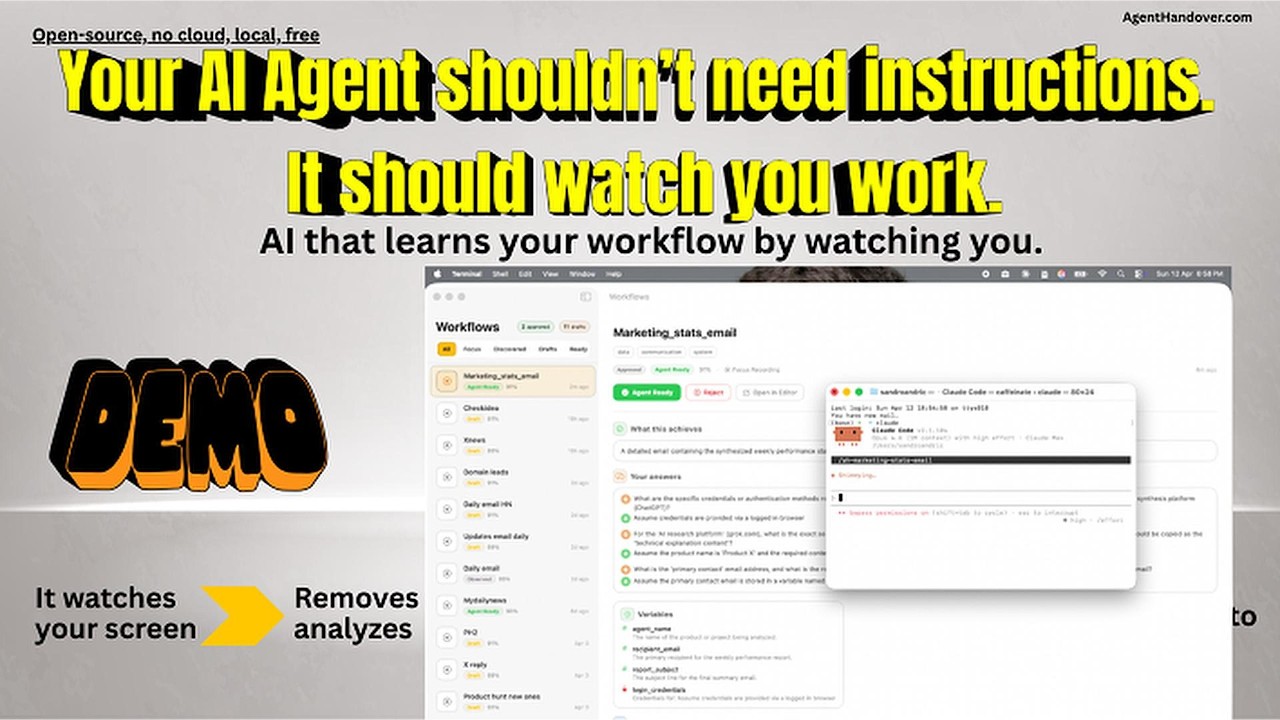
Show it once. Hand it off forever.
AgentHandover watches how you work on your Mac, turns your workflows into reusable Skills, and lets agents like Claude Code, OpenClaw, Hermes, Codex, or any MCP-compatible tool execute them the way you do it.
Each Skill captures the what, the why, and the how — steps, strategy, decision logic, guardrails, and your writing voice. And they're self-improving: agents report back after every execution, successes boost confidence, deviations become new decision branches, failures trigger corrections.
You already know how to do your work. Now your agents can too.
Why this matters
Getting an AI agent to do real work today means writing prompts or hand-crafting skills — brittle, time-consuming, and stale the moment your process changes. Worse, those skills capture what you do, not how you decide.
AgentHandover flips it. Instead of telling the agent how you work, you just work. The system watches, infers the strategy behind your clicks, and produces Skills with the why built in — selection criteria, guardrails, decision branches, your voice. Because agents report back after every execution, Skills get better the more they're used.
Less time writing prompts. More time doing work that matters.
What you can automate
AgentHandover learns whatever you do repeatedly on your Mac. A few examples of the kinds of workflows it handles well:
- Research routines — Your way of scanning sources, extracting key facts, and composing a summary.
- Community engagement — Daily check-ins on Reddit, Discord, or forums with your selection rules and voice.
- Support triage — How you read a ticket, check the dashboard, pick a macro, and draft a reply.
- Data extraction — Pulling structured data from a dashboard, CRM, or spreadsheet the way you do it.
- Ops checklists — Deploys, releases, status updates — your actual sequence with the decisions you make.
- Personal skill library — Any repetitive workflow you don't want to explain to an agent twice.
If it's a workflow you've done three times and will do again, it belongs in a Skill.
Quickstart
- Install. Download the latest
.pkgfrom Releases and double-click. The onboarding app walks you through permissions and auto-downloads the best AI model for your Mac. - Record a task. Click Record in the menu bar, name it (e.g. "Daily Reddit marketing"), perform it once, click Stop.
- Answer 1-3 questions. AgentHandover asks from the agent's perspective — "What determines which posts you engage with?"
- Review and approve. Open the Skill in the menu bar app, check the steps/strategy/guardrails, click Approve for Agents.
- Connect your agent.
agenthandover connect claude-code(orcodex/openclaw). One command. - Run it. In Claude Code, type
/ah-reddit-community-marketing. The agent executes your workflow.
That's the whole loop. Record once, hand off forever.
What a Skill Looks Like
Here's an illustrative example of what a Skill looks like:
Reddit Community Marketing
Daily engagement workflow - 6 steps - 4 sessions learned

STRATEGY
Browse target subreddits for posts about marketing tools or growth
hacking. Engage with high-signal posts (10+ comments, posted within
48h, not promotional). Write authentic replies that acknowledge the
problem, share personal experience, and softly mention the product.

STEPS
1. Open Reddit and navigate to r/startups
2. Scan posts - skip promotional, skip < 10 comments
3. Open high-signal post and read top comments
4. Write reply: acknowledge -> experience -> mention product
5. Submit and verify not auto-removed
6. Repeat for r/marketing, r/growthacking (max 5/day)

SELECTION CRITERIA              GUARDRAILS
- Posts with 10+ comments       - Max 5 replies per day
- Not promotional or competitor - Never identical phrasing
- Posted within 48 hours        - Never reply to own posts
- Relevant to [product category]- Empathy-first tone always

VOICE & STYLE
Tone: casual | Sentences: short and punchy | Uses emoji
> Hey great point about the engagement metrics! We should
> def try that approach with the subreddit

~15 min daily - 9-10am                     Confidence: 89%
Skills follow the same format as Claude Code's native skills -- same frontmatter, same markdown structure -- but go further. Hand-written skills say "do X then Y." AgentHandover Skills include the strategy behind the steps, selection criteria, guardrails, your voice, and evidence-backed confidence from real observations. No hand-written skill has that.
How It Works
Two ways to teach
Focus Recording -- Click Record in the menu bar, name the task, perform it, click Stop. AgentHandover asks 1-3 targeted questions from the agent's perspective ("What determines which posts you engage with vs. skip?"), then generates a complete Skill. Best for workflows you want to hand off right now.
Passive Discovery -- Just work normally. AgentHandover recognizes recurring workflows across sessions using semantic similarity, accumulates observations, and when it has enough evidence, runs behavioral analysis to extract the strategy, decisions, and patterns behind your actions -- then generates a Skill automatically. You don't have to do anything.
You stay in control
Every Skill starts as a draft in your menu bar app. Six gates must pass before an agent can execute:
| Gate | What it checks |
|---|---|
| Lifecycle | You reviewed and promoted it through each stage (Observed > Draft > Reviewed > Verified > Agent Ready) |
| Trust | You authorized the agent to execute, not just observe |
| Freshness | The Skill was observed recently -- stale Skills auto-demote |
| Preflight | Required apps are running, no blocked domains |
| Evidence | Enough observations, high confidence, no contradictions |
| Execution history | Past success rate -- 3+ failures auto-demote |
The system suggests promotions based on evidence. You decide.
The Knowledge Base
Everything AgentHandover learns lives in a local knowledge base on your machine. It's not a flat list of files -- it's an active intelligence layer that gets smarter the more you work.
Vector store -- Every observation is embedded (nomic-embed-text, 768d) so the system finds similar workflows by meaning, deduplicates Skills that describe the same task differently, and links activity across sessions. Optional image embeddings (SigLIP, 1152d) capture what your screen looked like.
Voice profiles -- Your writing style accumulates per workflow and strengthens over sessions. One reply is a guess. Twenty replies is a fingerprint the agent can match. Casual on Reddit, formal in client emails -- the system knows the difference.
User profile -- Aggregated across all workflows: your tools, working hours, communication patterns, and overall writing style. Agents read this to adapt to you.
Semantic search -- Agents can search the knowledge base by meaning via the MCP server or REST API. "Find something about deploying" returns your staging deployment Skill even if it's titled "Push to Prod."
Execution Feedback Loop
Most tools stop at "here's a procedure, good luck." AgentHandover closes the loop. When an agent executes a Skill, it reports back what happened -- and the Skill gets better.
How it works: Every Skill includes an execution protocol. The agent calls report_execution_start before beginning, report_step_result after each step, and report_execution_complete when done. AgentHandover processes the results:
- Success -- Confidence goes up. Freshness confirmed. Timing updated via exponential moving average.
- Deviation -- The system tracks what the agent actually did vs. what was expected. After 2+ deviations on the same step, it suggests a decision branch.
- Failure -- Confidence drops. After 3 failures in 7 days, the Skill auto-demotes from agent-ready.
Skills don't just describe your workflows -- they learn from every execution and improve over time.
One-click agent pairing
The menu bar app detects installed agents (Claude Code, Cursor, Windsurf) and connects them with one click -- writes the MCP config automatically. No terminal, no config files.
Connect Your Agent
MCP Server (recommended)
One config line, any agent. Works with Claude Code, Cursor, Windsurf, and any MCP-compatible tool.
{
  "mcpServers": {
    "agenthandover": {
      "command": "agenthandover-mcp"
    }
  }
}
Exposes 8 tools:
| Tool | What it does |
|---|---|
list_ready_skills |
Skills ready for execution (all gates passed) |
get_skill(slug) |
Full Skill with steps, strategy, voice, guardrails + execution protocol |
search_skills(query) |
Semantic search -- find Skills by meaning |
list_all_skills |
All Skills including drafts |
get_user_profile |
User's tools, working hours, writing style |
report_execution_start(slug) |
Tell AgentHandover you're starting to execute a Skill |
report_step_result(id, step) |
Report each step's outcome (completed or deviated) |
report_execution_complete(id) |
Report final status -- triggers Skill improvement |
Claude Code
agenthandover connect claude-code
Skills appear as /ah-<slug> slash commands (the ah- prefix groups them together in Claude Code's command palette so your other project commands don't collide with AgentHandover's). Type /ah-reddit-community-marketing and Claude Code gets the full Skill.
Codex
agenthandover connect codex
Generates AGENTS.md with all agent-ready Skills, strategy, guardrails, and voice guidance.
OpenClaw
agenthandover connect openclaw
Skills auto-sync to the OpenClaw workspace. Nothing to configure.
Hermes
agenthandover connect hermes
Installs your Skills into ~/.hermes/skills/agenthandover/<slug>/SKILL.md for Hermes, Nous Research's self-improving agent. Hermes walks ~/.hermes/skills/ looking for SKILL.md files (agentskills.io / anthropic-skills convention), so AgentHandover Skills drop in directly — /skills lists them, /<skill-name> runs them. For live semantic search and the execution-feedback loop, also add the MCP server to ~/.hermes/config.yaml:
mcp:
  servers:
    agenthandover:
      command: "agenthandover-mcp"
REST API
Already running on localhost:9477:
curl http://localhost:9477/ready              # Agent-ready Skills
curl http://localhost:9477/bundle/my-workflow  # Full handoff bundle
curl -X POST http://localhost:9477/search/semantic \
  -d '{"query": "deploy to production"}'      # Semantic search
Install
Download and run
Download the latest .pkg from Releases and double-click.
The onboarding app walks you through: permissions, AI model downloads (auto-recommends the best model for your Mac's RAM), Chrome extension, and your first recording.
Developer / advanced install
CLI setup
agenthandover doctor     # Verify prerequisites
agenthandover start all  # Start daemon + worker
AI Models
AgentHandover auto-detects your Mac's RAM during onboarding and recommends the best model tier:
| RAM | Tier | Model | Download |
|---|---|---|---|
| 8 GB | Standard | Qwen 3.5 (2B + 4B) | ~6 GB |
| 16 GB | Recommended | Gemma 4 12B QAT | ~7 GB |
| 24 GB | Performance | Gemma 4 12B QAT | ~7 GB |
| 48 GB+ | Max Quality | Gemma 4 31B QAT | ~18 GB |
The Gemma 4 tiers use Google's QAT (Quantization-Aware Training) checkpoints — near-original quality at a much smaller footprint. They require Ollama 0.30.6+ (install the official app, or brew install --cask ollama-app — the Homebrew ollama formula does not bundle the GGUF runner). The 8 GB Qwen tier works on older Ollama. All models run fully local.
# Or pull manually:
ollama pull gemma4:12b-it-qat   # Recommended for 16 GB+ (~7 GB)
ollama pull nomic-embed-text    # Semantic search (~274 MB)
Chrome extension
Open chrome://extensions > Enable Developer Mode > Load unpacked > select the extension directory shown by agenthandover doctor.
Homebrew (cask)
brew tap sandroandric/agenthandover
brew install --cask agenthandover
The cask downloads the signed, notarized .pkg from GitHub releases and runs Apple's installer — you get bit-identical behavior to the direct-download path, so all TCC (Accessibility + Screen Recording), launchd, and Ollama onboarding flows work the same. Uninstall cleanly with brew uninstall --cask agenthandover (use --zap to also remove ~/Library/Application Support/agenthandover).
Source build (Rust, Node.js 18+, Python 3.11+, Swift / Xcode CLT)
git clone https://github.com/sandroandric/AgentHandover.git && cd AgentHandover
bash scripts/build-pkg.sh     # builds daemon + CLI + worker + extension + app,
                              # then packages a signed .pkg at target/
sudo installer -pkg target/AgentHandover-*.pkg -target /
scripts/build-pkg.sh is the single source of truth for builds — it's what the GitHub releases pipeline runs. The justfile has individual just build-daemon, just build-cli, etc. recipes if you need to rebuild a single component during development.
Choose your AI model
AgentHandover defaults to local models via Ollama (Gemma 4 QAT for 16 GB+ Macs, Qwen 3.5 for 8 GB): free, fast, private. Six backends supported:
| Backend | Best for |
|---|---|
| Ollama (default) | Local, free, private |
| MLX | Fastest on Apple Silicon |
| llama.cpp | Cross-platform local |
| OpenAI / Anthropic / Google | Highest quality (remote, opt-in) |
Switch via config.toml or agenthandover setup --vlm.
The Menu Bar App
AgentHandover lives in your menu bar:
- Status -- daemon and worker health
- Today's stats -- events captured, annotations completed, Skills generated
- Attention items -- Focus Q&A questions waiting, drafts ready for review
- Record -- one click to start a focus recording
- Workflows -- browse all Skills, approve drafts, see confidence and evidence
- Digest -- daily summary of what was learned and what needs attention
Review the strategy, steps, and guardrails. Click "Approve for Agents" when it looks right. One click. No Skill reaches agents without your sign-off.
Privacy
Everything runs on your machine:
- Local-first. VLM inference via Ollama. Cloud APIs are opt-in with explicit consent.
- Screenshots are temporary. Deleted after VLM annotation. Only structured text survives. Image embeddings computed before deletion.
- Auto-redaction. API keys, tokens, passwords, credit card numbers scrubbed before storage.
- Secure field exclusion. Password and credit card inputs are never captured.
- Knowledge base is local. Vector store, voice profiles, and all Skills live on your machine. Never uploaded.
- Encryption at rest. Artifacts use zstd + XChaCha20-Poly1305.
- Configurable retention. Raw events pruned at 14 days. Valuable evidence extracted and preserved permanently before expiry.
- No telemetry. Nothing phones home. Ever.
The 11-stage intelligence pipeline (technical)
This is not a screen recorder with ChatGPT on top. AgentHandover runs an 11-stage pipeline that turns raw screen activity into agent-ready Skills:
| Stage | What it does |
|---|---|
| 1. Screen capture | Half-resolution screenshots, deduplicated by perceptual hashing (70% of frames are duplicates and get dropped) |
| 2. VLM annotation | Local AI model (Gemma 4 or Qwen 3.5) reads each frame -- what app, what URL, what you're doing, what you'll do next |
| 3. Activity classification | 8-class taxonomy separates work from noise. Your expense filing is "work." Your YouTube break is "entertainment." |
| 4. Text embedding | Every annotation embedded into a vector knowledge base (nomic-embed-text, 768d) for semantic matching |
| 5. Image embedding | Optional SigLIP embeddings (1152d) capture what your screen looked like -- find visually similar screens even when text differs |
| 6. Semantic clustering | Groups related activity by meaning, not keywords. "Deploy to staging" matches "push to stage environment." |
| 7. Cross-session linking | Connects the same workflow across days and interruptions using vector cosine similarity |
| 8. Behavioral synthesis | After 3+ observations: extracts strategy, selection criteria, content templates, guardrails, decision branches, and timing patterns -- now grounded in the user's profile (tools, role, accounts) |
| 9. Voice analysis | Captures your writing style from typed text -- formality, sentence length, vocabulary, emoji. Per workflow. Strengthens over sessions. |
| 10. Skill generation | Produces a canonical Skill with semantic dedup (won't create duplicates even if you describe the same workflow differently) |
| 11. Human review | You approve before any agent can execute. Six readiness gates must pass. Nothing auto-promotes. |
Every stage runs locally on your Mac. No cloud APIs required.
Architecture
                              You work normally
                                    |
                                    v
Chrome Extension -----> Daemon (Rust) ---SQLite WAL---> Worker (Python)
  DOM snapshots           Screenshots                     |
  Click targets           OS events                       v
  Form field IDs          Clipboard                  11-stage pipeline:
                          Perceptual dedup           VLM annotation
                                                     Activity classification
                    Menu Bar App (SwiftUI)            Text + image embedding
                    Status - Record - Workflows      Semantic clustering
                    Digest - Focus Q&A               Behavioral synthesis
                                                     Voice analysis
                                                     Skill generation
                                                          |
                                                          v
                                              +------------------------+
                                              |    Knowledge Base      |
                                              |                        |
                                              |  Skills (v3 schema)    |
                                              |  Vector store (768d)   |
                                              |  Image vectors (1152d) |
                                              |  Voice profiles        |
                                              |  User profile          |
                                              |  Evidence + history    |
                                              +-----+------+-----------+
                                                    |      |
                                      +-------------+      +------------+
                                      v              v                  v
                                MCP Server     Claude Code       OpenClaw SOPs
                                (any agent)    /slash-commands    (auto-sync)
                                Codex          REST API
                                AGENTS.md      localhost:9477
| Component | Language | Role |
|---|---|---|
| Daemon | Rust | Always-on observer -- screenshots, OS events, clipboard, dedup |
| Worker | Python | Intelligence -- 11-stage pipeline, vector KB, behavioral synthesis, voice analysis, lifecycle, export |
| Extension | TypeScript | Chrome MV3 -- DOM snapshots, click targets, form field context, ARIA labels |
| CLI | Rust | Service management, focus recording, agent connection |
| App | SwiftUI | Menu bar -- status, recording, workflows, digest, Focus Q&A |
| MCP Server | Python | Universal agent interface -- 5 tools + 3 resources via MCP protocol |
| Knowledge Base | SQLite + JSON | Vector store, Skills, voice profiles, user profile, evidence |
CLI reference
| Command | Description |
|---|---|
agenthandover status |
Service health and stats |
agenthandover start all |
Start daemon + worker |
agenthandover stop all |
Stop services |
agenthandover focus start "title" |
Record a workflow |
agenthandover focus stop |
Stop recording |
agenthandover skills list |
List all Skills |
agenthandover skills approve <slug> |
Approve for agents |
agenthandover skills promote <slug> <state> |
Promote lifecycle |
agenthandover connect <agent> |
Set up agent integration |
agenthandover doctor |
Pre-flight health check |
agenthandover watch |
Live dashboard |
agenthandover logs worker -f |
Follow worker logs |
Uninstall
agenthandover uninstall              # Remove services, keep data
agenthandover uninstall --purge-data # Remove everything
Contributing
AgentHandover is early and unusually high-leverage for contributors. The prompt files, agent connectors, and skill templates are all plain text that anyone can read, run, and improve — a careful hour of prompt tuning can measurably change the quality of every Skill the tool produces for every user.
Ways to help (no code required)
- Share a Skill you actually use. Record a real workflow, review the generated Skill, and post it in Discussions → Show & Tell. Real workflows beat synthetic examples and become the reference library everyone learns from.
- Report bad outputs. Did a generated Skill miss a step, add a redundant click, or misread your strategy? Open an issue with the Skill + what it should have been. The prompts get tuned directly from this feedback.
- Bug reports from real usage. Everything is logged locally so reproductions are usually easy. The more unusual your Mac setup, model tier, or workflow, the more valuable the report.
- Answer questions in Discussions. Anyone who's used the tool for more than a week has context new users need.
Code contributions we'd love
- New agent connectors. Follow the pattern in
worker/src/agenthandover_worker/agent_connect.py. Cursor, Windsurf, Cline, Aider, RooCode, and any agent that reads Claude Code-format skills or MCP are straightforward — the Hermes and Codex connectors are each under 150 lines. - New VLM backends. Six supported today (Ollama, MLX, llama.cpp, Anthropic, Google, OpenAI-compat) in
worker/src/agenthandover_worker/backends/. LocalAI, LM Studio, vLLM, and any OpenAI-compatible endpoint are easy drop-ins. - Prompt engineering. The prompts in
sop_generator.pyandbehavioral_synthesizer.pydrive the entire output quality. If you see a way to make them more precise, more robust, or better at handling your language, send a PR. - Browser extension ports. Chrome / Chromium / Brave / Edge / Arc / Comet are supported. Firefox and Safari are wide open.
- Privacy review. This is a local-first tool that handles sensitive data. Extra eyes on
crates/common/src/redaction.rsand the artifact encryption path are genuinely wanted.
Getting started
If you're not sure where to begin, open a Discussion with a rough idea — it's faster to shape something together than to send a PR cold. Small PRs get reviewed quickly. If your contribution is non-trivial, running just test and cargo test before opening the PR saves a review round-trip.
Direct line for anything that doesn't fit: sandro@sandric.co.
Community
Join the AgentHandover Discord →
The Discord is where the community actually talks in real time:
- #skills-gallery — share a Skill you're using and see what other people have built
- #help — get a response in minutes instead of days
- #bugs — fast triage before things become GitHub issues
- #dev — prompt engineering, connector authors, contributor chat
- #announcements — release notes and updates
GitHub Discussions and Issues are still the right home for anything that should be public and searchable long-term — bug reports with reproductions, feature proposals, design discussions. Discord is for the ephemeral stuff in between.
Sponsor

MyClaw.ai · Run all these skills without managing a server. Get a full cloud-hosted OpenClaw instance with one-click setup, 24/7 uptime, and complete data ownership. Get started now →
Contact
Changelog
v0.4.0 (2026-06-09)
New default local models — Google's QAT (Quantization-Aware Training) Gemma 4 checkpoints — chosen by a head-to-head A/B test on a real focus recording, not by spec sheets.
The 16 GB tier moves from Gemma 4 E4B to Gemma 4 12B QAT (and uses less memory: ~7 GB vs ~9.6 GB). In the A/B, the E4B model couldn't even identify what the recorded workflow was — it returned "Unclear … the user does not complete a final artifact" on both runs. The 12B QAT model correctly identified the task both runs ("Drafts a daily news digest email, subject 'Thursday Daily News', aggregating updates from X, Reddit, and Hacker News"), extracted a typed variable, and produced goal-directed steps. A 12B-dense model fits where a 4B-effective one used to, and reasons dramatically better about why you did what you did — which is where Skill quality lives.
New tier table:
| RAM | Was | Now | Download |
|---|---|---|---|
| 8 GB | Qwen 3.5 | Qwen 3.5 (unchanged) | ~6 GB |
| 16 GB | Gemma 4 E4B | Gemma 4 12B QAT | ~7 GB (was ~10) |
| 24 GB | Gemma 4 E4B Q8 | Gemma 4 12B QAT | ~7 GB (was ~12) |
| 48 GB+ | Gemma 4 31B | Gemma 4 31B QAT | ~18 GB (was ~20) |
The 8 GB tier stays on Qwen 3.5 — we A/B-tested the smallest Gemma QAT (e2b) there too, and it was a regression: the 2B model got the task wrong both runs while Qwen 3.5:4b nailed it. Small models lose the plot; we didn't ship that to the most constrained users.
Ollama 0.30.6+ now required for the Gemma tiers. The QAT tags need it (older Ollama returns HTTP 412 on pull). Install the official Ollama app or brew install --cask ollama-app — note the Homebrew ollama formula does not bundle the GGUF runner and cannot run these models, so onboarding now points to the official app. The 8 GB Qwen tier still works on older Ollama.
3026/3026 Python tests pass. Existing installs keep their current model until re-onboarded; new installs and agenthandover setup --vlm get the new defaults.
v0.3.0 (2026-05-06)
The biggest Skill-quality jump since v0.2.0. Fixes a chain of silent data losses between the VLM, the saved procedure JSON, and the app UI — every one of which left users looking at procedures that were a fraction of what the model had actually produced.
Step descriptions are now saved AND rendered. Gemma 4 e4b emits a description field on every step (verified 19/19 on the dailynews validation run). Two separate bugs were dropping it: (1) procedure_schema.sop_template_to_procedure() constructed proc_step without copying step["description"], so the saved JSON only had action. (2) Even with description in the JSON, SOPDetailView.swift rendered it as a ??-fallback for action — meaning whenever action was populated (always), description was silently swallowed by the fallback chain. The Swift step card now shows action (bold) + description (dim) + → target (monospaced) + Input: + ✓ verify lines, all conditional. Old v0.2.x procedures with no description look the same as before.
Behavioral synthesis fails loud. When the VLM returned an empty insights JSON (no goal, strategy, selection criteria, or guardrails), the worker silently set last_synthesized and moved on — leaving the procedure with empty behavioral fields and never retrying. Now raises EmptyInsightsError on substantively-empty extractions, retries once, and only stamps last_synthesized when the extraction had substantive content.
Voice profile picks up real user-authored text. Style analyzer was reading from extracted_evidence.content_produced, which is populated late in the pipeline and was empty for most fresh sessions — so first-time users got a generic voice. Now reads from clipboard events, step inputs/descriptions, and content samples too, with URL/JSON/short-string rejection filters. Min combined text lowered from 50 → 30 chars.
Q&A no longer corrupts procedures. Free-text answers from the focus questioner were being auto-merged into accounts, branches, and decision structured fields by _merge_credentials() and _merge_decision() — overwriting clean structured data with prose fragments. Both helpers removed. FocusQuestion now carries a step_indexes field; clarifications do targeted in-place rewrites of the specific steps the question covered. _merge_strategy() is kept but only fires when no synthesised strategy exists yet.
Variables wired into step text. Declared variables with concrete examples are now post-substituted into step step/description/target and parameters.input/verify/location as {{varname}} templates by a new _wire_variables_into_steps() pass. Skips generic example values (yes/no/true/false) and sorts longest-first to avoid partial matches inside longer strings.
Brace double-wrap fix. Gemma occasionally wraps an already-templated reference in another {{...}}, producing {{{{var}}suffix}} — caught in the wild as target: '{{{{bohemia}}.io}}'. New _unwrap_double_templated() regex pass collapses these to {{var}}suffix on every step's text fields.
Schemas tightened. FOCUS_SOP_PROMPT, PASSIVE_SOP_PROMPT, and ENRICHED_PASSIVE_PROMPT now require description and verify per step. The coherence-check rule was refined so intermediate actions aren't dropped as "unused later" — that rule was over-eagerly removing legitimate workflow steps.
Tests: 3026/3026 Python tests pass. Validated end-to-end on the dailynews focus session: 19/19 steps with rich descriptions, 19/19 verifies, 0 brace bugs, 0 Q&A corruption, behavioral synthesis confidence 0.81 with retries=0.
v0.2.10 (2026-04-18)
Fixes the daemon silently disappearing after the launching shell exits. When you ran agenthandover restart from a terminal and then closed that terminal (or the shell exited for any reason), the daemon would die within seconds — no crash, no logs, nothing. Root cause: the daemon's parent-process ID correctly reparented to 1 (init/launchd), but its process group ID stayed tied to the launching shell. When the shell closed its controlling TTY, SIGHUP was sent to every process in that group — including the daemon. Default SIGHUP action is immediate termination with no signal handler invocation, no stderr output, no unified log entry.
Fix (crates/daemon/src/main.rs): the daemon now calls libc::setsid() at the very top of main(), making itself its own session leader. Detached from the launching shell's session and process group, so SIGHUP no longer reaches it when the shell exits. Also added a SIGHUP signal handler (defense in depth) that treats the signal as clean shutdown if it ever arrives via another path.
Verified live: with the fix, daemon spawned from a subshell that exits immediately continues running with its own process group (PGID == PID) and is marked as a session leader in ps. Before the fix, the daemon's PGID matched the spawning shell's PGID and it died on shell exit.
v0.2.9 (2026-04-16)
Removes three more instances of the same tokio::time::timeout + spawn_blocking pattern that caused the v0.2.8 OCR crash. v0.2.8 fixed one instance (Vision/OCR); three identical patterns remained in clipboard monitoring (macos_clipboard.rs — two timeouts), accessibility checks (macos_accessibility.rs), and AppleScript queries (applescript_bridge.rs). All have the same bug: Tokio drops the future on timeout but the blocking thread keeps running ObjC/system calls; when those calls complete, cleanup runs outside the @try/@catch scope and an uncaught ObjC exception aborts the process. The clipboard one is especially suspect because it fires immediately on daemon startup — matching the "daemon dies within seconds" timing reported on v0.2.8. All four blocking calls now run to completion without outer timeouts.
v0.2.8 (2026-04-15)
Fixes a daemon abort caused by a Tokio-level OCR timeout that left an in-flight Vision framework call orphaned in the thread pool. When the timeout fired, Tokio dropped the future but the blocking thread kept running the ObjC Vision call; when Vision eventually finished, cleanup ran outside the @try/@catch/@autoreleasepool scope in perform_ocr_safe(), and the uncaught ObjC exception triggered abort() — killing the daemon with no signal handler invocation, no shutdown logs, no cleanup. Reported by hikoae with a precise diagnostic snapshot showing OCR timed out after 500ms as the last log line before silent process death.
Three changes:
- Dropped the Tokio-level OCR timeout. The blocking Vision call now runs to completion inside
spawn_blocking. Vision returns in tens of milliseconds in the overwhelming majority of cases; outlier calls taking a second or two are vastly preferable to crashing the daemon. This is the actual fix. - Installed a panic hook at daemon startup that logs panics via
tracing::error!before the process dies. Rust's default panic printer writes to stderr, which was being redirected to/dev/null— so any panic in a Tokio task was invisible. - Redirected daemon stderr to
daemon.stderr.login both the Swift menu bar app'sProcess()spawn and the Rust CLI'sCommand::spawnpath (previously/dev/null). Future ObjCNSExceptionmessages and panic backtraces will now leave a diagnostic trail.
v0.2.7 (2026-04-14)
Fixes confusing status reporting after toggling "Observe Me" off. The main daemon correctly stopped on pause, but daemon-status.json was never deleted — so the CLI kept reading the stale file, seeing a dead PID, and reporting "not responding". Meanwhile Chrome would keep spawning stateless ah-observer native-messaging bridge instances whenever the extension tried to communicate, which would write fresh extension-heartbeat.json entries and show the extension as "connected" while the daemon showed red.
Three changes:
- Daemon clears its own status file on clean shutdown — matches the worker's
_remove_worker_status()behavior. The SIGTERM-driven cleanup path now removesdaemon-status.jsonright afterdaemon.pid, at the source. ServiceController.stopAll()removes the native messaging host manifest on pause, so Chrome can't spawn transient bridge instances. Extension cleanly goes to "disconnected" on pause instead of staying green via bridge processes.startAll()re-installs the manifest on resume (symmetric).agenthandover stop daemonalso removes the status file — belt-and-suspenders cleanup for the case where the daemon didn't exit cleanly.
After v0.2.7, agenthandover status shows a clean "not running" state when observation is paused, and the extension indicator matches daemon state.
v0.2.6 (2026-04-12)
Fixes worker startup state detection and native host manifest reliability.
is_job_running() now checks for an actual running process, not just a registered job
- The CLI's
is_job_running()usedlaunchctl list <label>which returns success when the job is registered in launchd, even if the process isn't running (PID is-). This causedagenthandover startto falsely report "Worker already running" when the worker wasn't actually running. Rewrote to uselaunchctl print gui/<uid>/<label>and parse forpid = <N>where N > 0 — the same check the Swift menu bar app uses.agenthandover startandagenthandover statusnow agree on whether the worker is actually running.
Native host manifest written directly by postinstall
- v0.2.5 removed stale manifests in postinstall and relied on the app to recreate them on launch. If the app didn't launch cleanly, manifests stayed deleted. v0.2.6 writes the correct manifest directly in the postinstall (belt and suspenders — the app still overwrites on launch). No more
agenthandover setup --extensionneeded after install.
Worker writes an early "starting" status file before heavy initialization
- Previously
worker-status.jsonwas written only after ~700 lines of initialization (DB connect, module imports, knowledge base, vector KB, Ollama checks). If anything failed before that point, no status file existed and the CLI reported "not running" even though the Python process was alive. v0.2.6 writes a minimal status file with"vlm_mode": "starting"immediately after PID file creation, then updates it to the full status once initialization completes.
v0.2.5 (2026-04-12)
Fixes the Chrome extension native messaging connection. The allowed_origins in the native host manifest was using a stale extension ID (knldjmfmopnpolahpmmgbagdohdnhkik) that didn't match the actual ID derived from the key field in manifest.json (jpemkdcihaijkolbkankcldmiimmmnfo). Chrome correctly rejected the connection with "Access to the specified native messaging host is forbidden." Fixed in 9 locations across the codebase. The app re-writes the native host manifest on every launch, so upgrading to v0.2.5 and restarting the app is sufficient — no manual editing required.
v0.2.4 (2026-04-11)
Hotfix for three follow-up issues reported on the v0.2.3 install. All three were install-time / lifecycle issues — the observation and SOP pipelines are unchanged.
Installer — correct user detection on edge cases
postinstallnow cascades through four methods to find the real logged-in user instead of relying onstat -f '%Su' /dev/consolealone. On at least one reporter's machine,/dev/consolewas owned byrootat install time, which cascaded intodscl . -read /Users/root NFSHomeDirectory→/var/root, which is a real directory on macOS, so the[ -d "$USER_HOME" ]safety check passed and the LaunchAgent got copied to/var/root/Library/LaunchAgents/instead of the user's home. Silent failure —launchctlfrom the user's session never saw the plist. New order:scutil show State:/Users/ConsoleUser(Apple's canonical GUI-user source) →SUDO_USERenv var →stat -f '%Su' /dev/console→ first-real-user scan viadscl . list /Users UniqueIDfiltered to UID ≥ 500. Each method is validated via_valid_user()(UID must exist AND be ≥ 500), thepostinstallhard-fails with an explicit error message if none of the four methods find a real user, and it refuses to install ifUSER_HOMEever resolves to/var/rootor empty. The install diagnostic now printsInstalling for user: <user> (UID=<uid>, HOME=<home>, detected via <method>)so future bug reports include the detection path.
CLI — agenthandover start worker no longer prints a spurious error
start_worker_launchd()used to calllaunchctl load -w <plist>(deprecated) via a wrapper that auto-printed stderr before verifying success.launchctl loadreturnsLoad failed: 5: Input/output errorwhen the job is already loaded (even though the worker is running correctly), so users saw a scary error message on every call. Rewrote bothstart_worker_launchdandstop_worker_launchdto use the modernbootstrap gui/<uid>/kickstart -k gui/<uid>/<label>/bootout gui/<uid>/<label>APIs, added an idempotent "already running" short-circuit check at the top ofstart_worker_launchd, and switched to a silent-launchctl wrapper that only surfaces stderr on actual failure (finalis_job_runningcheck after 500 ms confirms the outcome). Previous behavior: error printed, exit 0. New behavior: clean success message, no error text in the common case.
Worker — /version and worker-status.json report the installed version
worker_versionwas hardcoded as the string"0.2.0"in three places (main.py,procedure_schema.py,query_api.py) and__version__inagenthandover_worker/__init__.pywas hardcoded as"0.1.0"— all four had been frozen across v0.2.0, v0.2.1, v0.2.2, and v0.2.3 releases, so the REST/versionendpoint andworker-status.jsonwere lying about which worker an agent was talking to, and every saved procedure'sgenerator_versionwas wrong. Refactored to a single source of truth:agenthandover_worker/__init__.pynow reads the installed version dynamically fromimportlib.metadata.version("agenthandover-worker"), and the three hardcoded call sites all read__version__from the package. No more drift — the worker version trackspyproject.tomlautomatically on every release.
Tests
- 3000/3000 Python tests pass (unchanged test count — all three fixes were behavioral, no new surface area).
- Swift app, Rust daemon, and Chrome extension unchanged except for version bumps.
- Validated end-to-end on the installed pkg.
v0.2.3 (2026-04-11)
Hotfix for a v0.2.2 regression that crashed the worker on first launch, plus four other issues caught during deep testing. Recommended upgrade for everyone on v0.2.2.
Worker startup fix (critical)
- Fixed a Python scoping bug where a redundant
from agenthandover_worker.focus_processor import FocusProcessorinsidemain()shadowed the module-level import and made Python treatFocusProcessoras local to the entire function, crashing the worker withUnboundLocalErroron startup. Proactively removed 3 more latent shadow imports of the same class (datetime,timezone,OpenClawWriter,VLMFallbackQueue) and added a regression test that AST-scans the wholemain.pyfor any module-level import re-imported inside any function body — catches the whole class of bug.
agenthandover doctor refresh
- Daemon binary check now points at
/usr/local/lib/agenthandover/ah-observer(the v0.2.1 rename). - Accessibility + Screen Recording permission checks are advisory info lines pointing users at System Settings — the previous checks ran
AXIsProcessTrusted()/CGDisplayCreateImage()against the CLI process instead of the app bundle, which always returned false. - Dead
com.agenthandover.daemon.plistlaunchd check removed (the daemon hasn't used launchd since v0.2.1). - Required-models check now reads your configured
annotation_model/sop_model/ embedding model fromconfig.tomlinstead of hardcodingqwen3.5— Gemma 4 users (16GB+ recommended tier) stop seeing false failures. Falls back gracefully ifconfig.tomlis missing fields, and skips the local-model check entirely whenvlm.mode = remote.
SOP quality improvements
- SOP generation silently drops declared variables that aren't actually referenced in any step's text via a post-processing pass in
_vlm_sop_to_template(). Gemma 4 occasionally hallucinates "might be useful" variables it then forgets to weave into the step text; these used to ship in the final Skill cluttering thevariablesarray. Also tightened the SOP generation prompt with a strict "every declared variable must appear in at least one step" contract. - Added a coherence check to the SOP generation prompt that distinguishes workflow steps from incidental distractions (tab-switches, brief unrelated reads, app-flipping during pauses). Frames that are topologically disjoint from the inferred primary task AND leave no downstream trace (no content referenced in any later frame) get dropped, even if the user spent multiple frames on them. The rule is written abstractly — no hardcoded app names, no content anchors, no hardcoded examples — so it generalizes across every user's workflow.
- Focus Q&A subprocess now uses your configured SOP model instead of hardcoding
qwen3.5:4b. Previously, Gemma-4-only users (16GB+ recommended tier) had the Q&A silently fall back to a model they never pulled, and the Q&A phase would degrade to zero questions. v0.2.3 plumbs the configured model through viaAH_QNA_MODELenv var.
Tests
- 3000/3000 Python tests pass (+1 new
test_unused_variables_are_dropped, +1 newtest_no_module_imports_are_shadowed_anywhere, 5 existingTestTypedVariablestests updated to wire declared variables into step text). - 11/11 Rust CLI tests pass.
- Validated end-to-end on the installed pkg with two real focus recordings on Python 3.14.4 + Gemma 4 + Ollama 0.20.5: zero tracebacks, zero
UnboundLocalError, zeroNameError, zeroImportErroracross the full pipeline (capture → annotate → diff → synthesize → SOP generate → Q&A → save).
v0.2.2 (2026-04-11)
Small maintenance release that cleans up a lingering v0.2.0 → v0.2.1 upgrade wart and ports the v0.2.1 "rich observations" grounding to the daily re-synthesis path.
Upgrade safety
- Preinstall script now explicitly removes
com.agenthandover.daemon.plistfrom every location v0.2.0 may have installed it (~/Library/LaunchAgents,/usr/local/lib/agenthandover/launchd,/Library/LaunchAgents,/Library/LaunchDaemons). macOS'spkginstaller only replaces files that are in the new Bom, so a stale plist from v0.2.0 would otherwise survive in-place upgrades forever — fixes #1 for anyone still on v0.2.0. agenthandover start/agenthandover stopnow spawn the daemon directly viaProcess()(matching what the menu bar app already does) instead of callinglaunchctl loadon a plist that no longer ships. The worker still uses launchd.
Behavioral synthesis — rich observations in daily re-synthesis path
- The daily re-synthesis loop now looks up the real events for each focus-derived observation from the SQLite store, parses
scene_annotation_json, and builds rich per-frame dicts (email_addresses,urls,typed_text,visible_values,active_element,compose) viaFocusProcessor._build_pre_analysis_obs— the same grounding focus recordings already used in v0.2.1. The synthesizer prompt's TIMELINE EVIDENCE section now has verbatim text to quote for focus-derived procedures, not just abstract SOP steps. - Procedures without a focus session id fall back to the old abstracted-step path — no regression.
2997 Python tests pass. No schema changes, no breaking changes.
v0.2.1 (2026-04-10)
Critical bugfixes for focus recordings + behavioral synthesis — recommended upgrade for everyone on v0.2.0.
Focus recording reliability
- Menu bar icon now appears reliably (
LSUIElement=trueadded so SwiftUIMenuBarExtraregisters correctly) - Fixed worker startup crash from a
v2_cfgscoping bug that prevented the worker from starting at all on Python 3.14 - Fixed race where the passive annotation loop would delete focus session JPEGs before the focus_processor could use them — focus recordings would silently fail with "missing_screenshot"
- Clipboard events now correctly attach to the snapshot BEFORE the copy (the source app), so Copy steps get the right attribution instead of being labelled with whatever app the user switched to next
SOP quality — concrete intent extraction
- VLM annotation prompt now receives the daemon's high-confidence OCR text as ground truth — Gemma stops misreading email addresses and small UI text from half-res screenshots
- Behavioral synthesizer now requires a concrete
goalfield naming the artifact, recipient, and trigger (no more abstract "research-to-communication cycle" — actual intent like "compile domain leads from Afternic into Google Doc 'New leads'") - Synthesizer prompt now includes per-frame TIMELINE EVIDENCE with verbatim text (emails, URLs, typed content, active UI elements) so the model can quote real data when extracting strategy and guardrails
- Annotation prompt asks for explicit compose-window fields (recipient, subject, body_first_line) so email workflows extract the actual values instead of "drafting an email"
- Behavioral confidence jumped from 0.20 → 0.95 in tested workflows
Hermes agent integration
- New
agenthandover connect hermescommand installs Skills into~/.hermes/skills/agenthandover/<slug>/SKILL.mdin the agentskills.io format that Hermes reads natively - Skills appear in Hermes via
/skillsand/<skill-name>
Behavioral analysis — user-aware synthesis
- Behavioral analysis now reads the inferred user profile (primary apps, stack, accounts, working hours, writing style) and injects it into the synthesis prompt — strategy and guardrails are grounded in WHO the user actually is, not an abstract "user"
- Cold-start fallback: first-time users with no profile yet still get a lightweight "observed apps in this workflow" context derived from the current recording
- Heuristic role hint (developer / designer / founder / PM) generated from tools + accounts
Other
- Fixed
clipboard_linkerreading the wrong JSON field — copy/paste pairs in passive discovery now actually link for the first time since the schema migration - Test fixtures corrected — historical bug where production code and test fixtures both encoded the wrong daemon event format and silently agreed
- Sharper SOP rules for accidental click detection, typo corrections, copy/paste guidance
- Removed stale
com.agenthandover.daemon.plistfrom the installer (it referenced a path that no longer exists; fixes #1) - 3000+ tests passing
v0.2.0 (2026-04-03)
Gemma 4 support and model tier system
- Auto-detects RAM and recommends optimal model tier during onboarding (8 GB to 48 GB+)
- Gemma 4 E4B as recommended model for 16 GB+ Macs -- higher annotation reliability, richer SOP generation with thinking mode
- Per-model optimal settings (system prompts, thinking levels, sampling parameters) applied automatically
- Ollama version check -- warns if Gemma 4 selected but Ollama < 0.20.0
Pipeline improvements
- Vector embeddings wired into all pipeline stages (procedures, daily summaries, profile)
- Behavioral pre-analysis enriched with app names and URLs -- strategy extraction now succeeds on first call
- Strategy fallback: if post-SOP behavioral call fails, pre-analysis strategy is preserved
- Truncated JSON repair in behavioral synthesizer
UI and UX
- FAQ window accessible from menu bar with 15 Q&A items across 5 sections
- Daily Digest shows task intents and app usage (was showing empty bullets)
- Focus Q&A window comes to front instead of being buried behind Workflows
- Compact menu bar quick links (Skills, Digest, FAQ) -- no more truncation
- Stale daemon PID detection prevents "Observe Me" from silently failing
Agent integration
- Fixed MCP server and agent_connect knowledge base paths
- CLI skills list shows only approved SOPs (was showing 29 passive noise entries)
- Slash commands per procedure with full steps, strategy, Q&A, execution protocol
- agenthandover-mcp symlinked to /usr/local/bin/ in pkg installer
Browser extension
- Added host_permissions for MV3 content script injection
- Comet browser support alongside Chrome, Chromium, Brave, Edge, Arc
Reliability
- postinstall: chown venv before pip reinstall (fixes root-owned dist-info blocker)
- 252 Rust tests, 2955 Python tests passing