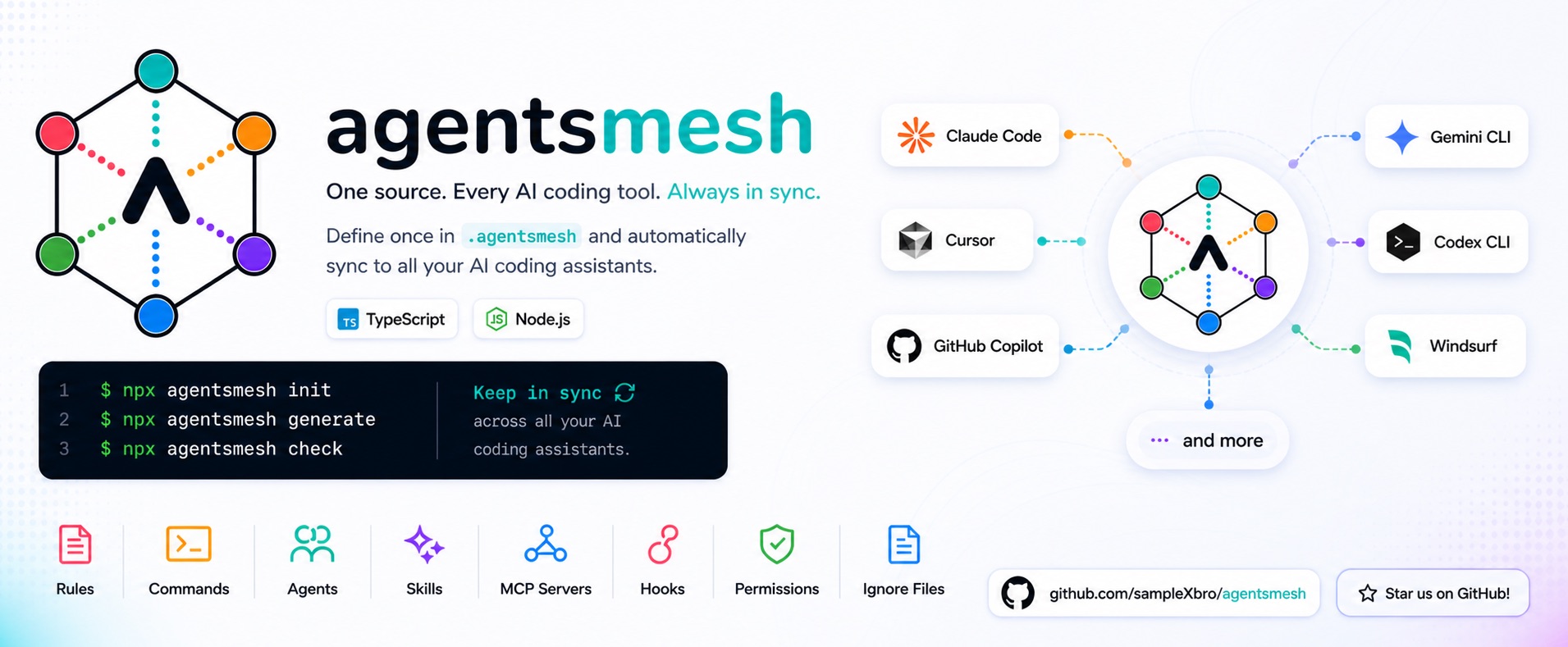







Every AI coding assistant has its own config format — CLAUDE.md, AGENTS.md, .cursor/rules/*.mdc, .github/copilot-instructions.md, and more. Keeping the same rules, prompts, MCP servers, hooks, and permissions in sync across all of them by hand is tedious, and they drift apart fast.
AgentsMesh is one canonical source for all of it. Write your rules, commands, agents, skills, MCP servers, hooks, ignore patterns, and permissions once in .agentsmesh/, run agentsmesh generate, and every tool gets its native config — with cross-file links automatically rebased to each tool's paths. agentsmesh import pulls existing configs back into the one source, agentsmesh convert migrates straight from one tool to another, and agentsmesh check fails CI when anything drifts.
And your agents learn from your repo. With lessons, an agent saves a short rule whenever something goes wrong — a failing test, a review comment, a wrong assumption — and recalls it automatically before it touches the same files again. One shared memory, read and written by every AI tool you use.
How AgentsMesh compares
Most config tools stop at copying rule files into each assistant's folder. AgentsMesh is the only one that also gives your agents a shared memory that learns, round-trips losslessly in both directions, and lets anyone add a new tool as a plugin — no release required.
| Capability | AgentsMesh | Ruler | rulesync |
|---|---|---|---|
| Generate native config for many tools | ✅ | ✅ | ✅ |
| Import existing tool config back to source | ✅ | — | ✅ |
| Lossless round-trip (re-import restores originals) | ✅ | — | partial |
| Convert one tool's config directly to another | ✅ | — | ✅ |
| Automatic cross-tool link rebasing | ✅ | — | — |
| Lessons — a shared agent memory that learns | ✅ | — | — |
| Plugins — add a target without a release | ✅ | — | — |
| Cross-target lint (warn before silent data loss) | ✅ | — | — |
| CI drift gate + git-merge recovery | ✅ | partial | partial |
| Self-serve MCP server (agent-operable config) | ✅ | — | — |
--json everywhere + typed programmatic API |
✅ | — | partial |
Reflects the public projects as of June 2026 — see the alternatives guide for sources and detail. Corrections welcome.
Built to be depended on: 8,000+ tests run on Linux, macOS, and Windows CI (Node 22 & 24), configs are JSON-Schema-validated, npm releases ship with provenance, and standalone binaries are published with SHA-256 checksums.
Install
Every install method ships the same CLI (agentsmesh, plus the shorter amsh alias) and the same TypeScript library.
# Homebrew (macOS / Linux) — no Node.js required
brew tap samplexbro/agentsmesh
brew install agentsmesh

# Standalone binary (Linux / macOS / Windows) — no Node.js required
curl -fsSL https://github.com/sampleXbro/agentsmesh/releases/latest/download/install.sh | sh

# npm / pnpm / yarn — requires Node.js 20+
npm install -g agentsmesh     # or: pnpm add -g agentsmesh / yarn global add agentsmesh
npm install -D agentsmesh     # pin per-repo as a dev dependency (run with npx)
npx agentsmesh --help         # run once without installing
Standalone binaries are also on GitHub Releases. The Node install additionally exposes the typed programmatic API.
60-second quickstart
Works on Linux, macOS, and Windows. After installing, agentsmesh init adapts to your repo:
- Already using AI tools? It detects your existing
.cursor/,.claude/,.github/copilot-instructions.md, and more, and offers to import them all into one.agentsmesh/source — nothing rewritten by hand. (agentsmesh init --yesdoes it non-interactively.) - Starting fresh? It scaffolds a minimal
.agentsmesh/to grow from.
agentsmesh init       # detect & import existing configs, or scaffold fresh
agentsmesh generate   # write each tool's native config from the one source
agentsmesh check      # CI-friendly drift gate against .agentsmesh/.lock
On an interactive terminal, init runs a short wizard — nothing is written until you finish, so Ctrl-C cancels cleanly:
- Targets — multi-select which tools to generate for (recommended ones first; nothing is pre-selected).
- Import — if it detects existing configs (
.cursor/,.claude/,.github/copilot-instructions.md, …), it offers to import them all into.agentsmesh/. - Lessons — enable the shared agent memory (default yes).
- Generate — optionally run
generateright away.
--global runs the same wizard for user-level config (global-capable targets only, no Lessons step). Pass --yes, --json, or run in a non-TTY/CI shell to skip the wizard and keep the scripted behavior. init also seeds the self-serve MCP server into mcp.json.
generatewritesCLAUDE.md,AGENTS.md,.cursor/,.github/copilot-instructions.md, and the rest — rewriting canonical file references to each tool's native paths so cross-file links keep working.checkexits non-zero when generated files drift from.agentsmesh/.lock— drop it into CI.
Skipped lessons during setup? Add them later (on a fresh or existing repo) with agentsmesh init --lessons. Installed as a dev dependency? Prefix each command with npx.
Before / After
Before — fragmented, assistant-native config in one repo:
CLAUDE.md
AGENTS.md
.cursor/rules/*.mdc
.github/copilot-instructions.md
.gemini/settings.json
.windsurf/rules/*.md
.codex/config.toml
.kiro/steering/*.md
After — one canonical source, generated everywhere:
.agentsmesh/
  rules/_root.md      # the root rule every tool projects
  commands/           # reusable slash-style prompts
  agents/             # agent definitions
  skills/             # composable skills (+ supporting files)
  mcp.json            # MCP server definitions
  hooks.yaml          # pre/post tool hooks
  permissions.yaml    # allow/deny rules
  ignore              # paths the assistant must not touch
  lessons/            # optional recall/capture memory
Edit canonical sources, run agentsmesh generate, and every native file above is (re)written for you — always in sync. Alongside the directory, agentsmesh.yaml selects which targets and features are enabled, agentsmesh.local.yaml holds per-developer overrides (gitignored), and .agentsmesh/.lock records both the canonical-source and generated-output checksums that agentsmesh check enforces.

Teach your agents: lessons
This is the part no other config-sync tool has. Lessons give your AI agents a memory of past mistakes — read before they touch anything, written after something goes wrong, so the same mistake doesn't happen twice in any tool. It's what turns a static pile of rules into an agent that gets better at your codebase over time.

The memory is one git-tracked file, .agentsmesh/lessons/lessons.json, and every agent talks to it through two commands:
- Recall — before an edit or a state-changing command, the agent runs
agentsmesh lessons query --file <path> --cmd <command>and follows the rules that match. - Capture — right after a failure (red test, lint error, review comment, wrong assumption), it saves the rule with
agentsmesh lessons add "<rule>" --topic <id> --trigger-file <glob>.
Rules can be scoped (fire only on a matching file, command, or keyword) or always-on (--scope always) for universal standards that apply to every task — delivered on each task automatically, no trigger needed.
Opt in with AGENTSMESH_LESSONS_TELEMETRY=1 and agentsmesh goes a step further — it tracks whether a recalled lesson actually prevented the repeat, quietly down-ranks rules that never help, and flags them in agentsmesh lessons validate. Off by default and per-machine; the shared graph is your rules, the effectiveness is your own history.
In practice:
# An agent breaks the Windows build, finds the cause, and writes the lesson down:
agentsmesh lessons add "Normalize CLI display paths to forward slashes" \
  --topic windows-paths --trigger-file "src/cli/**/*.ts"

# Days later, any agent — in any tool — about to touch that path recalls it first:
agentsmesh lessons query --file src/cli/output.ts
# → "Normalize CLI display paths to forward slashes"
agentsmesh init --lessons && agentsmesh generate # wire the recall/capture loop once
init --lessons drops a small always-on rule into .agentsmesh/rules/_root.md (so every target gets the habit), seeds the full operating manual as a lessons skill where supported, and wires a recall hook on hook-capable tools — a PreToolUse first-touch guard (escalating with the covering rule when the exact action has already failed repeatedly) plus a PostToolUse fallback for file/command scope, a UserPromptSubmit pass so conceptual (keyword) and always-on lessons recall against the task text, a PostToolUseFailure advisory nudge to capture at the moment something breaks, and a SessionStart reset so recall re-surfaces lessons a long chat has summarized away. Agents without shell access use the matching MCP tools (lessons_query / lessons_add). Because the graph is a normal git-tracked file, a lesson one agent learns today helps every teammate's agent tomorrow, and every change is reviewable like any other diff.
Full walkthrough: Teach your AI agents with lessons · agentsmesh lessons reference.
Why developers use AgentsMesh
- Bidirectional and loss-free —
importreads existing tool configs into.agentsmesh/;generateprojects them back out. When a tool has no native slot for a feature, AgentsMesh embeds it with round-trip metadata instead of dropping it, so re-import restores the original canonical files. Managed embedding → - Automatic link rebasing — canonical references like
.agentsmesh/skills/api-gen/template.hbsare rewritten to each tool's native path (.claude/skills/api-gen/template.hbs,.cursor/skills/api-gen/template.hbs, …) in every generated file, so cross-file links stay valid; literal prose and embedded payloads are left untouched. Generation pipeline → - Agents that learn — the optional lessons memory recalls past-mistake rules before each edit and captures new ones after each failure, shared across every tool and teammate.
- Safe adoption — already have
.cursor/,.claude/, or.github/copilot-instructions.md? Runimport→diff→generate→check; nothing is overwritten blind. Existing-project guide → - Migrate between tools —
convert --from <a> --to <b>rewrites one tool's config directly into another's native format. convert → - Global mode —
~/.agentsmesh/syncs your personal config to~/.claude/,~/.cursor/,~/.codex/, and more. Every command accepts--global. Global paths → - Team-safe and CI-ready —
checkis a drift gate against.agentsmesh/.lock,diffpreviews changes,mergerebuilds the lock after a 3-way Git conflict, andlock_features+ per-featurestrategyprevent accidental overrides.lintadds cross-target warnings (silent-drop-guard,hook-script-references,rule-scope-inversion) for content a tool would silently mishandle. check → · lint → - Community packs and
extends— install shared rules, skills, agents, and commands from any git repo (install,--sync,refresh, remoteextends); a multi-signal classifier auto-detects Anthropic-style skill packs. Elevated artifacts (hooks, permissions, MCP) from remote sources are stripped unless you opt in — with--accept-*oninstall, oraccept:on a remoteextendsentry. Install reference → - Plugins — add a tool without waiting for a release — ship support for a new AI tool as a standalone npm package, with full parity to built-in targets (project + global, conversions, lint hooks, hook post-processing). When a tool ships or changes its format, you don't file an issue and wait on the maintainer — you publish a plugin. Build a plugin →
- Schema-validated configs — each config ships a JSON Schema, so editors give you autocomplete and validation out of the box. JSON schemas →
- Typed programmatic API — drive
generate/import/lint/diff/checkfrom scripts or CI viaagentsmesh,/engine,/canonical,/targets,/lessons. API reference → - Self-serve MCP server —
agentsmesh mcp(seeded byinit) exposes canonical config as MCP tools so agents can introspect rules, commands, and skills and triggergeneratein-conversation. MCP server → - Scriptable everywhere — every command speaks
--json, emitting a single{ success, command, data?, error? }envelope for CI and tooling.
Tip
Commit both .agentsmesh/ and the generated tool files, the same way you commit package-lock.json: they're deterministic build output that the AI tools read directly, and agentsmesh check guards the two from drifting.
Why not Ruler, rulesync, or just AGENTS.md?
vs. AGENTS.md — AGENTS.md is a great shared instruction file, and AgentsMesh emits it natively wherever a tool supports it. But a single markdown file isn't enough on its own: most assistants expose configuration beyond it — Cursor's .cursor/rules/*.mdc and MCP config, Claude Code's agents/skills/commands/hooks/permissions, Copilot's .github/instructions/, Gemini's .gemini/settings.json, and so on — and those surfaces don't overlap. AgentsMesh canonicalizes all of them so you never have to pick one tool's surface as the lowest common denominator.
vs. other sync tools — Ruler and rulesync solve the rules-distribution half well. AgentsMesh goes further on the parts that are hardest to keep in sync: a shared lessons memory your agents learn from, lossless two-way import, automatic cross-tool link rebasing, plugins so a new tool ships without a release, and lint that warns before a tool would silently drop content. See the full comparison and the alternatives guide.
Commands
| Command | What it does |
|---|---|
init |
Scaffold .agentsmesh/ + config (interactive wizard on a TTY) |
generate |
Write native config for every enabled tool |
check |
Fail when generated files drift from .agentsmesh/.lock (CI gate) |
diff |
Preview what the next generate would change |
import |
Pull an existing tool's config into .agentsmesh/ |
convert |
Convert one tool's config directly into another's |
lint |
Validate canonical config against target constraints |
watch |
Regenerate target files on save |
merge |
Rebuild .agentsmesh/.lock after a Git merge conflict |
matrix |
Print the feature/target support matrix |
install · uninstall · installs |
Add, remove, and list community packs |
refresh |
Re-fetch installed packs from their sources |
plugin |
Add, list, or remove plugin-provided targets |
target |
Scaffold a new target's source skeleton (for contributors) |
lessons |
Query and capture agent memory (recall / capture) |
mcp |
Start the AgentsMesh MCP server (stdio) |
Every command accepts --global (operate on ~/.agentsmesh/) and --json (machine-readable output). Run agentsmesh <command> --help for flags, or see the CLI reference.
Supported tools
AgentsMesh generates native config for every major AI coding assistant — plus plugin targets you can ship as standalone npm packages. Native vs. embedded support per feature is tracked in the supported-tools matrix.
- CLI agents: Aider, Amp, Claude Code, Codex CLI, Crush, Deep Agents CLI, Gemini CLI, Goose, OpenCode, Pi Agent, Qwen Code, Rovo Dev, Warp.
- IDE integrations: Amazon Q Developer, Antigravity, Augment Code, Cline, Continue, GitHub Copilot, Cursor, Junie, Kilo Code, Kiro, Roo Code, Trae, Windsurf, Zed.
- Cloud agent platforms: Factory Droid, Jules, Replit Agent.
Project scope (agentsmesh generate)
| Feature | Aider | Amazon Q Developer | Amp | Antigravity | Augment Code | Claude Code | Cline | Codex CLI | Continue | GitHub Copilot | Crush | Cursor | Deep Agents CLI | Factory Droid | Gemini CLI | Goose | Jules | Junie | Kilo Code | Kiro | OpenCode | Pi Agent | Qwen Code | Replit Agent | Roo Code | Rovo Dev | Trae | Warp | Windsurf | Zed |
|---|---|---|---|---|---|---|---|---|---|---|---|---|---|---|---|---|---|---|---|---|---|---|---|---|---|---|---|---|---|---|
| Rules | Native | Native | Native | Native | Native | Native | Native | Native | Native | Native | Native | Native | Native | Native | Native | Native | Native | Native | Native | Native | Native | Native | Native | Native | Native | Native | Native | Native | Native | Native |
| Additional Rules | Embedded | Native | Embedded | Native | Native | Native | Native | Native | Native | Native | Embedded | Native | Embedded | Embedded | Embedded | Embedded | Embedded | Native | Native | Native | Native | Embedded | Native | Embedded | Native | Embedded | Native | Embedded | Native | Embedded |
| Commands | — | — | Embedded | Native (workflows) | Native | Native | Native (workflows) | Embedded | Native | Native | Embedded | Native | Embedded | Native | Native | Embedded | Partial | Native | Native | Embedded | Native | Native | Native | — | Native | Native | Native | Embedded | Native (workflows) | — |
| Agents | — | Native | Embedded | — | Native | Native | Native | Native | — | Native | — | Native | Native | Native | Native | Embedded | — | Native | Native | Native | Native | — | Native | — | Native | Embedded | Native | — | Embedded | — |
| Skills | Native | — | Native | Native | Native | Native | Native | Native | Native | Native | Native | Native | Native | Native | Native | Native | — | Native | Native | Native | Native | Native | Native | Native | Native | Native | Native | Native | Native | Native |
| MCP Servers | Partial | Native | Native | — | Native | Native | Native | Native | Native | Native | Native | Native | Native | Native | Native | Partial | Partial | Native | Native | Native | Native | — | Native | Partial | Native | Partial | Native | Native | Partial | Native |
| Hooks | Partial | Embedded | Partial | Native | Native | Native | Native | Native | — | Native | Native | Native | — | Native | Native | Native | Partial | Partial | Partial | Native | Partial | Partial | Native | Partial | — | — | Native | Partial | Native | — |
| Ignore | Native | — | Partial | — | Native | Native | Native | — | Native | — | Native | Native | Partial | Partial | Native (settings-embedded) | Native | Partial | Native | Native | Native | Partial | Partial | Native | Partial | Native | Partial | Native | Partial | Native | Partial |
| Permissions | Partial | Embedded | Partial | Partial | — | Native | Partial | Native | — | — | Native | Native | Partial | Native | Partial | Partial | Partial | Partial | Native | Partial | Native | Partial | Native | Partial | Native | — | — | Partial | Partial | Partial |
Global scope (agentsmesh generate --global)
| Feature | Aider | Amazon Q Developer | Amp | Antigravity | Augment Code | Claude Code | Cline | Codex CLI | Continue | GitHub Copilot | Crush | Cursor | Deep Agents CLI | Factory Droid | Gemini CLI | Goose | Jules | Junie | Kilo Code | Kiro | OpenCode | Pi Agent | Qwen Code | Replit Agent | Roo Code | Rovo Dev | Trae | Warp | Windsurf | Zed |
|---|---|---|---|---|---|---|---|---|---|---|---|---|---|---|---|---|---|---|---|---|---|---|---|---|---|---|---|---|---|---|
| Rules | Native | Native | Native | Native | Native | Native | — | Native | Native | Native | Native | Native | Native | Native | Native | Native | — | Native | Native | Native | Native | Native | Native | — | Native | Native | Native | — | Native | — |
| Additional Rules | Embedded | — | Embedded | Embedded | Native | Native | Native | Embedded | Native | Embedded | Embedded | Native | Embedded | Embedded | Embedded | Embedded | — | Embedded | Native | Native | Native | Embedded | Native | — | Native | Embedded | Native | — | Embedded | — |
| Commands | — | — | Embedded | Native (workflows) | Native | Native | Native (workflows) | Embedded | Native | — | Embedded | Native | Embedded | Native | Native | Embedded | — | Native | Native | Embedded | Native | Native | Native | — | Native | Native | Native | Embedded | Native (workflows) | — |
| Agents | — | Native | Embedded | — | Native | Native | — | Native | — | Native | — | Native | Native | Native | Native | Embedded | — | Native | Native | Native | Native | — | Native | — | Partial | Embedded | Native | — | Embedded | — |
| Skills | Native | — | Native | Native | Native | Native | Native | Native | Native | Native | Native | Native | Native | Native | Native | Native | — | Native | Native | Native | Native | Native | Native | — | Native | Native | Native | Native | Native | Native |
| MCP Servers | Partial | Native | Native | Native | Native | Native | — | Native | Native | Native | Native | Native | Native | Native | Native | Native | — | Native | Native | Native | Native | — | Native | — | Partial | Native | Native | Native | Native | Native |
| Hooks | Partial | Embedded | Partial | Native | Native | Native | Native | Native | — | Native | Native | Native | Native | Native | Native | Native | — | Embedded | Partial | Partial | Partial | Partial | Native | — | — | Native | Native | Partial | Native | — |
| Ignore | Native | — | Partial | — | — | Native | — | — | Native | — | — | Native | Partial | Partial | — | Native | — | — | — | Native | Partial | Partial | — | — | — | Partial | — | Partial | Native | Partial |
| Permissions | Partial | Embedded | Partial | Partial | Native | Native | Partial | Native | Native | Partial | Native | Native | Partial | Native | Native | Native | — | Native | Native | Partial | Native | Partial | Native | — | Partial | Native | — | Partial | Partial | Partial |
See the full feature matrix for native vs. embedded details and per-tool global paths.
Documentation
- Getting Started — install and first run
- Canonical config — rules, commands, agents, skills, MCP, hooks, ignore, permissions
- CLI reference — every command and flag
- Guides — adopting in an existing repo · teaching agents with lessons · sharing config · building plugins
- Reference — supported tools · generation pipeline · managed embedding · programmatic API
Contributing
Contributions welcome — edit canonical .agentsmesh/ sources, never the generated files. See CONTRIBUTING.md to get set up.