CreateMVP
A full-stack AI application for generating project prototypes and implementation plans.

Demo Video

Our latest featured Demo
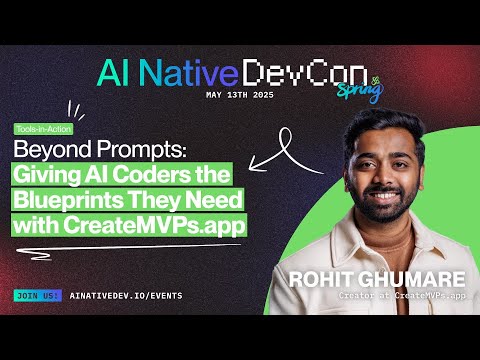
CreateMVP - Self-Hosted Open Source Version
A simplified, self-hosted version of CreateMVP that generates comprehensive MVP implementation plans using multiple LLM providers.
Features
- Multi-model AI integration (OpenAI, Anthropic, Google, etc.)
- Project requirements analysis
- Automatic generation of implementation docs:
- Requirements documents
- PRDs
- Tech stack recommendations
- Frontend and backend implementation guides
- System flow documentation
- Project status templates
- PDF upload for extracting requirements
- API key management for multiple AI providers
Self-Hosted Features
- Unlimited MVP Generation: No credit limits or payment requirements
- Multiple LLM Providers: Support for OpenAI, Anthropic, Google, DeepSeek, and more
- Local SQLite Database: All data stored locally for privacy
- Simple Authentication: Basic username/password authentication
- Export Options: Download generated plans in multiple formats
- Self-Hosted: Run entirely on your own infrastructure
What the Platform Delivers
- AI Plan Generator – Using latest Gemini 2.5 Pro model which ranks
#1on LMarena, Accepts a short requirements brief or a PDF; outputs a complete implementation bundle (technical spec, architecture, user‑flow diagram links, task breakdown, and a polished PRD). - Multimodel Chat Console – One pane to converse with GPT‑4.1, Claude 3.7 Sonnet, Gemini 2.5 Pro and other public as well as open source large models, keys stay local.
- AI Tool Comparison Hub – Curated cards for 100+ dev‑centric AI tools to accelerate due‑diligence.
- MCP Servers & Rule Packs – One‑click copies of community‑maintained server endpoints plus Cursor & Windsurf rules to supercharge IDE workflows.
- Open‑source PRD Creator – Apache‑licensed codebase; self‑host or fork without restrictions.
Key Benefits
- ✅ Super Fast Generation: Turn your idea into a detailed plan in minutes.
- 📈 Massive Detail Boost: Our generated plans are now 4x more detailed & optimized (~40KB+ vs 11KB previous). Give AI the context it craves!
- 👀 Instant In-UI Preview: View your full plan files directly in the browser.
- 🔐 Easy Access: Log in securely with Google, GitHub, Replit.
- 🧠 Premium AI Chat: Better conversations and insights with top AI models built-in.
- 🚀 Enhanced UI: A smoother, faster planning experience.
Quick Start
Prerequisites
- Node.js 18+ and npm/pnpm/yarn
- Git
Installation
-
Clone the repository
git clone https://github.com/rohitg00/createmvp.git cd createmvp -
Install dependencies
npm install
# or
pnpm install
# or
yarn install
-
Set up environment variables
Edit
.envand add your LLM provider API keys:# Database (SQLite) DATABASE_PATH="./data/app.db" # Session Secret (generate a secure random string) SESSION_SECRET="your-secure-session-secret-here" # LLM Provider API Keys (add the ones you want to use) OPENAI_API_KEY="your-openai-api-key" ANTHROPIC_API_KEY="your-anthropic-api-key" GOOGLE_API_KEY="your-google-api-key" DEEPSEEK_API_KEY="your-deepseek-api-key" # Email (optional, for notifications) RESEND_API_KEY="your-resend-api-key" EMAIL_FROM="CreateMVP <noreply@yourdomain.com>"
-
Initialize the database
npm run db:generate
npm run db:migrate
-
Start the development server
-
Access the application Open your browser and navigate to
http://localhost:5001
LLM Provider Setup
OpenAI
- Get your API key from OpenAI Platform
- Add to
.env:OPENAI_API_KEY="sk-..."
Anthropic (Claude)
- Get your API key from Anthropic Console
- Add to
.env:ANTHROPIC_API_KEY="sk-ant-..."
Google (Gemini)
- Get your API key from Google AI Studio
- Add to
.env:GOOGLE_API_KEY="AIza..."
DeepSeek
- Get your API key from DeepSeek Platform
- Add to
.env:DEEPSEEK_API_KEY="sk-..."
Database Management
The application uses SQLite for local data storage. Database files are stored in the ./data/ directory.
Database Commands
# Generate database schema
npm run db:generate

# Run migrations
npm run db:migrate

# View database (optional)
npm run db:studio
Backup Your Data
To backup your data, simply copy the ./data/ directory:
cp -r ./data/ ./backup-$(date +%Y%m%d)/Production Deployment
Using Docker
-
Build the Docker image
docker build -t createmvp . -
Run the container
docker run -d \
  --name createmvp \
  -p 3000:3000 \
  -v $(pwd)/data:/app/data \
  -v $(pwd)/.env:/app/.env \
  createmvp
Manual Deployment
-
Build the application
-
Start the production server
Environment Variables for Production
NODE_ENV=production
PORT=3000
DATABASE_PATH="./data/app.db"
SESSION_SECRET="your-very-secure-session-secret"
# ... other API keys
Usage
- Create an Account: Register with a username and password
- Configure API Keys: Add your LLM provider API keys in the settings
- Generate MVP Plans: Describe your project idea and get comprehensive implementation plans
- Export Results: Download your generated plans in various formats
API Endpoints
Authentication
POST /api/auth/register- Register a new userPOST /api/auth/login- Login userPOST /api/auth/logout- Logout user
MVP Generation
POST /api/generate-plan- Generate a new MVP planGET /api/plans- Get user's generated plans
API Keys
GET /api/api-keys- Get user's API keysPOST /api/api-keys- Add/update API keyDELETE /api/api-keys/:id- Delete API key
Development
Project Structure
createmvp/
├── client/                 # Frontend React application
│   ├── src/
│   │   ├── components/     # React components
│   │   ├── pages/         # Page components
│   │   └── lib/           # Utilities and hooks
├── server/                # Backend Express application
│   ├── routes.ts          # API routes
│   ├── auth.ts           # Authentication logic
│   ├── storage.ts        # Database operations
│   └── db.ts             # Database configuration
├── shared/               # Shared types and schemas
│   └── schema.ts         # Database schema
└── migrations/           # Database migrations
Available Scripts
npm run dev          # Start development server
npm run build        # Build for production
npm run start        # Start production server
npm run db:generate  # Generate database schema
npm run db:migrate   # Run database migrations
npm run db:studio    # Open database studio
npm run lint         # Run linter
npm run type-check   # Run TypeScript type checking
Troubleshooting
Common Issues
-
Database connection errors
- Ensure the
./data/directory exists and is writable - Check that
DATABASE_PATHin.envis correct
- Ensure the
-
LLM API errors
- Verify your API keys are correct and have sufficient credits
- Check that the API keys have the necessary permissions
-
Port already in use
- Change the
PORTenvironment variable to use a different port - Kill any existing processes using the port
- Change the
Logs
Application logs are written to the console. In production, consider using a process manager like PM2 to manage logs:
npm install -g pm2
pm2 start npm --name "createmvp" -- start
pm2 logs createmvp
Contributing
This is an open-source project. Contributions are welcome!
- Fork the repository
- Create a feature branch
- Make your changes
- Add tests if applicable
- Submit a pull request
Differences from SaaS Version
This self-hosted version removes:
- Payment processing and subscriptions
- Credit limits and usage tracking
- Complex authentication providers
- External database dependencies
- Analytics and tracking (optional)
And adds:
- Local SQLite database
- Simplified user management
- Unlimited usage
- Privacy-focused design
- Easy self-hosting
Contributing
We welcome contributions to CreateMVP! Here's how you can contribute:
General Contributions
- Fork the repository
- Create a new branch for your feature (
git checkout -b feature/amazing-feature) - Commit your changes (
git commit -m 'Add some amazing feature') - Push to the branch (
git push origin feature/amazing-feature) - Open a Pull Request
Contributing MCP Servers
The Model Context Protocol (MCP) is an open standard that allows AI assistants to interact with external tools and data sources. You can contribute new MCP servers to our repository:
- Create a new file in
client/src/pages/mcp/your-server-name.tsx - Use our template structure below for consistency
- Add your server to the list in
client/src/pages/mcp-rules.tsx
MCP Server Template
import React from "react";
import { MCPServerTemplate } from "./template";

export default function YourServerNameMCP() {
  // Instructions for obtaining API key (if needed)
  const apiKeyInstructions = (
    <>
      <p className="mb-3">To use this MCP server, you'll need an API key:</p>
      <ol className="list-decimal pl-5 mb-4 space-y-2">
        <li>Step 1 of getting the key</li>
        <li>Step 2 of getting the key</li>
      </ol>
    </>
  );

  return (
    <MCPServerTemplate
      name="Your Server Name"
      description="Brief description of what your server does"
      githubUrl="https://github.com/yourusername/your-repo"
      websiteUrl="https://your-website.com"
      logo="https://example.com/logo.png"
      npmCommand="npx @your-org/your-server"
      dockerCommand="docker run -i your-org/your-server"
      apiKeyName="API Key Name" // if applicable
      apiKeyInstructions={apiKeyInstructions} // if applicable
      features={[
        "Feature 1 description",
        "Feature 2 description",
        "Feature 3 description"
      ]}
      examples={[
        "Example command 1",
        "Example command 2"
      ]}
    />
  );
}
Contributing Windsurf/Cursor Rules
Windsurf and Cursor rules help AI assistants understand how to work with codebases. To contribute:
- Create a new file in
client/src/pages/windsurf-rules/orclient/src/pages/cursor-rules/ - Follow this template:
import React from "react";

export default function YourRuleName() {
  return (
    <div className="container mx-auto px-4 py-8 max-w-4xl">
      <h1 className="text-3xl font-bold text-white mb-6">Your Rule Name</h1>

      <div className="bg-slate-800 rounded-lg p-6 mb-8">
        <h2 className="text-xl font-semibold text-white mb-4">Description</h2>
        <p className="text-slate-300 mb-4">
          Describe what your rule does and why it's useful.
        </p>

        <h2 className="text-xl font-semibold text-white mb-4">Rule Definition</h2>
        <pre className="bg-slate-900 p-4 rounded-md text-slate-300 overflow-auto mb-6">
          {`# Your Rule Name

# Rule content goes here - this will be parsed by AI assistants
# Explain how to use the codebase, conventions, or other guidance

## Section 1
- Guidelines
- Conventions

## Section 2
- More information
`}
        </pre>

        <h2 className="text-xl font-semibold text-white mb-4">Usage Examples</h2>
        <p className="text-slate-300 mb-2">Example 1: Brief description</p>
        <p className="text-slate-300 mb-4">Example 2: Brief description</p>
      </div>
    </div>
  );
}
License
This project is licensed under the Apache 2.0 License.