github-assistant is a PoC built using Relta and assistant-ui. You can try it out here and read more about the project in this blog.
Demo Video
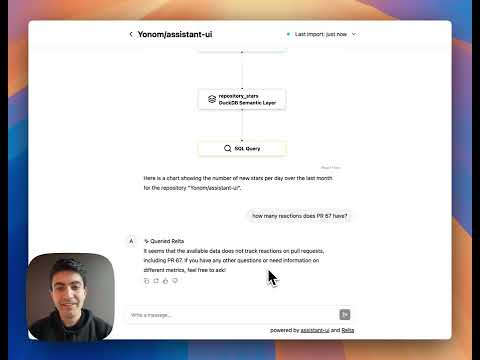
Architecture

The Relta sub-module is currently not open source. You can see the semantic layer that was generated by the library and is used in the text-to-SQL pipeline in the server-poc/semantic_layer folder. The full library is available upon request for both commercial and non-commercial uses. Send an email to amir [at] relta.dev for access.
Requirements to run
- Python 3.9+
- npm or other Node.js package manager
- Git
Setup
-
Reach out to get access to the Relta submodule.
-
Initialize the
reltasubmodule
git remote add template https://github.com/reltadev/poc-template.git && git submodule update --init --recursive- Create a virtual environment for Relta
python -m venv .venv && source .venv/bin/activate && pip install -r requirements.txt
- Setup the
.envfiles from.env.example
cp client-poc/.env.example client-poc/.env && cp server-poc/.env.example server-poc/.env-
Set the following environment variables in
server-poc/.env:OPENAI_API_KEY: Your OpenAI API keyGITHUB_DATABASE_CONNECTION_URIthe PG database where the GitHub data will be piped into
-
Launch the backend
cd server-poc
uvicorn server_poc.server:app --host 0.0.0.0 --port 80 --reload4- Launch the front-end
cd client-poc
npm install
npm run dev
Updating
We will generally give instructions on how to update Relta or the POC to handle any bugs or new features.
Contributing
We would love to get new contributors! If you are interested, please reach out to amir [at] relta.dev or simon.farshid [at] outlook.com