import React from 'react';
import { View } from 'react-native-macos';
import TouchBar from 'react-native-touchbar';

export default myApp = () => (
     <View style={styles.container}>
        <TouchBar>
          <Button title="Esc" onClick={() => alert('Hello, vim!')}/>
          <Button title="Courage" style={{ fontSize: 12 }} />
          <View style={{ backgroundColor: 'red', flex: 1}} />
        </TouchBar>
        <Text style={styles.welcome}>
          Welcome to React Native macOS!
        </Text>
        <Text style={styles.instructions}>
          To get started, edit index.macos.js
        </Text>
        <Text style={styles.instructions}>
          Press Cmd+R to reload,{'\n'}
          Or use Developer Menu
        </Text>
     </View>
)

You need Xcode 8.1 on macOS Sierra 10.12.1 (12B2657) or later.
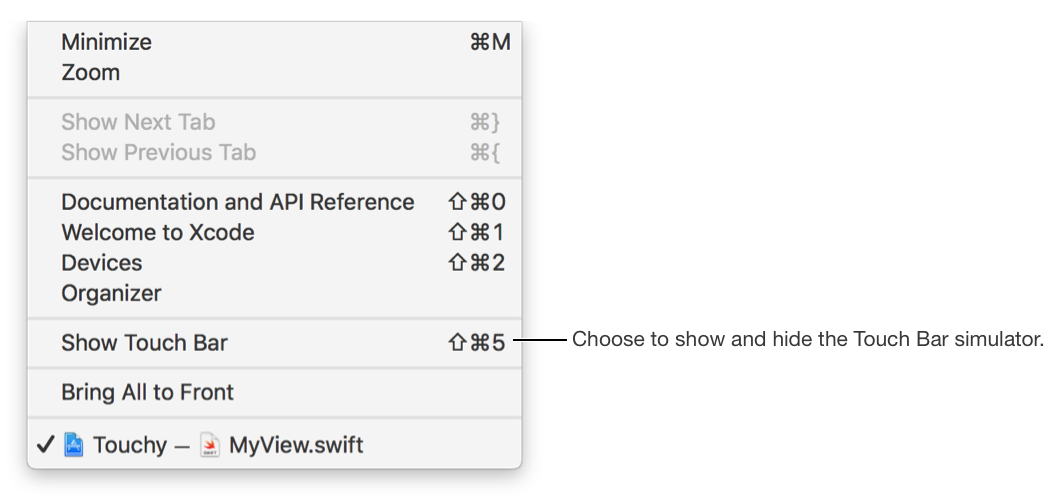
Enable Touchbar simulator in Xcode -> Windows menu:
TODO:
- Different native TouchBarItems (like segmented controls)
- Inner touchbar (touchbar inside touchbars)
- Customization
- Several Touchbar instances per app