PIG - Postgres Install Genius






pig is an open-source PostgreSQL (& Extension) Package Manager for mainstream (EL/Debian/Ubuntu) Linux.
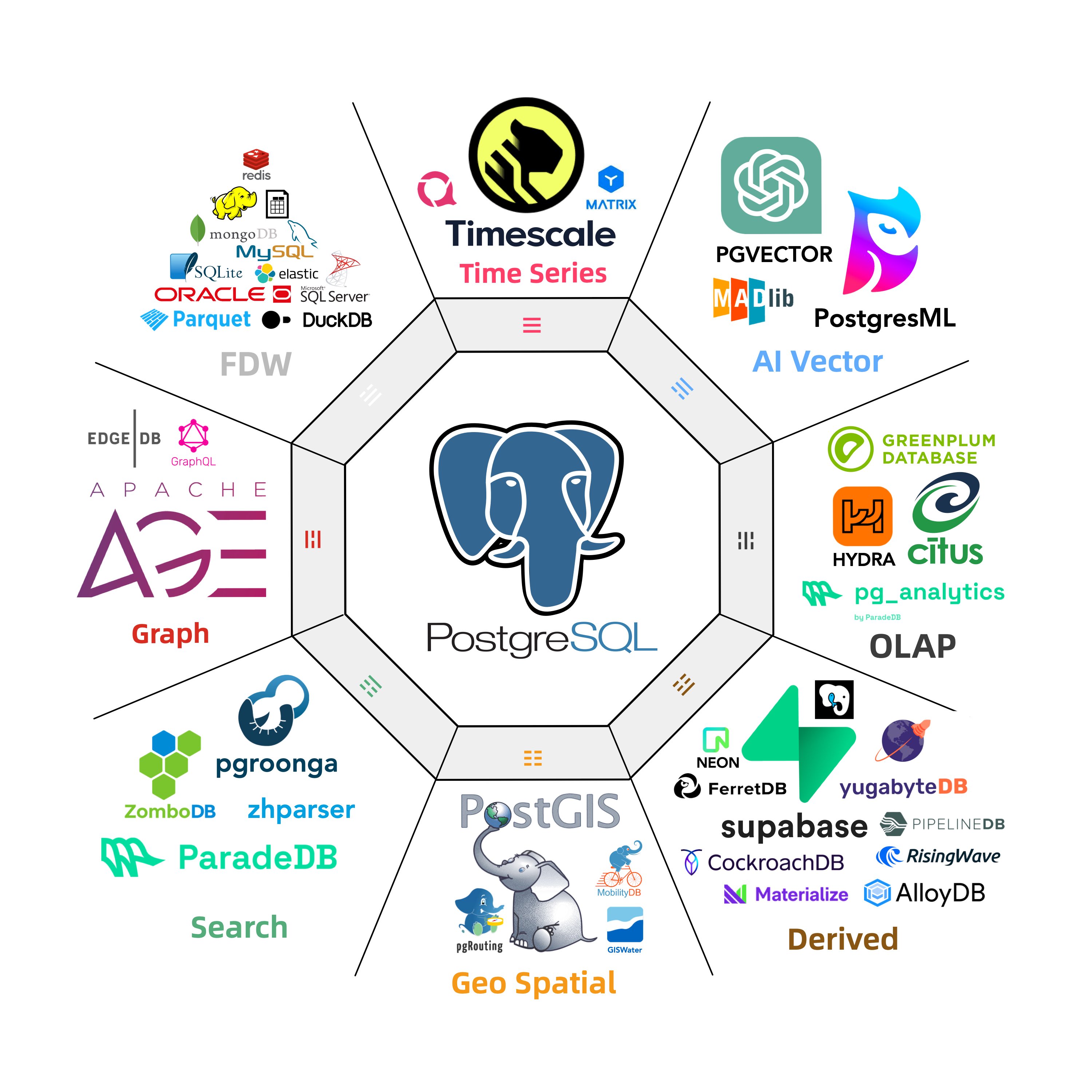
Install PostgreSQL 14 ~ 18 along with 562 packaged extensions on (amd64 / arm64) with native OS package manager.
All commands support structured output (-o yaml/json) with self-describing schema, making it an Agent-Friendly PostgreSQL CLI tool.
Also explore the full PGEXT.CLOUD directory of 2,230 catalogued PostgreSQL extensions.
Get Started





Install the pig package first, (you can also use the apt / yum or just copy the binary)
curl -fsSL https://repo.pigsty.io/pig | bashThen you're ready to go. For example, install the pg_duckdb extension:
$ pig repo add pigsty pgdg -u       # add pgdg & pigsty repo, then update repo cache
$ pig ext install pg18              # install PostgreSQL 18 kernels with native PGDG packages
$ pig ext install pg_duckdb -v 18   # install the pg_duckdb extension (for current pg18)
That's it. All set! Check the advanced usage for details and the full list of 562 packaged extensions.

Installation
The pig util is a standalone Go binary with no dependencies. You can install it with:
curl -fsSL https://repo.pigsty.io/pig | bash   # cloudflare default
curl -fsSL https://repo.pigsty.cc/pig | bash   # mainland china mirror
Or just download and extract the binary, or use the apt/dnf package manager:
For Ubuntu 22.04 / 24.04 & Debian 12 / 13 or any compatible platforms:
sudo tee /etc/apt/sources.list.d/pigsty.list > /dev/null <<EOF
deb [trusted=yes] https://repo.pigsty.io/apt/infra generic main
EOF
sudo apt update; sudo apt install -y pig
For EL 8 / 9 / 10 and compatible platforms:
sudo tee /etc/yum.repos.d/pigsty.repo > /dev/null <<-'EOF'
[pigsty-infra]
name=Pigsty Infra for $basearch
baseurl=https://repo.pigsty.io/yum/infra/$basearch
enabled = 1
gpgcheck = 0
module_hotfixes=1
EOF
sudo yum makecache; sudo yum install -y pig
For mainland China users: consider replacing
repo.pigsty.iowithrepo.pigsty.cc.
pig has self-update feature, you can update pig itself to the latest version with:
pig update                  # self-update to the latest version
pig update -v <version>     # self-update to a specific released version
pig ext reload              # update extension catalog metadata only
Advanced Usage
Note
command outputs below are examples captured on a specific environment; exact package/version lists can vary by OS, arch, and repo snapshot.
Environment Status
pig status                    # show os & pg & pig status
pig repo status               # show upstream repo status
pig ext  status               # show pg extensions status
Extension Management
pig ext list    [query]       # list & search extension
pig ext info    [ext...]      # get information of a specific extension
pig ext avail   [ext...]      # show extension availability matrix
pig ext status  [-c]          # show installed extension and pg status
pig ext scan                  # scan installed extensions for active pg
pig ext add     [ext...]      # install extension for current pg version
pig ext rm      [ext...]      # remove extension for current pg version
pig ext update  [ext...]      # update extension to the latest version
pig ext import  [ext...]      # download extension to local repo
pig ext link    [ext...]      # link postgres installation to path
pig ext reload                # reload the latest extension catalog
Repo Management
pig repo list                    # available repo list
pig repo info   [repo|module...] # show repo info
pig repo status                  # show current repo status
pig repo add    [repo|module...] # add repo and modules
pig repo set    [repo|module...] # overwrite & update after add
pig repo rm     [repo|module...] # remove repo & modules
pig repo update                  # update repo pkg cache
pig repo create                  # create repo on current system
pig repo boot                    # boot repo from offline package
pig repo cache                   # cache repo as offline package
pig repo reload                  # reload repo catalog to latest version
Build Management
pig build repo                   # init build repo (=repo set -ru)
pig build tool  [mini|full|...]  # init build toolset
pig build proxy [id@host:port ]  # init build proxy (optional)
pig build rust  [-m]             # init rustc cargo
pig build pgrx  [-v 0.19.1]      # init pgrx
pig build spec                   # init build spec repo
pig build get   [all|std|..]     # get ext code tarball with prefixes
pig build dep   [extname...]     # install extension build deps
pig build ext   [extname...]     # build extension
pig build pkg   [extname...]     # get+dep+ext, build extension in one-pass
Radical Repo Admin
The default pig repo add pigsty pgdg will add the PGDG repo and PIGSTY repo to your system.
The following command backup and overwrites your existing repo configuration, then adds all required repos.
pig repo add all --ru        # This will OVERWRITE all existing repo with node,pgdg,pigsty repo
pig repo set                 # = pig repo add all --update --remove
repo set is the stronger form of repo add: it overwrites your existing repos (-ru) by default.
You can recover your old repos from /etc/apt/backup or /etc/yum.repos.d/backup.
Install PostgreSQL
You can also install PostgreSQL kernel packages with
pig ext install postgresql -v 18 # install PostgreSQL 18 kernels
pig ext install pg17             # install PostgreSQL 17 kernels (all except test/devel)
pig ext install pg16-mini        # install PostgreSQL 16 kernels with minimal packages
pig ext install pg15 -y          # install PostgreSQL 15 kernels with auto-confirm
pig ext install pg14=14.3        # install PostgreSQL 14 kernels with a specific minor version
pig ext install pg14=14.10       # install PostgreSQL 14 kernels

pig install pg17 --plan          # preview translated native install command
pig install postgis -v 17 -o json --plan   # preview in structured JSON output
You can link the installed PostgreSQL to the system path with:
pig ext link 17               # create /usr/pgsql -> /usr/pgsql-17 or /usr/lib/postgresql/17 and put its bin dir in your PATH
. /etc/profile.d/pgsql.sh     # reload the path and take effect immediately
Using Alias
pig install and pig ext add/install support alias translation. Alias resolution has two parts:
- Static aliases from
cli/ext/catalog.go(LoadAliasMap, with OS/arch overrides). - Dynamic category aliases from
cli/ext/alias_dynamic.go.
Common PostgreSQL kernel aliases:
pg<ver>                  pgsql
pg<ver>-mini             pg<ver>-core
pg<ver>-full             pg<ver>-main
pg<ver>-client           pg<ver>-server
pg<ver>-devel            pg<ver>-basic
Dynamic category aliases (pg18-gis, pg17-rag, pgsql-olap, ...):
time, gis, rag, fts, olap, feat, lang, type,
util, func, admin, stat, sec, fdw, sim, etl
Common static alias keys (some utility aliases are OS-specific):
agensgraph, ansible, babelfish, clickhouse, cloudberry, docker, ferretdb,
hunspell, infra, infra-extra, ivorysql, java-runtime, kafka-stack,
kube-runtime, kubernetes, node, node-bootstrap, openhalodb, orioledb,
patroni, percona-core, percona-main, pgedge, pgsql-common, polardb,
postgresql, supabase, timescaledb-utils, victoria, vlogs, vmetrics, vtraces
Check the actual installed package with --plan:
vagrant@meta:~$ pig install pg18-gis --plan
Execution Plan
Command: pig install pg18-gis

Actions:
  [1] Resolve package names: postgresql-18-postgis-3 <- pg18-gis, postgresql-18-pgrouting <- pg18-gis, postgresql-18-pointcloud <- pg18-gis, postgresql-18-h3 <- pg18-gis, postgresql-18-q3c <- pg18-gis, postgresql-18-ogr-fdw <- pg18-gis, postgresql-18-geoip <- pg18-gis, postgresql-18-pg-polyline <- pg18-gis, postgresql-18-pg-geohash <- pg18-gis, postgresql-18-mobilitydb <- pg18-gis, postgresql-18-tzf <- pg18-gis
  [2] Execute: sudo apt-get install postgresql-18-postgis-3 postgresql-18-pgrouting postgresql-18-pointcloud postgresql-18-h3 postgresql-18-q3c postgresql-18-ogr-fdw postgresql-18-geoip postgresql-18-pg-polyline postgresql-18-pg-geohash postgresql-18-mobilitydb postgresql-18-tzf

Affects:
Type     Name                       Impact   Detail
──────────────────────────────────────────────────────────────────
package  postgresql-18-postgis-3    install  requested by pg18-gis
package  postgresql-18-pgrouting    install  requested by pg18-gis
package  postgresql-18-pointcloud   install  requested by pg18-gis
package  postgresql-18-h3           install  requested by pg18-gis
package  postgresql-18-q3c          install  requested by pg18-gis
package  postgresql-18-ogr-fdw      install  requested by pg18-gis
package  postgresql-18-geoip        install  requested by pg18-gis
package  postgresql-18-pg-polyline  install  requested by pg18-gis
package  postgresql-18-pg-geohash   install  requested by pg18-gis
package  postgresql-18-mobilitydb   install  requested by pg18-gis
package  postgresql-18-tzf          install  requested by pg18-gis

Expected:
  Packages installed: postgresql-18-postgis-3, postgresql-18-pgrouting, postgresql-18-pointcloud, postgresql-18-h3, postgresql-18-q3c, postgresql-18-ogr-fdw, postgresql-18-geoip, postgresql-18-pg-polyline, postgresql-18-pg-geohash, postgresql-18-mobilitydb, postgresql-18-tzf
More Alias
Take el for examples:
"postgresql":          "postgresql$v postgresql$v-server postgresql$v-libs postgresql$v-contrib postgresql$v-plperl postgresql$v-plpython3 postgresql$v-pltcl",
"pgsql-common":        "patroni patroni-etcd pgbouncer pgbackrest pg-exporter pgbackrest-exporter vip-manager",
"patroni":             "patroni patroni-etcd",
"pg-activity":         "pg_activity",
"pg-filedump":         "pg_filedump",
"timescaledb-utils":   "timescaledb-tools timescaledb-event-streamer",
"ivorysql":            "ivorysql-$v ivorysql-$v-contrib",
"agensgraph":          "agensgraph-$v",
"pgedge":              "pgedge-$v",
"polardb":             "polardb-$v",
"orioledb":            "orioledb-$v",
"openhalodb":          "openhalodb-$v",
"percona-core":        "percona-postgresql18,percona-postgresql18-server,percona-postgresql18-contrib,percona-postgresql18-plperl,percona-postgresql18-plpython3,percona-postgresql18-pltcl,percona-pg_tde18",
"percona-main":        "percona-postgresql18,percona-postgresql18-server,percona-postgresql18-contrib,percona-postgresql18-plperl,percona-postgresql18-plpython3,percona-postgresql18-pltcl,percona-pg_tde18,percona-postgis35_18,percona-postgis35_18-client,percona-postgis35_18-utils,percona-pgvector_18,percona-wal2json18,percona-pg_repack18,percona-pgaudit18,percona-pgaudit18_set_user,percona-pg_stat_monitor18,percona-pg_gather",
"ferretdb":            "ferretdb2",
"clickhouse":          "clickhouse-server clickhouse-client clickhouse-common-static",
"victoria":            "victoria-metrics victoria-metrics-cluster vmutils grafana-victoriametrics-ds victoria-logs vlogscli vlagent victoria-traces grafana-victorialogs-ds",
"vmetrics":            "victoria-metrics victoria-metrics-cluster vmutils",
"vlogs":               "victoria-logs vlogscli vlagent",
"vtraces":             "victoria-traces",
Install for another PG
pig will use the default postgres installation in your active PATH,
but you can install extensions for a specific installation with -v (when using the PGDG convention),
or passing any pg_config path for custom installation.
pig ext install pg_duckdb -v 17     # install the extension for pg17
pig ext install pg_duckdb -p /usr/lib/postgresql/16/bin/pg_config    # specify a pg16 pg_config
Install a Specific Version
You can also install PostgreSQL kernel packages with:
pig ext install pgvector=0.8.2 # install pgvector 0.8.2
pig ext install pg16=16.5      # install PostgreSQL 16 with a specific minor version
Beware the APT repo may only have the latest minor version for its software (and require the full version string)
Search Extension
You can perform fuzzy search on extension name, description, and category.
vagrant@meta:~$ pig ext ls olap
✓ Found 14 extensions matching 'olap'
Name            Version  Cate  Flags   License       RPM      DEB      PG Ver  Description
─────────────────────────────────────────────────────────────────────────────────────────────────────────────────────────────────────────────
citus           14.0.0   OLAP  -dsl--  AGPL-3.0      PIGSTY   PIGSTY   16-18   Distributed PostgreSQL as an extension
citus_columnar  14.0.0   OLAP  -ds---  AGPL-3.0      PIGSTY   PIGSTY   16-18   Citus columnar storage engine
columnar        1.1.2    OLAP  -ds---  AGPL-3.0      PIGSTY   PIGSTY   13-16   Hydra Columnar extension
pg_analytics    0.3.7    OLAP  -ds-t-  PostgreSQL    PIGSTY   PIGSTY   14-17   Postgres for analytics, powered by DuckDB
pg_duckdb       1.1.1    OLAP  -dsl--  MIT           PIGSTY   PIGSTY   14-18   DuckDB Embedded in Postgres
pg_mooncake     0.2.0    OLAP  -d-l--  MIT           PIGSTY   PIGSTY   14-18   Columnstore Table in Postgres
pg_clickhouse   0.1.4    OLAP  -ds---  Apache-2.0    PIGSTY   PIGSTY   13-18   Interfaces to query ClickHouse databases from PostgreSQL
duckdb_fdw      1.1.2    OLAP  -ds--r  MIT           PIGSTY   PIGSTY   13-17   DuckDB Foreign Data Wrapper
pg_parquet      0.5.1    OLAP  -dslt-  PostgreSQL    PIGSTY   PIGSTY   14-18   copy data between Postgres and Parquet
pg_fkpart       1.7.0    OLAP  -d----  GPL-2.0       PIGSTY   PIGSTY   13-18   Table partitioning by foreign key utility
pg_partman      5.4.2    OLAP  -ds---  PostgreSQL    PGDG     PGDG     13-18   Extension to manage partitioned tables by time or ID
plproxy         2.11.0   OLAP  -ds---  BSD 0-Clause  PGDG     PGDG     13-18   Database partitioning implemented as procedural language
pg_strom        6.1      OLAP  -ds--x  PostgreSQL    PGDG              13-17   PG-Strom - big-data processing acceleration using GPU and NVME
tablefunc       1.0      OLAP  -ds-tx  PostgreSQL    CONTRIB  CONTRIB  13-18   functions that manipulate whole tables, including crosstab

(14 Rows)
You can use the -v 16 or -p /path/to/pg_config to find extension availability for other PostgreSQL installation.
Extension Availability Matrix
You can check the availability matrix for extensions across different OS/Arch/PG combinations:
$ pig ext avail pg_duckdb            # show availability matrix for pg_duckdb
$ pig ext avail postgis pgvector     # show matrix for multiple extensions
$ pig ext avail                      # show all packages availability on current OS
vagrant@meta:~$ pig ext avail
✓ Found 402 packages available on u24.arm64

Extension Availability on u24.aarch64 : https://pigsty.io/ext/os/u24.aarch64
Showing 405 packages with 562 extensions  (green = PIGSTY, blue = PGDG)

Pkg                     18          17          16          15          14
timescaledb             2.26.4      2.26.4      2.26.4      2.26.4      2.26.4
timescaledb_toolkit     1.22.0      1.22.0      1.22.0      1.22.0      1.19.0
pg_timeseries           0.2.0       0.2.0       0.2.0       0.2.0       0.2.0
periods                 1.2.3       1.2.3       1.2.3       1.2.3       1.2.3
temporal_tables         1.2.2       1.2.2       1.2.2       1.2.2       1.2.2
emaj                    4.7.1       4.7.1       4.7.1       4.7.1       4.7.1
table_version           1.11.1      1.11.1      1.11.1      1.11.1      1.11.1
pg_cron                 1.6.7       1.6.7       1.6.7       1.6.7       1.6.7
...
Print Extension Summary
You can get extension metadata with pig ext info subcommand:
$ pig ext info pg_duckdb
╭──────────────────────────────────────────────────────────────────────────────────────────────╮
│ pg_duckdb                                                                                    │
├──────────────────────────────────────────────────────────────────────────────────────────────┤
│ DuckDB Embedded in Postgres                                                                  │
├──────────────┬───────────────────────────────────────────────────────────────────────────────┤
│ Extension    │ pg_duckdb                                                                     │
│ Package      │ pg_duckdb                                                                     │
│ Leading Ext  │ pg_duckdb                                                                     │
│ Category     │ OLAP                                                                          │
│ License      │ MIT                                                                           │
│ Language     │ C++                                                                           │
│ Website      │ https://github.com/duckdb/pg_duckdb                                           │
│ Details      │ https://pigsty.io/ext/e/pg_duckdb                                             │
│ Source       │ pg_duckdb-1.1.1.tar.gz                                                        │
├──────────────┴───────────────────────────────────────────────────────────────────────────────┤
│ Properties                                                                                   │
├──────────────┬────────────┬─────────────┬───────────┬────────────┬─────────────┬─────────────┤
│  Attributes  │ Has Binary │ Has Library │ Need Load │ Create DDL │ Relocatable │   Trusted   │
├──────────────┼────────────┼─────────────┼───────────┼────────────┼─────────────┼─────────────┤
│    -dsl--    │     No     │     Yes     │    Yes    │    Yes     │     No      │     No      │
├──────────────┴────────────┴─────────────┴───────────┴────────────┴─────────────┴─────────────┤
│ Relationship                                                                                 │
├──────────────┬───────────────────────────────────────────────────────────────────────────────┤
│ Requires:    │                                                                               │
│ Required By: │ pg_mooncake                                                                   │
│ See Also:    │ pg_mooncake, duckdb_fdw, pg_analytics, pg_parquet, columnar, citus, citus_... │
├──────────────┴───────────────────────────────────────────────────────────────────────────────┤
│ EXT Summary                                                                                  │
├──────────────┬───────────────────────────────────────────────────────────────────────────────┤
│ Repository   │ PIGSTY                                                                        │
│ Version      │ 1.1.1                                                                         │
│ PG Version   │ 18, 17, 16, 15, 14                                                            │
│ Schemas      │                                                                               │
├──────────────┴───────────────────────────────────────────────────────────────────────────────┤
│ RPM Package                                                                                  │
├──────────────┬───────────────────────────────────────────────────────────────────────────────┤
│ Package      │ pg_duckdb_$v                                                                  │
│ Repository   │ PIGSTY                                                                        │
│ Version      │ 1.1.1                                                                         │
│ PG Version   │ 18, 17, 16, 15, 14                                                            │
├──────────────┴───────────────────────────────────────────────────────────────────────────────┤
│ DEB Package                                                                                  │
├──────────────┬───────────────────────────────────────────────────────────────────────────────┤
│ Package      │ postgresql-$v-pg-duckdb                                                       │
│ Repository   │ PIGSTY                                                                        │
│ Version      │ 1.1.1                                                                         │
│ PG Version   │ 18, 17, 16, 15, 14                                                            │
├──────────────┴───────────────────────────────────────────────────────────────────────────────┤
│ Operation                                                                                    │
├──────────────┬───────────────────────────────────────────────────────────────────────────────┤
│ INSTALL      │ pig ext add pg_duckdb                                                         │
│ CONFIG       │ shared_preload_libraries = 'pg_duckdb'                                        │
│ CREATE       │ CREATE EXTENSION pg_duckdb;                                                   │
│ BUILD        │ pig build pkg pg_duckdb;  # build rpm / deb                                   │
├──────────────┴───────────────────────────────────────────────────────────────────────────────┤
│ Comment: conflict with duckdb_fdw                                                            │
╰──────────────────────────────────────────────────────────────────────────────────────────────╯

# Print in JSON format
$ pig ext info pg_duckdb -o json
{"success":true,"code":0,"message":"Extension: pg_duckdb","data":{"name":"pg_duckdb","pkg":"pg_duckdb","lead_ext":"pg_duckdb","category":"OLAP","license":"MIT","language":"C++","version":"1.1.1","url":"https://github.com/duckdb/pg_duckdb","source":"pg_duckdb-1.1.1.tar.gz","description":"DuckDB Embedded in Postgres","zh_desc":"在PostgreSQL中的嵌入式DuckDB扩展","properties":{"has_bin":false,"has_lib":true,"need_load":true,"need_ddl":true,"relocatable":"f","trusted":"f"},"required_by":["pg_mooncake"],"see_also":["pg_mooncake","duckdb_fdw","pg_analytics","pg_parquet","columnar","citus","citus_columnar","orioledb"],"pg_ver":["18","17","16","15","14"],"rpm_package":{"package":"pg_duckdb_$v","repository":"PIGSTY","version":"1.1.1","pg_ver":["18","17","16","15","14"]},"deb_package":{"package":"postgresql-$v-pg-duckdb","repository":"PIGSTY","version":"1.1.1","pg_ver":["18","17","16","15","14"]},"operations":{"install":"pig ext add pg_duckdb","config":"shared_preload_libraries = 'pg_duckdb'","create":"CREATE EXTENSION pg_duckdb;","build":"pig build pkg pg_duckdb;  # build rpm / deb"},"comment":"conflict with duckdb_fdw"}}
Print Extension Availability
You can get extension package availability with pig ext avail subcommand:
$ pig ext avail postgis

postgis (postgis) - Geographic Information Systems Extensions
Latest: 3.6.3 | 80/80 avail, PG14, PG15, PG16, PG17, PG18
Details: https://pigsty.io/ext/e/postgis  (green = PIGSTY, blue = PGDG)

╭──────────────┬──────────────┬──────────────┬──────────────┬──────────────┬──────────────╮
│ OS \ PG      │      18      │      17      │      16      │      15      │      14      │
├──────────────┼──────────────┼──────────────┼──────────────┼──────────────┼──────────────┤
│ el8.x86_64   │    3.6.3     │    3.6.3     │    3.6.3     │    3.6.3     │    3.6.3     │
├──────────────┼──────────────┼──────────────┼──────────────┼──────────────┼──────────────┤
│ el8.aarch64  │    3.6.3     │    3.6.3     │    3.6.3     │    3.6.3     │    3.6.3     │
├──────────────┼──────────────┼──────────────┼──────────────┼──────────────┼──────────────┤
│ el9.x86_64   │    3.6.3     │    3.6.3     │    3.6.3     │    3.6.3     │    3.6.3     │
├──────────────┼──────────────┼──────────────┼──────────────┼──────────────┼──────────────┤
│ el9.aarch64  │    3.6.3     │    3.6.3     │    3.6.3     │    3.6.3     │    3.6.3     │
├──────────────┼──────────────┼──────────────┼──────────────┼──────────────┼──────────────┤
│ el10.x86_64  │    3.6.3     │    3.6.3     │    3.6.3     │    3.6.3     │    3.6.3     │
├──────────────┼──────────────┼──────────────┼──────────────┼──────────────┼──────────────┤
│ el10.aarch64 │    3.6.3     │    3.6.3     │    3.6.3     │    3.6.3     │    3.6.3     │
├──────────────┼──────────────┼──────────────┼──────────────┼──────────────┼──────────────┤
│ d12.x86_64   │    3.6.3     │    3.6.3     │    3.6.3     │    3.6.3     │    3.6.3     │
├──────────────┼──────────────┼──────────────┼──────────────┼──────────────┼──────────────┤
│ d12.aarch64  │    3.6.3     │    3.6.3     │    3.6.3     │    3.6.3     │    3.6.3     │
├──────────────┼──────────────┼──────────────┼──────────────┼──────────────┼──────────────┤
│ d13.x86_64   │    3.6.3     │    3.6.3     │    3.6.3     │    3.6.3     │    3.6.3     │
├──────────────┼──────────────┼──────────────┼──────────────┼──────────────┼──────────────┤
│ d13.aarch64  │    3.6.3     │    3.6.3     │    3.6.3     │    3.6.3     │    3.6.3     │
├──────────────┼──────────────┼──────────────┼──────────────┼──────────────┼──────────────┤
│ u22.x86_64   │    3.6.3     │    3.6.3     │    3.6.3     │    3.6.3     │    3.6.3     │
├──────────────┼──────────────┼──────────────┼──────────────┼──────────────┼──────────────┤
│ u22.aarch64  │    3.6.3     │    3.6.3     │    3.6.3     │    3.6.3     │    3.6.3     │
├──────────────┼──────────────┼──────────────┼──────────────┼──────────────┼──────────────┤
│ u24.x86_64   │    3.6.3     │    3.6.3     │    3.6.3     │    3.6.3     │    3.6.3     │
├──────────────┼──────────────┼──────────────┼──────────────┼──────────────┼──────────────┤
│ u24.aarch64  │    3.6.3     │    3.6.3     │    3.6.3     │    3.6.3     │    3.6.3     │
├──────────────┼──────────────┼──────────────┼──────────────┼──────────────┼──────────────┤
│ u26.x86_64   │    3.6.3     │    3.6.3     │    3.6.3     │    3.6.3     │    3.6.3     │
├──────────────┼──────────────┼──────────────┼──────────────┼──────────────┼──────────────┤
│ u26.aarch64  │    3.6.3     │    3.6.3     │    3.6.3     │    3.6.3     │    3.6.3     │
╰──────────────┴──────────────┴──────────────┴──────────────┴──────────────┴──────────────╯
List Repo
You can list all available repo / module (repo collection) with pig repo list:
vagrant@meta:~$ pig repo list
✓ Found 23 repositories
os_environment: {code: u24, arch: arm64, type: deb, major: 24}
repo_upstream:  # Available Repo: 23
  - { name: pigsty-local   ,description: 'Pigsty Local'       ,module: local    ,releases: [11,12,13,22,24,26] ,arch: [x86_64, aarch64] ,baseurl: 'http://${admin_ip}/pigsty ./' }
  - { name: pigsty-pgsql   ,description: 'Pigsty PgSQL'       ,module: pgsql    ,releases: [11,12,13,22,24,26] ,arch: [x86_64, aarch64] ,baseurl: 'https://repo.pigsty.io/apt/pgsql/${distro_codename} ${distro_codename} main' }
  - { name: pigsty-infra   ,description: 'Pigsty Infra'       ,module: infra    ,releases: [11,12,13,22,24,26] ,arch: [x86_64, aarch64] ,baseurl: 'https://repo.pigsty.io/apt/infra/ generic main' }
  - { name: nginx          ,description: 'Nginx'              ,module: nginx    ,releases: [11,12,13,22,24,26] ,arch: [x86_64, aarch64] ,baseurl: 'http://nginx.org/packages/${distro_name} ${distro_codename} nginx' }
  - { name: docker-ce      ,description: 'Docker'             ,module: docker   ,releases: [11,12,13,22,24,26] ,arch: [x86_64, aarch64] ,baseurl: 'https://download.docker.com/linux/${distro_name} ${distro_codename} stable' }
  - { name: base           ,description: 'Ubuntu Basic'       ,module: node     ,releases: [22,24,26]          ,arch: [aarch64]         ,baseurl: 'http://ports.ubuntu.com/ubuntu-ports/ ${distro_codename}             main universe multiverse restricted' }
  - { name: updates        ,description: 'Ubuntu Updates'     ,module: node     ,releases: [22,24,26]          ,arch: [aarch64]         ,baseurl: 'http://ports.ubuntu.com/ubuntu-ports/ ${distro_codename}-updates     main restricted universe multiverse' }
  - { name: backports      ,description: 'Ubuntu Backports'   ,module: node     ,releases: [22,24,26]          ,arch: [aarch64]         ,baseurl: 'http://ports.ubuntu.com/ubuntu-ports/ ${distro_codename}-backports   main restricted universe multiverse' }
  - { name: security       ,description: 'Ubuntu Security'    ,module: node     ,releases: [22,24,26]          ,arch: [aarch64]         ,baseurl: 'http://ports.ubuntu.com/ubuntu-ports/ ${distro_codename}-security    main restricted universe multiverse' }
  - { name: pgdg           ,description: 'PGDG'               ,module: pgsql    ,releases: [11,12,13,22,24,26] ,arch: [x86_64, aarch64] ,baseurl: 'http://apt.postgresql.org/pub/repos/apt/ ${distro_codename}-pgdg main' }
  - { name: pgdg-beta      ,description: 'PGDG Beta'          ,module: beta     ,releases: [11,12,13,22,24,26] ,arch: [x86_64, aarch64] ,baseurl: 'http://apt.postgresql.org/pub/repos/apt/ ${distro_codename}-pgdg-testing main 19' }
  - { name: timescaledb    ,description: 'TimescaleDB'        ,module: extra    ,releases: [11,12,13,22,24]    ,arch: [x86_64, aarch64] ,baseurl: 'https://packagecloud.io/timescale/timescaledb/${distro_name}/ ${distro_codename} main' }
  - { name: percona        ,description: 'Percona TDE'        ,module: percona  ,releases: [12,13,22,24]       ,arch: [x86_64, aarch64] ,baseurl: 'https://repo.pigsty.io/apt/percona ${distro_codename} main' }
  - { name: groonga        ,description: 'Groonga Ubuntu'     ,module: groonga  ,releases: [22,24]             ,arch: [x86_64, aarch64] ,baseurl: 'https://ppa.launchpadcontent.net/groonga/ppa/ubuntu/ ${distro_codename} main' }
  - { name: mongo          ,description: 'MongoDB'            ,module: mongo    ,releases: [12,22,24]          ,arch: [x86_64, aarch64] ,baseurl: 'https://repo.mongodb.org/apt/${distro_name} ${distro_codename}/mongodb-org/8.0 multiverse' }
  - { name: redis          ,description: 'Redis'              ,module: redis    ,releases: [11,12,22,24]       ,arch: [x86_64, aarch64] ,baseurl: 'https://packages.redis.io/deb ${distro_codename} main' }
  - { name: llvm           ,description: 'LLVM'               ,module: llvm     ,releases: [11,12,13,22,24,26] ,arch: [x86_64, aarch64] ,baseurl: 'http://apt.llvm.org/${distro_codename}/ llvm-toolchain-${distro_codename} main' }
  - { name: haproxyu       ,description: 'Haproxy Ubuntu'     ,module: haproxy  ,releases: [24,26]             ,arch: [x86_64, aarch64] ,baseurl: 'https://ppa.launchpadcontent.net/vbernat/haproxy-3.2/ubuntu/ ${distro_codename} main' }
  - { name: grafana        ,description: 'Grafana'            ,module: grafana  ,releases: [11,12,13,22,24,26] ,arch: [x86_64, aarch64] ,baseurl: 'https://apt.grafana.com stable main' }
  - { name: kubernetes     ,description: 'Kubernetes'         ,module: kube     ,releases: [11,12,13,22,24,26] ,arch: [x86_64, aarch64] ,baseurl: 'https://pkgs.k8s.io/core:/stable:/v1.36/deb/ /' }
  - { name: gitlab-ee      ,description: 'Gitlab EE'          ,module: gitlab   ,releases: [11,12,13,22,24]    ,arch: [x86_64, aarch64] ,baseurl: 'https://packages.gitlab.com/gitlab/gitlab-ee/${distro_name}/ ${distro_codename} main' }
  - { name: gitlab-ce      ,description: 'Gitlab CE'          ,module: gitlab   ,releases: [11,12,13,22,24]    ,arch: [x86_64, aarch64] ,baseurl: 'https://packages.gitlab.com/gitlab/gitlab-ce/${distro_name}/ ${distro_codename} main' }
  - { name: clickhouse     ,description: 'ClickHouse'         ,module: click    ,releases: [11,12,13,22,24,26] ,arch: [x86_64, aarch64] ,baseurl: 'https://packages.clickhouse.com/deb/ stable main' }
repo_modules:   # Available Modules: 21
  - all       : pigsty-infra, pigsty-pgsql, pgdg, base, updates, backports, security
  - beta      : pgdg-beta
  - click     : clickhouse
  - docker    : docker-ce
  - extra     : timescaledb
  - gitlab    : gitlab-ee, gitlab-ce
  - grafana   : grafana
  - groonga   : groonga
  - haproxy   : haproxyu
  - infra     : pigsty-infra
  - kube      : kubernetes
  - llvm      : llvm
  - local     : pigsty-local
  - mongo     : mongo
  - nginx     : nginx
  - node      : base, updates, backports, security
  - percona   : percona
  - pgdg      : pgdg
  - pgsql     : pigsty-pgsql, pgdg
  - pigsty    : pigsty-infra, pigsty-pgsql
  - redis     : redis
Pigsty Management
The pig can also be used as a CLI tool for PostgreSQL & Pigsty, a free battery-included PostgreSQL RDS. It brings HA, PITR, Monitoring, IaC, and all extensions to your PostgreSQL cluster.
pig sty init     # install pigsty to ~/pigsty
pig sty boot     # install ansible and other pre-deps
pig sty conf     # auto-generate pigsty.yml config file
pig sty deploy   # run the deploy.yml playbook
You can use the pig sty subcommand to bootstrap pigsty on current node.
Usage in Docker
The pig cli is intended to be used on standard linux environment, but you can also use it inside container:
FROM debian:13
USER root
WORKDIR /root/
CMD ["/bin/bash"]

RUN apt update && apt install -y ca-certificates curl && curl https://repo.pigsty.io/pig | bash
RUN pig repo set && pig install -y -v 18 pgsql pg_duckdb timescaledb postgis pgvector
Build Extension
You can even build rpm / deb directly with pig build subcommand:
You can prepare an extension building environment with docker & pig easily:
Building RPM/DEB with pig
FROM debian:13
USER root
WORKDIR /root/
CMD ["/bin/bash"]

RUN apt update && apt install -y ca-certificates vim ncdu wget curl rsync unzip && \
    curl https://repo.pigsty.io/pig | bash -s && pig repo add --remove && apt clean
RUN pig repo set && pig build tool && pig build spec && pig build rust -m && pig build pgrx -v 0.19.1
docker build -t d13:latest .
docker run --name=d13 -d -it d13:latest /bin/bash
docker exec -it d13 /bin/bash
Then building an extension such as timescaledb is as simple as:
$ pig build pkg timescaledb # now you can build extension with pig!Compatibility
pig runs on: RHEL 8/9/10, Ubuntu 22.04/24.04/26.04, and Debian 12/13 and compatible OS
| Code | Distribution | x86_64 |
aarch64 |
|---|---|---|---|
| el10 | RHEL 10 / Rocky10 / Alma10 / ... | PG 18 - 14 | PG 18 - 14 |
| el9 | RHEL 9 / Rocky9 / Alma9 / ... | PG 18 - 14 | PG 18 - 14 |
| el8 | RHEL 8 / Rocky8 / Alma8 / ... | PG 18 - 14 | PG 18 - 14 |
| u26 | Ubuntu 26.04 (resolute) |
PG 18 - 14 | PG 18 - 14 |
| u24 | Ubuntu 24.04 (noble) |
PG 18 - 14 | PG 18 - 14 |
| u22 | Ubuntu 22.04 (jammy) |
PG 18 - 14 | PG 18 - 14 |
| d13 | Debian 13 (trixie) |
PG 18 - 14 | PG 18 - 14 |
| d12 | Debian 12 (bookworm) |
PG 18 - 14 | PG 18 - 14 |
About



-red?logo=c&color=steelblue)

