Multiplatform OpenAI keyboard integration
Description
This is a simple tool that integrates OpenAI ChatGPT and Davinci models by hooking the PC keyboard. It currently works on Linux, Mac and Windows are still buggy. It requires a OpenAI api Key, you can obtain a free evaluation Key from OpenAI by registering and then going to the user settings (https://platform.openai.com/account/api-keys)
Installation
- pip install celery-ai
Usage
- Run the application:
celery-ai - press the
Alt+i key combination in any window or shell. Celery-ai is now recording the prompt. Type your query and pressescorenterto finalize. Celery-ai will delete the query and replace it with the answer from the selected OpenAI model. Example:Alt+i How are you doing?esc
Demo video
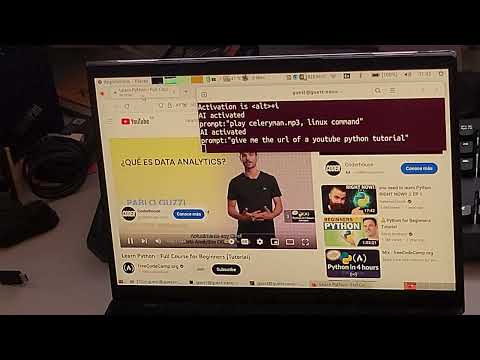
Example prompts:
- 'find all files starting with letter z, in subdirectories, linux command'
- 'youtube video of python tutorial'
- 'write an example description of a github project in markup language'
Warning: The AI will sometimes write commands and execute them if you query it inside a terminal.
License
This project is licensed under the BSD 2-clause License - see the LICENSE file for details.