YouTube Transcription and Q&A with GPT-4
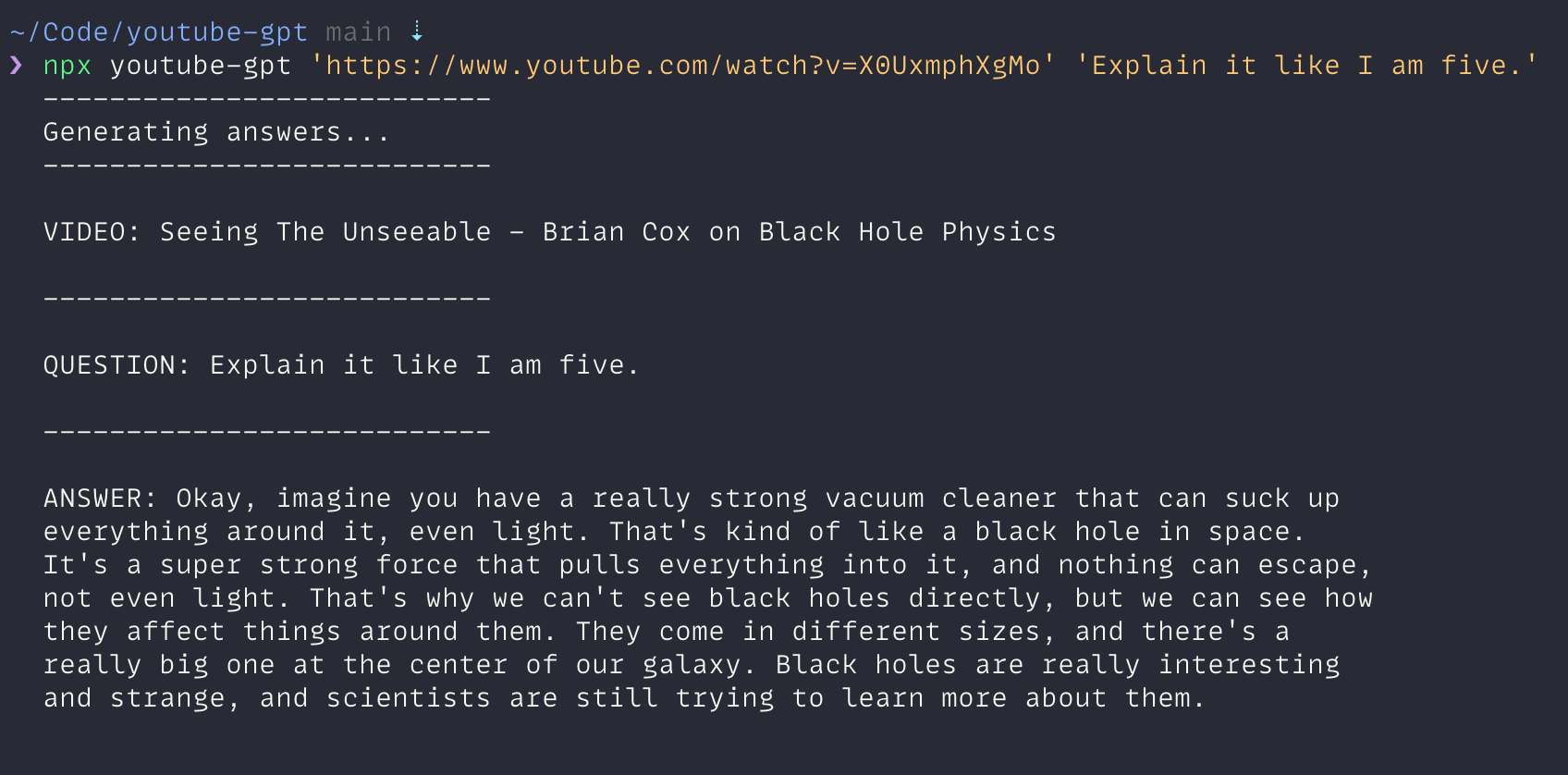
This is a fun and easy-to-use module that downloads and transcribes YouTube videos, and then uses OpenAI's GPT-4 model to answer questions about the video content. It's perfect for when you want to get a quick summary or answer specific questions about a video without watching the whole thing.
Note: This project uses the GPT-4 model, which requires access to that model through the OpenAI API. Make sure your OpenAI account has access to GPT-4 before using this project.
Created with the help of GPT-4: The code and this README were generated also with the assistance of OpenAI's GPT-4 model.
Features
- Downloads YouTube videos and converts them to MP3
- Splits large audio files into smaller chunks for transcription
- Transcribes audio using OpenAI's Whisper ASR API
- Stores transcriptions in a JSON file for future use
- Asks GPT-4 questions about the video content and gets answers
- Stores questions and answers in a separate JSON file
Getting Started
To get started, you'll need to have Node.js installed on your computer. You can download it from the official Node.js website.
You'll also need to set up an OpenAI API key. You can get one by signing up for an account at OpenAI.
To use the script without installing it locally, you can run the following command, replacing the YouTube URL and question with your desired values:
npx youtube-gpt 'https://www.youtube.com/watch?v=ylpAHvPlafc'Please make sure that you provide your OpenAI API key as a variable:
export OPENAI_API_KEY=your-openai-api-key-hereThe script will download the YouTube video, transcribe it, and ask GPT-4 your question. The transcription, question, and GPT-4's answer will be saved in JSON files for future reference.
After the YouTube URL, you can provide your own question. Otherwise it will use the default one, for summarizing the video.
Local development
Clone this repository and navigate to the project folder:
git clone https://github.com/nuc/youtube-gpt.git
cd youtube-transcription-gpt4
Install the required dependencies:
Create a new file called .env in the project folder and add the following line, replacing your-openai-api-key-here with your API key:
OPENAI_API_KEY=your-openai-api-key-here
Known Issues
GPT-4 has a maximum token limit of 8,000 tokens. In long videos (30 minutes or more), the tokens along with the generated response might exceed this limit. A future improvement would be to use a document or vector database like Pinecone to gather only matching documents before constructing the prompt. However, this approach might not work as well for summarization. If you have any ideas on how to solve this issue, feel free to get in touch.
Contributing
Feel free to fork this repository and make any changes or improvements you'd like. If you think your changes would be helpful to others, please submit a pull request. We'd love to see what you come up with!
License
This project is licensed under the MIT License. See the LICENSE file for details.
Have Fun!
We hope you enjoy using this project as much as we enjoyed creating it. If you have any questions or run into any issues, please don't hesitate to reach out. Happy transcribing and questioning!