
Official Claude in Chrome gives you 58 blocked domains and two browsers.
Open Claude in Chrome gives you the whole web.
Clean-room reimplementation of Anthropic's browser extension. No blocklist. Any Chromium browser. 100% feature & performance parity.
by noemica
What's different · Install · Imitation learning · Architecture · Demo · How I built it · Discord
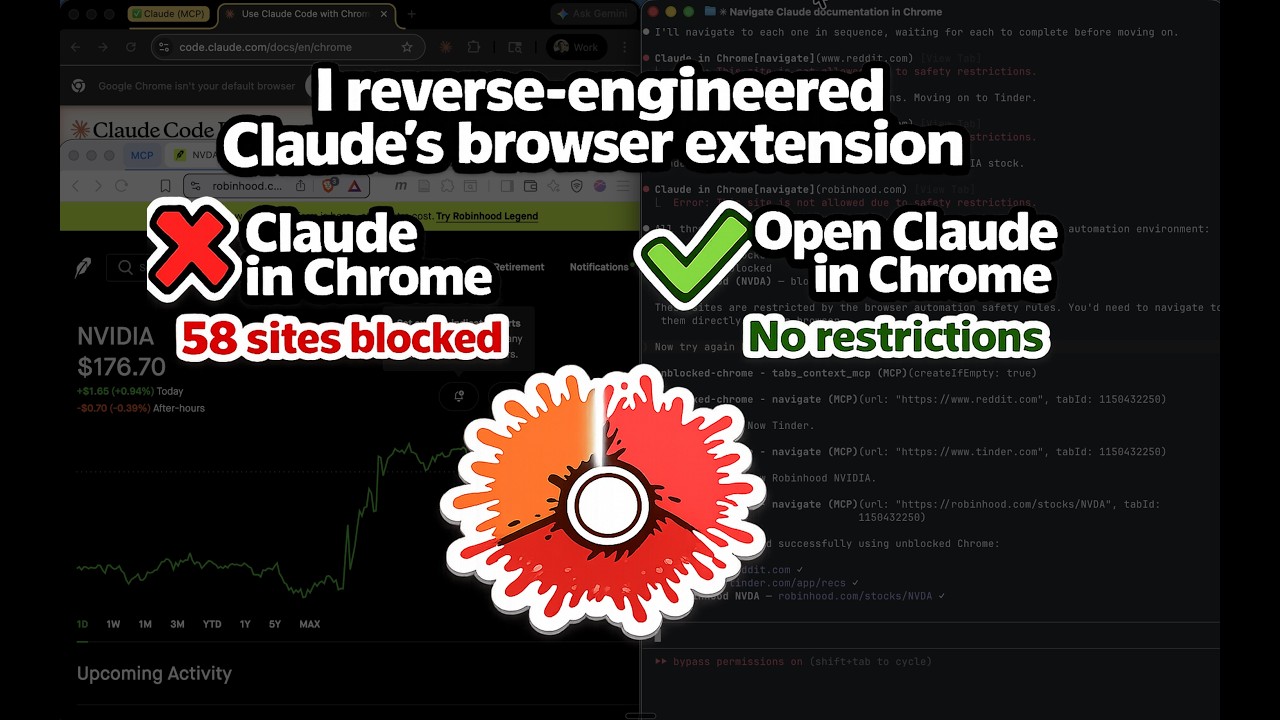
Watch Claude navigate Tinder, Reddit, and Robinhood — sites the official extension can't reach.
The official Claude in Chrome extension gives Claude Code full browser automation — as long as you stay within Anthropic's allowlist of "safe" sites. Open Claude in Chrome is a clean-room reimplementation that strips the restrictions while keeping all 21 MCP tools and matching the official extension's performance.
What's Different
| Claude in Chrome | Open Claude in Chrome | |
|---|---|---|
| Domain blocklist | 58 blocked domains across 11 categories | No blocklist. Navigate anywhere. |
| Browser support | Chrome and Edge only | Any Chromium browser (Chrome, Edge, Brave, Arc, Opera, Vivaldi, etc.) |
| Source code | Closed source | Open source (MIT) |
| Tools | 21 MCP tools | Same 21 MCP tools |
| Performance | Baseline | Identical |
Blocked Domains in the Official Extension
| Category | Blocked Sites |
|---|---|
| Banking | Chase, BofA, Wells Fargo, Citibank |
| Investing/Brokerage | Schwab, Fidelity, Robinhood, E-Trade, Wealthfront, Betterment |
| Payments/Transfers | PayPal, Venmo, Cash App, Zelle, Stripe, Square, Wise, Western Union, MoneyGram, Adyen, Checkout.com |
| BNPL | Klarna, Affirm, Afterpay |
| Neobanks/Fintech | SoFi, Chime, Mercury, Brex, Ramp |
| Crypto | Coinbase, Binance, Kraken, MetaMask |
| Gambling | DraftKings, FanDuel, Bet365, Bovada, PokerStars, BetMGM, Caesars |
| Dating | Tinder, Bumble, Hinge, Match, OKCupid |
| Adult | Pornhub, XVideos, XNXX |
| News/Media | NYT, WSJ, Barron's, MarketWatch, Bloomberg, Reuters, Economist, Wired, Vogue |
| Social Media |
Open Claude in Chrome has none of these restrictions.
Does it actually match the official extension?
Yes — and rather than assert it, here is a benchmark. Read the full study →

17 arms, each run over the same 12 held-out tasks from the REAL web-agent benchmark, same model and effort throughout (Sonnet, medium). What it found:
- Parity, out of the box. The official extension and this harness, both cold, are statistically indistinguishable: 2.04 vs 1.95 min/task and 31.4 vs 32.6 turns, at p=0.44 and p=0.67 on a paired permutation test, with identical accuracy. They differ only in per-action overhead — 0.31s vs 0.12s per browser action, 2.7× less.
- A higher ceiling. The best method in the study lands 23% fewer turns and 15% less time than the official extension, at 11/12 tasks passed against 8/12. Distil prior runs into a short per-site recipe, put it in the task prompt, and start from a warmed-up session.
- What actually helps. Mounting raw prior experience on disk costs more than it returns (the agent spends 3.5× longer before its first browser action); compressing it into the prompt is what pays. Context is the dominant latency term at +1.9s per turn per 100k tokens, so more context is not free.
- Recordings. This harness records raw, four-track browser traces and defers the analysis; Claude Cowork analyses each recording at capture time and keeps only the result. Distilled the same way by the same model, the raw recordings win both regimes — 6.6 fewer turns and 6.4 fewer minutes when the material has to fit in a prompt (p=0.012, p=0.008).
Caveats are in the writeup, not hidden: the task set saturates, one task's grading is ambiguous, and repeat runs of an identical configuration vary by 10–20%, so treat single-digit differences as noise.
Architecture
Default:
Claude Code <--stdio MCP--> mcp-server.js <--TCP--> native-host.js <--native messaging--> Extension <--> Browser
Code mode / hybrid (additive — mcp-server.js is reused unchanged as the upstream):
Claude Code <--stdio MCP--> server-{codemode,hybrid}.js
                              |  spawns + proxies via MCP
                              v
                            mcp-server.js (child) <--TCP--> native-host.js <--native messaging--> Extension <--> Browser
                              ^
                              |  HTTP tool-callback
                              |
                            workerd (wrangler dev sidecar)
                              |  Worker Loader → V8 isolate
                              v
                            sandboxed Worker runs LLM-written code
Three components:
- Extension — Manifest V3 with CDP-based browser automation (all 21 tools)
- MCP Server — Node.js process started by Claude Code, exposes tools via MCP
- Native Messaging Host — Bridge between the MCP server and the extension
The codemode and hybrid servers add a fourth piece — a wrangler dev subprocess hosting a Cloudflare Worker that runs the LLM-generated code in a V8 isolate. The Worker calls back to the proxy over HTTP for actual tool execution, which is forwarded to the unchanged upstream mcp-server.js.
Installation
One flow, top to bottom, turns everything on — all 21 browser tools,
execute_code, and the imitation-learning recorder.
Prerequisites
- Node.js v18+
- Any Chromium browser (Chrome, Edge, Brave, Arc, Opera, Vivaldi, etc.)
- Claude Code v2.1.80+ (the recorder needs channels; browser automation alone works on v2.0.73+)
- An OpenAI API key (used to transcribe recording narration)
Step 1: Install dependencies
npm install --prefix host
npm install --prefix host/codemode/worker
The second one is not optional: it provisions the sandbox that execute_code
runs in. Skip it and the server falls back to fetching wrangler over the network
on every cold start, which is the most common reason execute_code fails to
come up.
Step 2: Load the extension
- Go to
chrome://extensions(orbrave://extensions/edge://extensions) - Enable Developer mode
- Click Load unpacked and select the
extension/directory - Copy the extension ID shown under the extension name
Step 3: Register native messaging
./install.sh <your-extension-id>
If you use multiple browsers, pass all IDs: ./install.sh <chrome-id> <brave-id> <arc-id>
Step 4: Restart your browser
Close all windows and reopen. The browser reads native messaging host configs on startup.
Step 5: Set your OpenAI key and enable the microphone
Right-click the extension icon → Options. Both of these are required before recording:
- Paste your OpenAI key and click Save & validate (transcribes your narration).
- Click Enable microphone and allow the browser prompt. The recorder captures audio in a background page that can't show a permission prompt itself, so you grant mic access once here; otherwise recordings capture no voice.
Step 6: Add the server to Claude Code
The hybrid server exposes everything: all 21 tools directly, execute_code
alongside (the model picks per call), and the recording channel.
claude mcp add open-claude-in-chrome-hybrid -- node /absolute/path/to/host/codemode/server-hybrid.js
Find the absolute path with echo "$(pwd)/host".
Step 7: Launch with recording enabled
Channels are a research preview, so start Claude Code with the development flag (the name is the server from step 6):
claude --dangerously-load-development-channels server:open-claude-in-chrome-hybrid
Accept the one-time prompt and keep the session open — channels inject into a
live interactive session, not claude -p. That's it: browser automation and
recording are both on.
Verification
Start a new Claude Code session and run both checks.
1. Browser control — confirms the extension, native host and MCP server are wired up:
Navigate to reddit.com and take a screenshot
Reddit loads. No domain restriction.
2. The execute_code sandbox — confirms the wrangler sidecar is live:
In a single execute_code call: create a new tab, navigate to reddit.com, click
the first post, then go back to the listing and give me every post title except
the top three.
You should get the titles back from one tool call rather than a
click-screenshot-click sequence. If the first attempt reports the sandbox is
still starting, wait a few seconds and ask again — the sidecar boots in the
background and the first call can arrive before it is ready. If it never comes
up, see Keeping execute_code running.
Keeping execute_code running
Where it runs. execute_code evaluates your JavaScript in a Cloudflare
Worker (a V8 isolate) hosted by a workerd sidecar that the MCP server starts
with wrangler dev. That sidecar is a child process of the MCP server,
which Claude Code itself spawns. There is no separate daemon, nothing to start
by hand, and nothing that outlives Claude Code. It binds 127.0.0.1 on a free
port, runs out of host/codemode/worker, and keeps its state in a per-variant,
per-PID directory under your temp dir so the codemode and hybrid servers can run
at the same time without racing each other.
Its lifetime is the MCP server's lifetime. It is spawned in the background at server start so MCP startup never blocks on it (budget: 60s to boot, typically 3–5s), and it is torn down on SIGTERM/SIGINT/exit and when Claude Code closes the stdio pipe. So restarting or reconnecting the MCP server always gives you a fresh sidecar.
There is no health check and no auto-restart. If the sidecar dies
mid-session, execute_code stays down until the MCP server restarts. That is
the behaviour to recognise: browser tools still work, only execute_code fails.
To keep it reliable:
- Install the worker's dependencies (Step 1, or
./install.sh). Withouthost/codemode/worker/node_modulesthe server falls back tonpx --yes wrangler, which needs the network on every cold start. This is the single most common cause of a sandbox that "sometimes isn't there". - Recover with
/mcpin Claude Code. Reconnecting restarts the MCP server, which respawns the sidecar. - If that doesn't take, clear strays and reconnect:
pkill -f "server-hybrid|server-codemode"; pkill -f wrangler
- Confirm it's up. The server logs
[wrangler] Ready on http://127.0.0.1:<port>and thensandbox prewarmed in <n>ms.pgrep -fl wranglershould show one process per registered codemode/hybrid server. - Expect partial degradation, not failure. If the sandbox never comes up the
21 passthrough tools keep working and only
execute_codeerrors, so a broken sidecar looks like "code mode stopped working", not "the browser stopped working".
Server variants
The hybrid server from Step 6 is the superset and the one the install steps assume. Two leaner variants exist if you want them, and they can coexist — register more than one.
Default — the 21 tools, nothing else:
claude mcp add open-claude-in-chrome -- node /absolute/path/to/host/mcp-server.js
Code mode — three tools: execute_code, screenshot, zoom. The model writes JS that calls chrome.* (the typed API for all 21 tools) in a sandboxed Cloudflare Worker, collapsing multi-step flows into one round trip:
claude mcp add open-claude-in-chrome-codemode -- node /absolute/path/to/host/codemode/server-codemode.js
Both of these carry the same sandbox as hybrid, so Keeping execute_code running applies to them too. Recording is only on the hybrid server.
Imitation Learning (Recording)
Teach Claude Code a browser task by doing it once. The extension records an
expert rollout in two synchronized tracks — what you did (clicks, typing,
scrolling, resolved to durable element anchors) and why (your spoken
narration, transcribed) — across every tab, then hands the recording to a live
Claude Code session over a channel.
Claude reads the rollout and carries out the task, extrapolating to sister
tasks. Enabled by the Installation flow above. Full design:
docs/imitation-learning-alignment.html.
Record
- Tell the session you're about to teach it something.
- Click the toolbar icon to start. The badge walks a fixed pipeline:
…(booting the mic, ~2.5s) →REC(talk now). Clicks during…are ignored. - Act and narrate out loud. Hold Alt while clicking to demonstrate an action without it firing (override/mask mode).
- Click the icon again to stop. The badge shows
…while the recording is transcribed and saved — clicks are ignored until the paste-able reference lands on your clipboard and the icon shows 📋. Only then is the icon live again. Paste the reference into Claude Code to point it at the recording. (If a Claude session with the channel is connected, it's also notified automatically and the tooltip says so — but the clipboard copy happens either way.)
Recorded sessions are browsable under the extension's Options page (all captured data, disclosed in layers), each with its own Copy reference button.
Verify recording works
The minimum end-to-end check, the recorder's equivalent of the reddit test above. Do it in a session launched per step 7.
- In the Claude Code session, say: "I'm going to teach you something — wait for my signal."
- Click the toolbar icon (badge shows
REC). Navigate to any page, click a couple of things, and say two or three sentences out loud about what you're doing. Click the icon again to stop. - Confirm:
- The icon shows a 📋 and the reference is on your clipboard (paste it anywhere to check — it points at the recording folder).
- Options → Recorded sessions shows the session with events > 0, utterances > 0, a working audio player, a frame count, and your words under Narration.
trace.jsonandimages/exist under~/.config/open-claude-in-chrome/recordings/<recording_id>/.- If a channel session is connected: a
<channel … event="recording_complete" …>message appears and Claude acknowledges it and reads the trace.
If utterances is 0 or there's no audio, the mic wasn't enabled — redo
Installation step 5. If nothing saved (no 📋), the native host isn't running —
rerun ./install.sh <extension-id> and restart the browser. If no channel
message appears, the session wasn't launched with the flag in step 7 (or a
stale MCP server is running — pkill -f "server-hybrid" and reconnect with
/mcp).
The real test (beyond the minimum): one narrated rollout of a task, then a sister task — same shape, different specifics — that Claude completes unaided from the recording. That's the proof the trace teaches rather than replays.
Status & limitations
The MCP channel, the recording_ack round-trip, the primary→client event
routing, the transcription + track merge, and the native-host file writes are
validated outside the browser; the in-browser capture, mic, and stop pipeline
are wired and awaiting your live pass above. Known v1 choices:
- The bundle is written by the native host (a Node process with filesystem access) to
~/.config/open-claude-in-chrome/recordings/<id>/—trace.json,SCHEMA_v0.md, andimages/. Nochrome.downloads, so no OS save dialog, and it saves whether or not Claude is connected. - Four tracks: behavior (discrete actions), cursor (raw trajectory), images (240p frames captured on events, ≤1/sec), narration. All references and files are just data; the agent reads what it wants.
- The viewer keeps small copies of the audio and frames in IndexedDB (the Options page can't read the on-disk files). Long recordings accumulate; a "keep last N" cleanup is a later refinement.
- The capture layer is purpose-built (anchors + effects + heuristics), not a vendored rrweb.
Code Mode Test Client
A self-explanatory in-browser test suite for comparing default / code-mode / hybrid behavior across the kinds of flow they each should excel at. Lives in scratch/test-form/.
Serve it
cd scratch/test-form
python3 -m http.server 8765
Open http://localhost:8765/. The page is a four-challenge suite the agent works through end-to-end:
- Single-Screen Form — everything visible in one screenshot. A model that captures the layout once should be able to batch all clicks + types + submit into a single round trip.
- Multi-Step Wizard — three steps where step 2's fields depend on step 1's choice. Forces screenshot → action → screenshot, no batching across steps.
- Repeat Submissions — the same Challenge 1 form, submitted three times with different values. Coordinates don't change; this is where pre-planned batching pays off most.
- Click Sequence — a 3×3 grid plus a randomly-generated ordering. Every coordinate is visible at once; the model can batch nine sequential clicks from one screenshot.
Completion is non-ambiguous: the suite ends on a green "All Challenges Complete" banner with a per-challenge wall-clock table. A sticky progress header on every page shows the current challenge number and a ✓ for each completed one.
Run the experiment
YOU MUST NOT USE THE FOLLOWING TOOLS IN ANY CAPACITY: form_input || javascript_tool

TASK:
Open http://localhost:8765/ on a new tab and complete every challenge on the page. Follow the on-page instructions until you reach the "All Challenges Complete" banner.

For the MCP use only (not any of the other ocic MCPs): open-claude-in-chrome||open-claude-in-chrome-codemode||open-claude-in-chrome-hybrid
What to look for across the three MCP variants:
- Challenge 1: ratio of screenshots to actions. Default tends to look-act-look-act; code-mode/hybrid should look once then batch.
- Challenge 2: all three should look comparable — visual feedback is required between steps regardless of MCP.
- Challenge 3: this is where the gap should open. One screenshot up front, then three batched form-fills in code-mode/hybrid vs. fresh look-act loops in default.
- Challenge 4: similar. Coordinates fixed, sequence visible. Code mode batches the nine clicks; default clicks one at a time.
If the model still uses direct tools on the second submission, that's a signal the execute_code description needs tuning — see host/codemode/common.js (buildExecuteCodeDescription) and the per-server EXTRA_NOTES.
Results
Final Results Table
Available Tools
Every tool, its purpose, and its parity with the official Claude in Chrome extension:
- ✓ — in parity with Claude in Chrome (same interface, same behavior)
- ✗ — present but diverges (a stub, or a capability gap — see the notes)
- (blank) — a new tool with no Claude in Chrome equivalent
| Tool | Purpose | Parity |
|---|---|---|
tabs_context_mcp |
Get tab group context | ✓ |
tabs_create_mcp |
Create a new tab | ✓ |
tabs_close_mcp |
Close a tab | ✓ |
navigate |
Navigate to URL, back, forward | ✓ |
computer |
Mouse, keyboard, screenshot, zoom | ✓ |
read_page |
Accessibility tree with element refs | ✓ |
get_page_text |
Extract article/main text | ✓ |
find |
Find elements by text/attributes | ✓ |
form_input |
Set form values by ref | ✓ |
javascript_tool |
Execute JS in page context | ✓ |
read_console_messages |
Console output (filtered) | ✓ |
read_network_requests |
Network activity | ✓ |
resize_window |
Resize browser window | ✓ |
file_upload |
Attach local file(s) to a file input (by ref) | ✓ |
upload_image |
Attach a captured screenshot to a file input (by ref) | ✗ |
gif_creator |
GIF recording | ✗ |
shortcuts_list |
List shortcuts | ✗ |
shortcuts_execute |
Run a shortcut | ✗ |
switch_browser |
Hand off automation to another Chromium browser | ✗ |
execute_code |
Run sandboxed JS that drives every tool via chrome.* |
|
update_plan |
Present a plan for approval | |
set_tab_focus |
Surface a tab: select it, optionally raise its window | |
get_config |
Read automation settings and the catalog of what they do | |
set_config |
Change a setting, globally or for one tab | |
recording_ack |
Confirm an imitation-learning recording event | |
retranscribe_recording |
Re-run transcription for a failed recording | |
debug |
Read what the extension actually did — the detail tool results omit | |
debug_timings |
Per-call timing diagnostics |
Notes on the divergences (✗):
file_uploadmatches Claude in Chrome's interface (paths,ref,tabId) but does not restrict sources to session-shared paths — any absolute path on this machine is accepted.upload_imageis file-input-only (target it byref); Claude in Chrome additionally supports dropping an image at acoordinate(e.g. Google Docs).gif_creator,shortcuts_list, andshortcuts_executeare stubs.switch_browserreleases the shared runtime for ~15s so another browser can take over, in place of Claude in Chrome'slist_connected_browsers/select_browserpair.
Humanized input
Browser automation normally dispatches input the shortest way possible: the cursor teleports to a target, the button is pressed and released instantly, a scroll arrives as one jump. That is efficient, and it looks nothing like a person.
Turn humanize on and input is driven the way a hand drives it — curved cursor
paths with acceleration and overshoot, clicks that land off-centre with a real
press dwell, scrolls decomposed into momentum ticks, and typing with
human-shaped inter-key timing:
set_config({ key: "humanize", value: true })
Measured on an instrumented page, the same three clicks produce 3 mouse-move events with it off and 41 with it on (2 vs 39 distinct points) — while clicks, mousedowns and mouseups come out identical. That is the guarantee: randomisation changes where inside a target you land, how the cursor gets there, and when — never what happens. Same element, same text, same scroll position.
Realism costs wall-clock, so the time affordance is a setting:
humanize_speed |
|
|---|---|
fastest |
The shape of human motion, compressed — for getting through a lot |
fast (default) |
Fewer path samples and shorter pauses |
natural |
Genuine human cadence |
relaxed |
Unhurried motion (typing stays near natural — see below) |
Every tier keeps movement before the click, real key events and identical
outcomes; faster tiers use fewer path samples and shorter pauses, never none.
Typing is scaled separately from motion, because its cost is per character
rather than per action: the slow tier stretches cursor movement but barely
stretches typing, since an unhurried person still types at their own speed.
For reference, humanize off takes ~0.2s to type 15 characters, which is the
floor imposed by CDP dispatch itself. The ceiling is deliberate too — a slower
tier measured at ~4.2s for the same text was cut, because a setting nobody
would pick is a trap rather than an option.
Settings can be scoped to one tab (set_config({ key, value, tabId })),
and get_config returns the catalog of recognised settings so the current set
is always discoverable rather than documented only here.
Note that typing emits real keydown/keyup events regardless of this
setting — that is parity with Claude in Chrome, which does the same, not a
humanization extra. humanize only changes the timing between them.
Auditing agent sessions
Watch back what an agent did in the browser, instead of asking the session to describe its own work. Off by default:
set_config({ key: "audit_mode", value: "audit" })
With it on, the first action against a tab starts an rrweb DOM recording in it, and the extension stitches those into one timeline per Claude Code session, under Audits on the options page. Press play once and the replay runs start to finish, switching tabs on its own.
It is a mode rather than a flag because a later teach mode wants the
opposite masking default — an audit should mask what a person types, while
training data is exactly that text.
How a session is attributed. The native host already namespaces every
request as h{clientId}_{id} so replies route back to the client that asked,
and the extension echoes that id back untouched. Reading the prefix is enough to
know which Claude Code session performed an action, so two agents driving two
tabs produce two independent audits rather than one interleaved mess.
Streams and segments. rrweb node ids are integers scoped to a single snapshot, so two tabs' event streams can never be concatenated — the ids would collide and both replays would corrupt. A stream is therefore one recording in one tab, living until its document does, and a segment is a run of consecutive actions in one tab. Returning to a tab opens a new segment over the same stream. Continuity is built at the timeline layer, never in the data.
A stream costs almost nothing while idle, because rrweb is event driven, but
restarting one costs a full DOM snapshot — so the policy favours keeping streams
alive: a 30-minute idle reaper and a 40MB cap exist only to stop a runaway page.
Hitting the cap marks the stream truncated rather than silently stopping,
since a replay that just ends looks identical to a session that ended there.
What it does and does not capture. Recording runs in the extension's
isolated world, so the page cannot observe it — no web API exposes content
scripts — where a main-world injection would have to patch natives and could be
spotted with a toString check. Canvas recording stays off: it is the one rrweb
feature touching natives (toDataURL/getImageData) that anti-fingerprinting
sweeps already watch.
The cost of that choice is real and worth knowing before relying on a replay:
| Captured | Not captured |
|---|---|
| DOM structure, text, attributes, ARIA | Video and audio content (elements and play/pause only; blob:/MSE sources will not replay) |
| Mutations, input, scroll, mouse | Canvas and WebGL |
| Open shadow roots, adopted stylesheets | Closed shadow roots created before recording started |
| Same-origin CSS (inlined) | Cross-origin CSS — CORS-blocked, cannot be inlined |
| Assets behind auth or short TTLs, which are referenced by URL and re-fetched at replay |
In short it is excellent for anything marked up and blind to anything painted, which is why the recorder's own image track is not replaced by it.
Claude in Chrome tools not yet supported in Open Claude in Chrome
browser_batch— run several tool calls in one round trip. Open Claude in Chrome instead offersexecute_code, which runs arbitrary JS driving the same tools in one call.list_connected_browsers— enumerate attached browsers.select_browser— pick which browser drives automation.upload_imagedrop-at-coordinate — Open Claude in Chrome'supload_imageattaches to a file input byrefonly.
Updating After Code Changes
No build step. All files are plain JavaScript. After pulling or editing code:
| What changed | What to do |
|---|---|
extension/background.js, extension/content.js, extension/manifest.json, or extension/recorder/* |
Reload the extension: brave://extensions > click the reload icon |
host/mcp-server.js |
Kill stale servers and reconnect: pkill -f "node.*mcp-server" then /mcp in Claude Code |
host/codemode/*.js or host/codemode/worker/* |
Kill the codemode server: pkill -f "server-codemode|server-hybrid" and pkill -f wrangler, then /mcp in Claude Code |
host/native-host.js |
Restart the browser (close all windows, reopen) |
install.sh or native host name changed |
Re-run ./install.sh <extension-id>, restart browser, re-add MCP |
Quick reset (nuclear option)
If things are broken and you're not sure why:
# 1. Kill all MCP servers
pkill -f "node.*mcp-server"

# 2. Re-run install
./install.sh <your-extension-id>

# 3. Restart browser (close all windows, reopen)

# 4. Reload extension in brave://extensions

# 5. Reconnect in Claude Code
# /mcp
Multiple Sessions
Multiple Claude Code sessions can share the same browser extension. The first session becomes the "primary" (owns the TCP port), and subsequent sessions connect as clients through the primary. All sessions can use the browser simultaneously.
If a session disconnects, kill stale servers and reconnect:
pkill -f "node.*mcp-server"
# then /mcp in each Claude Code session
Community
Questions, ideas, or something broken? Join the Discord — good place to ask before filing an issue, and where feature discussion happens.
Troubleshooting
Extension not connecting
- Verify the extension is loaded and enabled
- Check that
./install.shwas run with the correct extension ID - Restart the browser completely (all windows)
- Verify the native messaging host manifest exists:
- Chrome (macOS):
~/Library/Application Support/Google/Chrome/NativeMessagingHosts/com.anthropic.open_claude_in_chrome.json - Brave (macOS):
~/Library/Application Support/BraveSoftware/Brave-Browser/NativeMessagingHosts/com.anthropic.open_claude_in_chrome.json - Edge (macOS):
~/Library/Application Support/Microsoft Edge/NativeMessagingHosts/com.anthropic.open_claude_in_chrome.json
- Chrome (macOS):
MCP server not found
Use an absolute path:
claude mcp add open-claude-in-chrome -- node /absolute/path/to/host/mcp-server.js
"Browser extension is not connected"
The MCP server started but the native host hasn't connected. Try:
- Open any webpage (wakes the service worker)
- Check service worker logs:
chrome://extensions> "Inspect views: service worker" - Verify
host/native-host-wrapper.shexists
Tools fail immediately after reconnect
This used to mean a stale MCP server from an earlier session was holding the
shared port, and the fix was to pkill them. That is no longer possible: the
native host owns the bridge, sessions only connect to it, and a leftover
process holds nothing anyone needs.
If tools still fail, the browser side is the place to look — see "Browser extension is not connected" above.
Changing the rendezvous
Sessions and the native host meet on a named pipe (\\.\pipe\open-claude-in-chrome-<user>
on Windows, a unix socket under a 0700 directory on macOS and Linux). The name
is derived from your username, so nothing needs configuring and two users on the
same machine cannot collide.
To override it — normally only useful for running an isolated second instance:
- Create
~/.config/open-claude-in-chrome/config.json:{ "pipe": "/tmp/my-own-bridge.sock" } - Restart the browser and Claude Code
OCIC_PIPE does the same thing per-process, which is how the test suite stands
up a whole host + client fleet without touching a live install.
License
MIT
Built by Sebastian Sosa (Noemica)