TypeScript is growing in popularity and it's great news because it's an ambitious project that popularises static typing among JavaScript developers. There are studies on the topic of static typing with quite mixed results. No matter if you see the benefits of enforcing consistency of the structure of your data across your application or you see the downsides of just writing more code and spending more time dealing with some quirks of TypeScript, the premise of having features in your programming language that give your editor all it needs to provide you with useful information about other parts of the project while you type, sounds pretty incredible.
There is a difference in the comfort of writing a react application and trying to recall how the global state was organised, and having auto completion feature that tells you everything you need to know about from exactly where your cursor is.
You can have "the TypeScript experience" in your project in a time shorter than it takes to read this article.
The idea is based on
- The fact that you can have both typescript and javascript files in one project and on
- My observation that the global state is where autocompletion provides the most value.
Prerequisites
The following section will be especially useful for you if:
- You already use
@redux/toolkit. If you use Redux but without the Toolkit, you can remove a lot of boilerplate from your code by using the process I describe, but I recommend to first switch to@redux/toolkit, as depending on the project there might be quite a lot of manual work involved and the documentation of@redux/toolkitmight help here a lot. - Your state slices (using Redux/Toolbox lingo) are not interdependent. If some of your reducers affect the state in more than one slice, you might need to wait until Awesome State library will start supporting that feature.
- You use an editor that supports TypeScript even in JS files. I use VS Code, and although the auto-completion is not perfect in such case (it suggests names that are not related to the state), it does work pretty well (the state-related names are on the top and are visually distinct from all the other ones).
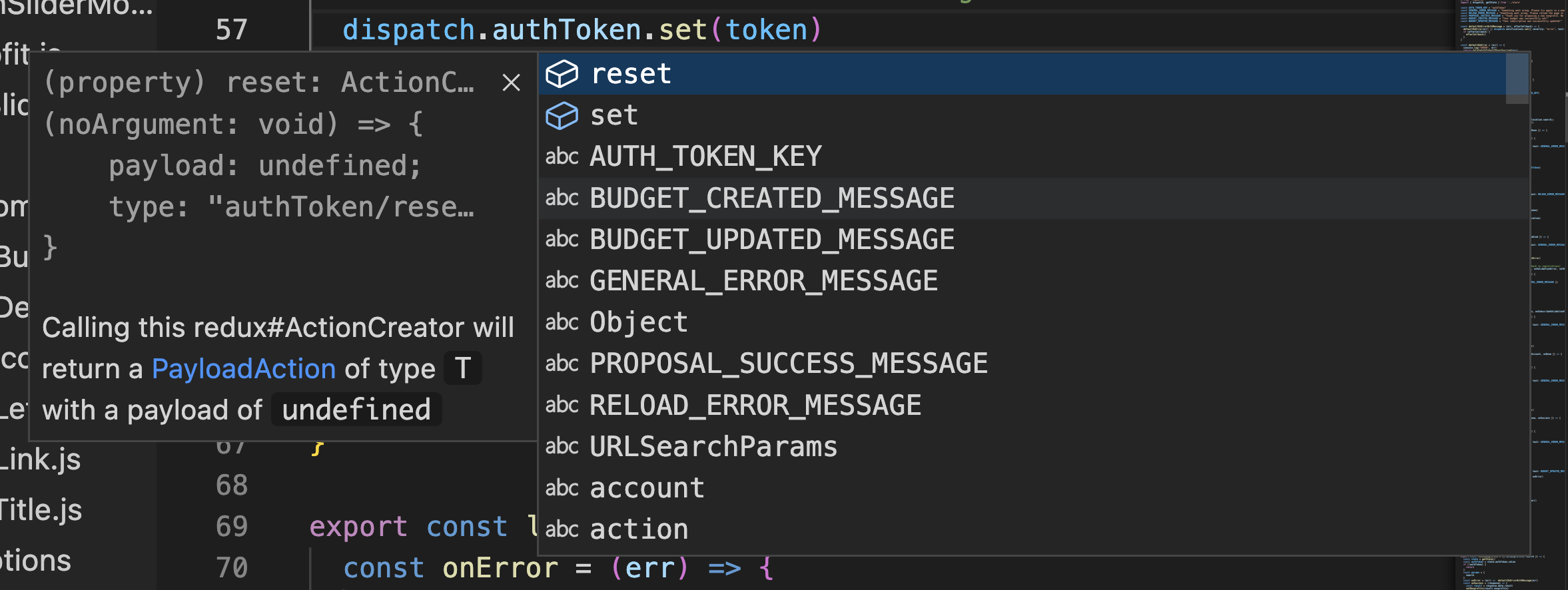
Auto-completion in a JS project with only the slices file in TypeScript:
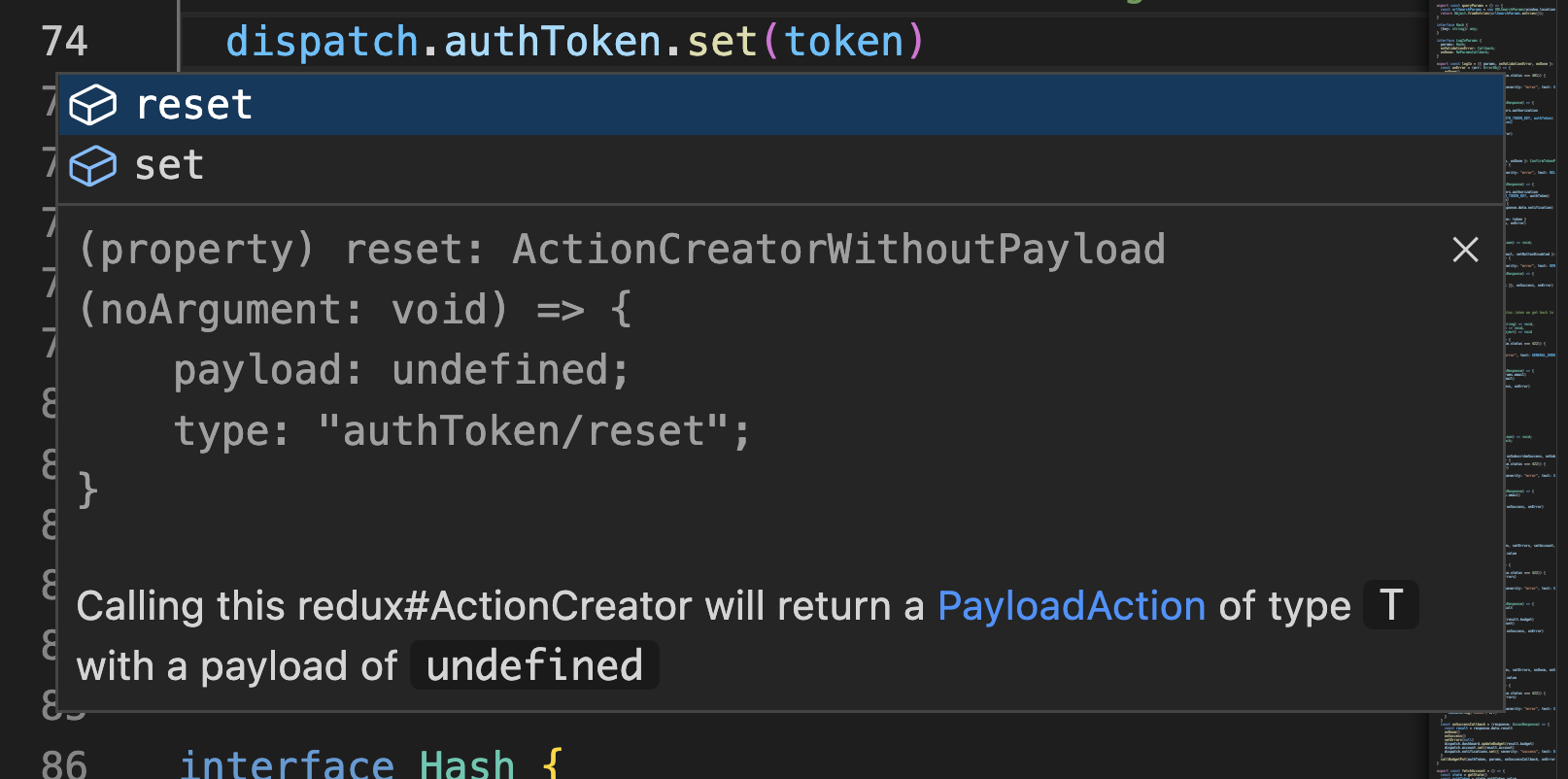
Auto-completion in a project written fully TypeScript:
Here's what to expect
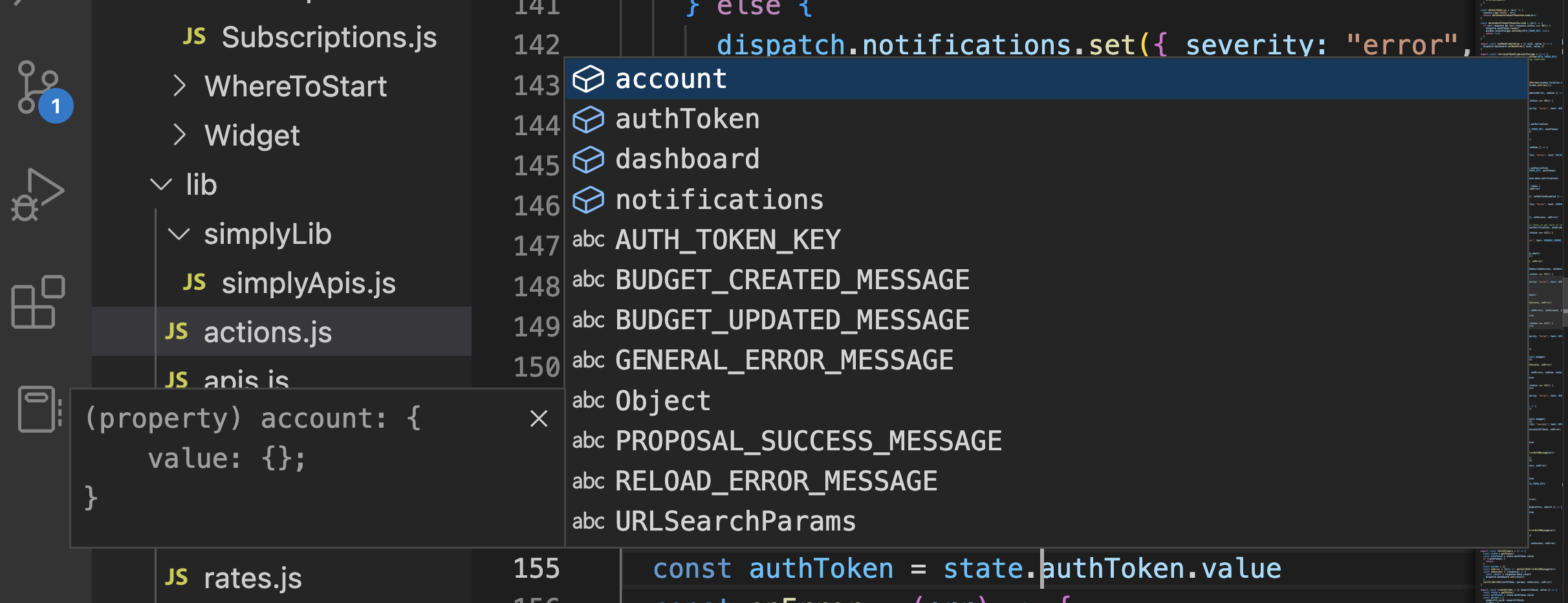
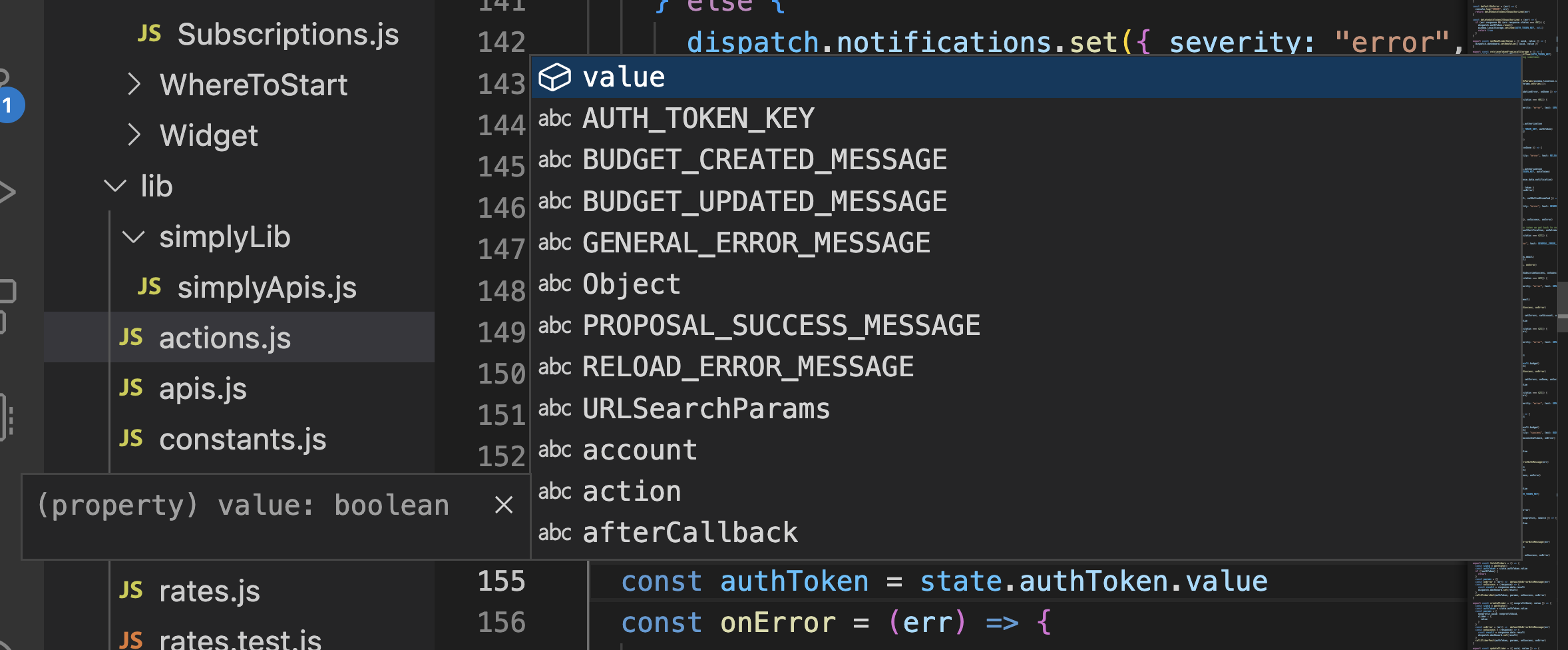
The auto-completion for your state
At the root level:
At the level of the state values:
The auto-completion for your dispatch
At the root level:
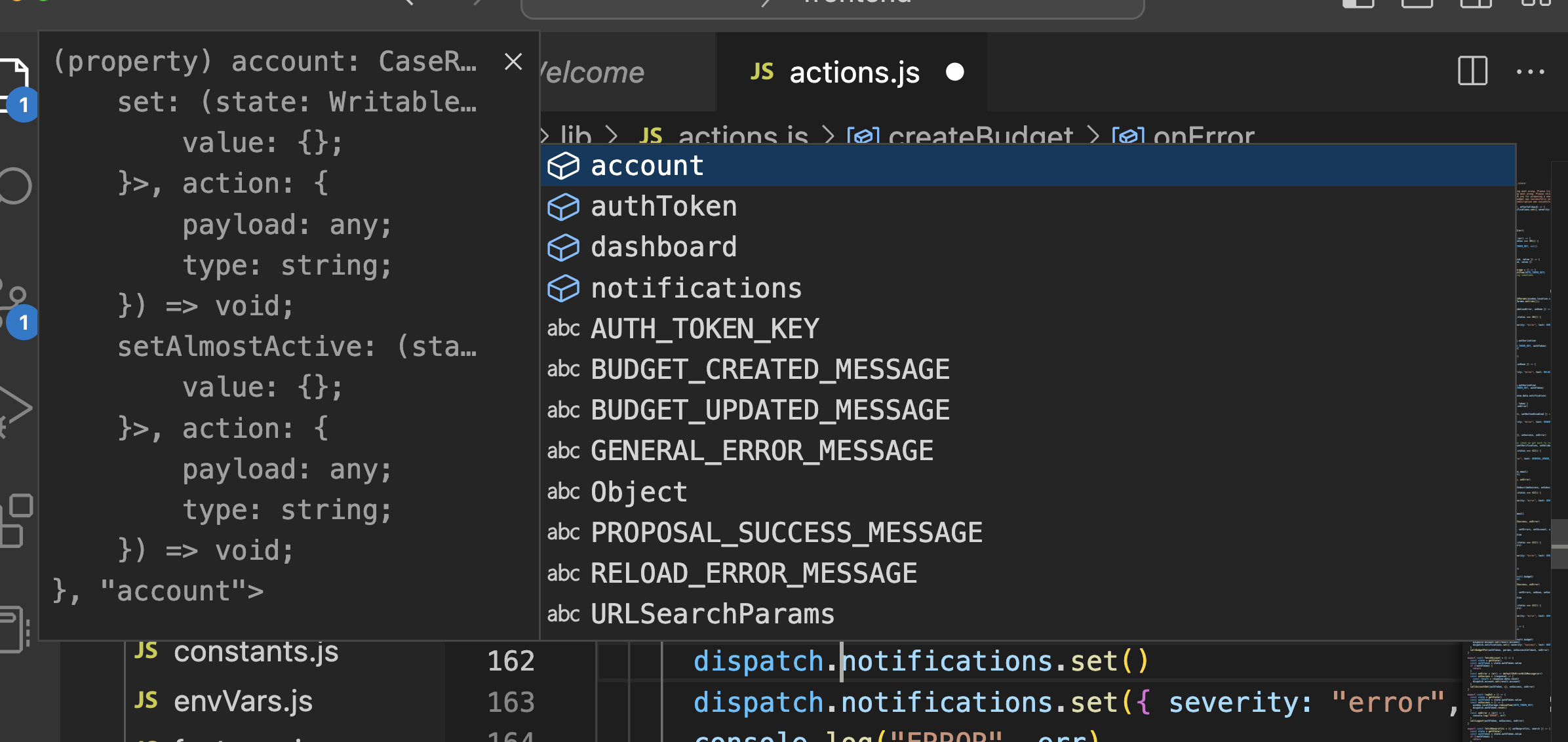
For the names of the reducers to dispatch:
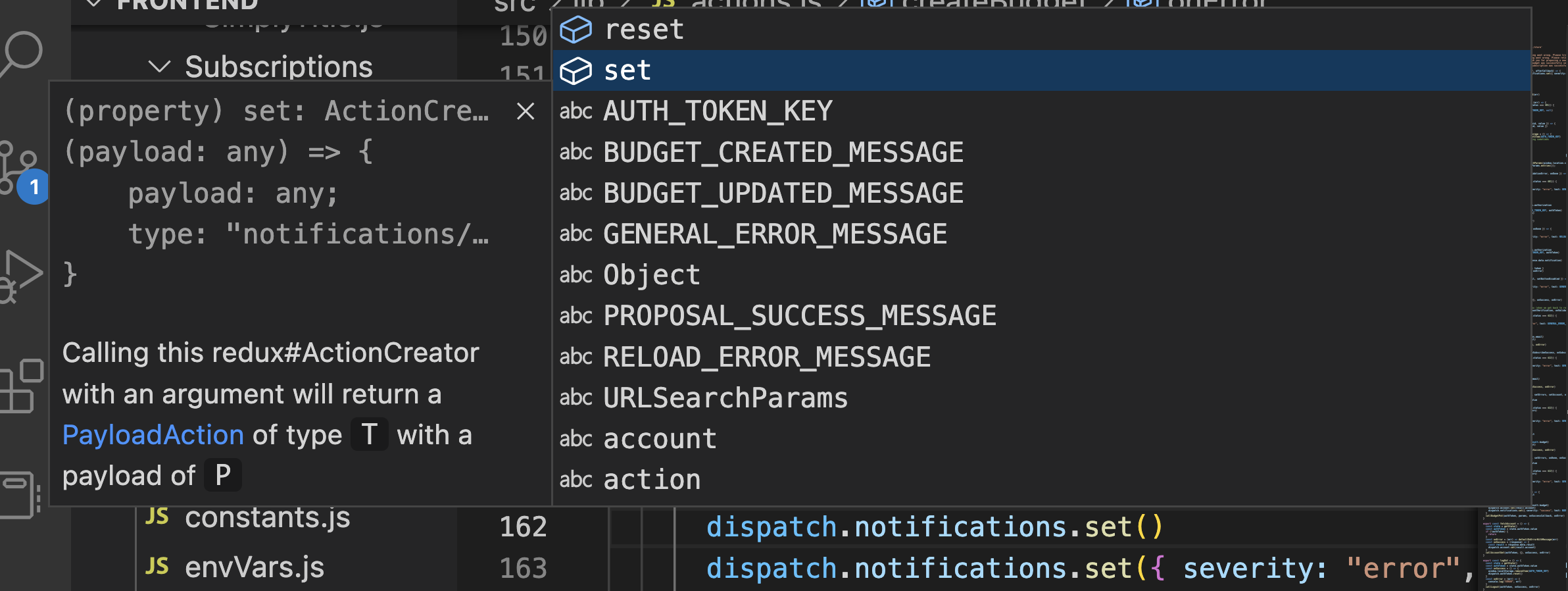
Notice that in awesome-state you don't call dispatch with a reducer, but get a dispatch object that dispatches the right reducer (just a minor, but imho convenient, change of the syntax).
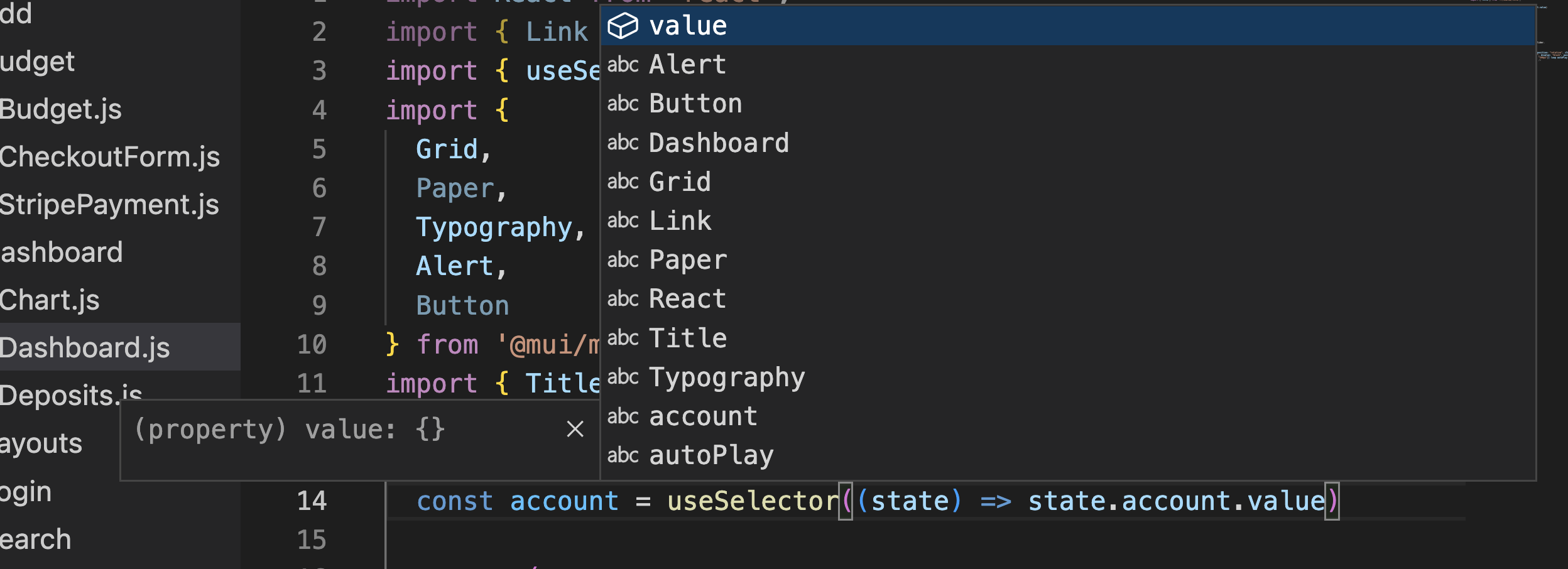
The auto-completion of your state in useSelector
Start using TypeScript in your project
Add tsconfig.json to your project
It could look like that:
{
  "compilerOptions": {
    "target": "es5",
    "lib": [
      "dom",
      "dom.iterable",
      "esnext"
    ],
    "allowJs": true,
    "skipLibCheck": false,
    "esModuleInterop": true,
    "allowSyntheticDefaultImports": true,
    "strict": true,
    "forceConsistentCasingInFileNames": true,
    "noFallthroughCasesInSwitch": true,
    "module": "esnext",
    "moduleResolution": "node",
    "resolveJsonModule": true,
    "isolatedModules": true,
    "noEmit": true,
    "jsx": "react-jsx",

    "noUncheckedIndexedAccess": true
  },
  "include": [
    "src"
  ]
}
Add awesome-state and typescript to your project
npm add typescript awesome-state
Create slices.ts file with all your slices
Or a directory slices in which each file will define one slice. You should end up with a structure that looks like this:
import { createSlice } from '@reduxjs/toolkit'

export const slices = {
  accounts: createSlice({
    name: "accounts",
    initialState: {
      name: null as (string | null)
    },
    reducers: {
      set: (state, action: { payload: string }) => {
        state.name = action.payload
      },
      resetName: (state) => {
        state.name = null
      }
    }
  }),
  authToken: createSlice({
    name: "authToken",
    initialState: {
      value: null as (string | null)
    },
    reducers: {
      set: (state, action: { payload: string | null }) => {
        state.value = action.payload
      },
      reset: (state) => {
        state.value = null
      }
    }
  })
}
Create store.ts
import { slices } from './slices'
import { register } from 'awesome-state'

export const { StoreProvider, dispatch, getState, useSelector, store } = register(slices)
Change your redux' Provider to the one provided by the file above
Go to the file that defines the root of the react application (most often index.js) and wrap your code with StoreProvider that we just exported into ./store.js file
...
import { StoreProvider } from './store';

const root = ReactDOM.createRoot(
  document.getElementById('root') as HTMLElement
);

root.render(
  <StoreProvider>
    <React.StrictMode>
      <App />
    </React.StrictMode>
  </StoreProvider>
);
Start using dispatch, useState, and useSelector from awesome-state
I usually keep the code that calls Redux' dispatch or useState separately from React components because these two have very different concerns. For that I create a file (e.g. actions.js) where I define all the actions that could be imported to and called from components. If you do the same, actions.js is where you should start using dispatch and useState and components is where you should start using useSelector from ./store.js.
No matter if you do that or not though, the following @redux/toolkit code should be changed in the following way (probably by using some kind of Replace in Files feature of your editor, so it should be a moment of playing with regular expressions).
dispatch and getState
Change the import from (the @redux/toolkit` way):
import { store, actions } from './store'
to (the awesome-state way):
import { dispatch, getState } from './store'
All occurrences of things like:
store.dispatch(actions.dashboard.set(result))
should be changed to:
dispatch.dashboard.set(result)
All the occurrences of
const state = store.getState()
should be changed to:
useSelector
In all your components that use useSelector from @redux/toolkit change:
import { useSelector } from 'react-redux'
to (it might be ../store or ../../store and so on depending on the location of a component):
import { useSelector } from './store'
And that's it. Enjoy your global state autocompletion :-)